
- Độ tuổi4+
- Danh mụcTài Chính
- Nhà phát triểnKiyotaka Hori
- Ngôn ngữTiếng Anh+ 1 ngôn ngữ khác
- Kích thước18,8 MB
Liên kết đến trang App Store chính thức
Download.org không lưu trữ tệp nào của abc3.me02. Nút này mở trang ứng dụng trên App Store, nơi Kiyotaka Hori phát hành ứng dụng. Trang được kiểm tra lần cuối: 17/11/2026.
Ảnh chụp màn hình


Giới thiệu
Nhà phát triển chưa cung cấp nội dung này bằng ngôn ngữ của bạn.
abc3.me02 (water utility bills)
abc3.me02 (water utility bills)
Water and sewer,
gas and electric expenses can be manged.
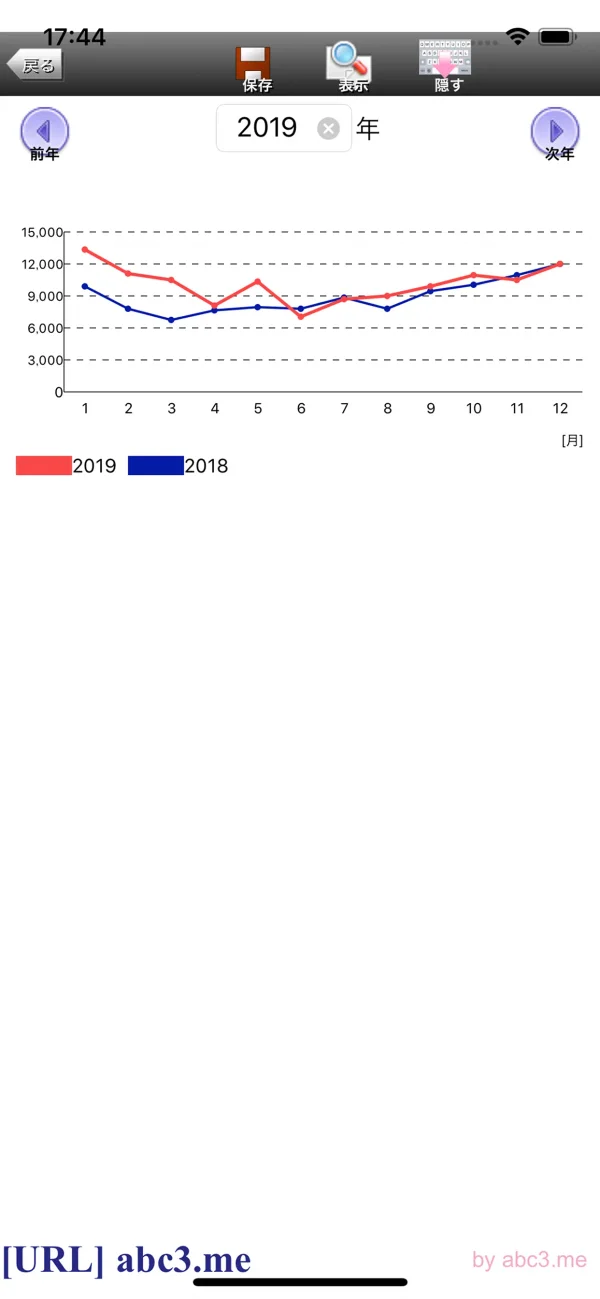
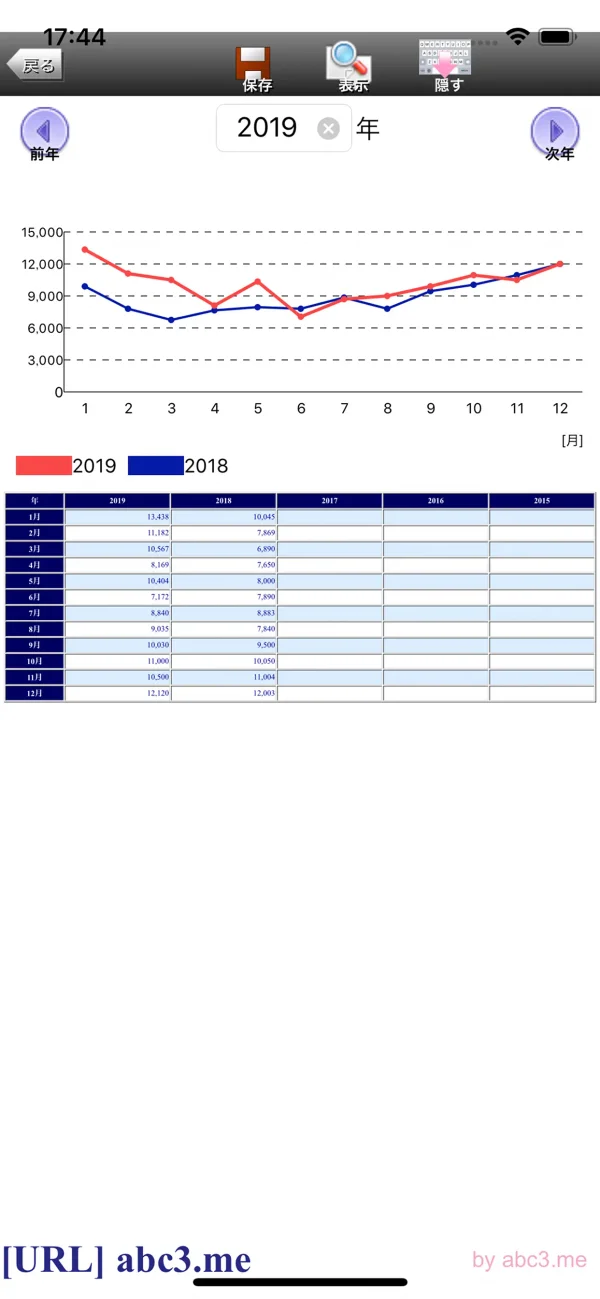
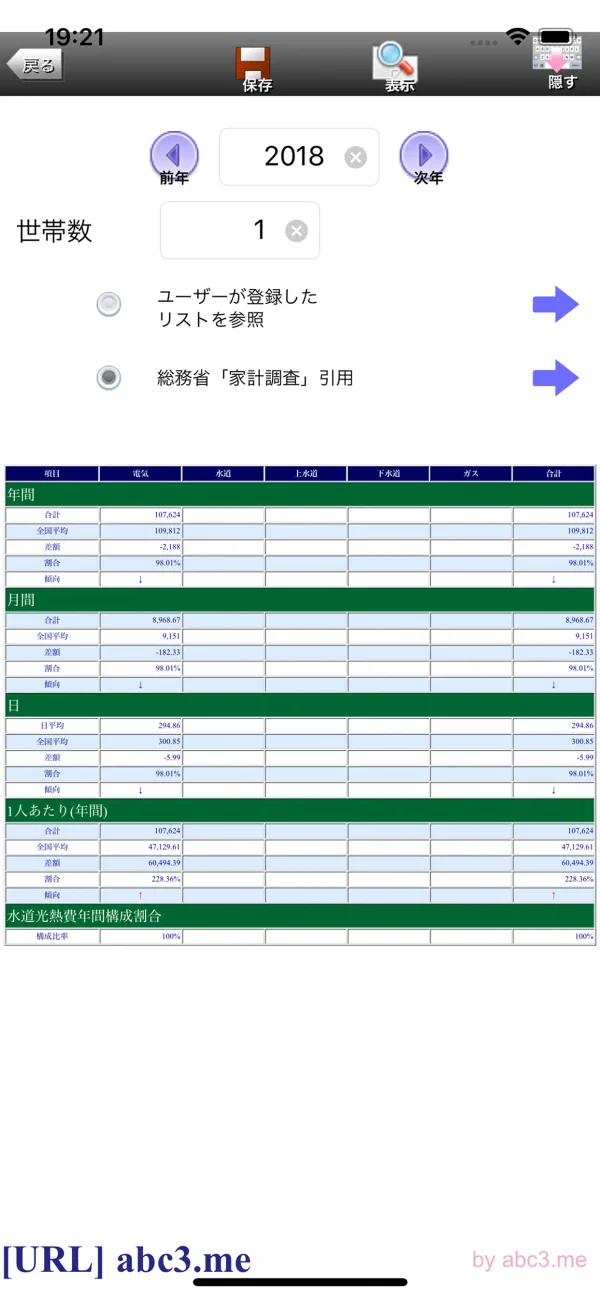
Charts provides a best way to visualize water utility bills.
Using abc3.me02,
please reduce water utility bills.
by abc3.me
can use iPad.
(1) Free App (Finance)
abc3.me02 (water utility bills) Free download Now!
search abc3.me on website
If you are interested in abc3.me02,
We recommend that you download this App, as soon as possible.
(2) How to display Charts.
Please Enter usage charges or consumption.
Please tap View Button.
Using Charts, you can check your usage.
(3) Feature
・Enter
Enter usage charges or consumption.
(water and sewer, gas, electric.)
・Chart
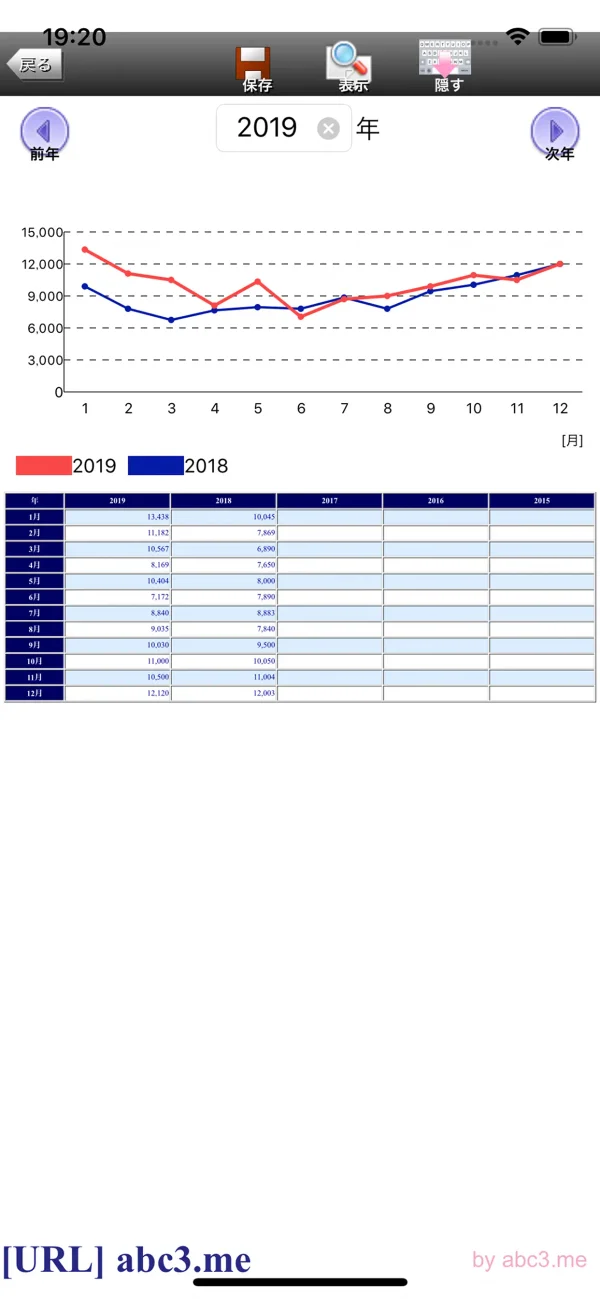
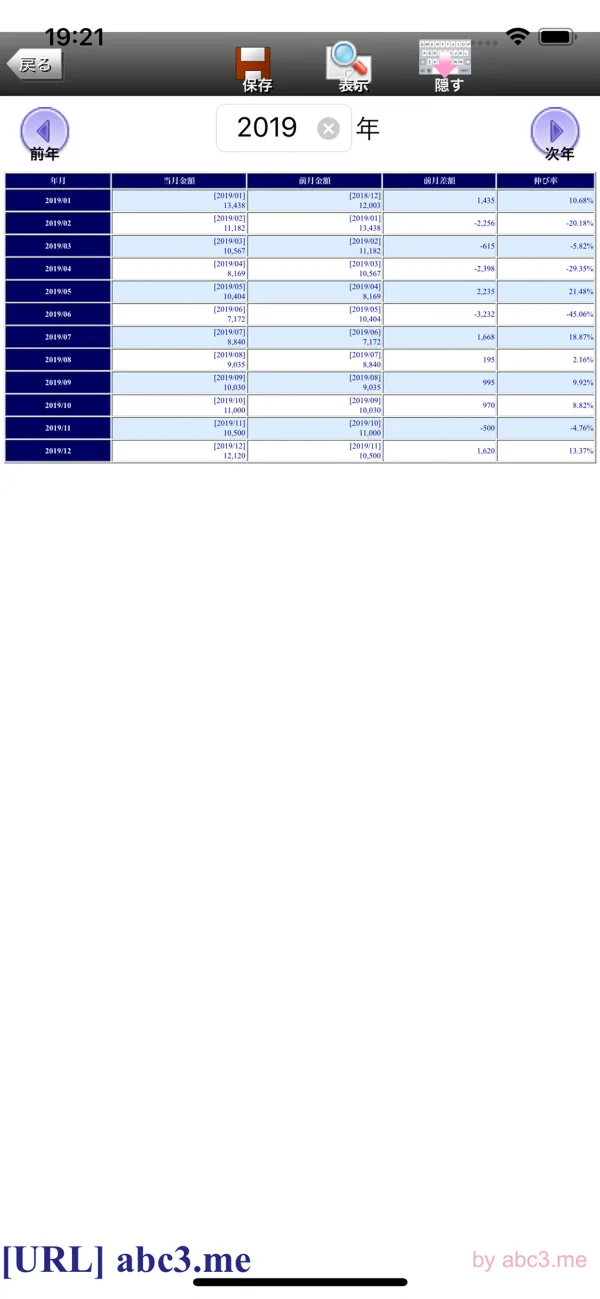
Show Table or Graph.
(Monthly Transition, Same Month, Month Comparison)
※add Same Month Graph(check Setting Screen option) ver 1.24 oe later
・Setting
If you want to know calculated tax,
Please set the following:
[Tax rate] -> [Taxable period]
(Tax will be calculated.)
Backup and Restore
If you create backup file with iPhone,
backup file is able to restore by iPad.
【backup step】
(1)create a backup file with "backup" button.
(2)connect iTunes from iPhone and synchronize.
(3)save backup file to computer.
【restore step】
(1)connect iTunes from iPhone and synchronize.
(2)copy backup file from computer to iPhone.
(3)restore a backup file with "restore" button.
・Enter screen title
switch display of enter screen title
【password lock or password unlock】
lock with set a password.
if app reboot,
password confirmation dialog will be display.
【Reset】
if you forget a password,
initialize app data used of "reset" button,
password is reset.
but app all of data will be initialized.
recommend create a backup file.
after reset,
can restore with backup file of computer.
【Tag】
If you tap "tag" button,
can select a tag.
conditions of selected a tag color
at search screen.
【Compare data】
display the results of a comparison of
the national average and the enter data.
save list as excel format document.
it can open with excel.
batch conversion of water utility bills data.
【CSV data】
・export to your computer with iTunes app.
・import to app data from your computer with iTunes app.
・Help
how to Use this Help
Detailed description:
please tap Link.
data cooperation screen ( withAppData )
switch tab on the screen.
(1)copy app to share
copy abc3.me02 file to share folder.
(2)copy share to app
copy withAppData file to share folder,
and share folder's file copy to abc3.me02 app.
it is remove selected file in the share folder.
※withAppData app search of developer list.
[iPhone Requirements]
Supported OS: iOS 8.0 to
Please download and use.
abc3.me02 (water utility bills)
Free App by abc3.me.
Thank you.
search abc3.me on website
by abc3.me
Có gì mới
Phiên bản 1.2.9 · 16/11/2024
abc3.me02(water utility bills)
[version 1.29]
best regards, abc3.me
by abc3.me
Quyền riêng tư của ứng dụng
Những gì Kiyotaka Hori khai báo trên App Store về cách ứng dụng này xử lý dữ liệu.
-
Dữ liệu được sử dụng để theo dõi bạn
Có thể được sử dụng để theo dõi bạn trên các ứng dụng và trang web do công ty khác sở hữu.
- Dữ liệu sử dụng
-
Dữ liệu liên kết với bạn
Có thể được thu thập và liên kết với danh tính của bạn.
- Dữ liệu sử dụng
Phương thức đảm bảo quyền riêng tư có thể khác nhau, chẳng hạn như tuỳ theo các tính năng bạn sử dụng hoặc độ tuổi của bạn.
Thông tin
- Người bán
- Kiyotaka Hori
- Danh mục
- Tài Chính
- Phiên bản
- 1.2.9
- Cập nhật
- 16/11/2024
- Phát hành
- 20/12/2013
- Kích thước
- 18,8 MB
- Yêu cầu
- iOS 9.0 trở lên
- Độ tuổi
- 4+
- Giá
- Miễn phí
- Ngôn ngữ
- Tiếng Anh, Tiếng Nhật
- Bản quyền
- © 2013 k.hori
Có thể bạn cũng thích
-
 光熱費等Tài Chính
-
 Enelu - Utility Bill TrackerTài Chính
-
 kobanTài Chính
-
 借金返済損得ナビ / リボ払い計算、ローン計算で返済管理Tài Chính
-
 Easy Utility - Snap & SaveTài Chính
-
 でいとらっく:株・デイトレの収支カレンダー&投資日記Tài Chính
-
 QuickBetLogTài Chính
-
 StockRulebook Invest JournalTài Chính
-
 リアル時給 - 配達員の売上・経費・確定申告Tài Chính
-
 RaCaibo - Easy & Simple BudgetTài Chính