Activity Rings+
Meet every Stand Hour!
Được thiết kế cho iPhone, iPod touch
29.000đ
- Độ tuổi4+
- Danh mụcSức Khỏe & Thể Dục
- Nhà phát triểnBrandon Wallace
- Ngôn ngữTiếng Anh+ 3 ngôn ngữ khác
- Kích thước1,7 MB
Liên kết đến trang App Store chính thức
Download.org không lưu trữ tệp nào của Activity Rings+. Nút này mở trang ứng dụng trên App Store, nơi Brandon Wallace phát hành ứng dụng. Trang được kiểm tra lần cuối: 15/11/2026.
Giới thiệu
Nhà phát triển chưa cung cấp nội dung này bằng ngôn ngữ của bạn.
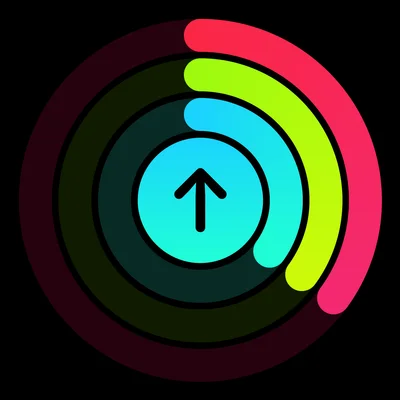
Wish it were easier to see whether you’ve met your Stand Hour yet? This app uses your HealthKit data to offer complications for your favorite Apple Watch faces that show your Activity Rings, plus a Stand Hour circle to show whether you’ve already earned it at a glance.
Note: If the app is missing on your Watch after purchase, go to the App Store on your Watch to install. (Scroll to the bottom, click Account -> Purchased, and tap the download cloud next to Activity Rings+)
- APPLE WATCH APP
In the app, see a quick view of your Move/Exercise/Stand data and your familiar Activity Rings, with an added indicator showing whether you've met the current Stand Hour. Also see today's Steps at a glance—no more scrolling down to interpret your activity data! Tap the screen to switch to percentage view or Calories/Minutes/Stand Hours remaining.
- COMPLICATIONS
On newer Apple Watch faces (Meridian, Infographic, California, etc.), you can add complications that feature your Activity Rings with an added stand indicator that illuminates when you've met the current stand hour.
On older Apple Watch faces, (Breathe, Modular, Colors, Simple, etc.), you can add a Stand Indicator that will be colored solid if you've met the current stand hour or will be a hollow outline if you still need to stand up.
Note: Complications refresh in the background as often as Apple permits. Tap the complication to open the app if you'd like to refresh the data immediately. Your Stand Hour will always clear at the start of the next hour, so if you see Activity Rings+ lit up, you'll know you've hit it.
If you have any issues with HealthKit permissions, make sure to grant permissions from your iPhone via Settings -> Privacy -> Health. If complications are not available immediately after installation, rebooting your Apple Watch usually does the trick!
Có gì mới
Phiên bản 1.5.2 · 03/10/2026
- Bug fixes regarding complication resetting at the top of the hour.
- Stability improvement to make tapping to switch between earned / percent of goal / remaining more reliable.
Quyền riêng tư của ứng dụng
Những gì Brandon Wallace khai báo trên App Store về cách ứng dụng này xử lý dữ liệu.
-
Dữ liệu không được thu thập
Nhà phát triển không thu thập bất kỳ dữ liệu nào từ ứng dụng này.
Phương thức đảm bảo quyền riêng tư có thể khác nhau, chẳng hạn như tuỳ theo các tính năng bạn sử dụng hoặc độ tuổi của bạn.
Thông tin
- Người bán
- Brandon Wallace
- Danh mục
- Sức Khỏe & Thể Dục
- Phiên bản
- 1.5.2
- Cập nhật
- 03/10/2026
- Phát hành
- 26/04/2021
- Kích thước
- 1,7 MB
- Yêu cầu
- iOS 15.0 trở lên
- Độ tuổi
- 4+
- Giá
- 29.000đ
- Ngôn ngữ
- Tiếng Anh, Tiếng Đức, Tiếng Nga, Tiếng Tây Ban Nha
- Bản quyền
- © 2021 BTW.llc
Có thể bạn cũng thích
-
 Pulse TagsSức Khỏe & Thể Dục
-
 Rings+: Activity RingsSức Khỏe & Thể Dục
-
 Health Simple: Self-CareSức Khỏe & Thể Dục
-
 TrackUrFastSức Khỏe & Thể Dục
-
 CaloriesSức Khỏe & Thể Dục
-
 Zancada: Walking Pad TreadmillSức Khỏe & Thể Dục
-
 Fastory - Intermittent FastingSức Khỏe & Thể Dục
-
 Hydrate - Drink WaterSức Khỏe & Thể Dục
-
 Pensum Calorie & Macro TrackerSức Khỏe & Thể Dục
-
 EatsUpSức Khỏe & Thể Dục