
Pulse Tags
Heart Rate Tracker for Watch
Được thiết kế cho iPhone
Miễn phí · Mua hàng trong ứng dụng
- Độ tuổi12+
- Danh mụcSức Khỏe & Thể Dục
- Nhà phát triểnSydvesti Oy
- Ngôn ngữTiếng Anh
- Kích thước12,0 MB
Liên kết đến trang App Store chính thức
Download.org không lưu trữ tệp nào của Pulse Tags. Nút này mở trang ứng dụng trên App Store, nơi Sydvesti Oy phát hành ứng dụng. Trang được kiểm tra lần cuối: 28/11/2026.
Ảnh chụp màn hình
Giới thiệu
Nhà phát triển chưa cung cấp nội dung này bằng ngôn ngữ của bạn.
Pulse Tags helps you spot when your heart rate is higher or lower than your usual, and lets you tag what was going on. For iPhone and Apple Watch.
Stress, caffeine or being sick can all change your heart rate. Tag those moments, and over time Pulse Tags shows how often you tagged each one and how your heart rate looked around it.
Pulse Tags requires an Apple Watch with watchOS 9 or later. The iPhone app requires iOS 26 or later. Pulse Tags integrates with the Health app: your Apple Watch measures your heart rate, and Pulse Tags reads it from Health.
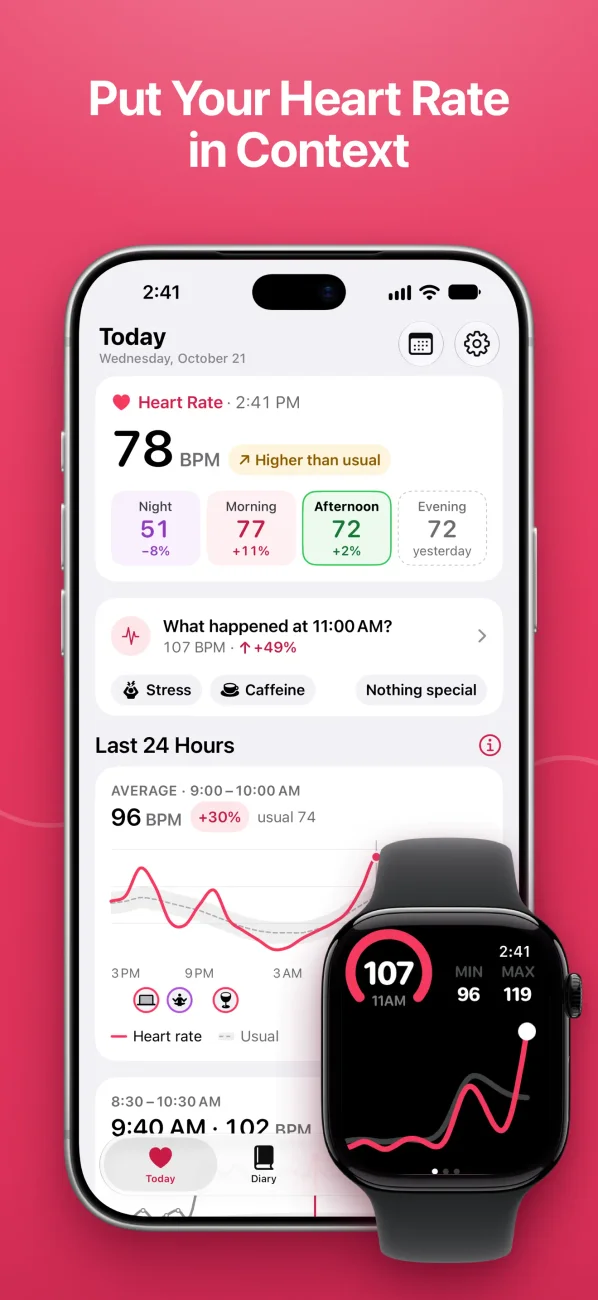
Put Your Heart Rate in Context
Today shows your latest heart rate reading against your usual for that hour (its average over the previous 7 days), how your morning, afternoon, evening and night compare, and the last 24 hours with your usual range.
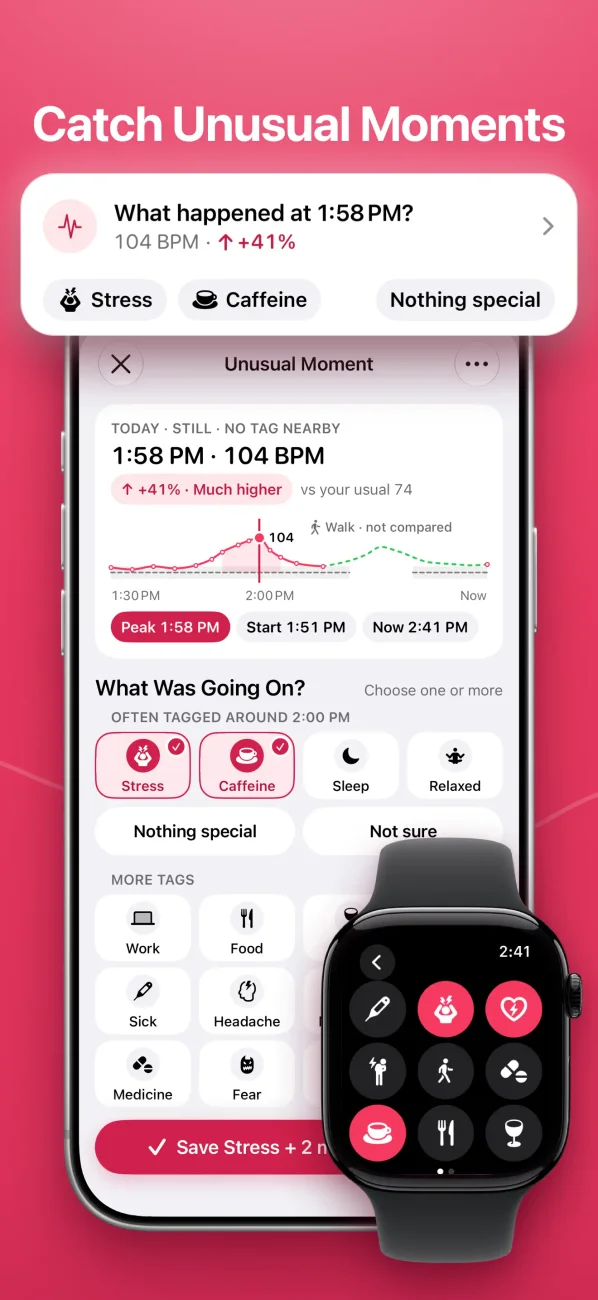
Catch Unusual Moments
When your heart rate runs well above your usual while you’re not active, Pulse Tags helps you catch the moment and asks what happened. Answer in a tap with a suggested tag, add a note, or choose “Nothing special”. Readings from walks and workouts are left out. Moments well below your usual, and a notification on iPhone, are yours to turn on.
Tag Any Minute
Tag the latest reading or any earlier one, with several tags at once and a note. Choose from 15 tags such as Stress, Caffeine, Sleep and Headache, and name three more yourself.
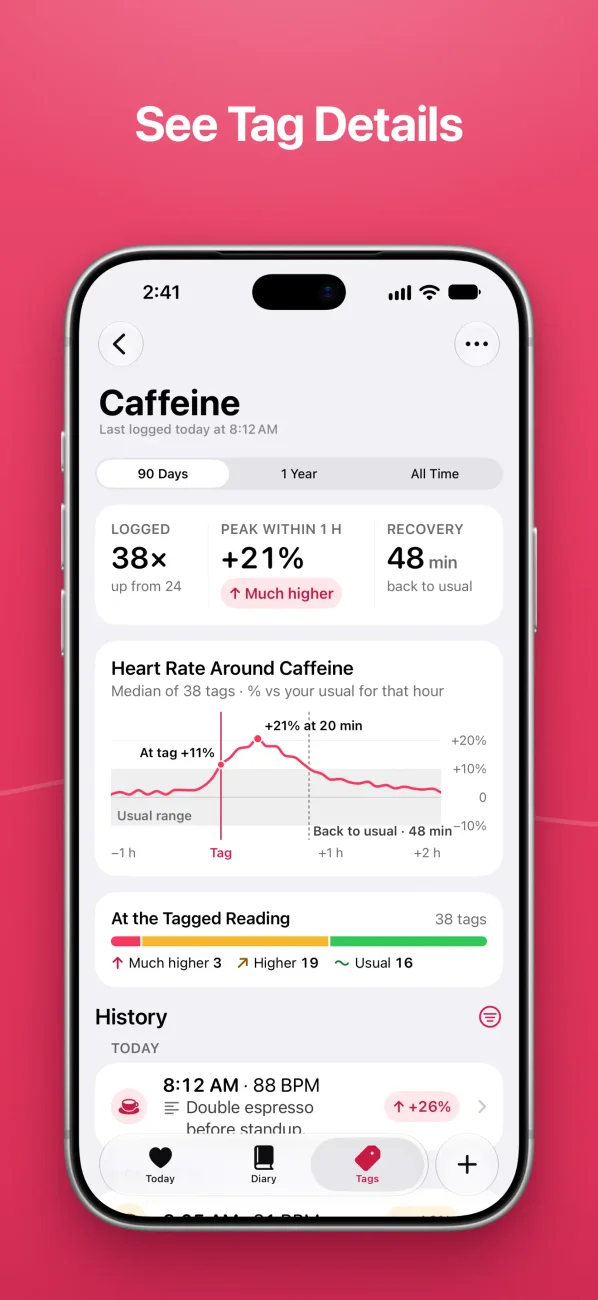
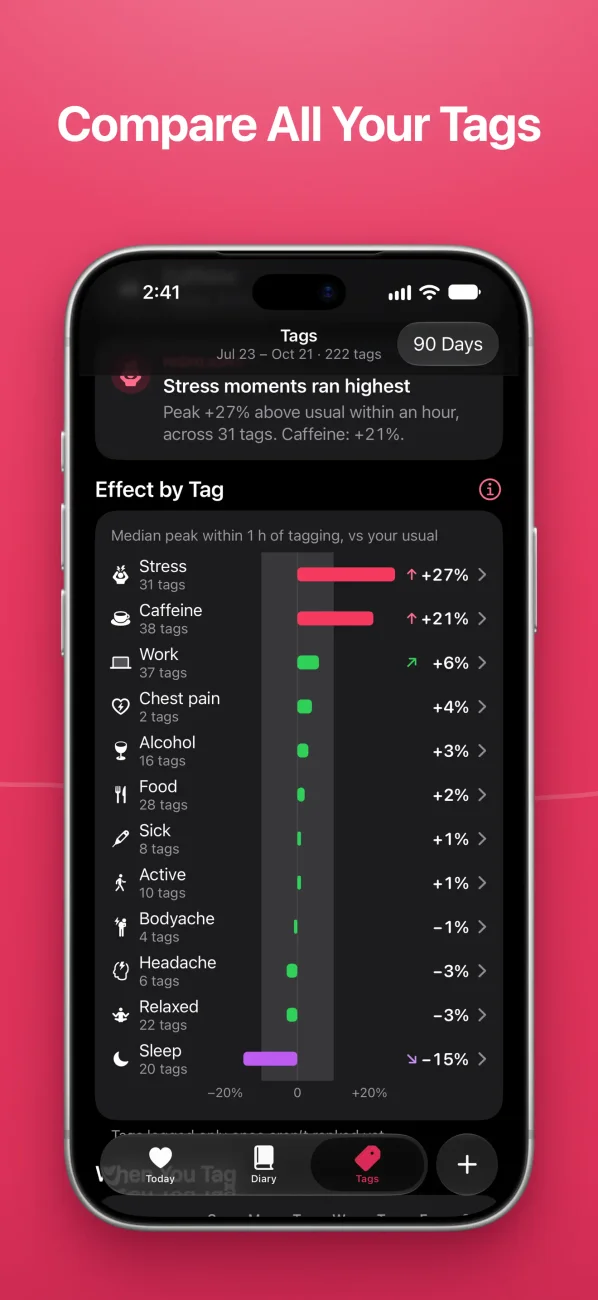
Compare All Your Tags
Compare your tags over 90 days, a year or all time, and see when you tag and which tags come together. Open any tag to see how your heart rate looked around it: its typical peak within an hour, how long it took to get back to usual, and its full history.
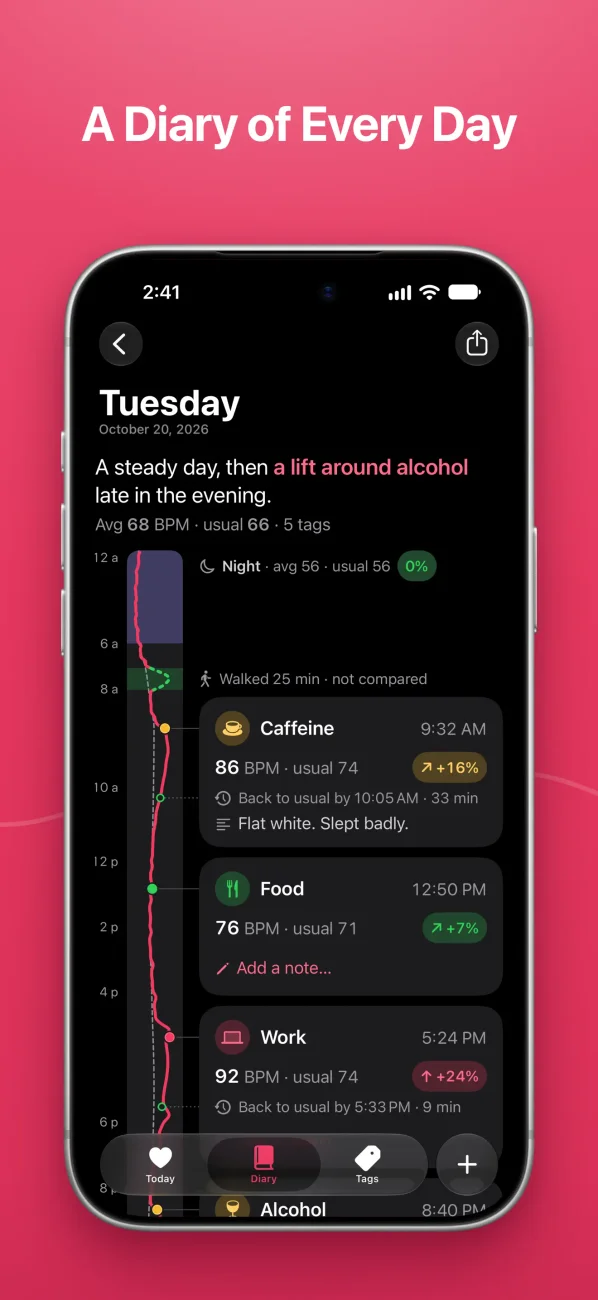
A Diary of Every Day
Every day in a sentence, with its chart, tags, notes, unusual moments, activity and night. Add a note to any day, jump to any date, and search your notes and tags.
Share a Clear Summary
Export a PDF of your heart rate and tags for the period you choose, with an optional spreadsheet of every reading. It is made on your iPhone, and nothing is uploaded.
Tag From Anywhere
Widgets for the Home Screen and Lock Screen, a Quick Tag control for Control Center and the Action button, and Siri: “Tag Caffeine in Pulse Tags”.
Tag From Your Wrist
On Apple Watch:
• See how each hour’s average heart rate compares with your usual for that hour.
• Turn the Digital Crown to go back hour by hour, and see the detailed heart rate values recorded within the selected hour.
• Tag an hour with a possible cause or symptom, add a note, and browse the full history of your tags.
• Add Pulse Tags to your watch face as a complication, or to the Smart Stack.
• Get notified when your hourly average is significantly higher or lower than usual, and tag straight from the notification.
Good to Know
• Try Pulse Tags free for 3 days. After that, a Monthly, Yearly or Lifetime plan keeps everything unlocked on iPhone and Apple Watch. Without a plan, Today still shows your heart rate.
• Monthly and Yearly renew automatically until you cancel. Cancel at any time in your Apple Account settings, at least 24 hours before the renewal date. Lifetime is one purchase, no subscription.
• Privacy: Pulse Tags reads your heart rate from the Health app and uses it only on your iPhone and Apple Watch. Your tags and notes, with the heart rate at those moments, sync through your personal iCloud. No one but you can access this data.
• Notifications and complication updates on Apple Watch can get delayed or even blocked. Keep Pulse Tags as a complication on your active watch face for better notification performance.
• Light or dark appearance, landscape, larger text, VoiceOver with Audio Graphs, and iPhone Duo, folded or open.
• Pulse Tags is for informational purposes only, not medical advice.
Terms of Use: https://www.apple.com/legal/internet-services/itunes/dev/stdeula
Privacy Policy: https://sydvesti.com/privacy-policy
If you have any questions, we will happily help you:
contact@sydvesti.com
Có gì mới
Phiên bản 4.1 · 27/11/2026
Pulse Tags 4.1 gives you more tags of your own.
Add More Custom Tags
Add more custom tags for whatever you want to track, like running, a physio session or a long commute. Name one in Custom Tags and it joins your tags, so unused ones stay out of your way.
Nearly 200 Symbols
Give each custom tag a symbol that fits, from nearly 200 in groups such as Health, Mood & Mind, Activity, Travel and Weather & Nature.
Custom Tags From the Tags Tab
The new settings button on the Tags tab opens Custom Tags straight away.
Questions or ideas? Write to contact@sydvesti.com.
Quyền riêng tư của ứng dụng
Những gì Sydvesti Oy khai báo trên App Store về cách ứng dụng này xử lý dữ liệu.
-
Dữ liệu không được thu thập
Nhà phát triển không thu thập bất kỳ dữ liệu nào từ ứng dụng này.
Phương thức đảm bảo quyền riêng tư có thể khác nhau, chẳng hạn như tuỳ theo các tính năng bạn sử dụng hoặc độ tuổi của bạn.
Thông tin
- Người bán
- Sydvesti Oy
- Danh mục
- Sức Khỏe & Thể Dục
- Phiên bản
- 4.1
- Cập nhật
- 27/11/2026
- Phát hành
- 22/12/2021
- Kích thước
- 12,0 MB
- Yêu cầu
- iOS 26.0 trở lên
- Độ tuổi
- 12+
- Giá
- Miễn phí
- Mua hàng trong ứng dụng
- Có
- Ngôn ngữ
- Tiếng Anh
- Bản quyền
- © 2021 Sydvesti Oy
Có thể bạn cũng thích
-
 Dysapp: Dysautonomia & POTSSức Khỏe & Thể Dục
-
 Heart Health Zone TrainingSức Khỏe & Thể Dục
-
 Activity Rings+Sức Khỏe & Thể Dục
-
 Heart AlertBáo động vùng nhịp tim
-
 POTS StrongSức Khỏe & Thể Dục
-
 POTS Care PackageSức Khỏe & Thể Dục
-
 RscMe: Heart SOS & AlertsSức Khỏe & Thể Dục
-
 SALT for POTSSức Khỏe & Thể Dục
-
 PulsePRO HeartRate MonitorY Tế
-
 Simple ZonesSức Khỏe & Thể Dục