AGBoard - PCBEditor
View & edit Gerber, ODB++
Được thiết kế cho iPhone, iPad
Miễn phí · Mua hàng trong ứng dụng
- Độ tuổi4+
- Danh mụcHiệu Suất
- Nhà phát triểnGUILLAUME PIERRE AGNETTI
- Ngôn ngữTiếng Anh
- Kích thước24,3 MB
Liên kết đến trang App Store chính thức
Download.org không lưu trữ tệp nào của AGBoard - PCBEditor. Nút này mở trang ứng dụng trên App Store, nơi GUILLAUME PIERRE AGNETTI phát hành ứng dụng. Trang được kiểm tra lần cuối: 26/11/2026.
Ảnh chụp màn hình

Giới thiệu
Nhà phát triển chưa cung cấp nội dung này bằng ngôn ngữ của bạn.
AGBoard - PCBEditor is a touch-friendly PCB viewer and inspection tool for iPhone and iPad. Open Gerber, Excellon, ODB++, KiCad boards and schematics, Altium, DXF, Eagle, BoardView, netlist and placement files, then zoom, measure, edit and save — all processed locally.
OPEN ANY PCB FILE
• Gerber RS-274X, X2 and X3 — X3 carries components and nets on its own; X2 sets each layer's role
• Gerber job files (.gbrjob): a whole export in one tap, layers identified
• Excellon drill files (.drl, .tap, .nc…)
• ODB++ jobs (.tgz / .tar / .zip / .gz) — panels expanded, nets included
• IPC-2581 designs (.cvg / .xml): layers, pads, traces and nets in one file
• AutoCAD DXF (.dxf): layers, lines, arcs, circles, polylines, blocks, text
• KiCad natively (.kicad_pcb, .kicad_pro, .kicad_mod) — tracks, vias, pads, zones, silkscreen, components and nets
• KiCad schematics (.kicad_sch) — symbols, wires, buses, junctions, net labels, hierarchical sheets; one net search covers schematic and board
• KiCad symbol libraries (.kicad_sym) and drawing sheets (.kicad_wks)
• Altium natively (.PcbDoc, .PcbLib) — copper, pours, silkscreen, outline, components and nets
• Save ODB++, DXF, IPC-2581 or Gerber, or convert any board to ODB++, IPC-2581 or DXF. Untouched KiCad, Eagle, Altium and BoardView sources come back exactly; compatible edits are patched
• Eagle .brd boards (XML)
• Landrex BoardView .brd: outline, component envelopes, pins, test points, nets
• IPC-D-356 netlists for net search
• CSV / TXT / POS component placement (pick-and-place) files
LAYER CONTROL
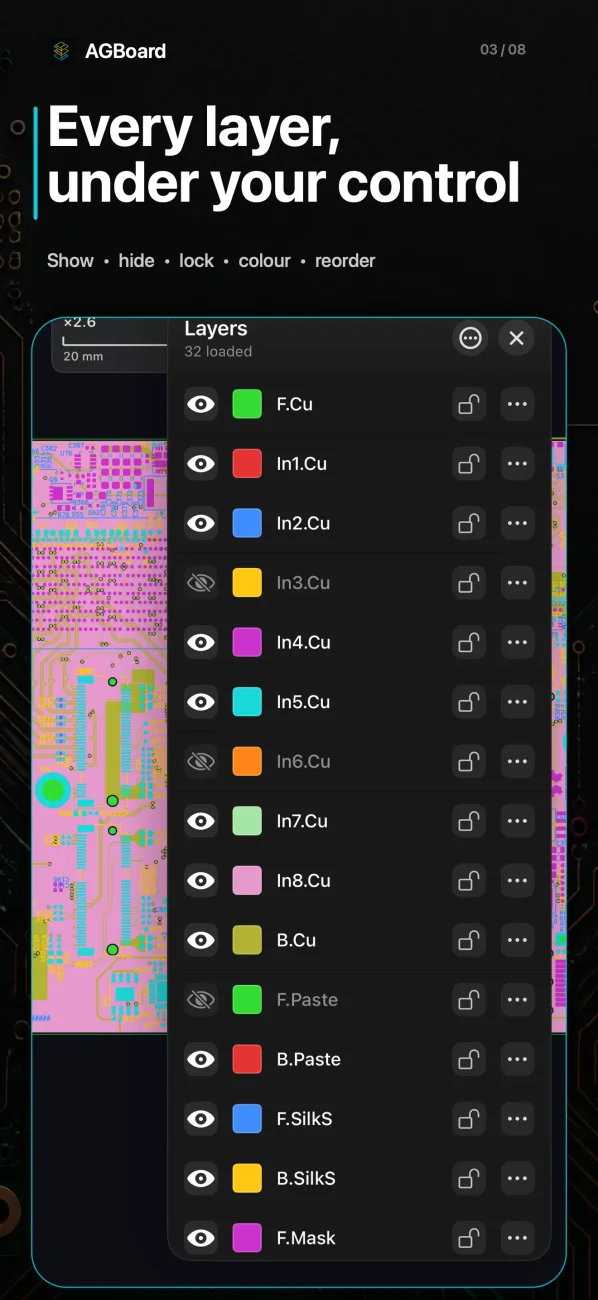
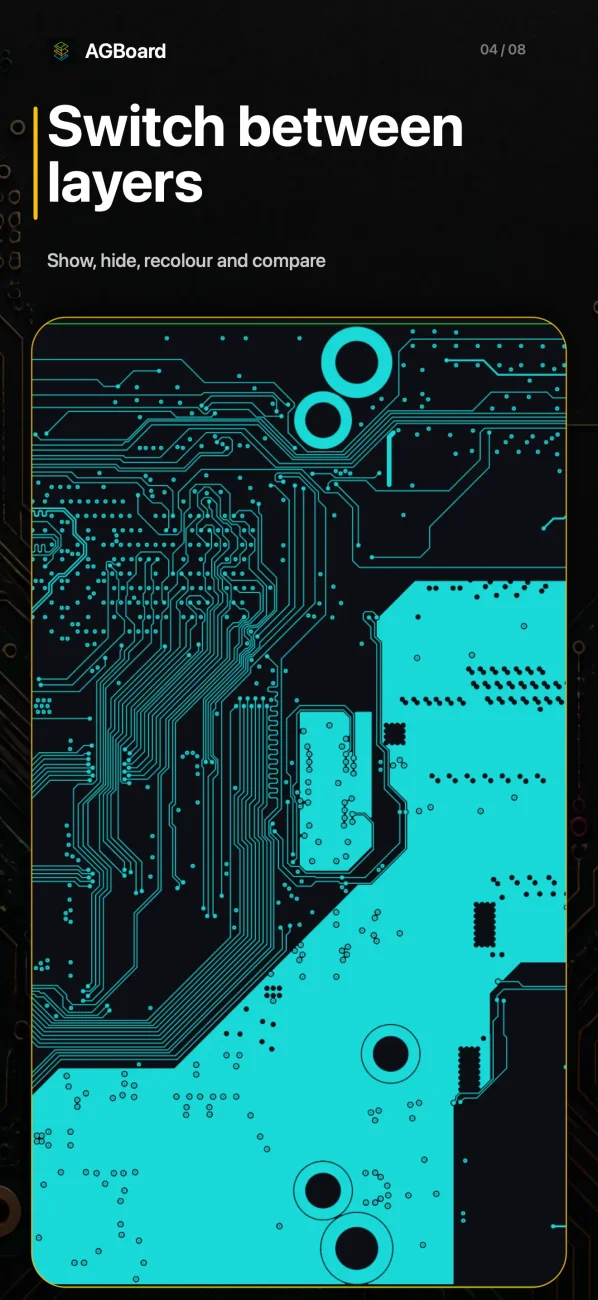
• Show, hide, reorder, lock, recolor, duplicate, export layers
• Realistic colors
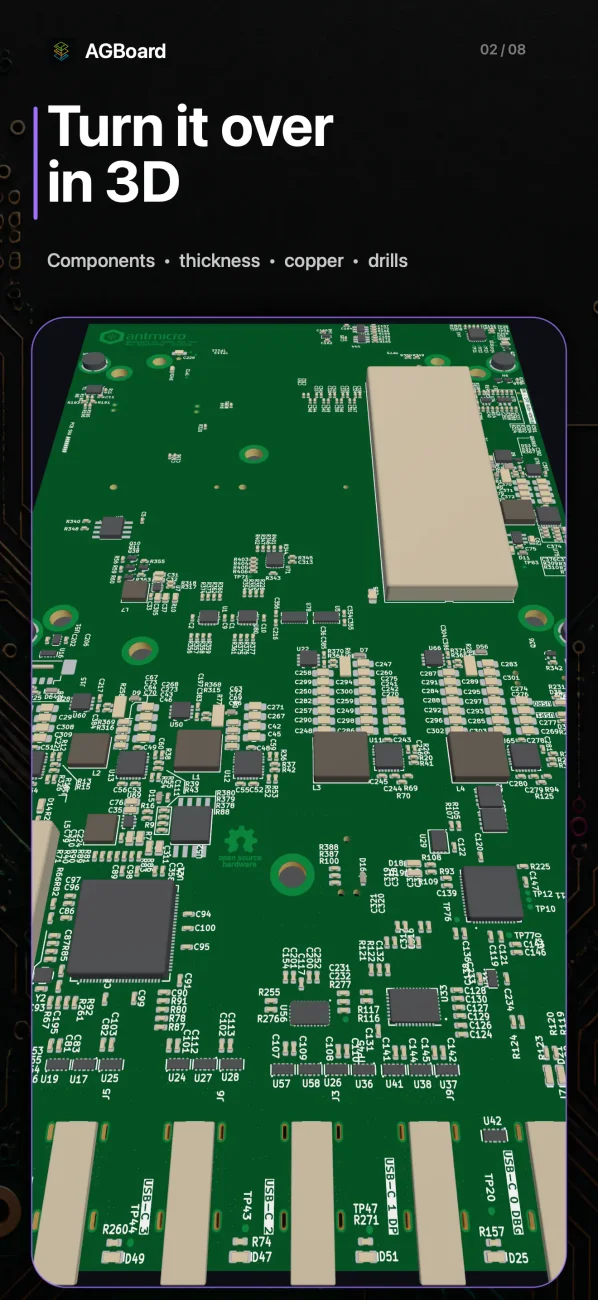
• Interactive 3D view: real thickness, copper, holes and components — flip it over
MEASUREMENT & ANALYSIS
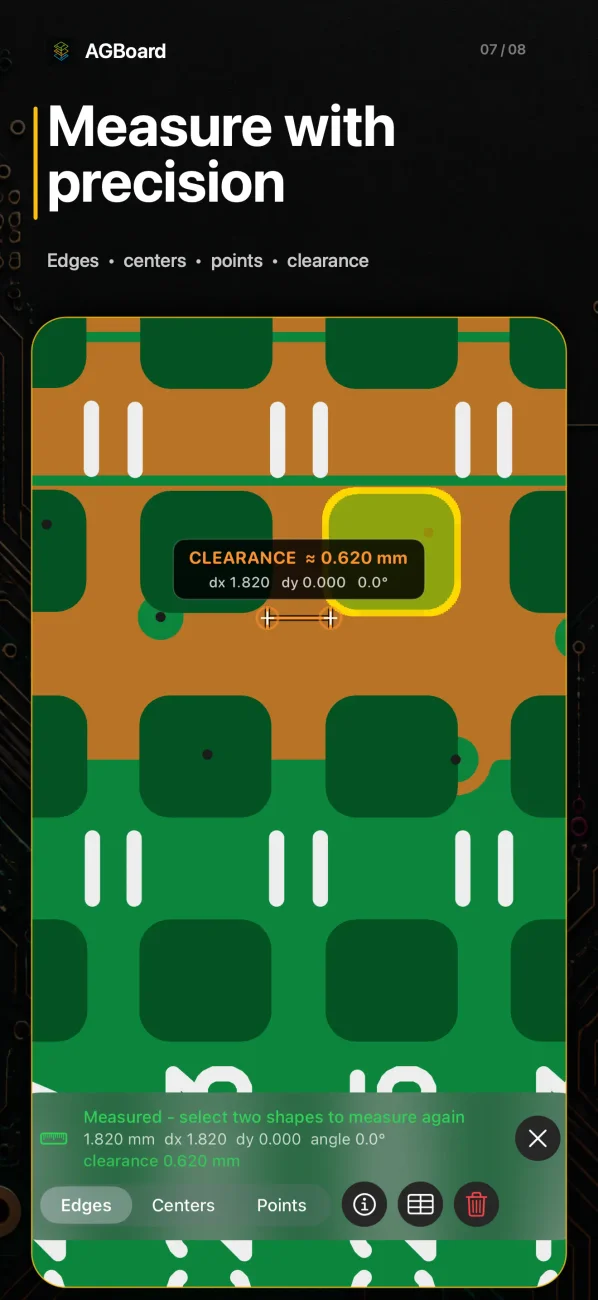
• Three modes: Edges for true clearance between the nearest copper, Centers for pitch, Points for anywhere
• Each reading: dX/dY, angle, midpoint, clearance, overlap
• Snapping to pads, holes and the grid
• Export all measurements as CSV
• Board statistics: size, area, hole table by diameter, smallest drill and trace
• Light DRC report (CSV)
• Stencil area and aspect ratios (IPC-7525C), step zones drawn on the board, PDF/CSV report
NET TRACE & SEARCH
• Tap a trace or pad to light its whole net across layers, no netlist needed
• In BoardView files, tap a pad to light its whole net, top and bottom
• Nets from IPC-D-356 netlists, ODB++ jobs or IPC-2581 files
• Search any net (GND, VCC…) and highlight all of its pads
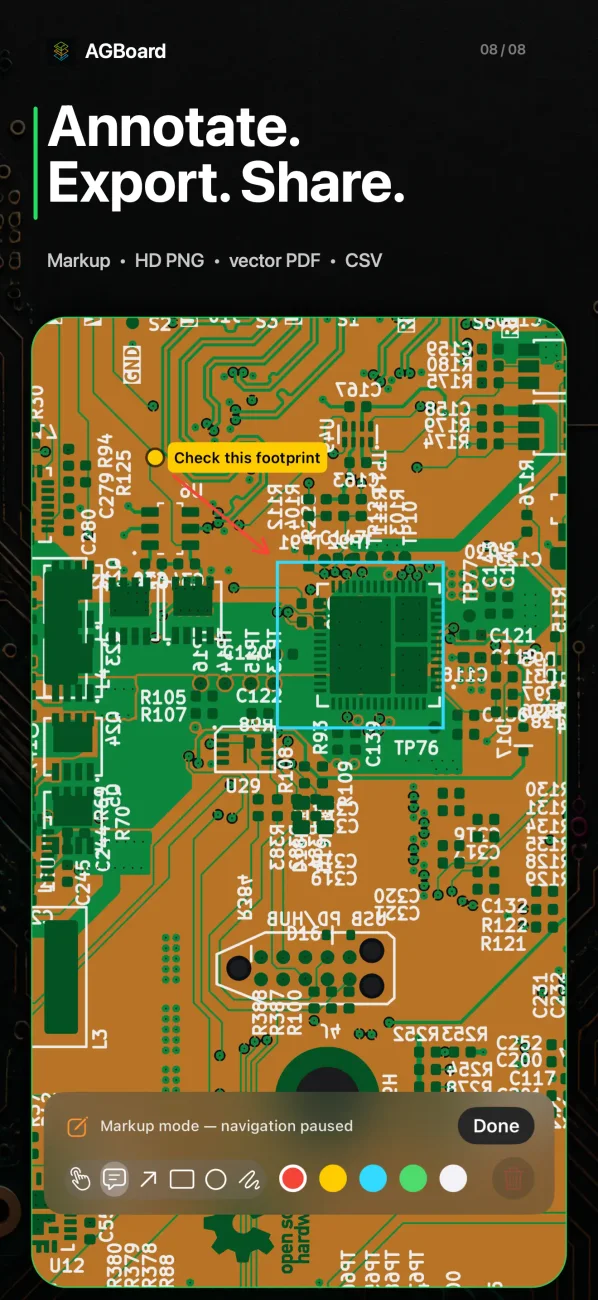
MARKUP & ANNOTATIONS
• Add notes, arrows, rectangles and ellipses straight on the board
• Annotations stay pinned through zoom and pan, and are saved in the project
EDITING TOOLS
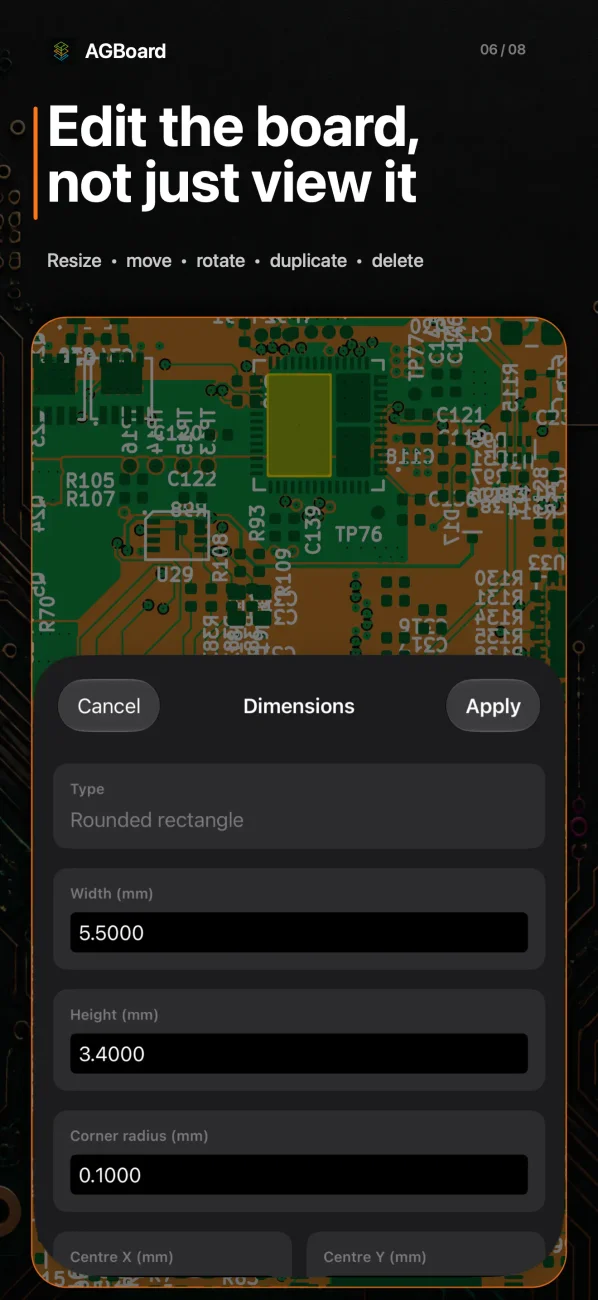
• Move, duplicate, resize and delete shapes, with editable corner radius
• Single-tap or marquee multi-selection, group transforms
• Mirror, rotate, reset and panelize layers
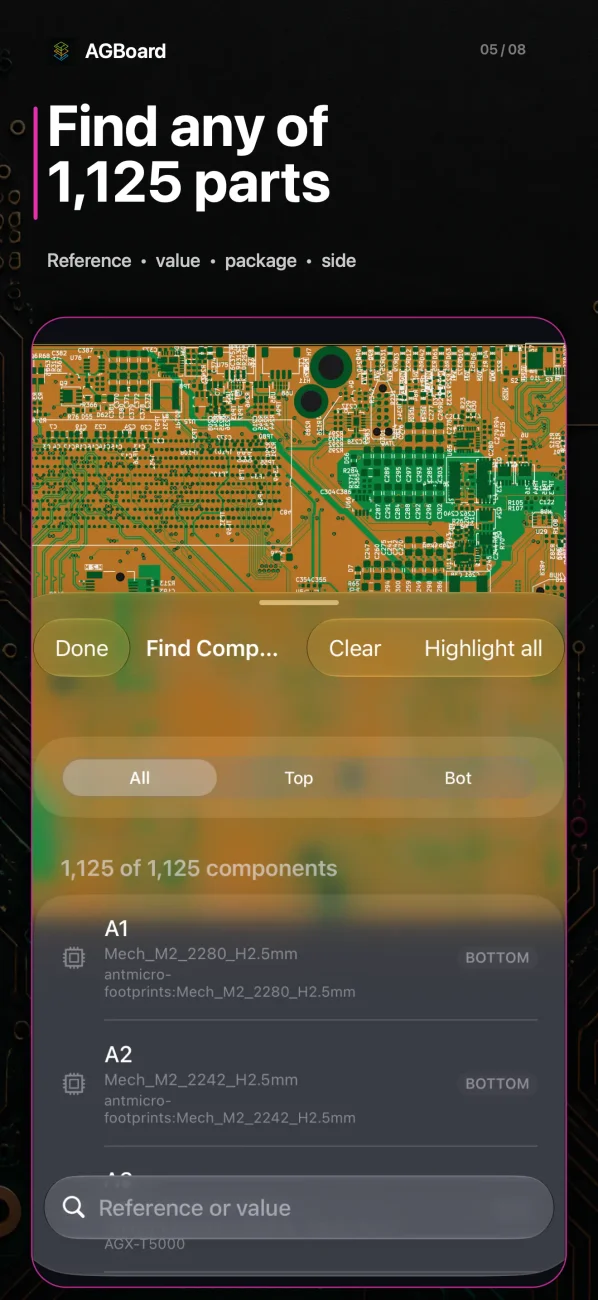
COMPONENT SEARCH
• Component data from Gerber X3, KiCad, Altium, ODB++, Eagle and BoardView files
• Search by reference, value or package; highlight top/bottom parts
FAST WORKFLOW
• Drag and drop from Files (iPad)
• Open from Mail, Files or any cloud provider
EXPORT & SHARE
• High-resolution PNG images
• Multi-page vector PDF (composite + one per layer) and AirPrint
• Layer CSV reports and shareable project files
PRIVATE BY DESIGN
Your PCB files are opened and processed entirely on your device. AGBoard does not track you and never sells personal data.
It contacts agboard-app.com only to check the installed version is current; no PCB file, account, payment or analytics identifier is sent.
Includes an illustrated guide in English and French.
Request an improvement or another format from Help -> Request feature.
Free to download and opens five files at no charge. After that, an auto-renewable monthly or annual AGBoard Pro subscription is required. Subscriptions renew until cancelled in your Apple Account settings.
Terms of Use (EULA): https://www.apple.com/legal/internet-services/itunes/dev/stdeula/
Support: support@agboard-app.com
Có gì mới
Phiên bản 1.5 · 26/11/2026
- Part numbers: a component’s sheet shows its part number, manufacturer part number and manufacturer, when the file states them. ODB++, IPC-2581, Gerber X3, KiCad, Eagle, Altium and placement files. ODB++, IPC-2581 and Gerber X3 exports keep those numbers.
- New format: Barco DPF (UCAM) files open.
- Exports no longer stop: an export is not refused because the format cannot carry everything. The file is written, without the item the format has no place for.
- An edited ODB++ or IPC-2581 board saves in its own format. Edited pads and drawings of a KiCad footprint (.kicad_mod) save too.
- Placement files: a point you move or delete is carried into the CSV export.
- 3D: a board opened together with its own Gerbers displays correctly; components of a Gerber set take the size their assembly drawing gives them, and a round part is round.
- 3D: the view opens framed on the board, even when drawings spread far around it. On very large panels the legend stays readable.
- Faster 3D on boards whose inner layers have negative areas.
- Selecting a whole KiCad output folder, .gbrjob file included, no longer loads every layer twice.
- Gerber: holes in filled areas and in macro pads are honoured, and masks display the right way round. Drilling: plated, non-plated, blind and buried holes are separated on export.
- ODB++: reading and writing reviewed page by page against the specification; the board outline keeps its arcs. IPC-2581: composite symbols stay grouped on export and multi-line text is kept.
- Altium: pad shapes, keep-outs and rules are read better; multi-line text displays without a stray character. Eagle: solder mask and paste are generated from the file’s own rules.
- Measure: new “Edges” mode, from one edge to another, with a straight-line option.
- User guide: the search bar appears only when you tap the magnifier.
- Smoothness: the first tap no longer freezes the screen, and the app starts faster.
- Faster stencil analysis on large boards.
- Stability: damaged files, or files holding extreme values, no longer crash the app.
Quyền riêng tư của ứng dụng
Những gì GUILLAUME PIERRE AGNETTI khai báo trên App Store về cách ứng dụng này xử lý dữ liệu.
-
Dữ liệu không được thu thập
Nhà phát triển không thu thập bất kỳ dữ liệu nào từ ứng dụng này.
Phương thức đảm bảo quyền riêng tư có thể khác nhau, chẳng hạn như tuỳ theo các tính năng bạn sử dụng hoặc độ tuổi của bạn.
Thông tin
- Người bán
- GUILLAUME PIERRE AGNETTI
- Danh mục
- Hiệu Suất
- Phiên bản
- 1.5
- Cập nhật
- 26/11/2026
- Phát hành
- 29/07/2026
- Kích thước
- 24,3 MB
- Yêu cầu
- iOS 17.0 trở lên
- Độ tuổi
- 4+
- Giá
- Miễn phí
- Mua hàng trong ứng dụng
- Có
- Ngôn ngữ
- Tiếng Anh
- Bản quyền
- © 2026 AGBoard