
AGBoard - PCBEditor
View & edit Gerber, ODB++
Designed for iPhone, iPad
Free · In-app purchases
- Age rating4+
- CategoryProductivity
- DeveloperGUILLAUME PIERRE AGNETTI
- LanguagesEnglish
- Size23.2 MB
Links to the official App Store page
Download.org hosts no file of AGBoard - PCBEditor. The button opens its official App Store page, published by GUILLAUME PIERRE AGNETTI. Listing last checked on Nov 17, 2026.
Screenshots

About
AGBoard - PCBEditor is a touch-friendly PCB viewer and inspection tool for iPhone and iPad. Open Gerber, Excellon, ODB++, KiCad boards and schematics, Altium, DXF, Eagle, BoardView, netlist and placement files, then zoom, measure, edit and save — all processed locally.
OPEN ANY PCB FILE
• Gerber RS-274X, X2 and X3 — X3 carries components and nets on its own; X2 sets each layer's role
• Gerber job files (.gbrjob): a whole export in one tap, layers identified
• Excellon drill files (.drl, .tap, .nc…)
• ODB++ jobs (.tgz / .tar / .zip / .gz) — panels expanded, nets included
• IPC-2581 designs (.cvg / .xml): layers, pads, traces and nets in one file
• AutoCAD DXF (.dxf): layers, lines, arcs, circles, polylines, blocks, text
• KiCad natively (.kicad_pcb, .kicad_pro, .kicad_mod) — tracks, vias, pads, zones, silkscreen, components and nets
• KiCad schematics (.kicad_sch) — symbols, wires, buses, junctions, net labels, hierarchical sheets; one net search covers schematic and board
• KiCad symbol libraries (.kicad_sym) and drawing sheets (.kicad_wks)
• Altium natively (.PcbDoc, .PcbLib) — copper, pours, silkscreen, outline, components and nets
• Save ODB++, DXF, IPC-2581 or Gerber, or convert any board to ODB++, IPC-2581 or DXF. Untouched KiCad, Eagle, Altium and BoardView sources come back exactly; compatible edits are patched
• Eagle .brd boards (XML)
• Landrex BoardView .brd: outline, component envelopes, pins, test points, nets
• IPC-D-356 netlists for net search
• CSV / TXT / POS component placement (pick-and-place) files
LAYER CONTROL
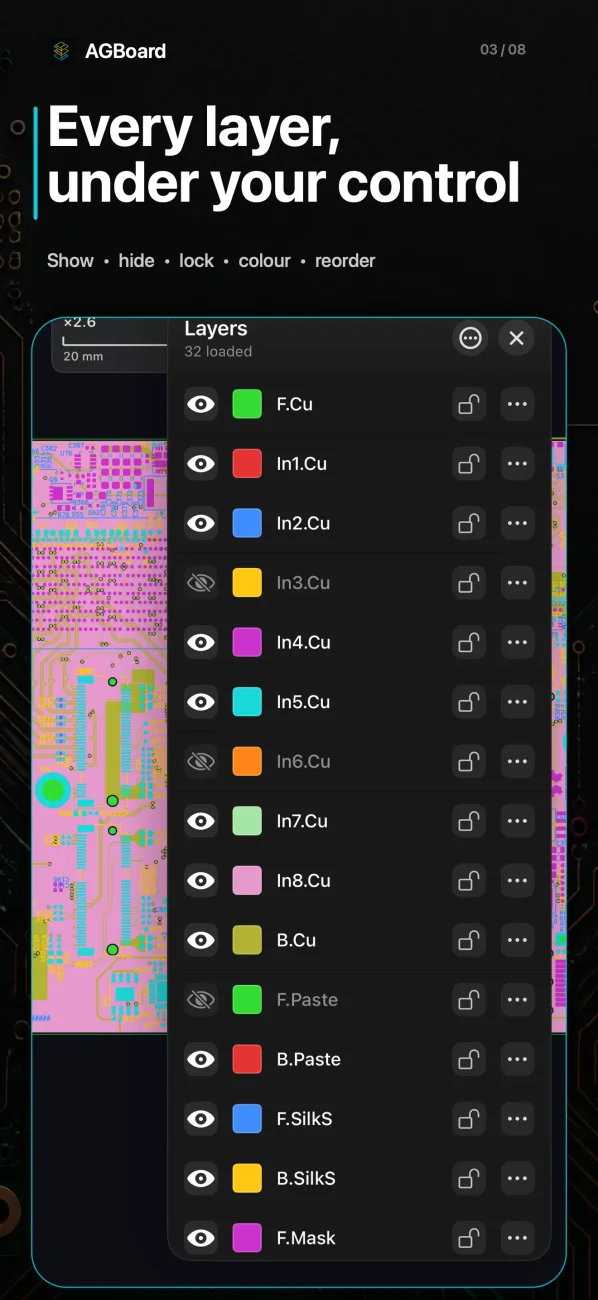
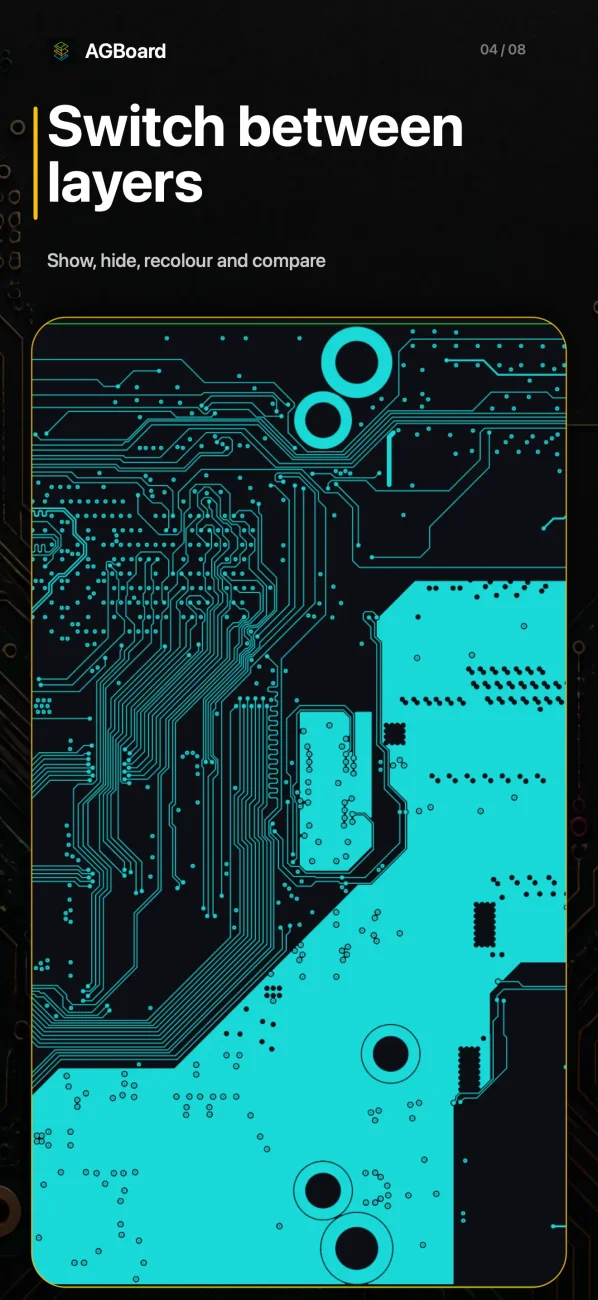
• Show, hide, reorder, lock, recolor, duplicate, export layers
• Realistic colors
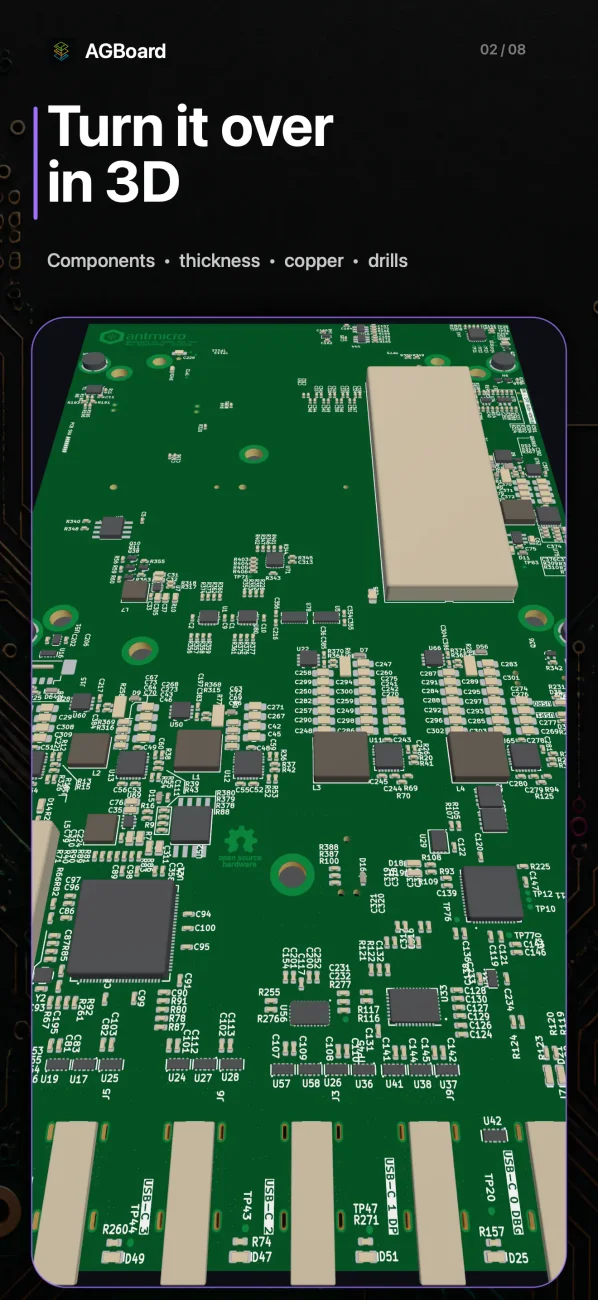
• Interactive 3D view: real thickness, copper, holes and components — flip it over
MEASUREMENT & ANALYSIS
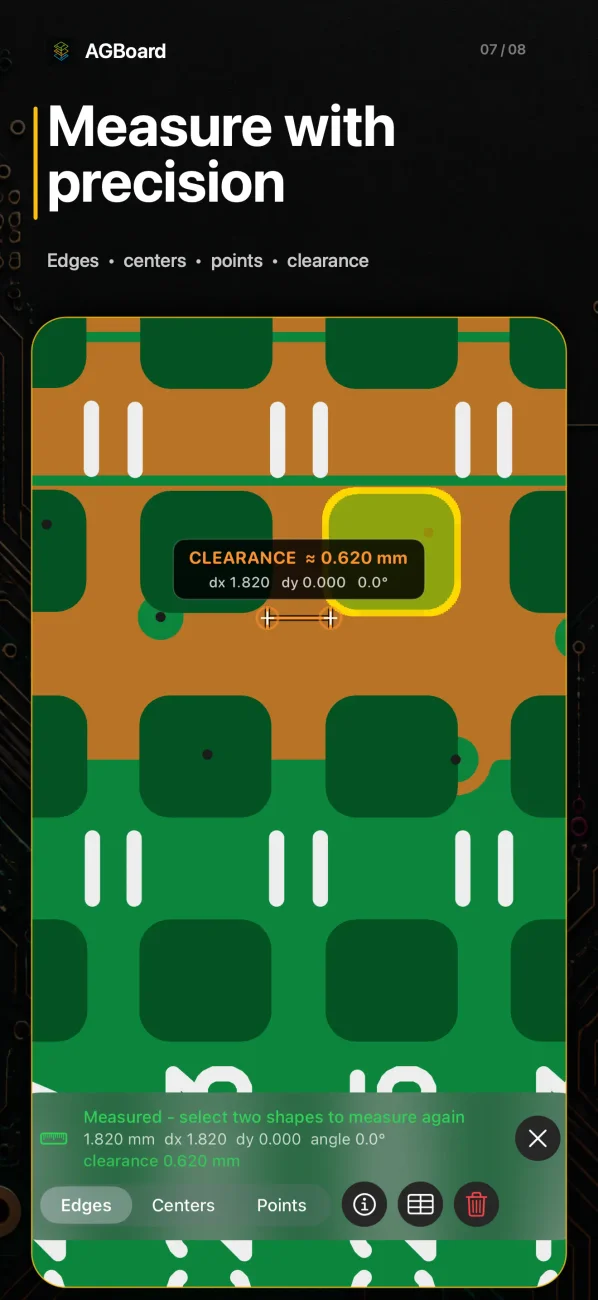
• Three modes: Edges for true clearance between the nearest copper, Centers for pitch, Points for anywhere
• Each reading: dX/dY, angle, midpoint, clearance, overlap
• Snapping to pads, holes and the grid
• Export all measurements as CSV
• Board statistics: size, area, hole table by diameter, smallest drill and trace
• Light DRC report (CSV)
• Stencil area and aspect ratios (IPC-7525C), step zones drawn on the board, PDF/CSV report
NET TRACE & SEARCH
• Tap a trace or pad to light its whole net across layers, no netlist needed
• In BoardView files, tap a pad to light its whole net, top and bottom
• Nets from IPC-D-356 netlists, ODB++ jobs or IPC-2581 files
• Search any net (GND, VCC…) and highlight all of its pads
MARKUP & ANNOTATIONS
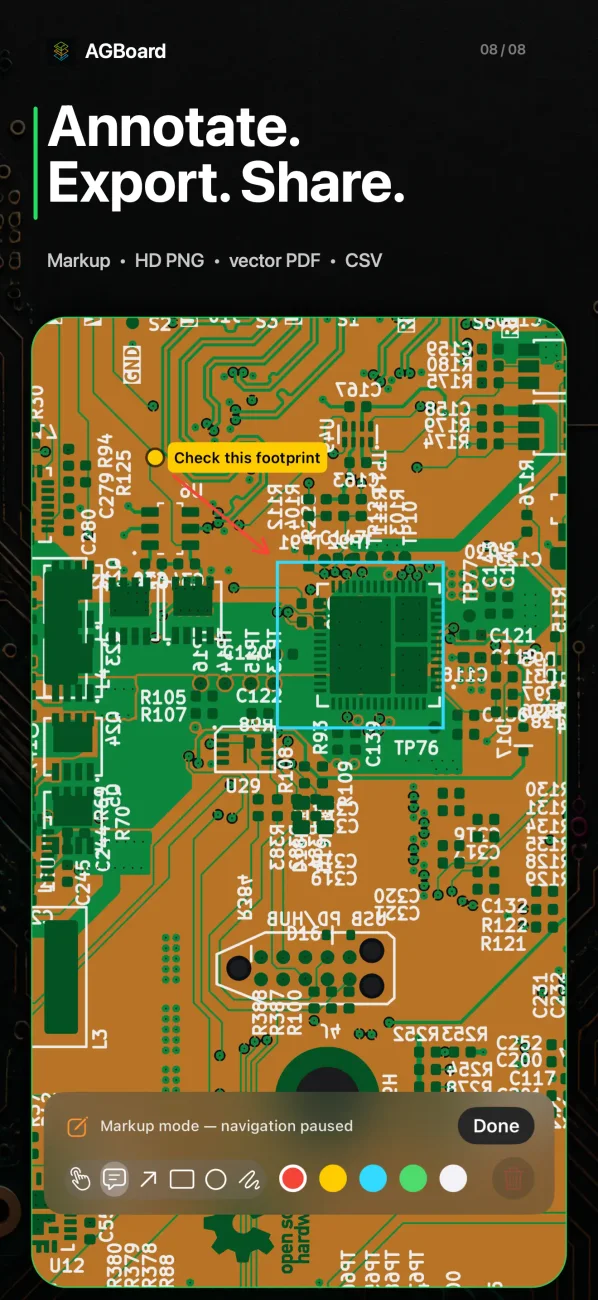
• Add notes, arrows, rectangles and ellipses straight on the board
• Annotations stay pinned through zoom and pan, and are saved in the project
EDITING TOOLS
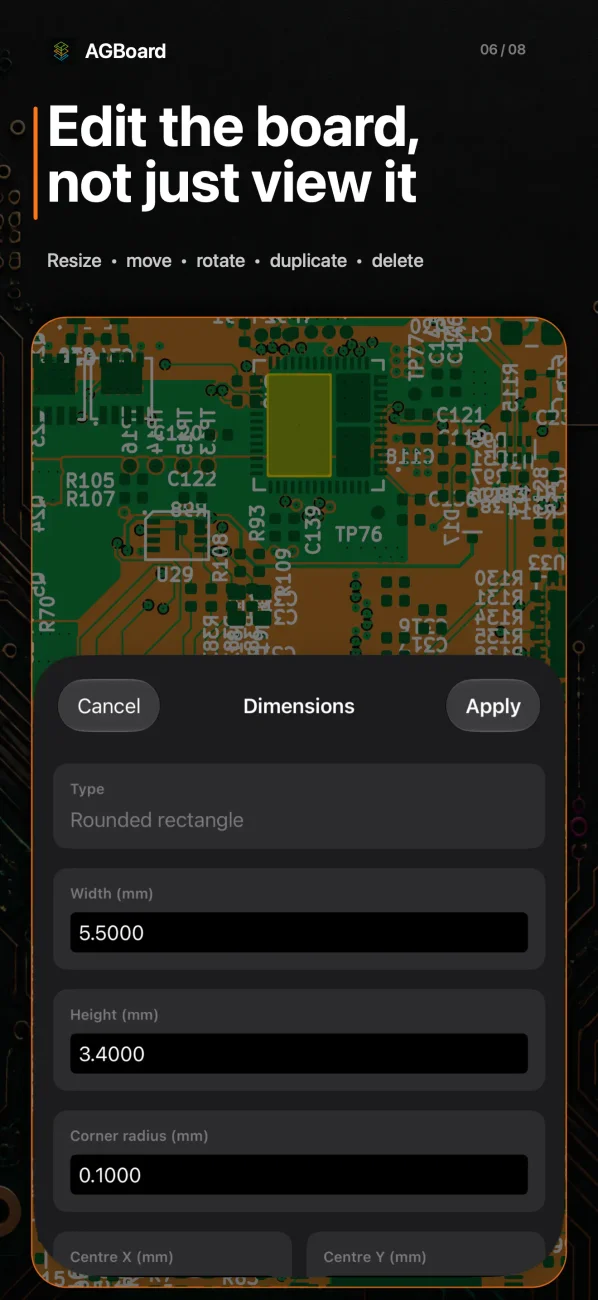
• Move, duplicate, resize and delete shapes, with editable corner radius
• Single-tap or marquee multi-selection, group transforms
• Mirror, rotate, reset and panelize layers
COMPONENT SEARCH
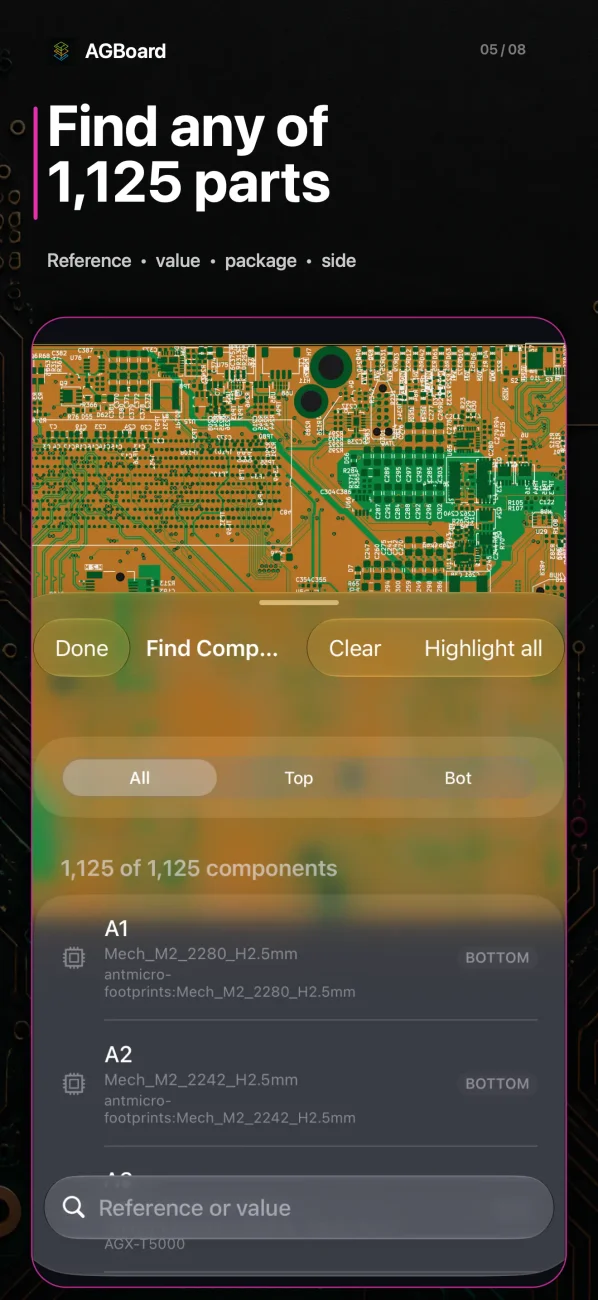
• Component data from Gerber X3, KiCad, Altium, ODB++, Eagle and BoardView files
• Search by reference, value or package; highlight top/bottom parts
FAST WORKFLOW
• Drag and drop from Files (iPad)
• Open from Mail, Files or any cloud provider
EXPORT & SHARE
• High-resolution PNG images
• Multi-page vector PDF (composite + one per layer) and AirPrint
• Layer CSV reports and shareable project files
PRIVATE BY DESIGN
Your PCB files are opened and processed entirely on your device. AGBoard does not track you and never sells personal data.
It contacts agboard-app.com only to check the installed version is current; no PCB file, account, payment or analytics identifier is sent.
Includes an illustrated guide in English and French.
Request an improvement or another format from Help -> Request feature.
Free to download and opens five files at no charge. After that, an auto-renewable monthly or annual AGBoard Pro subscription is required. Subscriptions renew until cancelled in your Apple Account settings.
Terms of Use (EULA): https://www.apple.com/legal/internet-services/itunes/dev/stdeula/
Support: support@agboard-app.com
What’s new
Version 1.4 · Oct 27, 2026
- Panelization: the whole board — every layer, with its components — repeats as a step and repeat, up to 50 × 50 copies, for the memory of one board. An edit applies to every copy, “Detach copies” makes them independent, and Gerber, ODB++ and IPC-2581 export keep the step and repeat.
- iPhone Duo: open, AGBoard fills the whole inner display; closed, it works on the outer display. The toolbar and the guided tour keep clear of the camera, and half folded the toolbar stays on one side of the fold.
- Large boards: jobs with dozens of layers open faster, scroll smoothly, and the 3D view fits in memory. Arcs display much faster in 3D.
- Layer alignment: an area aligns on the centre of its surface, the move is exact, and a banner says how far the layer moved.
- Layers button: it moves all the way to every edge of the screen, goes right down to the bottom, and no longer slips under the toolbar or off the screen.
- 3D: Gerber X3 components turn the right way, bodies measured from their pads follow their orientation, hidden steps of an ODB++ job no longer drill the board, and zero-width DXF lines show up.
- Eagle: parts on the bottom turned a quarter turn sit where they belong. KiCad: a cut-short file opens with what it holds. BoardView: a damaged line no longer stops the file opening, and an incomplete file says so.
- ODB++: flipped panels (FLIP), nets on surfaces and negative planes, and blind and buried vias on export. Saving as KiCad refuses an edit it cannot write instead of losing it.
- Previews in the Files app for AGBoard Pro subscribers: the thumbnail shows the board, and the preview shows it as a PDF, layer by layer.
- “Open with” from the Files app now opens the file, even when the app was closed.
- Fewer alerts: plain import notes stay in Import report. An alert appears only when a file is incomplete or cannot be read.
- The app says clearly when a file is not the right one or was cut short: an empty file, a Git LFS pointer, a saved web page, a RAR or password-protected archive, an interrupted download, an Allegro board. An incomplete Gerber or drill file is reported instead of opening half-drawn.
- AGBoard Pro: the subscription plans open at any time, from the start screen (“AGBoard Pro plans”) or the Help menu.
- “Send to developer” can attach the file that causes the problem, even when it does not open. You choose whether to send it, from your own email.
- 3D: the outline, thickness and inner-layer depths an ODB++ or IPC-2581 file states are used; ODB++ components have the height and shape the file gives them.
- DXF: an edited drawing saves as DXF, rewriting only the objects that changed. AutoCAD tables and multi-line text display, and “Add shape” offers a line.
- Altium: “binary” .DRL files, blind vias (.TX1) and the .GM board outline are read; Circuit Studio boards (.CSPcbDoc) open.
- Archives: 7z, .tar.xz, .tar.bz2 and ZIP64. Allegro (nc_param.txt), Zuken CR-8000 and unusual extensions (OrCAD, VeriBest, gEDA…) are recognised; Excellon arcs and repeated patterns are drawn.
- KiCad: a project with no board opens its schematic. Large ODB++ jobs open faster, and ODB++ and IPC-2581 export handle filled outlines and thermal pads.
App privacy
What GUILLAUME PIERRE AGNETTI declares on the App Store about how this app handles data.
-
Data not collected
The developer does not collect any data from this app.
Privacy practices may vary, for example with the features you use or your age.
Information
- Seller
- GUILLAUME PIERRE AGNETTI
- Category
- Productivity
- Version
- 1.4
- Updated
- Oct 27, 2026
- Released
- Jul 29, 2026
- Size
- 23.2 MB
- Requires
- iOS 17.0 or later
- Age rating
- 4+
- Price
- Free
- In-app purchases
- Yes
- Languages
- English
- Copyright
- © 2026 AGBoard
You might also like
-
 Horizontal PCBView hprj design files.
-
 KiCad Editor: PCB & SchematicElectronics design by touch
-
 MakerSolid CAD3D CAD Modeling
-
 Tertiary PlannerProductivity
-
 Macaos RoverCompanion to Macaos Enterprise
-
 Circuit LaboratoryProductivity
-
 OhmniViewElectronic Design Toolbox
-
 Sandia Mini ConnectLive car tracking & security
-
 Gestalt - Easy alt textAI-powered alt text generator
-
 GEYER Y-Design AppOptimize Oscillator Circuits