
Airothy - Remote for Mac
Trackpad & keyboard for Mac
Được thiết kế cho iPhone, iPad
Miễn phí · Mua hàng trong ứng dụng
- Độ tuổi4+
- Danh mụcTiện Ích
- Nhà phát triểnHunwoo Kim
- Ngôn ngữTiếng Anh+ 7 ngôn ngữ khác
- Kích thước32,9 MB
Liên kết đến trang App Store chính thức
Download.org không lưu trữ tệp nào của Airothy - Remote for Mac. Nút này mở trang ứng dụng trên App Store, nơi Hunwoo Kim phát hành ứng dụng. Trang được kiểm tra lần cuối: 20/11/2026.
Ảnh chụp màn hình



Giới thiệu
Nhà phát triển chưa cung cấp nội dung này bằng ngôn ngữ của bạn.
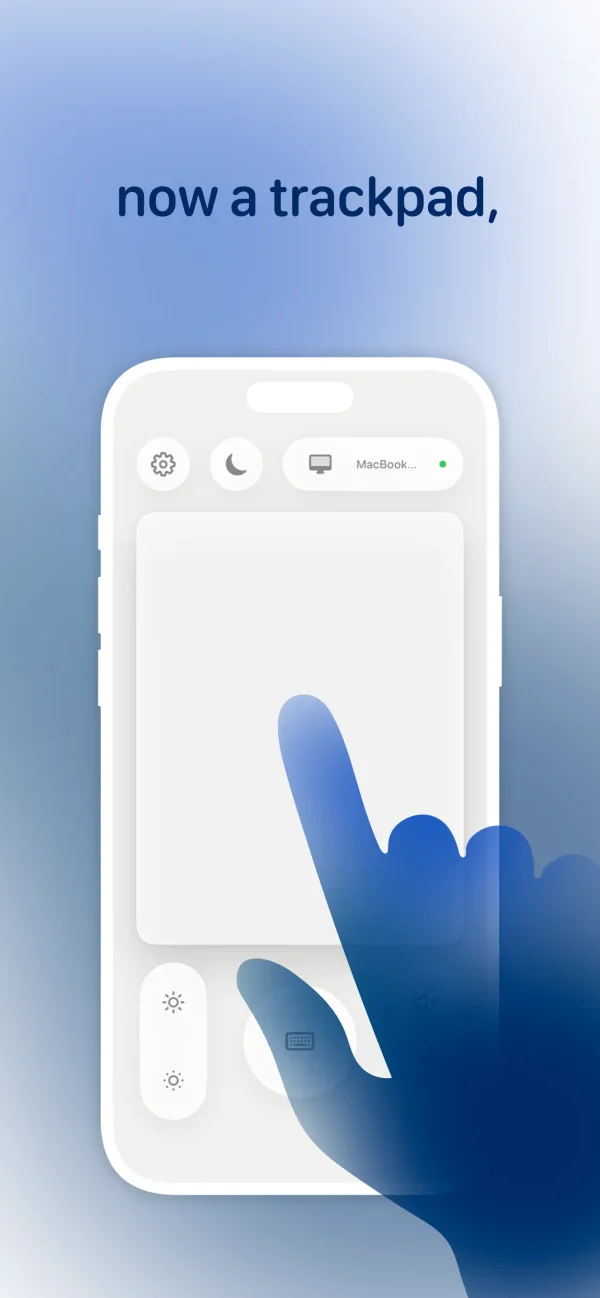
Airothy turns your iPhone into a wireless trackpad and keyboard for your Mac. Control your Mac from across the room. Gestures, typing, and shortcuts, right in your hand.
A REAL TRACKPAD, IN YOUR HAND
• One finger moves the pointer, with smooth acceleration that feels like a Mac trackpad
• Tap to click, two-finger tap to right-click, double-tap to double-click
• Two fingers to scroll and pinch to zoom
• Three-finger swipes for Mission Control and switching Spaces
• Long-press to drag and drop
A FULL KEYBOARD, TWO WAYS
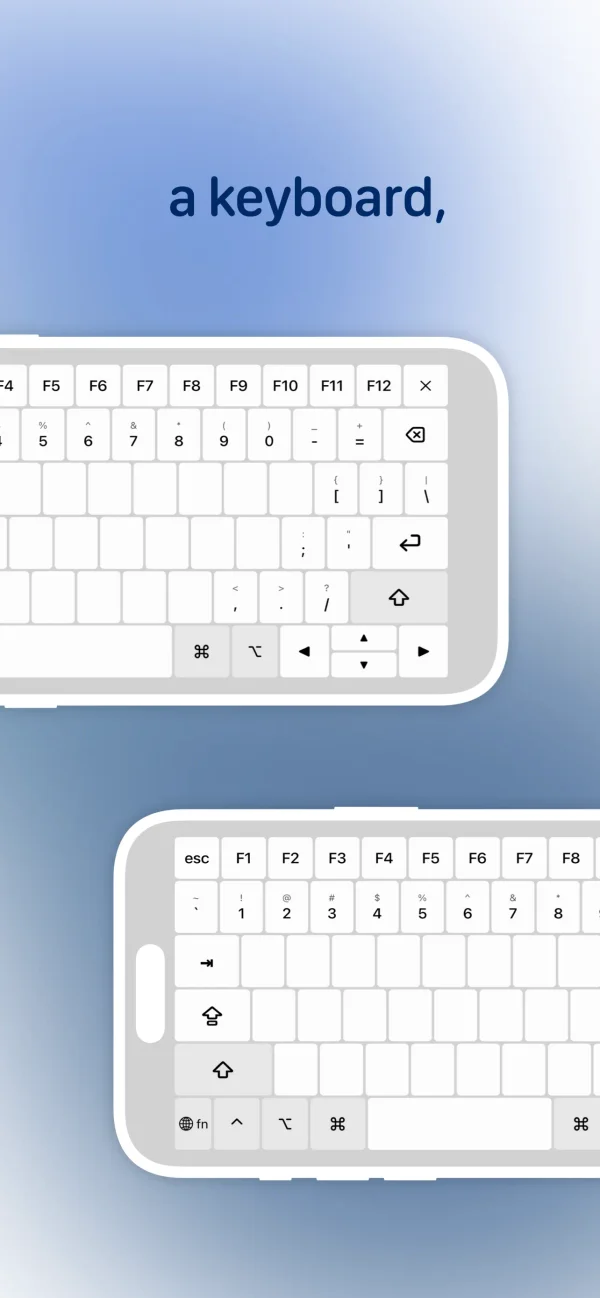
• Full-screen Mac Keyboard with hold-to-combine modifier keys, key repeat, and haptic feedback
• A function row that matches your Mac: brightness, media, mute, and volume
• Or type with the familiar iOS keyboard, with a Cmd / Opt / Ctrl / Shift bar and a Mac keys panel
PRIVATE BY DESIGN
• iPhone and Mac talk directly over your local network. What you type and tap never touches the internet
• Every connection is encrypted and authenticated
• Your Mac only accepts commands from devices you personally approved, one controller at a time
GETTING STARTED
1. Install the free Mac companion app from airothy.com
2. Open Airothy on your iPhone and scan the QR code shown on your Mac, or enter the 6-digit code
3. That's it. Pair once and you stay paired
FREE AND PRO
The core experience is free forever: pointer, clicks, scrolling, and typing with the iOS keyboard. Pro features like the Mac Keyboard, Mac modifier and function keys, drag and drop, pinch to zoom, three-finger gestures, and remote system controls come with a 14-day free trial, then unlock with a single one-time purchase. No subscription.
Có gì mới
Phiên bản 1.2 · 13/11/2026
• New: widgets, Control Center and Siri. Open Airothy from Control Center, the Lock Screen or the Action Button. With Pro, change your Mac's brightness and volume or turn off its display from a Home Screen widget or Control Center, or ask Siri.
• Easier setup: when your Mac doesn't show up, Airothy now tells you why and how to fix it.
• Bug fixes and improvements.
• We updated our privacy policy. Details at airothy.com/privacy.
Quyền riêng tư của ứng dụng
Những gì Hunwoo Kim khai báo trên App Store về cách ứng dụng này xử lý dữ liệu.
-
Dữ liệu không liên kết với bạn
Có thể được thu thập nhưng không liên kết với danh tính của bạn.
- Mục mua
- Mã định danh
- Dữ liệu sử dụng
Phương thức đảm bảo quyền riêng tư có thể khác nhau, chẳng hạn như tuỳ theo các tính năng bạn sử dụng hoặc độ tuổi của bạn.
Thông tin
- Người bán
- Hunwoo Kim
- Danh mục
- Tiện Ích
- Phiên bản
- 1.2
- Cập nhật
- 13/11/2026
- Phát hành
- 15/09/2026
- Kích thước
- 32,9 MB
- Yêu cầu
- iOS 26.0 trở lên
- Độ tuổi
- 4+
- Giá
- Miễn phí
- Mua hàng trong ứng dụng
- Có
- Ngôn ngữ
- Tiếng Anh, Tiếng Ả Rập, Tiếng Pháp, Tiếng Đức, Tiếng Nhật, Tiếng Hàn, Tiếng Trung Giản thể, Tiếng Tây Ban Nha
- Bản quyền
- © 2026 Easterve