
- Độ tuổi4+
- Danh mụcDu Lịch
- Nhà phát triểnAdam Mazur
- Ngôn ngữTiếng Anh
- Kích thước6,5 MB
Liên kết đến trang App Store chính thức
Download.org không lưu trữ tệp nào của Alti-watcher. Nút này mở trang ứng dụng trên App Store, nơi Adam Mazur phát hành ứng dụng. Trang được kiểm tra lần cuối: 23/11/2026.
Ảnh chụp màn hình
Giới thiệu
Nhà phát triển chưa cung cấp nội dung này bằng ngôn ngữ của bạn.
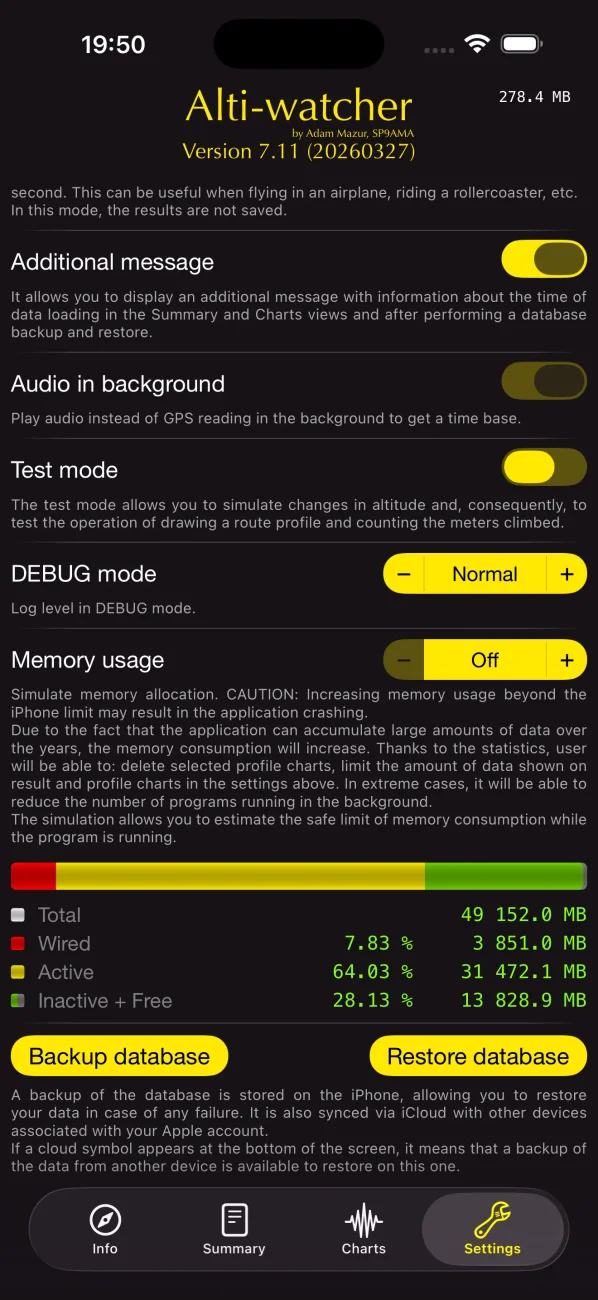
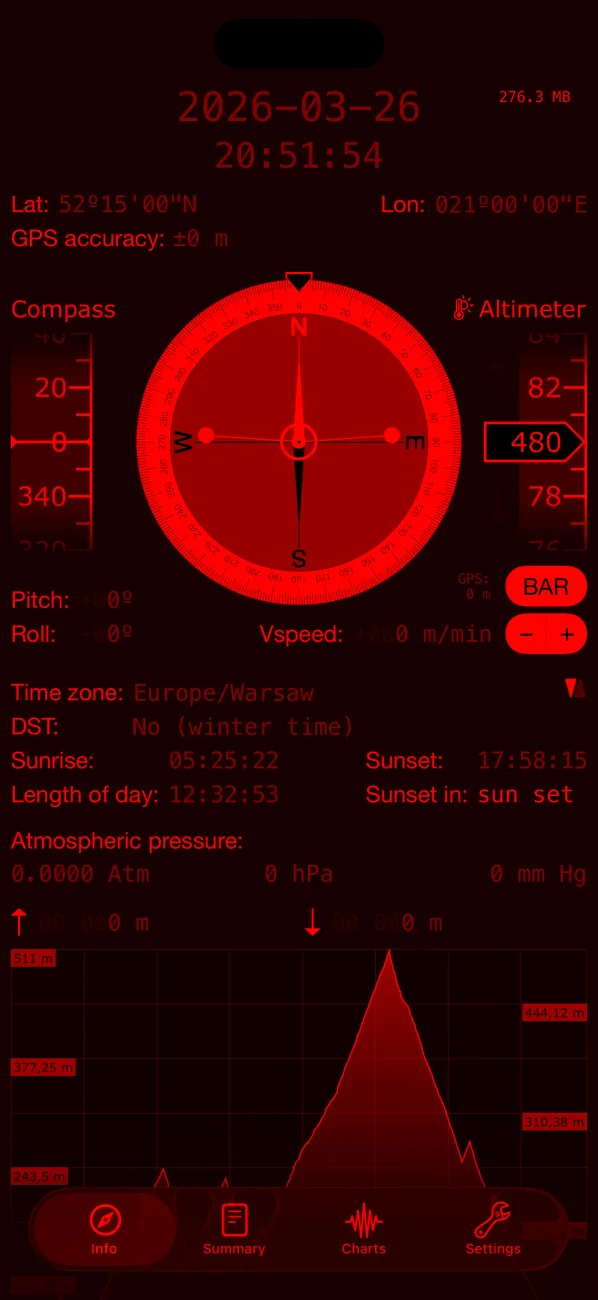
Alti-Watcher is designed to count the meters climbed when hiking in the mountains.
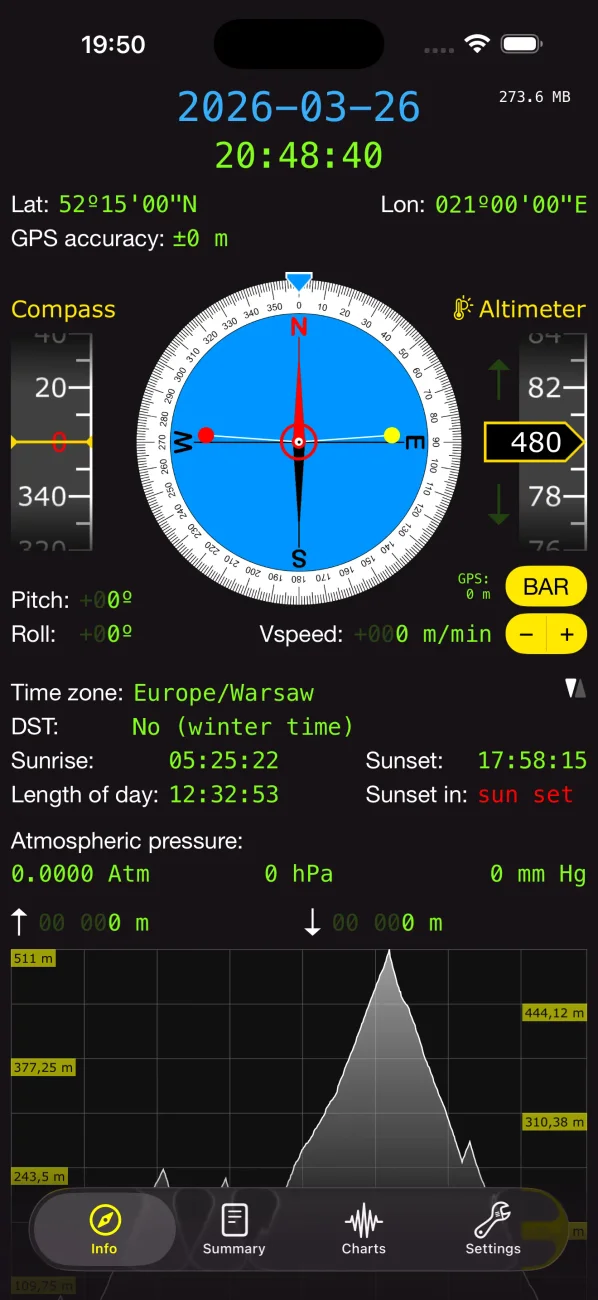
The application reads the initial location and altitude from the GPS module, and after approx. 30 sec. switches to altitude reading based on the built-in barometer. The location is also used during route recording when the phone has the screen off. When prevent sleep mode is active, GPS is turned off and only the barometer is active.
The compass dial shows the sun's position at sunrise and sunset as a yellow and red dot and a level marker as two concentric circles.
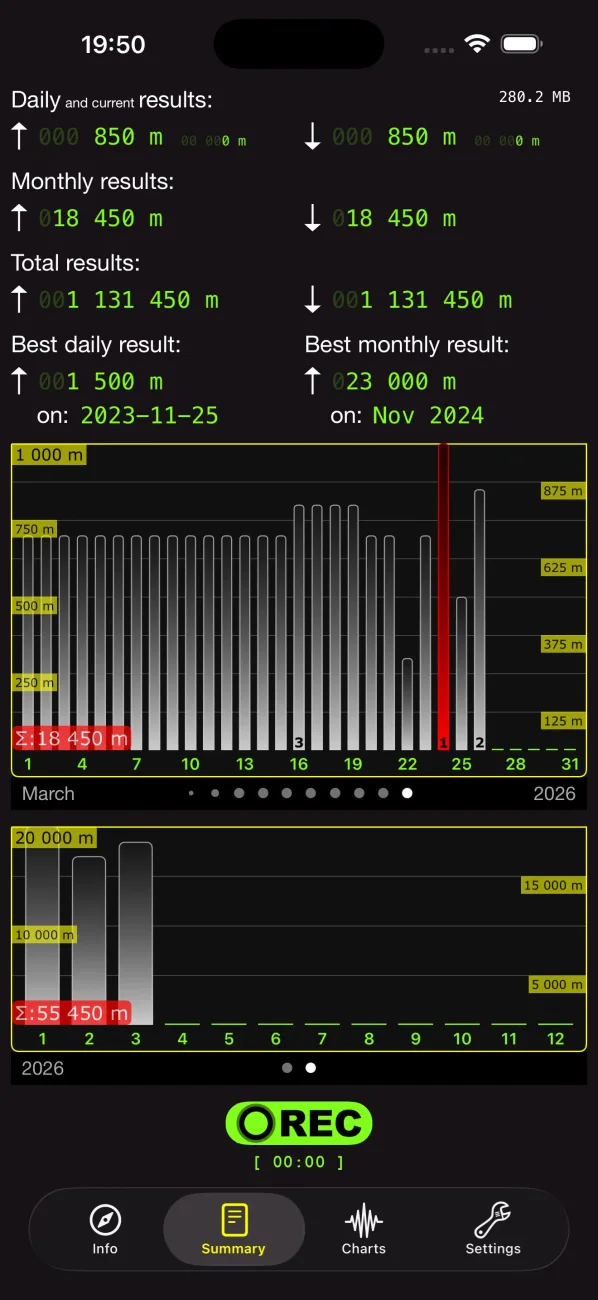
The results are presented on a daily, monthly and total basis. The month graph shows the results for all days in the current month and the previous months. The best daily result for the month is marked in red.
The second graph shows the results for the current and previous years.
The number of years presented can be set up to 10 years.
On each graph, the total result (Σ) for the month or year is displayed in red.
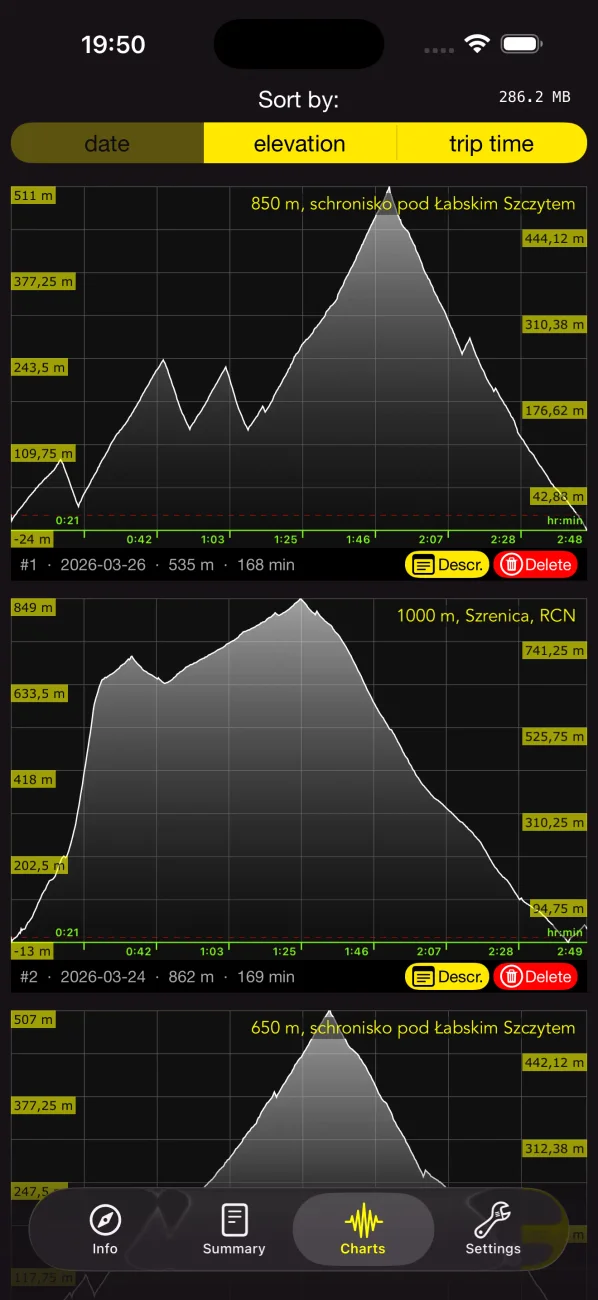
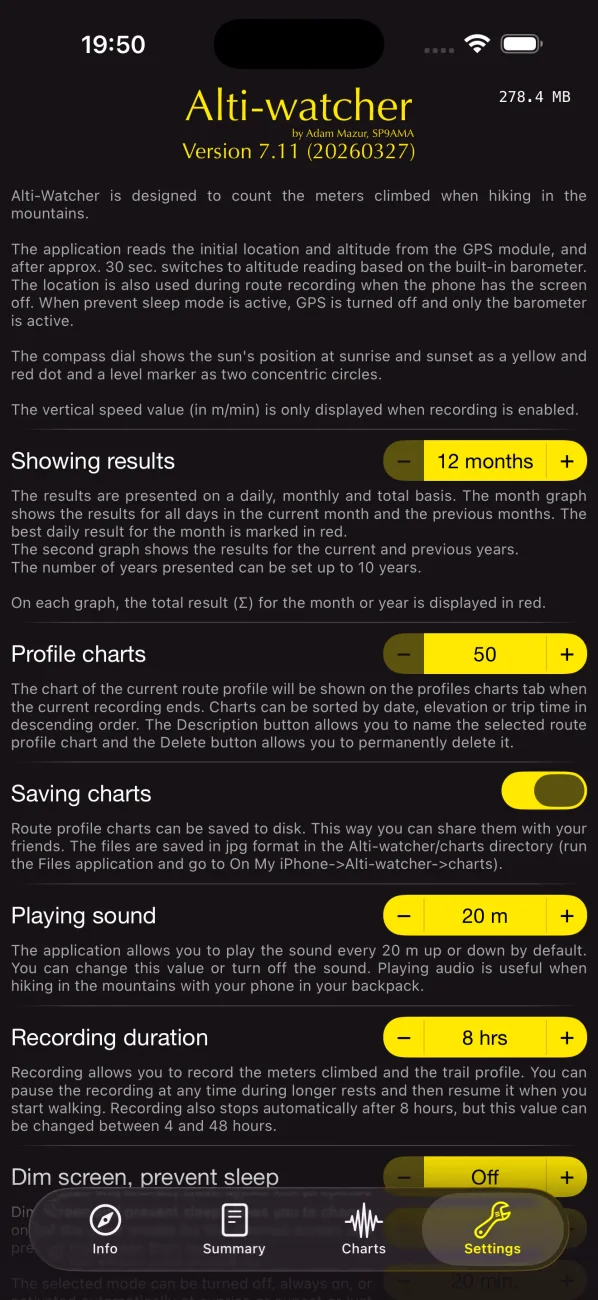
The chart of the current route profile will be shown on the profiles charts tab when the current recording ends. Charts can be sorted by date, elevation or trip time in descending order. The Description button allows you to name the selected route profile chart and the Delete button allows you to permanently delete it.
Route profile charts can be saved to disk. This way you can share them with your friends. The files are saved in jpg format in the Alti-watcher/charts directory (run the Files application and go to On My iPhone->Alti-watcher->charts).
The application allows you to play the sound every 20 m up or down by default. You can change this value or turn off the sound. Playing audio is useful when hiking in the mountains with your phone in your backpack.
Recording allows you to record the meters climbed and the trail profile. You can pause the recording at any time during longer rests and then resume it when you start walking. Recording also stops automatically after 8 hours, but this value can be changed between 4 and 48 hours.
Dim screen and prevent sleep improves the accuracy of the altitude readings. This will only slightly increase the energy consumption.
High refresh rate allows you to record a profile chart with a time period of 1 second. In this mode, the results are not saved.
Selected temperature range allows the barometer to be accurately calibrated in the range. This setting corrects the altitude readings that are dependent on the air temperature. The selected temperature range is presented in the form of a thermometer with the appropriate color in the altimeter view.
The application does not collect or transfer any data. The database backup is stored on the phone, so it can be restored in case of failure and is not transferred anywhere.
This appliacation requires the Fitness Tracking option to be enabled for the barometer to work:
1. Head to the 'Settings' app.
2. Scroll to 'Privacy & Security' and open.
3. Scroll to 'Motion & Fitness' and open.
4. Turn on 'Fitness Tracking' toggle.
Có gì mới
Phiên bản 8.08 · 20/11/2026
Several minor post-release bugs have been fixed for iPhone Duo.
Quyền riêng tư của ứng dụng
Những gì Adam Mazur khai báo trên App Store về cách ứng dụng này xử lý dữ liệu.
-
Dữ liệu không được thu thập
Nhà phát triển không thu thập bất kỳ dữ liệu nào từ ứng dụng này.
Phương thức đảm bảo quyền riêng tư có thể khác nhau, chẳng hạn như tuỳ theo các tính năng bạn sử dụng hoặc độ tuổi của bạn.
Thông tin
- Người bán
- Adam Mazur
- Danh mục
- Du Lịch
- Phiên bản
- 8.08
- Cập nhật
- 20/11/2026
- Phát hành
- 14/12/2020
- Kích thước
- 6,5 MB
- Yêu cầu
- iOS 16.6 trở lên
- Độ tuổi
- 4+
- Giá
- Miễn phí
- Ngôn ngữ
- Tiếng Anh
- Bản quyền
- © Adam Mazur
Có thể bạn cũng thích
-
 Pressure Altimeter TrackerDẫn Đường
-
 Baloc: Your altitude profileDu Lịch
-
 Alt-O-MeterDẫn Đường
-
 Altimeter Elevation WatchDẫn Đường
-
 Compass GPS (Map, Weather)Dẫn Đường
-
 Peak - Đồng hồ đo độ cao GPSKhí áp kế, la bàn, leo núi
-
 Altimeter X LiteDẫn Đường
-
 Altimeter: Elevation, CompassDẫn Đường
-
 đo độ caoDu Lịch
-
 Speedometer GPS & CompassDẫn Đường