Altimeter Elevation Watch
Altimeter for CarPlay
Được thiết kế cho iPhone, iPad
Miễn phí · Mua hàng trong ứng dụng
- Độ tuổi4+
- Danh mụcDẫn Đường
- Nhà phát triểnBernhard Hering
- Ngôn ngữTiếng Anh+ 4 ngôn ngữ khác
- Kích thước9,3 MB
Liên kết đến trang App Store chính thức
Download.org không lưu trữ tệp nào của Altimeter Elevation Watch. Nút này mở trang ứng dụng trên App Store, nơi Bernhard Hering phát hành ứng dụng. Trang được kiểm tra lần cuối: 25/11/2026.
Ảnh chụp màn hình
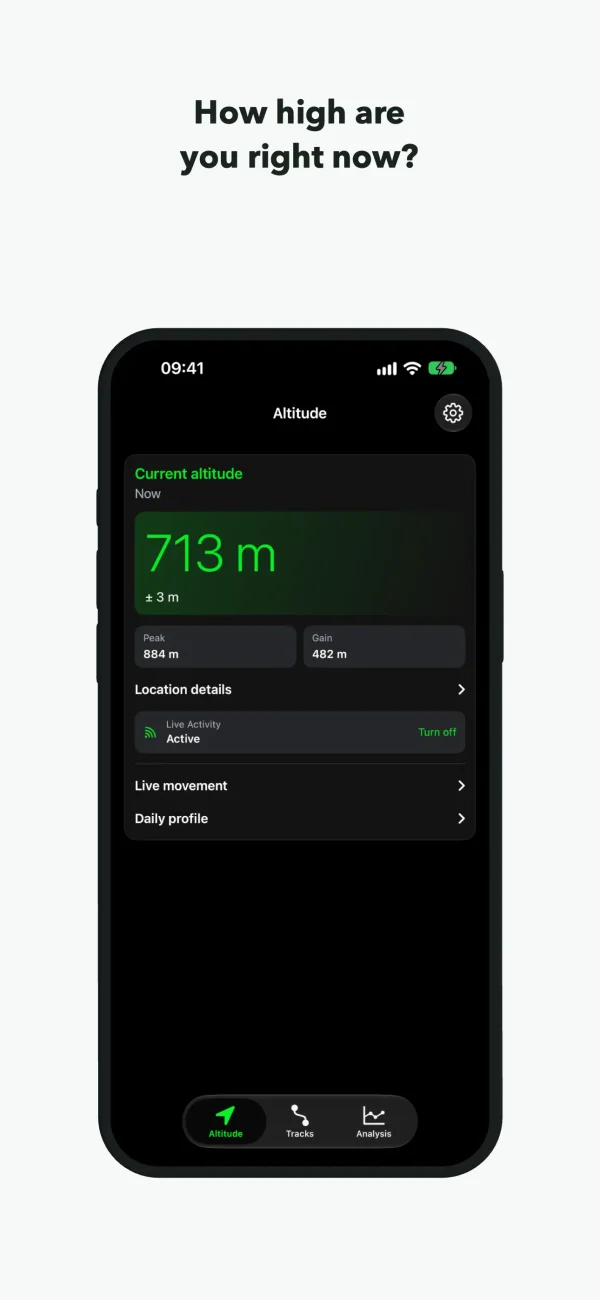
Giới thiệu
Nhà phát triển chưa cung cấp nội dung này bằng ngôn ngữ của bạn.
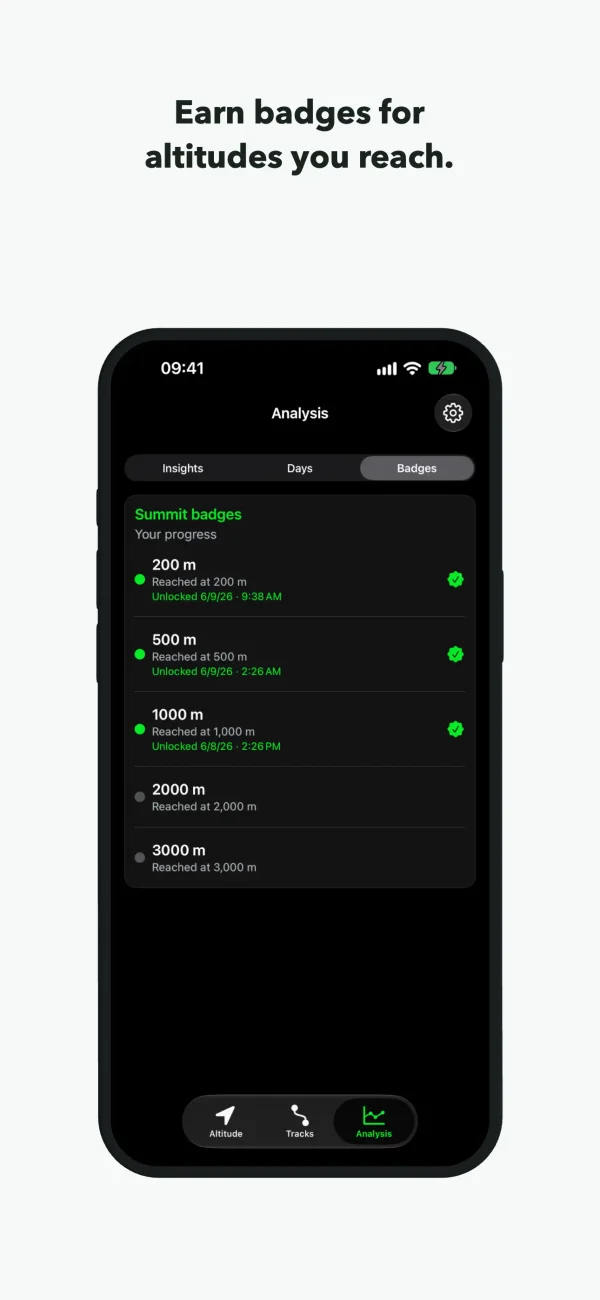
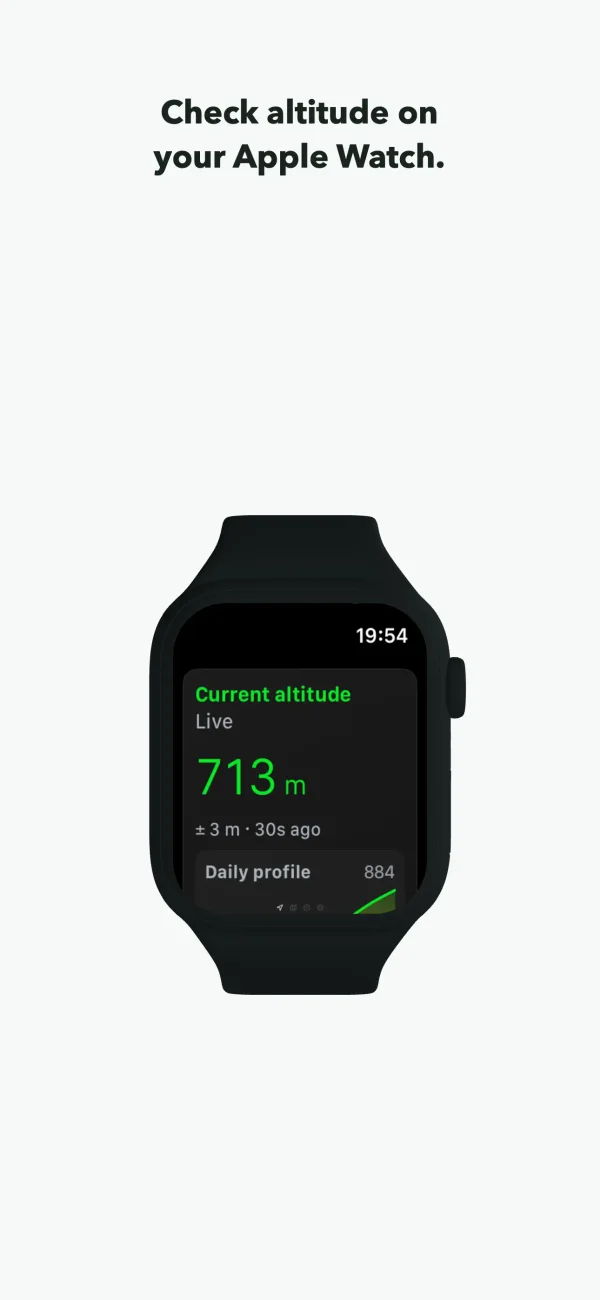
Check your current altitude and see how much you have climbed. Altimeter shows your altitude, daily peak and elevation gain on hikes, bike rides and mountain drives. Use it on iPhone and Apple Watch, or view your altitude in CarPlay.
ALTITUDE IN YOUR CAR
The native CarPlay app has its own view for altitude, climb or descent per minute, grade, direction, peak and gain. It is an altitude display, not a navigation app. Set it up before driving.
ALTITUDE WITHOUT SWITCHING APPS
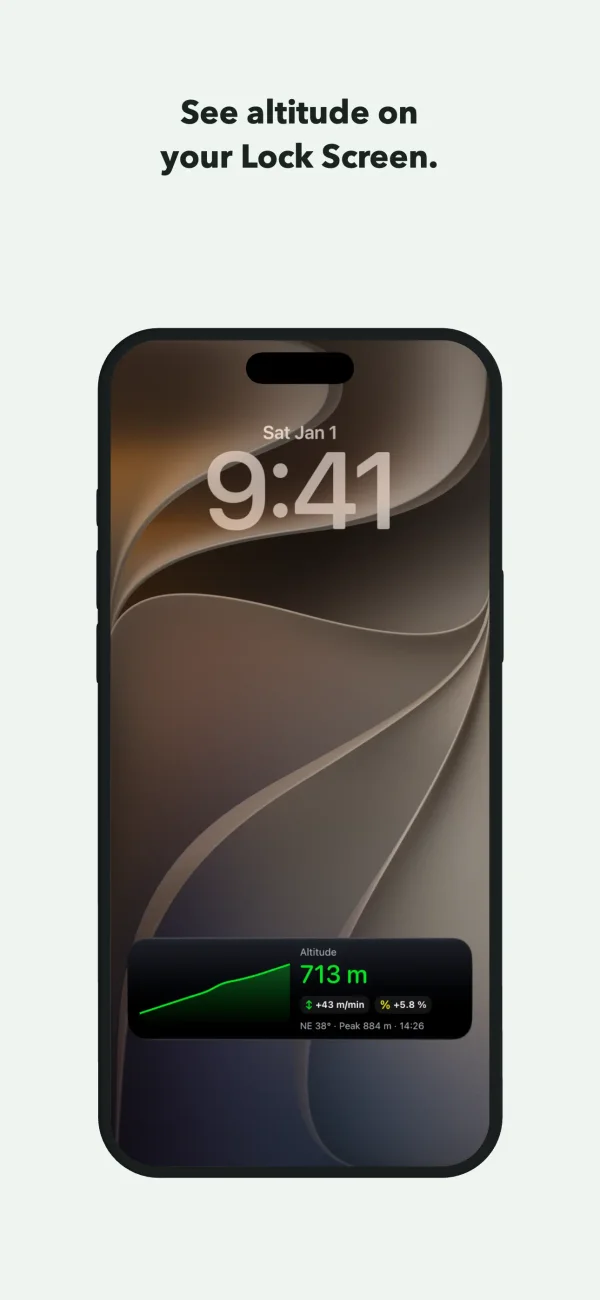
Start a Live Activity on iPhone to see altitude, peak and gain on the Lock Screen. Compatible iPhones also show these values in the Dynamic Island. Live Activity and the native CarPlay app are separate features. Widgets and Watch complications show your latest available altitude data.
LOOK BACK AT YOUR ROUTE
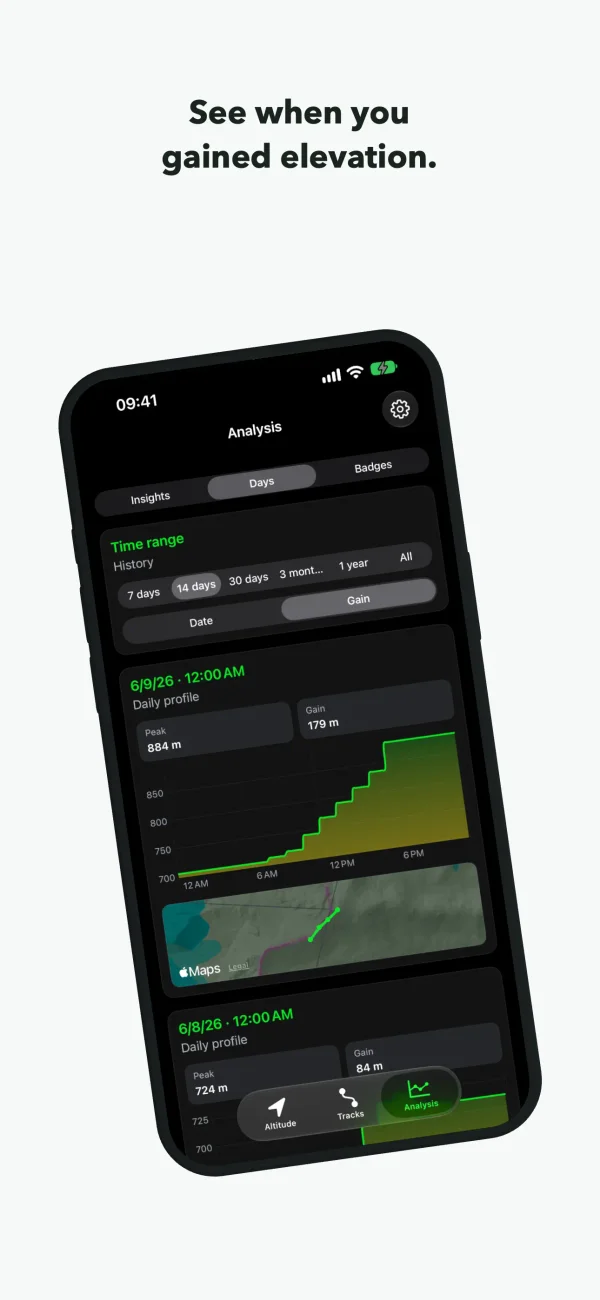
Record a track and open it on the map later. The line is colored by elevation; the color scale shows lower and higher sections. Daily history shows your altitude profile, peak and ascent. Monthly and yearly views help you compare your altitude history.
FIT IT TO YOUR DAY
• Display altitude in meters or feet
• Check altitude on Apple Watch
• Use Siri or Shortcuts to start a Live Activity or ask for your altitude
• Optionally use existing Flights Climbed data from Apple Health in your analysis
BEFORE YOU START
Readings depend on GPS reception, sensors and location permissions. Background features require appropriate permissions. iOS and watchOS limit widget and complication refreshes; these are not continuously live displays. The app does not replace professional measurement equipment, navigation or safety equipment.
ACCESS
New users can try the app for two days. Continued access then requires a monthly subscription, annual subscription or one-time lifetime purchase. Existing purchases can be restored in the app.
Terms of Use (EULA): https://www.apple.com/legal/internet-services/itunes/dev/stdeula/
Có gì mới
Phiên bản 4.8.23 · 23/11/2026
In CarPlay, “Checking access…” now clears as soon as the access check finishes, instead of lingering until the next altitude refresh.
Quyền riêng tư của ứng dụng
Những gì Bernhard Hering khai báo trên App Store về cách ứng dụng này xử lý dữ liệu.
-
Dữ liệu không liên kết với bạn
Có thể được thu thập nhưng không liên kết với danh tính của bạn.
- Mã định danh
- Dữ liệu sử dụng
Phương thức đảm bảo quyền riêng tư có thể khác nhau, chẳng hạn như tuỳ theo các tính năng bạn sử dụng hoặc độ tuổi của bạn.
Thông tin
- Người bán
- Bernhard Hering
- Danh mục
- Dẫn Đường
- Phiên bản
- 4.8.23
- Cập nhật
- 23/11/2026
- Phát hành
- 06/11/2017
- Kích thước
- 9,3 MB
- Yêu cầu
- iOS 17.6 trở lên
- Độ tuổi
- 4+
- Giá
- Miễn phí
- Mua hàng trong ứng dụng
- Có
- Ngôn ngữ
- Tiếng Anh, Tiếng Pháp, Tiếng Đức, Tiếng Ý, Tiếng Tây Ban Nha
- Bản quyền
- © Bernhard Hering
Có thể bạn cũng thích
-
 Pressure Altimeter TrackerDẫn Đường
-
 Altimeter: Elevation & GPSDẫn Đường
-
 Altitude DriveDẫn Đường
-
 Pro Altimeter for WatchDẫn Đường
-
 Altimeter DashboardDẫn Đường
-
 Alti-watcherDu Lịch
-
 Peak - Đồng hồ đo độ cao GPSKhí áp kế, la bàn, leo núi
-
 Altimeter: Elevation, CompassDẫn Đường
-
 Altimeter+Dẫn Đường
-
 RV-PilotDẫn Đường