
AppLimiter Screen Time Control
Block apps, beat phone habits
Được thiết kế cho iPhone, iPad
Miễn phí
- Độ tuổi4+
- Danh mụcHiệu Suất
- Nhà phát triểnPawel Garbarz
- Ngôn ngữTiếng Anh
- Kích thước6,5 MB
Liên kết đến trang App Store chính thức
Download.org không lưu trữ tệp nào của AppLimiter Screen Time Control. Nút này mở trang ứng dụng trên App Store, nơi Pawel Garbarz phát hành ứng dụng. Trang được kiểm tra lần cuối: 18/11/2026.
Ảnh chụp màn hình
Giới thiệu
Nhà phát triển chưa cung cấp nội dung này bằng ngôn ngữ của bạn.
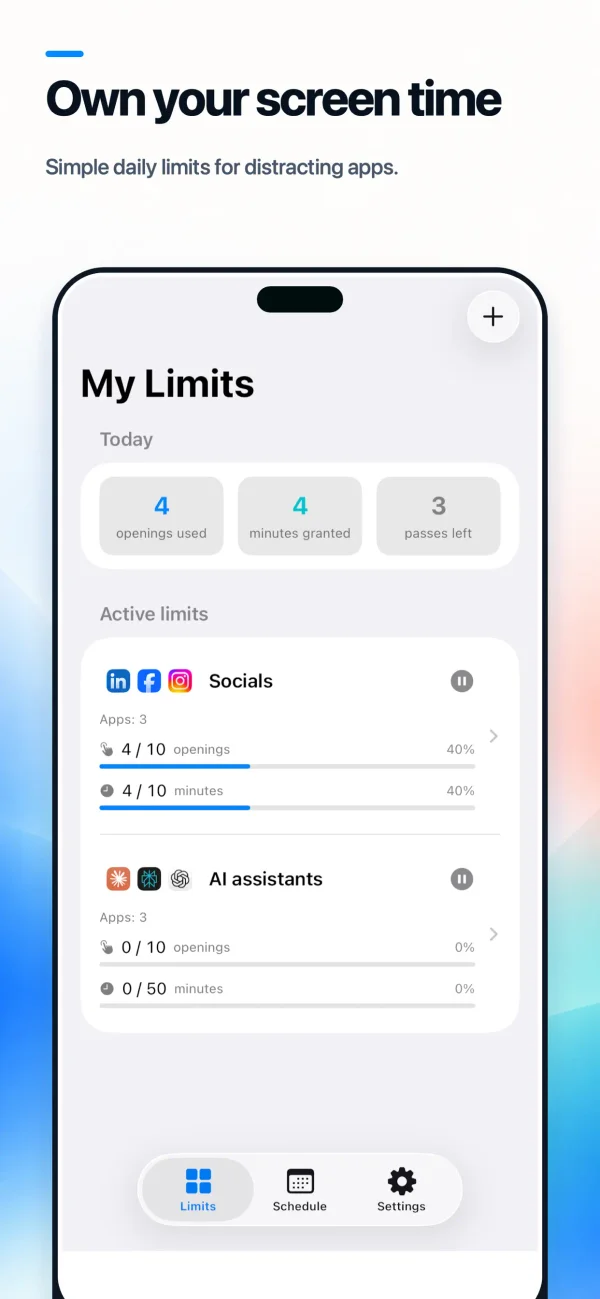
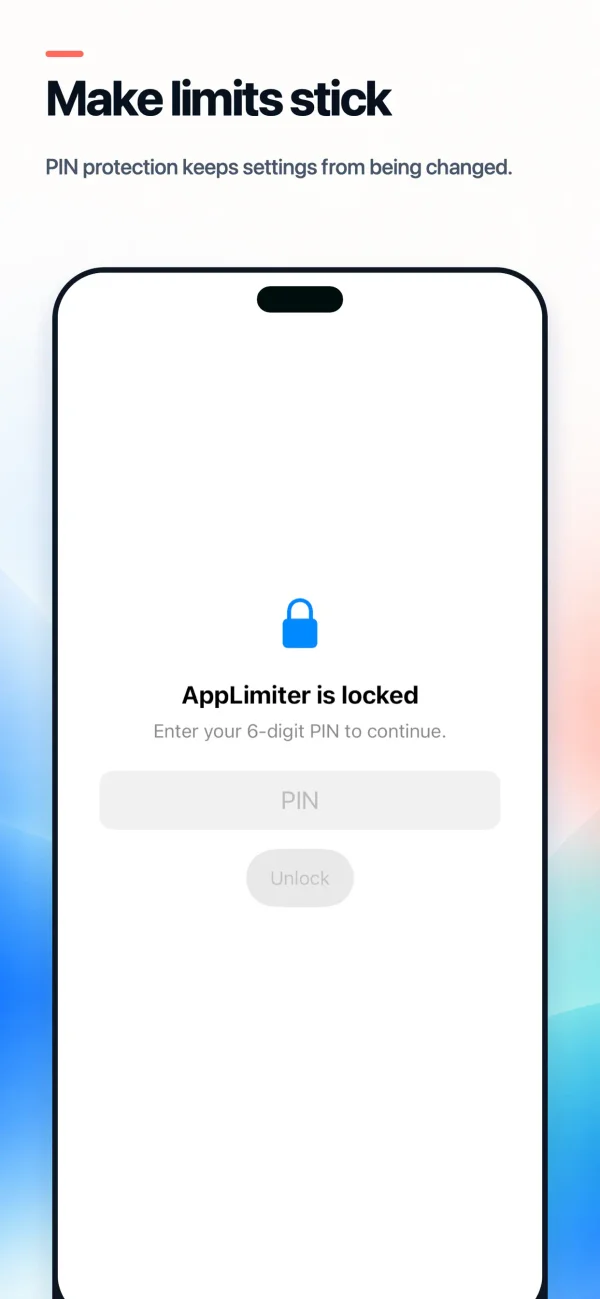
AppLimiter helps you break automatic scrolling by limiting how often distracting apps can be opened - not just how long they can be used. Use it for yourself, or protect the settings with a PIN when setting limits for your child.
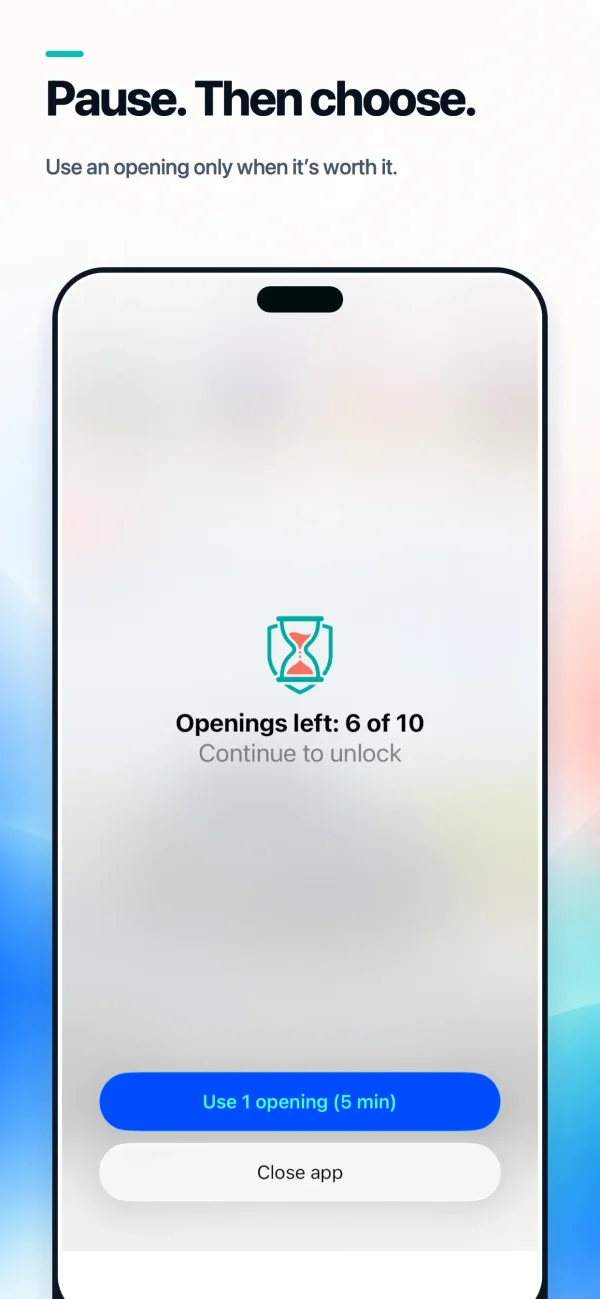
Traditional screen-time limits fade into the background. AppLimiter puts a deliberate pause at the door. Before access is granted, you see how many opens remain and decide whether the session is worth one.
HOW IT WORKS
Choose apps or categories, set a daily number of opens, and decide how long each session lasts. When a session ends, close the app or spend another opening to continue. When the budget is empty, selected apps stay blocked until the next daily reset.
BUILD LIMITS THAT FIT YOUR LIFE
• Daily opening budgets for individual apps or entire categories
• Session lengths from 1 to 60 minutes
• PIN-protected settings for parent-managed limits
• Separate limits for weekdays, weekends or custom days
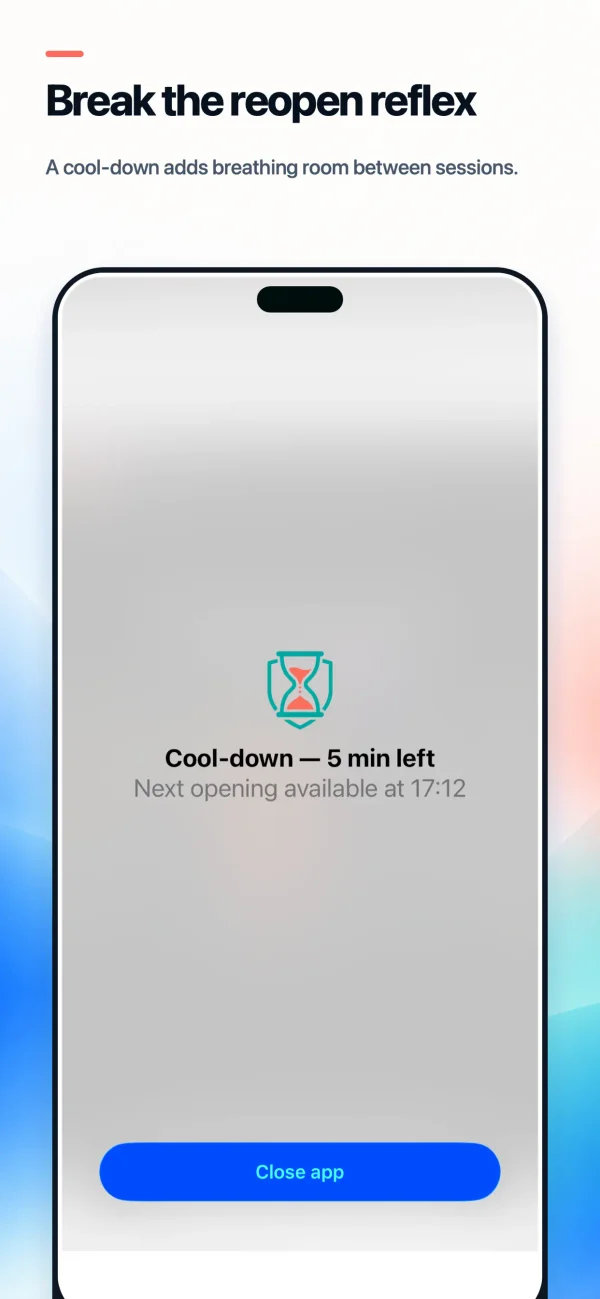
• Cooldowns to prevent immediately reopening an app
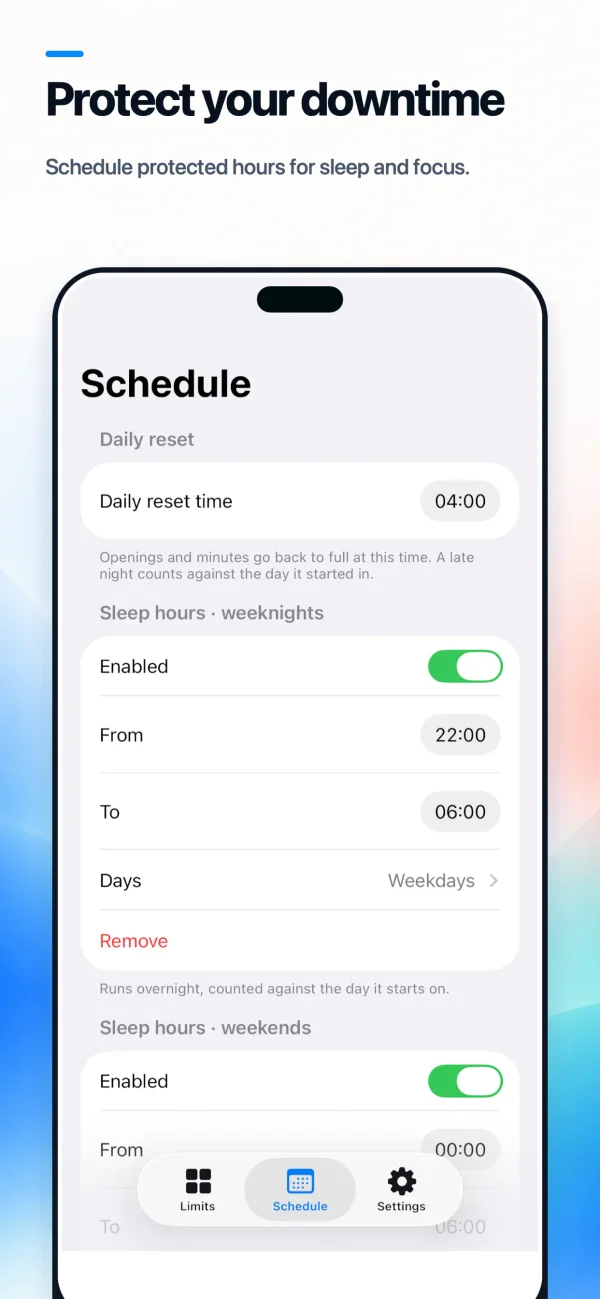
• Blocked hours for sleep, school, work, or focused time
• Friction mode adds a short delay before an opening is used
• Always Allowed list for essential apps
• Emergency passes for moments that genuinely need one
• Daily goals, streaks, and weekly progress reports
FOR YOURSELF OR YOUR CHILD
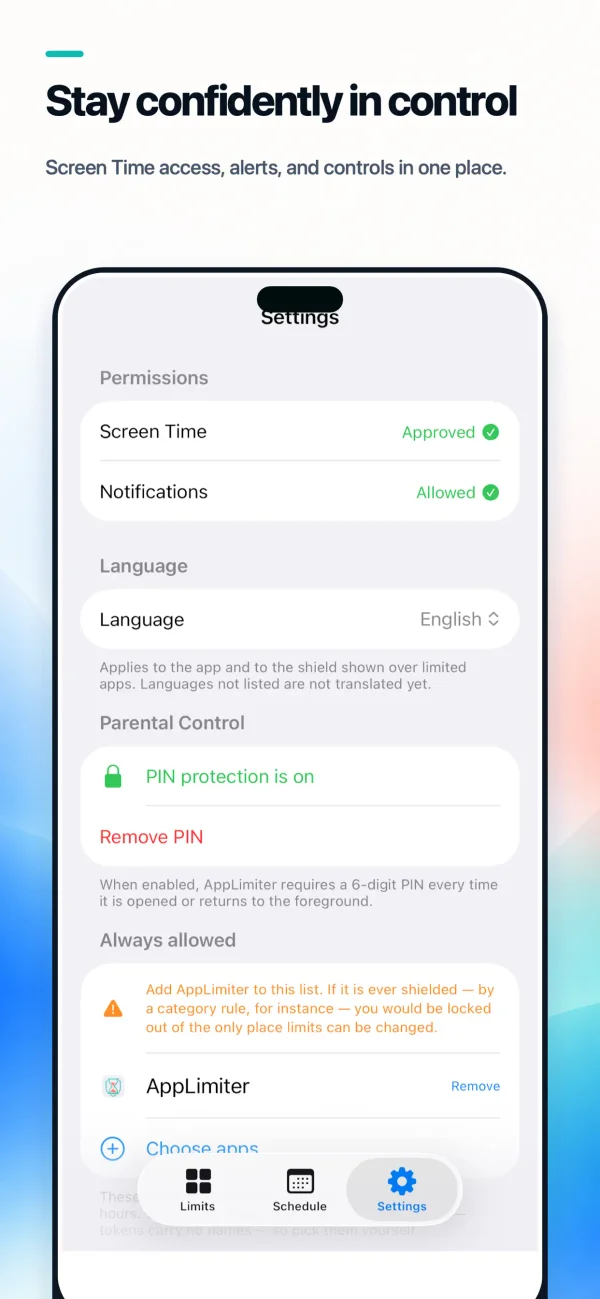
Use AppLimiter to build healthier habits on your own device, or enable PIN protection when setting limits for your child. Protected rules and settings cannot be changed inside AppLimiter without entering the PIN.
DESIGNED TO RESIST IMPULSE
AppLimiter uses Apple’s Screen Time technology to enforce limits, even when AppLimiter is not open. Self-managed limits require a deliberate typed confirmation to change, so one impulsive tap cannot undo your plan.
PRIVATE BY DESIGN
No account. No sign-up. No ads. No analytics. No backend servers. Your settings stay on the iPhone, and selected apps are handled through Apple’s privacy-preserving Screen Time framework.
REQUIREMENTS
AppLimiter requires Screen Time authorization to apply limits. You grant it once during setup and can revoke it at any time in Settings. Requires iOS 26 or later.
Có gì mới
Phiên bản 1.1 · 23/09/2026
AppLimiter 1.1 makes your limits easier to follow—and harder to bypass.
• Protect limits and settings with a secure 6-digit parental-control PIN.
• Set a custom cooldown for each limit to prevent immediate reopening after a session.
• Receive clearer notifications when sessions end or daily limits are reached.
• Set separate sleep hours for weekdays and weekends.
• Follow your iPhone’s language automatically, or choose a language manually.
• Enjoy more reliable blocking screens, timers, translations, and permission handling.
Thank you for using AppLimiter!
Quyền riêng tư của ứng dụng
Những gì Pawel Garbarz khai báo trên App Store về cách ứng dụng này xử lý dữ liệu.
-
Dữ liệu không được thu thập
Nhà phát triển không thu thập bất kỳ dữ liệu nào từ ứng dụng này.
Phương thức đảm bảo quyền riêng tư có thể khác nhau, chẳng hạn như tuỳ theo các tính năng bạn sử dụng hoặc độ tuổi của bạn.
Thông tin
- Người bán
- Pawel Garbarz
- Danh mục
- Hiệu Suất
- Phiên bản
- 1.1
- Cập nhật
- 23/09/2026
- Phát hành
- 17/09/2026
- Kích thước
- 6,5 MB
- Yêu cầu
- iOS 18.0 trở lên
- Độ tuổi
- 4+
- Giá
- Miễn phí
- Ngôn ngữ
- Tiếng Anh
- Bản quyền
- © Paweł Garbarz
Có thể bạn cũng thích
-
 Allowance: Focus & App LimitsHiệu Suất
-
 Stop Watching - App LimitsHiệu Suất
-
 Goal Lock: App Blocker & FocusHiệu Suất
-
 Reset Focus: Beat DistractionHiệu Suất
-
 FocusLock - App Limits & VaultHiệu Suất
-
 Screen Time Blocker - OtamaHiệu Suất
-
 LimitSet: App Blocker & FocusHiệu Suất
-
 StoicLock: Focus & App BlockerHiệu Suất
-
 Merit: tập trung, thời gianChặn app, hẹn giờ pomodoro học
-
 Pluto: Screen Time LockHiệu Suất