
Aria: AI Task Manager
To-do list, planner & calendar
Được thiết kế cho iPhone, iPad, Mac
Miễn phí · Mua hàng trong ứng dụng
- Độ tuổi4+
- Danh mụcHiệu Suất
- Nhà phát triển(주)립슨
- Ngôn ngữTiếng Anh+ 1 ngôn ngữ khác
- Kích thước133,4 MB
Liên kết đến trang App Store chính thức
Download.org không lưu trữ tệp nào của Aria: AI Task Manager. Nút này mở trang ứng dụng trên App Store, nơi (주)립슨 phát hành ứng dụng. Trang được kiểm tra lần cuối: 26/11/2026.
Ảnh chụp màn hình



Giới thiệu
Nhà phát triển chưa cung cấp nội dung này bằng ngôn ngữ của bạn.
Your tasks. Your calendar. Just say it.
Aria is an AI assistant and planner that keeps your to-do list, calendar, reminders and notes in one place.
Plan your schedule, build routines and count down to the days that matter, without switching apps.
“Finish the report by Friday, team meeting tomorrow at 3 pm.” One sentence. One task, one event.
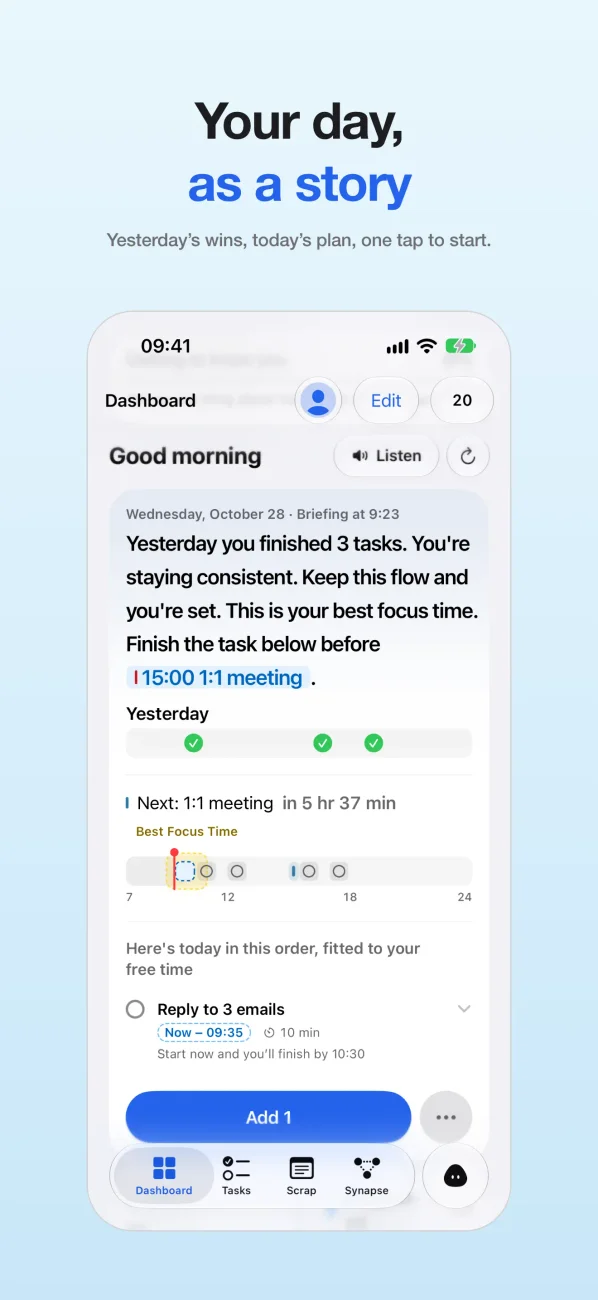
Morning. Only what matters.
A briefing of two or three sentences: today’s events and what to do first. You can listen to it, too.
Start your first task with a single timer. The time left stays on the Lock Screen and in the Dynamic Island.
Daytime. As it comes to mind.
Ramble, and Aria splits it into task suggestions you can add all at once.
A photo, a shared screenshot or a PDF: Aria finds the dates and suggests reminders.
What you can’t miss rings as an alarm, even in Silent mode or a Focus.
Evening. Move the rest to tomorrow.
See what’s left and what’s overdue, then reschedule it all in one go.
At the end of the week, the Weekly Briefing looks back on tasks, routines and mood.
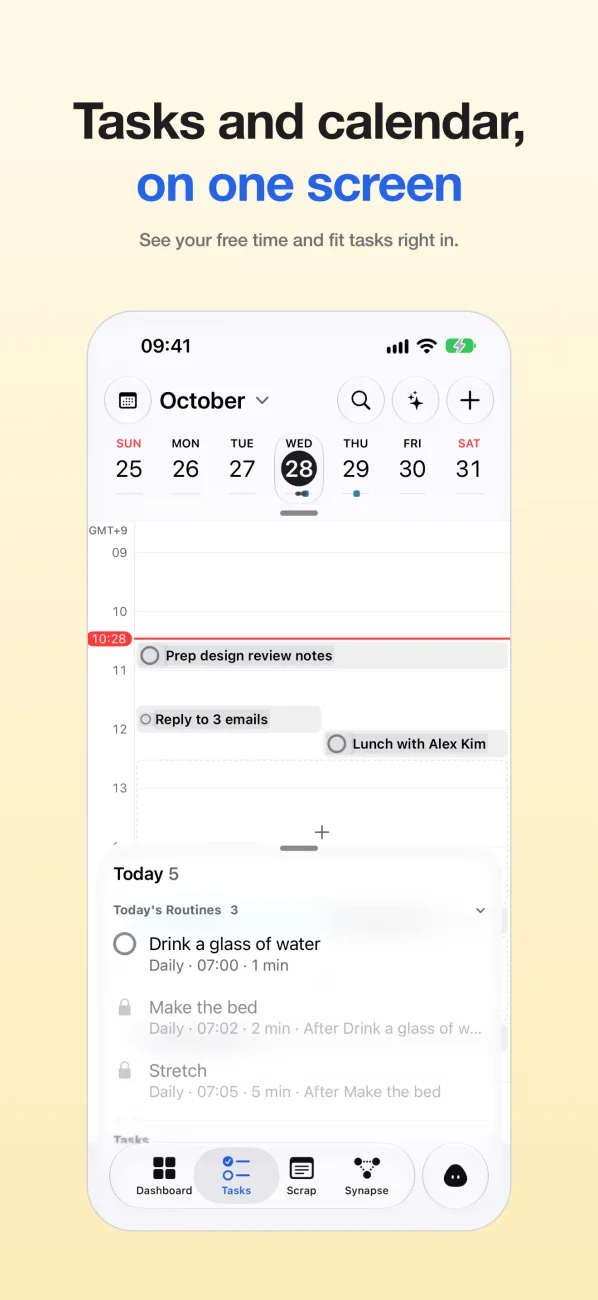
Tasks and calendar, on one screen.
• Today, Upcoming, Someday and Inbox, with Day, 3-Day, Week and Month views
• Drag a task onto the grid to schedule it; type “tomorrow 3 pm” and it’s understood
• Repeating tasks, subtasks, categories and an Eisenhower Matrix
• Routines with streaks, and a step-by-step routine timer
• D-day countdowns and widgets, deadline alerts that step up, arrive-and-leave reminders
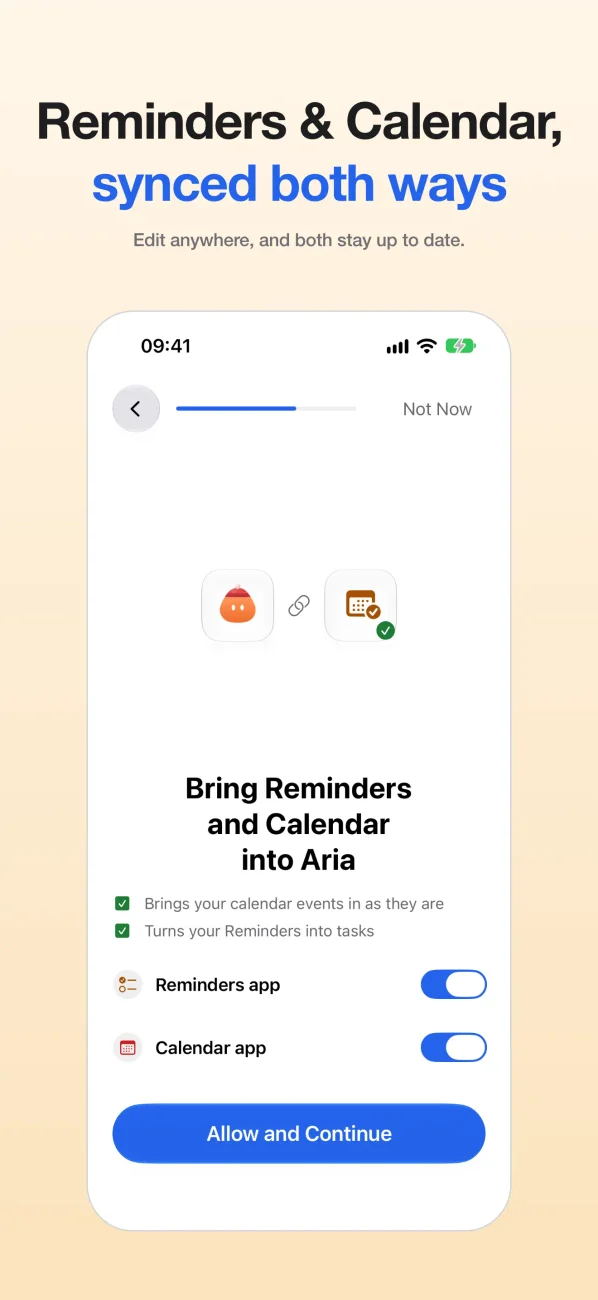
• Your device calendar alongside, and sync with the Reminders app
Notes that become knowledge.
• Scraps: notes, links and files in one place. Time Capsule (Aria Pro): this day, 1 week to 1 year ago.
• Synapse: people, topics and ideas linked into a map. Search by meaning.
• Memory: what you tell Aria carries into the next chat; review, edit or delete it in Settings.
iPhone, iPad, Apple Watch, Mac.
Home and Lock Screen widgets, Control Center and the Action button, Siri and Shortcuts, the Apple Watch app and the Mac menu bar. Sign in with Apple and every device shares the same notes. In English and Korean.
AI and your data
• Aria tells you what goes where and asks for your consent before using AI: Anthropic (Claude) handles chat, briefings, organizing and Synapse; OpenAI embeddings power search by meaning. Attached photos and files are included. Withdraw consent anytime in Settings › AI.
• Only what a request needs is sent, encrypted, without your account ID or email. Neither Aria nor its AI providers train AI models on your data.
• No ads in the app. Ad measurement can be turned off in Settings › Privacy Policy.
• Start without an account, and delete your account and data in the app.
Aria Pro subscription
• Tasks, calendar, Scraps and Synapse are free, and you get 20 AI questions a day for free, refilled daily.
• Aria reads attached photos to make tasks, free plan included. Aria Pro raises AI to 200 questions a day. A daily fair-use limit applies.
• Aria Pro also adds more than one alarm per task, Remind until it’s done, Fill free time with tasks, Weekly report & stats, Time Capsule, 6 personal themes, Overnight recap, and Plan my prep for D-days. Web lookups, including Look it up, are 3 a day on the free plan and 10 on Aria Pro.
• Monthly or yearly plans that renew automatically. Prices appear in your local currency before you buy, and if a free trial is available, it’s shown on the purchase screen.
• Payment is charged to your Apple Account when the trial ends, or at purchase if there is no trial. A subscription renews unless canceled at least 24 hours before the period ends, and renewal is charged within 24 hours before the period ends. Manage or cancel in your Apple Account settings.
Terms of Use (EULA): https://www.apple.com/legal/internet-services/itunes/dev/stdeula/
Privacy Policy: https://letsaria.com/en/privacy.html
Developer: Lipson Inc., Seoul, Republic of Korea · support@letsaria.com
Có gì mới
Phiên bản 1.2.1 · 24/11/2026
Start the virtual computer with a single tap.
More accurate chat answers and polish throughout the app.
Quyền riêng tư của ứng dụng
Những gì (주)립슨 khai báo trên App Store về cách ứng dụng này xử lý dữ liệu.
-
Dữ liệu liên kết với bạn
Có thể được thu thập và liên kết với danh tính của bạn.
- Mục mua
- Vị trí
- Thông tin liên hệ
- Danh bạ
- Nội dung của người dùng
- Mã định danh
- Dữ liệu sử dụng
- Dữ liệu khác
-
Dữ liệu không liên kết với bạn
Có thể được thu thập nhưng không liên kết với danh tính của bạn.
- Mục mua
- Thông tin liên hệ
- Lịch sử tìm kiếm
- Dữ liệu sử dụng
- Chẩn đoán
Phương thức đảm bảo quyền riêng tư có thể khác nhau, chẳng hạn như tuỳ theo các tính năng bạn sử dụng hoặc độ tuổi của bạn.
Thông tin
- Người bán
- LIPSON Inc.
- Danh mục
- Hiệu Suất
- Phiên bản
- 1.2.1
- Cập nhật
- 24/11/2026
- Phát hành
- 13/10/2026
- Kích thước
- 133,4 MB
- Yêu cầu
- iOS 26.0 trở lên
- Độ tuổi
- 4+
- Giá
- Miễn phí
- Mua hàng trong ứng dụng
- Có
- Ngôn ngữ
- Tiếng Anh, Tiếng Hàn
- Bản quyền
- © 2026 Lipson Inc.
Có thể bạn cũng thích
-
 Untangle: ADHD Planner & To-DoHiệu Suất
-
 Timing - Grid Time TrackerHiệu Suất
-
 더닝 - 쌓아두면 정리되는 메모Hiệu Suất
-
 Plantri: Time Block PlannerHiệu Suất
-
 Arch Calendar: Time BlockingHiệu Suất
-
 Selah: Sermon & Church NotesHiệu Suất
-
 키링 - 나만의 비서Hiệu Suất
-
 Nudge31 - Goal & Daily HabitHiệu Suất
-
 링크비 Linkbee - AI 북마크, 메모, MCPHiệu Suất
-
 To-do CalendarLịch và sổ kế hoạch hằng ngày