
Auto-Immo PRO
Professional Property Scanner
Được thiết kế cho iPhone, iPad
Miễn phí · Mua hàng trong ứng dụng
- Độ tuổi4+
- Danh mụcHiệu Suất
- Nhà phát triểnNicolas Maton
- Ngôn ngữTiếng Anh+ 3 ngôn ngữ khác
- Kích thước373,7 MB
Liên kết đến trang App Store chính thức
Download.org không lưu trữ tệp nào của Auto-Immo PRO. Nút này mở trang ứng dụng trên App Store, nơi Nicolas Maton phát hành ứng dụng. Trang được kiểm tra lần cuối: 09/11/2026.
Ảnh chụp màn hình
Giới thiệu
Nhà phát triển chưa cung cấp nội dung này bằng ngôn ngữ của bạn.
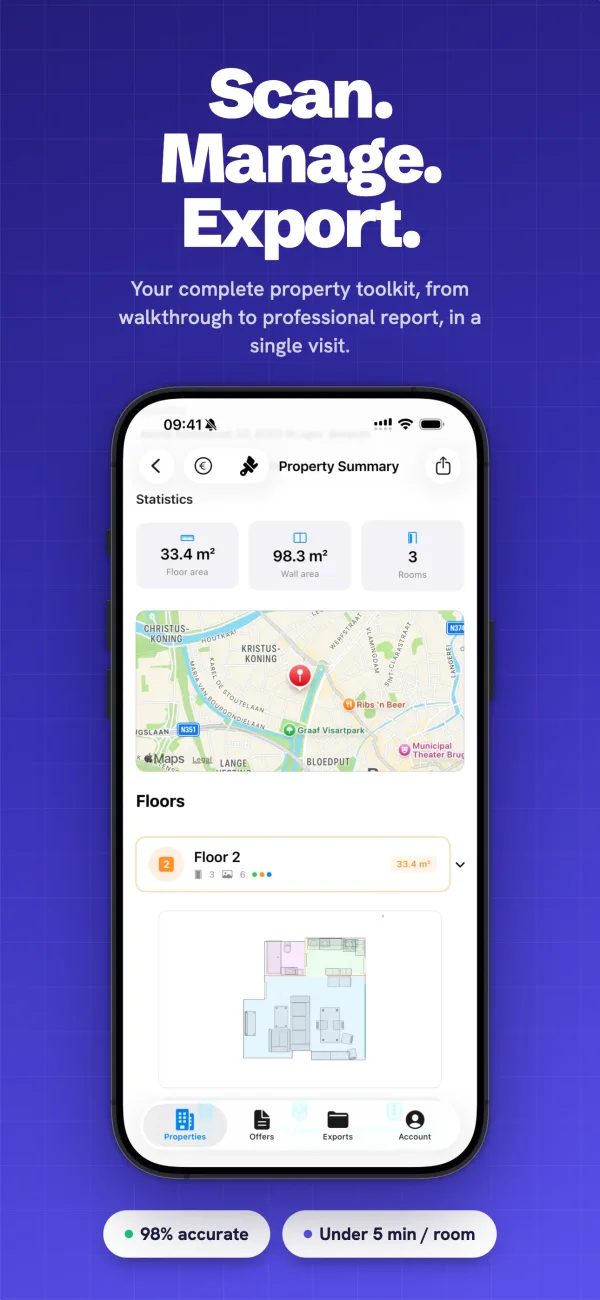
Auto-Immo turns one property visit into a complete property file. Scan or draw the floor plan, then turn it into a 3D model, a quote, an electrical plan or a client-ready report, on iPhone and iPad, and on Macs with Apple silicon.
Made for estate agents, painters, renovators and electricians.
SCAN OR DRAW
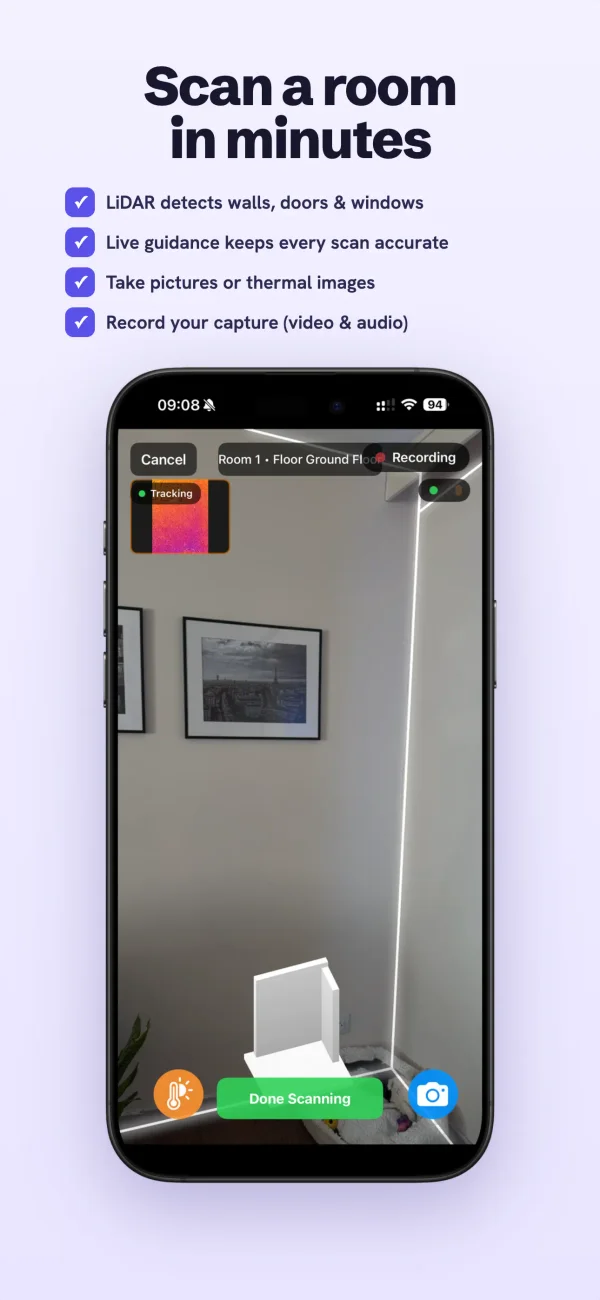
- Scan room by room with LiDAR (iPhone Pro and iPad Pro), or mark the corners with any recent iPhone.
- No scan needed: draw rooms in the plan editor, with rectangles, free shapes and curved walls (Professional).
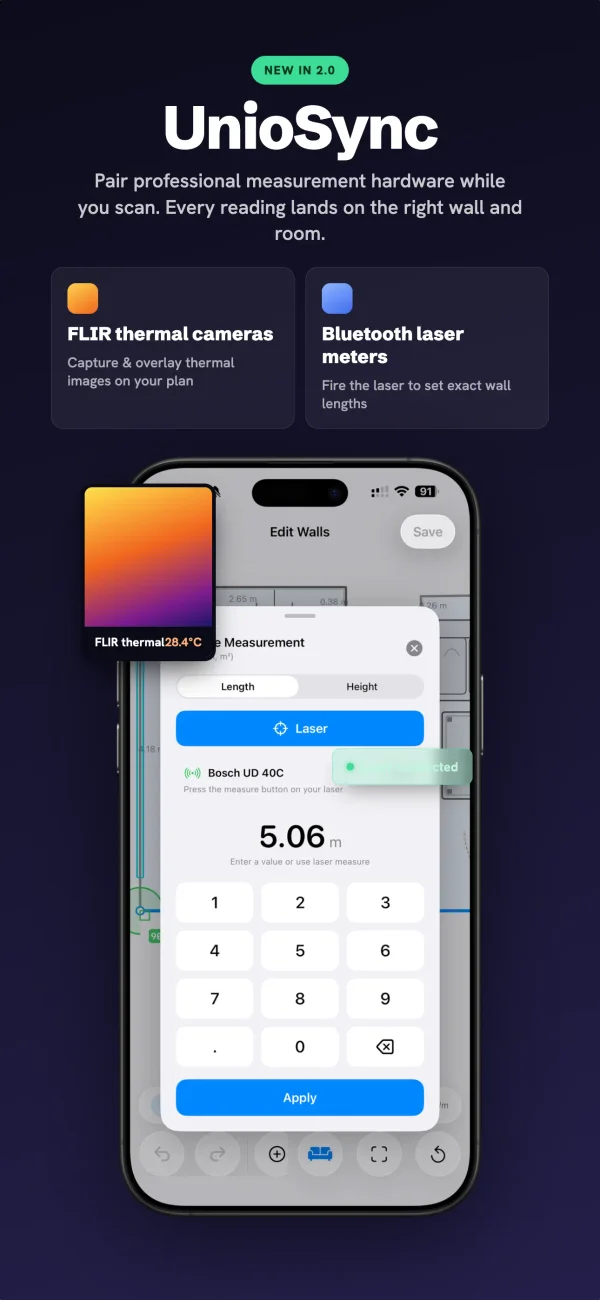
- Measure with a Bluetooth laser from Bosch or Leica (Professional).
- Every room is kept the moment you confirm it, even if the app closes mid-scan.
REFINE THE PLAN
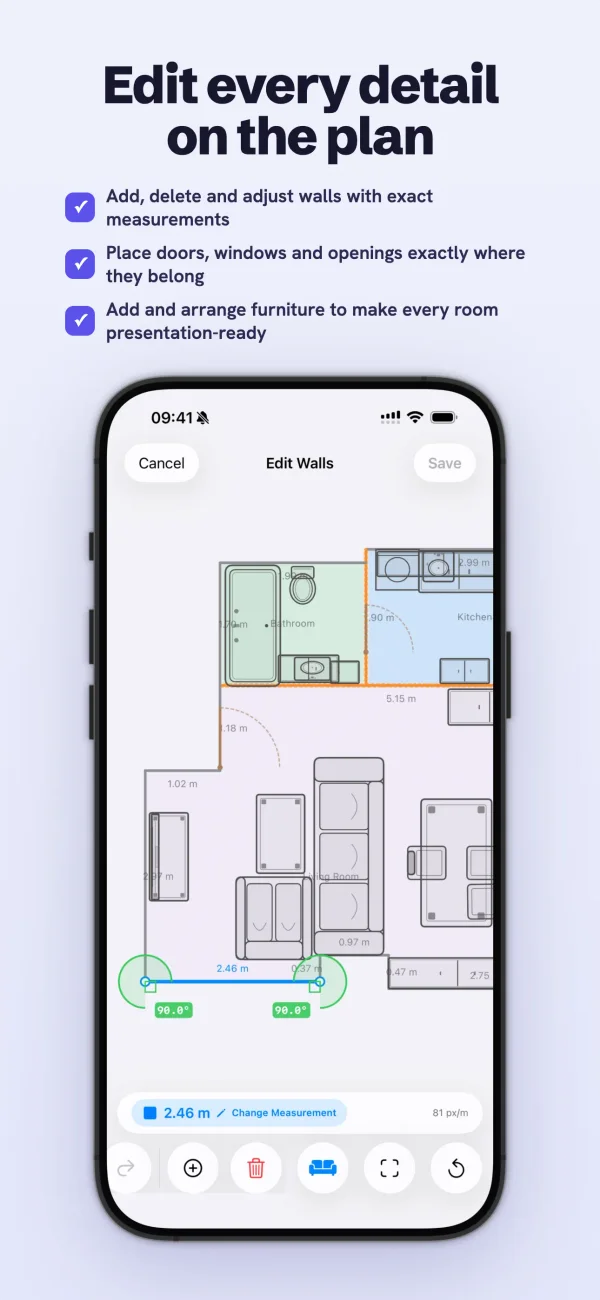
- Change any wall's length, angle or height, and move doors and windows. The plan, 3D, areas and prices follow.
- Turn a run of short walls into one curved wall, fix an outline by hand, and rename a room from the project page.
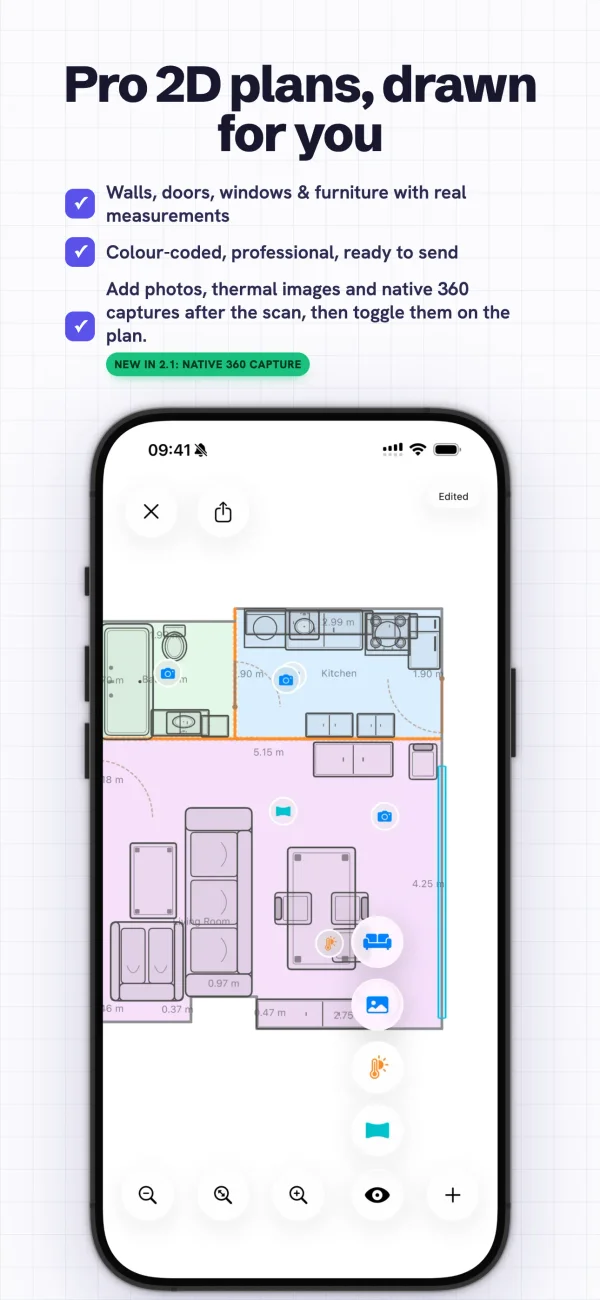
- Every m² comes from the scan: real heights, sloped ceilings, each door and window counted once.
THE WHOLE HOUSE IN 3D
- Stack your floors into one building; every facade is measured, gross and net.
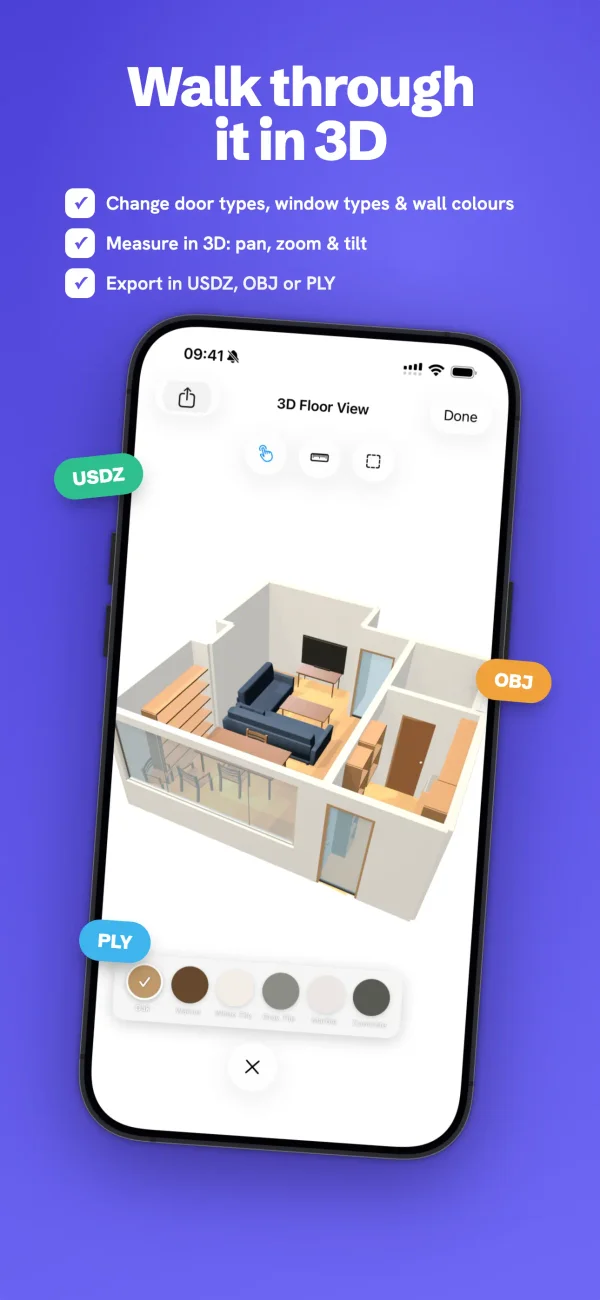
- Furnish with 180 elements, placed, moved, turned and mirrored right in the 3D; choose door and window types, paint or paper walls, hang pictures, and set the floor per room and the garden.
- Walk through at eye height and switch the lights on: lamps, the TV and LED light shows.
FOR YOUR TRADE
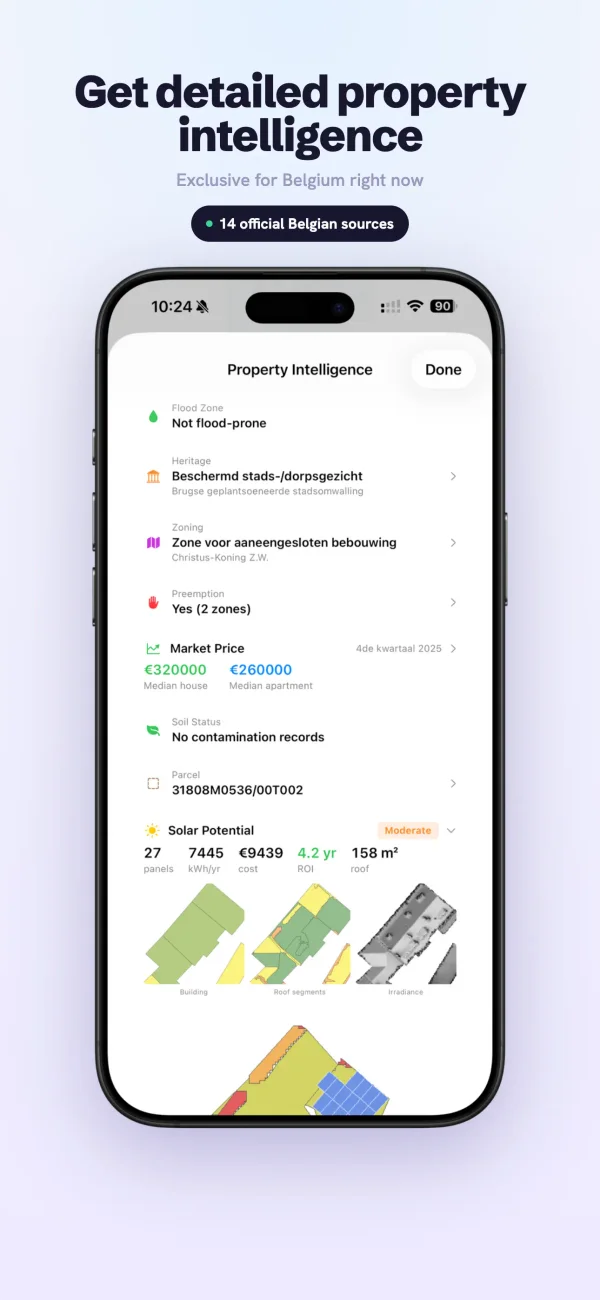
- Real estate: plans, room-linked photos and a client-ready file, with Property Intelligence for Belgian addresses (flood risk, zoning, heritage, solar potential and more).
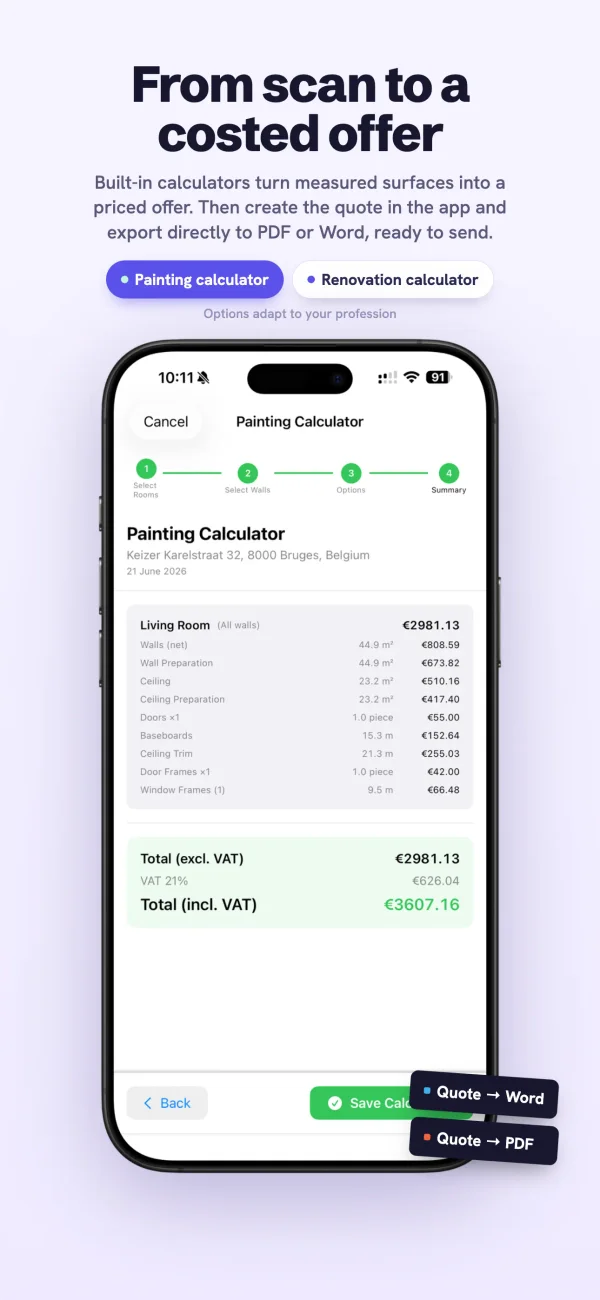
- Painting: every wall in gross and net m², and a quote at your own rates and your country's VAT.
- Renovation: rooms, facades and finishes in one estimate.
- Electrical work: place points on the plan and see them in 3D, group them into circuits and get the single-line diagram as a PDF, checked against your country's rules (AREI in Belgium).
- Quotes, calculators and the trade tools are part of Professional, with your logo on offers, VAT for your country and invoices outside Belgium.
CAPTURE ON SITE
- Photos, FLIR ONE thermal images and 360° panoramas, also from your own Insta360 or Ricoh Theta (Professional), each linked to its room.
- Voice notes, transcribed (Professional).
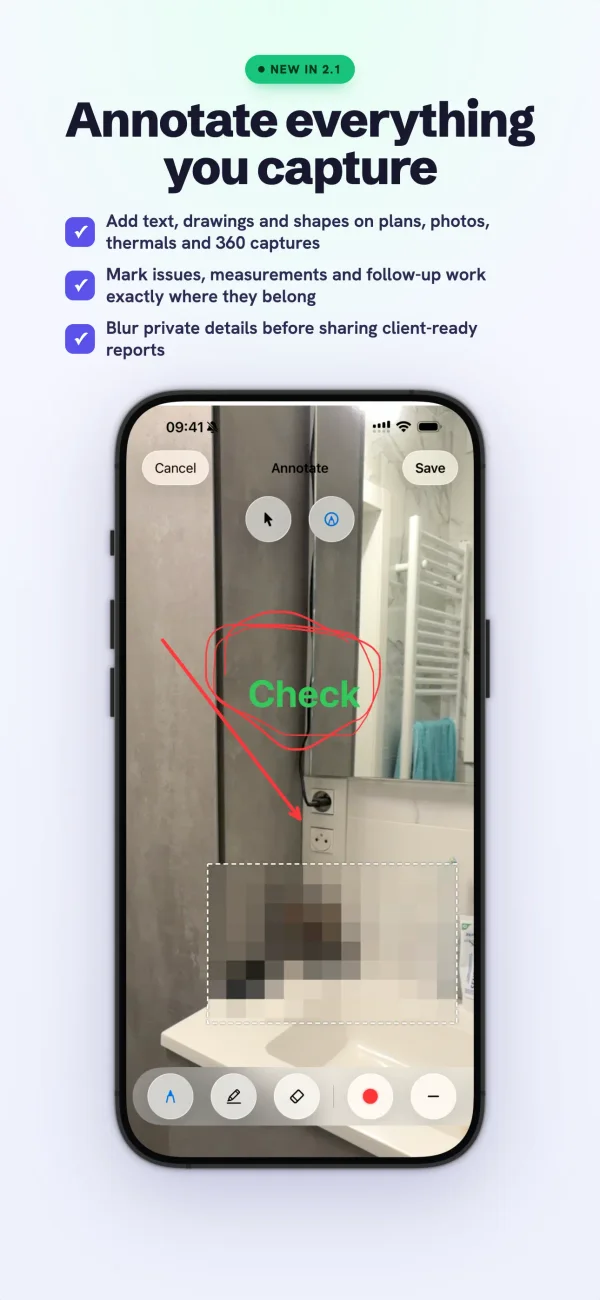
- Arrows, text and shapes on photos, plans and elevations, changeable later.
DELIVER
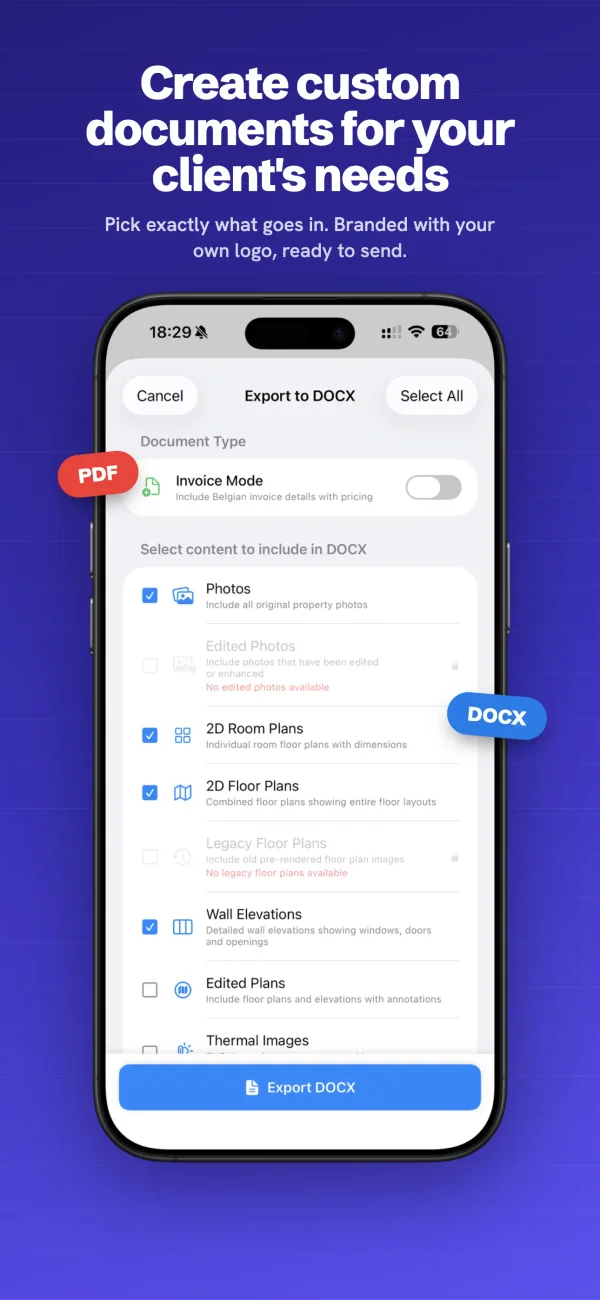
- Reports in PDF and Word, the Excel take-off and A4 plan sheet, DXF and SVG plans, and 3D models.
- A read-only link for your client: rooms, photos, plans, 3D and reports, nothing to install (Professional).
- Optional AI connector: use your property data in ChatGPT or Claude, read-only, with access you authorise. Professional; activation on request.
IPHONE DUO
- Everything except scanning works on iPhone Duo, folded or open: plans, 3D, quotes and reports. Scan with an iPhone or iPad.
PLANS
- Free: one property, up to five rooms.
- Essentials: unlimited properties and rooms, 3D viewing and export, voice recording, PDF export and real estate mode, on one device.
- Professional: everything in Essentials, plus one profession of your choice, cloud sync and backup across your devices (deletions included, and you choose the version to keep if an upload is refused), voice transcription, quotes and calculators, PDF, DOCX, JSON and DXF export, your own logo, laser measuring and FLIR thermal, on two devices.
Subscriptions renew automatically unless cancelled at least 24 hours before the end of the period. Manage or cancel them in your Apple account settings. Professional can start with a free trial.
In English, Dutch, French and German. Requires iOS or iPadOS 26 or later; also runs on Macs with Apple silicon. An internet connection is needed to create or update properties.
Privacy Policy: https://auto-immo.com/legal/privacy-policy.html
Terms of Use (EULA): https://auto-immo.com/legal/termsofservice.html
Có gì mới
Phiên bản 2.2.4 · 04/11/2026
Auto-Immo 2.2.4 — fixes for plans, offers and exports.
- Rooms follow their walls. Join, move or delete walls and the room's m² is right as soon as you save.
- Wall heights. A height you type goes to the wall you tapped: you choose this wall only or all walls in the room.
- Rebuild from Scan brings back the rooms you deleted.
- Offers. The changes you make to an offer's text are kept.
- Electrical pricing in reports too, not only in offers. Tick it before there is a calculation and Export opens the Electrical Calculator, as for painting and renovation.
- Security. Stronger protection for your account, your documents and the connection to our servers.
- Also in this update, from 2.2.3 for electricians: three-phase installations, the Electrical Calculator and a material list from your plans.
Everything new in 2.2:
- The whole house. Stack your floors into one building and every outside wall is measured: per facade the gross and net m², windows and doors, gables included. Give each facade its finish in 3D, price facade work in your estimates and add the outside walls to your report.
- Furnish and finish in 3D. 180 elements in real colours and materials: place, move, turn and mirror them right in the 3D. Choose door and window types, paint or paper several walls at once, hang pictures, set the floor per room and lay the garden, with its m². A scan's furniture becomes pieces you can edit.
- A 3D that looks real. Daylight at the windows, skirting boards, plaster, handles, window boards and sills.
- Walk through it. Explore at eye height, then switch the lights on: lamps light the room, the TV plays and LED bars run their light shows.
- Electrical plans (Professional, electricians). Points on the plan in 2D and 3D as the real devices; lamps and appliances count as points. Group them into circuits and get the single-line diagram as a PDF you can edit, checked against your country's rules (AREI in Belgium).
- Draw a room, no scan needed (Professional). Rectangles, free shapes and curved walls; turn a run of short walls into one curve; drag, resize and fix outlines by hand. Rename a room from the project page and the name changes everywhere.
- Scanning. Every room is kept the moment you confirm it, even if the app closes. New, clearer steps before a scan: pick the floor, then the method.
- 360° with your own Insta360 or Ricoh Theta (Professional). The app finds and connects the camera in seconds, shows each step while it connects, takes the shot and puts the photo on your plan.
- Share with your client (Professional). A read-only link: rooms, photos, plans, 3D, 360° and reports, nothing to install.
- Exports and offers. The Excel take-off and an A4 plan sheet, DXF and SVG plans with doors drawn as in the editor, thermal images in reports by default, totals per item and net wall area in estimates, your logo on offers.
- VAT for your country, or any rate you type, and offers outside Belgium.
- Exact measurements. Every m² comes straight from the scan: real heights, sloped ceilings, each door and window once.
- A fresh look. A new property list, project screen and Property Intelligence screen, the iOS 26 buttons, and tutorials and help in the app.
- iPhone Duo. Everything except scanning works on iPhone Duo, folded or open: plans, 3D, quotes and reports. Scan with an iPhone or iPad.
- Sync you can trust. What you delete or empty is deleted everywhere; if an upload is refused, you choose which version to keep; nothing saved during an upload is lost.
- Fixes throughout, including the iPad app on a Mac, which no longer freezes.
Quyền riêng tư của ứng dụng
Những gì Nicolas Maton khai báo trên App Store về cách ứng dụng này xử lý dữ liệu.
-
Dữ liệu liên kết với bạn
Có thể được thu thập và liên kết với danh tính của bạn.
- Vị trí
- Thông tin liên hệ
- Nội dung của người dùng
- Mã định danh
- Dữ liệu sử dụng
- Surroundings
- Dữ liệu khác
Phương thức đảm bảo quyền riêng tư có thể khác nhau, chẳng hạn như tuỳ theo các tính năng bạn sử dụng hoặc độ tuổi của bạn.
Thông tin
- Người bán
- Nicolas Maton
- Danh mục
- Hiệu Suất
- Phiên bản
- 2.2.4
- Cập nhật
- 04/11/2026
- Phát hành
- 25/03/2026
- Kích thước
- 373,7 MB
- Yêu cầu
- iOS 26.0 trở lên
- Độ tuổi
- 4+
- Giá
- Miễn phí
- Mua hàng trong ứng dụng
- Có
- Ngôn ngữ
- Tiếng Anh, Tiếng Hà Lan, Tiếng Pháp, Tiếng Đức
- Bản quyền
- © Iviu 2026