- Độ tuổi4+
- Danh mụcTiện Ích
- Nhà phát triểnKobus Marneweck
- Ngôn ngữTiếng Anh
- Kích thước9,3 MB
Liên kết đến trang App Store chính thức
Download.org không lưu trữ tệp nào của BetterKbd. Nút này mở trang ứng dụng trên App Store, nơi Kobus Marneweck phát hành ứng dụng. Trang được kiểm tra lần cuối: 23/11/2026.
Ảnh chụp màn hình
Giới thiệu
Nhà phát triển chưa cung cấp nội dung này bằng ngôn ngữ của bạn.
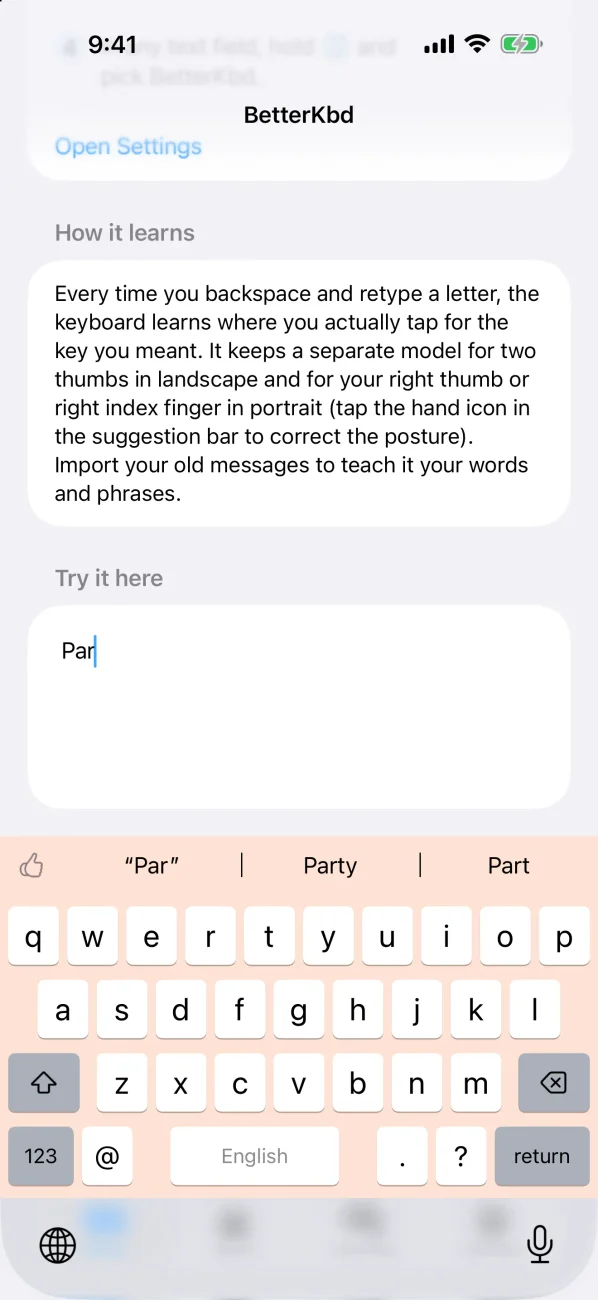
BetterKbd learns how you mistype.
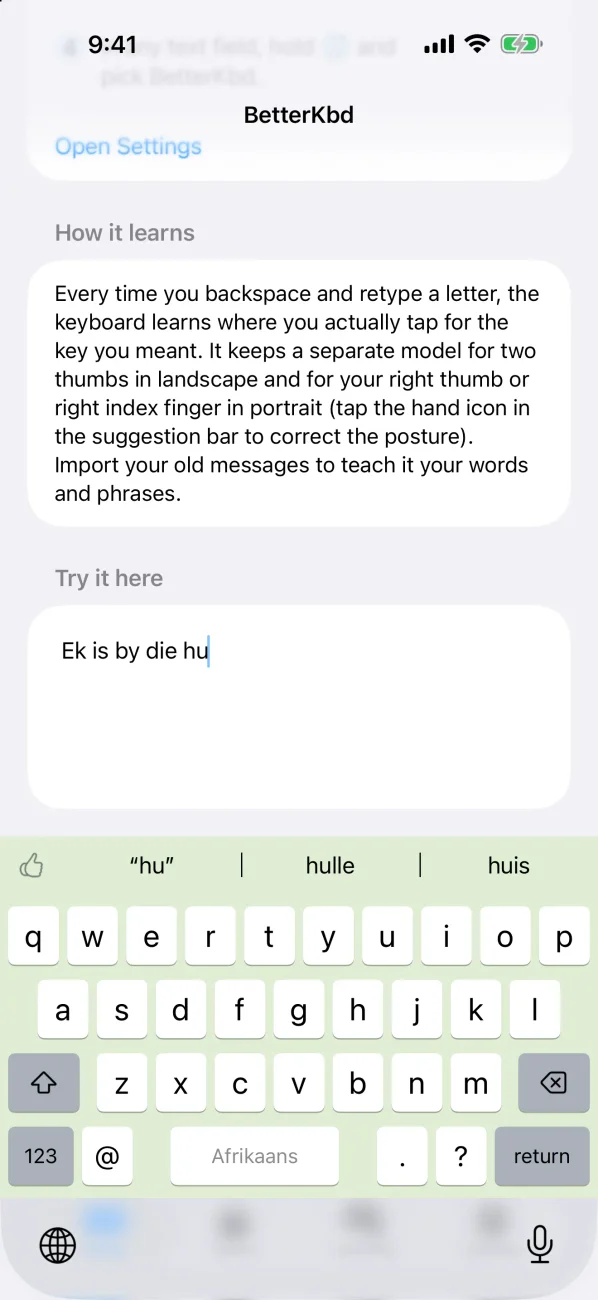
Every keyboard assumes you hit the middle of each key. You don't: your thumb reaches, your finger drifts, and it's different when you hold the phone differently. BetterKbd watches where you actually tap and quietly moves each key's target to match you.
LEARNS YOUR TAPS
• When you backspace and retype a letter, BetterKbd learns where you meant to tap.
• Separate models for two thumbs in landscape, and for your right thumb or right index finger in portrait. It detects which one you're using, and you can switch with one tap.
LEARNS YOUR WORDS
• Word suggestions and next-word predictions that adapt to how you write.
• Import old messages (text, CSV or a WhatsApp chat export) to teach it your vocabulary on day one.
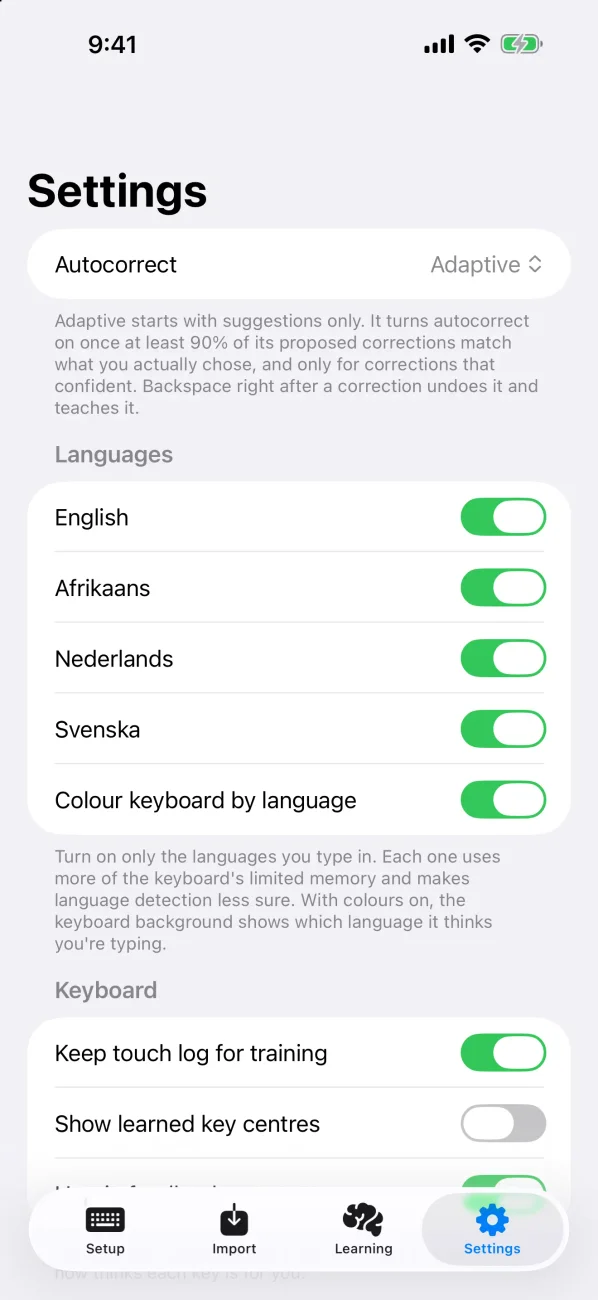
• Autocorrect starts as suggestions only, and turns itself on once it's accurate enough for you.
SIX LANGUAGES
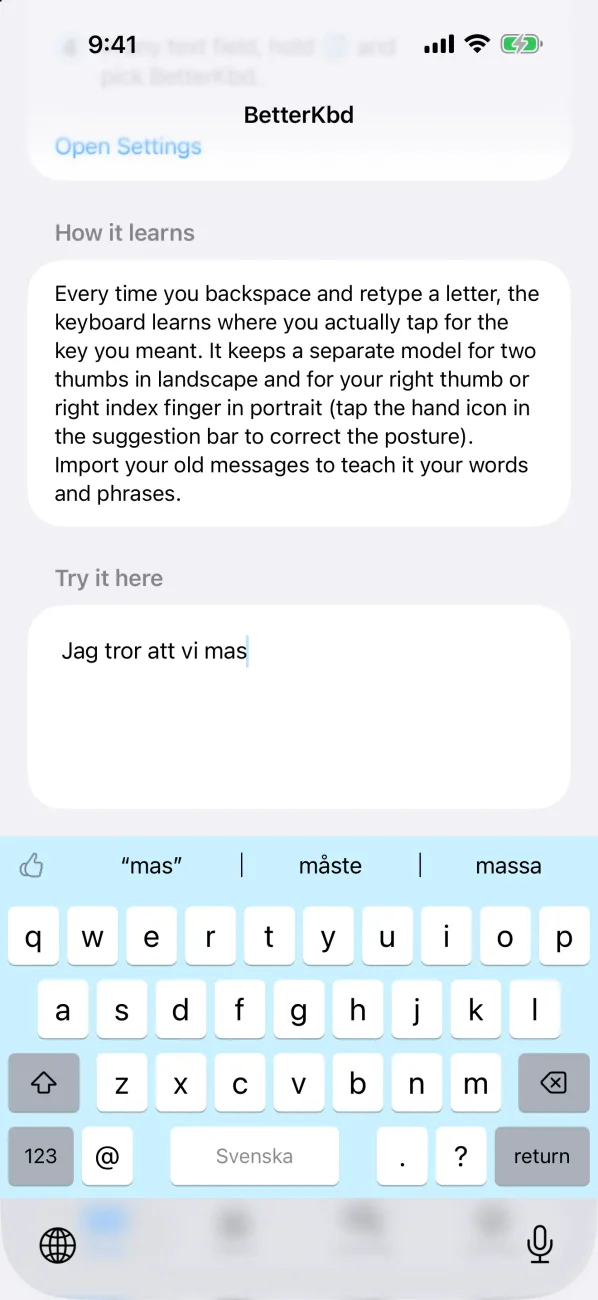
• English, Afrikaans, Nederlands, Svenska, Español and Italiano, with automatic language detection as you type. Mix languages in one message.
• Optional colour tint shows which language it thinks you're typing.
• Hold a letter for accents (å ä ö é ë …) and the full stop for ? ! # , % $.
FAST TO EDIT
• Hold the space bar and the keyboard becomes a trackpad: drag to move the cursor, tap to close it.
• Search emoji by name or keyword.
• A roomier space bar; turn on the ? key in Settings if you want it back.
• Optional: copy a message, double-tap space in the empty reply box, and Claude writes a reply for you to edit or send. Off until you turn it on.
PRIVATE BY DESIGN
• Everything is learned on your device. No accounts, no analytics, no ads.
• What you type stays on your device. Only if you turn on Correct with Claude, the grammar check or replies to copied messages is that text sent to Claude.
• Optional iCloud sync keeps your devices in step, using your own private iCloud storage.
Full Access is used to save what the keyboard learns on your device, for haptic feedback, and for the optional grammar check and replies. Without it, BetterKbd still works but forgets what it learned when it closes.
Có gì mới
Phiên bản 2.4 · 20/11/2026
• Reply to copied messages: copy a message, then double-tap space in the empty reply box (or paste it there and double-tap space) and Claude writes a short reply in the same language for you to edit or send. Off until you turn it on in Settings › Reply to copied messages.
• Hold the return key to open BetterKbd's settings.
Quyền riêng tư của ứng dụng
Những gì Kobus Marneweck khai báo trên App Store về cách ứng dụng này xử lý dữ liệu.
-
Dữ liệu không liên kết với bạn
Có thể được thu thập nhưng không liên kết với danh tính của bạn.
- Nội dung của người dùng
Phương thức đảm bảo quyền riêng tư có thể khác nhau, chẳng hạn như tuỳ theo các tính năng bạn sử dụng hoặc độ tuổi của bạn.
Thông tin
- Người bán
- Kobus Marneweck
- Danh mục
- Tiện Ích
- Phiên bản
- 2.4
- Cập nhật
- 20/11/2026
- Phát hành
- 08/10/2026
- Kích thước
- 9,3 MB
- Yêu cầu
- iOS 17.0 trở lên
- Độ tuổi
- 4+
- Giá
- Miễn phí
- Ngôn ngữ
- Tiếng Anh
- Bản quyền
- © 2026 Kobus Marneweck
Có thể bạn cũng thích
-
 KeysembleTiện Ích
-
 AltKeys AI keyboardTiện Ích
-
 ARC Type KeyboardTiện Ích
-
 FlashLight Pro: Path FinderTiện Ích
-
 Geyser GeckoTiện Ích
-
 Teslog - TeslaMate Mobile AppTiện Ích
-
 AM_SW RadioTiện Ích
-
 EFKey – Bàn phím Swipe & AIDịch, đọc chính tả, cử chỉ
-
 Text To Speech - AI VoiceTiện Ích
-
 Audio Converter & ExtractorTiện Ích