
BridgeKit: Mac Remote Control
Mouse, Keyboard & Screen Share
Được thiết kế cho iPhone, iPad
Miễn phí
- Độ tuổi4+
- Danh mụcTiện Ích
- Nhà phát triểnTolga Emir Ergene
- Ngôn ngữTiếng Anh+ 1 ngôn ngữ khác
- Kích thước2,2 MB
Liên kết đến trang App Store chính thức
Download.org không lưu trữ tệp nào của BridgeKit: Mac Remote Control. Nút này mở trang ứng dụng trên App Store, nơi Tolga Emir Ergene phát hành ứng dụng. Trang được kiểm tra lần cuối: 16/11/2026.
Ảnh chụp màn hình
Giới thiệu
Nhà phát triển chưa cung cấp nội dung này bằng ngôn ngữ của bạn.
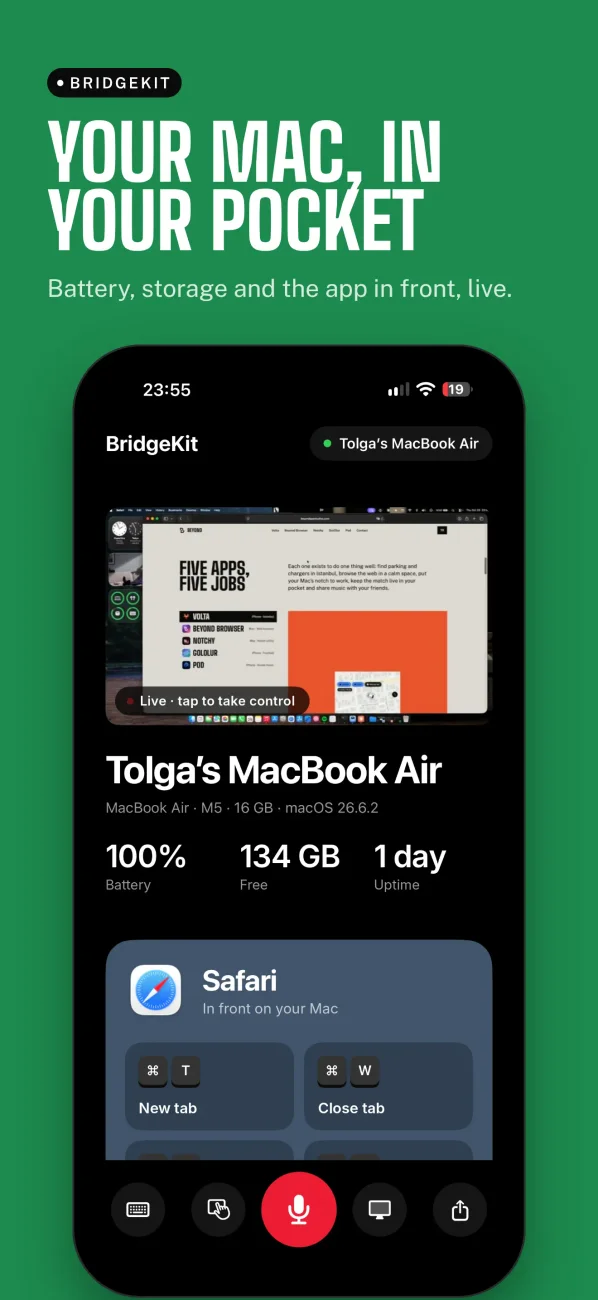
BridgeKit turns your iPhone into a free remote control for your Mac: a wireless mouse, trackpad and keyboard, plus a live view of your screen. Pair once with a six-digit code, then control everything from the couch, the bed or across the room. Works with the free BridgeKit app for Mac from beyondappstudios.com/bridgekit.
YOUR MAC AT A GLANCE
• Battery, storage, uptime and the app in front, live
• Context shortcuts for the app you're using right now
SEE AND CONTROL YOUR SCREEN
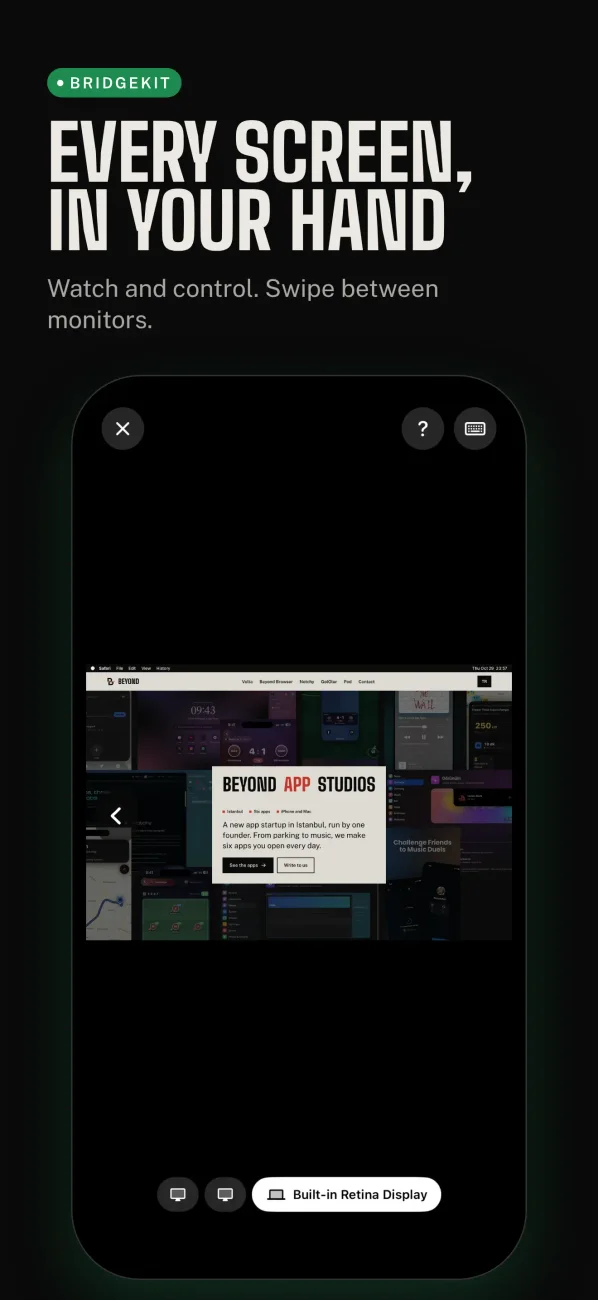
• A live view of your Mac's screen; taps and drags go straight back to the Mac
• More than one monitor? Switch between displays with the arrows or a swipe
A REAL TRACKPAD AND KEYBOARD
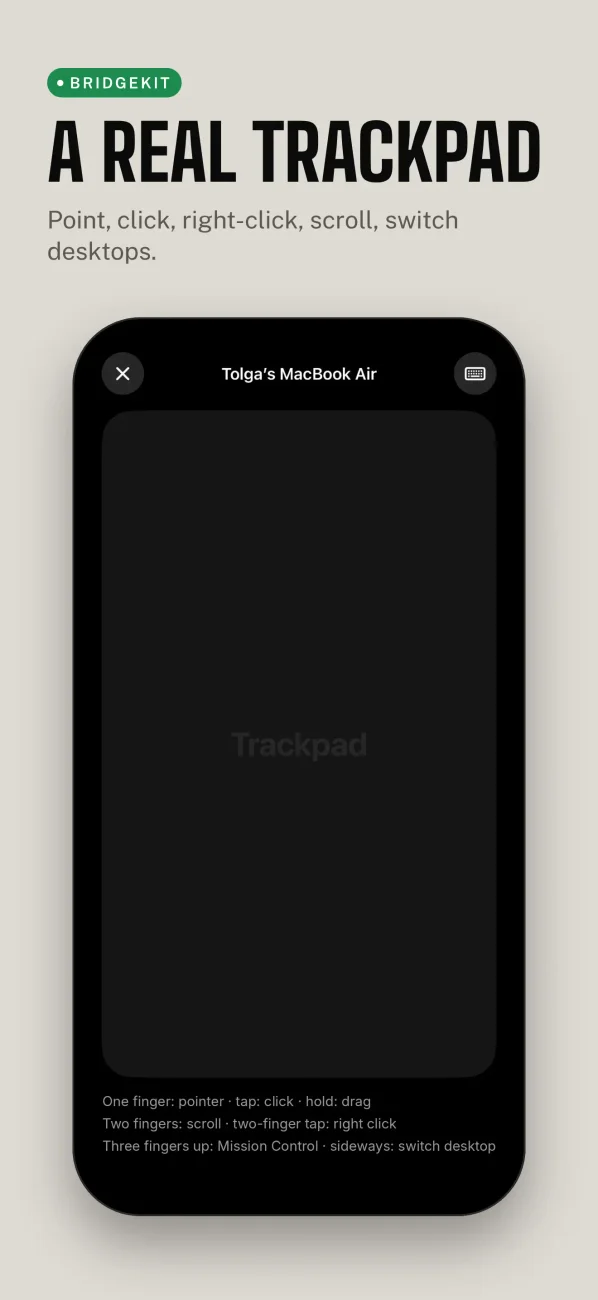
• One finger moves the pointer, a tap clicks, two fingers scroll, a two-finger tap right-clicks, three fingers open Mission Control and switch desktops
• A full keyboard with modifier keys and shortcuts
VOICE COMMANDS
• Say it and your Mac does it: "open Safari", "play some jazz", "show my screen", in English or Turkish
• Ask about battery or storage, and run commands with Siri and Shortcuts
WORKS FROM ANYWHERE
• On the same Wi-Fi it connects directly; away from home it reaches your Mac over mobile data or any network
• Remote connections stay end-to-end encrypted; the relay only passes along data it can't read
WINDOWS, ACTIVITY AND TV REMOTE
• Switch between open windows with live thumbnails, snap them left or right or make them full screen
• See CPU and memory use per app and quit what's slowing your Mac down
• A TV-style remote for YouTube, Netflix and other players, and keep your Mac awake with one tap
MUSIC AND MAC CONTROLS
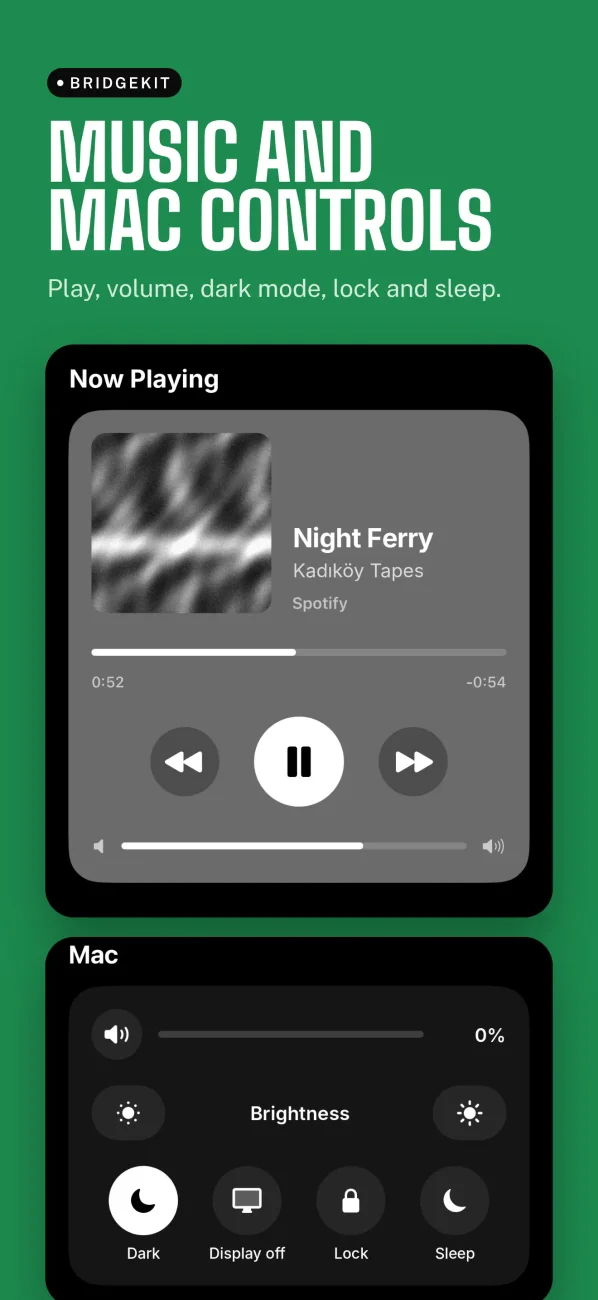
• Play, pause and skip in Spotify or Music, with the album art's colours on the card
• Volume, brightness, dark mode, display off, lock and sleep
SHORTCUTS AND APPS
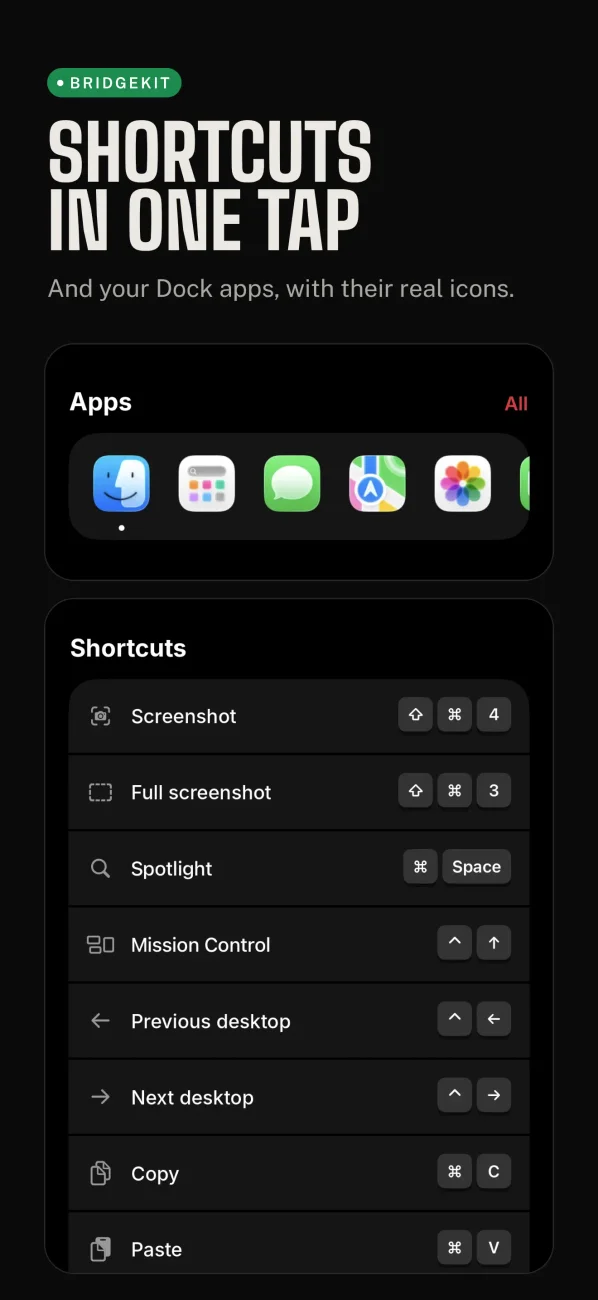
• Screenshot, Spotlight, Mission Control, copy, paste and more in one tap
• Shortcuts that follow the app in front on your Mac
• Open the apps in your Dock, shown with their real icons
SEND TO MAC
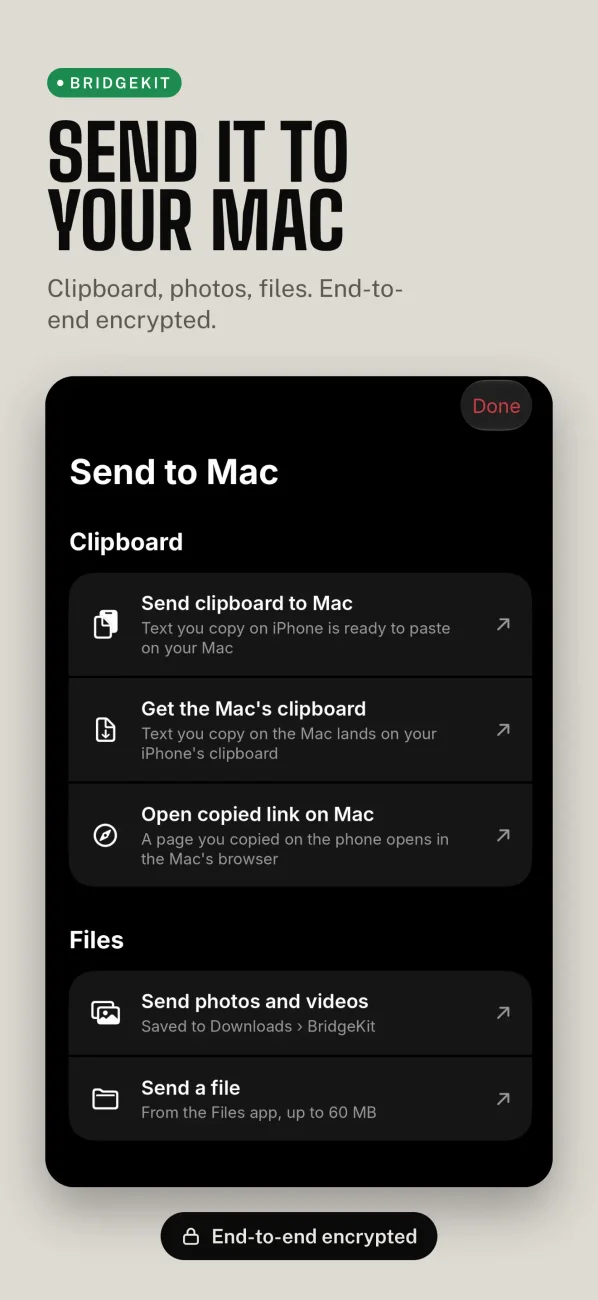
• Send your clipboard, photos, videos and files; up to 60 MB each, landing in Downloads › BridgeKit
• Bring the Mac's clipboard to your iPhone, or open a copied link on the Mac
PRIVATE BY DESIGN
• No account, no sign-up and no ads
• Every connection is encrypted and the pairing code never leaves your devices
• BridgeKit collects no data
WHAT YOU NEED
The free BridgeKit app for Mac (macOS 26 or later), available at beyondappstudios.com/bridgekit. Pair once with your iPhone and Mac on the same Wi-Fi network; after that, connect from anywhere.
Có gì mới
Phiên bản 1.0.2 · 01/11/2026
Getting started is easier: the app now shows where to get the free BridgeKit for Mac and lets you send the link straight to your Mac. Plus fixes and improvements.
Quyền riêng tư của ứng dụng
Những gì Tolga Emir Ergene khai báo trên App Store về cách ứng dụng này xử lý dữ liệu.
-
Dữ liệu không được thu thập
Nhà phát triển không thu thập bất kỳ dữ liệu nào từ ứng dụng này.
Phương thức đảm bảo quyền riêng tư có thể khác nhau, chẳng hạn như tuỳ theo các tính năng bạn sử dụng hoặc độ tuổi của bạn.
Thông tin
- Người bán
- Tolga Emir Ergene
- Danh mục
- Tiện Ích
- Phiên bản
- 1.0.2
- Cập nhật
- 01/11/2026
- Phát hành
- 31/10/2026
- Kích thước
- 2,2 MB
- Yêu cầu
- iOS 26.0 trở lên
- Độ tuổi
- 4+
- Giá
- Miễn phí
- Ngôn ngữ
- Tiếng Anh, Tiếng Thổ Nhĩ Kỳ
- Bản quyền
- © Tolga Emir Ergene
Có thể bạn cũng thích
-
 FoldDeck: Macro Control DeckTiện Ích
-
 OctaMeetTiện Ích
-
 HomeSpotTiện Ích
-
 UtiliViewTiện Ích
-
 JoyArk: Cloud GamingTiện Ích
-
 Relayo: Phản chiếu màn hìnhKết nối tivi, screen mirroring
-
 MultiLink: Bàn phím từ xaĐiều khiển PC từ điện thoại
-
 SwipeOrganizer: Swipe & DeleteTiện Ích
-
 VIN Identifier Decoder HistoryTiện Ích
-
 My OWCTiện Ích