Celestron Origin
Origin Telescope Control
Được thiết kế cho iPhone, iPad
Miễn phí
- Độ tuổi4+
- Danh mụcẢnh & Video
- Nhà phát triểnCelestron, LLC
- Ngôn ngữTiếng Anh+ 13 ngôn ngữ khác
- Kích thước983,5 MB
Liên kết đến trang App Store chính thức
Download.org không lưu trữ tệp nào của Celestron Origin. Nút này mở trang ứng dụng trên App Store, nơi Celestron, LLC phát hành ứng dụng. Trang được kiểm tra lần cuối: 14/11/2026.
Ảnh chụp màn hình

Giới thiệu
Nhà phát triển chưa cung cấp nội dung này bằng ngôn ngữ của bạn.
Celestron Origin redefines stargazing and astroimaging for a new generation. The images you capture with Origin look better than what you’d see in a much larger telescope under much darker skies.
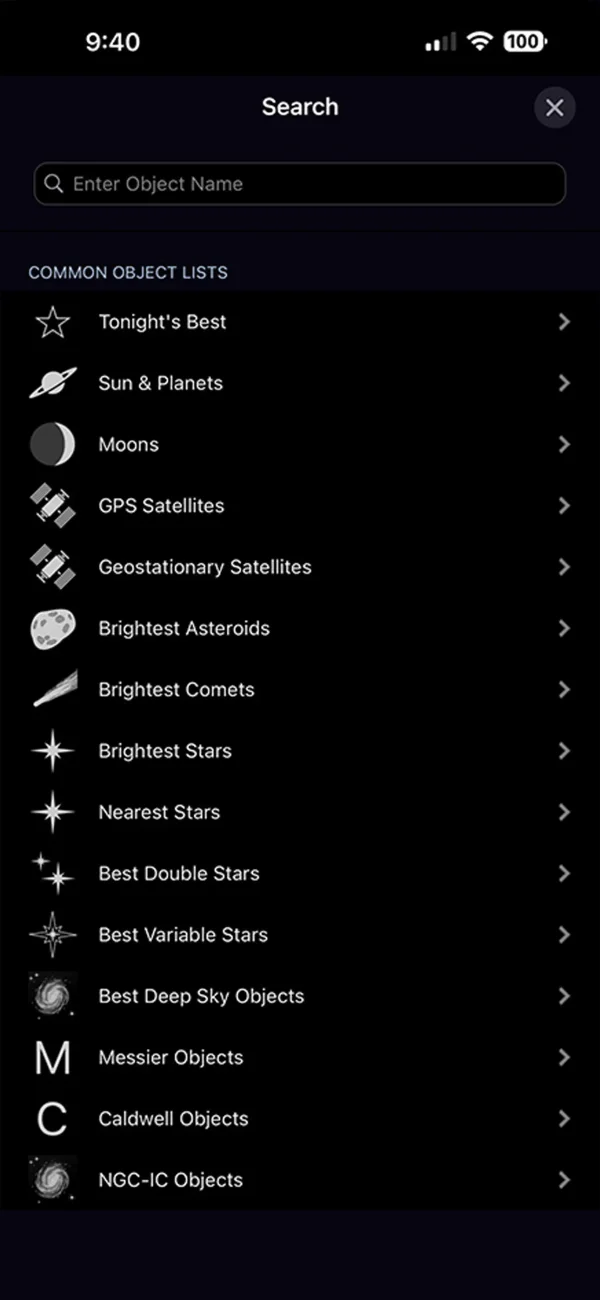
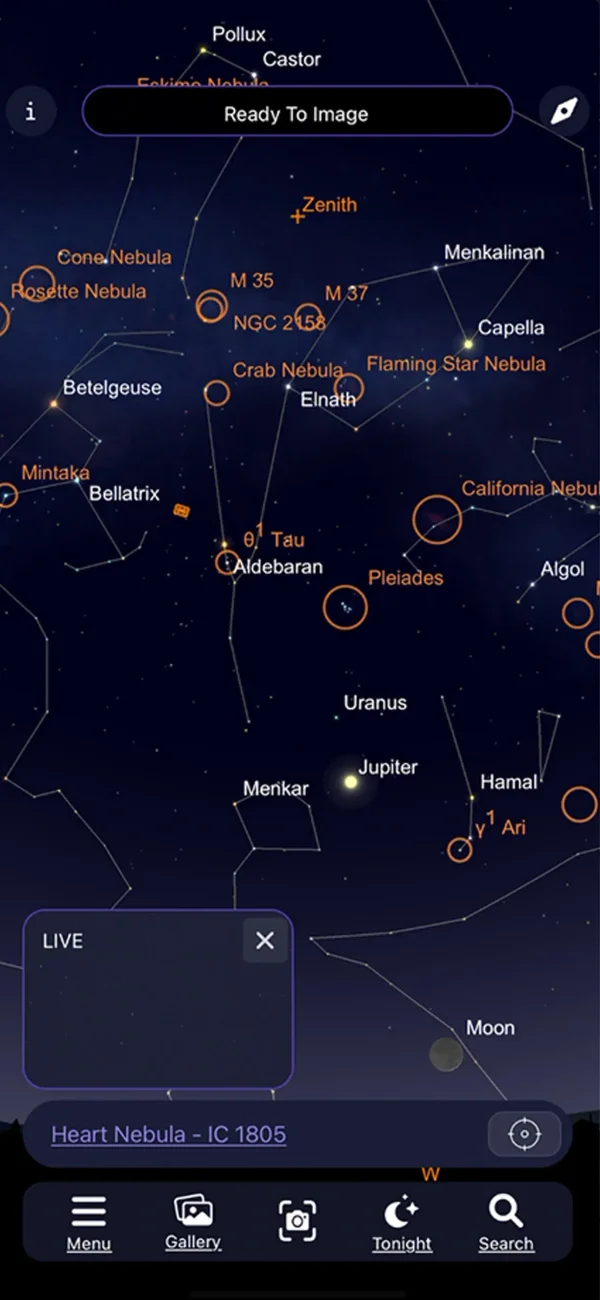
The Celestron Origin Powered by the SkySafari™ app, developed in partnership with Simulation Curriculum, features a user-friendly planetarium interface that makes it easy to navigate the sky and control the system. Simply hold your device up to the sky using Compass mode and tap on any object you want to see. (The best ones are highlighted.) Or try the Tonight’s Best list, which displays all the most impressive celestial objects you can see right now.
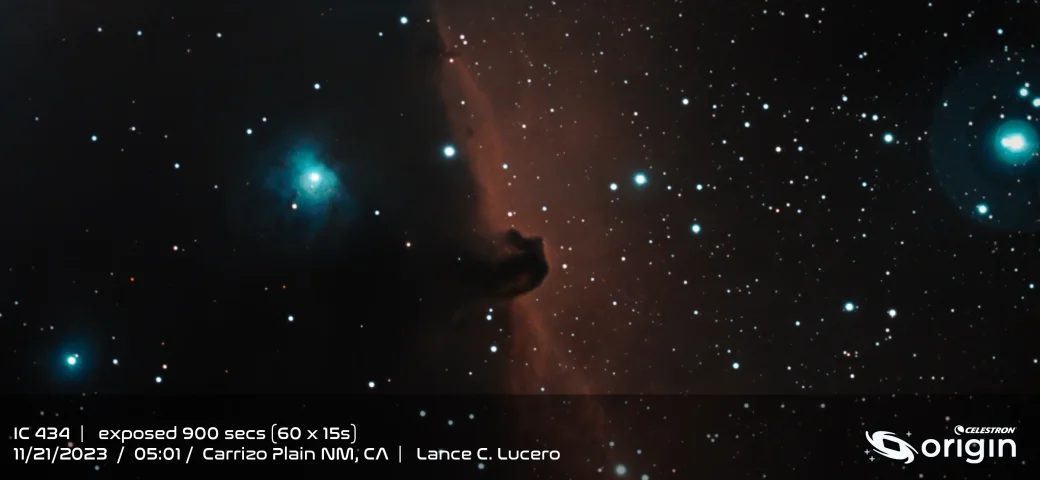
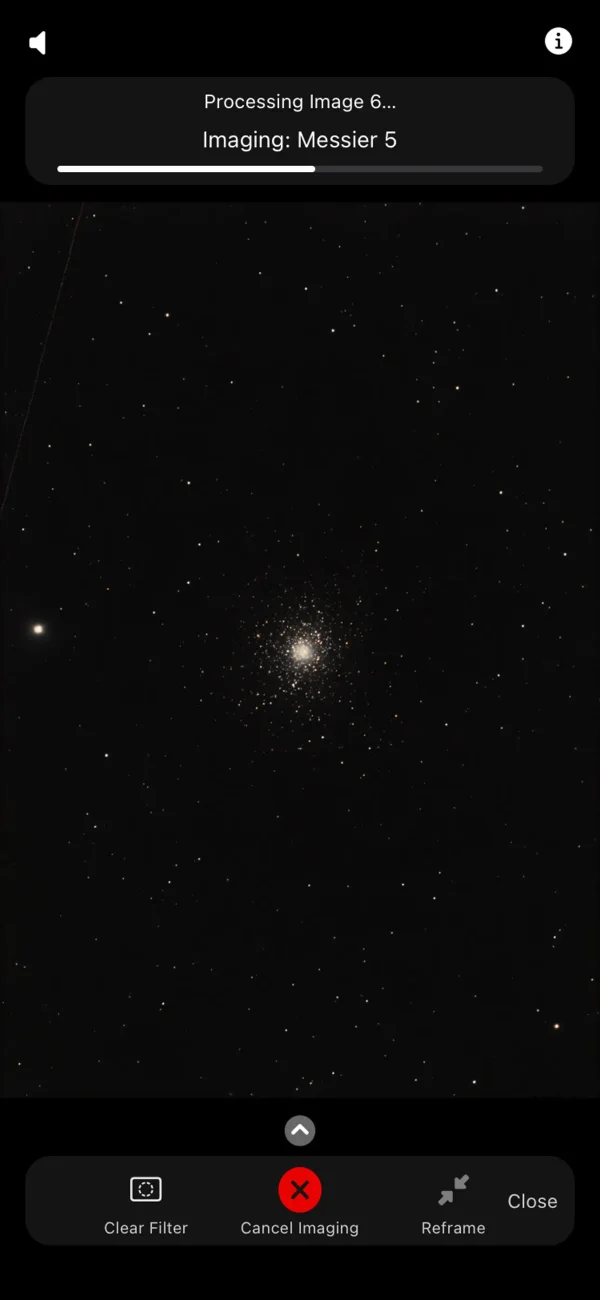
Once you’ve selected a target, Origin locates it and begins capturing data. With each exposure, built-in AI algorithms autonomously stack and process every frame in real time. Galaxies and nebulae spring to life—sharp, detailed, and in brilliant color—all with no user intervention.
Gone are the days of waiting in line to peer into a telescope’s eyepiece. Multiple people can connect to Origin via the app and stream the view with their own devices. With Origin, you can cast the live feed to your smart TV and save and share your completed astroimages.
ORIGIN’S KEY FEATURES
+ Planetarium Functionality +
In the app’s Planetarium View, navigate the sky by swiping or pinching the screen. For a more interactive experience, tap the compass icon to enter Compass mode, which uses your smartphone’s accelerometer and gyro to match the onscreen view to the sky overhead.
+ Selecting an Object +
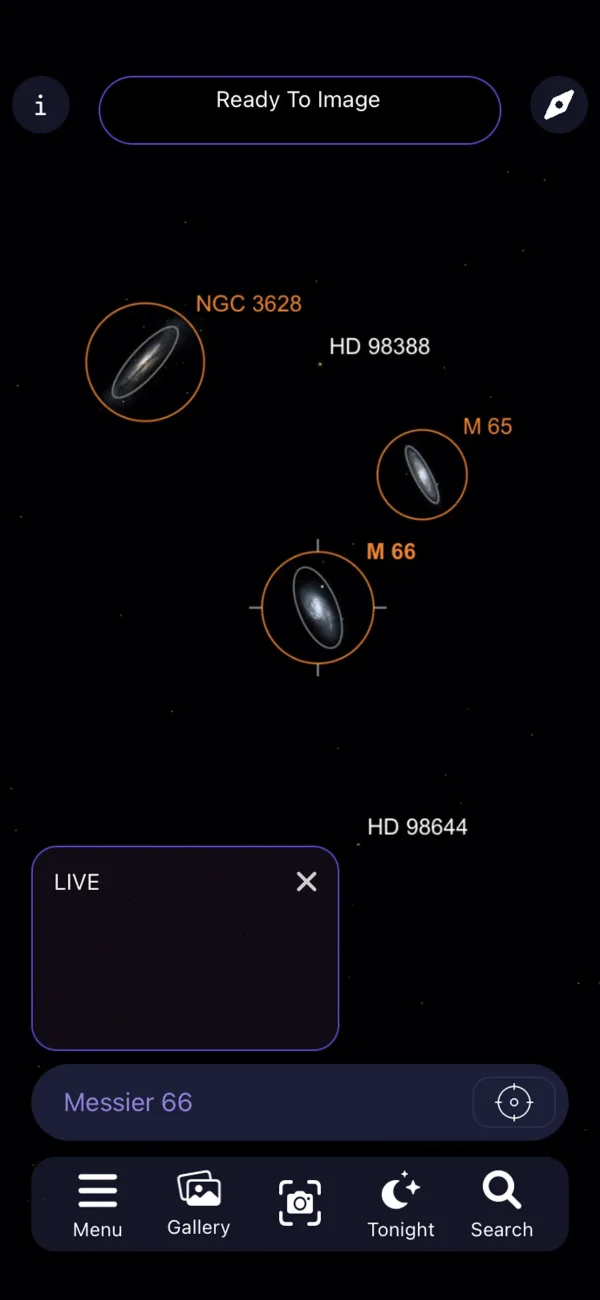
In the Planetarium View, objects highlighted with orange circles are the best targets. Tap an object to select it and display its name. Zoom in to find fainter objects. To point Origin to your chosen object, tap the crosshairs icon or use the “Center Object” option in the Object Info bar.
Use the Tonight icon to see a list of the best currently visible objects. You can also search for objects by name or designation with the Search icon.
+ Picture-in-Picture (PIP) +
A Picture-in-Picture (PIP) in the lower-left corner of the Planetarium View shows a live feed from Origin’s camera. Tapping the PIP screen shows the full Camera View, which displays the same view but fills the entire screen.
+ Camera View +
The Camera View displays a live feed from Origin’s camera. Here, you can start imaging sessions or adjust camera settings. Origin automatically stacks and processes each exposure using its built-in AI algorithms. This processing doesn’t add new data to your image but rather brings out the best in your data and reduces noise. When you’re finished, tap “End Imaging” to save the final stacked master to the Image Gallery and your device’s camera roll.
+ Object Info View +
You can view detailed information on every object in the Origin app’s database by pressing the Info button. You can also listen to audio presentations for over 200 of the most popular celestial objects.
+ Image Gallery +
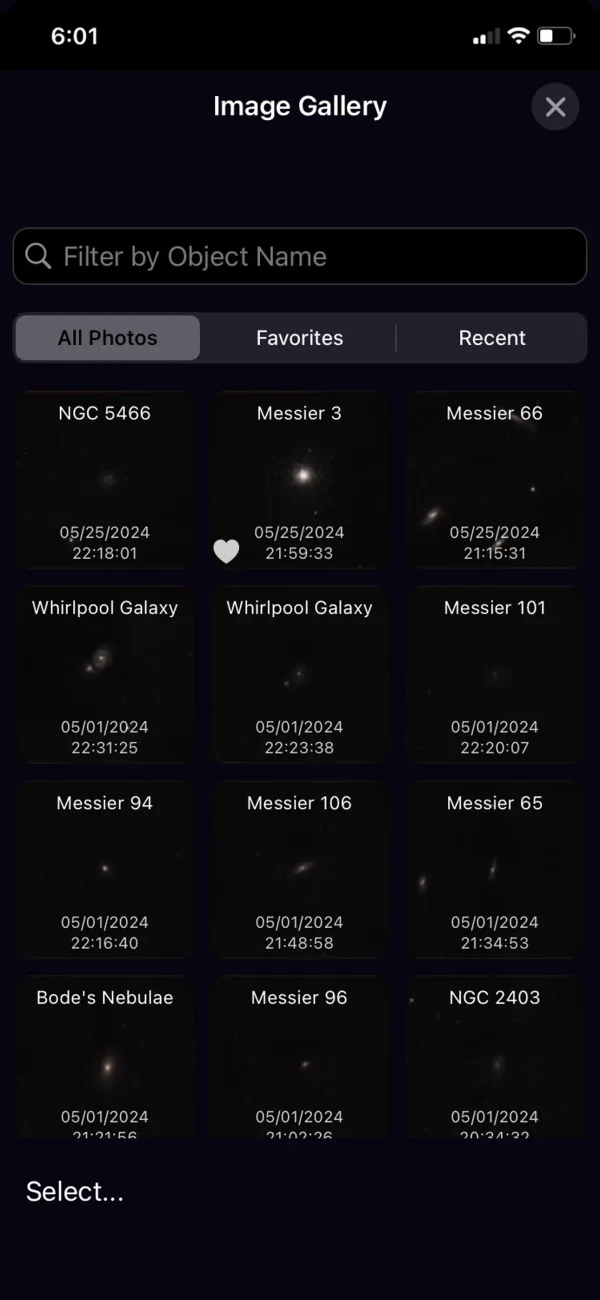
After you complete an image, Origin stores it in the app’s Image Gallery and your device’s camera roll. You can access the Image Gallery anytime by tapping the Gallery button.
+ Sharing Images +
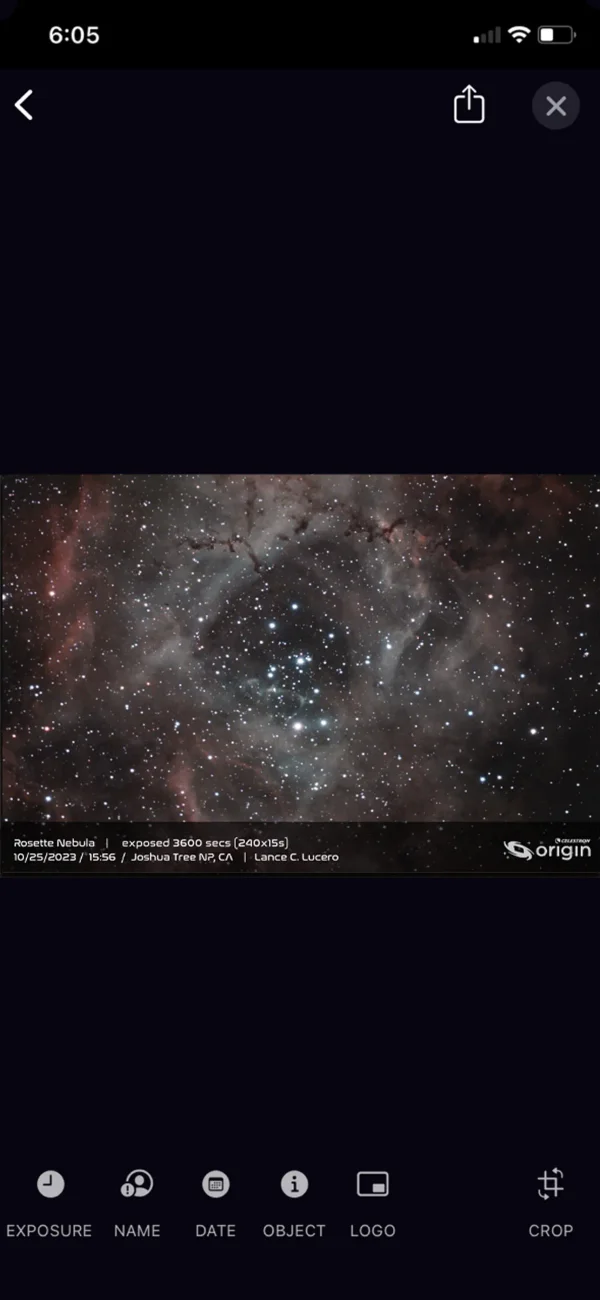
After tapping the Share button, you can customize your image by adjusting settings like exposure, name, date, object, logo, and crop. When you’re ready to share, press the Share icon to share via various apps or directly to social media.
+ Scheduled Imaging +
Origin can capture images automatically during a scheduled imaging session without any input from you (even while you sleep!). Simply add the desired objects to a schedule and tap “Run Schedule Now.” Origin will start with the first object and continue through your list. To retrieve images, select the completed schedule and download the images to your Image Gallery and your device’s camera roll.
Device requirements:
iOS 16 and up
iPhone 8 and up
Có gì mới
Phiên bản 1.2.2 · 21/10/2026
Fixes an incompatibility with iOS 27
Other fixes and performance enhancements
Quyền riêng tư của ứng dụng
Những gì Celestron, LLC khai báo trên App Store về cách ứng dụng này xử lý dữ liệu.
-
Dữ liệu không liên kết với bạn
Có thể được thu thập nhưng không liên kết với danh tính của bạn.
- Mã định danh
- Chẩn đoán
Phương thức đảm bảo quyền riêng tư có thể khác nhau, chẳng hạn như tuỳ theo các tính năng bạn sử dụng hoặc độ tuổi của bạn.
Thông tin
- Người bán
- Celestron, LLC.
- Danh mục
- Ảnh & Video
- Phiên bản
- 1.2.2
- Cập nhật
- 21/10/2026
- Phát hành
- 01/07/2024
- Kích thước
- 983,5 MB
- Yêu cầu
- iOS 18.6 trở lên
- Độ tuổi
- 4+
- Giá
- Miễn phí
- Ngôn ngữ
- Tiếng Anh, Tiếng Pháp, Tiếng Đức, Tiếng Hy Lạp, Hindi, Tiếng Indonesia, Tiếng Ý, Tiếng Nhật, Tiếng Hàn, Tiếng Bồ Đào Nha, Tiếng Nga, Tiếng Trung Giản thể + 2 ngôn ngữ khác
- Bản quyền
- © 2025 Celestron Inc.