Clarity: Second Brain & Notes
Save reels, links & read later
Được thiết kế cho iPhone, iPad
Miễn phí · Mua hàng trong ứng dụng
- Độ tuổi4+
- Danh mụcHiệu Suất
- Nhà phát triểnMoon Shard Ltd
- Ngôn ngữTiếng Anh
- Kích thước22,2 MB
Liên kết đến trang App Store chính thức
Download.org không lưu trữ tệp nào của Clarity: Second Brain & Notes. Nút này mở trang ứng dụng trên App Store, nơi Moon Shard Ltd phát hành ứng dụng. Trang được kiểm tra lần cuối: 18/11/2026.
Ảnh chụp màn hình
Giới thiệu
Nhà phát triển chưa cung cấp nội dung này bằng ngôn ngữ của bạn.
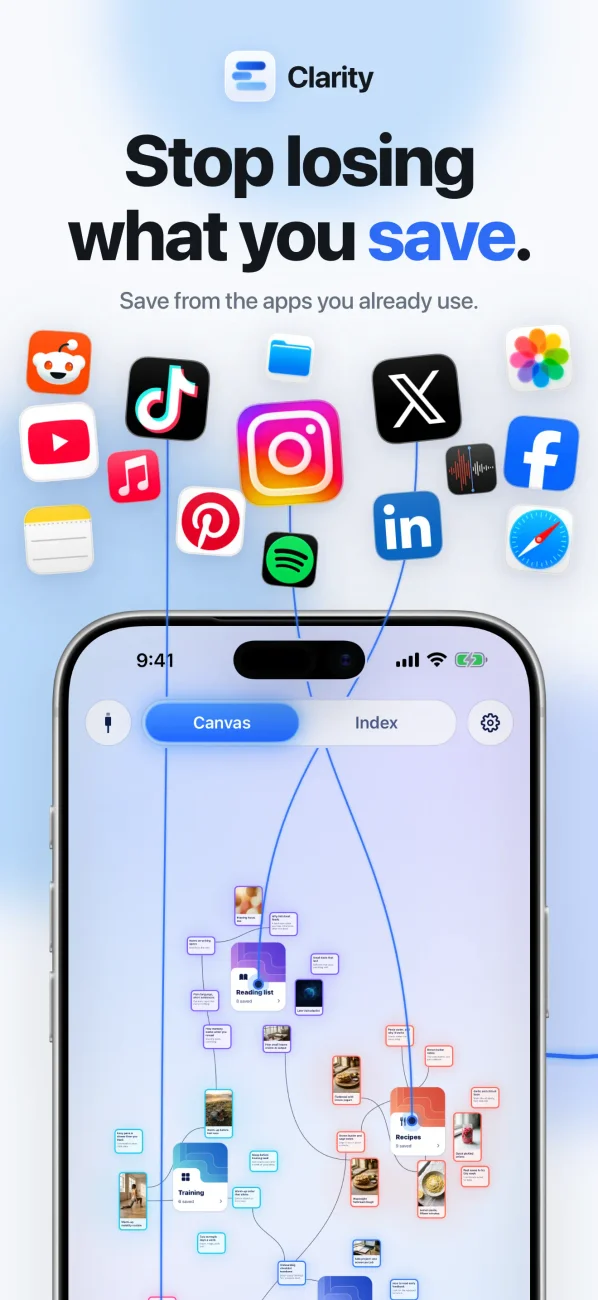
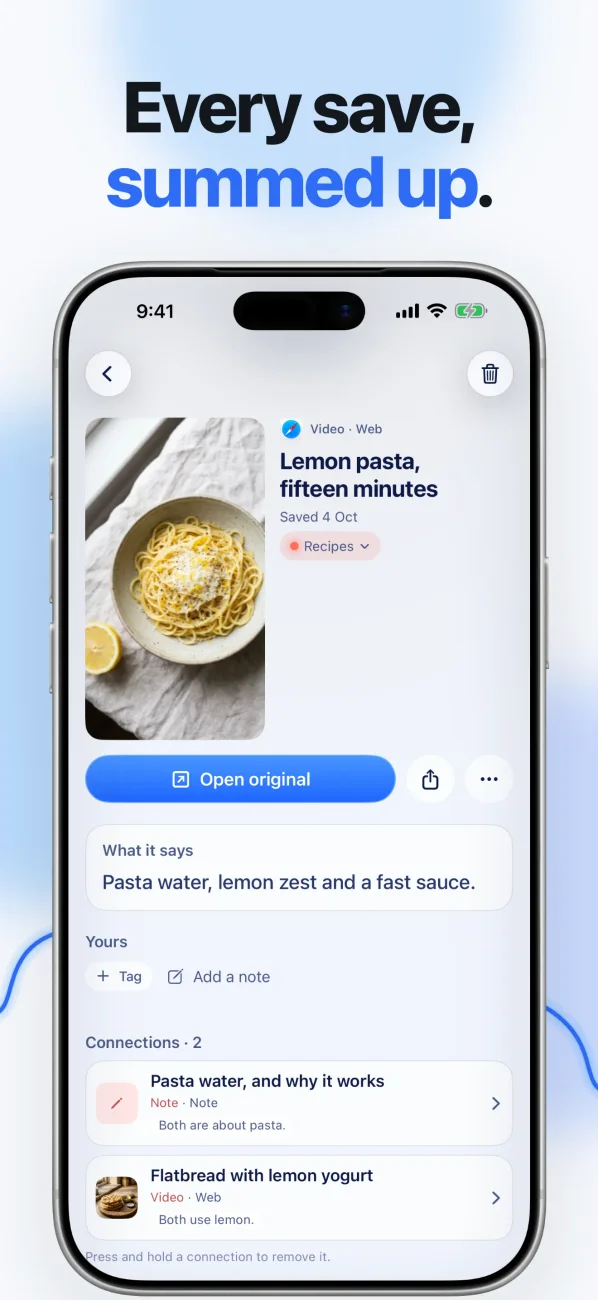
Share anything you want to keep from Instagram, TikTok, X, YouTube, Reddit, the web, PDFs and screenshots, and Clarity reads it, sums it up and files it into your areas.
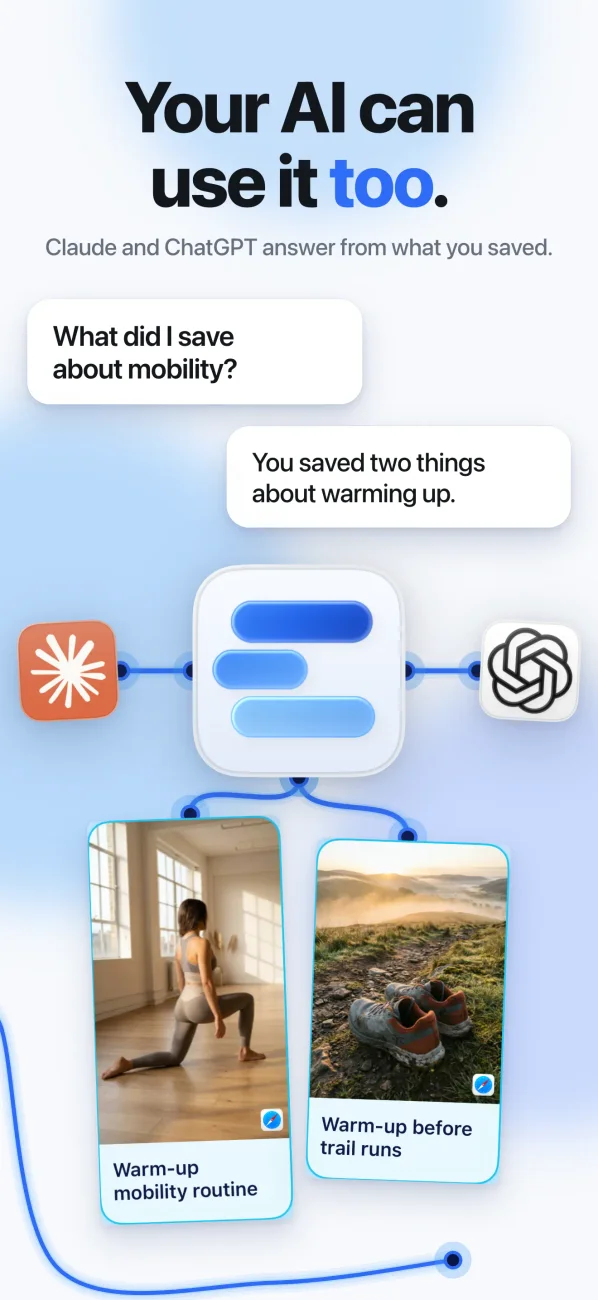
Find any save later by describing what you remember, see how your ideas connect on a visual map, and let Claude or ChatGPT search your second brain through a connector.
SAVE FROM ANY APP
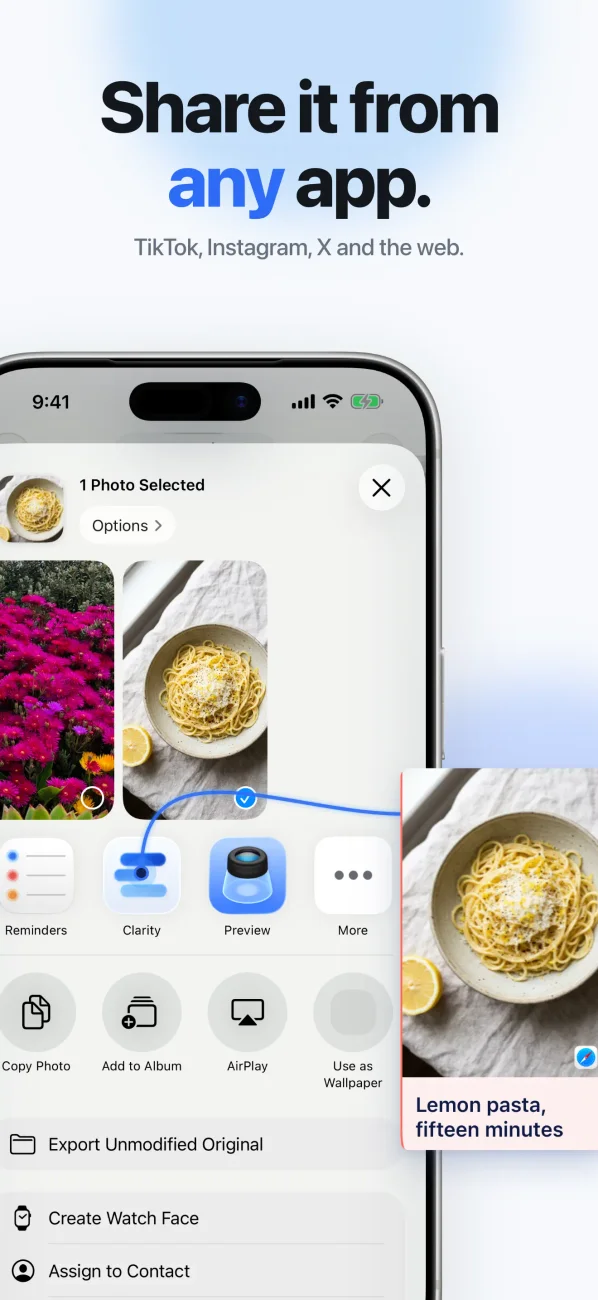
• Share a link, image or file to Clarity from Safari, Mail, Photos or any app with a share button.
• Hold + and talk. Voice notes are transcribed on your device, and a tap on any word plays the recording from there.
• Saved links open back in the app they came from.
FIND THE THING YOU HALF REMEMBER
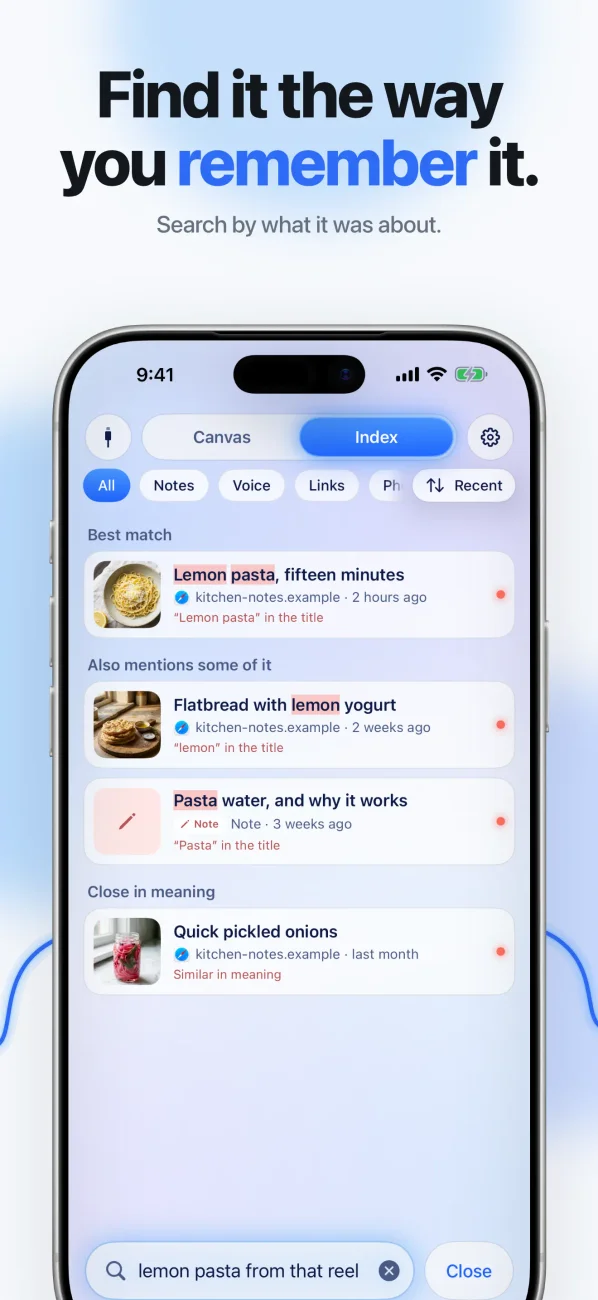
• Search the way you remember it: "the dentist invoice", "that talk about sleep". Results that are close in meaning show up too, not only exact words.
• Every result says why it matched.
• Text inside images is read on your device, so screenshots of receipts, slides and notes are searchable.
SEE HOW IT FITS TOGETHER
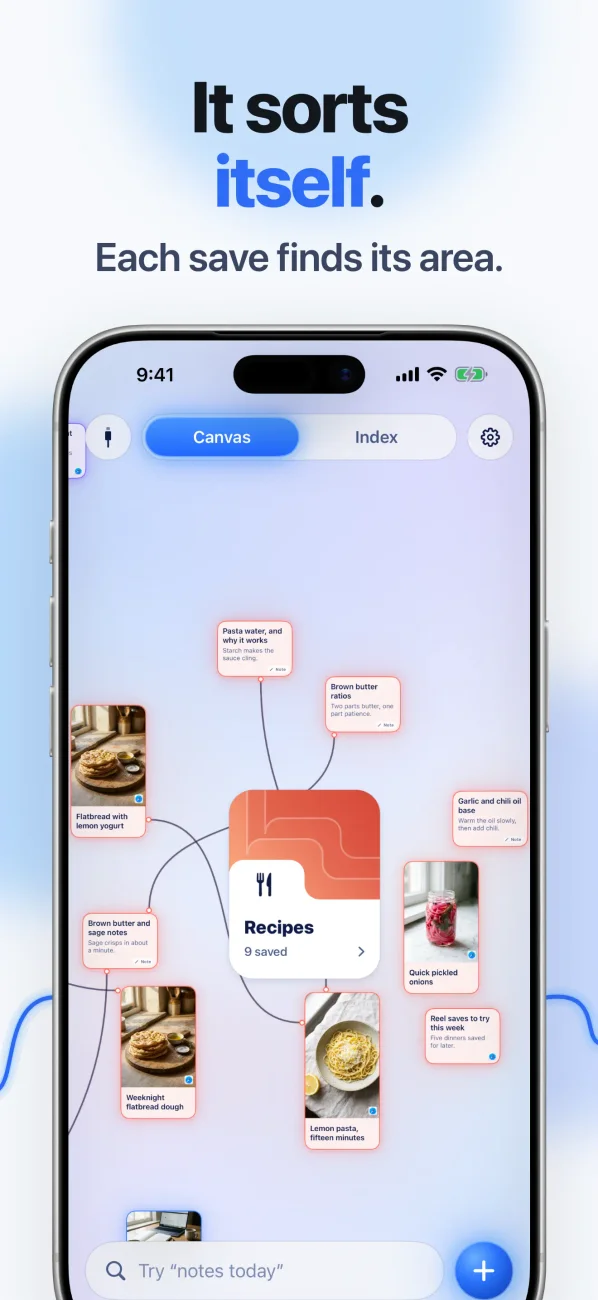
• Your saves sit on a canvas, coloured by the area of life they belong to and connected to related saves.
COPY WHAT YOU REUSE
• Tap a card, then Copy, and the text is on your clipboard.
• Blanks: write {name} or {date} in a note and Clarity asks for the value before it copies.
SHOW A DOCUMENT
• Import PDFs and other files from Files, the share sheet, or drag and drop on iPad.
• Preview any format with Quick Look, or share it on.
• Present fills the screen with the document and nothing else, so you can turn your iPad to a client and swipe through the pages.
• Clarity reads the text inside your documents on your device, so a phrase from page 12 finds the file.
MADE FOR IPHONE AND IPAD
• Shortcuts actions: Copy Snippet, Find in Clarity and Save to Clarity. Run them from the Shortcuts app or with Siri.
• Home Screen widgets copy a saved note in one tap.
• On iPad, keep Clarity in Slide Over next to Mail, or side by side with any app, in any orientation.
YOURS, ON YOUR DEVICE
• Everything you save is stored on your device. There is no account to create.
• Signed in to iCloud, your library syncs between your devices through your own private iCloud.
• Export everything at any time, including as an Obsidian vault.
WHAT IS FREE AND WHAT COSTS EXTRA
• Saving is free and unlimited, and every feature that runs on your device works without paying.
• Clarity Plus is an optional subscription at £4.99 a month or £39.99 a year, or the equivalent price in your country. The yearly plan starts with a 7-day free trial. It adds the online AI features: 1,000 AI summaries a month, connecting Claude or ChatGPT to your library, and checks for which saves really connect.
• The subscription renews automatically at the end of each month or year until you cancel. If you start the free trial, the yearly price is charged when it ends unless you cancel at least 24 hours before. Cancel at least 24 hours before the renewal date in Settings > Apple Account > Subscriptions. Payment is charged to your Apple Account.
• Searching, copying, presenting, exporting and deleting never need Clarity Plus.
• The AI features are off until you turn them on, and Clarity asks first. For a summary, the link goes to our server, where Cloudflare Workers AI writes it. For connection checks, a save's title and some of its text go to our server and on to Jev, from TypeSafe.
Questions or problems: clarity@moonshard.co
Terms of Use: https://www.apple.com/legal/internet-services/itunes/dev/stdeula/
Privacy: https://clarity.moonshard.co/privacy
Có gì mới
Phiên bản 1.1.5 · 07/10/2026
Performance and general experience improvements.
Quyền riêng tư của ứng dụng
Những gì Moon Shard Ltd khai báo trên App Store về cách ứng dụng này xử lý dữ liệu.
-
Dữ liệu liên kết với bạn
Có thể được thu thập và liên kết với danh tính của bạn.
- Mục mua
- Nội dung của người dùng
- Lịch sử duyệt web
- Mã định danh
-
Dữ liệu không liên kết với bạn
Có thể được thu thập nhưng không liên kết với danh tính của bạn.
- Dữ liệu sử dụng
Phương thức đảm bảo quyền riêng tư có thể khác nhau, chẳng hạn như tuỳ theo các tính năng bạn sử dụng hoặc độ tuổi của bạn.
Thông tin
- Người bán
- Moon Shard LTD
- Danh mục
- Hiệu Suất
- Phiên bản
- 1.1.5
- Cập nhật
- 07/10/2026
- Phát hành
- 30/09/2026
- Kích thước
- 22,2 MB
- Yêu cầu
- iOS 17.0 trở lên
- Độ tuổi
- 4+
- Giá
- Miễn phí
- Mua hàng trong ứng dụng
- Có
- Ngôn ngữ
- Tiếng Anh
- Bản quyền
- © 2026 Moon Shard LTD
Có thể bạn cũng thích
-
 Atoyomu: AI Summary, BookmarksHiệu Suất
-
 Recallio: Save & FindHiệu Suất
-
 Anchor: AI Second BrainHiệu Suất
-
 ThinkCapture: Notes That SortHiệu Suất
-
 Kakesu - Read Later BookmarksHiệu Suất
-
 Zephlo: AI Bookmark OrganizerHiệu Suất
-
 memry: Your Digital MemoryHiệu Suất
-
 Re:share – AI Bookmark & SaveHiệu Suất
-
 シンプルあとで読む - ブックマーク・リンク管理Hiệu Suất
-
 Recall - Save EverythingHiệu Suất