Compare Text: PDF & Documents
Diff Checker for Word & Excel
Được thiết kế cho iPhone, iPad, iPod touch
Miễn phí · Mua hàng trong ứng dụng
- Độ tuổi4+
- Danh mụcHiệu Suất
- Nhà phát triểnMuhammad Awais Younas
- Ngôn ngữTiếng Anh
- Kích thước43,3 MB
Liên kết đến trang App Store chính thức
Download.org không lưu trữ tệp nào của Compare Text: PDF & Documents. Nút này mở trang ứng dụng trên App Store, nơi Muhammad Awais Younas phát hành ứng dụng. Trang được kiểm tra lần cuối: 12/11/2026.
Ảnh chụp màn hình


Giới thiệu
Nhà phát triển chưa cung cấp nội dung này bằng ngôn ngữ của bạn.
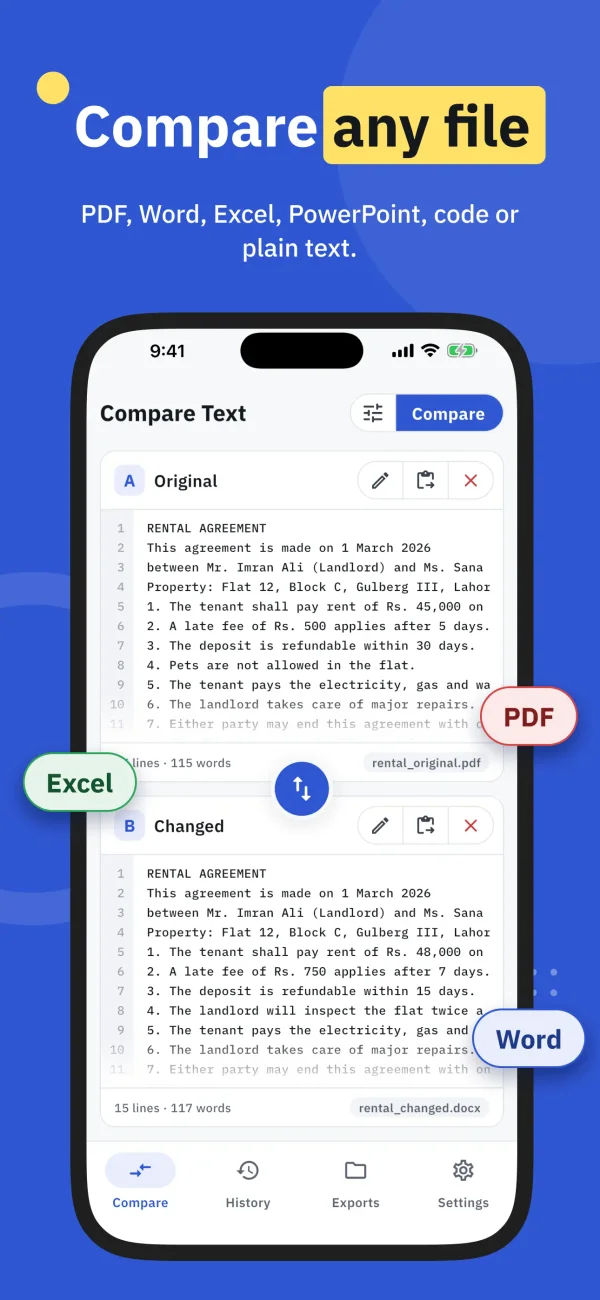
Have two versions of the same text or document and need to know what changed? Compare Text shows you every difference in seconds, clearly highlighted, so you never have to read both copies line by line again.
Compare two texts, compare PDF files, compare Word documents or compare Excel sheets. Just paste or open them, tap Compare, and see exactly what was changed, added or removed, right down to a single word or letter. No technical skills needed: it's the easiest diff checker and text compare tool you'll use.
COMPARE TEXTS, FILES AND DOCUMENTS
- Compare two texts: paste or type them in
- Compare PDF files, even long ones with hundreds of pages
- Compare Word documents, Excel spreadsheets, PowerPoint slides, CSV and plain text files
- Compare files of different types, like a PDF with a Word file, or a document with pasted text
SEE EVERY CHANGE AT A GLANCE
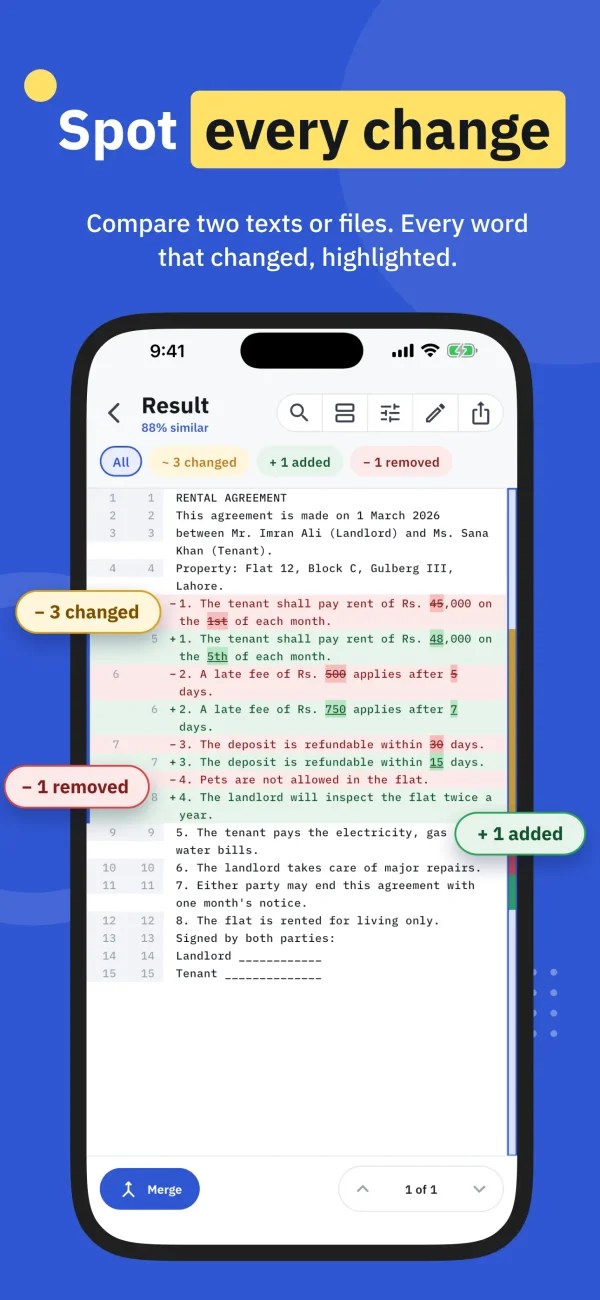
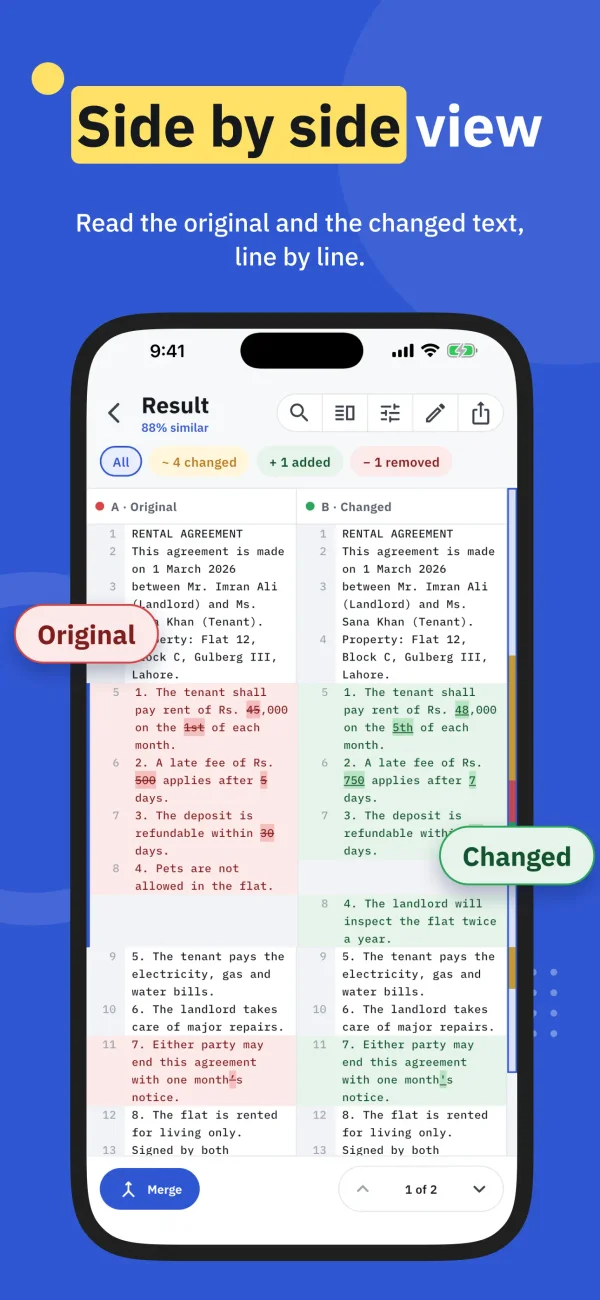
- Every text difference highlighted in clear colors: changed, added and removed
- The smallest edit stands out, like one word, a comma or a number
- Lines that were only moved to another place are marked as moved
- A similarity score shows how close the two versions are
- Side by side view or one combined view, whichever you like
JUMP STRAIGHT TO THE CHANGES
- Next and previous buttons take you from one change to the next
- Hide the parts that didn't change and focus on what did
- Show only changed, only added or only removed lines
- Search for any word inside your comparison
COMPARE EXCEL FILES, CELL BY CELL
- Compare two Excel or CSV files as a real table
- See which cells, rows and sheets changed, with the old and new values
PICK, MERGE AND EDIT
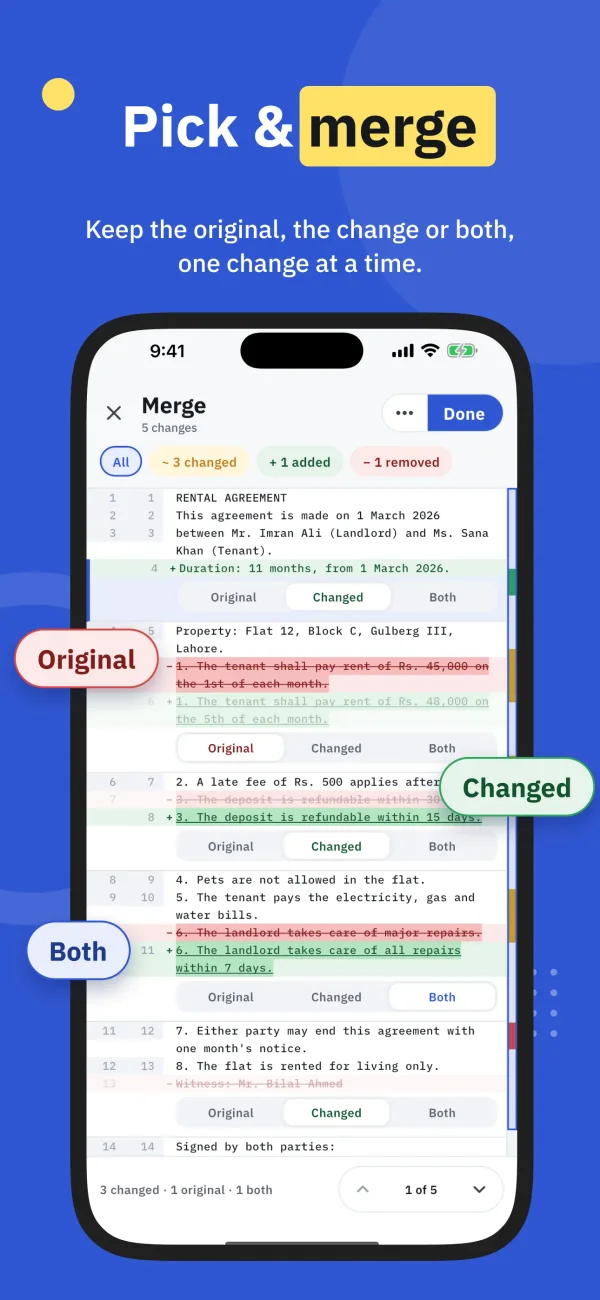
- For each change, keep the original, the new version or both
- Get one final, clean version of your document in a few taps
- Fix a line right from the results and see the updated comparison at once
SHARE YOUR RESULTS
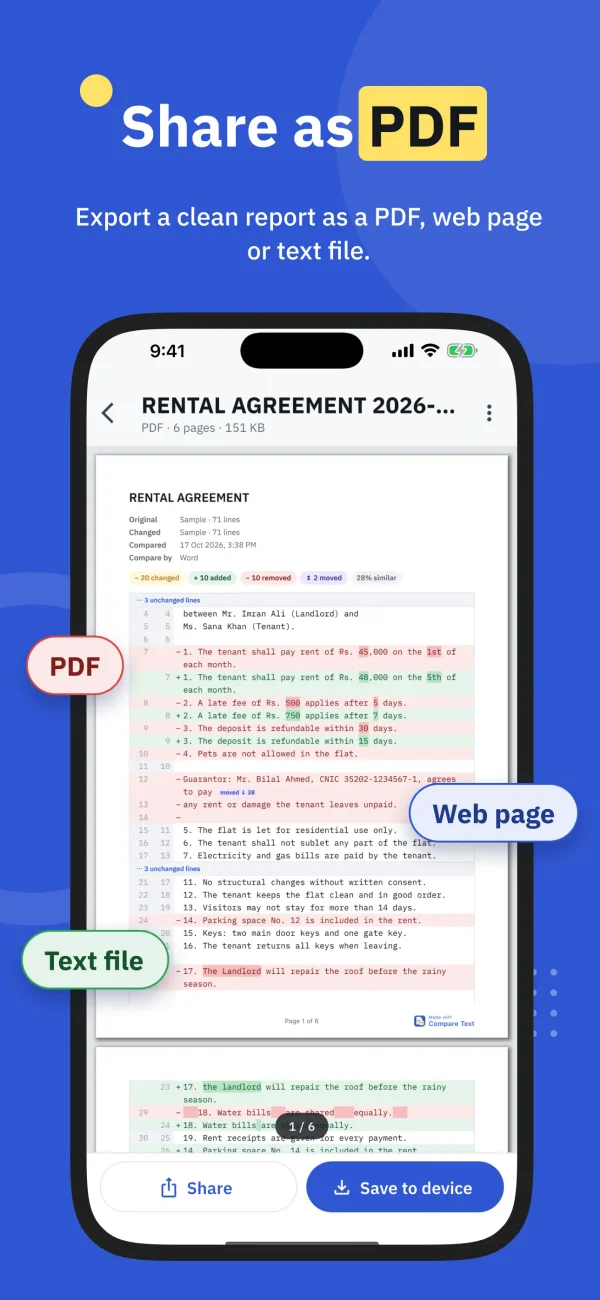
- Save your document comparison as a PDF report or a web page
- Export text, Excel or CSV files
- Print, share or save to your iPhone or iPad
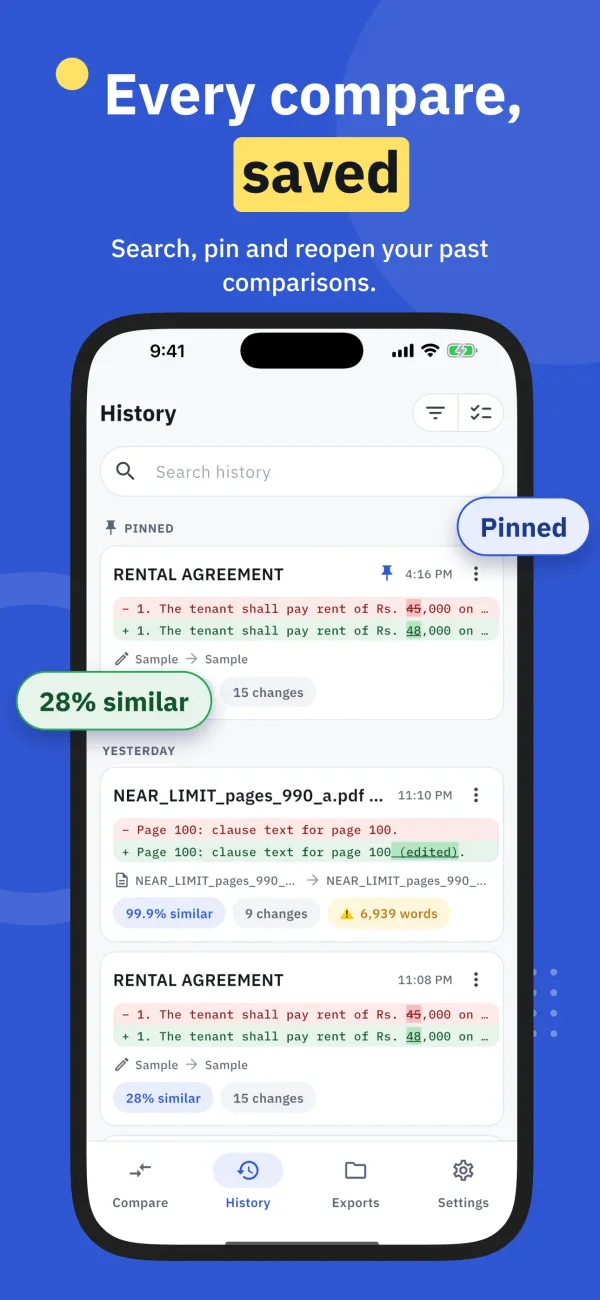
YOUR HISTORY, SAVED
- Every comparison is saved, so you can open it again any time
- Pin the important ones, rename and search them
MADE FOR EVERYONE
- Works with every language, including Urdu, Arabic, Hindi, Chinese and Japanese
- Right-to-left text displays correctly
- Ignore differences you don't care about, like capital letters, extra spaces or blank lines
- Dark mode, adjustable text size and color-blind friendly colors
- A special view to compare code, with colored syntax
PRIVATE BY DESIGN
- Comparing happens on your device
- Your texts and files stay with you
- No sign-up, no account
WHO USES COMPARE TEXT
- Contracts and agreements: compare two versions and catch every edit before you sign
- Students and teachers: compare essays, assignments and drafts
- Writers and editors: find changes between revisions of an article or book
- Office work: compare reports, price lists, invoices and spreadsheets
- Job seekers: compare versions of your resume or cover letter
- Translators: check two versions of a translation side by side
- Developers: compare code, settings files and text lists
Stop checking documents by eye. Download Compare Text, the simple file compare and text difference app, and spot every change in seconds.
Terms of Use: https://codifyappsprivacy.blogspot.com/p/terms-of-use.html
Có gì mới
Phiên bản 1.5 · 20/10/2026
A brand-new Compare Text, rebuilt from the ground up!
- Compare PDF, Word, Excel and PowerPoint files
- Jump to the next or previous change in one tap
- Hide unchanged parts and see only what changed
- Excel and CSV compared cell by cell
- Moved lines are now marked
- Pick and merge changes into one final version
- Save results as a PDF report, share or print
- History of every comparison
- Fresh new design with dark mode
Thanks for your feedback. Many of these came from your reviews!
Quyền riêng tư của ứng dụng
Những gì Muhammad Awais Younas khai báo trên App Store về cách ứng dụng này xử lý dữ liệu.
-
Dữ liệu không liên kết với bạn
Có thể được thu thập nhưng không liên kết với danh tính của bạn.
- Mã định danh
Phương thức đảm bảo quyền riêng tư có thể khác nhau, chẳng hạn như tuỳ theo các tính năng bạn sử dụng hoặc độ tuổi của bạn.
Thông tin
- Người bán
- Muhammad Awais Younas
- Danh mục
- Hiệu Suất
- Phiên bản
- 1.5
- Cập nhật
- 20/10/2026
- Phát hành
- 09/10/2024
- Kích thước
- 43,3 MB
- Yêu cầu
- iOS 15.5 trở lên
- Độ tuổi
- 4+
- Giá
- Miễn phí
- Mua hàng trong ứng dụng
- Có
- Ngôn ngữ
- Tiếng Anh
- Bản quyền
- © Muhammad Awais Younas