Form Memos
Customize Your Memo Templates
Được thiết kế cho iPhone, iPad
Miễn phí · Mua hàng trong ứng dụng
- Độ tuổi4+
- Danh mụcHiệu Suất
- Nhà phát triển育良 邱
- Ngôn ngữTiếng Anh+ 2 ngôn ngữ khác
- Kích thước34,6 MB
Liên kết đến trang App Store chính thức
Download.org không lưu trữ tệp nào của Form Memos. Nút này mở trang ứng dụng trên App Store, nơi 育良 邱 phát hành ứng dụng. Trang được kiểm tra lần cuối: 14/11/2026.
Ảnh chụp màn hình



Giới thiệu
Nhà phát triển chưa cung cấp nội dung này bằng ngôn ngữ của bạn.
Organize notes, lists, records, and ideas with the clarity of forms.
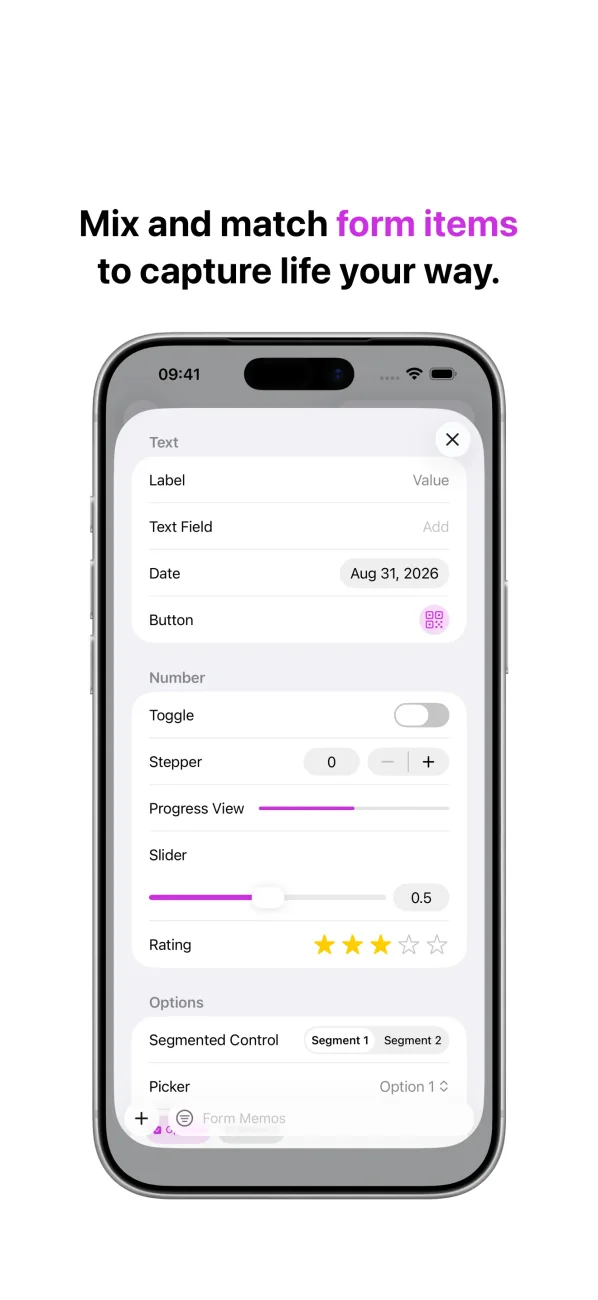
Form Memos is an app for creating memos as forms. Unlike traditional free-form notes, you can use form items—such as text fields, labels, and images—to build flexible, well-organized memo templates. You can also use Canvas to freely place, resize, and rotate controls in a fixed area, making it easy to create freer layouts like layered text and images.
Create Memo Templates
• Freely switch between Editing View, Memo View, and Reading View on iPhone
• Easily add form items like labels, text fields, images, switches, dates, and more
• Group related form items into sections to make content easier to browse and fill in
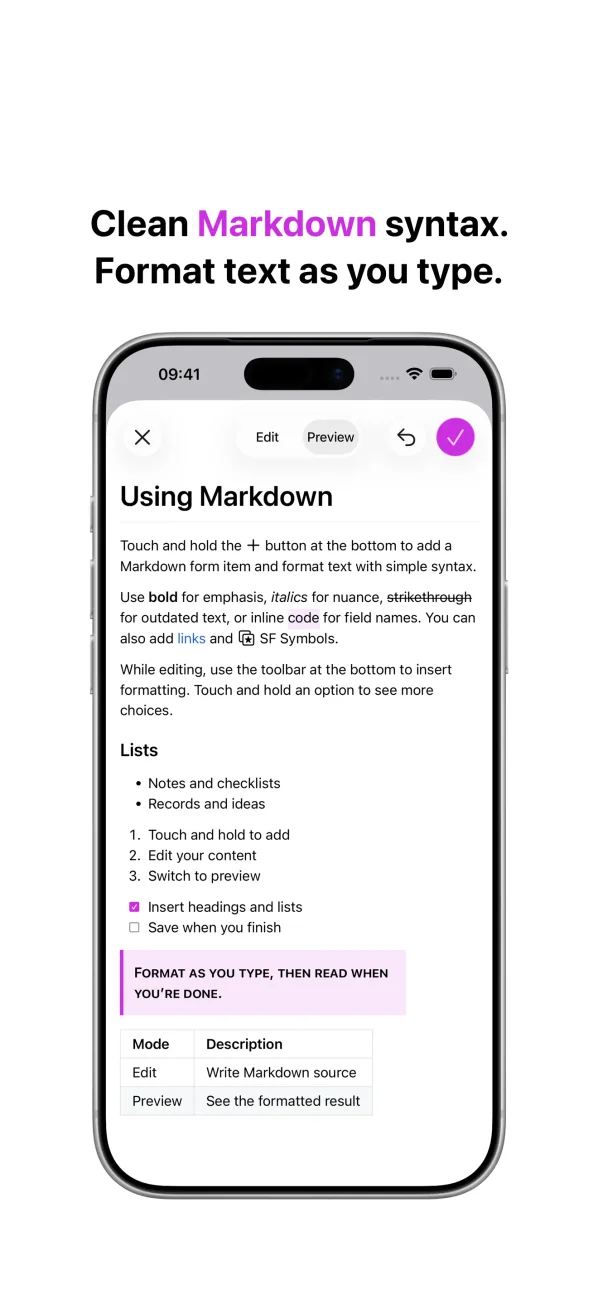
• Use Markdown, ratings, radio buttons, checkboxes, buttons, message bubbles, and other components
• Add a horizontal multi-image layout to insert several photos at once
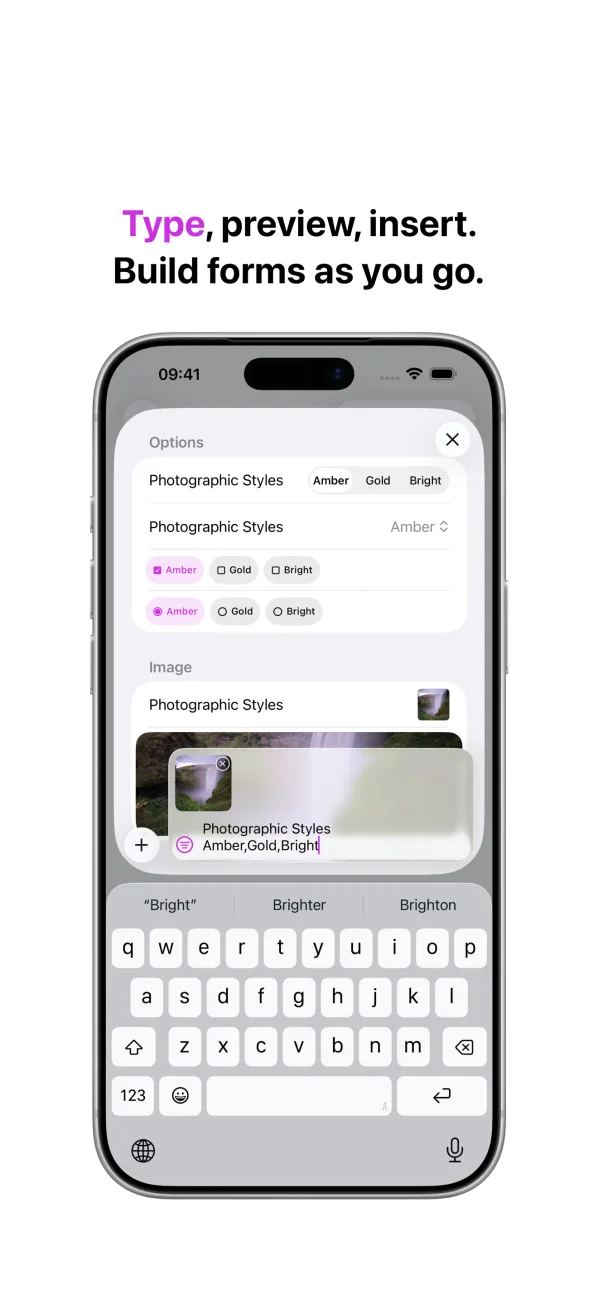
• Use the input bar at the bottom of Editing View to type text or add photos, then preview and quickly insert matching form items
• Save frequently used form items as templates to reuse them faster
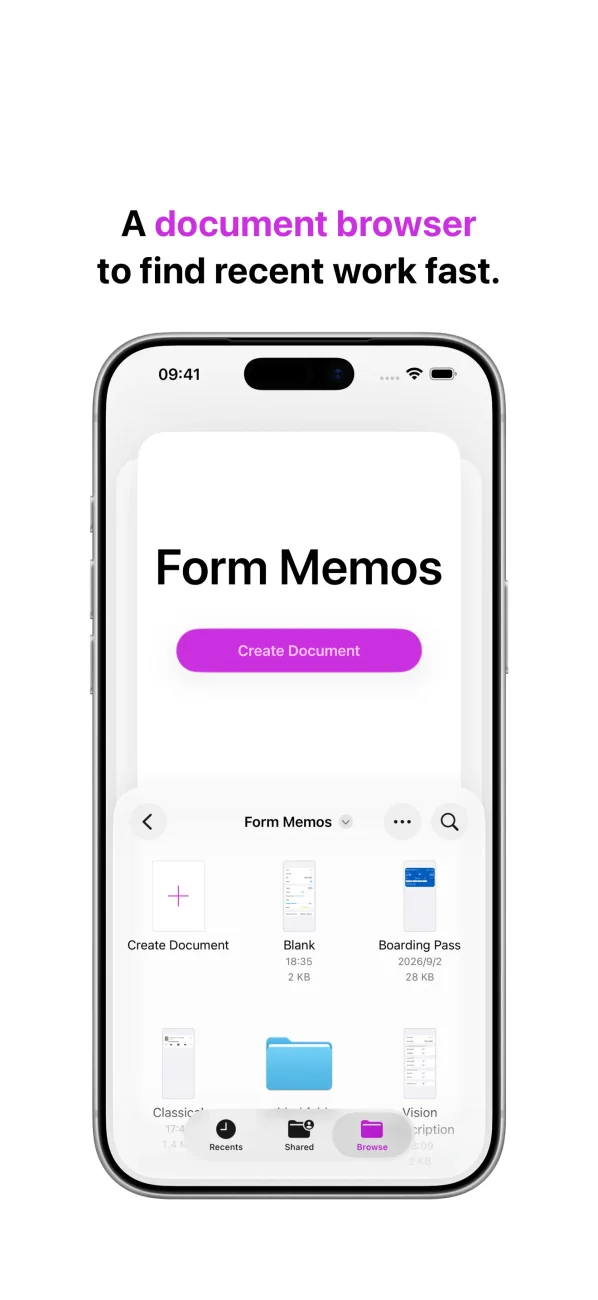
• On supported systems, use the document browser to create a new document or find a recent one (requires iOS 18)
Canvas
• Use the Canvas form item to freely place, resize, and rotate controls in a fixed area
• Easily create freer layouts such as layered text and images
• Support layers, grouping, and locking, plus gradients, materials, QR codes, barcodes, and more
• Save canvas layouts as templates to reuse across documents
Powerful Editor
• Replace default text and images with your own content
• Apply built-in system colors to labels, text fields, images, and more
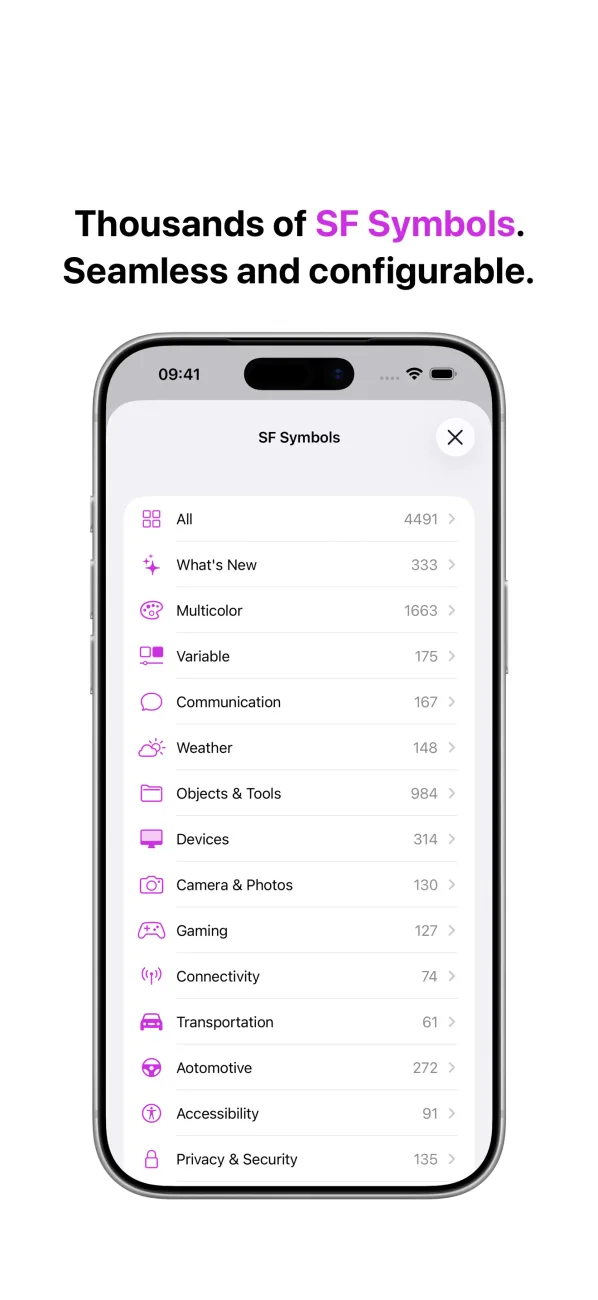
• Enhance documents with more than 4,000 icons from SF Symbols
• Apply rich fonts to text
• Set button actions such as calling, emailing, or opening a link
iCloud
• Automatically sync across your other devices with iCloud
• Form Memos automatically saves your documents as you make changes
Share Your Work
• Use AirDrop to send your document to anyone nearby
• Quickly and easily share a link via Mail or Messages
• Export your document as an image
Forms Pro
• Password-protect a document
• Undo and redo changes freely
• Copy and paste items effortlessly
• View canvases and advanced items without watermarks
Without a subscription, you can still create and preview every form item type; some premium components show a watermark.
Some features may require internet access; additional fees and terms may apply.
Terms of Use (EULA): https://www.apple.com/legal/internet-services/itunes/dev/stdeula/
Có gì mới
Phiên bản 2.2 · 18/10/2026
• Get ready for iPhone Duo
• Start from a template to build forms faster—or save any document as a reusable template of your own.
• Add a staff notation form item to write and display music with notes, clefs, and time signatures.
• Insert an equation form item to compose and render mathematical formulas with ease.
• Use the drawing form item to sketch freehand and capture handwritten notes or signatures.
• Add a location form item to pin and present a place right inside your form.
• Copy an entire section, along with its items and layout, and reuse it across your documents.
Quyền riêng tư của ứng dụng
Những gì 育良 邱 khai báo trên App Store về cách ứng dụng này xử lý dữ liệu.
-
Dữ liệu không được thu thập
Nhà phát triển không thu thập bất kỳ dữ liệu nào từ ứng dụng này.
Phương thức đảm bảo quyền riêng tư có thể khác nhau, chẳng hạn như tuỳ theo các tính năng bạn sử dụng hoặc độ tuổi của bạn.
Thông tin
- Người bán
- 育良 邱
- Danh mục
- Hiệu Suất
- Phiên bản
- 2.2
- Cập nhật
- 18/10/2026
- Phát hành
- 15/09/2024
- Kích thước
- 34,6 MB
- Yêu cầu
- iOS 17 trở lên
- Độ tuổi
- 4+
- Giá
- Miễn phí
- Mua hàng trong ứng dụng
- Có
- Ngôn ngữ
- Tiếng Anh, Tiếng Trung Giản thể, Tiếng Trung Phồn thể
- Bản quyền
- Yuliang © 2026, All Rights Reserved
Có thể bạn cũng thích
-
 Compare Text: PDF & DocumentsHiệu Suất
-
 Task & Habit TrackerHiệu Suất
-
 Text Humanizer - Humanize AIHiệu Suất
-
 Journal Mate: Lịch trình ngàyLưu bản quét, PDF và ảnh
-
 Bộ Hẹn GiờTập trung sâu & Đếm ngược ADHD
-
 Reminders: To Do List & WidgetHiệu Suất
-
 Gobble: Cold Turkey DetoxHiệu Suất
-
 KeyPass – Passwords ManagerHiệu Suất
-
 Trình Tạo Podcast AI LLM-TTSLLM Notes - Text To Speech
-
 cAI, Private AI (f.k.a AnonAI)Hiệu Suất