
Contextly Notes
Notes that work the way you do
Được thiết kế cho iPhone, iPad, Mac
Miễn phí · Mua hàng trong ứng dụng
- Độ tuổi4+
- Danh mụcHiệu Suất
- Nhà phát triểnJason Aten
- Kích thước2,9 MB
Liên kết đến trang App Store chính thức
Download.org không lưu trữ tệp nào của Contextly Notes. Nút này mở trang ứng dụng trên App Store, nơi Jason Aten phát hành ứng dụng. Trang được kiểm tra lần cuối: 15/11/2026.
Ảnh chụp màn hình
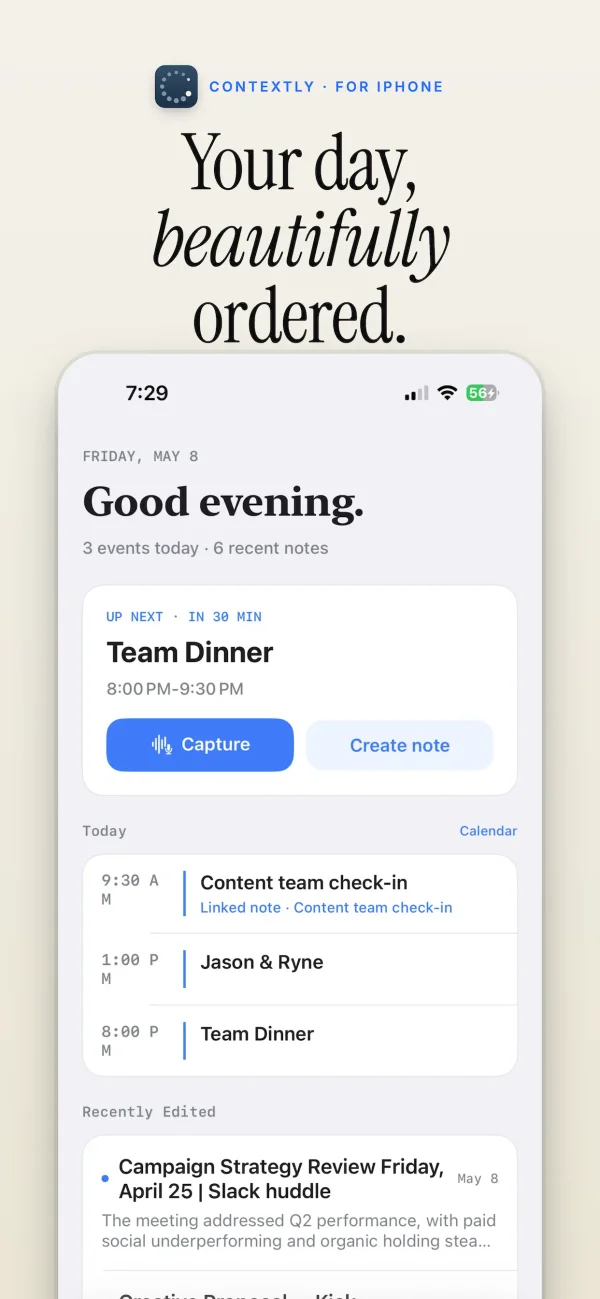
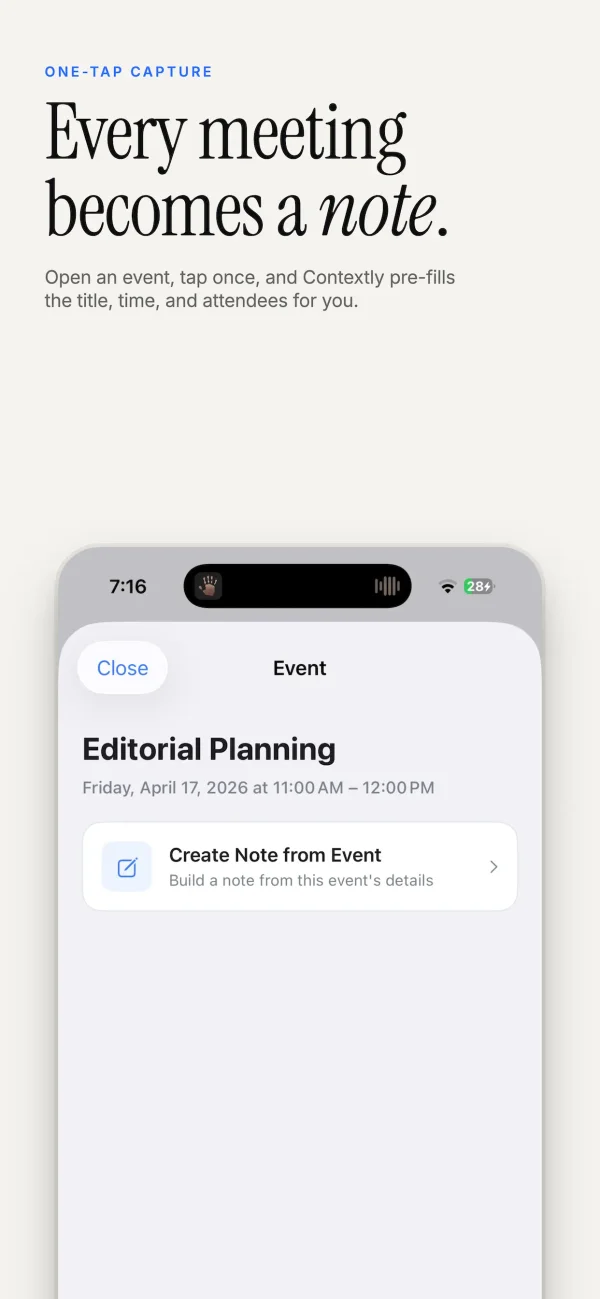

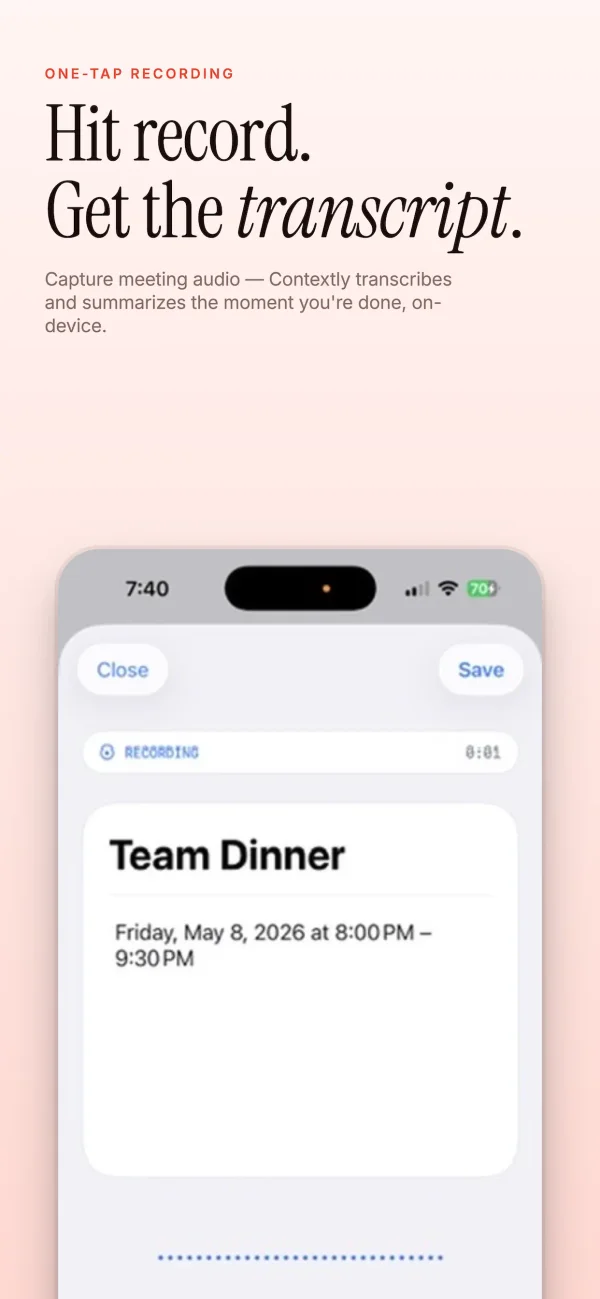
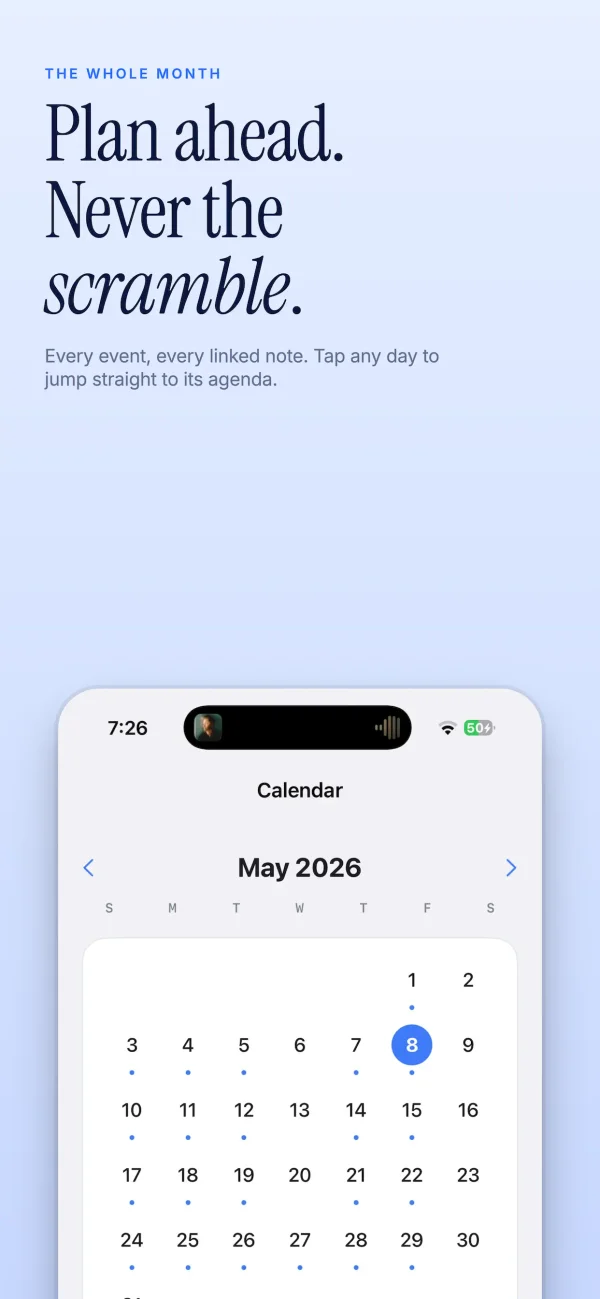
Giới thiệu
Nhà phát triển chưa cung cấp nội dung này bằng ngôn ngữ của bạn.
If you're writing it down in a note, it's probably important. The thing is, getting the important stuff is often too hard. Your notes should already know about your meetings and events. And, if you're taking notes in a meeting, you're probably leaving with action steps. Meetings shouldn’t end in scattered notes and forgotten follow-ups. Contextly turns what you capture into what you do—right on your Mac.
Contextly connects your notes to your calendar so every thought lives in context. Record a meeting (or drop in an audio file), and Contextly transcribes it on device, summarizes the conversation, and generates clear action steps you can actually use.
Then, send those action steps to your preferred task manager as to-dos with the click of a button. Connect Things 3, Reminders, Omnifocus, or Todoist, and turn your meeting notes into action without juggling multiple apps.
Instead of revisiting notes later, you leave every meeting with decisions, tasks, and momentum.
What you can do with Contextly:
Capture notes in context
Link notes to calendar events automatically so you always know when, where, and why something was written.
Record and transcribe meetings
Use built-in recording or import audio. Transcription runs on your Mac for speed and privacy.
Summarize instantly
Get clean, readable summaries that highlight what matters—no manual cleanup required.
Turn conversations into action
Contextly generates actionable next steps from your notes. Review, edit, and send them where you work.
Sync with your task manager
Send tasks to Things, OmniFocus, Todoist, or Apple Reminders.
Built for Apple Intelligence
Powered by on-device Apple Intelligence for fast, private summaries and insights.
Terms of Use: https://www.apple.com/legal/internet-services/itunes/dev/stdeula/
Có gì mới
Phiên bản 2.0 · 12/09/2026
Contextly 2.0 is the biggest update yet, making it easier to ask, record, summarize, and carry your notes across devices — with privacy built in.
Apple Intelligence powers the biggest new experiences. Siri features require iOS 27 / macOS 27, while Ask Contextly and on-device summaries require iOS 26 / macOS 26 on Apple silicon with Apple Intelligence enabled. Siri reads an on-device index rather than sending your notes to Siri servers, and longer requests use Apple’s Private Cloud Compute only when needed on the 27 releases.
• Ask Siri about your notes. Ask questions and Siri finds answers from Contextly, shows the source note, and can create, rename, pin, or move notes by voice.
• Ask Contextly is here. Ask in plain language and get grounded answers with citations to the exact notes, plus follow-up questions that keep context on Mac, iPhone, and iPad.
• Long meetings, fully transcribed. Recordings no longer stop after a minute; on iPhone, transcription continues with the phone locked, with a live timer on the Lock Screen and in the Dynamic Island.
• Smarter summaries and action items. Summaries run on-device first; on iOS 27 / macOS 27, longer notes can use Private Cloud Compute instead of failing, with clearer status messages.
• Contextly in Shortcuts, Spotlight, and Handoff. Find, create, open, and summarize notes from Shortcuts, search them in Spotlight, and pick up a note between Mac and iPhone.
• More reliable, better-formatted notes. Notes keep their size and style across devices, pasted Markdown becomes real formatting on Mac, offline edits are protected, deletions go to Recently Deleted, and attachments sync through iCloud.
Quyền riêng tư của ứng dụng
Những gì Jason Aten khai báo trên App Store về cách ứng dụng này xử lý dữ liệu.
-
Dữ liệu không được thu thập
Nhà phát triển không thu thập bất kỳ dữ liệu nào từ ứng dụng này.
Phương thức đảm bảo quyền riêng tư có thể khác nhau, chẳng hạn như tuỳ theo các tính năng bạn sử dụng hoặc độ tuổi của bạn.
Thông tin
- Người bán
- Jason Aten
- Danh mục
- Hiệu Suất
- Phiên bản
- 2.0
- Cập nhật
- 12/09/2026
- Phát hành
- 07/05/2026
- Kích thước
- 2,9 MB
- Yêu cầu
- iOS 18.0 trở lên
- Độ tuổi
- 4+
- Giá
- Miễn phí
- Mua hàng trong ứng dụng
- Có
- Bản quyền
- © 2026 Lunch Break Software
Có thể bạn cũng thích
-
 Kan Do: Project ManagementHiệu Suất
-
 Stash: Fast Add to ClipboardHiệu Suất
-
 Quick Notes (easy voice notes)Hiệu Suất
-
 Memo AI - Voice Notes TakerHiệu Suất
-
 DropTaskHiệu Suất
-
 Parchment: Agenda & Daily NoteHiệu Suất
-
 Sonto - Goal & Life PlannerHiệu Suất
-
 Anchor: Time Blocking PlannerHiệu Suất
-
 The No ListHiệu Suất
-
 AI Calendar - Pocket CalHiệu Suất