Anchor: Time Blocking Planner
Daily Calendar & Focus Timer
Được thiết kế cho iPhone, Mac
Miễn phí · Mua hàng trong ứng dụng
- Độ tuổi4+
- Danh mụcHiệu Suất
- Nhà phát triểnAlessandro Pluda
- Ngôn ngữTiếng Anh+ 5 ngôn ngữ khác
- Kích thước98,2 MB
Liên kết đến trang App Store chính thức
Download.org không lưu trữ tệp nào của Anchor: Time Blocking Planner. Nút này mở trang ứng dụng trên App Store, nơi Alessandro Pluda phát hành ứng dụng. Trang được kiểm tra lần cuối: 25/11/2026.
Ảnh chụp màn hình


Giới thiệu
Nhà phát triển chưa cung cấp nội dung này bằng ngôn ngữ của bạn.
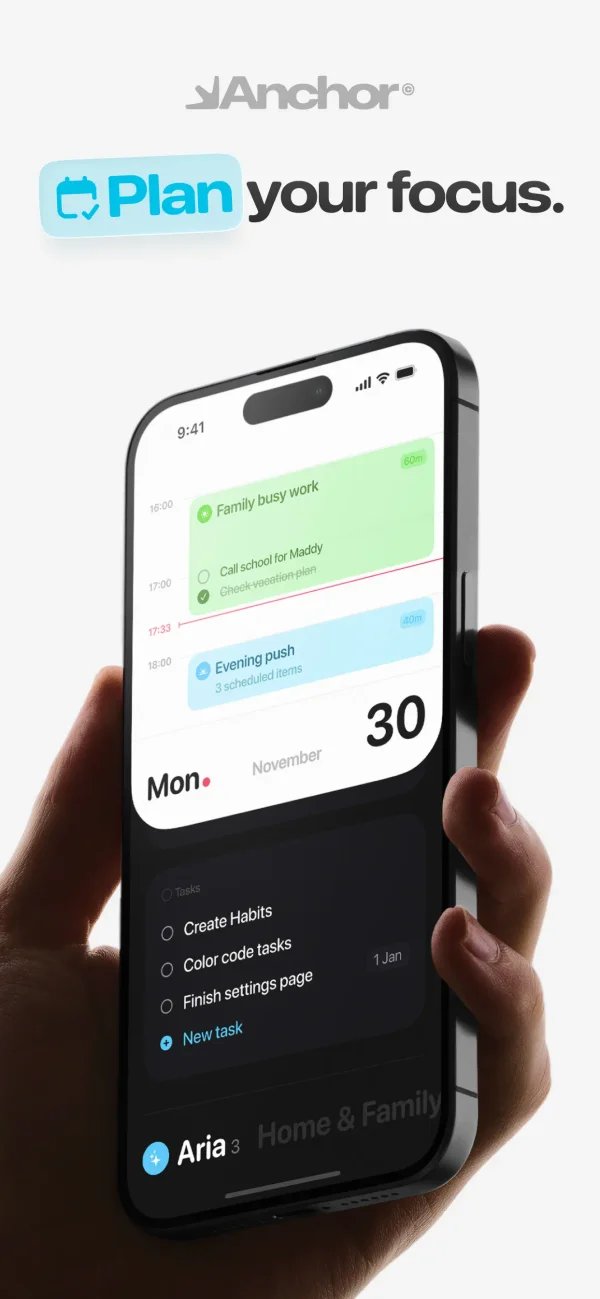
A place for your tasks, projects, and daily plan.
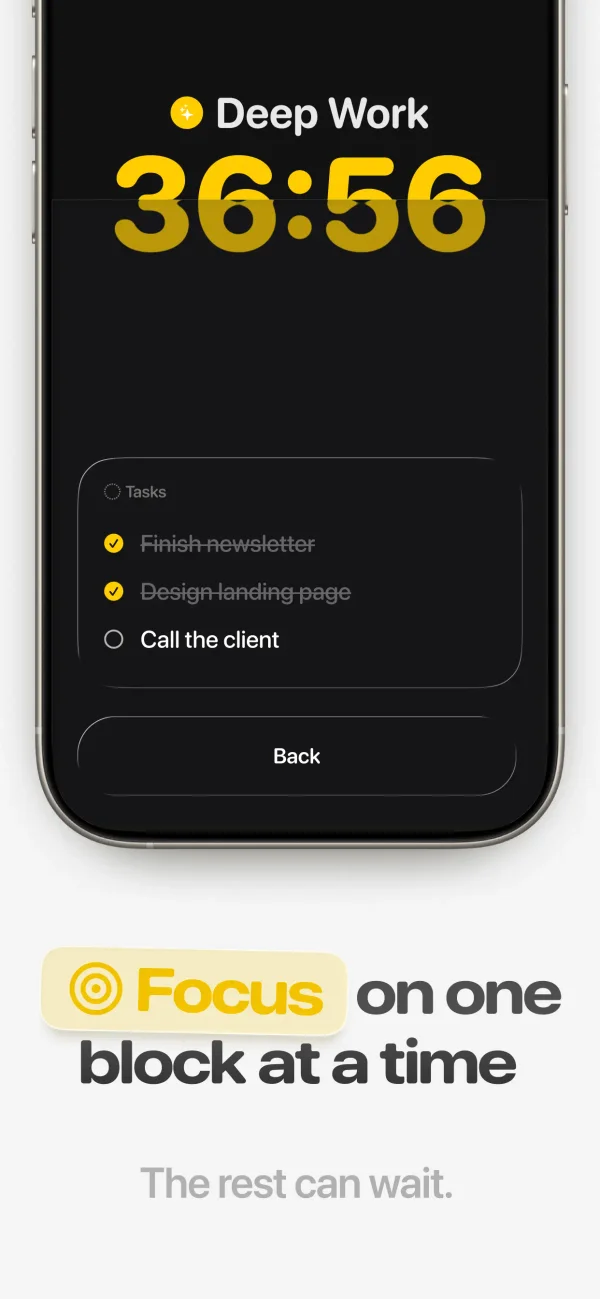
Anchor organizes your day around focus blocks. Group tasks into a block, give it some time in your calendar, and work through them at your own pace. When plans change, move things around.
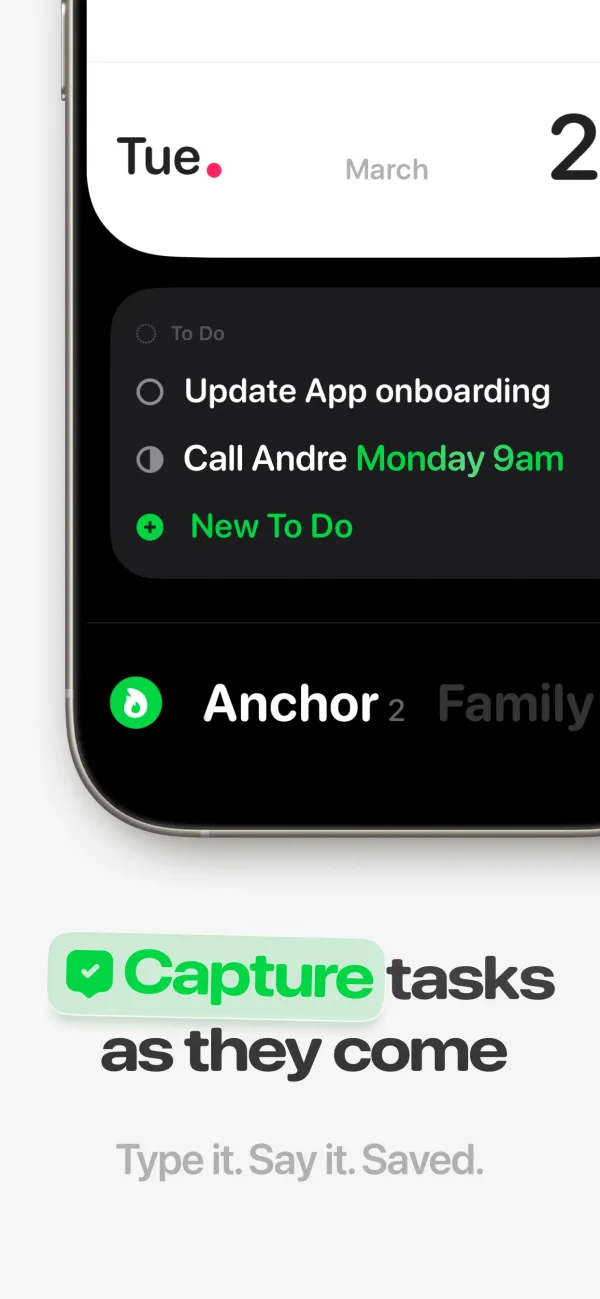
CAPTURE YOUR TASKS
Type a task as it comes to mind. Use Smart Dates to add a date as you type, or hold New To Do and talk through several things at once. Anchor turns what you say into tasks, with projects, dates, and urgency levels, privately with Apple Intelligence.*
KEEP PROJECTS ORGANIZED
Keep related tasks in projects. Add dividers to separate sections, notes to hold the details, and urgency levels to show what needs attention. Drag tasks into the order that works for you.
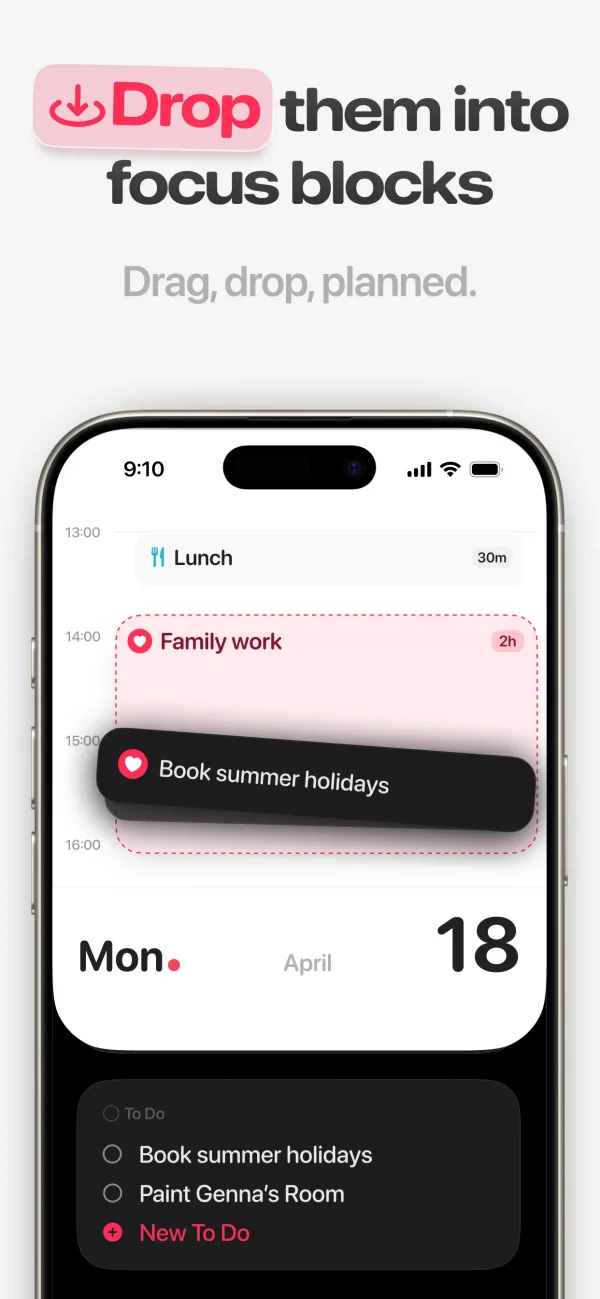
PLAN WITH FOCUS BLOCKS
Bring tasks into a block alongside your calendar events. Set up repeating blocks for the regular parts of your week. Focus on one block at a time, and move unfinished tasks forward when you need to.
PICK UP ON ANOTHER DEVICE
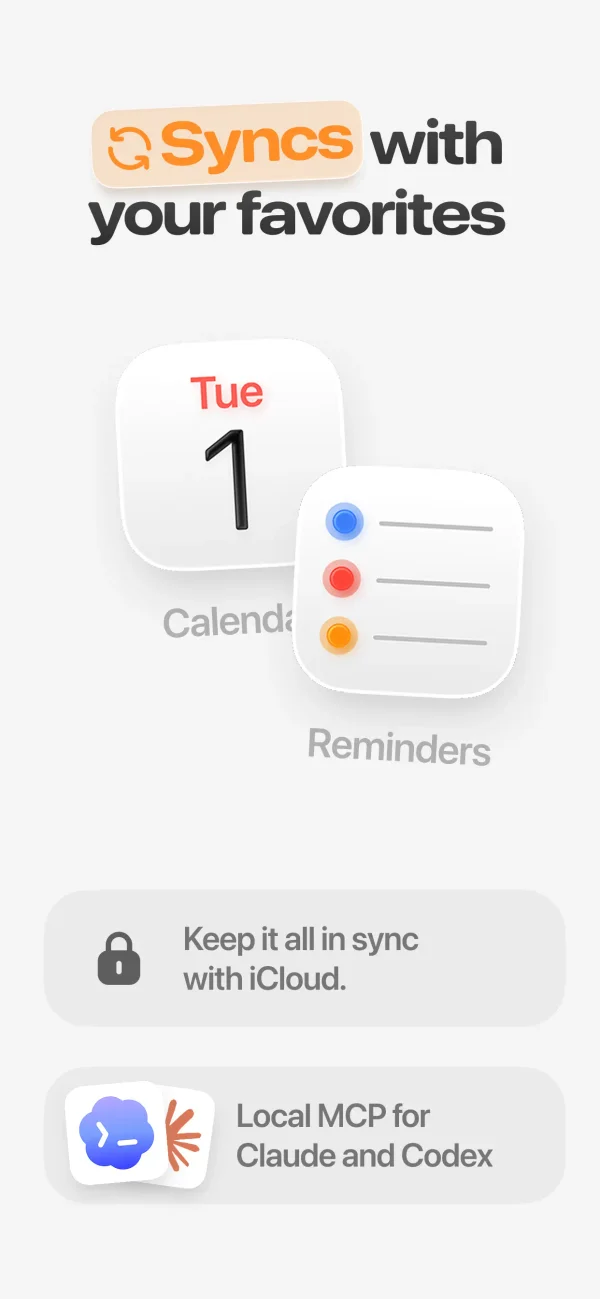
Your tasks, projects, and focus blocks sync through your private iCloud. Anchor is also available on Mac, so you can continue there.
CONNECTED TO YOUR DAY
• Apple Calendar and Reminders sync
• Widgets and Live Activity
• Siri shortcuts
• Repeating blocks and custom icons
• Works offline
• No separate Anchor account required
Available in English, German, French, Spanish, Italian, and Brazilian Portuguese.
MADE INDEPENDENTLY
Anchor is designed and built by an independent developer. No ads, no venture capital. Just an app that keeps getting better with feedback from the people who use it.
*Voice capture requires Super Anchor and a compatible iPhone with Apple Intelligence enabled, using a supported language.
Terms of Use: https://www.apple.com/legal/internet-services/itunes/dev/stdeula/
Có gì mới
Phiên bản 2.3 · 23/11/2026
• Repeating Tasks: Set a task to repeat from its date: daily, on weekdays, monthly and more. Check it off and it comes back on its next date. On iPhone and Mac, and in step with Apple Reminders.
• Emoji Icons and New Colors: Give a project or focus block an emoji as its icon: swipe to the second page of the icon picker. Peach, lilac and raspberry join the colors.
• More Ways to Repeat Blocks: Repeat a focus block on several weekdays, every few weeks or months, on chosen days of the month or its last day, or in chosen months of the year. On iPhone and Mac.
• Live Activity for Blocks with Tasks: Choose whether the Dynamic Island shows every focus block or only the ones with tasks. The same choice for the notch on the Mac.
Fixes
• Dragging a to do onto a repeating focus block no longer crashes Anchor.
• Changes you make in Anchor reach Apple Reminders within seconds.
• Your Reminders lists show up right after you give Anchor access to Reminders.
• A new focus block keeps the name you typed.
• All-day focus blocks set to repeat now show on every repeat day.
• Changing a repeating focus block with This and Future now reaches every later day.
• On Mac, ⌘Z no longer gets stuck after a sync with Reminders.
• A to do you just completed can be held and dragged to Delete right away.
• With Smart Dates off, words like "tomorrow" stay in the to do's name.
• To dos keep the same order on all your devices.
• On a closed iPhone Duo, the urgency slider no longer runs into the status column.
Quyền riêng tư của ứng dụng
Những gì Alessandro Pluda khai báo trên App Store về cách ứng dụng này xử lý dữ liệu.
-
Dữ liệu không liên kết với bạn
Có thể được thu thập nhưng không liên kết với danh tính của bạn.
- Mục mua
- Mã định danh
- Dữ liệu sử dụng
- Chẩn đoán
Phương thức đảm bảo quyền riêng tư có thể khác nhau, chẳng hạn như tuỳ theo các tính năng bạn sử dụng hoặc độ tuổi của bạn.
Thông tin
- Người bán
- Alessandro Pluda
- Danh mục
- Hiệu Suất
- Phiên bản
- 2.3
- Cập nhật
- 23/11/2026
- Phát hành
- 07/04/2026
- Kích thước
- 98,2 MB
- Yêu cầu
- iOS 26.0 trở lên
- Độ tuổi
- 4+
- Giá
- Miễn phí
- Mua hàng trong ứng dụng
- Có
- Ngôn ngữ
- Tiếng Anh, Tiếng Pháp, Tiếng Đức, Tiếng Ý, Tiếng Bồ Đào Nha, Tiếng Tây Ban Nha
- Bản quyền
- © 2026, Alessandro Pluda
Có thể bạn cũng thích
-
 AI Calendar - Pocket CalHiệu Suất
-
 Habit Tracker - DayriseHiệu Suất
-
 Pomodoro Timer: Tempo FocusHiệu Suất
-
 Habit Tracker // init.HabitsHiệu Suất
-
 Re:mindr - Quick RemindersHiệu Suất
-
 Offload ADHD OrganizerHiệu Suất
-
 Focus Timer - StudiousHiệu Suất
-
 Things take time: Life trackerHiệu Suất
-
 Ivy: Plan. Do. Reflect.Hiệu Suất
-
 ThisDay: Planner & RemindersHiệu Suất