
- Độ tuổi4+
- Danh mụcHiệu Suất
- Nhà phát triển宁 袁
- Ngôn ngữTiếng Anh+ 17 ngôn ngữ khác
- Kích thước6,5 MB
Liên kết đến trang App Store chính thức
Download.org không lưu trữ tệp nào của Copymunk. Nút này mở trang ứng dụng trên App Store, nơi 宁 袁 phát hành ứng dụng. Trang được kiểm tra lần cuối: 13/11/2026.
Ảnh chụp màn hình
Giới thiệu
Nhà phát triển chưa cung cấp nội dung này bằng ngôn ngữ của bạn.
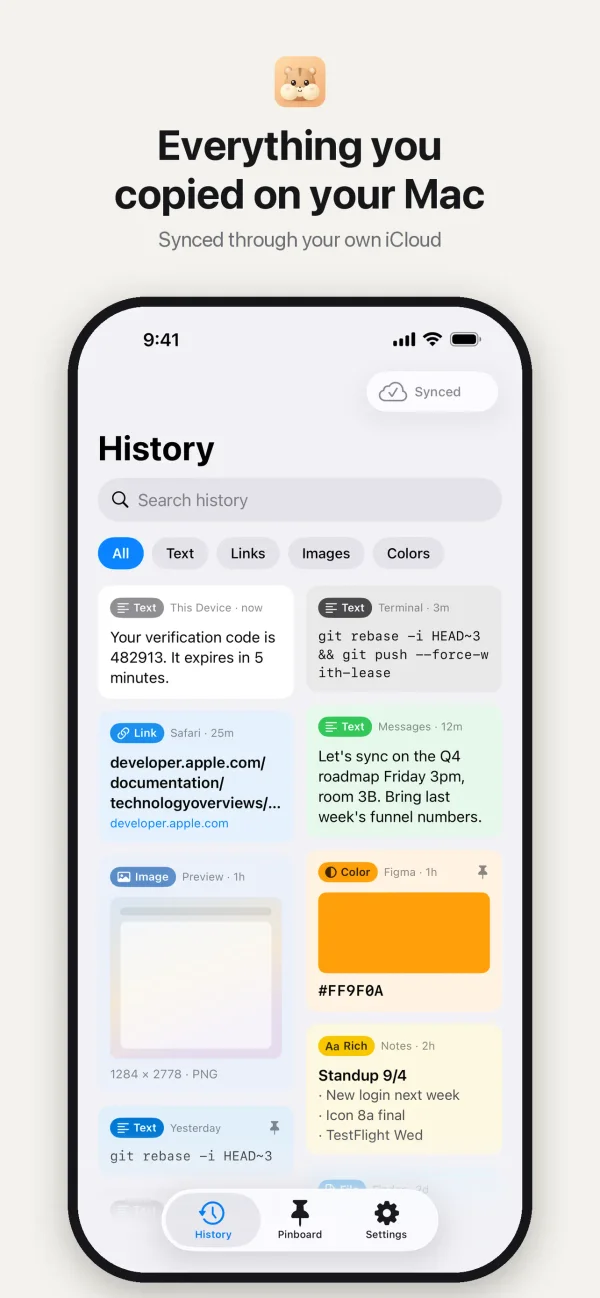
Everything you've copied on your Mac, in your pocket. Copymunk brings your clipboard history to iPhone and iPad through your own iCloud account, so you can search it anywhere and tap any clip to copy it again.
Copymunk is an open-source clipboard manager for Mac, iPhone and iPad.
SEARCH AND COPY
• Text, rich text, links, colors and images, shown as cards
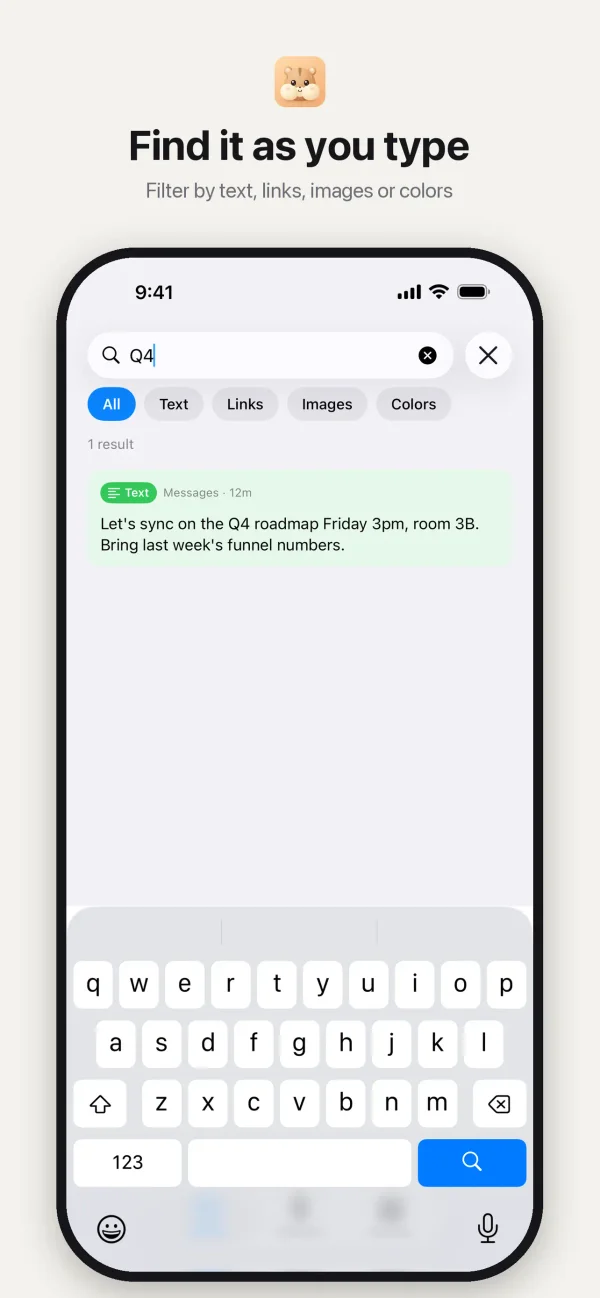
• Type to search, or filter by links, images or colors
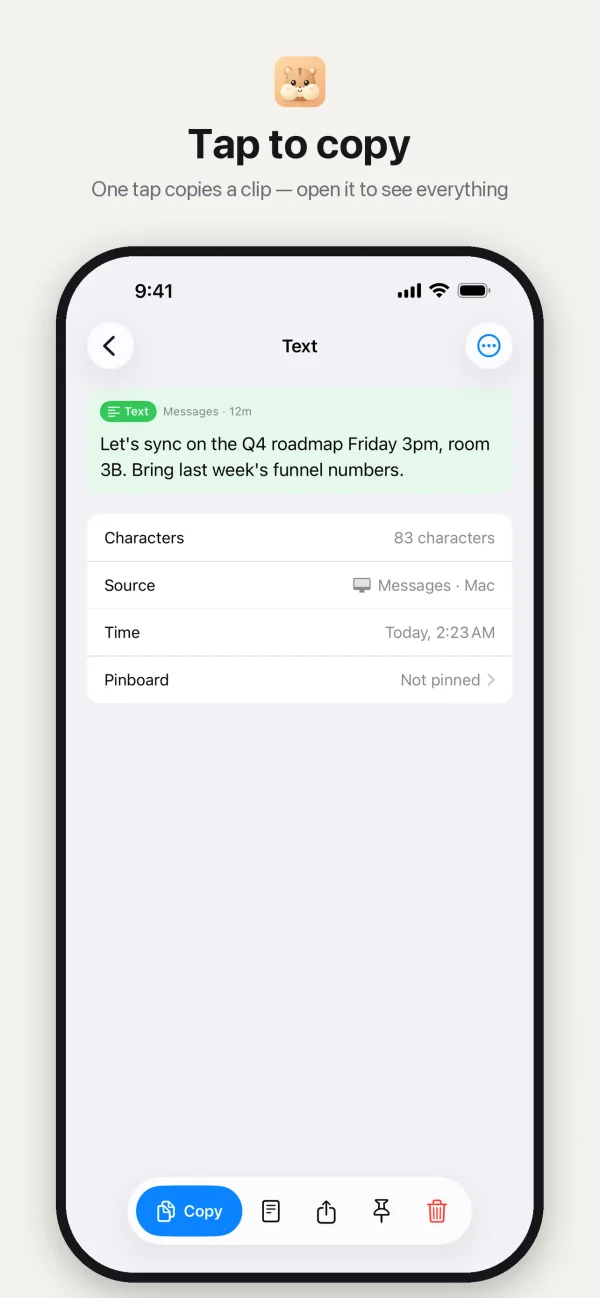
• Tap a card to copy it, then paste it wherever you like
• Copy as plain text, share, or open a full-size preview
• Swipe right to pin, swipe left to delete
• Files copied on your Mac are listed by name and marked "Mac only"
SAVE FROM YOUR iPHONE
iOS doesn't let apps read the clipboard in the background, so Copymunk saves at moments you choose:
• When you open Copymunk, it saves what's on the clipboard. You can turn this off and use the Paste button instead.
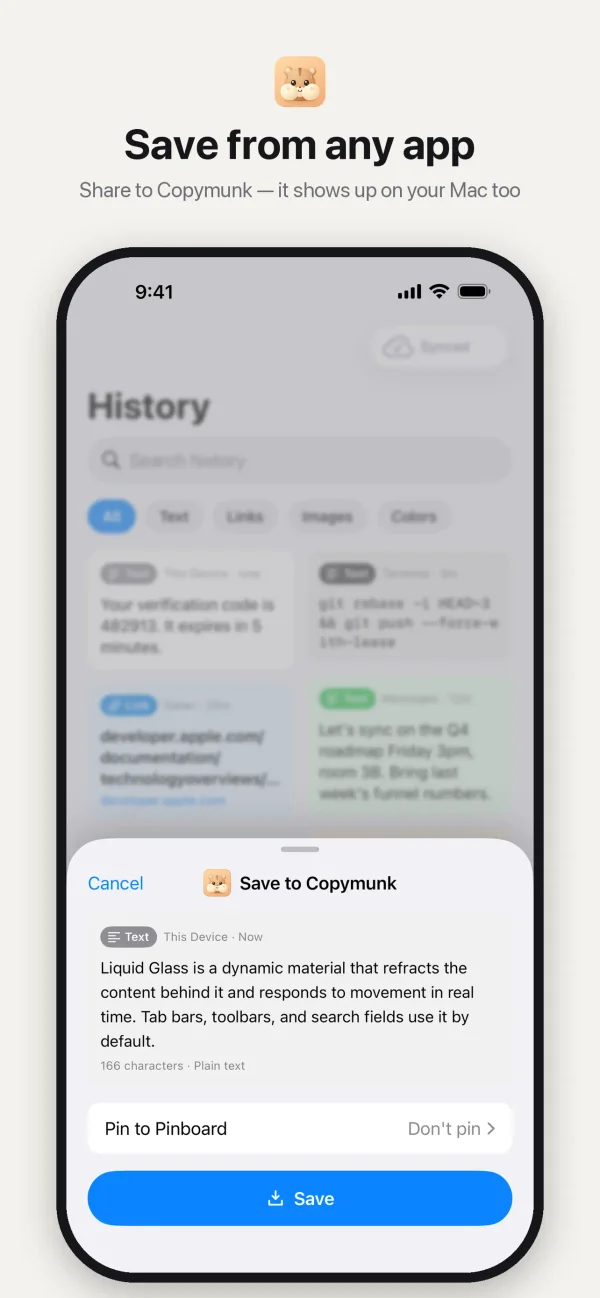
• Share sheet: save text, links and images from any app, straight into a Pinboard if you like
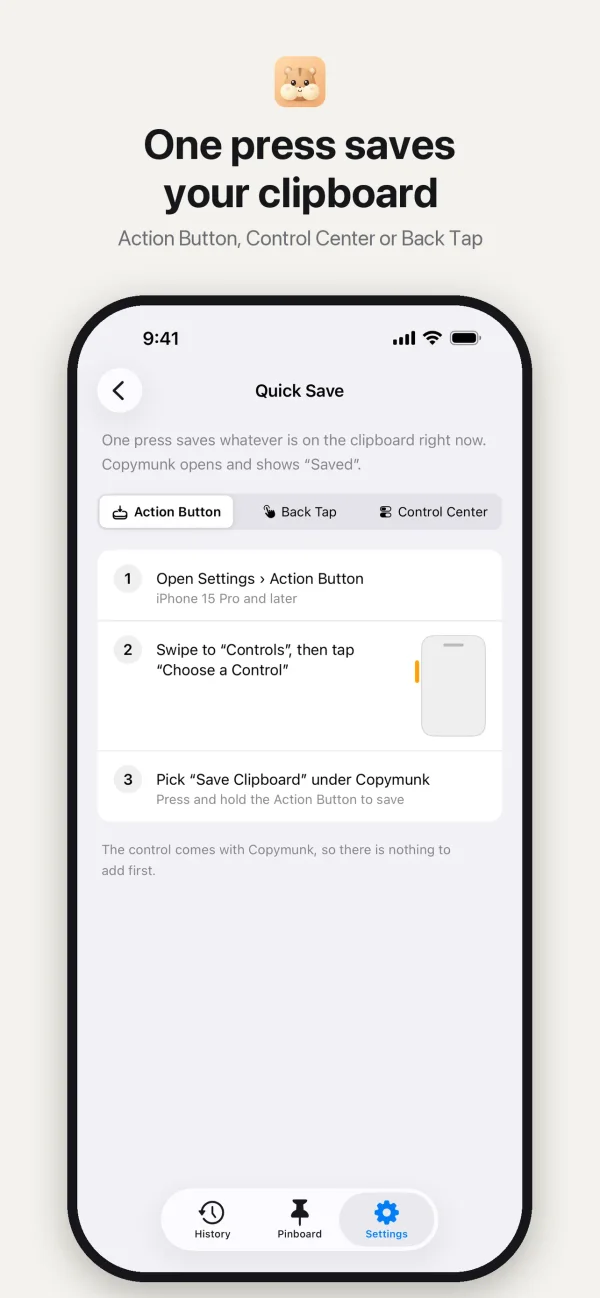
• Quick Save: press and hold the Action Button, tap a Control Center or Lock Screen control, or use Back Tap through a shortcut. Copymunk opens and saves the clipboard.
• "Save Clipboard" is also available in Shortcuts and Siri
PINBOARDS
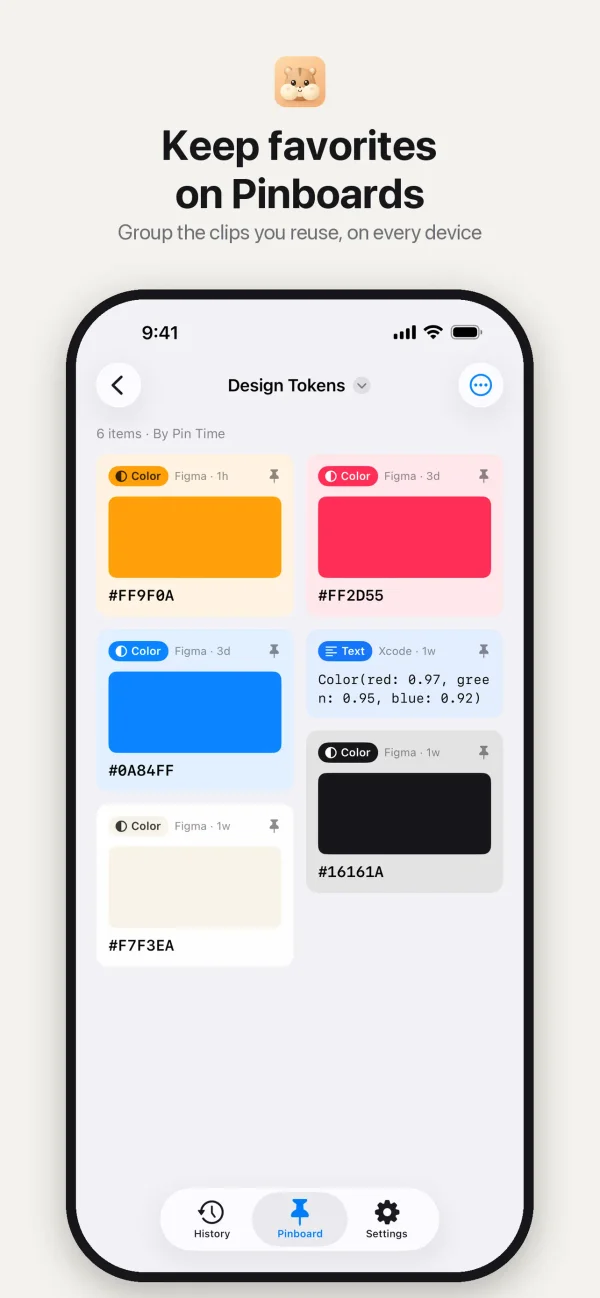
Keep the clips you use often on Pinboards. Clearing history never touches pinned clips.
WIDGETS
• Recent Clips widget in small and medium sizes. Tap a clip to open Copymunk and copy it.
• Save Clipboard control for Control Center, the Lock Screen and the Action Button
ON iPAD
• Sidebar layout with a grid of cards
• Drag clips into the app next to Copymunk
• Hardware keyboard: Command-F to search, arrow keys to move, Return to copy, Shift-Return for plain text, Space to preview, Command-P to pin
PRIVACY
• Sync goes through Apple's iCloud to a private database in your own Apple Account. We run no server and can't read your clips.
• iCloud sync is on by default on iPhone and iPad so your devices share one history. Turn it off during setup or anytime in Settings, and your clips stay on this device.
• Showing clips in system Search is off by default.
• No account, no sign-in, no ads, no analytics, no third-party SDKs.
• The source code is on GitHub under the GNU GPLv3.
To sync with your Mac, get Copymunk for Mac and turn on iCloud sync in its Settings (it's off by default on the Mac).
Có gì mới
Phiên bản 1.3.1 · 20/10/2026
Long-press any clip in History for two new options: Preview (a quick look at the full content) and Open Details. Until now, previewing needed a hardware keyboard (Space), and the details page couldn't be opened by touch.
Quyền riêng tư của ứng dụng
Những gì 宁 袁 khai báo trên App Store về cách ứng dụng này xử lý dữ liệu.
-
Dữ liệu không được thu thập
Nhà phát triển không thu thập bất kỳ dữ liệu nào từ ứng dụng này.
Phương thức đảm bảo quyền riêng tư có thể khác nhau, chẳng hạn như tuỳ theo các tính năng bạn sử dụng hoặc độ tuổi của bạn.
Thông tin
- Người bán
- 宁 袁
- Danh mục
- Hiệu Suất
- Phiên bản
- 1.3.1
- Cập nhật
- 20/10/2026
- Phát hành
- 23/09/2026
- Kích thước
- 6,5 MB
- Yêu cầu
- iOS 18.0 trở lên
- Độ tuổi
- 4+
- Giá
- Miễn phí
- Ngôn ngữ
- Tiếng Anh, Tiếng Ả Rập, Tiếng Hà Lan, Tiếng Pháp, Tiếng Đức, Tiếng Indonesia, Tiếng Ý, Tiếng Nhật, Tiếng Hàn, Tiếng Ba Lan, Tiếng Bồ Đào Nha, Tiếng Nga + 6 ngôn ngữ khác
- Bản quyền
- © 2026 Copymunk Contributors
Có thể bạn cũng thích
-
 Snippy: Quick Paste KeyboardHiệu Suất
-
 Vault – Open Source BackupHiệu Suất
-
 CopyNest: Clipboard ManagerHiệu Suất
-
 Thoughtree: Mind Map & OutlineHiệu Suất
-
 Syncer — Clipboard on KeyboardHiệu Suất
-
 Nexus Mail - All Email LoginHiệu Suất
-
 Clypy: Clipboard ManagerHiệu Suất
-
 Clipster: Clipboard ManagerHiệu Suất
-
 Quest NotesGhi chú, Checklist & Quét PDF
-
 Copyo – Clipboard ManagerHiệu Suất