
- Độ tuổi4+
- Danh mụcTiện Ích
- Nhà phát triểnUNQUINTO
- Ngôn ngữTiếng Anh+ 1 ngôn ngữ khác
- Kích thước1,5 MB
Liên kết đến trang App Store chính thức
Download.org không lưu trữ tệp nào của CueRemote. Nút này mở trang ứng dụng trên App Store, nơi UNQUINTO phát hành ứng dụng. Trang được kiểm tra lần cuối: 18/11/2026.
Ảnh chụp màn hình
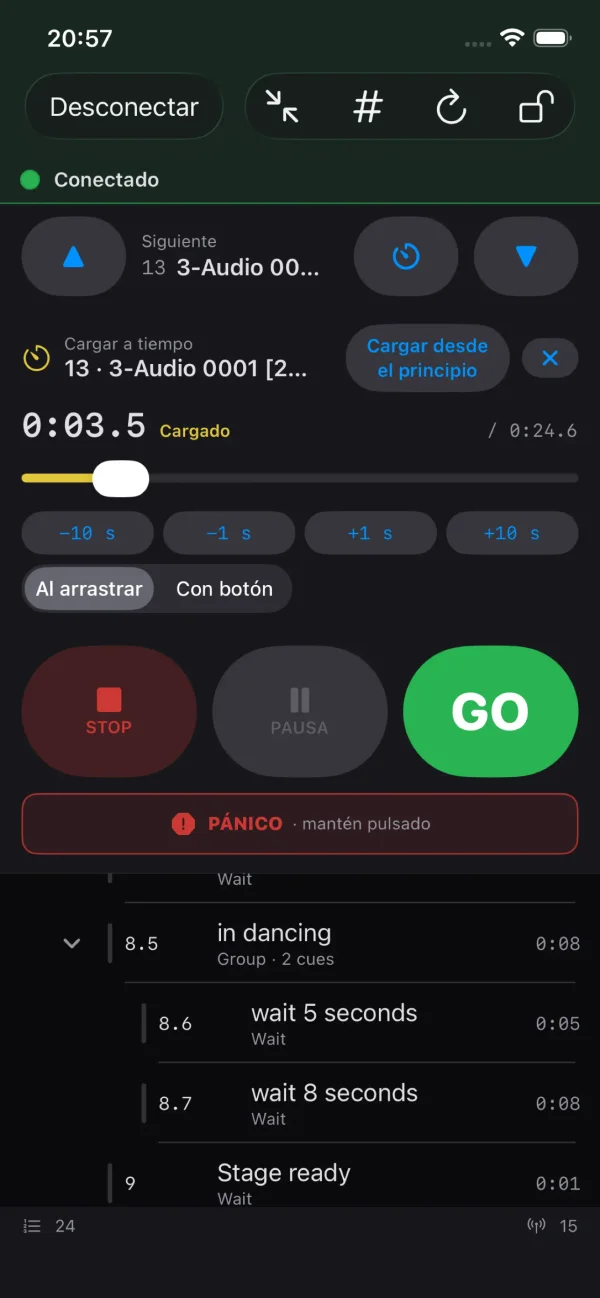
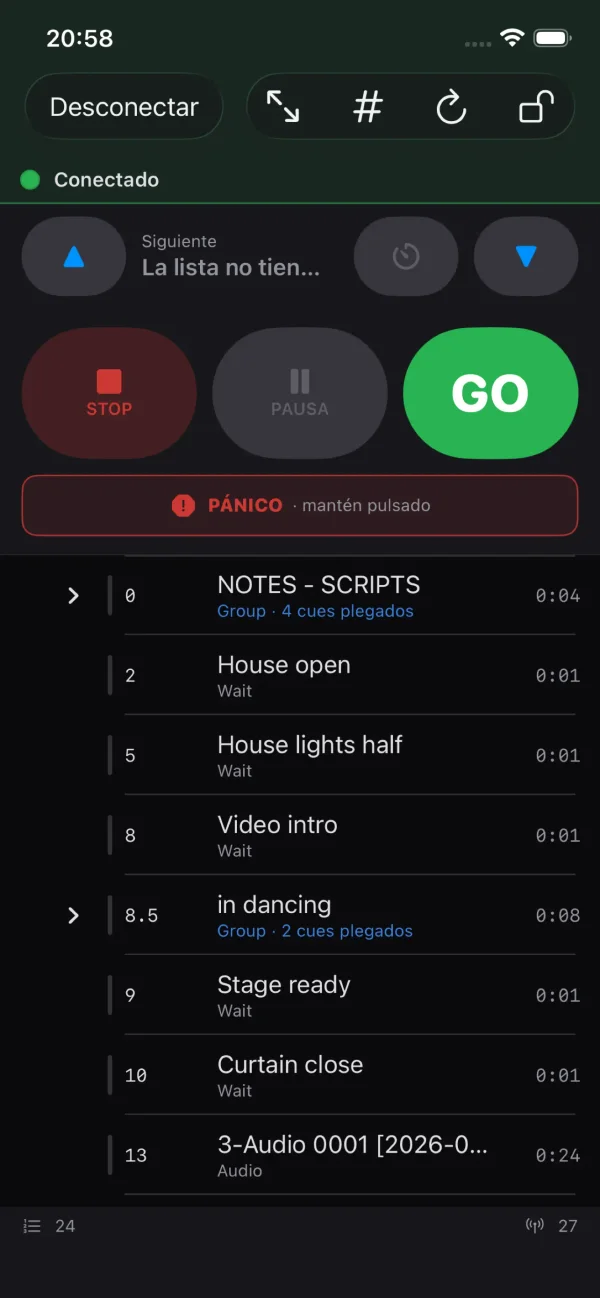
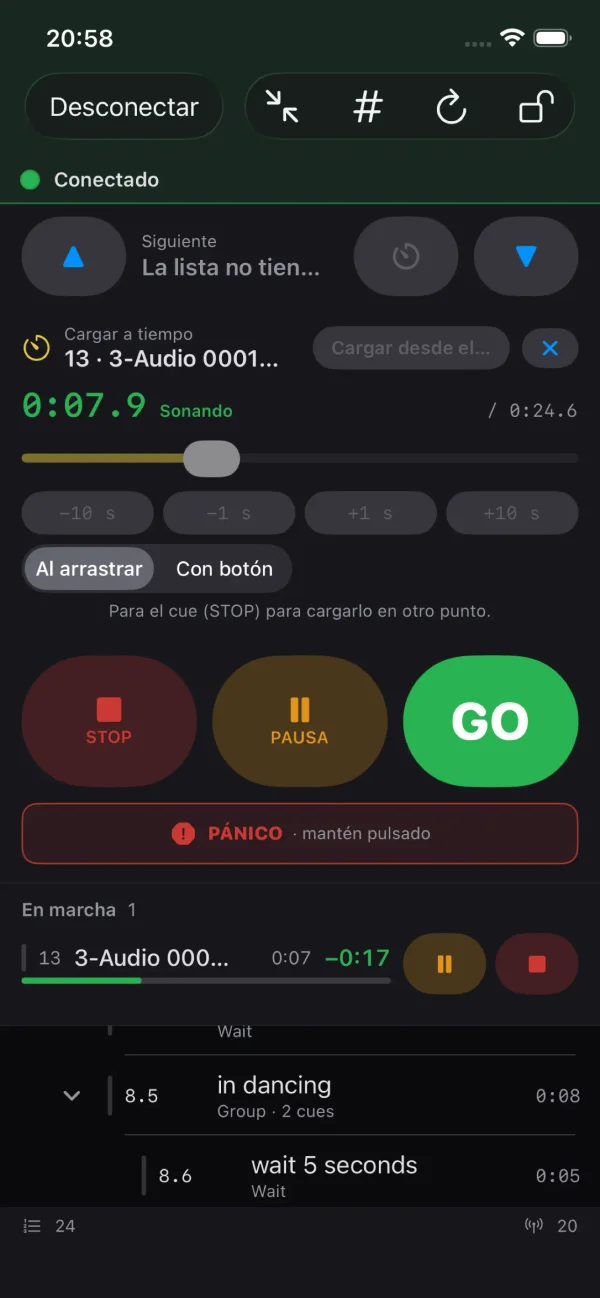
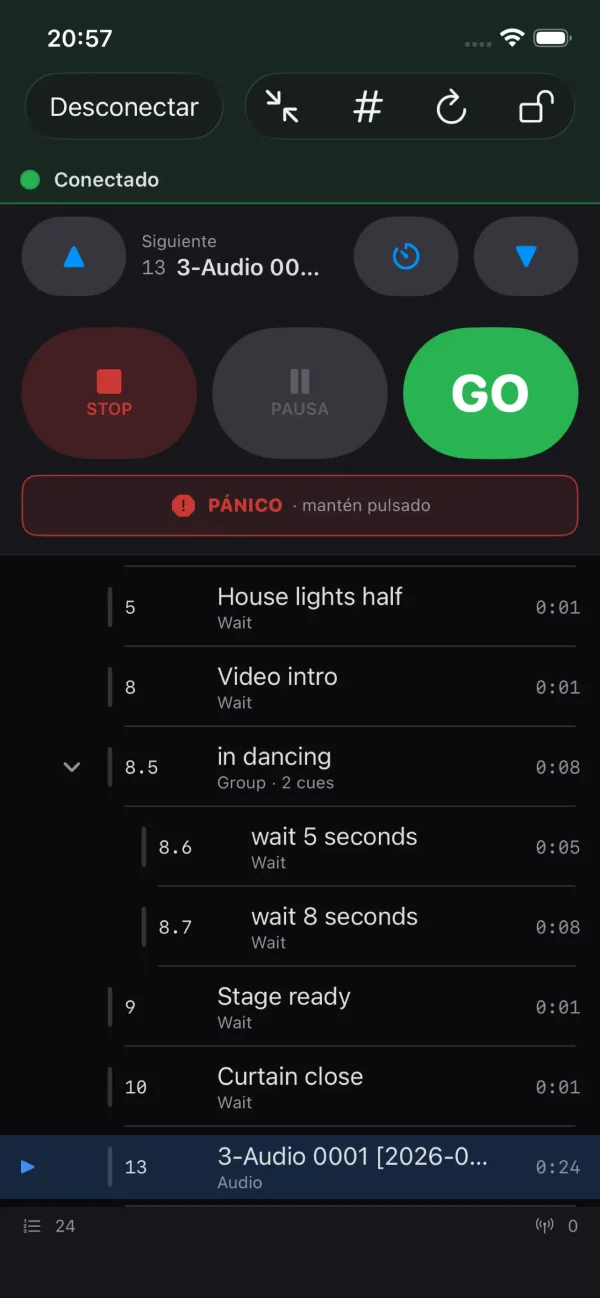
Giới thiệu
Nhà phát triển chưa cung cấp nội dung này bằng ngôn ngữ của bạn.
CueRemote is a remote control for operating QLab 5 from an iPhone or iPad over your venue’s local network.
See the live workspace, cue lists, playhead, and running or paused cues. Control GO, STOP, pause, resume, and playhead navigation with an interface designed for rehearsals and live shows.
LIVE CUE CONTROL
• GO, STOP, pause, resume, and stop each running cue individually.
• Load to Time: load a cue at a chosen point before GO, using the slider or buttons.
• Go to Cue: enter a cue number to fire it or move the playhead to it.
• Yellow progress bars show running, paused, and loaded cue progress, including pre-wait.
• Selecting another cue resets the previous cue and updates Load to Time.
• Open or close a Group in CueRemote and it updates in QLab.
• Select cues and move the playhead from the list.
• Switch cue lists from your device; GO fires the list shown in CueRemote.
• Carts: tap a cue to fire it.
• Lock controls to prevent accidental changes during a show.
• Get a warning when QLab and CueRemote show different cue lists.
CONNECTION
• Discover QLab automatically with Bonjour or connect manually by IP address.
• OSC over TCP with automatic reconnection.
• Connection status stays visible. Stale workspace data is identified and unsafe commands are disabled.
PRIVACY
CueRemote requires no account, has no ads, and uses no analytics or tracking. Connection data stays on your device. The QLab passcode is stored in the device’s Keychain and is not synced to iCloud.
REQUIREMENTS
• A Mac running QLab 5.
• iOS or iPadOS 17.6 or later.
• Your iPhone or iPad and Mac must be able to communicate over the local network.
• Enable OSC access in QLab and grant View and Control permissions. CueRemote never requests Edit permission.
QLab runs the show and plays its media. CueRemote displays workspace state and sends OSC control commands; it does not create, edit, or delete cues. QLab is a trademark of Figure 53, LLC. CueRemote is not affiliated with or endorsed by Figure 53.
Có gì mới
Phiên bản 1.2.1 · 30/09/2026
Improved touch cue selection and playhead updates, including better compatibility with QLab 4.7. Also improved switching between cue lists and workspaces, plus connection stability.
Quyền riêng tư của ứng dụng
Những gì UNQUINTO khai báo trên App Store về cách ứng dụng này xử lý dữ liệu.
-
Dữ liệu không được thu thập
Nhà phát triển không thu thập bất kỳ dữ liệu nào từ ứng dụng này.
Phương thức đảm bảo quyền riêng tư có thể khác nhau, chẳng hạn như tuỳ theo các tính năng bạn sử dụng hoặc độ tuổi của bạn.
Thông tin
- Người bán
- UNQUINTO ESTUDIO EDITORIAL Y SONORO SOCIEDAD LIMITADA
- Danh mục
- Tiện Ích
- Phiên bản
- 1.2.1
- Cập nhật
- 30/09/2026
- Phát hành
- 22/09/2026
- Kích thước
- 1,5 MB
- Yêu cầu
- iOS 17.6 trở lên
- Độ tuổi
- 4+
- Giá
- Miễn phí
- Ngôn ngữ
- Tiếng Anh, Tiếng Tây Ban Nha
- Bản quyền
- © 2026 UNQUINTO ESTUDIO EDITORIAL Y SONORO, S.L.