Day 1.
Your Days, Visualized
Được thiết kế cho iPhone, iPad
Miễn phí · Mua hàng trong ứng dụng
- Độ tuổi4+
- Danh mụcHiệu Suất
- Nhà phát triểnAnoop Chandrashekar
- Ngôn ngữTiếng Anh
- Kích thước167,3 MB
Liên kết đến trang App Store chính thức
Download.org không lưu trữ tệp nào của Day 1. Nút này mở trang ứng dụng trên App Store, nơi Anoop Chandrashekar phát hành ứng dụng. Trang được kiểm tra lần cuối: 17/11/2026.
Ảnh chụp màn hình



Giới thiệu
Nhà phát triển chưa cung cấp nội dung này bằng ngôn ngữ của bạn.
A year is 365 days. That sounds like a lot until you realize how quickly they slip by. Day 1 was built for people who want to pay attention to their time, not just spend it.
See Your Entire Year
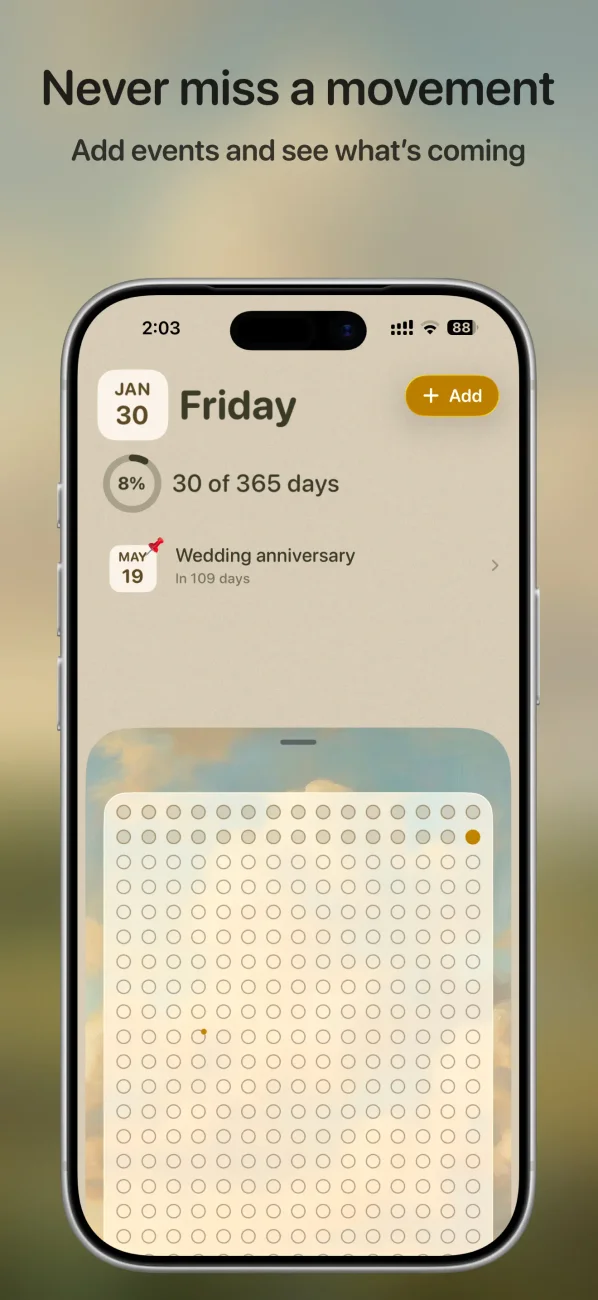
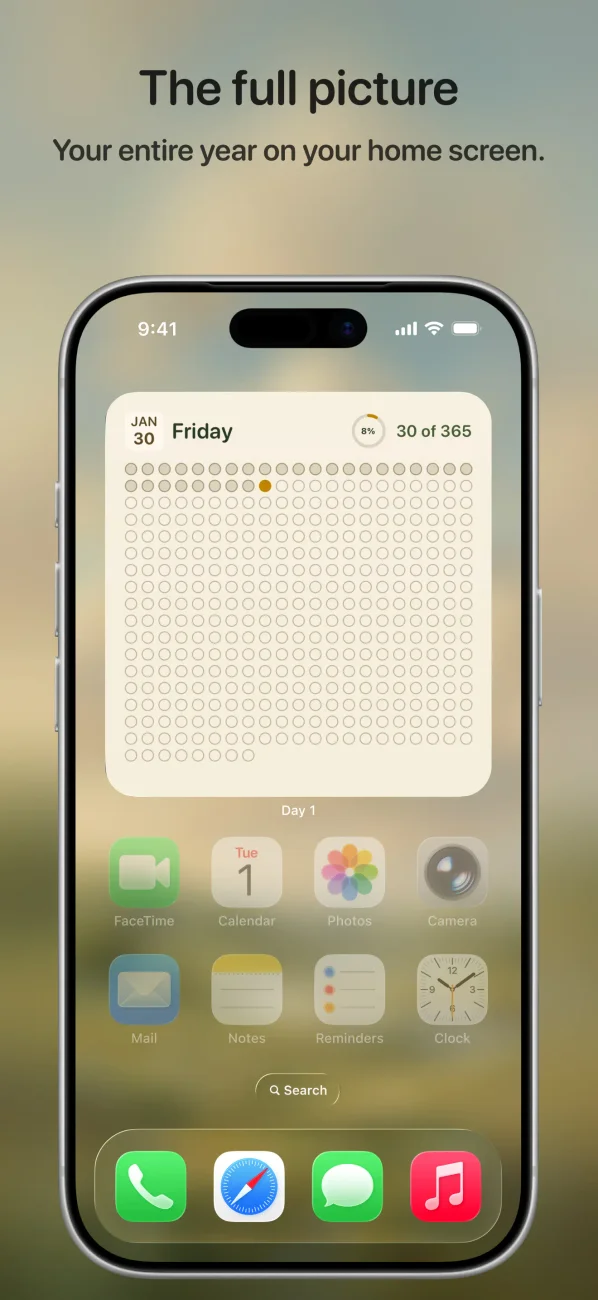
At the heart of Day 1 is a simple idea: what if you could look at your whole year at once? The 365-dot grid makes this possible. Each dot represents a single day. As you move through the year, you watch your grid fill in. It sounds simple because it is. And that simplicity is the point.
Mark What Matters
Track the moments that mean something to you. Maybe it's every day you went for a run. Every day you wrote. Every day you called your mom. Add custom events with your own emoji and names, and suddenly your year tells a story only you can read.
Notice How Each Day Felt
Some days deserve a note. Give any day a mood with a single tap, then look back and see the rhythm of your weeks and months. No journaling required. A gentle daily reminder can nudge you to check in, only if you want it.
Three Ways to Look at Time
Switch between yearly, monthly, and weekly views depending on what you need. The yearly view gives you perspective. The monthly view helps you plan. The weekly view keeps you present. A progress ring shows exactly where you stand in your year, no mental math required.
Your Year, Your Style
Choose from thoughtfully designed themes that make checking in feel like a small gift. Pick a dot shape that feels right. Day 1 was designed to be beautiful because beautiful things get used.
Widgets That Work
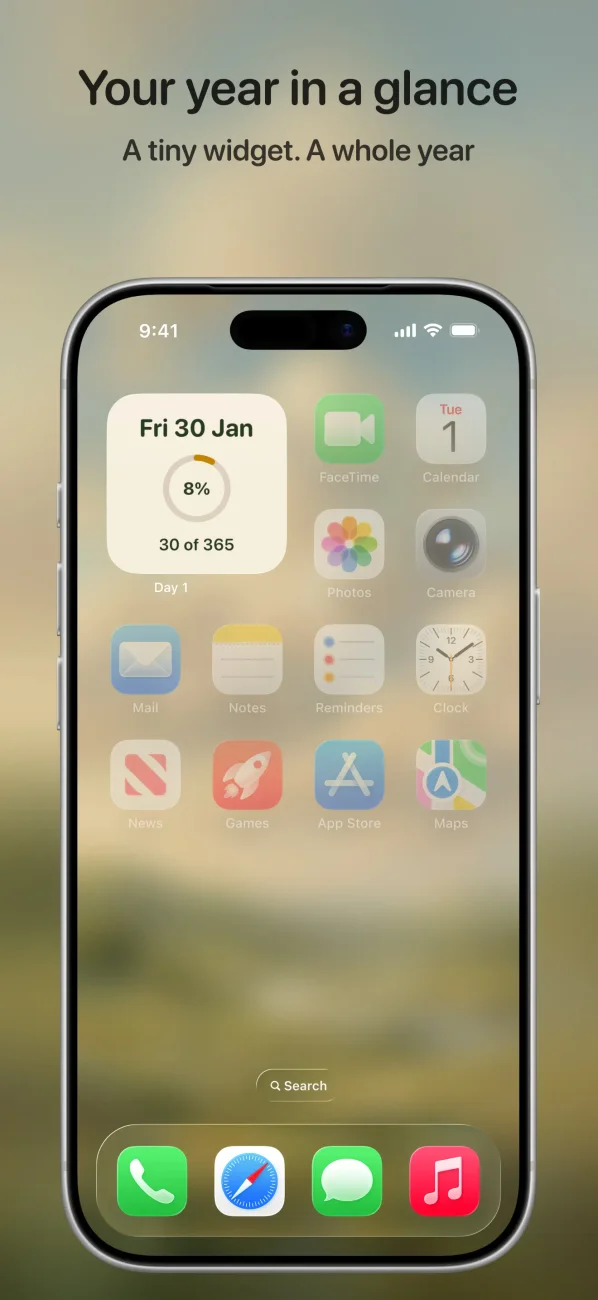
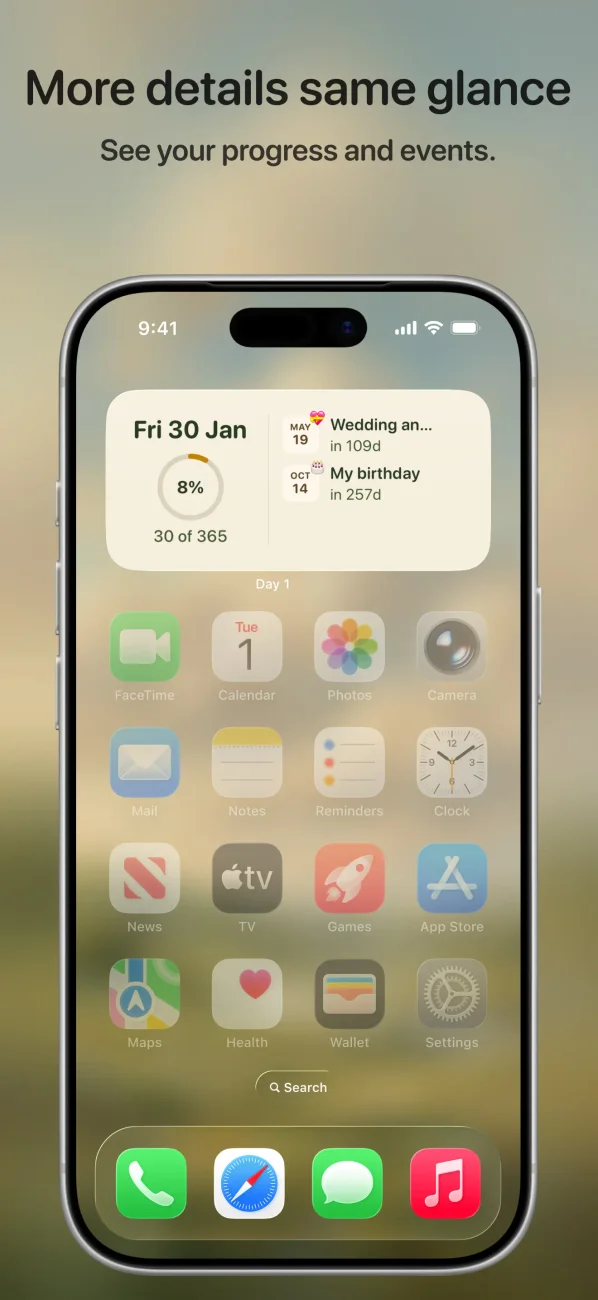
Bring your year to your home screen with widgets in three sizes. A lock screen widget keeps your progress visible every time you pick up your phone. Glance at your year without opening anything.
Sync and Privacy
iCloud keeps everything in sync across your devices. And because your days are personal, Day 1 collects no analytics and does no tracking. Your data stays yours.
Day 1 Premium
Unlock additional themes, dot shapes, and home screen widgets. Premium members also receive a digital membership card and family sharing support.
Some people journal. Some people use habit trackers. Day 1 is different. It doesn't ask you to write paragraphs or check boxes. It just asks you to notice your days and mark the ones that count.
Your year is already happening. Day 1 helps you see it.
Terms of Use (EULA): https://www.apple.com/legal/internet-services/itunes/dev/stdeula/
Privacy policy : https://get-dayone.com/privacy-policy
Có gì mới
Phiên bản 1.1.1 · 10/08/2026
A calm update about noticing your days, with a lot of quiet work under the hood.
Track how each day felt
Give any day a mood with a single tap, then look back across your week and year to see the shape of things.
Daily reminders
An optional, gentle nudge to check in, at a time you pick.
Your year so far
A recap of how the year is going, with the days and moods that made it up.
New themes
Light and Dark join the lineup, so Day 1 feels right in any room.
Share your year
Turn your year into a poster worth sending to someone.
More in Settings
A two-way year calculator, plus an archive of your notes and events.
Reliability and speed
A long list of improvements so everything loads faster and stays in sync across your devices, dependably.
Thank you for using Day 1. Here's to noticing more of your days.
Quyền riêng tư của ứng dụng
Những gì Anoop Chandrashekar khai báo trên App Store về cách ứng dụng này xử lý dữ liệu.
-
Dữ liệu không được thu thập
Nhà phát triển không thu thập bất kỳ dữ liệu nào từ ứng dụng này.
Phương thức đảm bảo quyền riêng tư có thể khác nhau, chẳng hạn như tuỳ theo các tính năng bạn sử dụng hoặc độ tuổi của bạn.
Thông tin
- Người bán
- Anoop Chandrashekar
- Danh mục
- Hiệu Suất
- Phiên bản
- 1.1.1
- Cập nhật
- 10/08/2026
- Phát hành
- 10/02/2026
- Kích thước
- 167,3 MB
- Yêu cầu
- iOS 17.6 trở lên
- Độ tuổi
- 4+
- Giá
- Miễn phí
- Mua hàng trong ứng dụng
- Có
- Ngôn ngữ
- Tiếng Anh
- Bản quyền
- © 2025 Anoop Chandrashekar
Có thể bạn cũng thích
-
 Calendar Widget: GlowHiệu Suất
-
 Pomodoro Timer: Tempo FocusHiệu Suất
-
 Re:mindr - Quick RemindersHiệu Suất
-
 Habit Tracker - DayriseHiệu Suất
-
 ReclaimItHiệu Suất
-
 Anchor: Time Blocking PlannerHiệu Suất
-
 Exoplan: AI Energy PlannerHiệu Suất
-
 Habitz — Theo Dõi Thói QuenKế Hoạch & Mục Tiêu
-
 DayTrace - Habit TrackerHiệu Suất
-
 Easlo ExperimentsHiệu Suất