- Độ tuổi4+
- Danh mụcĐồ Họa & Thiết Kế
- Nhà phát triểnMarkus Moenig
- Ngôn ngữTiếng Anh+ 6 ngôn ngữ khác
- Kích thước47,8 MB
Liên kết đến trang App Store chính thức
Download.org không lưu trữ tệp nào của Denrim: Forge. Nút này mở trang ứng dụng trên App Store, nơi Markus Moenig phát hành ứng dụng. Trang được kiểm tra lần cuối: 17/11/2026.
Ảnh chụp màn hình



Giới thiệu
Nhà phát triển chưa cung cấp nội dung này bằng ngôn ngữ của bạn.
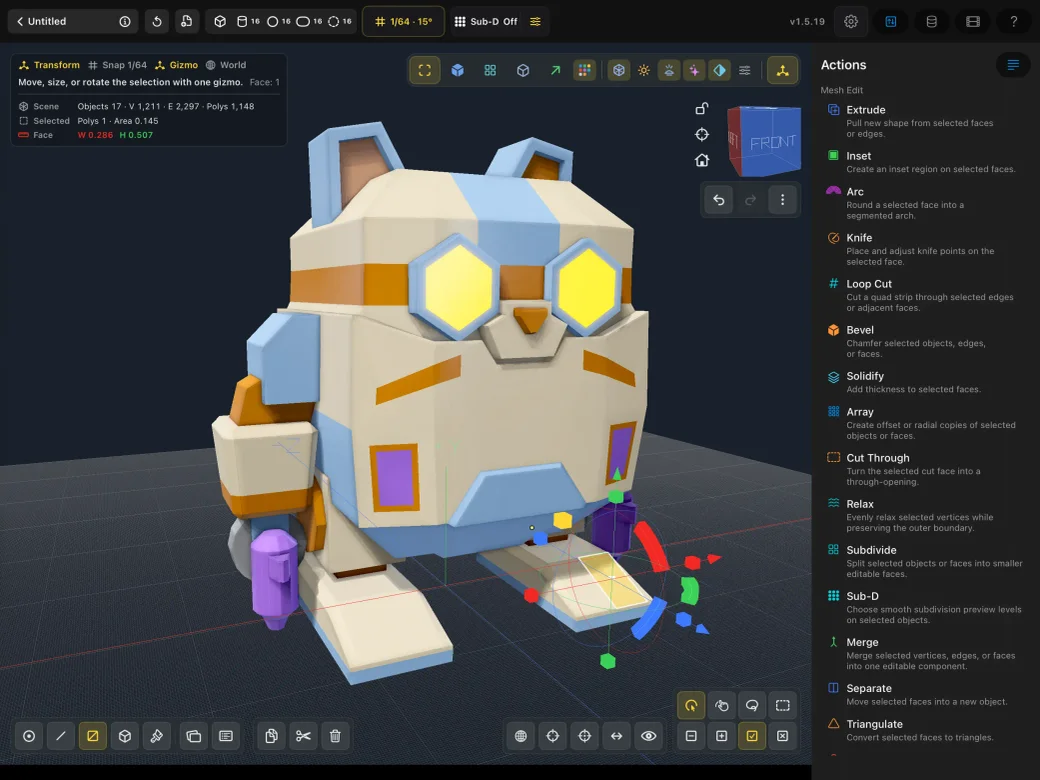
Denrim: Forge is a focused 3D modeler for creating game-ready props, stylized figurines, logos, animated objects, and printable assets.
Start with simple primitives, imported geometry, or SVG artwork. Shape your model directly in the viewport, build layered textures, animate objects, and export to the workflow you need.
• Build with boxes, cylinders, spheres, capsules, and tori, or turn SVG paths into solid 3D geometry.
• Shape models with Transform, Push/Pull, Extrude, Inset, Bevel, Knife, Lathe, Grab Brush, Offset, Circlify, Align to Face, and more.
• Combine shapes with editable Union, Subtract, and Intersect Boolean stacks. Adjust operands before applying the result.
• Work precisely with project units, grid, vertex and edge-midpoint snapping, numeric controls, transform orientations, symmetry, and flexible selection tools.
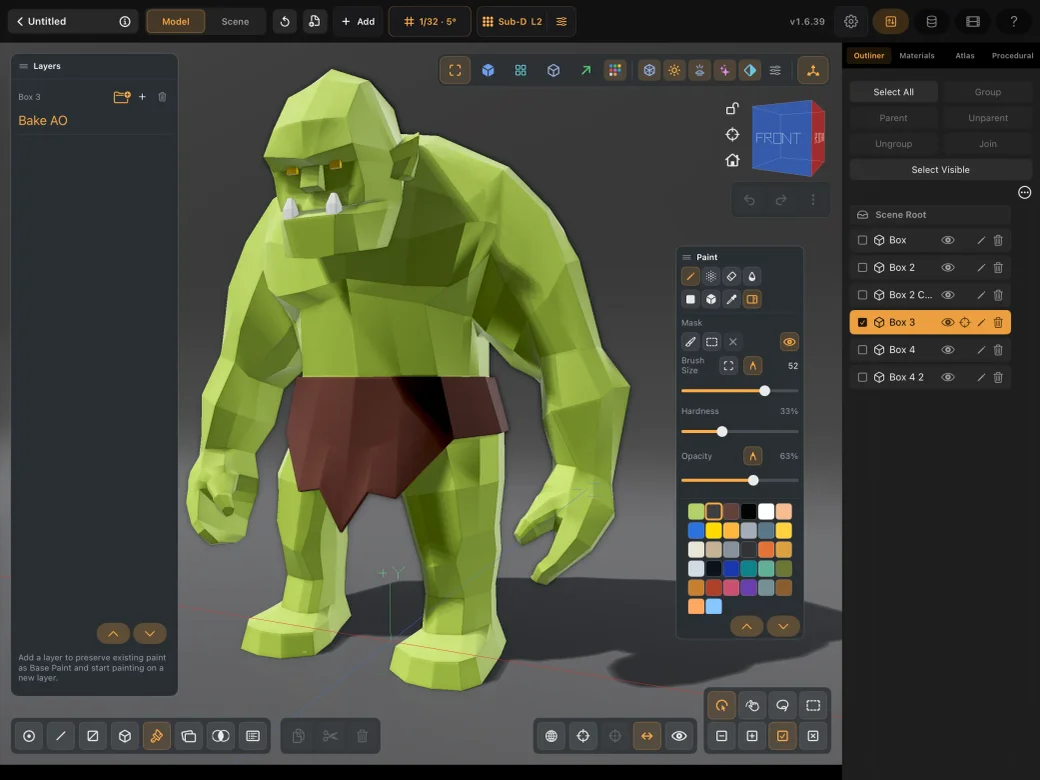
• Paint directly on the model or in the 2D Atlas with Pencil, Airbrush, Erase, Smooth, Fill, rectangle, and lasso tools.
• Build named paint layers and folders with opacity, blend modes, visibility, locking, and pixel-level protection masks.
• Create reusable procedural brushes from shapes, repetition, noise, and imported stamps, with controls for color, roughness, metallic, and height.
• Browse Poly Haven PBR materials, paint with them or fill a layer, and bake ambient occlusion into a new paint layer.
• Create and pack UV maps, mark seams, select UV islands, generate automatic UVs, and adjust paint texture resolution.
• Arrange repeated objects along an ellipse with equal spacing and tangent orientation.
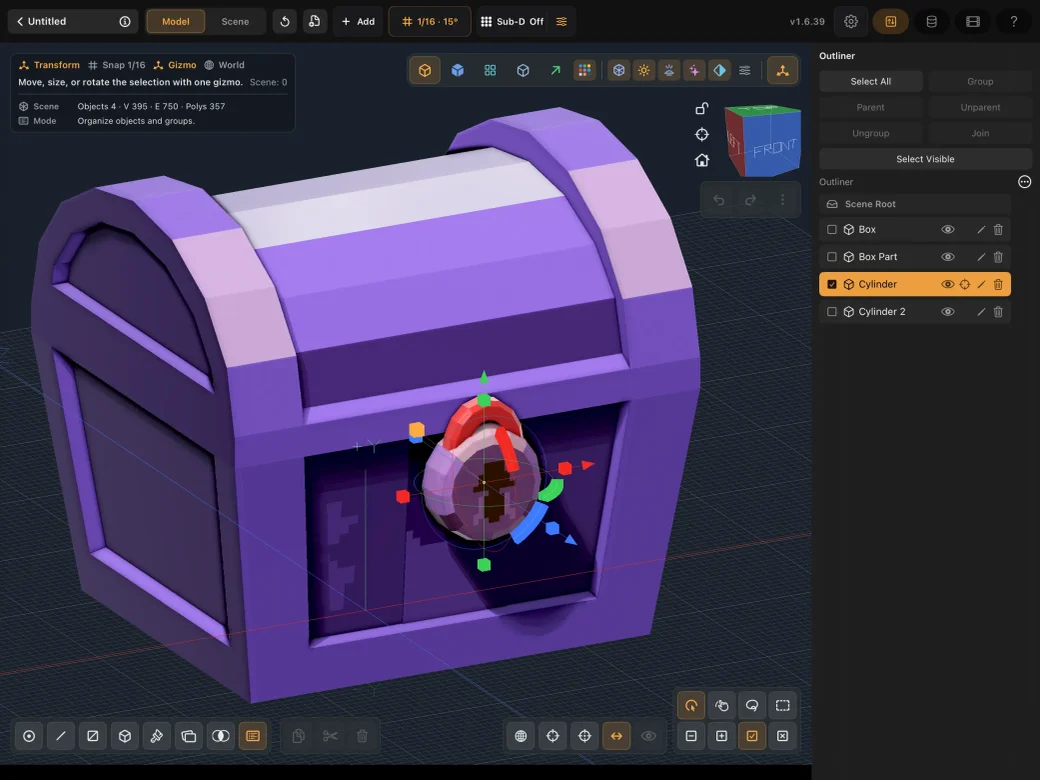
• Organize objects into groups and parent-child hierarchies for articulated props and complex scenes.
• Animate position, rotation, and scale with clips, Auto Key, editable keyframes, interpolation controls, and synchronized multi-item playback.
• Extend keyed motion with Constant, Repeat, Oscillate, and Offset Repeat channel behavior.
• Merge other Forge projects while preserving objects, hierarchies, layers, materials, UV maps, paint, and animation.
• Preview with Sub-D, control smooth shading, repair meshes, and inspect topology.
• Present your work with HDR environment lighting, reflections, tone mapping, and Studio PBR rendering, with adjustable Ambient Occlusion radius.
• Import OBJ, STL, 3MF, and SVG geometry. Export textured OBJ bundles, vertex-color OBJ, animated GLB, USDZ, STL, painted 3MF, and PNG renderings.
• Choose OBJ/STL export units to match your game-engine, Blender, or 3D-printing workflow.
• Show pointer, touch, and keyboard feedback when recording demonstrations.
• Customize toolbars and shortcuts, choose Light or Dark appearance, and learn with integrated contextual help.
Native for macOS and iPadOS, with iCloud sync.
Có gì mới
Phiên bản 1.6.48 · 10/11/2026
Vertex Slide and expanded live symmetry make precision modeling more flexible in Forge 1.6.48.
VERTEX SLIDE
• Slide individual vertices or a selection along connected edges without changing topology, UVs, paint, or materials.
• Drag vertices directly in the viewport, choose the next edge, or enter a slide fraction, including negative values.
• Preview the result before applying, with live symmetry and pinned center seams.
LIVE SYMMETRY
• Use live X/Y/Z symmetry with Inset, Offset, face and edge Extrude, face and edge Bevel, Loop Cut, Grab Brush, and Smooth/Relax.
• Mirrored edits preserve center seams and avoid applying overlapping brush influence twice.
GRAB BRUSH WITH SUB-D
• Grab Brush and Smooth/Relax now work while live subdivision is enabled. Shape the original mesh and see the smoothed result without freezing Sub-D.
IMPORT IMPROVEMENTS
• Import static GLB models with UVs, supported PBR materials, and embedded textures.
• Open OBJ ZIP bundles containing MTL files and texture images.
• Import whole-face filament colors from Bambu 3MF files.
REFINEMENTS
• Improved Vertex Slide edge selection, dense-mesh editing feedback, and wireframe display after rotating the view.
• Restored the compact floating Poly Haven browser.
• Clearer tool exit and Apply controls.
• Improved iPad hardware-keyboard shortcuts, trackpad input, and pinch navigation.
• Fixed iPad Auto Save when returning to the document browser and Scene camera edits snapping back after a pinch.
Quyền riêng tư của ứng dụng
Những gì Markus Moenig khai báo trên App Store về cách ứng dụng này xử lý dữ liệu.
-
Dữ liệu không được thu thập
Nhà phát triển không thu thập bất kỳ dữ liệu nào từ ứng dụng này.
Phương thức đảm bảo quyền riêng tư có thể khác nhau, chẳng hạn như tuỳ theo các tính năng bạn sử dụng hoặc độ tuổi của bạn.
Thông tin
- Người bán
- Markus Moenig
- Danh mục
- Đồ Họa & Thiết Kế
- Phiên bản
- 1.6.48
- Cập nhật
- 10/11/2026
- Phát hành
- 20/07/2026
- Kích thước
- 47,8 MB
- Yêu cầu
- iOS 18.6 trở lên
- Độ tuổi
- 4+
- Giá
- 499.000đ
- Ngôn ngữ
- Tiếng Anh, Tiếng Pháp, Tiếng Đức, Tiếng Nhật, Tiếng Hàn, Tiếng Trung Giản thể, Tiếng Tây Ban Nha
- Bản quyền
- © 2026 Markus Moenig
Có thể bạn cũng thích
-
 ArtiMesh: 3D ModelingĐồ Họa & Thiết Kế
-
 CozyBlanket ProĐồ Họa & Thiết Kế
-
 MorphinĐồ Họa & Thiết Kế
-
 ArmorPaintĐồ Họa & Thiết Kế
-
 Uniform - 3D EditorĐồ Họa & Thiết Kế
-
 Valence 3DĐồ Họa & Thiết Kế
-
 Wafer - 3D Texture PaintĐồ Họa & Thiết Kế
-
 Part3D: 3D CAD & ModelingĐồ Họa & Thiết Kế
-
 Charactool: Customizable PoserĐồ Họa & Thiết Kế
-
 Feather: Draw in 3DĐồ Họa & Thiết Kế