DinoWallet
Tap, snap or say it — logged
Được thiết kế cho iPhone, iPad
Miễn phí · Mua hàng trong ứng dụng
- Độ tuổi4+
- Danh mụcTài Chính
- Nhà phát triểnFung YING lung
- Ngôn ngữTiếng Anh+ 7 ngôn ngữ khác
- Kích thước22,8 MB
Liên kết đến trang App Store chính thức
Download.org không lưu trữ tệp nào của DinoWallet. Nút này mở trang ứng dụng trên App Store, nơi Fung YING lung phát hành ứng dụng. Trang được kiểm tra lần cuối: 28/11/2026.
Ảnh chụp màn hình

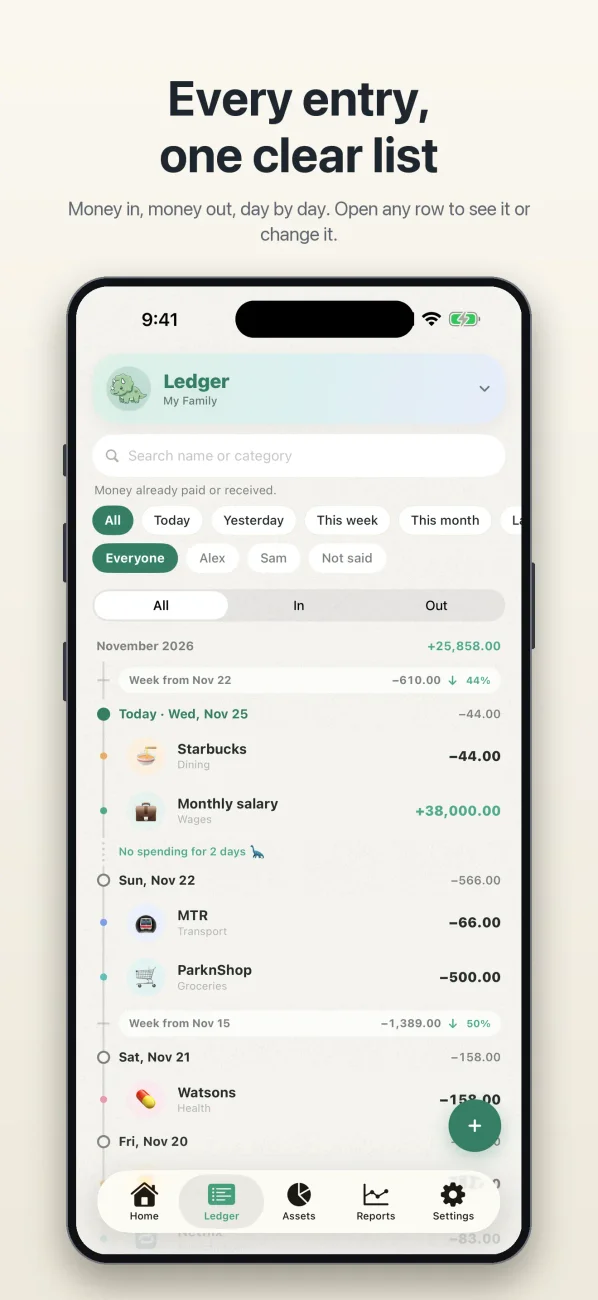
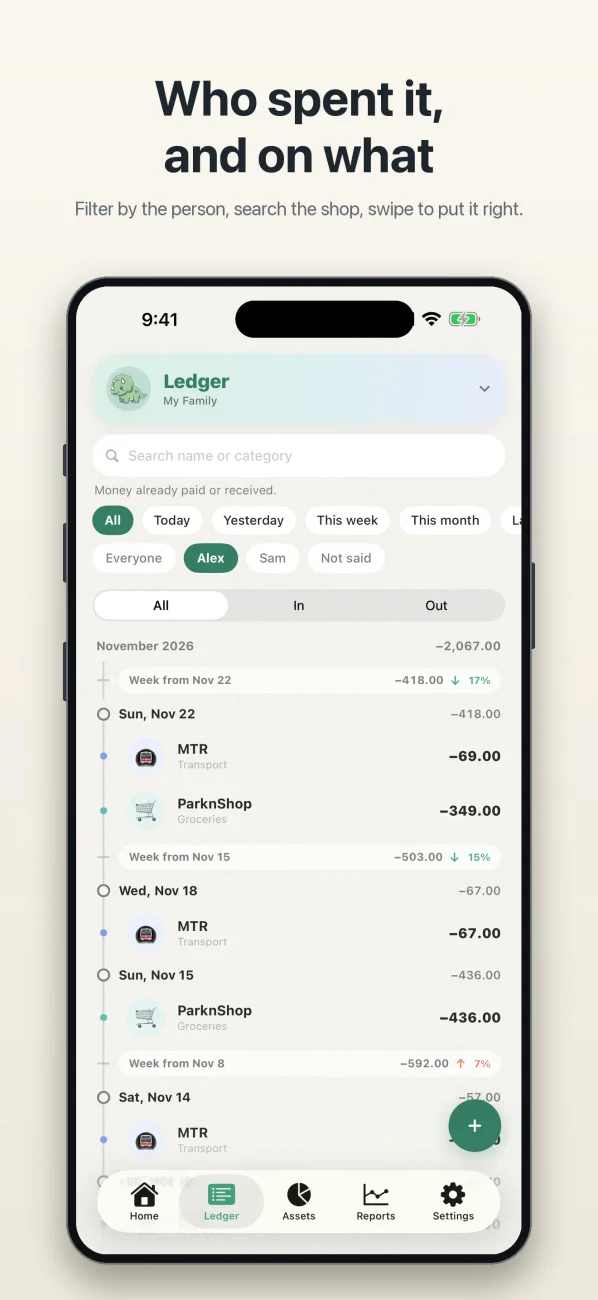
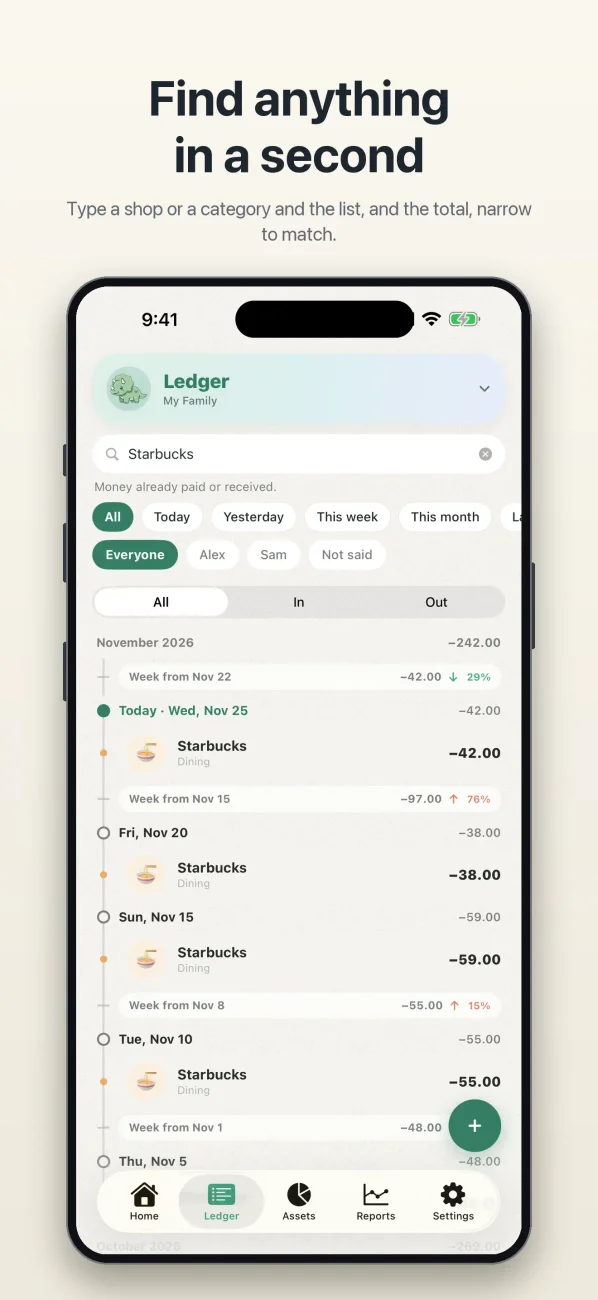
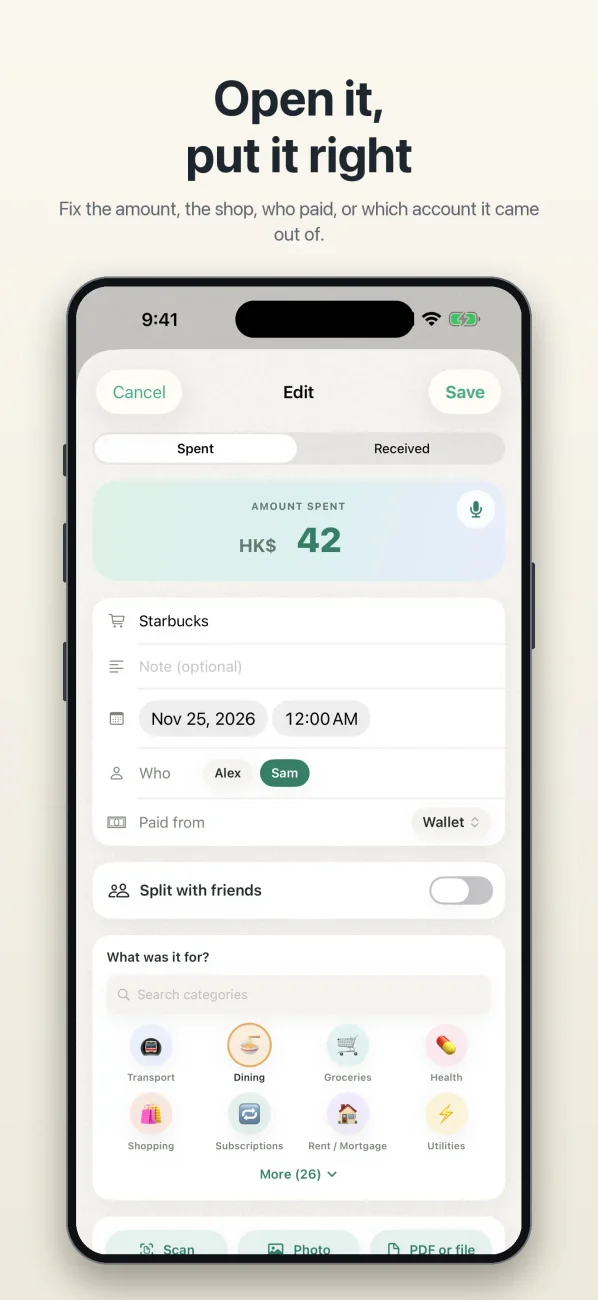
Giới thiệu
Nhà phát triển chưa cung cấp nội dung này bằng ngôn ngữ của bạn.
A small dinosaur that keeps your books.
Writing something down should take a second. Photograph the receipt, say it out loud, or type one number into the notification after you tap to pay. DinoWallet does the rest.
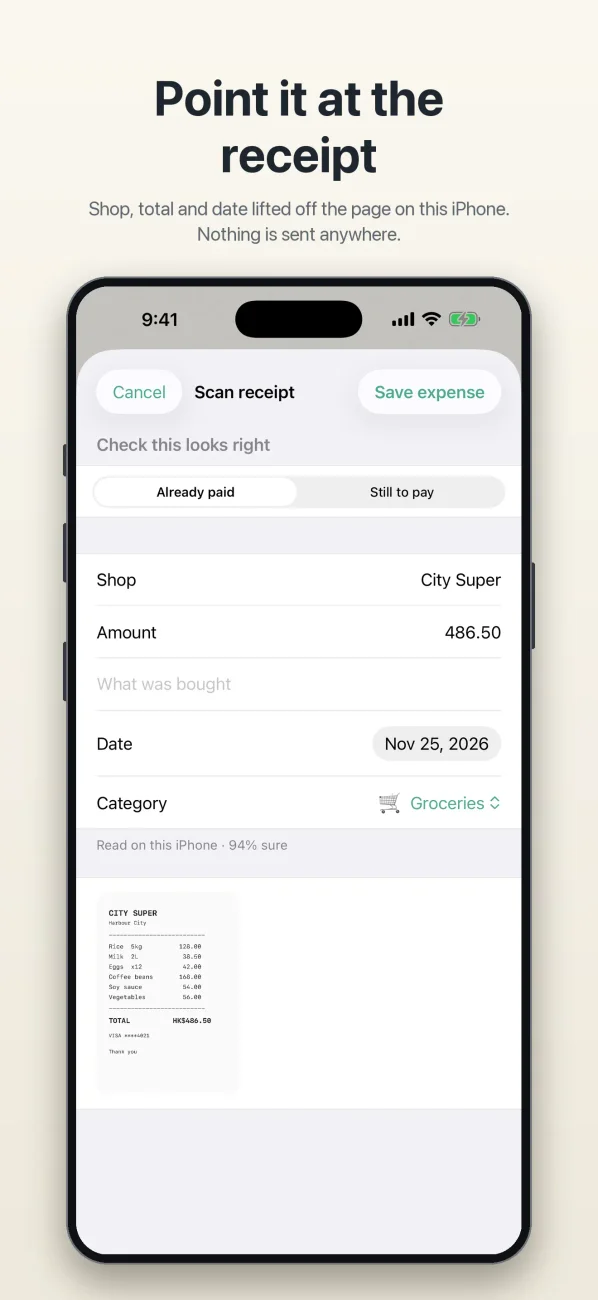
■ Point it at the receipt
Receipts, invoices and PDFs are read on the phone — shop, amount, date, and which category it belongs in. Apple's on-device model does the thinking. Nothing is sent anywhere.
■ Every entry moves an account
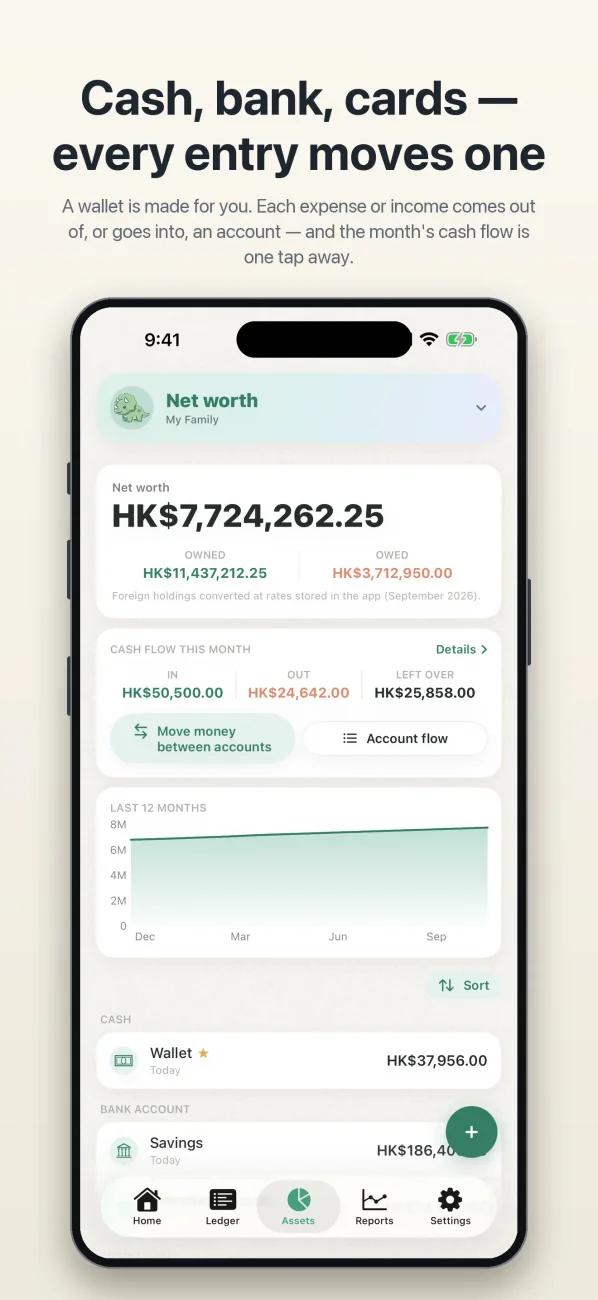
A cash wallet is made for you. Each expense comes out of an account and each income goes into one — cash, bank, credit card — so balances stay true, and a card's debt grows when you spend on it. Move money between accounts without it counting as spending. See the month's cash flow: what came in, what went out, what is left, account by account.
■ Not just spending — what you are worth
The flat, the savings, the shares, the mortgage. One net worth figure, kept month by month. When you record a mortgage payment it is split into interest and principal, because only the principal moves your net worth, and we would rather say so.
■ A meadow that shows how you are doing
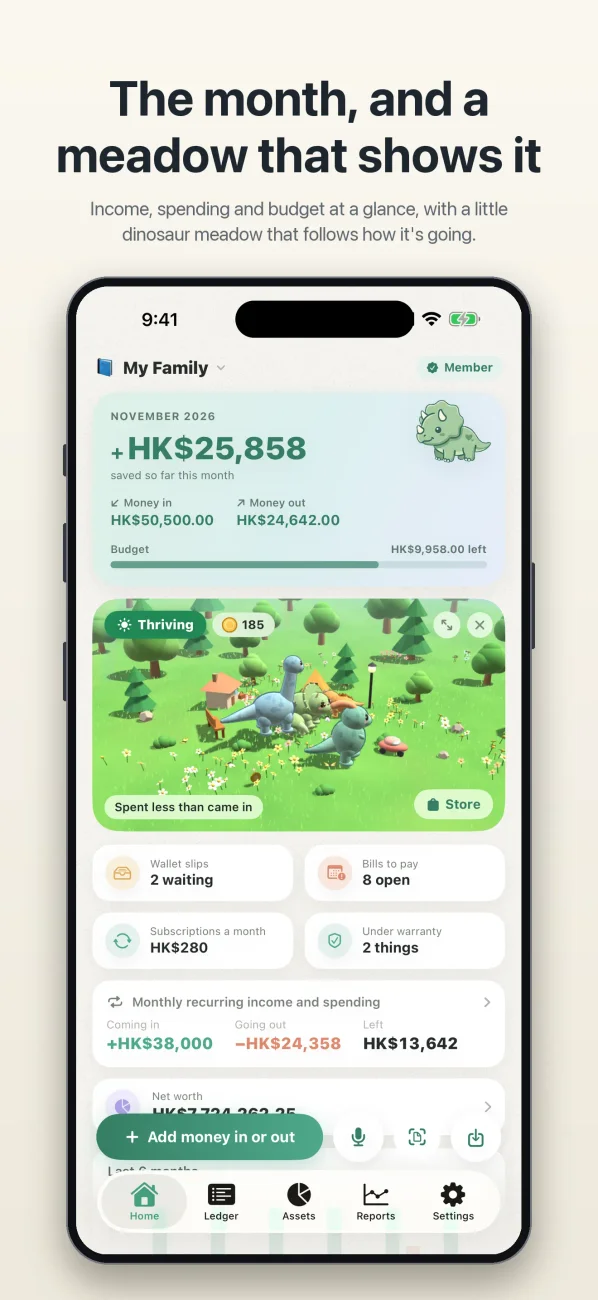
Home has a small dinosaur meadow. When the last 30 days look good — you spent less than came in, budgets held, bills paid — it is sunny, with flowers and butterflies. When they do not, clouds roll in, and a line under the picture says exactly why. Check in each day to earn coins, then adopt more dinosaurs, buy food to feed them and decorate the meadow. Coins are earned by using the app and can never be bought. Prefer a quieter Home? Switch the meadow off in Settings.
■ Reports you can actually read
A spending calendar shows which days cost you, rather than a total you have to take on faith. Day by day, month by month, and where it all went.
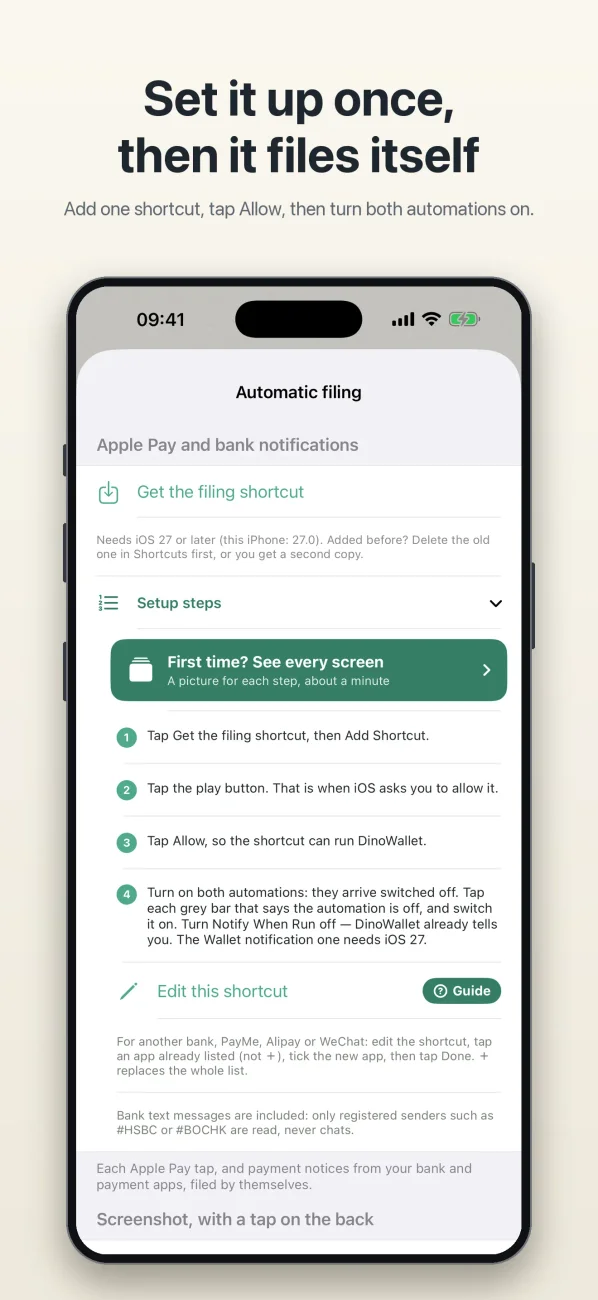
■ Files itself
Screenshot a payment and double-tap the back of the phone, or tap to pay and let a Shortcuts automation hand it over. Step-by-step setup is in Settings.
■ Keep the books together
Share one book over iCloud. Who spent it and what on, without anyone having to ask.
■ Say it instead
Speak an entry and it is filed. Cantonese, English, and whatever your phone understands.
■ And
· Several books — home, a shop, a trip, a flat that is let
· Bills you can open, mark paid or edit, with reminders
· Any currency, converted for the totals
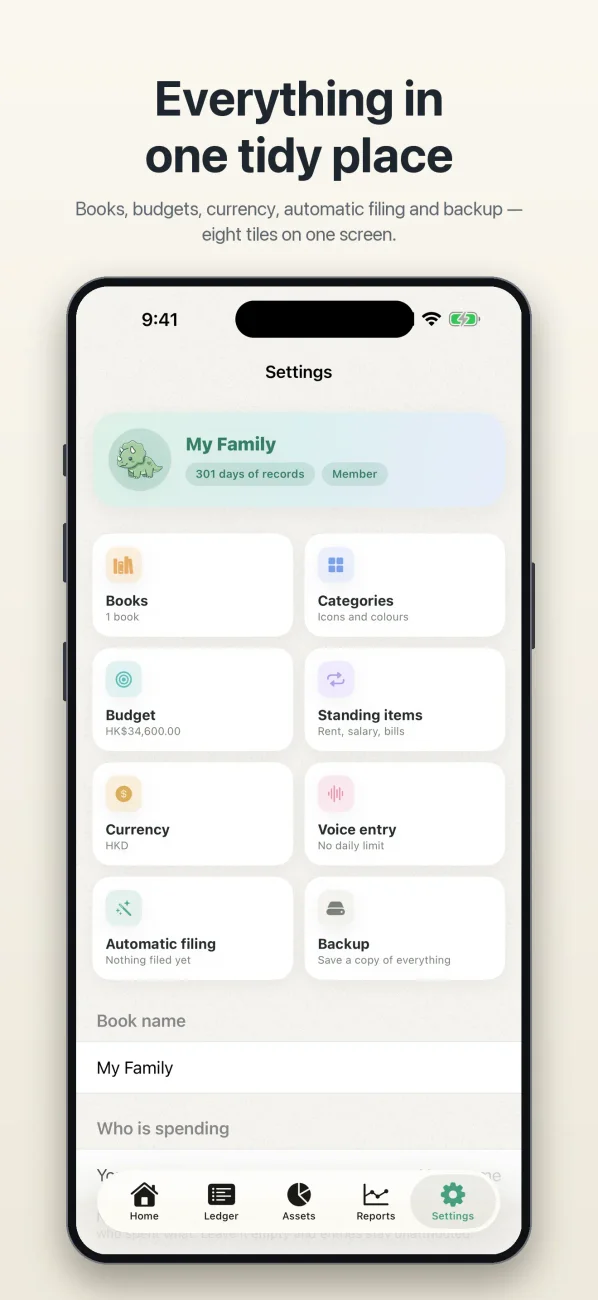
· Standing items, monthly budgets, limits per category
· One file backup you can restore anywhere
· Eight languages and twelve dinosaurs
■ Your figures are yours
No bank login. No account to open. Everything stays on your iPhone and in your own iCloud, the meadow and your coins included. We cannot see your numbers, because they never leave your phone.
Free: 20 receipts read a month. Membership: unlimited reading, whole statements imported at once, voice entries every day, and as many books as you keep, plus more than five accounts and assets, CSV export, and more dinosaurs on the meadow.
Terms of Use: https://furmilyhk.github.io/dinowallet/terms
Privacy Policy: https://furmilyhk.github.io/dinowallet/privacy
EULA: https://www.apple.com/legal/internet-services/itunes/dev/stdeula/
Works on iPhone, iPhone Duo (folded or open) and iPad.
Có gì mới
Phiên bản 1.13 · 26/11/2026
• Subcategories: add them under any category (Settings → Categories, tap +). Spending counts in the main category's budget, and Reports opens a main category to show each one. Rules can file straight into a subcategory.
• Tags: write #travel in a note, or pick tags with a search. A new Tags page in Settings lists every tag with how many entries carry it, to search, add, rename, delete and sort; Reports totals each tag.
• Instalment plans for bills: the price, the number of payments and a fee or monthly flat rate. Each payment is recorded, the bill shows what is paid and still owed, and it stops after the last one.
• Ledger search finds amounts (254 finds HK$254.11) and #tags.
• A scanned receipt keeps its own currency, which you can change, with the amount in your book's currency underneath.
• Bills: the due date printed on the bill is used, read day first.
• Octopus: a card below zero is read correctly, and fare adjustments are filed as a refund.
• Tidier ledger rows: the time leads the grey line, and transfers look like the entries around them.
• Fixed: on an entry with a tall receipt photo, categories could not be tapped.
• Family sharing: says to invite by Messages or Mail; a copied link only opens for people already invited.
Quyền riêng tư của ứng dụng
Những gì Fung YING lung khai báo trên App Store về cách ứng dụng này xử lý dữ liệu.
-
Dữ liệu không liên kết với bạn
Có thể được thu thập nhưng không liên kết với danh tính của bạn.
- Nội dung của người dùng
- Mã định danh
Phương thức đảm bảo quyền riêng tư có thể khác nhau, chẳng hạn như tuỳ theo các tính năng bạn sử dụng hoặc độ tuổi của bạn.
Thông tin
- Người bán
- Fung YING lung
- Danh mục
- Tài Chính
- Phiên bản
- 1.13
- Cập nhật
- 26/11/2026
- Phát hành
- 01/11/2026
- Kích thước
- 22,8 MB
- Yêu cầu
- iOS 17.4 trở lên
- Độ tuổi
- 4+
- Giá
- Miễn phí
- Mua hàng trong ứng dụng
- Có
- Ngôn ngữ
- Tiếng Anh, Tiếng Pháp, Tiếng Đức, Tiếng Nhật, Tiếng Hàn, Tiếng Trung Giản thể, Tiếng Tây Ban Nha, Tiếng Trung Phồn thể
- Bản quyền
- © 2026 Fung Ying Lung