DinoWallet
Tap, snap or say it — logged
Designed for iPhone, iPad
Free · In-app purchases
- Age rating4+
- CategoryFinance
- DeveloperFung YING lung
- LanguagesEnglish+ 7 more
- Size21.9 MB
Links to the official App Store page
Download.org hosts no file of DinoWallet. The button opens its official App Store page, published by Fung YING lung. Listing last checked on Nov 24, 2026.
Screenshots

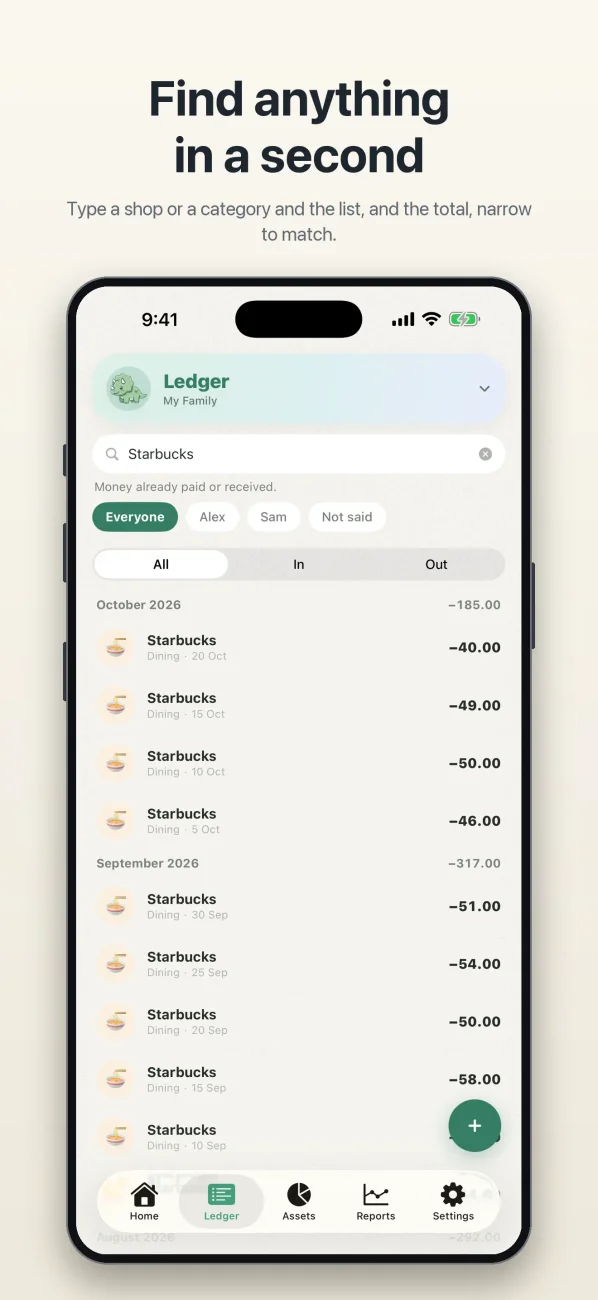
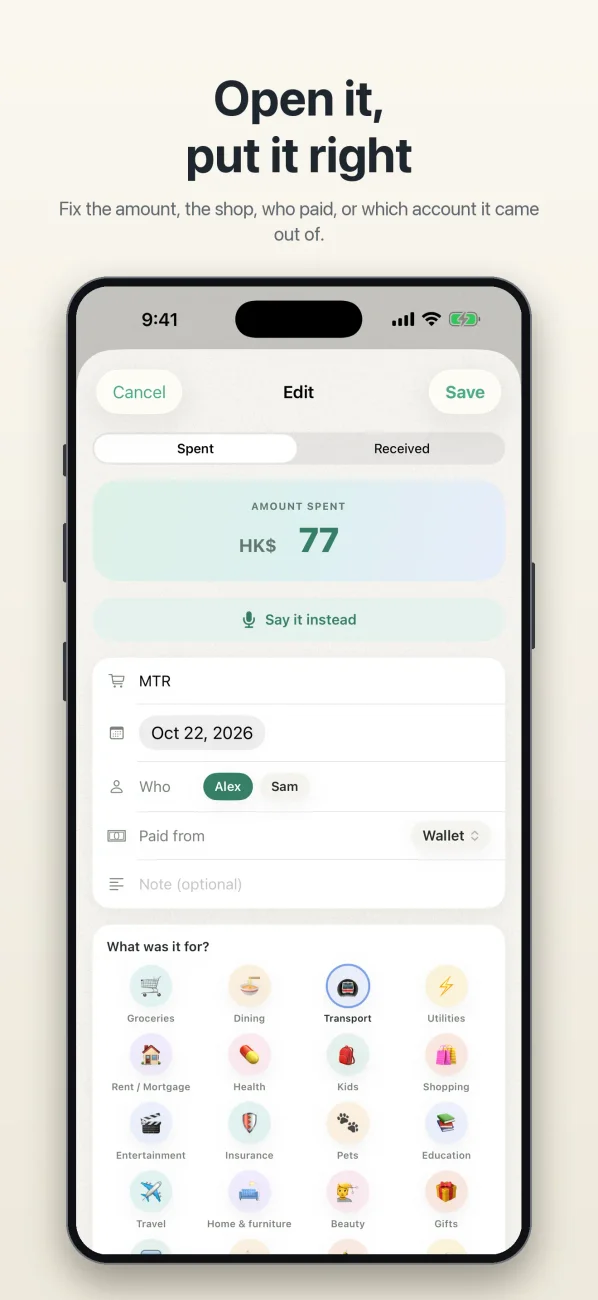


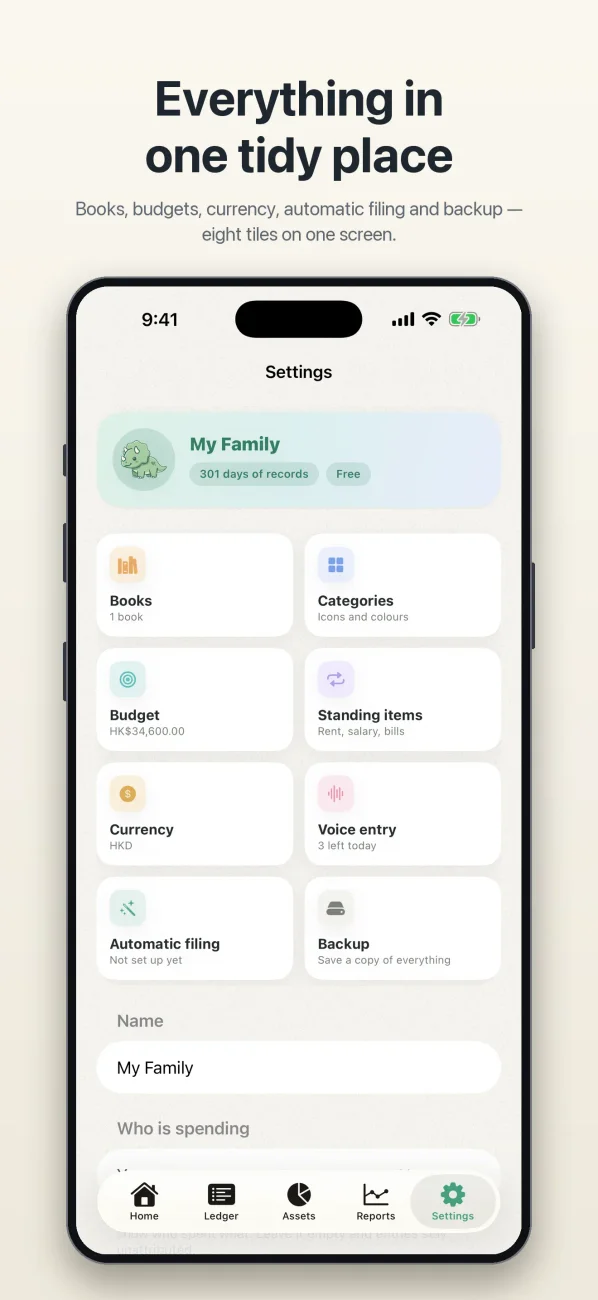
About
A small dinosaur that keeps your books.
Writing something down should take a second. Photograph the receipt, say it out loud, or type one number into the notification after you tap to pay. DinoWallet does the rest.
■ Point it at the receipt
Receipts, invoices and PDFs are read on the phone — shop, amount, date, and which category it belongs in. Apple's on-device model does the thinking. Nothing is sent anywhere.
■ Every entry moves an account
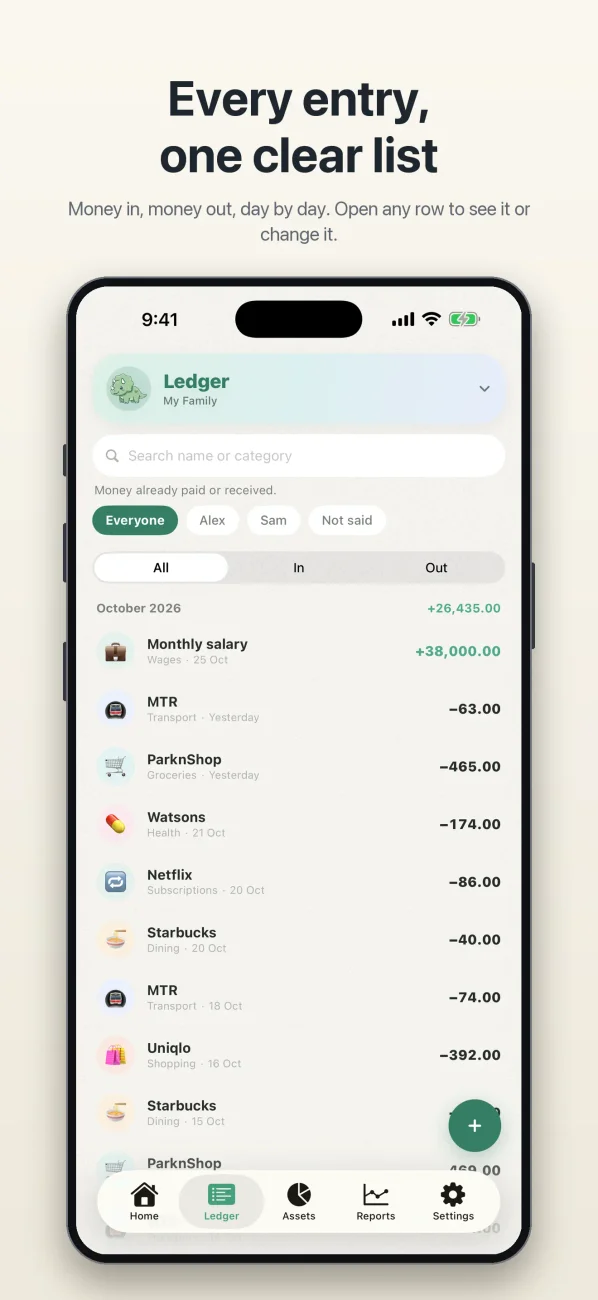
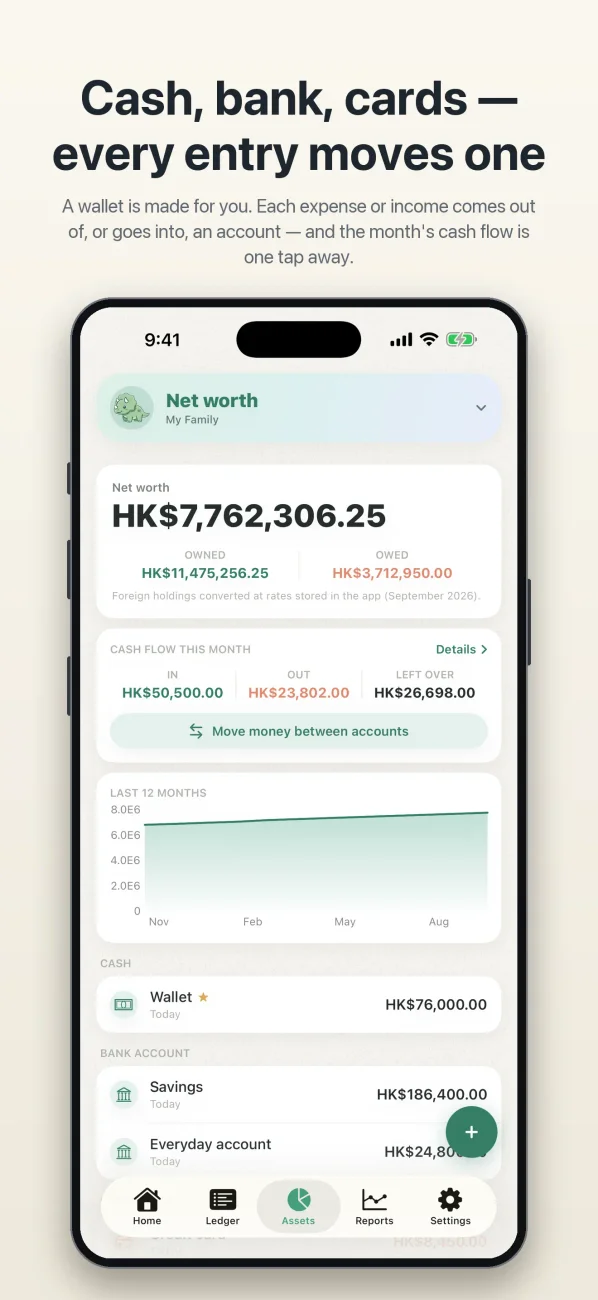
A cash wallet is made for you. Each expense comes out of an account and each income goes into one — cash, bank, credit card — so balances stay true, and a card's debt grows when you spend on it. Move money between accounts without it counting as spending. See the month's cash flow: what came in, what went out, what is left, account by account.
■ Not just spending — what you are worth
The flat, the savings, the shares, the mortgage. One net worth figure, kept month by month. When you record a mortgage payment it is split into interest and principal, because only the principal moves your net worth, and we would rather say so.
■ A meadow that shows how you are doing
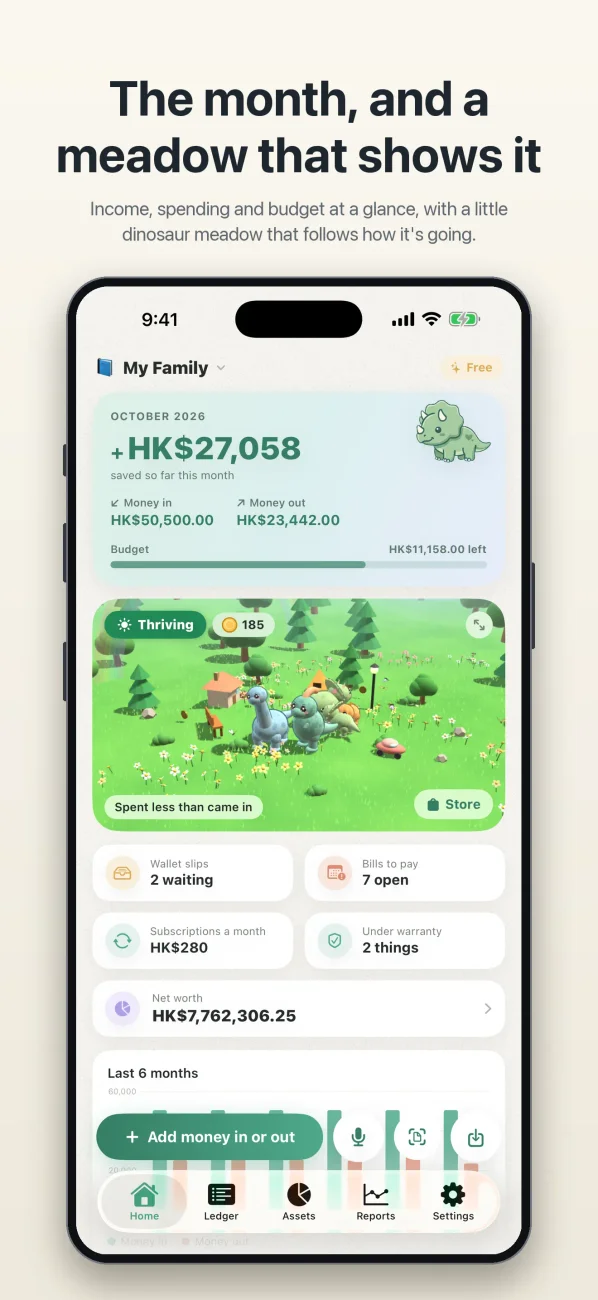
Home has a small dinosaur meadow. When the last 30 days look good — you spent less than came in, budgets held, bills paid — it is sunny, with flowers and butterflies. When they do not, clouds roll in, and a line under the picture says exactly why. Check in each day to earn coins, then adopt more dinosaurs, buy food to feed them and decorate the meadow. Coins are earned by using the app and can never be bought. Prefer a quieter Home? Switch the meadow off in Settings.
■ Reports you can actually read
A spending calendar shows which days cost you, rather than a total you have to take on faith. Day by day, month by month, and where it all went.
■ Files itself
Screenshot a payment and double-tap the back of the phone, or tap to pay and let a Shortcuts automation hand it over. Step-by-step setup is in Settings.
■ Keep the books together
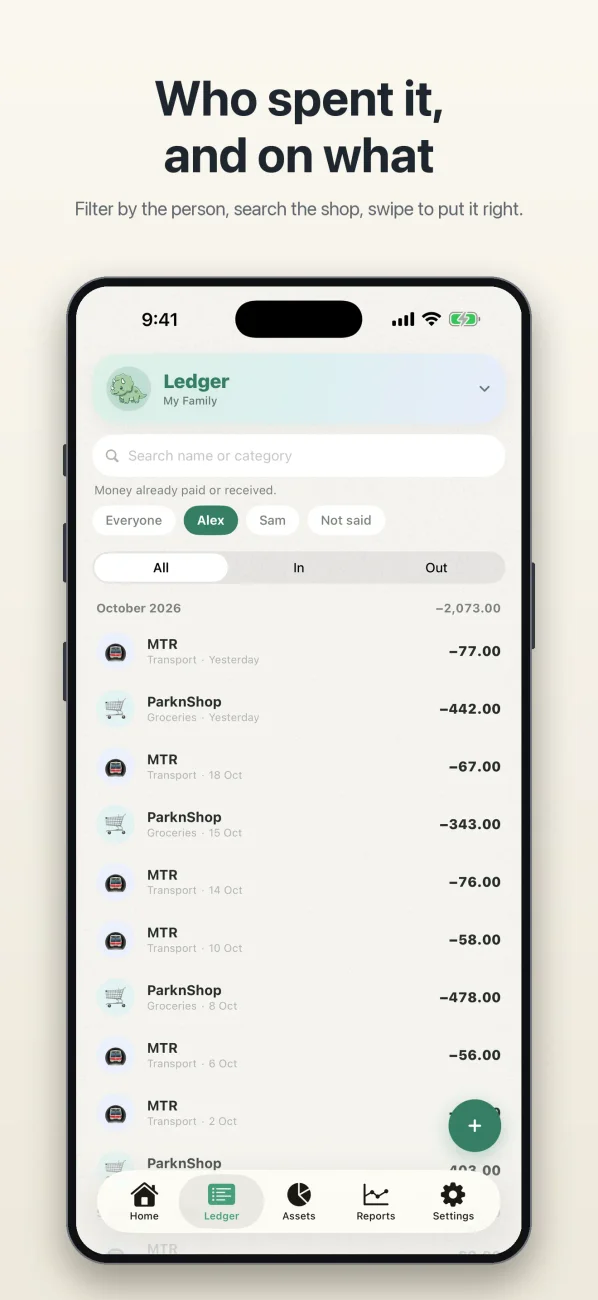
Share one book over iCloud. Who spent it and what on, without anyone having to ask.
■ Say it instead
Speak an entry and it is filed. Cantonese, English, and whatever your phone understands.
■ And
· Several books — home, a shop, a trip, a flat that is let
· Bills you can open, mark paid or edit, with reminders
· Any currency, converted for the totals
· Standing items, monthly budgets, limits per category
· One file backup you can restore anywhere
· Eight languages and twelve dinosaurs
■ Your figures are yours
No bank login. No account to open. Everything stays on your iPhone and in your own iCloud, the meadow and your coins included. We cannot see your numbers, because they never leave your phone.
Free: 20 receipts read a month. Membership: unlimited reading, whole statements imported at once, voice entries every day, and as many books as you keep, plus more than five accounts and assets, CSV export, and more dinosaurs on the meadow.
Terms of Use: https://furmilyhk.github.io/dinowallet/terms
Privacy Policy: https://furmilyhk.github.io/dinowallet/privacy
EULA: https://www.apple.com/legal/internet-services/itunes/dev/stdeula/
Works on iPhone, iPhone Duo (folded or open) and iPad.
What’s new
Version 1.12 · Nov 23, 2026
Share a book with friends, on iPhone or Android: a trip, a flat, a club. Everyone adds entries from their own phone and sees each one as it is made. Members share a book; joining one is always free. Invite with a link and a code, and open Settings › Join a shared book to type one in. Shared books are encrypted on the phone before they leave it.
Each person keeps their own Octopus, Alipay, PayMe, other wallets and cash, labelled with their name, and your phone only files into your own. Payments your phone files by itself (Wallet, bank texts, email) stay in your own book unless you turn on "Also file my automatic payments here" for the shared one.
Everything from 1.11.1 is included: books an earlier iCloud repair left behind come back by themselves, and help requests carry the app's own log.
New: Settings › Automatic filing › Scam check, to choose Strict, Relaxed or Off.
App privacy
What Fung YING lung declares on the App Store about how this app handles data.
-
Data not linked to you
May be collected but is not linked to your identity.
- User content
- Identifiers
Privacy practices may vary, for example with the features you use or your age.
Information
- Seller
- Fung YING lung
- Category
- Finance
- Version
- 1.12
- Updated
- Nov 23, 2026
- Released
- Nov 1, 2026
- Size
- 21.9 MB
- Requires
- iOS 17.4 or later
- Age rating
- 4+
- Price
- Free
- In-app purchases
- Yes
- Languages
- English, French, German, Japanese, Korean, Simplified Chinese, Spanish, Traditional Chinese
- Copyright
- © 2026 Fung Ying Lung
You might also like
-
 WorthBook: AI Expense TrackerNet Worth & Asset Tracking
-
 ReceiptGPTIntelligent Personal Finance
-
 ShopTally - AI BookkeeperVoice & photo AI bookkeeping
-
 Ching — Auto Expense TrackerScan receipts, log card taps
-
 簡單紀帳Finance
-
 Couple BudgetFinance
-
 AriBao - 自動記帳、借貸分攤、預算管理、急速記帳Finance
-
 TaxBreeze Receipt Scanner TaxScan expenses | export CSV
-
 Budget.AIYour money with intelligence
-
 Tael - Expense TrackerTrips, projects, or anything