
DiskPress for Files
Clean, Compress & Deduplicate
Được thiết kế cho iPhone, iPad, iPod touch
99.000đ
- Độ tuổi4+
- Danh mụcTiện Ích
- Nhà phát triểnIhor July
- Ngôn ngữTiếng Anh+ 5 ngôn ngữ khác
- Kích thước14,9 MB
Liên kết đến trang App Store chính thức
Download.org không lưu trữ tệp nào của DiskPress for Files. Nút này mở trang ứng dụng trên App Store, nơi Ihor July phát hành ứng dụng. Trang được kiểm tra lần cuối: 25/11/2026.
Ảnh chụp màn hình

Giới thiệu
Nhà phát triển chưa cung cấp nội dung này bằng ngôn ngữ của bạn.
Make room for the files you want to keep. Configure cleanup filters to remove unwanted files and folder contents, then deduplicate and compress the rest.
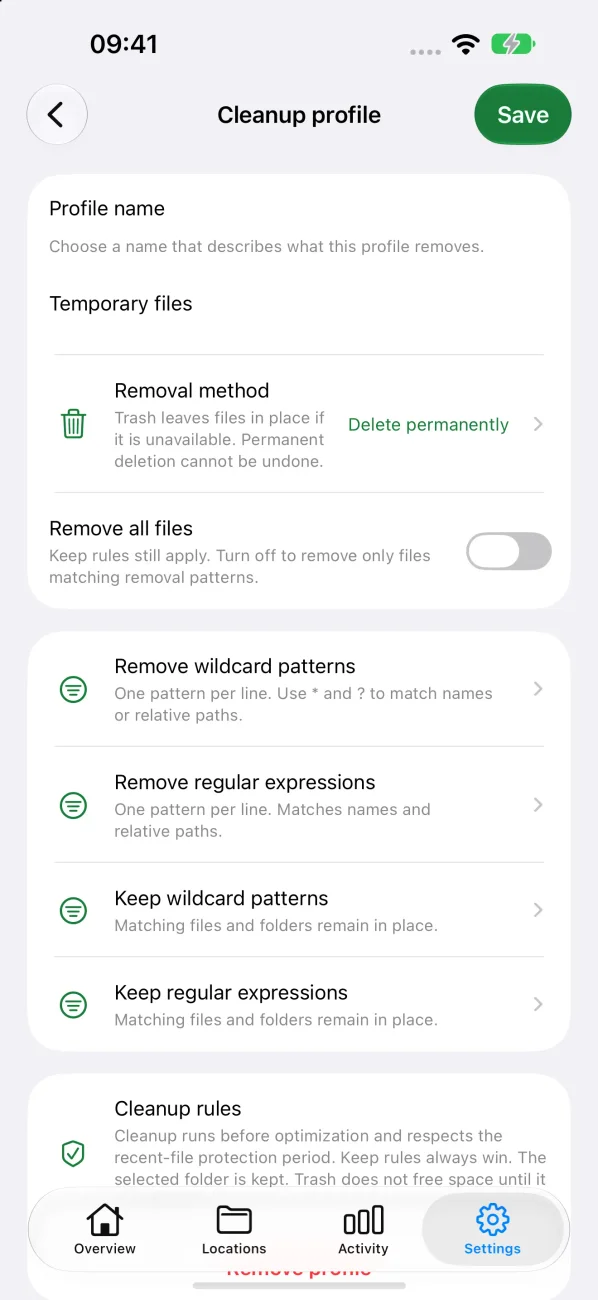
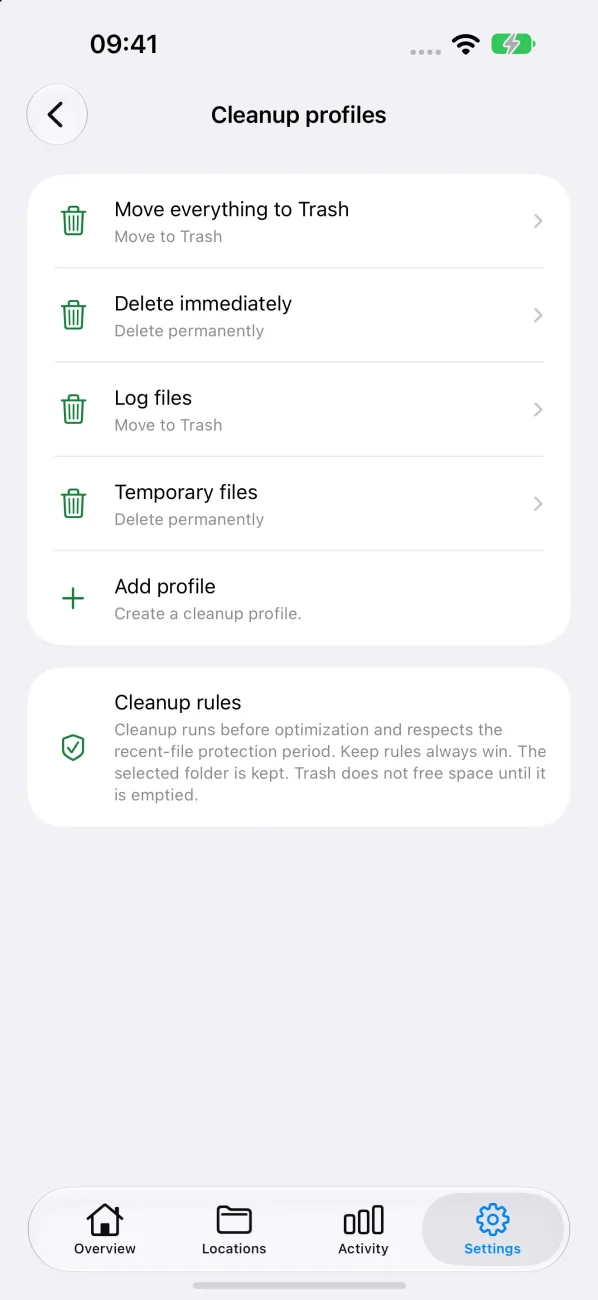
Create an editable cleanup profile for each job. Match file names or relative paths with wildcard masks or regular expressions. Add keep rules to protect specific files or entire folders. Start with a preset for logs or temporary files, or build your own rules. Cleanup removes eligible files and empty matched subfolders while keeping the selected root folder.
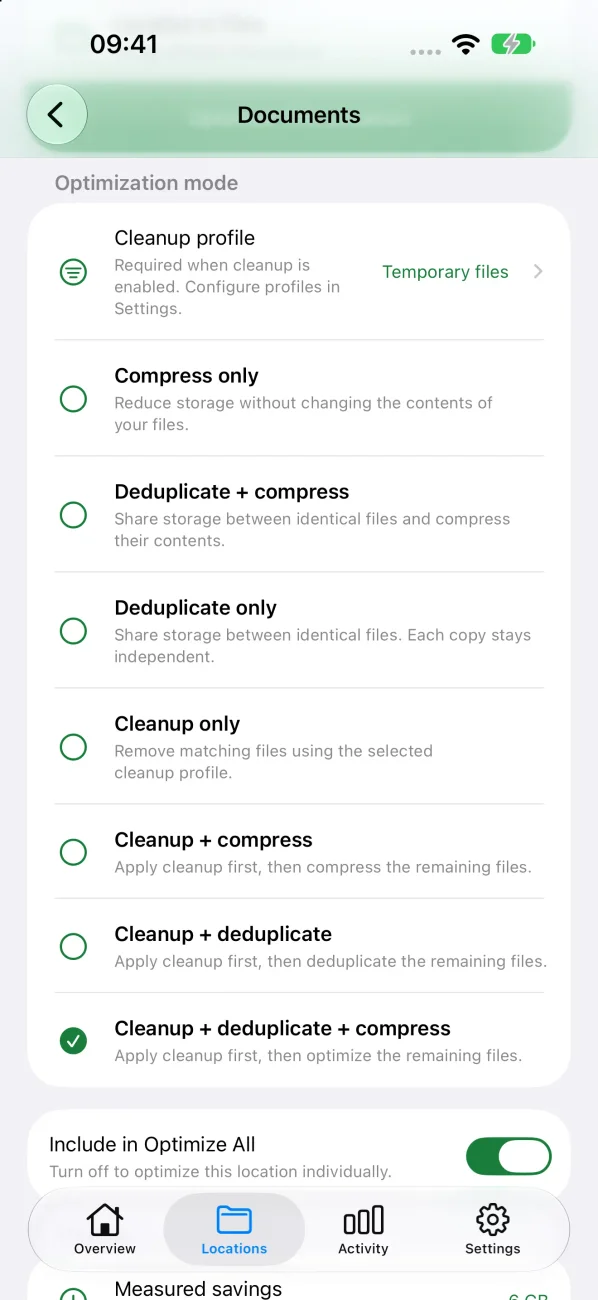
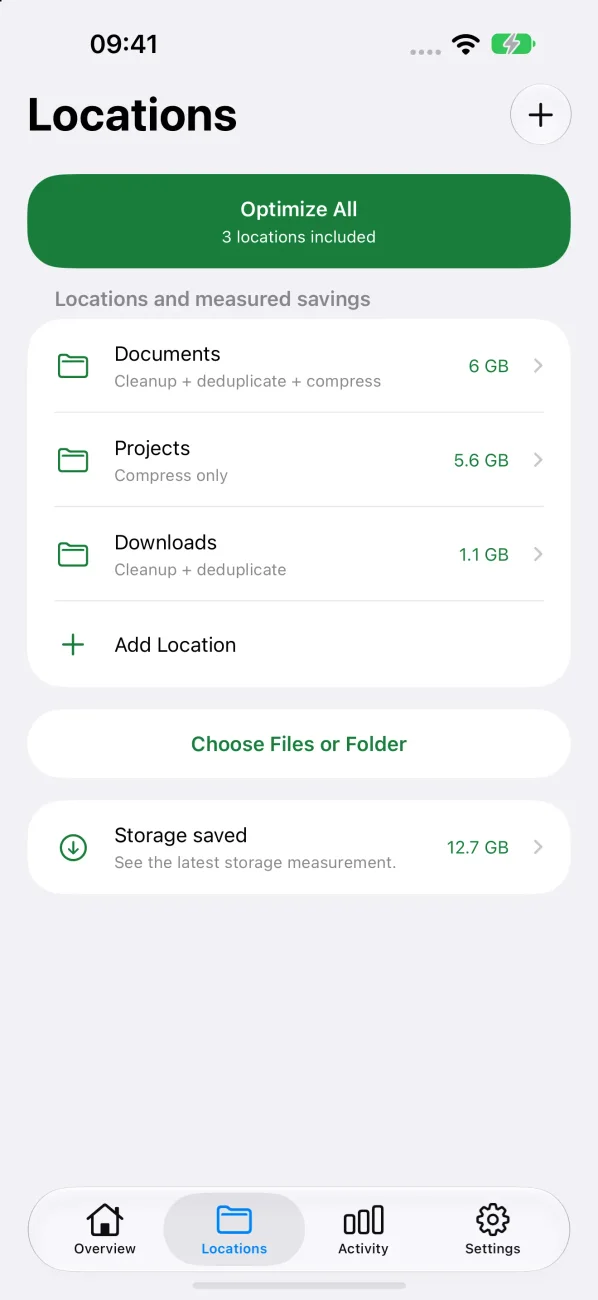
Choose a workflow for each saved location. Run cleanup, deduplication and compression together, combine any two, or use just one. Cleanup runs first, followed by deduplication and compression when enabled. Every location using cleanup must have a selected profile.
Native lossless compression reduces the storage used by remaining files without changing their contents. Identical files can share physical storage while keeping their own names and locations. Editing one copy does not change the others. Open optimized files in your usual apps without unpacking.
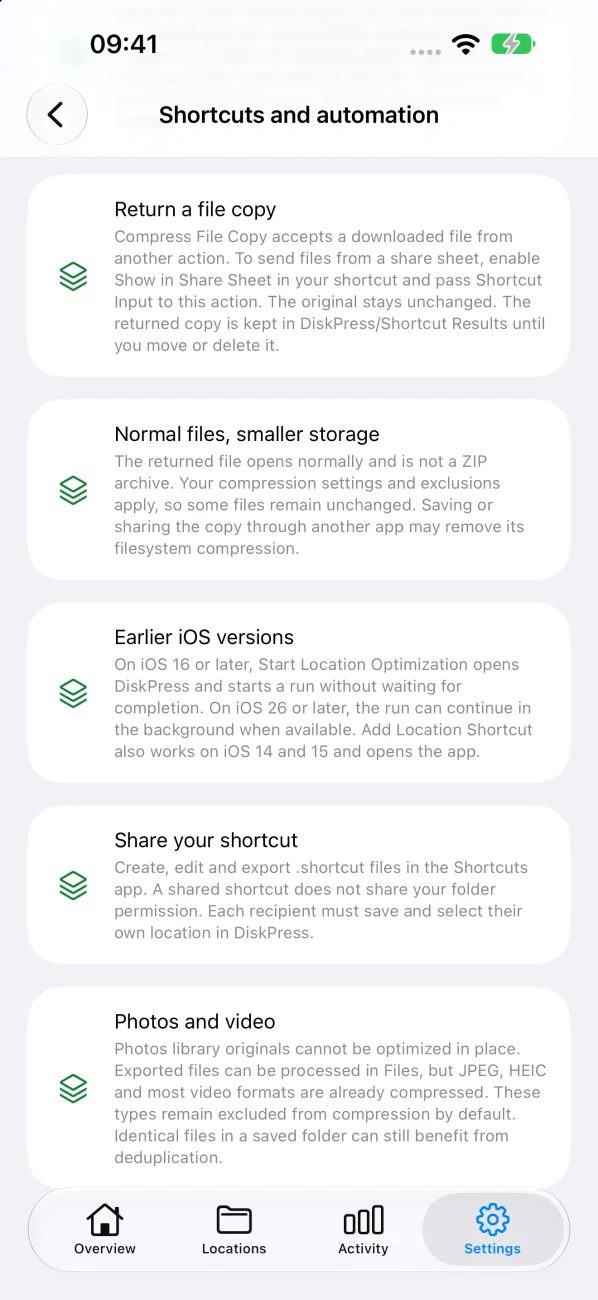
Schedule saved-folder workflows with Apple Shortcuts. On iOS 16 or later, list saved folders and start optimization in DiskPress. On iOS 27 or later, run authorized folders or subfolders in the background and receive a completion summary. Compress File Copy can also return a separate file to the next shortcut action. Shared shortcuts do not transfer folder permissions.
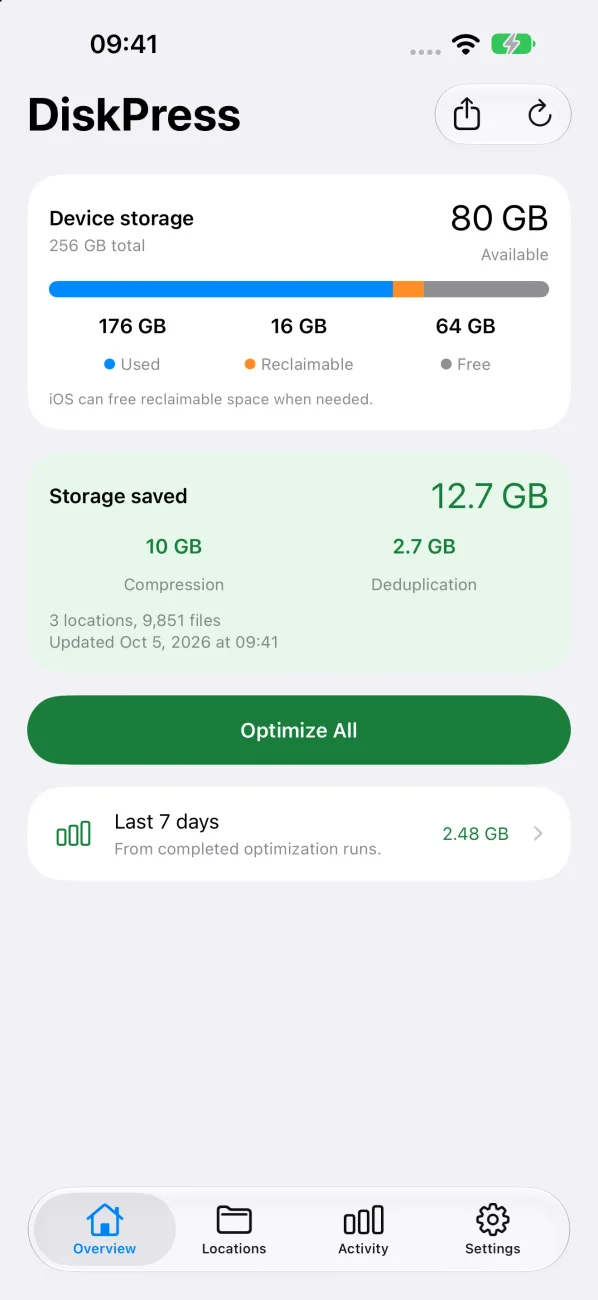
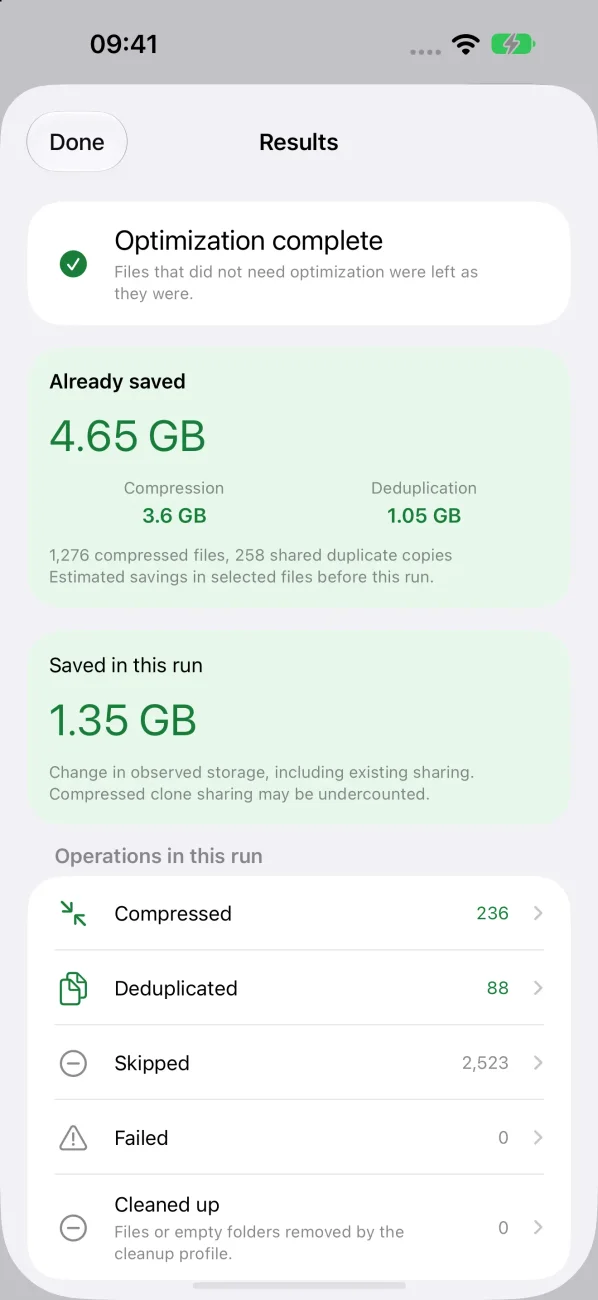
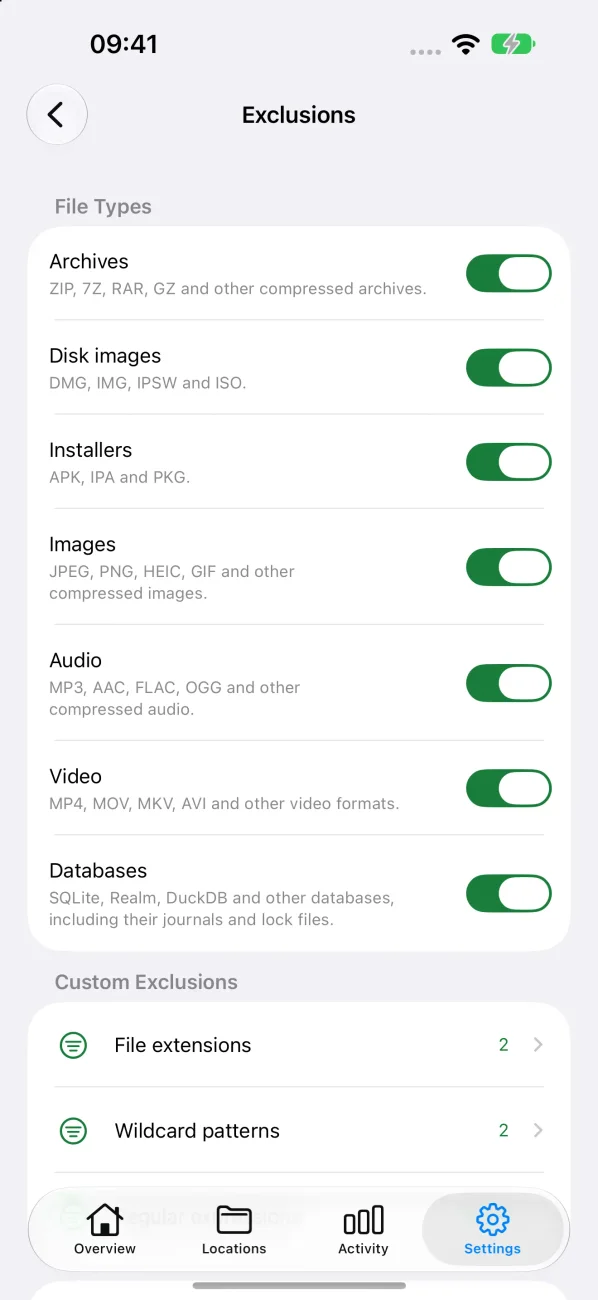
Recent-file protection skips files modified within your chosen waiting period, including during cleanup. Set optimization exclusions, file-size limits, minimum compression savings and performance preferences. Overview shows current savings, while results and Activity explain what changed or was skipped. Savings vary with file contents and existing compression or sharing.
Choose the removal method in each cleanup profile. Permanent deletion cannot be undone. Moving to Trash depends on the selected location's support and is not available everywhere on iOS. If it is unsupported, the item stays in place. Items in recoverable storage may still occupy space.
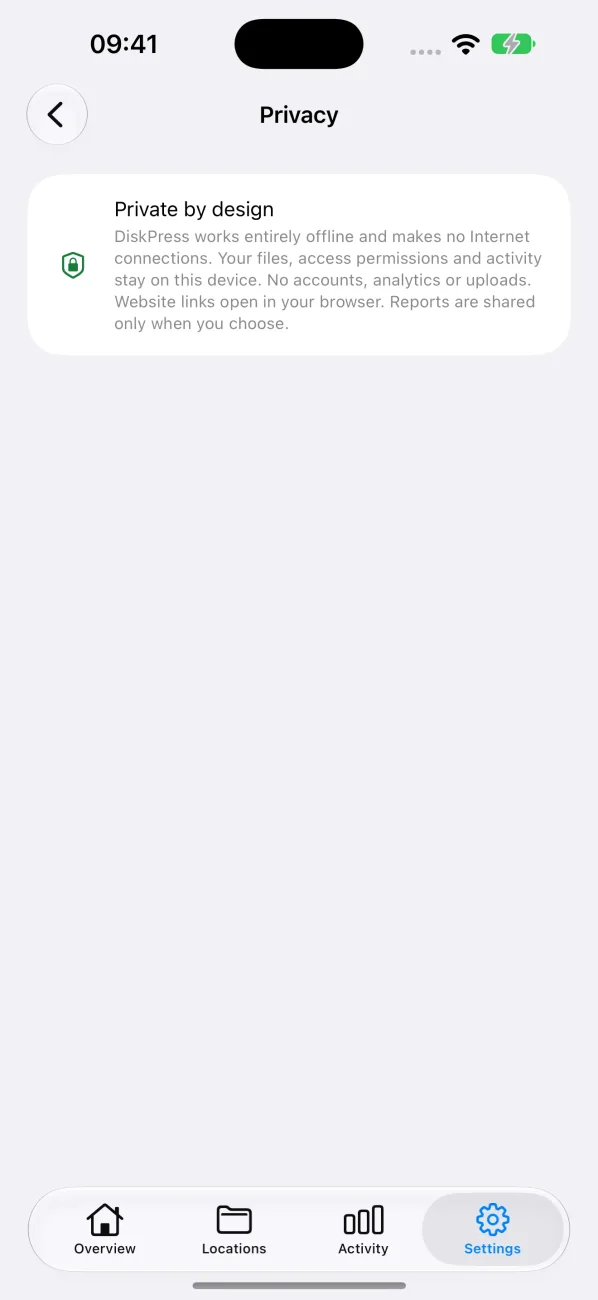
File processing stays on your device and works offline. No account, file uploads, analytics or telemetry. Website links open in your browser. Reports and output files are shared only when you choose.
Requires iOS 14 or later and supported writable local APFS storage. Cloud and network locations are unsupported. The Photos library stays unchanged. DiskPress does not continuously monitor folders. On iOS 26 or later, work started in the app can continue in the background when the system allows it. iOS may stop background work or require an unlock. DiskPress is also available separately for macOS.
Có gì mới
Phiên bản 1.2.0 · 30/10/2026
- Added cleanup before deduplication and compression.
- Choose any combination of the three stages for each location.
- Create editable profiles with removal and keep rules using masks or regex.
- Start with presets for logs and temporary files.
- Choose a removal method for each profile, including permanent deletion.
- Cleanup respects your recent-file protection setting.
- The selected cleanup profile is visible alongside the optimization mode.
Quyền riêng tư của ứng dụng
Những gì Ihor July khai báo trên App Store về cách ứng dụng này xử lý dữ liệu.
-
Dữ liệu không được thu thập
Nhà phát triển không thu thập bất kỳ dữ liệu nào từ ứng dụng này.
Phương thức đảm bảo quyền riêng tư có thể khác nhau, chẳng hạn như tuỳ theo các tính năng bạn sử dụng hoặc độ tuổi của bạn.
Thông tin
- Người bán
- Ihor July
- Danh mục
- Tiện Ích
- Phiên bản
- 1.2.0
- Cập nhật
- 30/10/2026
- Phát hành
- 15/10/2026
- Kích thước
- 14,9 MB
- Yêu cầu
- iOS 14.0 trở lên
- Độ tuổi
- 4+
- Giá
- 99.000đ
- Ngôn ngữ
- Tiếng Anh, Tiếng Đức, Tiếng Trung Giản thể, Tiếng Tây Ban Nha, Tiếng Trung Phồn thể, Tiếng Ukraina
- Bản quyền
- © 2026 Ihor July
Có thể bạn cũng thích
-
 Localzie - Local AI ChatTiện Ích
-
 Shorts CoastTiện Ích
-
 BaravaTiện Ích
-
 Shift: PDF & Video ConverterTiện Ích
-
 SMS Filter+Tiện Ích
-
 Chuyển Đổi Tệp - LocalConvertImage to PDF & Format Changer
-
 Phone Storage Cleaner: RecycleTiện Ích
-
 App Privacy Report AnalyzerTiện Ích
-
 Spam Text Blocker - FilteraTiện Ích
-
 QR Scanner - Code ReaderTiện Ích