DocWeave: PDF Converter & OCR
Offline Scanner, Math & Notes
Được thiết kế cho iPhone, iPad, Mac
Miễn phí · Mua hàng trong ứng dụng
- Độ tuổi4+
- Danh mụcTiện Ích
- Nhà phát triểnHangzhou Wenxu Interactive Technology Co., Ltd
- Ngôn ngữTiếng Anh+ 7 ngôn ngữ khác
- Kích thước107,8 MB
Liên kết đến trang App Store chính thức
Download.org không lưu trữ tệp nào của DocWeave: PDF Converter & OCR. Nút này mở trang ứng dụng trên App Store, nơi Hangzhou Wenxu Interactive Technology Co., Ltd phát hành ứng dụng. Trang được kiểm tra lần cuối: 23/11/2026.
Ảnh chụp màn hình

Giới thiệu
Nhà phát triển chưa cung cấp nội dung này bằng ngôn ngữ của bạn.
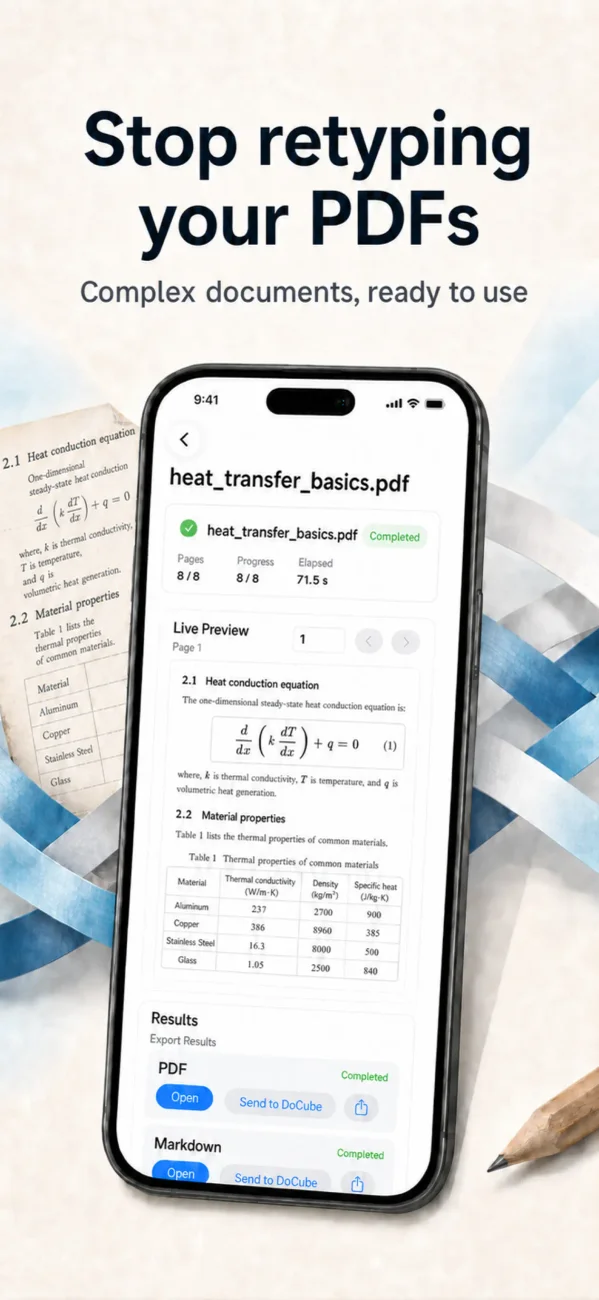
Convert PDFs, images, scanned book pages, and scrolling captures into editable Markdown, LaTeX math, tables, EPUB, and reconstructed PDF. DocWeave runs AI OCR models directly on your iPhone, iPad, or Mac, so your files stay on your device without cloud uploads or subscriptions.
What DocWeave Does
• Scan Paper and Book Pages (iPhone & iPad)
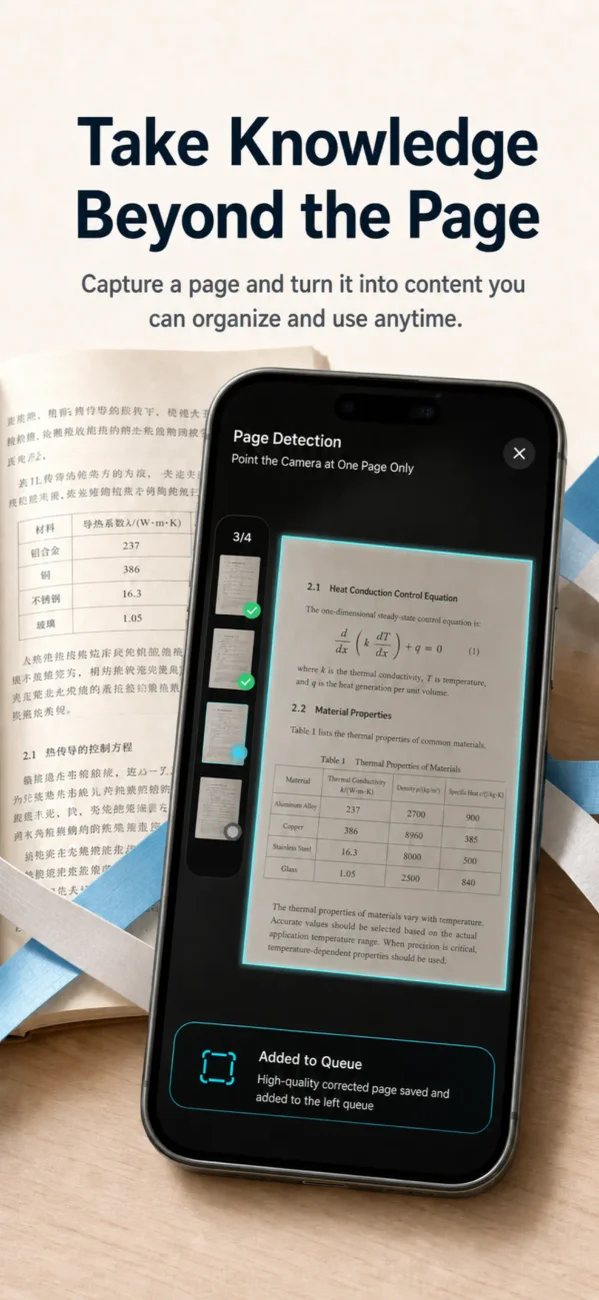
Detect page edges automatically, flatten curved book pages, and capture pages continuously into a queue. Useful for textbooks, lecture notes, handouts, and receipts.
• Capture Scrolling Webpages and Articles (iPhone, iPad & Mac)
Record scrolling content on iOS, iPadOS, or macOS (whole window or selected region) and stitch it into one long screenshot. Remove ads, banners, or duplicate areas before running OCR.
• Recognize Complex Layouts Locally
Extract headings, paragraphs, tables, LaTeX math formulas, code blocks, and algorithm blocks. Choose between two on-device AI engines: OvisOCR2 for faster recognition with lower memory use, or MinerU for dense layouts and reconstructed PDF export.
• Export in Multiple Formats
Generate Markdown (with extracted images), EPUB, reconstructed PDF (MinerU), and MinerU packages for further processing.
• Send Directly to Your Notes
Write Markdown and images straight into your local Obsidian vault offline, or send native text, images, formulas, and tables to Notion when you tap Send (requires Integration Pass). Free handoff to DoCube is included.
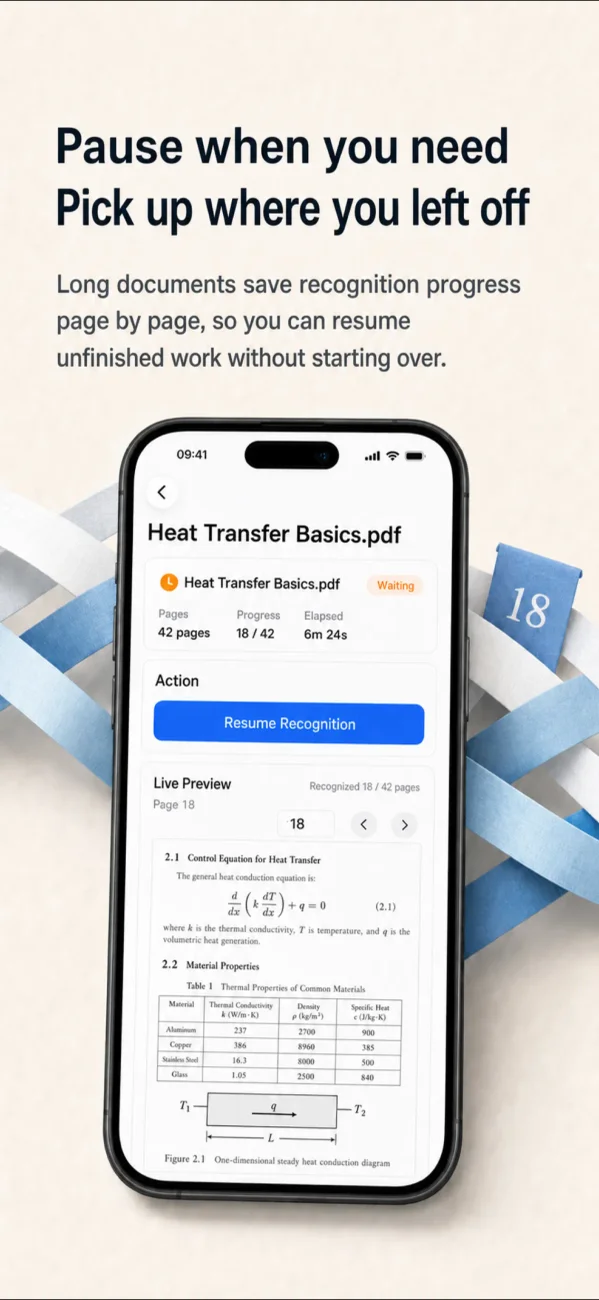
• Live Page Preview and Interrupt Recovery
Preview structured output as each page finishes. If a model download, capture session, or long OCR job stops midway, resume from saved progress instead of starting over.
Privacy and Pricing
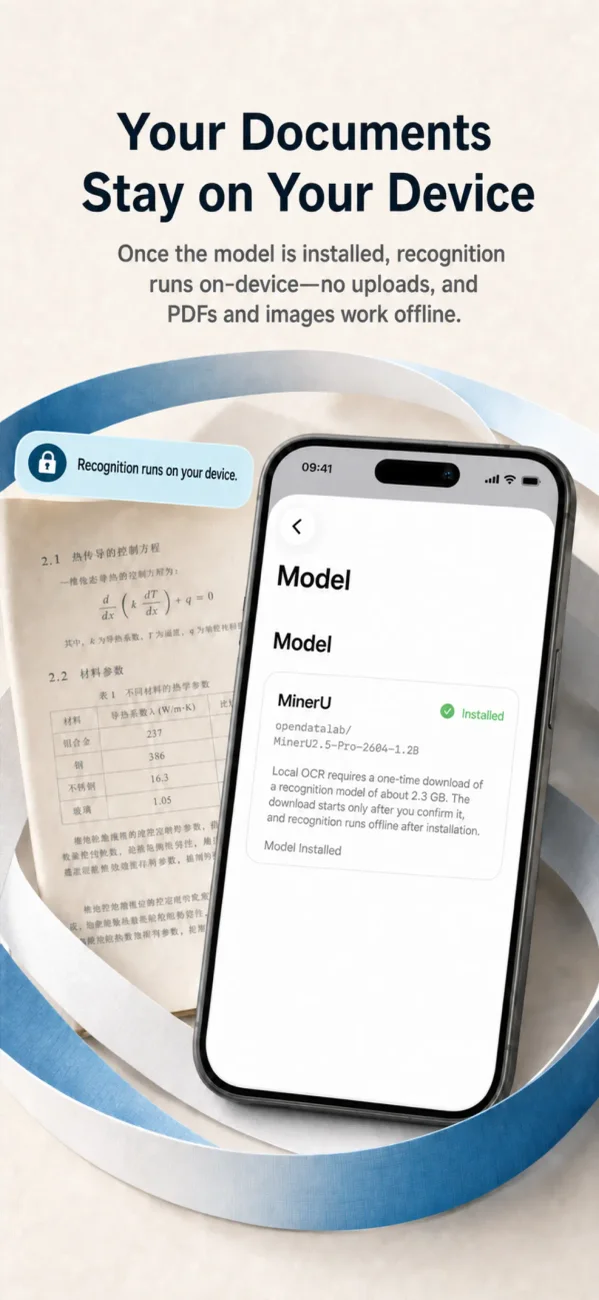
Model inference, page images, and results stay on your device unless you choose to export or share them. Sending to Notion transmits content only when you tap Send.
Core offline OCR is free with no subscription. On iPhone and iPad, opening or sharing exports for free tasks of 30 pages or more unlocks once per task after watching a short video ad. macOS has no ads. The optional one-time Integration Pass works across iPhone, iPad, and Mac to unlock Obsidian and Notion sending, future integrations, and ad-free exports.
First Use and Device Requirements
An internet connection is needed once to download a local model after you confirm (downloads can resume if interrupted). Once installed, OCR works offline.
Requires an A14 / M1 chip or newer and at least 6 GB of RAM (free RAM is separate from storage; also keep enough storage for model files and outputs):
• OvisOCR2 (faster, lighter; Markdown, EPUB, and MinerU package): 6 GB+ RAM (keep 3 GB free before loading), model ~0.6-1 GB.
• MinerU (full layout and reconstructed PDF): 8 GB+ RAM (keep 5 GB free before loading), model ~2.5 GB.
Recommended devices: iPhone 12 Pro / 13 Pro / 14 or newer (iPhone 15 Pro or newer for MinerU), iPad mini (A17 Pro), iPad Air / Pro (M1 or newer), and Apple silicon Macs with 8 GB+ unified memory. Devices before A14 (such as iPad Pro 2018/2020 with A12X/A12Z) and Intel Macs are not supported. Camera scanning is available on iPhone and iPad; macOS supports file picker, drag and drop, paste, and window or region scrolling capture.
Có gì mới
Phiên bản 1.3.3 · 23/11/2026
General stability and user experience improvements.
Quyền riêng tư của ứng dụng
Những gì Hangzhou Wenxu Interactive Technology Co., Ltd khai báo trên App Store về cách ứng dụng này xử lý dữ liệu.
-
Dữ liệu được sử dụng để theo dõi bạn
Có thể được sử dụng để theo dõi bạn trên các ứng dụng và trang web do công ty khác sở hữu.
- Mã định danh
-
Dữ liệu liên kết với bạn
Có thể được thu thập và liên kết với danh tính của bạn.
- Vị trí
- Mã định danh
-
Dữ liệu không liên kết với bạn
Có thể được thu thập nhưng không liên kết với danh tính của bạn.
- Dữ liệu sử dụng
- Chẩn đoán
Phương thức đảm bảo quyền riêng tư có thể khác nhau, chẳng hạn như tuỳ theo các tính năng bạn sử dụng hoặc độ tuổi của bạn.
Thông tin
- Người bán
- Hangzhou Wenxu Interactive Technology Co., Ltd
- Danh mục
- Tiện Ích
- Phiên bản
- 1.3.3
- Cập nhật
- 23/11/2026
- Phát hành
- 21/05/2026
- Kích thước
- 107,8 MB
- Yêu cầu
- iOS 17.0 trở lên
- Độ tuổi
- 4+
- Giá
- Miễn phí
- Mua hàng trong ứng dụng
- Có
- Ngôn ngữ
- Tiếng Anh, Tiếng Pháp, Tiếng Đức, Tiếng Nhật, Tiếng Hàn, Tiếng Nga, Tiếng Trung Giản thể, Tiếng Trung Phồn thể
- Bản quyền
- © 2026 Wei Zhao
Có thể bạn cũng thích
-
 多能记-一目了然 记的多Tiện Ích
-
 Typelet: Template KeyboardTiện Ích
-
 SpeedZip: Giải nén ZIP/RAR/7ZNén, mã hóa và xem trước
-
 Lux Light Meter: IlluminanceTiện Ích
-
 ExpirifyTiện Ích
-
 zizaiTVRemoteTiện Ích
-
 FileXipFiles, ZIP & Network Transfer
-
 Sửa PDF - Gộp, tách, kýSắp xếp trang. Mua một lần
-
 AlbumBee - Photo CleanupTiện Ích
-
 Lucky Day · Chinese AlmanacTiện Ích