DocWeave: PDF Converter & OCR
Offline Scanner, Math & Notes
iPhone, iPad, Mac için tasarlandı
Ücretsiz · Uygulama içi satın alma
- Yaş sınırı4+
- KategoriYardımcılar
- GeliştiriciHangzhou Wenxu Interactive Technology Co., Ltd
- Dillerİngilizce+ 7 dil daha
- Boyut107,8 MB
Resmi App Store sayfasına bağlanır
Download.org, DocWeave: PDF Converter & OCR için hiçbir dosya barındırmaz. Düğme, uygulamanın App Store üzerindeki sayfasını açar; uygulamayı orada Hangzhou Wenxu Interactive Technology Co., Ltd yayınlar. Sayfanın son kontrolü: 23.11.2026.
Ekran görüntüleri

Hakkında
Geliştirici bu metni dilinizde sunmamış.
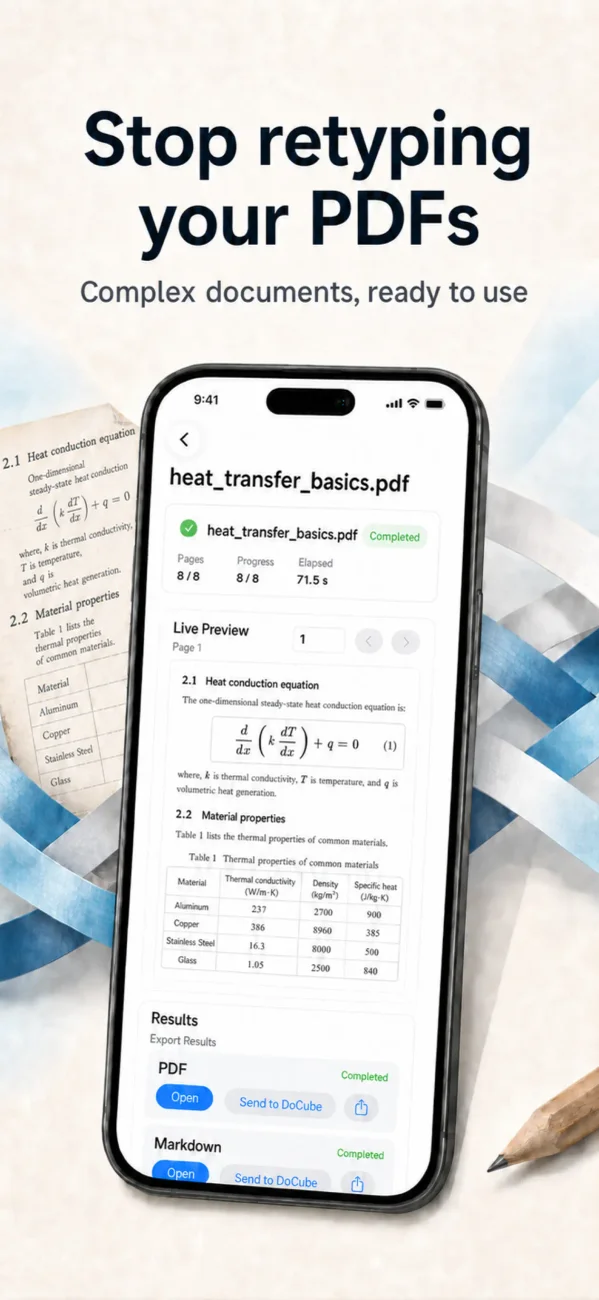
Convert PDFs, images, scanned book pages, and scrolling captures into editable Markdown, LaTeX math, tables, EPUB, and reconstructed PDF. DocWeave runs AI OCR models directly on your iPhone, iPad, or Mac, so your files stay on your device without cloud uploads or subscriptions.
What DocWeave Does
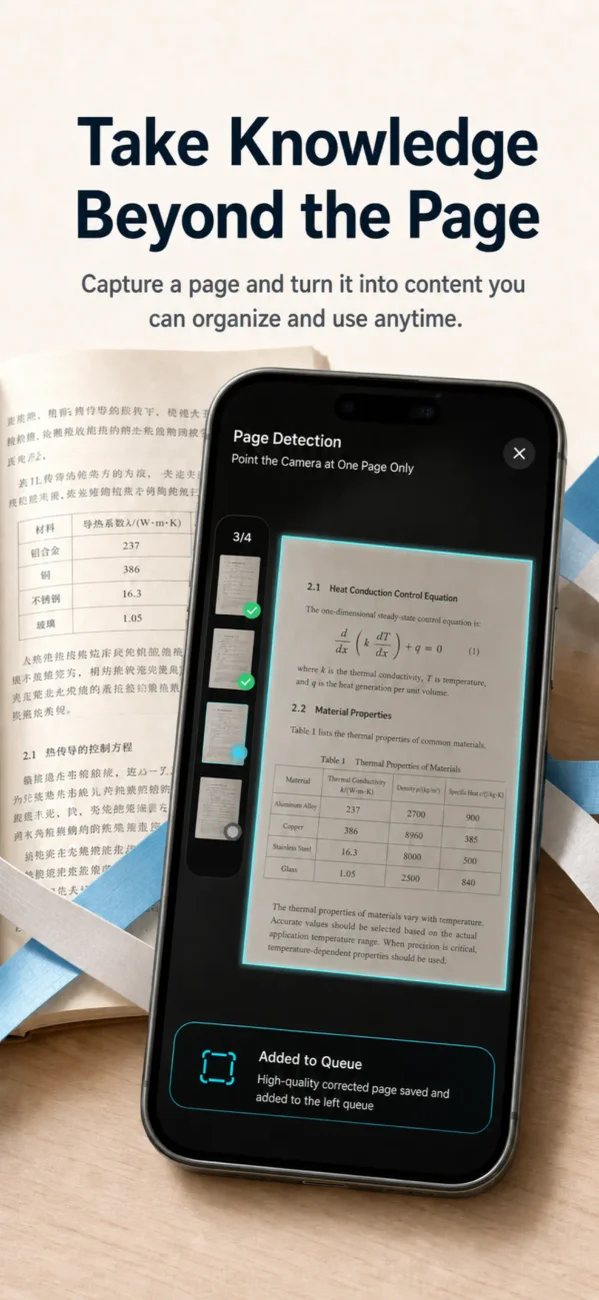
• Scan Paper and Book Pages (iPhone & iPad)
Detect page edges automatically, flatten curved book pages, and capture pages continuously into a queue. Useful for textbooks, lecture notes, handouts, and receipts.
• Capture Scrolling Webpages and Articles (iPhone, iPad & Mac)
Record scrolling content on iOS, iPadOS, or macOS (whole window or selected region) and stitch it into one long screenshot. Remove ads, banners, or duplicate areas before running OCR.
• Recognize Complex Layouts Locally
Extract headings, paragraphs, tables, LaTeX math formulas, code blocks, and algorithm blocks. Choose between two on-device AI engines: OvisOCR2 for faster recognition with lower memory use, or MinerU for dense layouts and reconstructed PDF export.
• Export in Multiple Formats
Generate Markdown (with extracted images), EPUB, reconstructed PDF (MinerU), and MinerU packages for further processing.
• Send Directly to Your Notes
Write Markdown and images straight into your local Obsidian vault offline, or send native text, images, formulas, and tables to Notion when you tap Send (requires Integration Pass). Free handoff to DoCube is included.
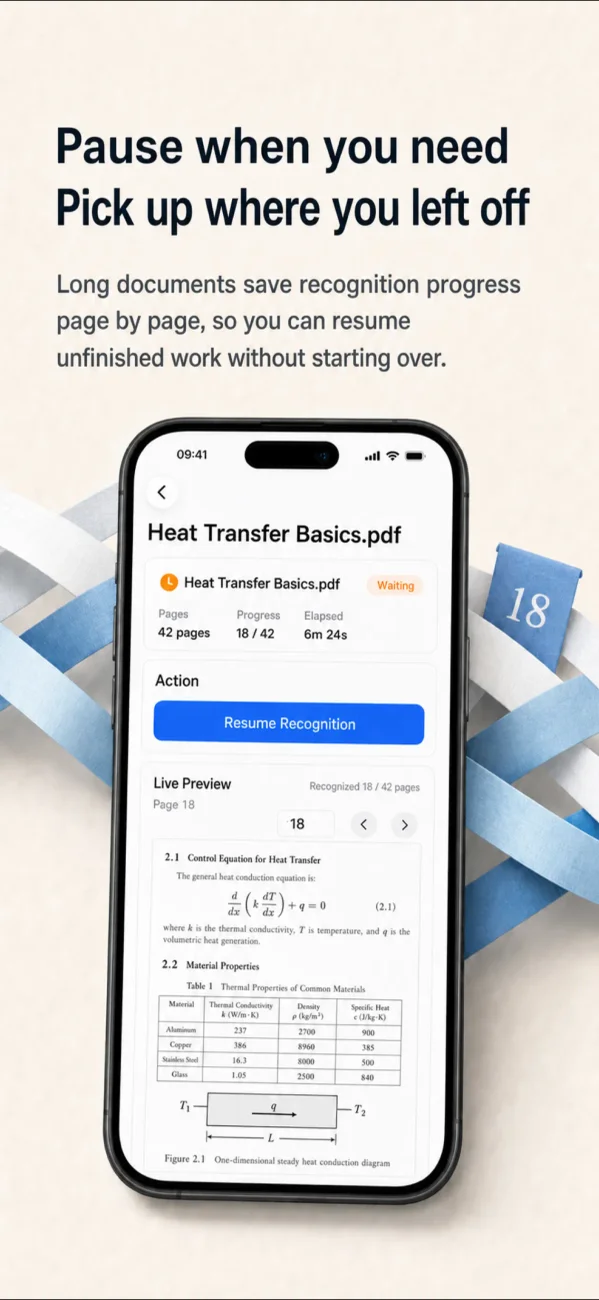
• Live Page Preview and Interrupt Recovery
Preview structured output as each page finishes. If a model download, capture session, or long OCR job stops midway, resume from saved progress instead of starting over.
Privacy and Pricing
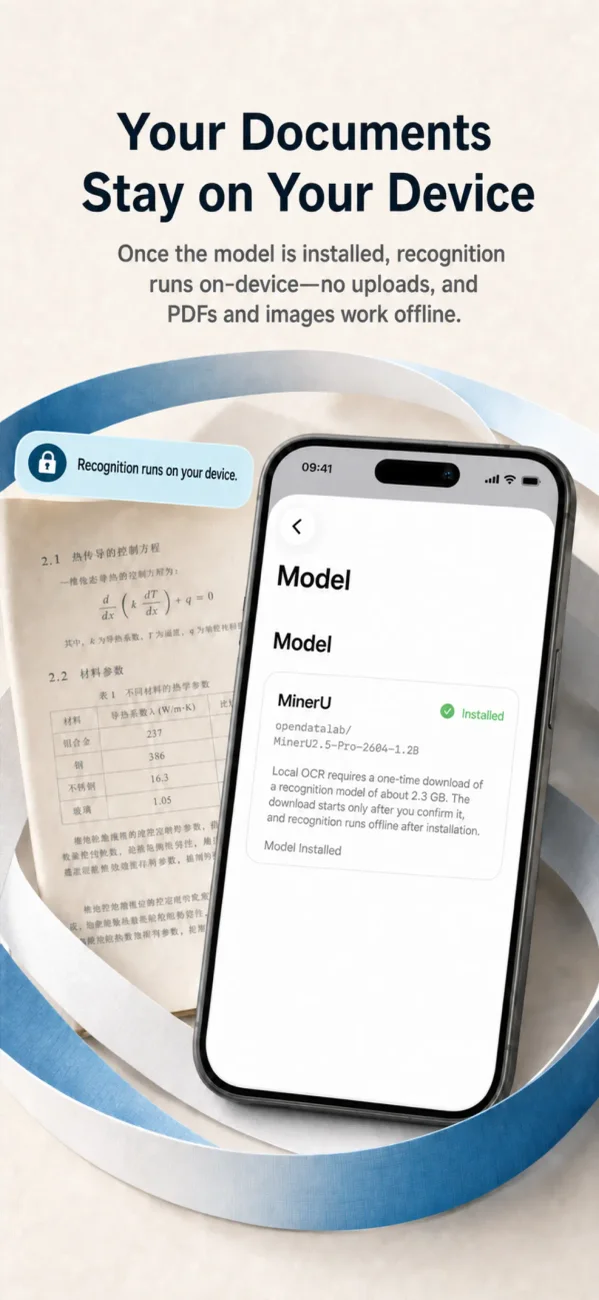
Model inference, page images, and results stay on your device unless you choose to export or share them. Sending to Notion transmits content only when you tap Send.
Core offline OCR is free with no subscription. On iPhone and iPad, opening or sharing exports for free tasks of 30 pages or more unlocks once per task after watching a short video ad. macOS has no ads. The optional one-time Integration Pass works across iPhone, iPad, and Mac to unlock Obsidian and Notion sending, future integrations, and ad-free exports.
First Use and Device Requirements
An internet connection is needed once to download a local model after you confirm (downloads can resume if interrupted). Once installed, OCR works offline.
Requires an A14 / M1 chip or newer and at least 6 GB of RAM (free RAM is separate from storage; also keep enough storage for model files and outputs):
• OvisOCR2 (faster, lighter; Markdown, EPUB, and MinerU package): 6 GB+ RAM (keep 3 GB free before loading), model ~0.6-1 GB.
• MinerU (full layout and reconstructed PDF): 8 GB+ RAM (keep 5 GB free before loading), model ~2.5 GB.
Recommended devices: iPhone 12 Pro / 13 Pro / 14 or newer (iPhone 15 Pro or newer for MinerU), iPad mini (A17 Pro), iPad Air / Pro (M1 or newer), and Apple silicon Macs with 8 GB+ unified memory. Devices before A14 (such as iPad Pro 2018/2020 with A12X/A12Z) and Intel Macs are not supported. Camera scanning is available on iPhone and iPad; macOS supports file picker, drag and drop, paste, and window or region scrolling capture.
Yenilikler
Sürüm 1.3.3 · 23.11.2026
General stability and user experience improvements.
Uygulama gizliliği
Bu uygulamanın verileri nasıl işlediği hakkında Hangzhou Wenxu Interactive Technology Co., Ltd tarafından App Store üzerinde yapılan beyan.
-
Sizi izlemek için kullanılan veriler
Başka şirketlere ait uygulamalarda ve web sitelerinde sizi izlemek için kullanılabilir.
- Tanımlayıcılar
-
Sizinle ilişkilendirilen veriler
Toplanabilir ve kimliğinizle ilişkilendirilebilir.
- Konum
- Tanımlayıcılar
-
Sizinle ilişkilendirilmeyen veriler
Toplanabilir ancak kimliğinizle ilişkilendirilmez.
- Kullanım verileri
- Tanılama
Gizlilik uygulamaları, örneğin kullandığınız özelliklere veya yaşınıza göre değişiklik gösterebilir.
Bilgiler
- Satıcı
- Hangzhou Wenxu Interactive Technology Co., Ltd
- Kategori
- Yardımcılar
- Sürüm
- 1.3.3
- Güncellendi
- 23.11.2026
- Yayın tarihi
- 21.05.2026
- Boyut
- 107,8 MB
- Gereksinim
- iOS 17.0 veya sonrası
- Yaş sınırı
- 4+
- Fiyat
- Ücretsiz
- Uygulama içi satın alma
- Evet
- Diller
- İngilizce, Fransızca, Almanca, Japonca, Korece, Rusça, Basitleştirilmiş Çince, Geleneksel Çince
- Telif hakkı
- © 2026 Wei Zhao
Bunları da beğenebilirsiniz
-
 多能记-一目了然 记的多Yardımcılar
-
 Typelet: Template KeyboardYardımcılar
-
 SpeedZip: ZIP, RAR, 7Z AçıcıSıkıştır, şifrele ve önizle
-
 Lux Light Meter: IlluminanceYardımcılar
-
 ExpirifyYardımcılar
-
 zizaiTVRemoteYardımcılar
-
 FileXipYardımcılar
-
 PDF - Birleştir, böl, imzalaTek satın alma, abonelik yok
-
 AlbumBee - Photo CleanupYardımcılar
-
 Lucky Day · Chinese AlmanacYardımcılar