
Don't Forget: ADHD Task Timer
Task Switching & Focus Tracker
Được thiết kế cho iPhone, iPad, Mac
Miễn phí · Mua hàng trong ứng dụng
- Độ tuổi4+
- Danh mụcHiệu Suất
- Nhà phát triểnFrancesco Leoni
- Ngôn ngữTiếng Anh+ 4 ngôn ngữ khác
- Kích thước26,0 MB
Liên kết đến trang App Store chính thức
Download.org không lưu trữ tệp nào của Don't Forget: ADHD Task Timer. Nút này mở trang ứng dụng trên App Store, nơi Francesco Leoni phát hành ứng dụng. Trang được kiểm tra lần cuối: 17/11/2026.
Ảnh chụp màn hình

Giới thiệu
Nhà phát triển chưa cung cấp nội dung này bằng ngôn ngữ của bạn.
You start something. Something else pulls you away. An hour later you can't remember what you were doing before.
Don't Forget is a task timer built for brains that switch. Instead of asking you to stop getting interrupted, it expects interruptions and keeps your place for you, so getting back takes one tap.
HOW IT WORKS
Start: name what you're working on and go. The timer runs and your task stays front and center.
Switch: something urgent comes up? Tap Switch. Your current task is parked with its time saved, and a new one starts.
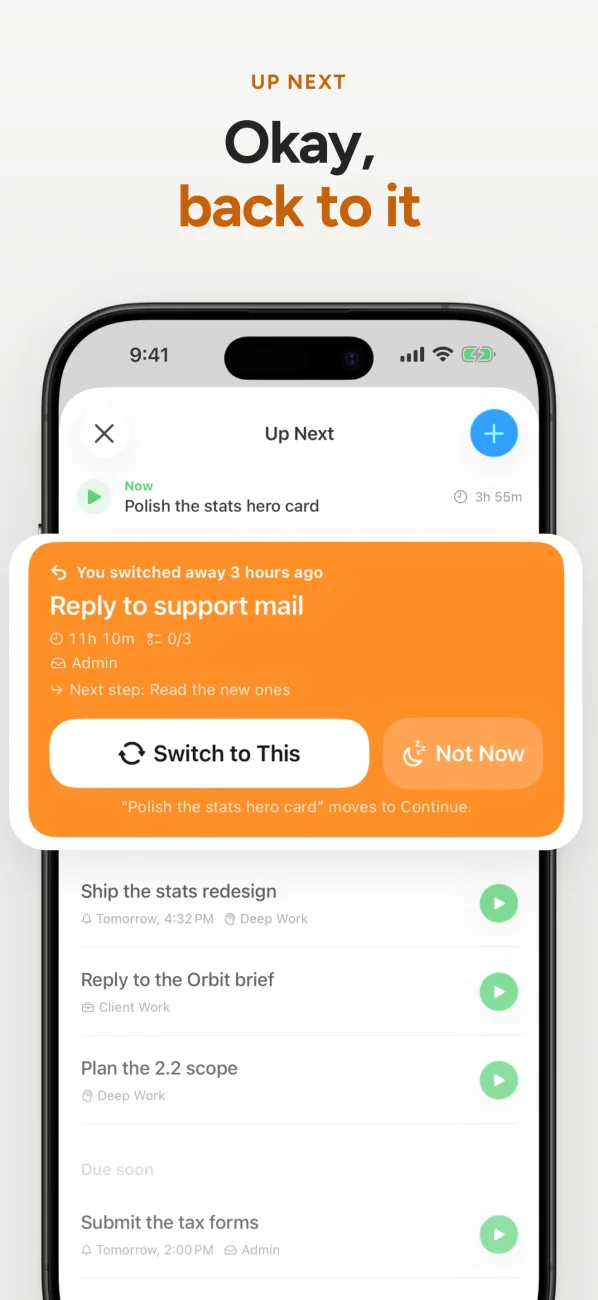
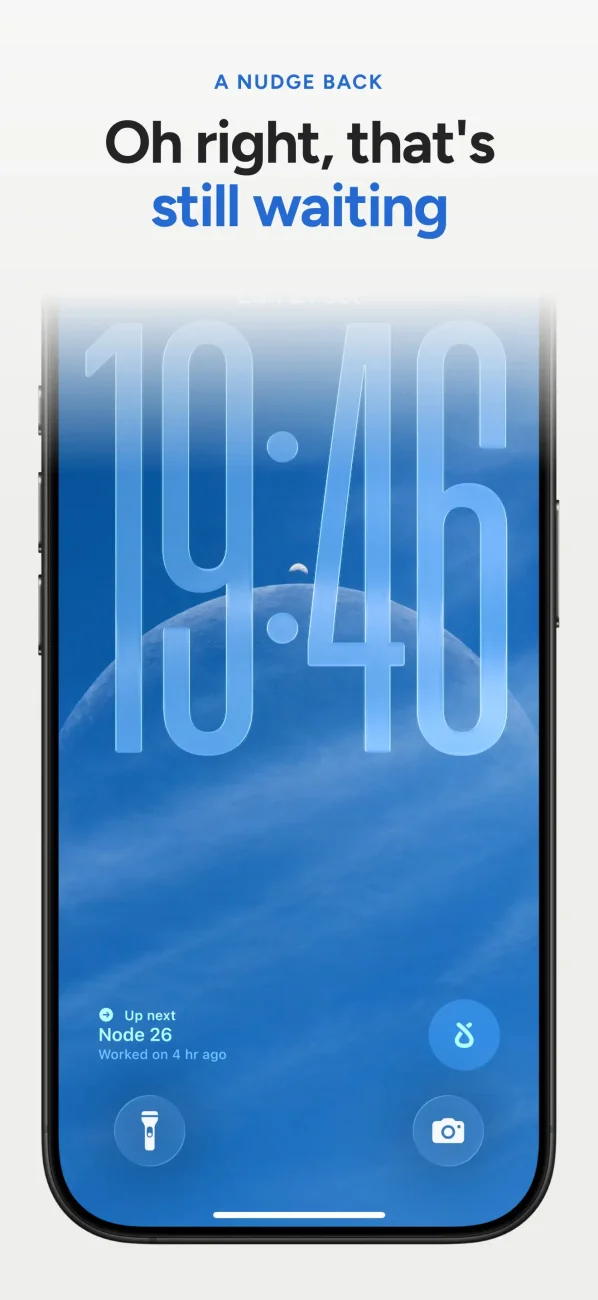
Come back: a minute later, a gentle notification asks if you want to go back. Your parked task is waiting with its timer, steps and notes exactly as you left them. Resume in one tap.
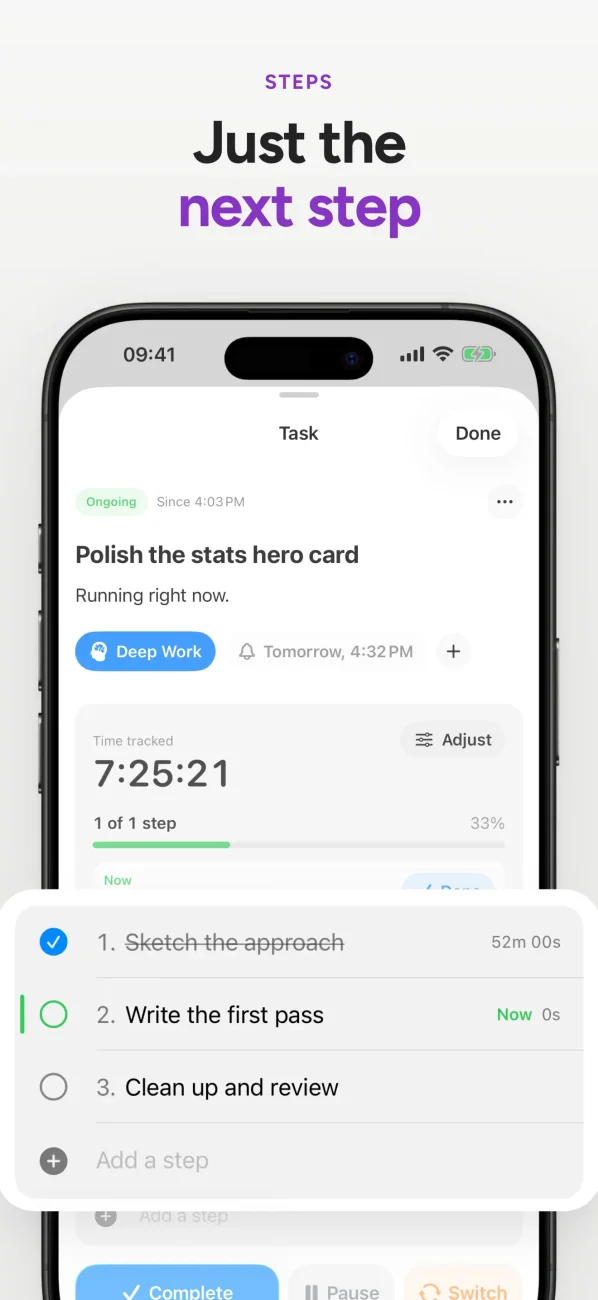
BREAK IT INTO STEPS
Big tasks are easier to return to when you know the next step. Add steps to any task, focus on one at a time, and see how long each one really took.
FOCUS THAT FOLLOWS REAL LIFE
· Pomodoro sessions with focus and break lengths you choose
· Pause any time, and the timer doesn't keep counting while you're gone
· On Mac, tasks pause when your Mac sleeps, locks or starts the screen saver, and resume if you're back soon
· A check-in when a timer has been running for hours, so forgotten timers don't skew your day
· Fix the time afterwards with "stopped at" if you walked away and forgot to pause
PLAN WITHOUT LOSING FOCUS
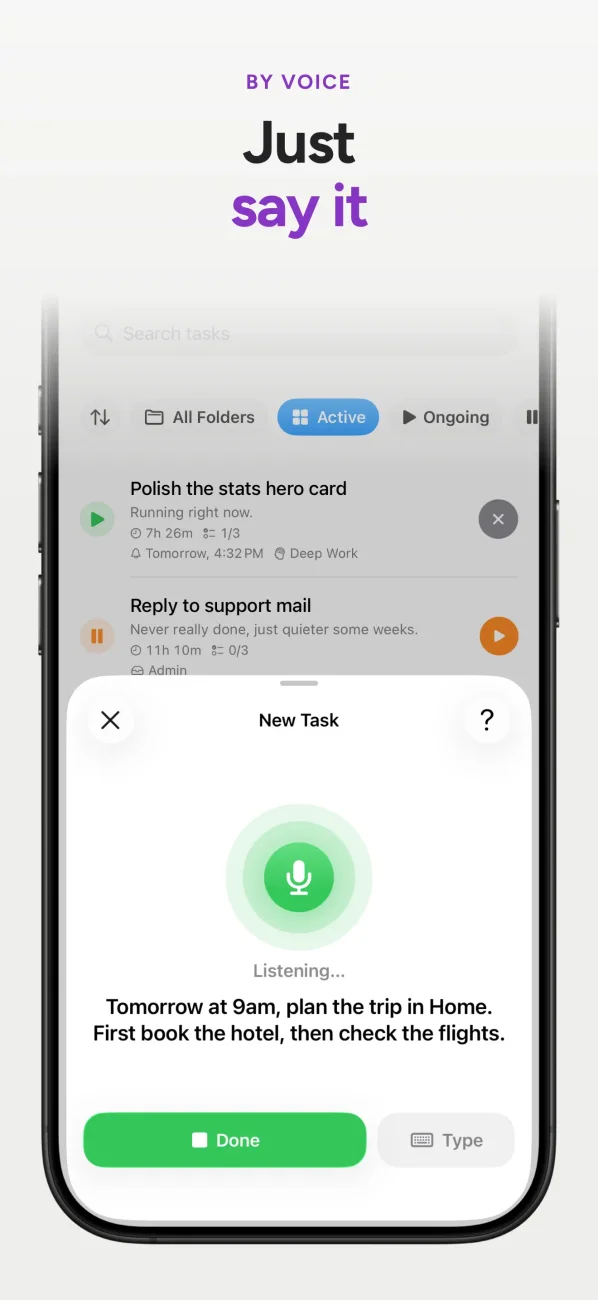
Capture what's up next without breaking your current flow. Plan tasks with due dates and reminders, sort them into folders, and start the next one when you're ready. Finished something you do often? Run it again.
SEE WHERE YOUR TIME WENT
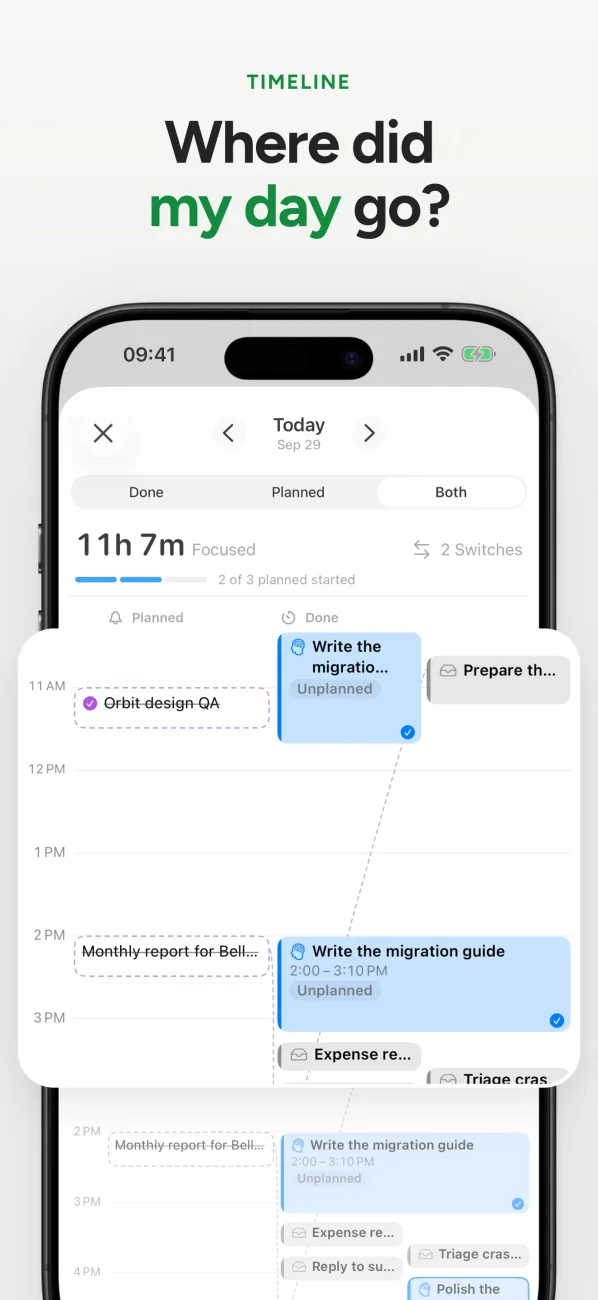
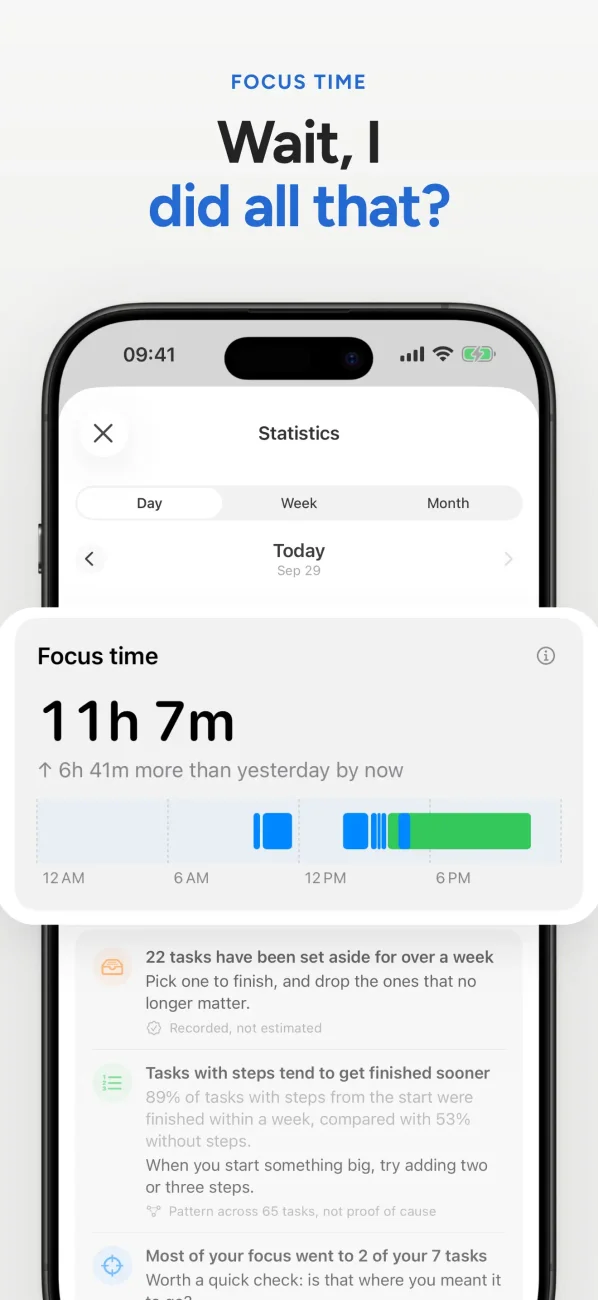
Honest statistics built from the time you actually focused: focus time, tasks finished, how often you were interrupted, and your sessions by day, week or month.
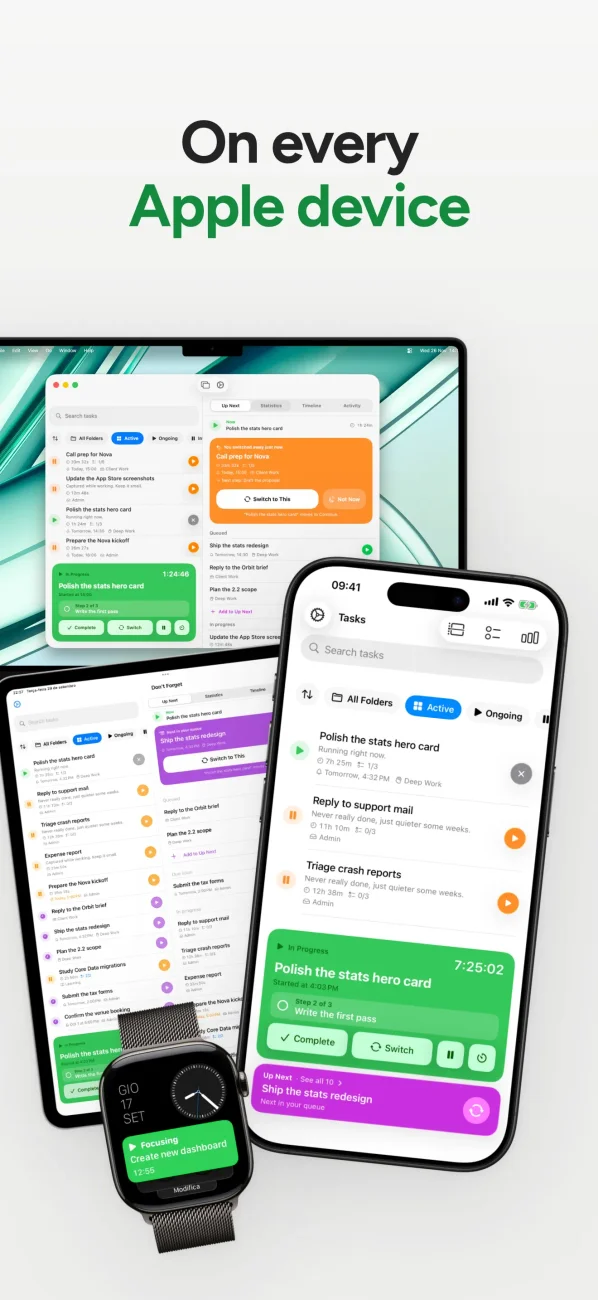
EVERYWHERE YOU WORK
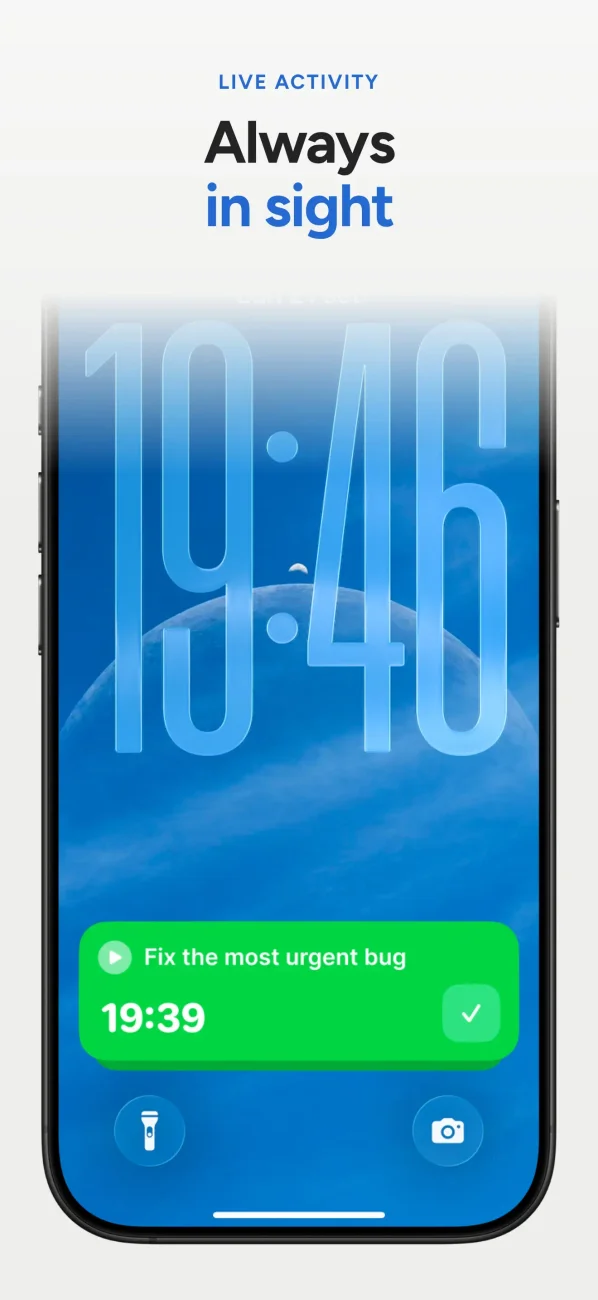
· iPhone: Live Activity and Dynamic Island keep your running task visible in any app, plus Home and Lock Screen widgets to start a task
· Apple Watch: see your current task and timer, tick off steps, pause, complete, or start what's next, with complications for your watch face
· Mac: lives in the menu bar, with a small floating window that keeps your task in view
· iPad: a two-column layout with your tasks and details side by side
· Your tasks sync across your devices through your iCloud account
DON'T FORGET PRO
A one-time purchase, no subscription:
· Focus patterns: your best hours and days, and what keeps pulling you away
· Time by folder: see where your focus goes across projects
· Siri & Shortcuts: start, switch and complete tasks hands-free or from automations
BUILT FOR PEOPLE WHO SWITCH
Many productivity apps assume you'll sit down with a list and work through it in order. Don't Forget is for people whose days don't go that way: people with ADHD, people who hyperfocus and lose track of time, and anyone whose work is full of interruptions. No streaks to break and no guilt. It remembers what you were doing so you don't have to.
No account or sign-up needed.
Có gì mới
Phiên bản 1.6.2 · 04/11/2026
Apple Watch: see your current task and timer, tick off steps, pause, complete, or start what's next, with complications for your watch face.
Siri & Shortcuts (Pro): ask Siri to start, switch, resume or complete a task, or use the same actions in the Shortcuts app, the Action button and your automations. The exact phrases are in Settings.
Photos: attach up to 10 photos to a task, from your library or the camera, and share text, links and images straight into a new task from other apps.
Up Next: a clearer running order for what to work on next, plus Someday for ideas you want to capture without committing to them.
Now in German, Italian, Korean and Brazilian Portuguese.
Also: Pro Insights into where your time goes and what helps, and a lot of smaller fixes.
Quyền riêng tư của ứng dụng
Những gì Francesco Leoni khai báo trên App Store về cách ứng dụng này xử lý dữ liệu.
-
Dữ liệu không được thu thập
Nhà phát triển không thu thập bất kỳ dữ liệu nào từ ứng dụng này.
Phương thức đảm bảo quyền riêng tư có thể khác nhau, chẳng hạn như tuỳ theo các tính năng bạn sử dụng hoặc độ tuổi của bạn.
Thông tin
- Người bán
- Francesco Leoni
- Danh mục
- Hiệu Suất
- Phiên bản
- 1.6.2
- Cập nhật
- 04/11/2026
- Phát hành
- 08/03/2026
- Kích thước
- 26,0 MB
- Yêu cầu
- iOS 17.6 trở lên
- Độ tuổi
- 4+
- Giá
- Miễn phí
- Mua hàng trong ứng dụng
- Có
- Ngôn ngữ
- Tiếng Anh, Tiếng Đức, Tiếng Ý, Tiếng Hàn, Tiếng Bồ Đào Nha
- Bản quyền
- © Francesco Leoni 2026
Có thể bạn cũng thích
-
 ProduktiveHiệu Suất
-
 DON’T FORGET: To-DoHiệu Suất
-
 Startiny: ADHD To-Do PlannerHiệu Suất
-
 iWorkUntil: ADHD Visual TimerHiệu Suất
-
 MetaTimer Timeboxing for ADHDHiệu Suất
-
 ADHD Notes: AI Brain DumpHiệu Suất
-
 Ontime: ADHD & Time BlindnessHiệu Suất
-
 Finishly -Beat ProcrastinationHiệu Suất
-
 Mind Map: Brainstorm & NotesHiệu Suất
-
 Daily Planner, Habit TrackerHiệu Suất