
- Độ tuổi4+
- Danh mụcTài Chính
- Nhà phát triểnkaturi dinesh
- Ngôn ngữTiếng Anh
- Kích thước9,8 MB
Liên kết đến trang App Store chính thức
Download.org không lưu trữ tệp nào của Expenses Split. Nút này mở trang ứng dụng trên App Store, nơi katuri dinesh phát hành ứng dụng. Trang được kiểm tra lần cuối: 17/11/2026.
Ảnh chụp màn hình



Giới thiệu
Nhà phát triển chưa cung cấp nội dung này bằng ngôn ngữ của bạn.
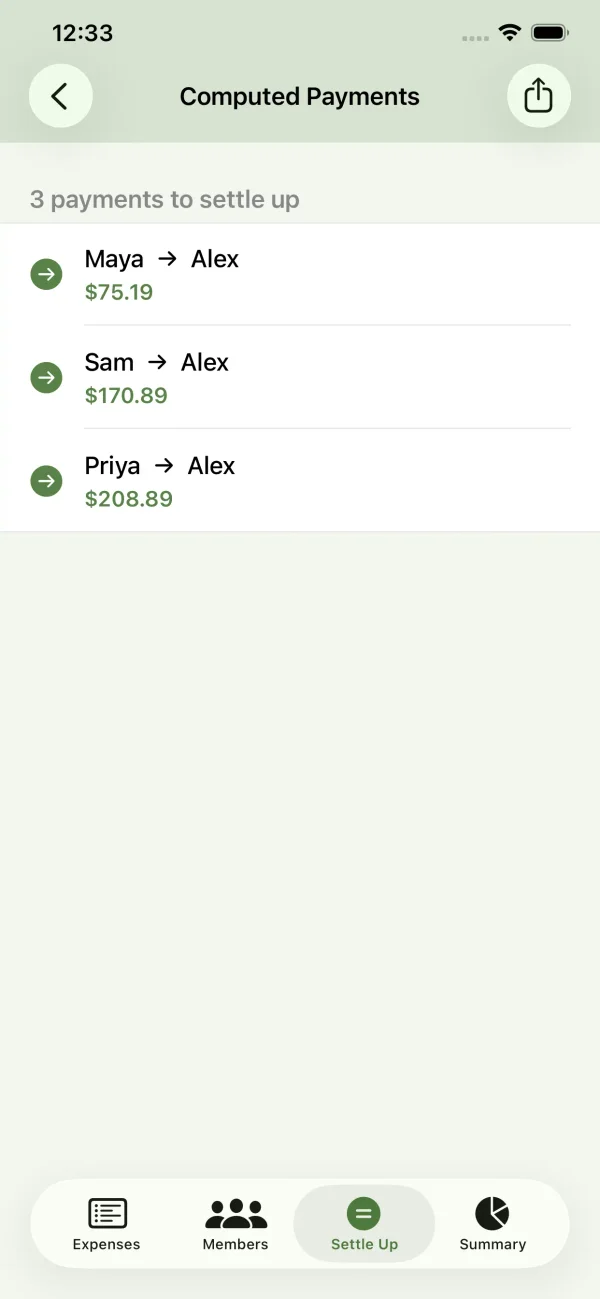
Split Expenses is the best multi-user online app you can use for tracking, splitting, syncing, sharing and automating your team/room expense. Based on expense entered, app calculates and suggests debts of each person and who has to receive money.
Split Expenses app supports push notifications for notifying any changes in a team’s expenses. Whenever user enters an expense into a team, a notification is sent to all members in the team and on clicking on the notification expense is auto synced to other members in the team.
Split Expenses support offline mode, if you don’t have Internet while you are adding expense, it will be synced next time you connect to Internet. Auto sync of latest team details happens on every launch and manual sync on click of sync button in teams screen.
You can share team details across other Split Expenses users who are willing to join your team by just clicking share button in expenses screen. You can also share final computed debts list to any other interested parties through all popular sharing media.
Summarizing what you can do with split expense app: -
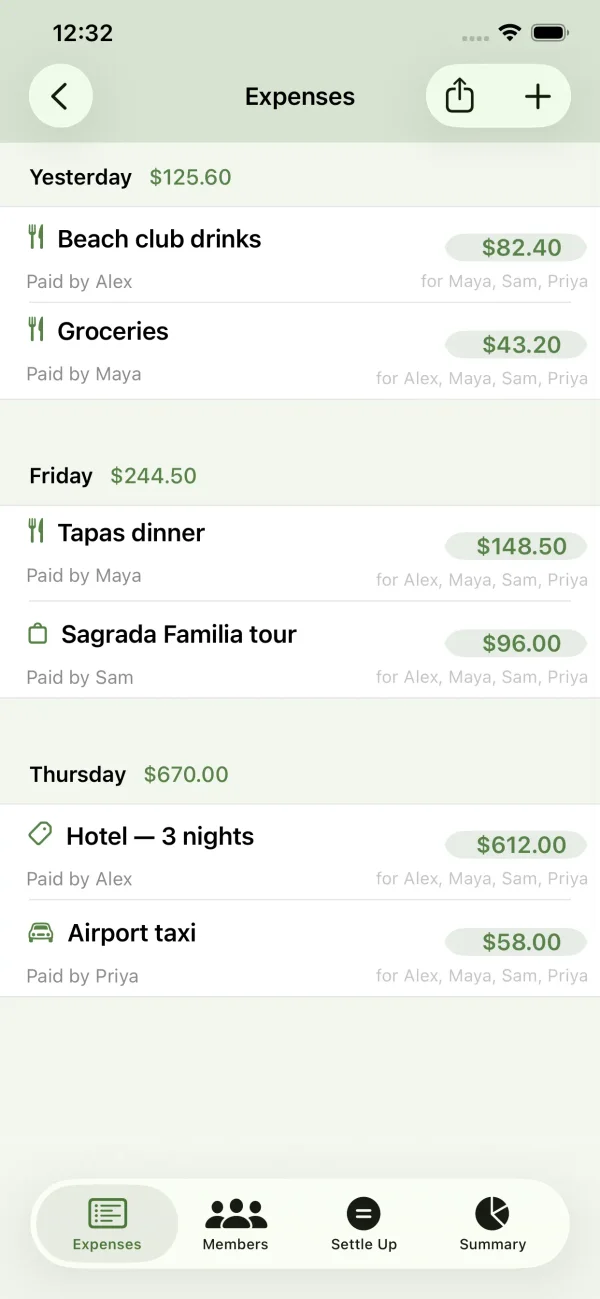
1) Create new team/page, where you can add involved members/ roommates.
2) Create a new expense, edit expense and delete expense when settled, automatically notifies other members in
3) Share team details with other teammates online by clicking share in Expenses screen of a Team.
4) Edit members and add new members, so that if new member joined a team, it’s useful
5) Automate the final expense and debt calculation
6) Share the final expense debts with the team members/others.
Difference when compared to Split Expense Lite: -
a. Multi user app
b. Can add expense, team, members online and offline and can sync data entered offline to online on launch or on click of sync button in Team screen
c. Share Team details using share button present in Expenses screen
d. Notifications will be broadcasted to all members with in a team whenever a new expense is added
Lots coming in future releases as well.
Future releases: -
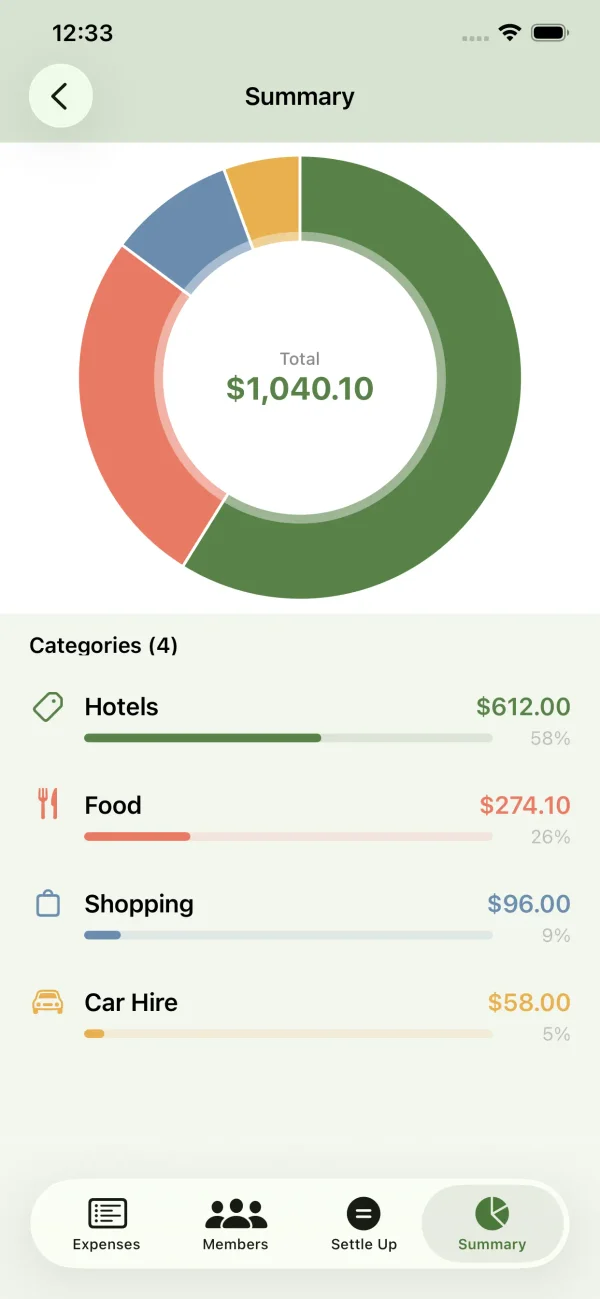
Introducing graphs/charts, which tells user where he/she is spending more.
Có gì mới
Phiên bản 5.1 · 07/07/2026
UI uplift and bug fixes
Quyền riêng tư của ứng dụng
Những gì katuri dinesh khai báo trên App Store về cách ứng dụng này xử lý dữ liệu.
-
Dữ liệu không liên kết với bạn
Có thể được thu thập nhưng không liên kết với danh tính của bạn.
- Dữ liệu sử dụng
- Chẩn đoán
Phương thức đảm bảo quyền riêng tư có thể khác nhau, chẳng hạn như tuỳ theo các tính năng bạn sử dụng hoặc độ tuổi của bạn.
Thông tin
- Người bán
- katuri dinesh
- Danh mục
- Tài Chính
- Phiên bản
- 5.1
- Cập nhật
- 07/07/2026
- Phát hành
- 23/04/2016
- Kích thước
- 9,8 MB
- Yêu cầu
- iOS 26.0 trở lên
- Độ tuổi
- 4+
- Giá
- Miễn phí
- Ngôn ngữ
- Tiếng Anh
- Bản quyền
- © 2025 DK Apps
Có thể bạn cũng thích
-
 Expenso - Split Expense EasilyTài Chính
-
 SplitX - Manage Group ExpensesTài Chính
-
 Splitink: Split the BillTài Chính
-
 Splitler: AI Expense ManagerTài Chính
-
 Splito – Ausgaben teilenTài Chính
-
 EvenlySplit: Expense & KhataTài Chính
-
 Muetual: Expense TrackerTài Chính
-
 Splitzz – Chia hóa đơn nhanhQuét hóa đơn, chia tiền nhanh
-
 Chia Hoa Don Phong Tro - SplitTheo doi va thanh toan chung