Flickaro: Swipe Notes
Gesture-first, one-hand notes
Được thiết kế cho iPhone, iPad
Miễn phí
- Độ tuổi4+
- Danh mụcHiệu Suất
- Nhà phát triểnMichal Milczarski
- Ngôn ngữTiếng Anh
- Kích thước2,0 MB
Liên kết đến trang App Store chính thức
Download.org không lưu trữ tệp nào của Flickaro: Swipe Notes. Nút này mở trang ứng dụng trên App Store, nơi Michal Milczarski phát hành ứng dụng. Trang được kiểm tra lần cuối: 20/11/2026.
Ảnh chụp màn hình
Giới thiệu
Nhà phát triển chưa cung cấp nội dung này bằng ngôn ngữ của bạn.
Flickaro is a notes app built around one idea: capturing a thought should be
faster than losing it.
SWIPE, DON'T TAP
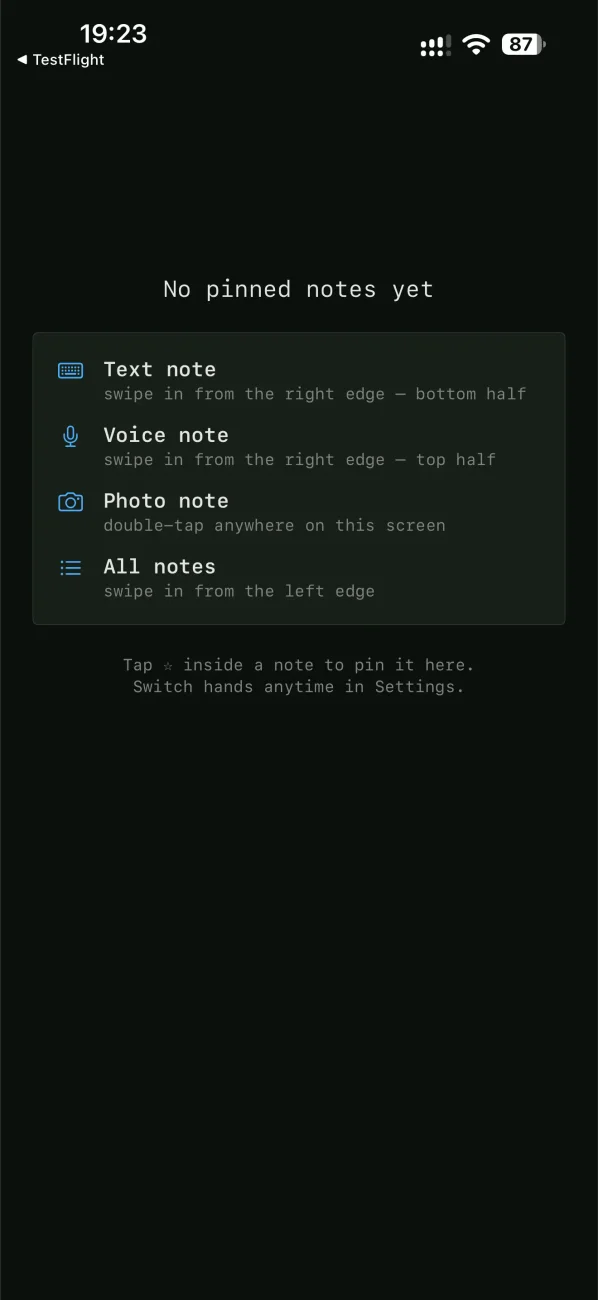
• Swipe in from the edge — the lower half starts a text note, the upper half
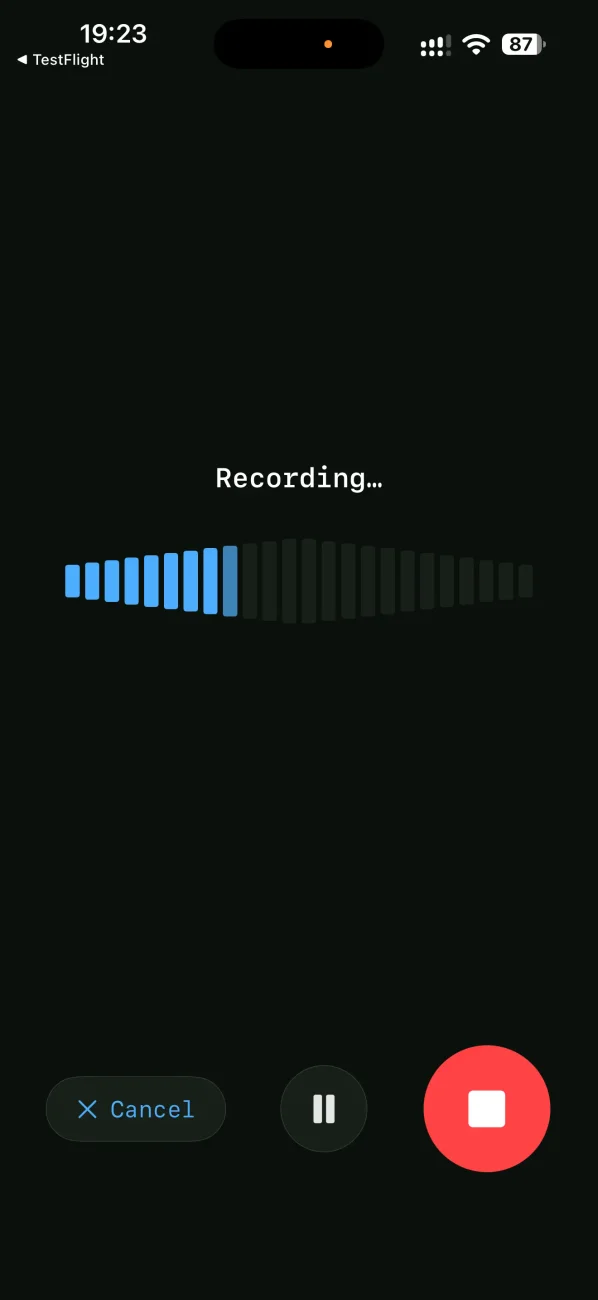
starts a voice recording at once.
• Double-tap empty space for a photo note.
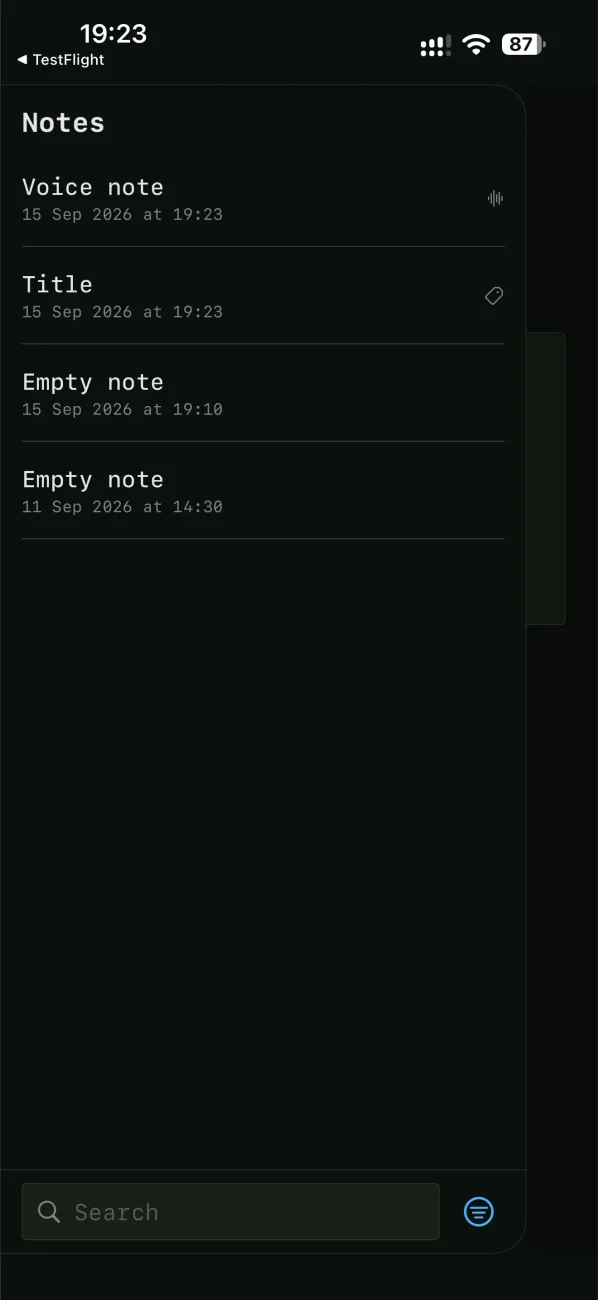
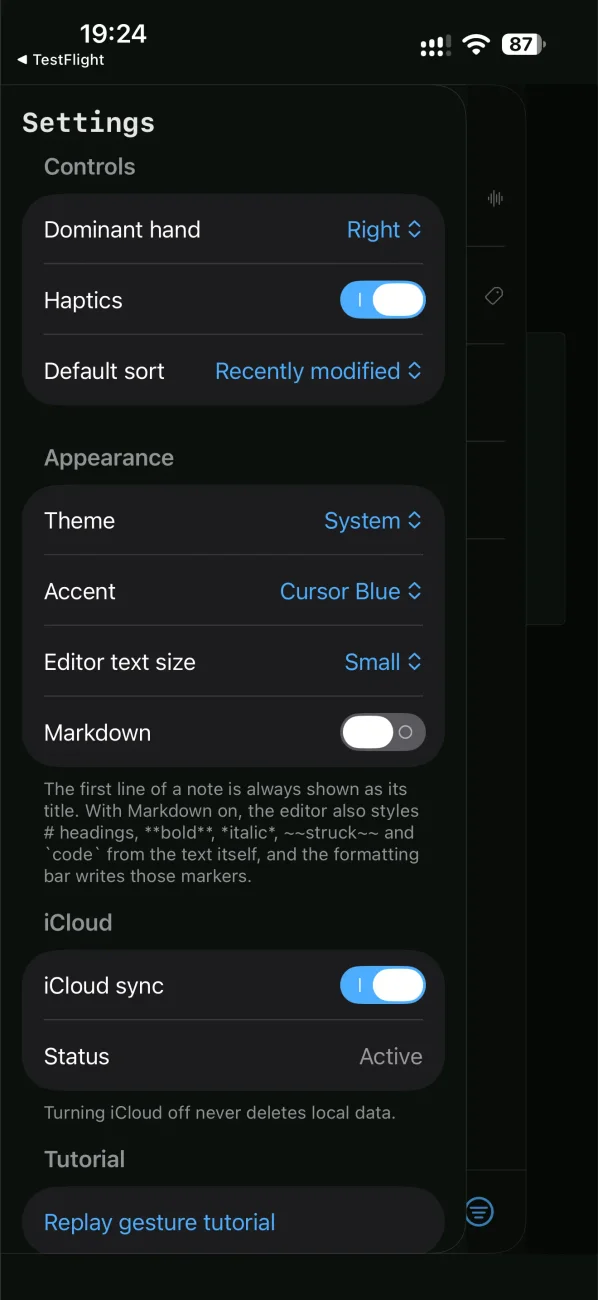
• Swipe from the other edge for your notes, and again for settings.
• Everything mirrors for left-handed use.
NO FRICTION
• No "+" button. No save button. Every change saves itself.
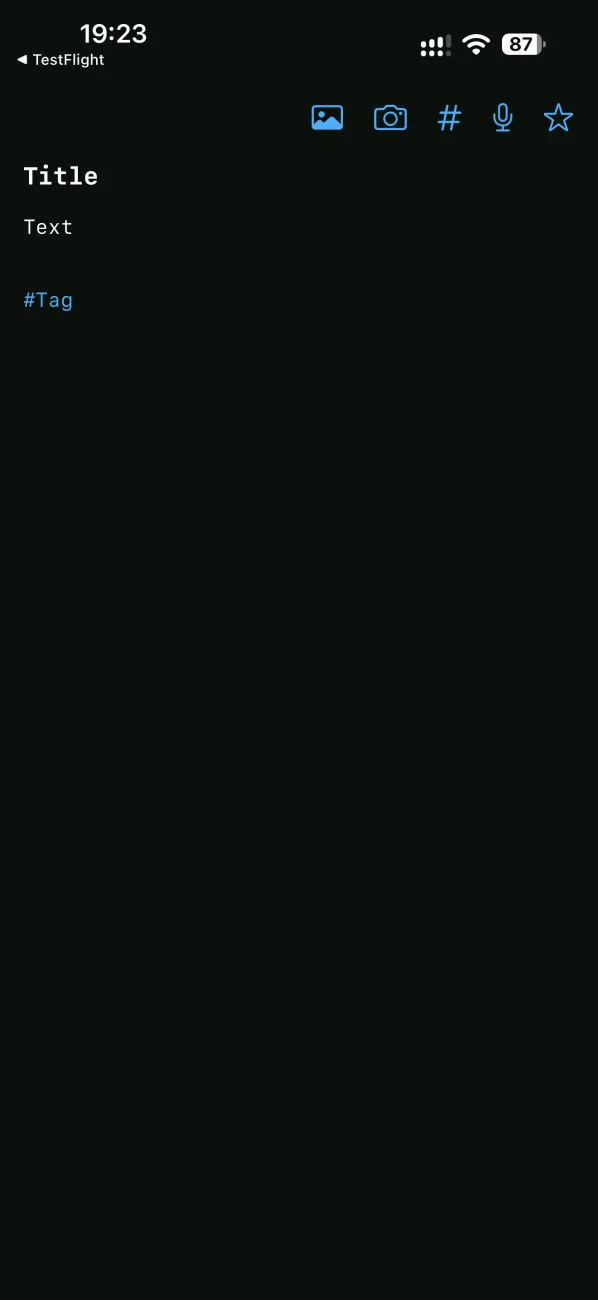
• The cursor is live the moment the note slides in.
• Formatting that matters: headings, bold, italic, lists that carry on as you
type, and checkboxes you tick with a tap.
• Optional Markdown, styled straight from what you type.
PHOTOS, RECORDINGS AND DOCUMENTS
• Add many photos at once from your library, or take one with the camera.
• Attach PDFs, text files, spreadsheets — any file from Files.
• Everything sits in one slim strip above the text; pull it down to see it
all, push it up to fold it away.
• Voice recordings can be paused and resumed and play back right in the note.
FIND IT AGAIN
• File notes into folders — the list groups itself, each folder in its own
faint colour, and folders fold shut.
• Write #tags anywhere in a note, or add one from the # key.
• Search reads note text, tags, folder names and attached file names alike.
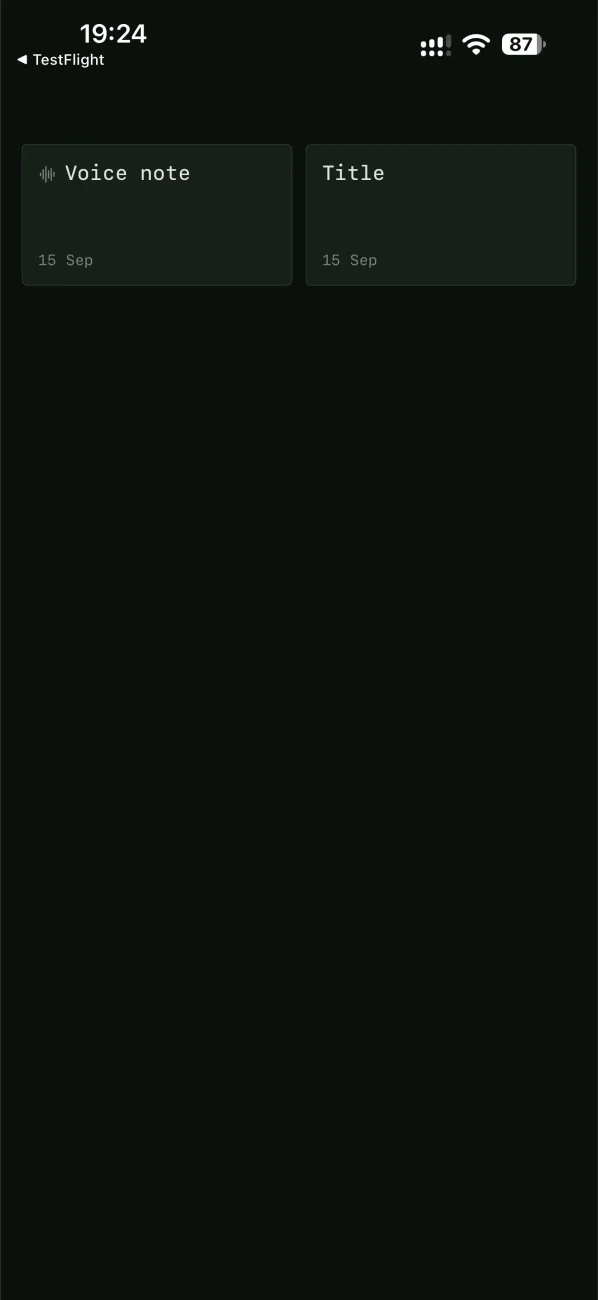
• Pin up to 10 favourites as tiles within thumb's reach.
ON IPAD, WITH A KEYBOARD
• Runs on iPad in every orientation.
• Shortcuts for everything: new note, list, search, pin, formatting.
YOURS, PRIVATELY
• Local-first: notes live on your device.
• Optional sync to your private iCloud — never to our servers (we have none).
• No accounts, no tracking, no analytics. Ever.
FAST AT ANY SIZE
• Smooth with ten thousand notes.
• Attachments are read only when you open them, so a launch stays quick.
Export any note as Markdown or PDF. Trash keeps deleted notes for 30 days.
Có gì mới
Phiên bản 1.50 · 15/11/2026
A new look, attachments of every kind, and Flickaro on iPad.
A NEW LOOK
• Favourites sit as tiles with a photo preview, a recording icon and the time they were written.
• Calmer panels, a cleaner empty screen, a redesigned recorder and settings.
• Each folder gets its own faint colour in the list, so you can see where one ends and the next begins.
PHOTOS AND DOCUMENTS
• Pick as many photos as you like from your library in one go — they arrive in the order you ticked them.
• Attach PDFs, text files, spreadsheets or anything else from Files. A PDF shows its first page; tap to read it, long-press to open, export or remove it.
• Photos and documents share one slim strip above the text. Pull it down to see them all with their names, push it back up to fold it away.
• Search finds a note by the name of a file attached to it.
WRITING
• Export a note as Markdown or PDF straight from the note.
• Lists carry on as you type: bullets, numbers and tasks continue on Return and end on an empty line.
• Tasks are drawn as real checkboxes, and the formatting bar has been redesigned.
• A new key on the formatting bar puts the keyboard away. Closing a photo no longer brings the keyboard back.
IPAD AND KEYBOARDS
• Flickaro now runs on iPad, in every orientation.
• Hardware keyboard shortcuts: ⌘N new note, ⌘L list, ⌘F search, ⌘, settings, ⌘D pin, ⌘1–9 open a pinned note, ⌘B/⌘I/⌘U to format, Esc to go back.
FOLDABLES
• Unfolded, Flickaro spreads out: four tiles across the home screen, a comfortable reading column in the editor, and panels that keep their steps.
• Edge swipes follow your dominant hand on the inner screen too.
FASTER
• Swipes and panels stay smooth with ten thousand notes; opening the list no longer rebuilds it.
• Photos, recordings and documents are read only when you open them, so the app starts quickly and uses less memory however much you attach.
• Opens straight to your notes, with no splash screen in between.
• Long-press a folder header to select every note in it.
Quyền riêng tư của ứng dụng
Những gì Michal Milczarski khai báo trên App Store về cách ứng dụng này xử lý dữ liệu.
-
Dữ liệu không được thu thập
Nhà phát triển không thu thập bất kỳ dữ liệu nào từ ứng dụng này.
Phương thức đảm bảo quyền riêng tư có thể khác nhau, chẳng hạn như tuỳ theo các tính năng bạn sử dụng hoặc độ tuổi của bạn.
Thông tin
- Người bán
- Michal Milczarski
- Danh mục
- Hiệu Suất
- Phiên bản
- 1.50
- Cập nhật
- 15/11/2026
- Phát hành
- 25/07/2026
- Kích thước
- 2,0 MB
- Yêu cầu
- iOS 18.0 trở lên
- Độ tuổi
- 4+
- Giá
- Miễn phí
- Ngôn ngữ
- Tiếng Anh
- Bản quyền
- © 2026 Michał Milczarski
Có thể bạn cũng thích
-
 ChorphinHiệu Suất
-
 DD Life VaultHiệu Suất
-
 Việc Nhà Gia Đình: Phân CôngPhân công dọn dẹp, chấm điểm
-
 Flows - Planner & NotesHiệu Suất
-
 Turing NoteHiệu Suất
-
 Jotable - Simple NotesHiệu Suất
-
 Chore CalendarHiệu Suất
-
 WristBrief: AI Voice RecorderHiệu Suất
-
 Habit Star: Habit TrackerHiệu Suất
-
 Orger: Org-mode PlannerHiệu Suất