- Độ tuổi4+
- Danh mụcNhạc
- Nhà phát triểnJustin Newbold
- Ngôn ngữTiếng Anh
- Kích thước46,2 MB
Liên kết đến trang App Store chính thức
Download.org không lưu trữ tệp nào của Fractal Remote. Nút này mở trang ứng dụng trên App Store, nơi Justin Newbold phát hành ứng dụng. Trang được kiểm tra lần cuối: 22/11/2026.
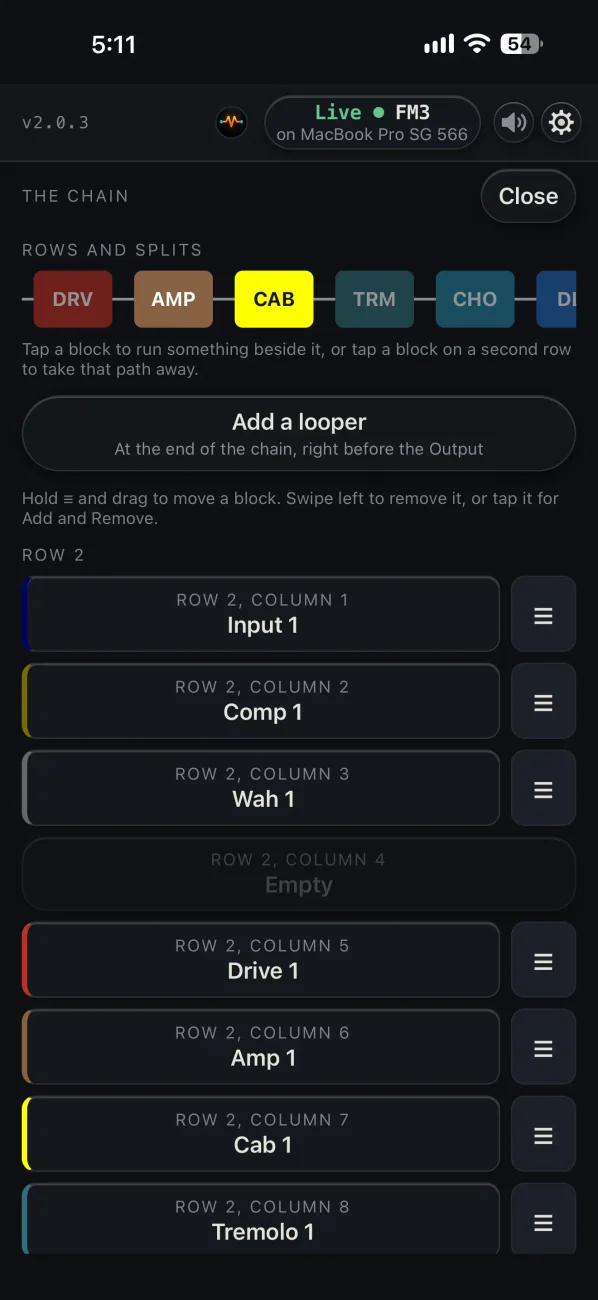
Ảnh chụp màn hình

Giới thiệu
Nhà phát triển chưa cung cấp nội dung này bằng ngôn ngữ của bạn.
Control your Fractal Audio rig from your iPhone or iPad and Apple Watch. Switch presets and scenes, turn effects on and off, edit your tone and save it, all without walking back to your rig.
THREE WAYS TO CONNECT
• Bluetooth: plug a small Bluetooth MIDI adapter into your unit's MIDI jacks and your phone talks straight to it, from up to about 30 feet away. No computer needed.
• USB cable: plug an AM4, FM9 or Axe-Fx III straight into your iPhone or iPad. No adapter and no computer.
• Computer: plug your unit into a Mac, Windows PC, Linux computer or Raspberry Pi running the free Fractal Remote desktop app (fractal.newbold.cloud/downloads). Your phone then works from any distance: across the stage, another room or another building, with less lag and more features.
The app shows you which adapter or cable to get and how it plugs in, step by step. Adapters are sold separately.
TRY IT FREE FOR 7 DAYS
Start a free 7-day trial of the full version and use it with your own rig. Nothing is charged when it ends, and the demo is always there to play with first.
EDIT YOUR TONE AND SAVE IT
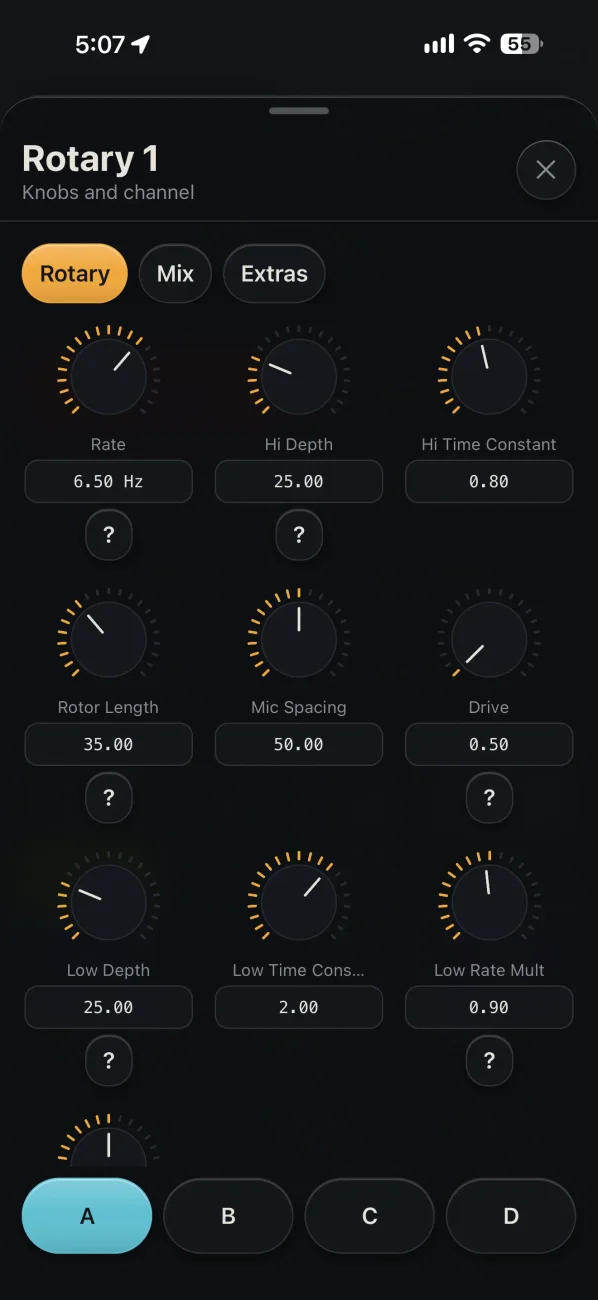
On an AM4, FM3, FM9 or Axe-Fx III, open Edit and turn real knobs, change amp and effect models, switch blocks on and off and pick their channels. You hear every change right away. Tap Save to keep it in the preset.
Starting from an empty preset? Quick build puts in the blocks you tap and joins them up, and you can keep your own Starter chains.
NAM AND TONE3000 ON THE AXE-FX III
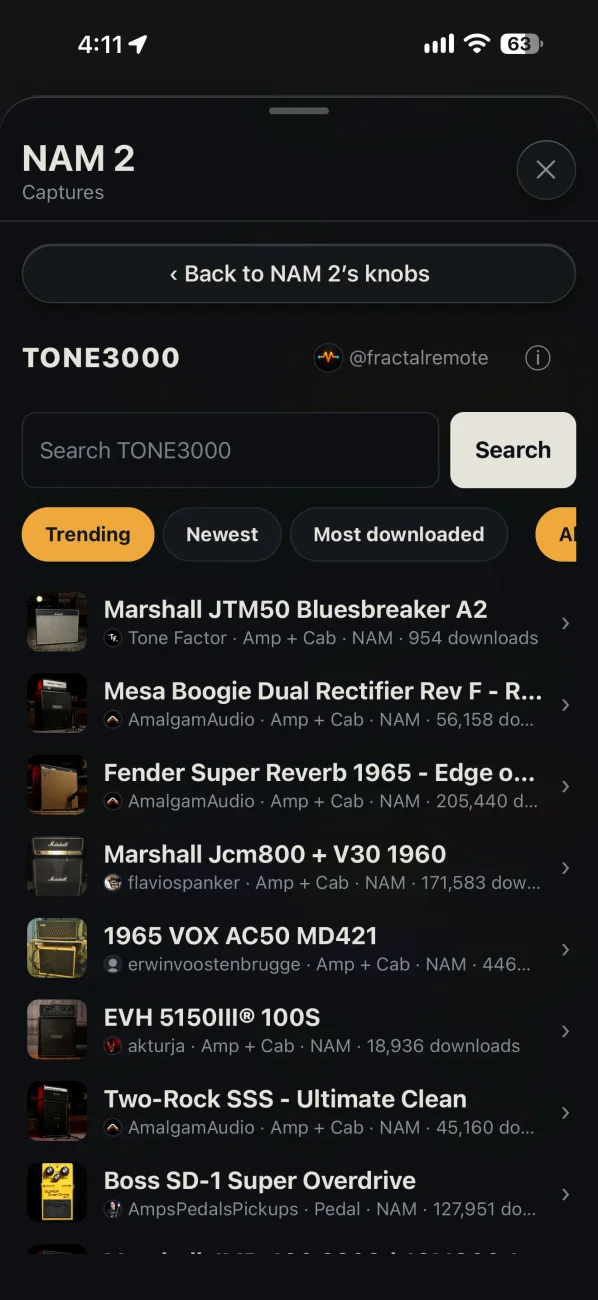
Pick the capture in a NAM block right from the app. Or hold a NAM block, tap TONE3000 and browse thousands of amp and pedal captures: preview one in your preset, and get the ones you like onto your unit. TONE3000 is a separate service with its own free account.
WHAT IT DOES
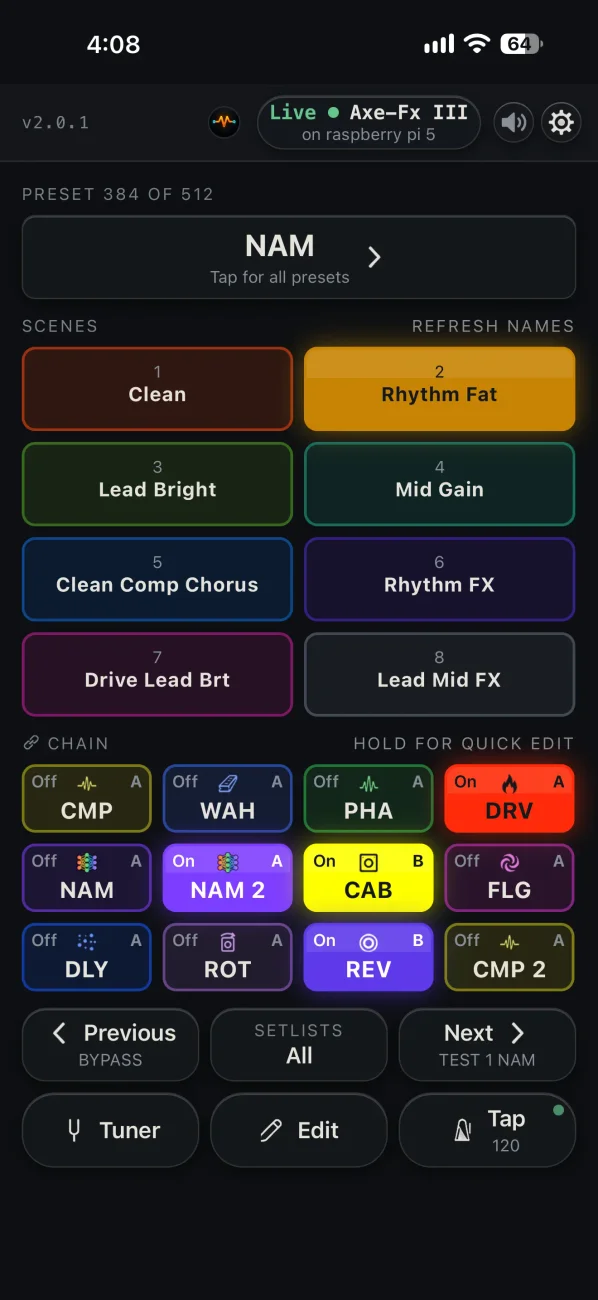
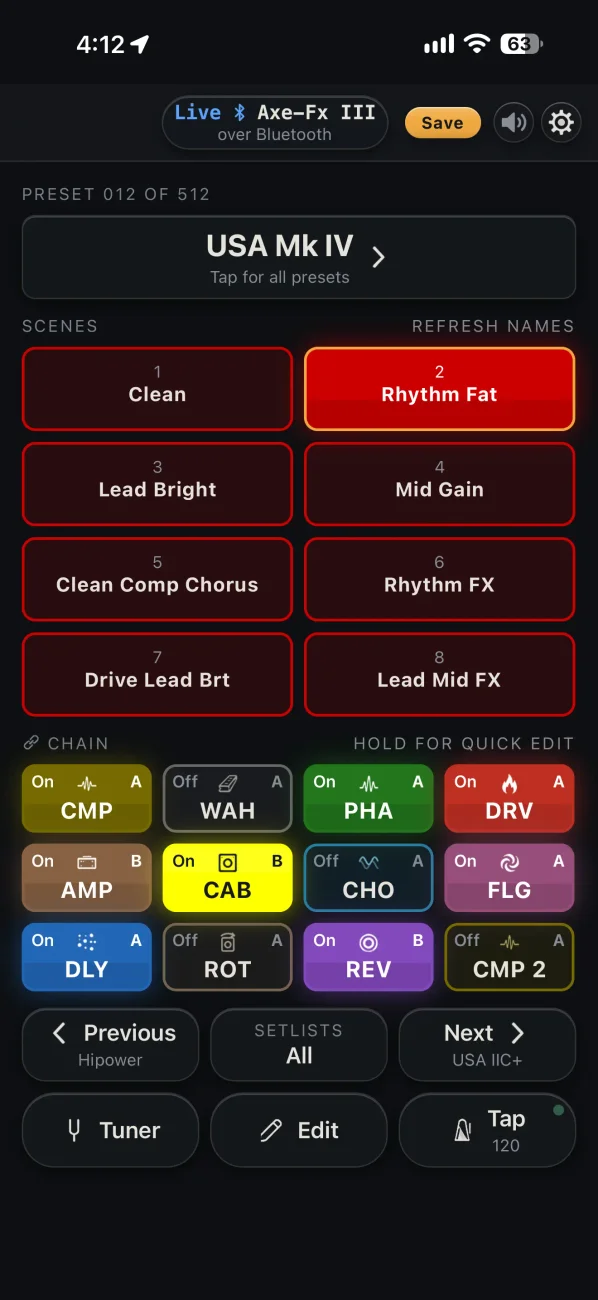
• Switch any of your presets, by name, in slot order or from a setlist
• Scenes, with the names your unit already uses
• Turn effects on and off, and pick channels A to D
• Turn your phone on its side: scenes on one half, pedals on the other
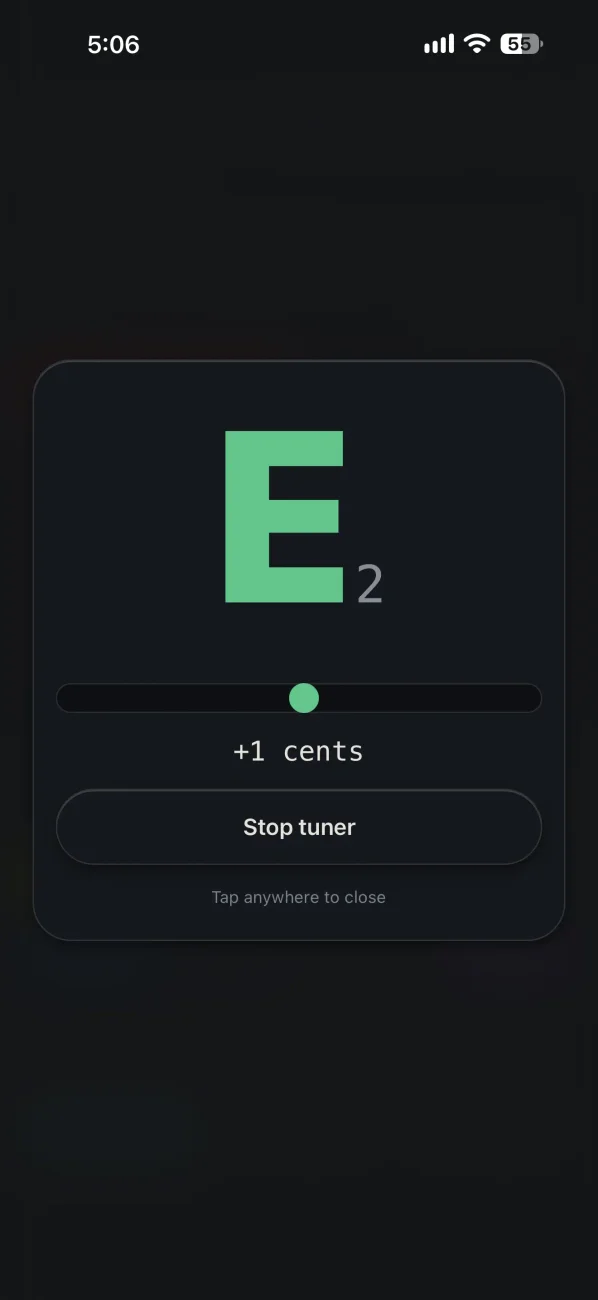
• Tuner, with the note and how far off you are
• Tap tempo and a metronome you can see, hear and line up with your unit
• Setlists and starred presets that follow your account to every device
• Two big Previous and Next buttons you can hit in the dark
• Colors that can match your Fractal unit, so you find things at a glance
• An Apple Watch app, and Siri for hands-free scene and song changes
SUPPORTED UNITS
FM3, FM9, Axe-Fx III and AM4.
ONE PAYMENT, YOURS FOR GOOD
The demo is the whole app running on a simulated unit, with nothing cut short and nothing that expires. When your 7-day trial ends, one payment unlocks everything on every device you own, forever, with every future update. No subscription.
Fractal Remote is independently developed and is not affiliated with, endorsed by, or supported by Fractal Audio Systems, LLC. “Fractal Audio”, “Axe-Fx”, “FM3”, “FM9” and “AM4” are trademarks of Fractal Audio Systems, LLC, used here only to say which hardware this app works with.
Questions or ideas? Settings → Troubleshooting → Feedback, or fractal.newbold.cloud/support.html.
Có gì mới
Phiên bản 2.0.0 · 18/11/2026
• Axe-Fx III: pick NAM captures, and browse and get new ones from TONE3000.
• Turn your iPhone on its side on Play: scenes on one side, pedals on the other.
• Save from the app over Bluetooth or USB, with no computer.
• Quick build: on an empty preset, tap the blocks you want and the app builds the chain.
• Over Bluetooth, knobs follow the unit, and you get output and scene levels.
• Metronome: choose where it clicks, flash the screen edge, and line it up with your unit.
• Apple Watch: order its pages, a new Tempo page, and quick edit with the Digital Crown.
Quyền riêng tư của ứng dụng
Những gì Justin Newbold khai báo trên App Store về cách ứng dụng này xử lý dữ liệu.
-
Dữ liệu liên kết với bạn
Có thể được thu thập và liên kết với danh tính của bạn.
- Mục mua
- Thông tin liên hệ
- Nội dung của người dùng
- Mã định danh
- Dữ liệu sử dụng
- Chẩn đoán
-
Dữ liệu không liên kết với bạn
Có thể được thu thập nhưng không liên kết với danh tính của bạn.
- Mục mua
- Mã định danh
- Chẩn đoán
Phương thức đảm bảo quyền riêng tư có thể khác nhau, chẳng hạn như tuỳ theo các tính năng bạn sử dụng hoặc độ tuổi của bạn.
Thông tin
- Người bán
- Justin Newbold
- Danh mục
- Nhạc
- Phiên bản
- 2.0.0
- Cập nhật
- 18/11/2026
- Phát hành
- 07/10/2026
- Kích thước
- 46,2 MB
- Yêu cầu
- iOS 16.4 trở lên
- Độ tuổi
- 4+
- Giá
- Miễn phí
- Mua hàng trong ứng dụng
- Có
- Ngôn ngữ
- Tiếng Anh
- Bản quyền
- © 2026 Justin Newbold