GPS Map Camera Pro
Geotag Photos with Location
Được thiết kế cho iPhone, iPad
Miễn phí · Mua hàng trong ứng dụng
- Độ tuổi4+
- Danh mụcẢnh & Video
- Nhà phát triểnVarsha Patel
- Ngôn ngữTiếng Anh+ 13 ngôn ngữ khác
- Kích thước27,6 MB
Liên kết đến trang App Store chính thức
Download.org không lưu trữ tệp nào của GPS Map Camera Pro. Nút này mở trang ứng dụng trên App Store, nơi Varsha Patel phát hành ứng dụng. Trang được kiểm tra lần cuối: 18/11/2026.
Ảnh chụp màn hình
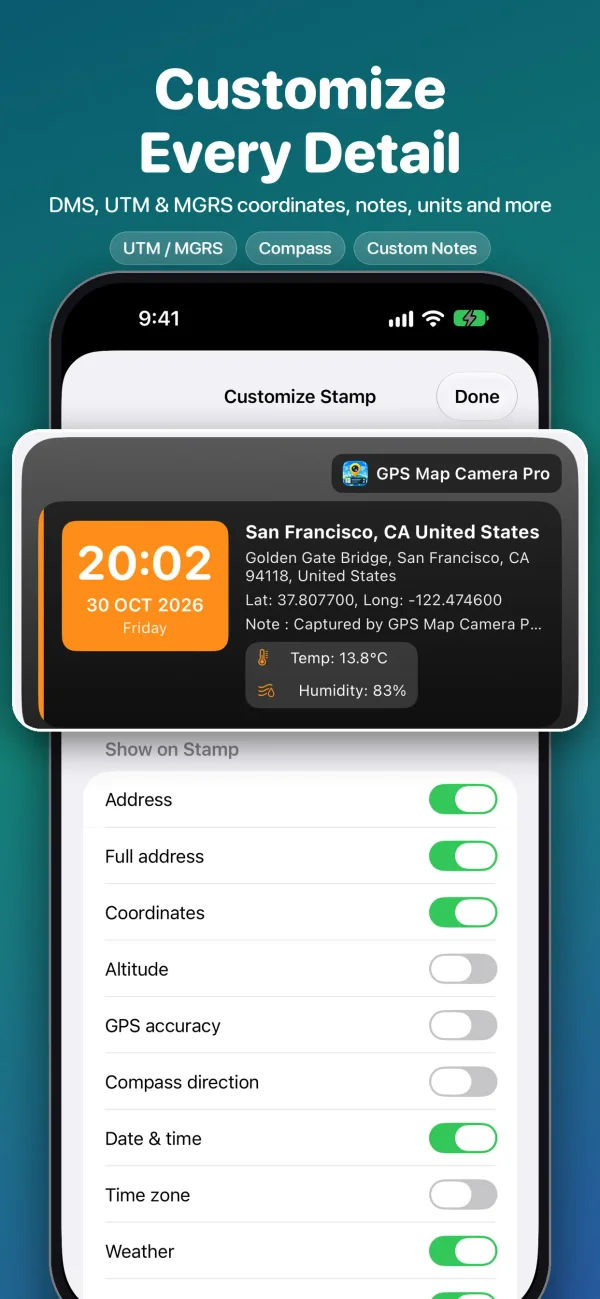
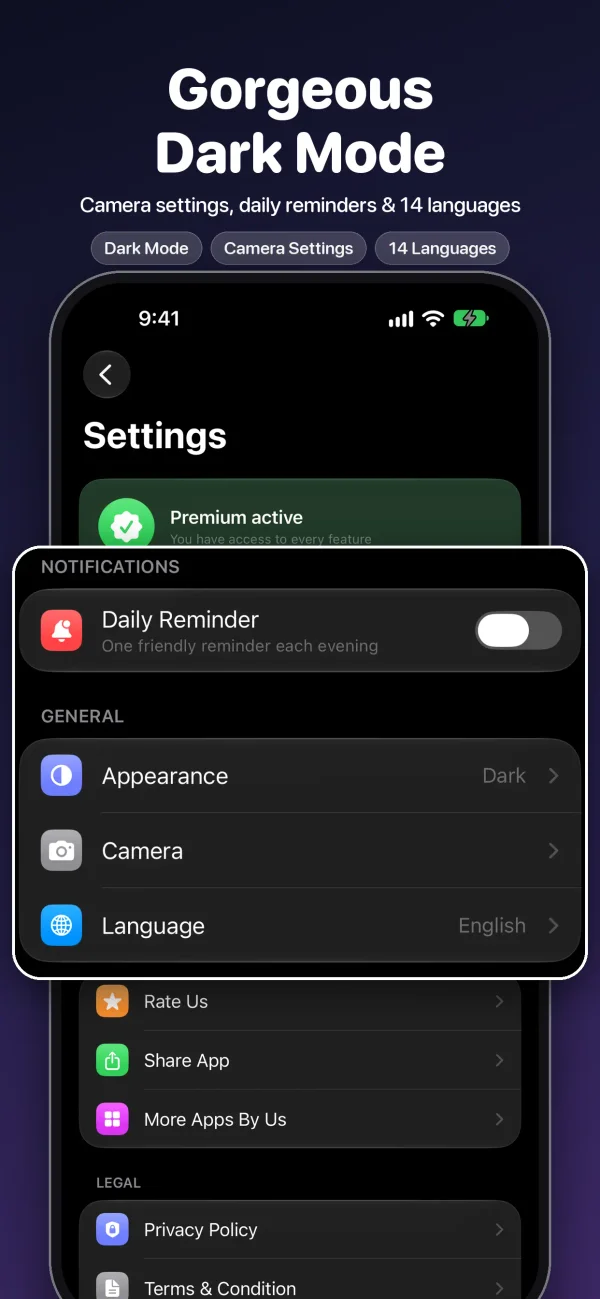
Giới thiệu
Nhà phát triển chưa cung cấp nội dung này bằng ngôn ngữ của bạn.
GPS Map Camera: Geotag Photo
STAMP EVERY PHOTO WITH LOCATION PROOF
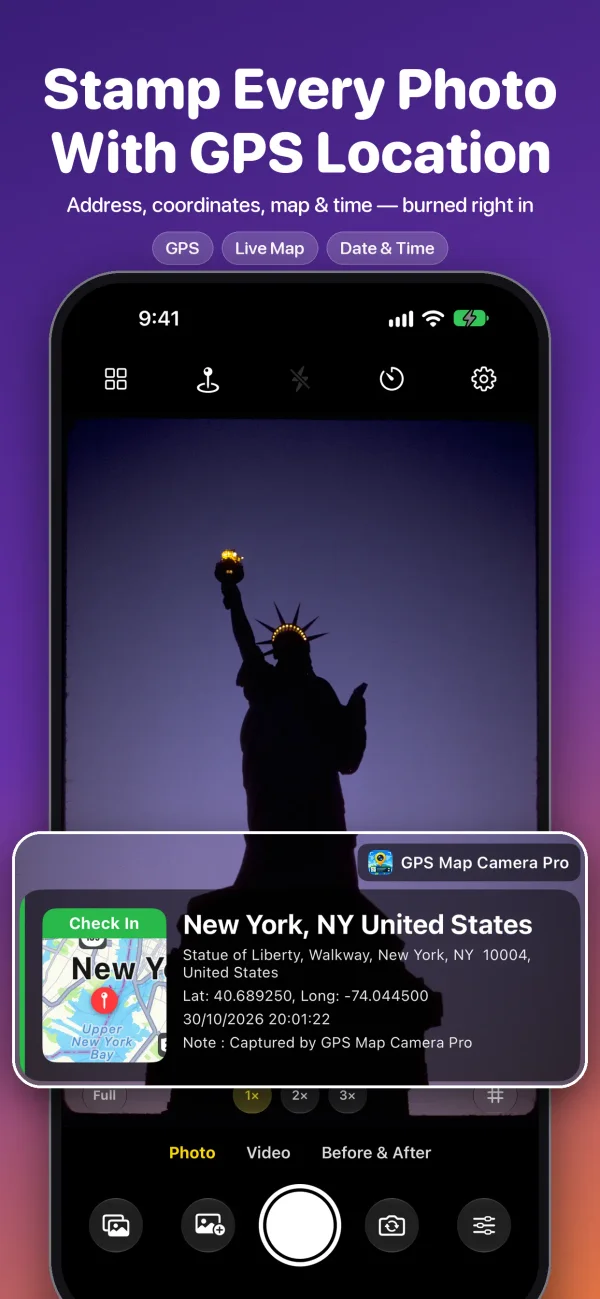
GPS Map Camera automatically adds location details, a live map, address, coordinates, date, time, and weather information to your photos. Capture photos with location proof for site inspections, construction work, field surveys, attendance, deliveries, farming, real estate, and travel.
KEY FEATURES
• Live GPS Stamp – Add a map, full address, latitude, longitude, altitude, location accuracy, compass heading, date, time, and time zone to your photos.
• Weather Information – Display temperature and wind details on your photos with your preferred units.
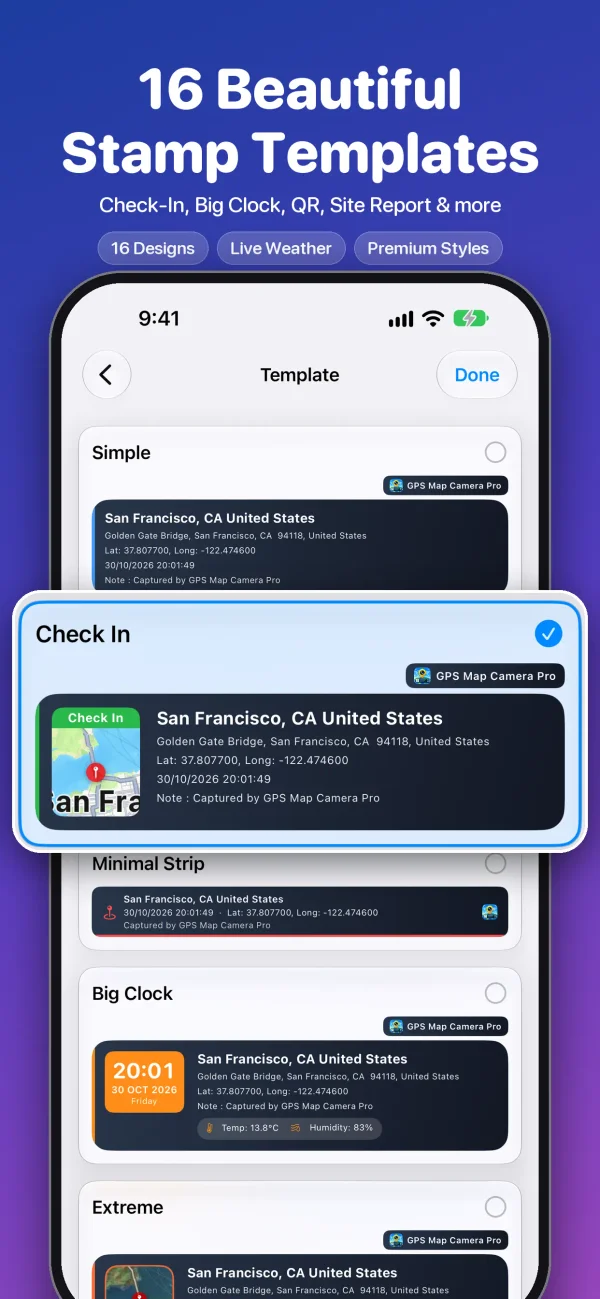
• 16 Stamp Templates – Choose from Simple, Check In, Minimal Strip, Big Clock, Classic, Advance, Extreme, QR Location, Retro Date, Attendance, Farm Geo-tag, Survey / Pro, Hard, Site Report, Weather Card, and Travel Postcard.
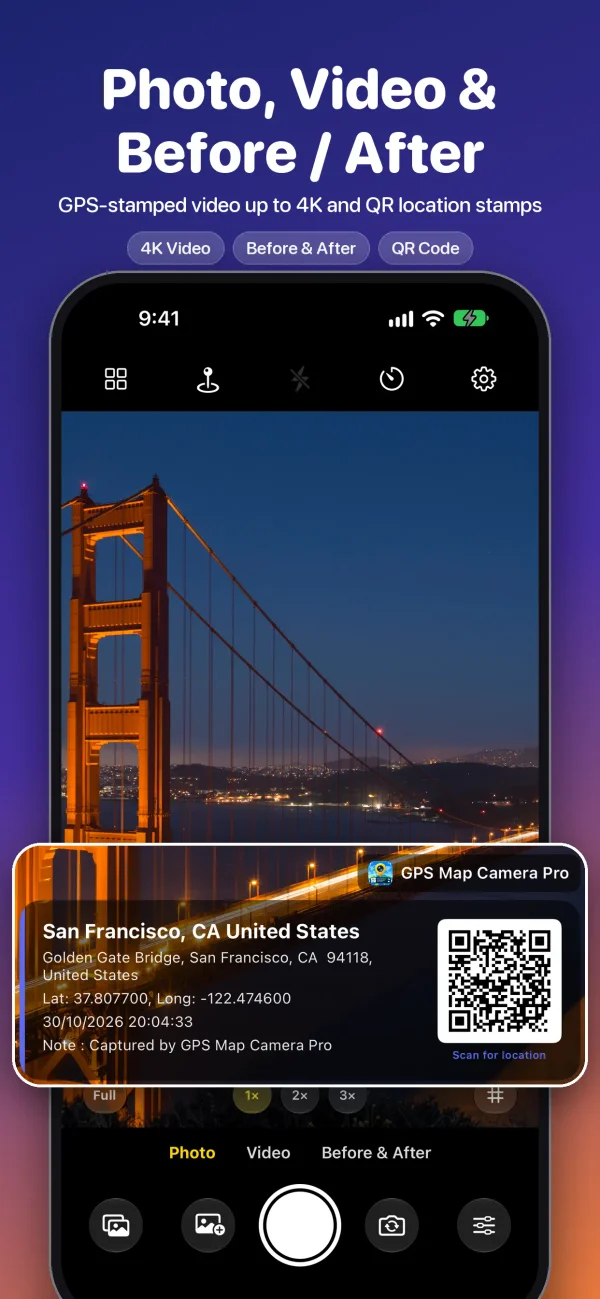
• QR Location – Add a scannable QR code that opens the captured location in Google Maps.
• Attendance Stamp – Include your name and employee ID for check-in and check-out records.
• Farm Geo-tag – Add farmer name, plot number, crop, and area information.
• Multiple Coordinate Formats – Choose Decimal, DMS, UTM, or MGRS formats.
• Custom Stamp – Adjust stamp position and text size. Add notes, hashtags, contact numbers, and captured-by details.
• Manual Location – Select a location directly from the map.
• Gallery GPS Stamp – Add location stamps to existing photos individually or in batches.
• Export Location Data – Export locations in KML (Google Earth) and CSV (Excel) formats.
• Photo Albums – Browse and share your stamped photos directly from the app.
• Save Original Photos – Keep an unstamped copy of your original photo.
VIDEO RECORDING WITH GPS STAMP
Record videos with location information directly on the video.
• HD 720p, Full HD 1080p, and 4K recording options.
• Display GPS location details on recorded videos.
BEFORE & AFTER MODE
Capture two photos of the same location and combine them side by side in one image. Ideal for construction progress, repairs, maintenance, and site updates.
CUSTOM CAMERA SETTINGS
• Multiple aspect ratios: Full Screen, 3:4, 9:16, and 1:1.
• Auto-rotate GPS stamps for landscape and portrait photos.
• Option to lock stamp orientation.
• Turn shutter sound on or off where local laws allow.
• Mirror front camera.
GPS MAP CAMERA PREMIUM
Upgrade to Premium and enjoy additional features:
• Ad-free experience.
• Unlimited photo captures.
• Satellite and Hybrid map styles.
• Access to all Premium templates.
• Survey / Pro, Hard, Site Report, Weather Card, and Travel Postcard templates.
• UTM and MGRS coordinate formats.
• Custom notes.
• Add your company logo to photos.
WHO CAN USE GPS MAP CAMERA?
GPS Map Camera is useful for professionals and individuals who need photos with date, time, and location information.
Perfect for:
• Field Engineers
• Construction Workers and Contractors
• Land Surveyors
• Real Estate Agents
• Insurance Inspectors
• Delivery Staff
• Farmers and Agricultural Workers
• Sales Teams
• Travelers
• Site Managers
14 SUPPORTED LANGUAGES
English, Arabic, Danish, Dutch, French, German, Hindi, Indonesian, Italian, Malay, Portuguese, Russian, Spanish, and Turkish.
SUBSCRIPTION INFORMATION
Payment is charged to your Apple Account at confirmation of purchase. Subscriptions automatically renew unless cancelled at least 24 hours before the end of the current subscription period. You can manage or cancel your subscription anytime through your App Store account settings.
PRIVACY POLICY
https://sites.google.com/view/gps-map-camera-privacypolicy
TERMS OF USE
https://sites.google.com/view/gps-map-camera-termscondition
Có gì mới
Phiên bản 5.4 · 02/11/2026
Redesigned Premium screen and easier setup.
Performance improvements and bug fixes.
Quyền riêng tư của ứng dụng
Những gì Varsha Patel khai báo trên App Store về cách ứng dụng này xử lý dữ liệu.
-
Dữ liệu được sử dụng để theo dõi bạn
Có thể được sử dụng để theo dõi bạn trên các ứng dụng và trang web do công ty khác sở hữu.
- Dữ liệu sử dụng
-
Dữ liệu liên kết với bạn
Có thể được thu thập và liên kết với danh tính của bạn.
- Dữ liệu sử dụng
-
Dữ liệu không liên kết với bạn
Có thể được thu thập nhưng không liên kết với danh tính của bạn.
- Vị trí
- Mã định danh
- Chẩn đoán
Phương thức đảm bảo quyền riêng tư có thể khác nhau, chẳng hạn như tuỳ theo các tính năng bạn sử dụng hoặc độ tuổi của bạn.
Thông tin
- Người bán
- Varsha Patel
- Danh mục
- Ảnh & Video
- Phiên bản
- 5.4
- Cập nhật
- 02/11/2026
- Phát hành
- 25/02/2025
- Kích thước
- 27,6 MB
- Yêu cầu
- iOS 17.0 trở lên
- Độ tuổi
- 4+
- Giá
- Miễn phí
- Mua hàng trong ứng dụng
- Có
- Ngôn ngữ
- Tiếng Anh, Tiếng Ả Rập, Tiếng Đan Mạch, Tiếng Hà Lan, Tiếng Pháp, Tiếng Đức, Hindi, Tiếng Indonesia, Tiếng Ý, Tiếng Mã Lai, Tiếng Bồ Đào Nha, Tiếng Nga + 2 ngôn ngữ khác
- Bản quyền
- ©️ 2025 GPS Map Camera Pro
Có thể bạn cũng thích
-
 GPS Map Camera: Field GeotagẢnh & Video
-
 GPS map camera to geotag photoẢnh & Video
-
 GPS Map Camera LiteẢnh & Video
-
 Timestamp Camera & GPS CameraẢnh & Video
-
 GPS Map Camera : Timestamp CamẢnh & Video
-
 AlbacoreẢnh & Video
-
 AltCam: Máy ảnh thư mụcChụp Trực Tiếp Vào Thư Mục
-
 GPS Camera: Geo Tag & StampẢnh & Video
-
 GPS Camera Pro 2026: GeotagVị trí, ngày giờ trên ảnh
-
 GPS Camera Map - WatermarkCamẢnh & Video