GPS Map Camera Pro
Geotag Photos with Location
Designed for iPhone, iPad
Free · In-app purchases
- Age rating4+
- CategoryPhoto & Video
- DeveloperVarsha Patel
- LanguagesEnglish+ 13 more
- Size27.6 MB
Links to the official App Store page
Download.org hosts no file of GPS Map Camera Pro. The button opens its official App Store page, published by Varsha Patel. Listing last checked on Nov 18, 2026.
Screenshots


About
GPS Map Camera: Geotag Photo
STAMP EVERY PHOTO WITH LOCATION PROOF
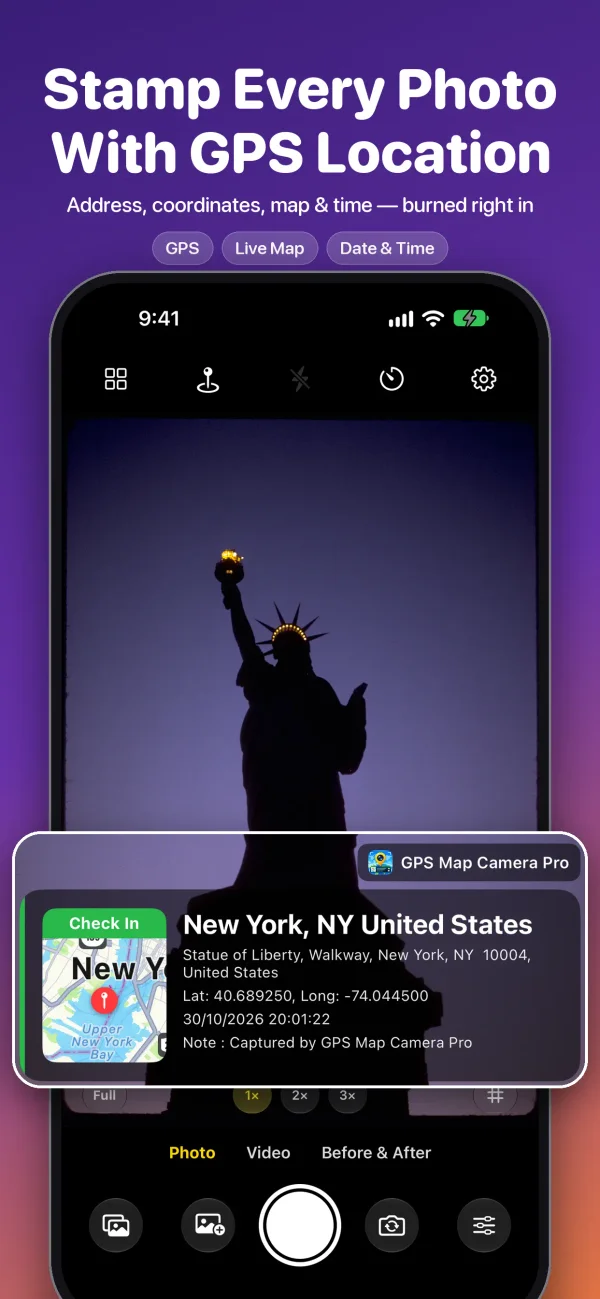
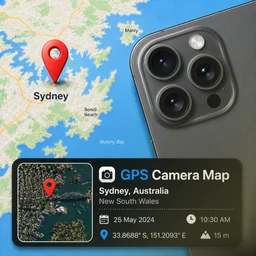
GPS Map Camera automatically adds location details, a live map, address, coordinates, date, time, and weather information to your photos. Capture photos with location proof for site inspections, construction work, field surveys, attendance, deliveries, farming, real estate, and travel.
KEY FEATURES
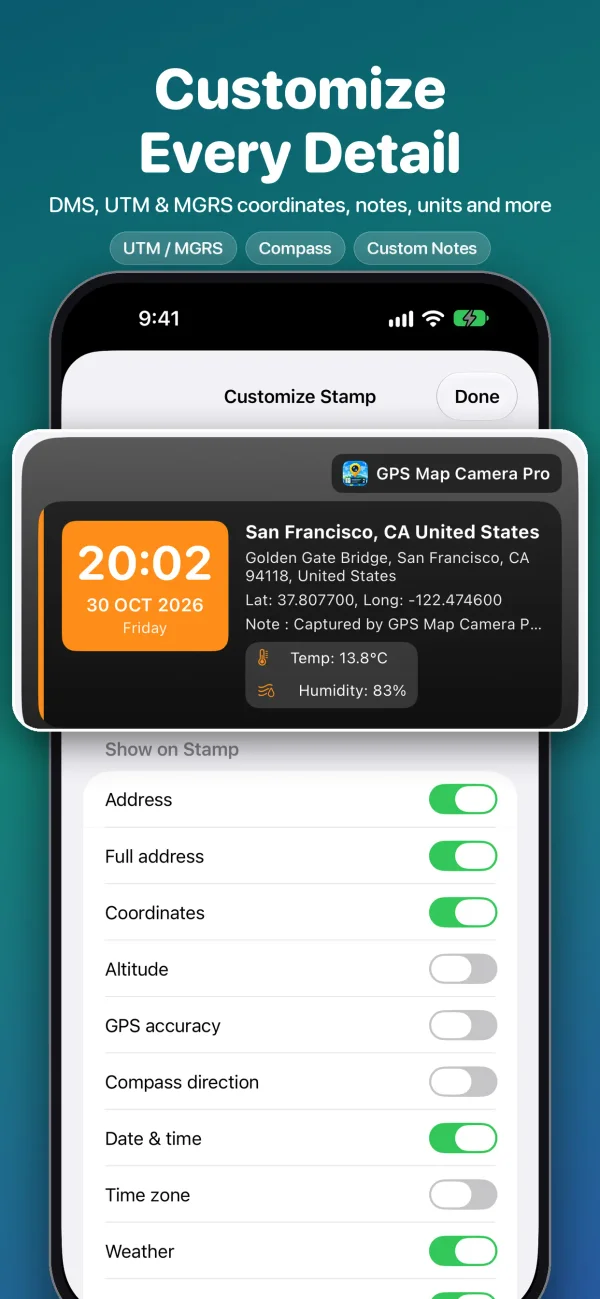
• Live GPS Stamp – Add a map, full address, latitude, longitude, altitude, location accuracy, compass heading, date, time, and time zone to your photos.
• Weather Information – Display temperature and wind details on your photos with your preferred units.
• 16 Stamp Templates – Choose from Simple, Check In, Minimal Strip, Big Clock, Classic, Advance, Extreme, QR Location, Retro Date, Attendance, Farm Geo-tag, Survey / Pro, Hard, Site Report, Weather Card, and Travel Postcard.
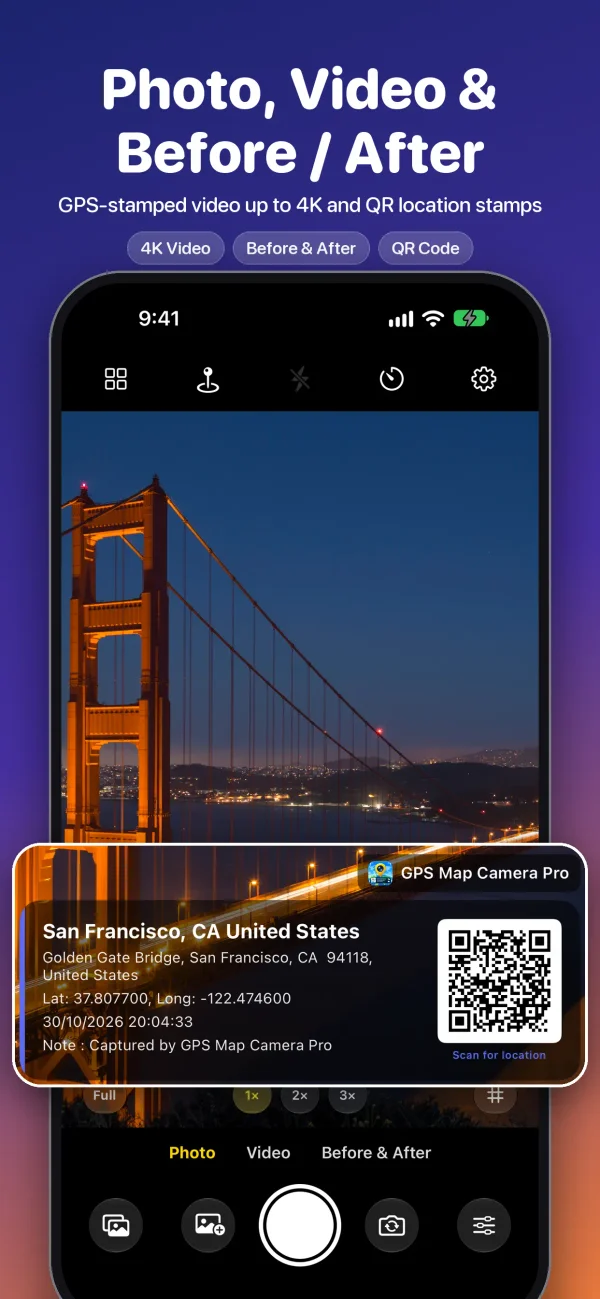
• QR Location – Add a scannable QR code that opens the captured location in Google Maps.
• Attendance Stamp – Include your name and employee ID for check-in and check-out records.
• Farm Geo-tag – Add farmer name, plot number, crop, and area information.
• Multiple Coordinate Formats – Choose Decimal, DMS, UTM, or MGRS formats.
• Custom Stamp – Adjust stamp position and text size. Add notes, hashtags, contact numbers, and captured-by details.
• Manual Location – Select a location directly from the map.
• Gallery GPS Stamp – Add location stamps to existing photos individually or in batches.
• Export Location Data – Export locations in KML (Google Earth) and CSV (Excel) formats.
• Photo Albums – Browse and share your stamped photos directly from the app.
• Save Original Photos – Keep an unstamped copy of your original photo.
VIDEO RECORDING WITH GPS STAMP
Record videos with location information directly on the video.
• HD 720p, Full HD 1080p, and 4K recording options.
• Display GPS location details on recorded videos.
BEFORE & AFTER MODE
Capture two photos of the same location and combine them side by side in one image. Ideal for construction progress, repairs, maintenance, and site updates.
CUSTOM CAMERA SETTINGS
• Multiple aspect ratios: Full Screen, 3:4, 9:16, and 1:1.
• Auto-rotate GPS stamps for landscape and portrait photos.
• Option to lock stamp orientation.
• Turn shutter sound on or off where local laws allow.
• Mirror front camera.
GPS MAP CAMERA PREMIUM
Upgrade to Premium and enjoy additional features:
• Ad-free experience.
• Unlimited photo captures.
• Satellite and Hybrid map styles.
• Access to all Premium templates.
• Survey / Pro, Hard, Site Report, Weather Card, and Travel Postcard templates.
• UTM and MGRS coordinate formats.
• Custom notes.
• Add your company logo to photos.
WHO CAN USE GPS MAP CAMERA?
GPS Map Camera is useful for professionals and individuals who need photos with date, time, and location information.
Perfect for:
• Field Engineers
• Construction Workers and Contractors
• Land Surveyors
• Real Estate Agents
• Insurance Inspectors
• Delivery Staff
• Farmers and Agricultural Workers
• Sales Teams
• Travelers
• Site Managers
14 SUPPORTED LANGUAGES
English, Arabic, Danish, Dutch, French, German, Hindi, Indonesian, Italian, Malay, Portuguese, Russian, Spanish, and Turkish.
SUBSCRIPTION INFORMATION
Payment is charged to your Apple Account at confirmation of purchase. Subscriptions automatically renew unless cancelled at least 24 hours before the end of the current subscription period. You can manage or cancel your subscription anytime through your App Store account settings.
PRIVACY POLICY
https://sites.google.com/view/gps-map-camera-privacypolicy
TERMS OF USE
https://sites.google.com/view/gps-map-camera-termscondition
What’s new
Version 5.4 · Nov 2, 2026
Redesigned Premium screen and easier setup.
Performance improvements and bug fixes.
App privacy
What Varsha Patel declares on the App Store about how this app handles data.
-
Data used to track you
May be used to track you across apps and websites owned by other companies.
- Usage data
-
Data linked to you
May be collected and linked to your identity.
- Usage data
-
Data not linked to you
May be collected but is not linked to your identity.
- Location
- Identifiers
- Diagnostics
Privacy practices may vary, for example with the features you use or your age.
Information
- Seller
- Varsha Patel
- Category
- Photo & Video
- Version
- 5.4
- Updated
- Nov 2, 2026
- Released
- Feb 25, 2025
- Size
- 27.6 MB
- Requires
- iOS 17.0 or later
- Age rating
- 4+
- Price
- Free
- In-app purchases
- Yes
- Languages
- English, Arabic, Danish, Dutch, French, German, Hindi, Indonesian, Italian, Malay, Portuguese, Russian + 2 more
- Copyright
- ©️ 2025 GPS Map Camera Pro
You might also like
-
 GPS Map Camera: Field GeotagWork Photo Timestamp & GPS
-
 GPS map camera to geotag photogeotagging timestamp photo
-
 GPS Map Camera LiteAdd Location on photo with GPS
-
 Timestamp Camera & GPS CameraGPS Map & Time Stamp, Geotag
-
 GPS Map Camera : Timestamp CamGPS Photo Location: Timestamp
-
 AlbacoreRAMP Camera
-
 AltCam: Folder CameraFolder Camera & Photo Vault
-
 GPS Camera: Geo Tag & StampGPS camera with location stamp
-
 GPS Camera Pro 2026: GeotagLocation & time stamp with map
-
 GPS Camera Map - WatermarkCam#1 GPS Camera Watermark