- Độ tuổi4+
- Danh mụcHiệu Suất
- Nhà phát triểnVinny Carpenter
- Ngôn ngữTiếng Anh
- Kích thước18,7 MB
Liên kết đến trang App Store chính thức
Download.org không lưu trữ tệp nào của GSD Task Manager. Nút này mở trang ứng dụng trên App Store, nơi Vinny Carpenter phát hành ứng dụng. Trang được kiểm tra lần cuối: 14/11/2026.
Ảnh chụp màn hình


Giới thiệu
Nhà phát triển chưa cung cấp nội dung này bằng ngôn ngữ của bạn.
GSD ("Get Stuff Done") helps you answer one question: what should I work on next?
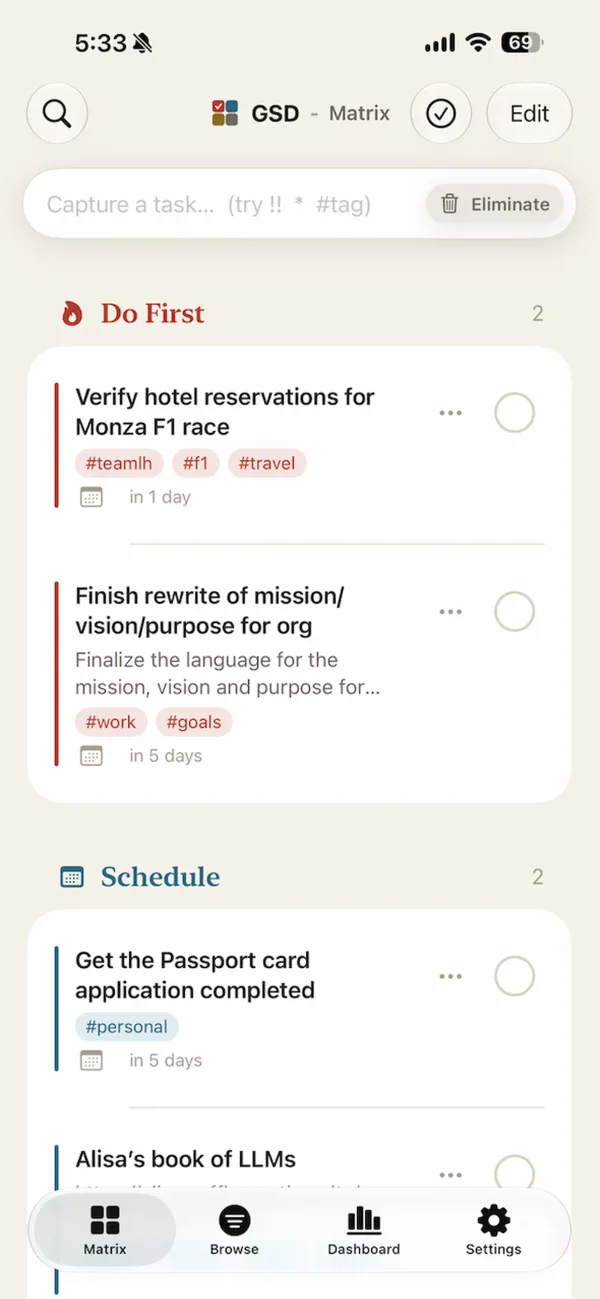
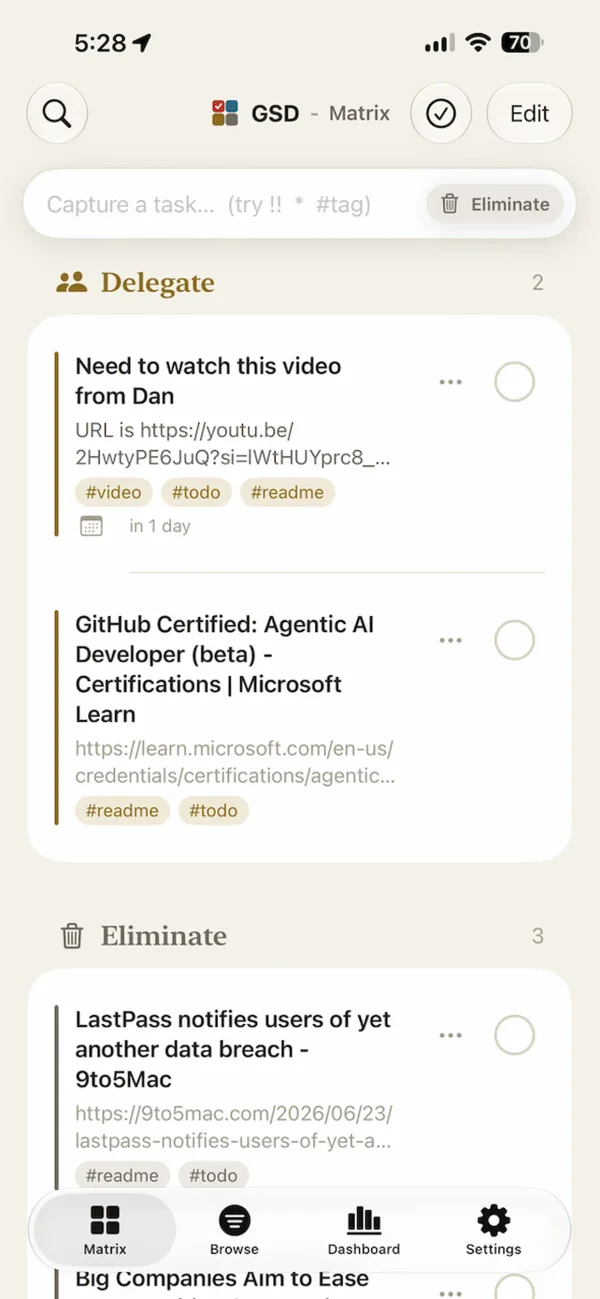
Every task is framed on two honest axes — urgent and important — and lands in one of four quadrants: Do First, Schedule, Delegate, Eliminate. The Eisenhower matrix is a decades-old decision tool, and GSD keeps it that way: one calm surface, one decision at a time.
PRIVATE BY DEFAULT
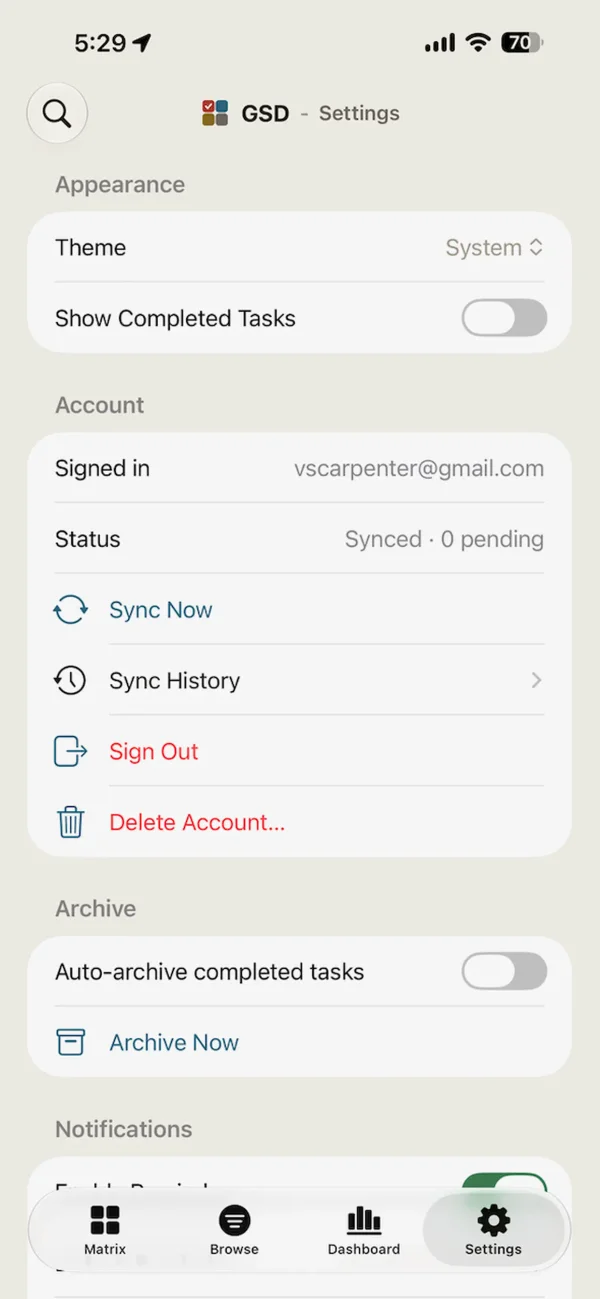
Your tasks live on your device. GSD works fully offline, with no account, no sign-up, and nothing sent anywhere. Optional sync is there if you want it — sign in with Apple, Google, or GitHub and your tasks stay in step across iPhone, iPad, and the GSD web app. Your choice, never a requirement.
CAPTURE WITHOUT BREAKING STRIDE
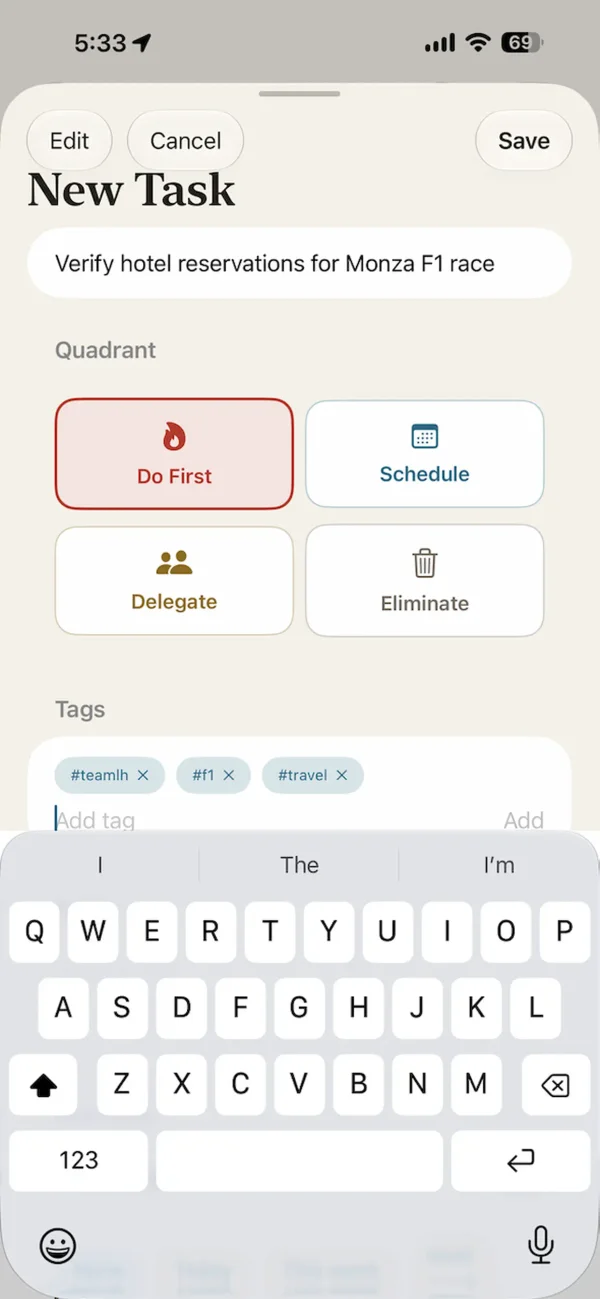
Type one line. Shorthand does the sorting:
• !! marks urgent and important — straight to Do First
• ! urgent, * important
• #tags organize as you type
Share a link or text from any app and it becomes a task. A Home Screen widget keeps today's focus in view.
DEPTH UNDER A CALM SURFACE
The grid stays simple; the power sits one layer down.
• Subtasks, tags, notes, and due dates with reminders
• Recurring tasks — daily, weekly, monthly
• Dependencies: see what's blocked and what's blocking
• Built-in time tracking with estimates and timers
• Snooze, archive, and auto-archive to keep the board honest
FIND ANYTHING
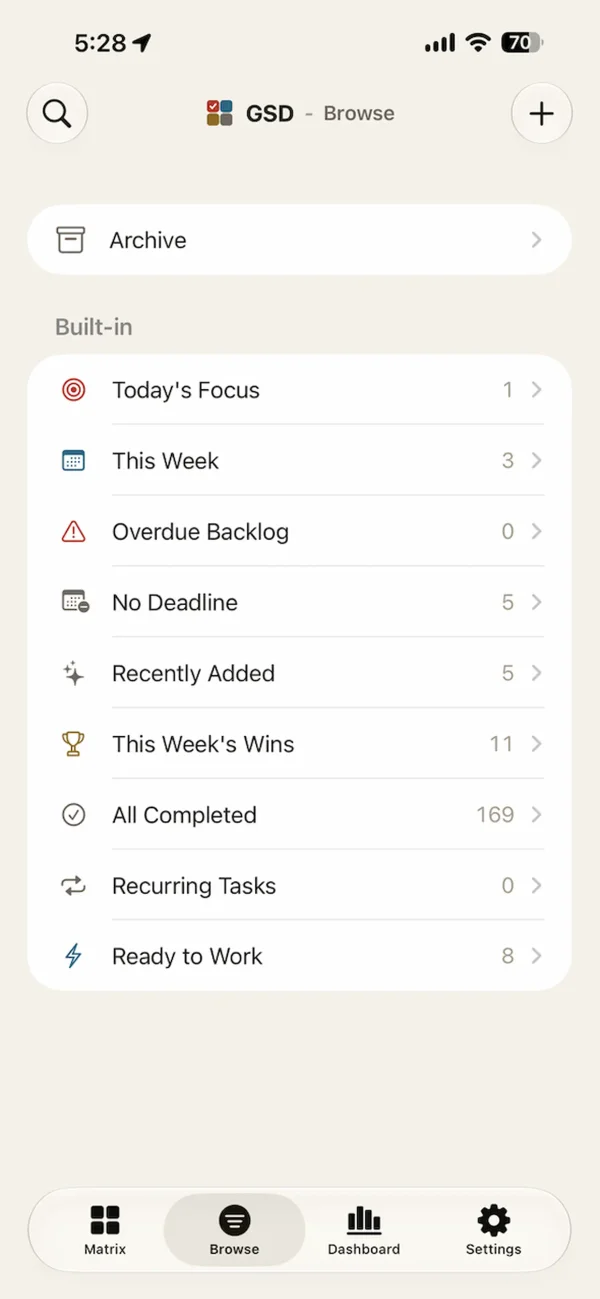
Smart views slice your tasks the way you think — Today's Focus, This Week, Overdue Backlog, Ready to Work — or build your own with filters. A command palette puts every task and screen one tap away (⌘K with a keyboard).
PROGRESS, MEASURED HONESTLY
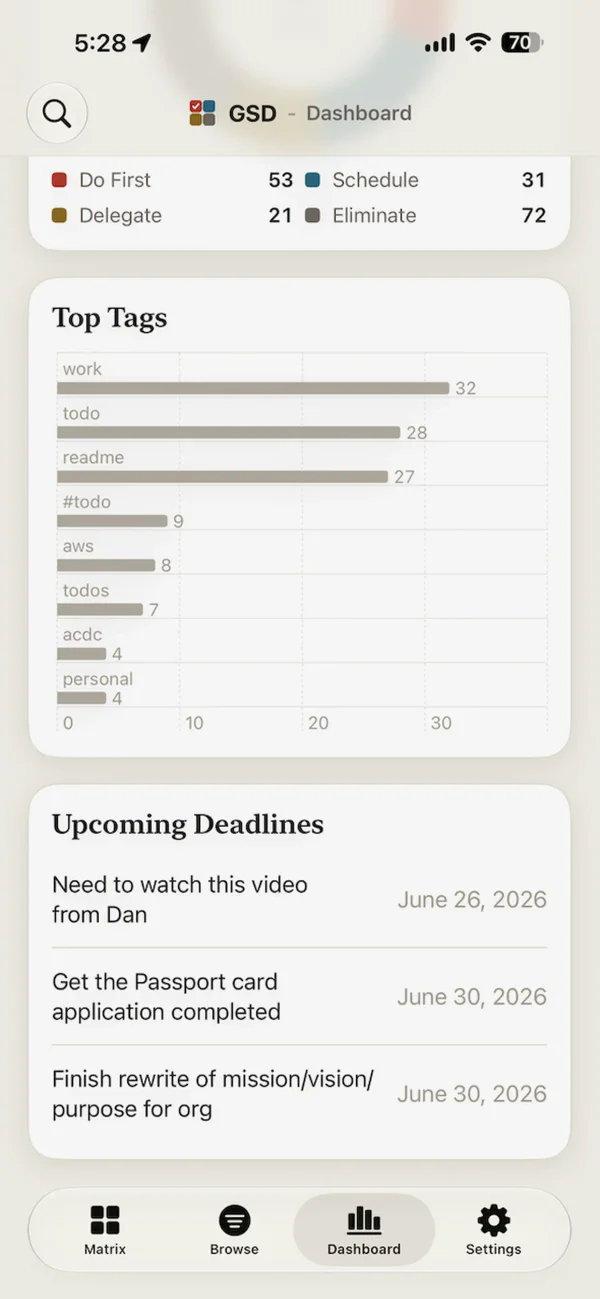
A dashboard shows completion trends, quadrant balance, tracked time, and upcoming deadlines. No badges, no manufactured rewards, no pressure to open the app — just an accurate picture of how you're doing.
DESIGNED FOR iOS, NOT PORTED
Native SwiftUI throughout. Swipe actions, context menus, dark mode, and an iPad layout built for the larger canvas. VoiceOver labels, Dynamic Type, and Reduce Motion respected everywhere.
No ads. No tracking. No attention engineering. Capture what matters, decide once, and get back to your day.
Có gì mới
Phiên bản 4.0.0 · 09/11/2026
GSD 4.0 adds an Apple Watch app. Today and Do First open on your wrist, and a swipe completes a task. Capture a task on the watch, then pick its quadrant. Reminders on the watch have Complete and Snooze 1 hour buttons.
Widgets on the watch face show today's picks, Do First, or the next task due today. A Capture control opens a new task. The watch gets your tasks straight from your iPhone, so it works with no account. When your iPhone is out of reach, the watch holds your changes until it can deliver them.
Pick your top three for today. Today sits above the matrix with up to three tasks from any quadrant, in the order you plan to do them. Choose Add to today from a task's menu, or tap Pick up to three for today to see suggestions. GSD suggests and never picks for you. A pick from an earlier day comes back as an offer, so nothing rolls over by itself. Your picks show first in the Today's Focus widget and on Apple Watch, and they sync to your other devices when you sign in.
The weekly sweep walks you through tasks that need a decision, one at a time. Each card says why it's there, such as Due date passed or No date yet. It offers the actions that fit, such as Complete, New date, or Save for later, and Skip changes nothing. When a sweep is due, a Weekly sweep line shows above the matrix, and you can start one from Settings anytime. Settings can also remind you each week on the day and time you pick.
On iPad, each quadrant now shows its tasks in columns when the window is wide enough, so more of your list fits at once. To keep one list per quadrant, turn off Columns in the matrix toolbar.
GSD also shows you what changed, right in the app. In Settings, About has a What's New screen with the notes for every recent version, newest first. You can also open it from the command palette. After an update with something new, one line under the capture bar tells you what changed. Dismiss it and it stays gone. There are no pop-ups and no badges.
The Field Guide now covers due dates, reminders, escalating tasks, swipe actions, snooze, Undo, Trash, and Saved. Onboarding's urgency arrow now points at the urgent column.
Reminders are more dependable, too. When another device moves a task's due date, GSD reminds you at the new time. Snoozing a task before its reminder time no longer drops the reminder. Background refresh updates your reminders, so a change from another device doesn't wait until you open GSD.
If you delete a task while signed out, signing in no longer deletes it from your other devices. If your account still has it, it comes back. The app icon badge no longer resets to zero when GSD opens, and returning a Saved task to the matrix now offers All day.
As always, GSD works fully offline. Syncing is optional and only happens when you sign in.
Quyền riêng tư của ứng dụng
Những gì Vinny Carpenter khai báo trên App Store về cách ứng dụng này xử lý dữ liệu.
-
Dữ liệu không được thu thập
Nhà phát triển không thu thập bất kỳ dữ liệu nào từ ứng dụng này.
Phương thức đảm bảo quyền riêng tư có thể khác nhau, chẳng hạn như tuỳ theo các tính năng bạn sử dụng hoặc độ tuổi của bạn.
Thông tin
- Người bán
- Vinny Carpenter
- Danh mục
- Hiệu Suất
- Phiên bản
- 4.0.0
- Cập nhật
- 09/11/2026
- Phát hành
- 18/06/2026
- Kích thước
- 18,7 MB
- Yêu cầu
- iOS 26.0 trở lên
- Độ tuổi
- 4+
- Giá
- Miễn phí
- Ngôn ngữ
- Tiếng Anh
- Bản quyền
- © 2026 Vinny Carpenter
Có thể bạn cũng thích
-
 iomatrixHiệu Suất
-
 Be Like IkeHiệu Suất
-
 SixDo - Ivy Lee Method To-DoHiệu Suất
-
 Magic PDF Pro: Offline EditorHiệu Suất
-
 Daytulo: AI Daily PlannerHiệu Suất
-
 TaskFlow: To-Do & PlannerHiệu Suất
-
 SnapActions - AI RemindersHiệu Suất
-
 Orbital (Group Tasks)Hiệu Suất
-
 Critical Choice: Task ManagerHiệu Suất
-
 taskDojo: habit & goal trackerHiệu Suất