
iomatrix
Matrix Task Manager
Được thiết kế cho iPhone, iPad, Mac
Miễn phí · Mua hàng trong ứng dụng
- Độ tuổi4+
- Danh mụcHiệu Suất
- Nhà phát triểnJoonhee Cho
- Ngôn ngữTiếng Anh+ 4 ngôn ngữ khác
- Kích thước30,7 MB
Liên kết đến trang App Store chính thức
Download.org không lưu trữ tệp nào của iomatrix. Nút này mở trang ứng dụng trên App Store, nơi Joonhee Cho phát hành ứng dụng. Trang được kiểm tra lần cuối: 26/11/2026.
Ảnh chụp màn hình


Giới thiệu
Nhà phát triển chưa cung cấp nội dung này bằng ngôn ngữ của bạn.
iomatrix is an Eisenhower Matrix task manager that helps you stop reacting and start prioritizing. Sort every task into four quadrants — Do, Schedule, Delegate, Delete — and focus on what matters. Native on iPhone, iPad, Mac, and Apple Watch, with widgets and on-device Apple Intelligence.
THE EISENHOWER MATRIX
- Do — Urgent & Important: handle these first
- Schedule — Important, Not Urgent: plan ahead
- Delegate — Urgent, Not Important: hand off
- Delete — Neither: let it go
TASK MANAGEMENT
- Quick add with quadrant, workspace, due date, notes, and links with auto-fetched titles
- Drag between quadrants, or into Notes, Mail, and Messages as text
- Add a task from any app: share a link or text, or drag it onto a quadrant
- Backlog for undecided tasks, Archive for finished ones
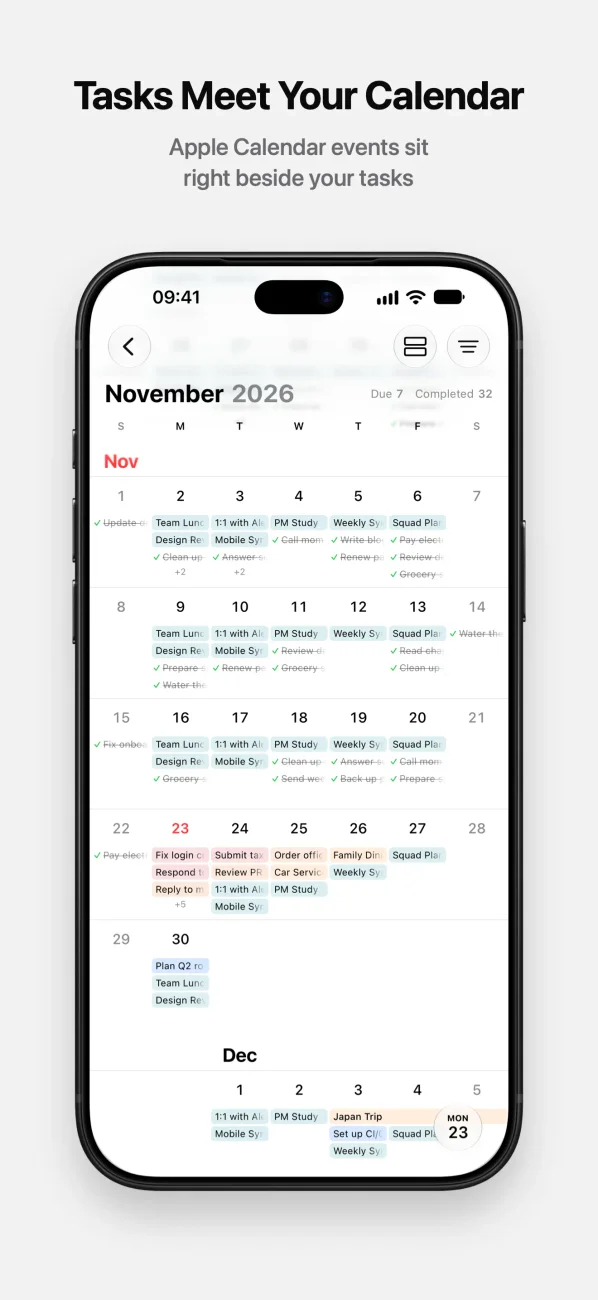
- Calendar in four views, with your Apple Calendar events beside your tasks
- Due dates are a day, with a time only when you need one
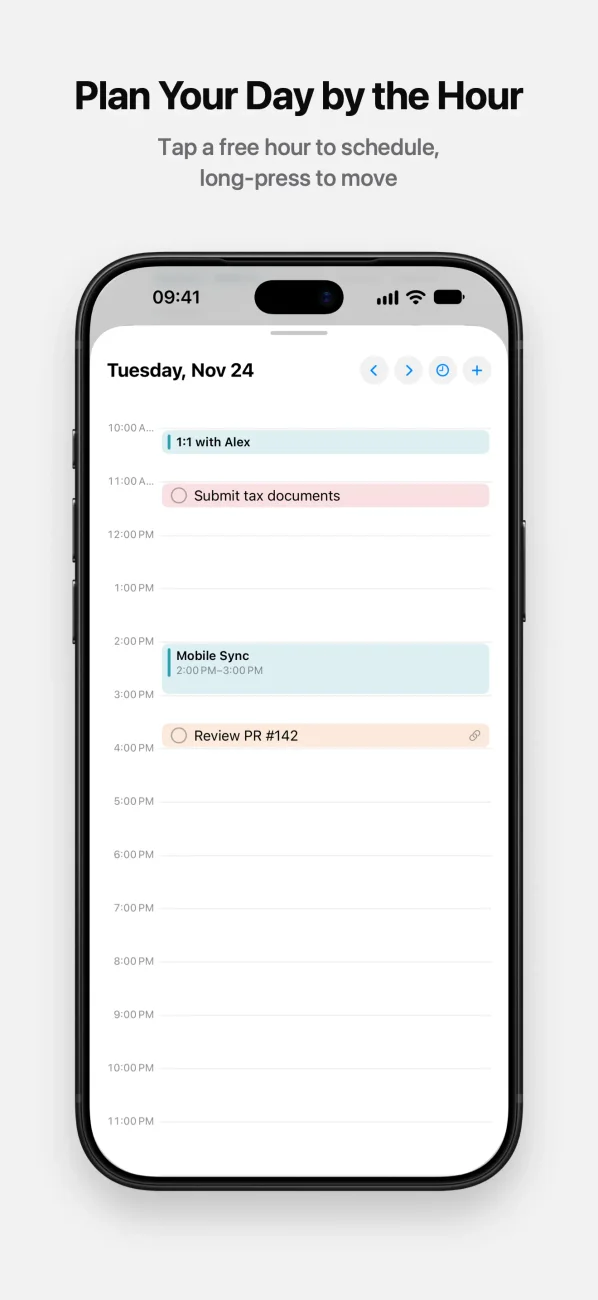
- Day timeline on an hour grid with the current time: tap an empty hour to schedule a task and it lands in Apple Calendar
- Daily reminder for today's due and overdue tasks
SIRI & APPLE INTELLIGENCE
- "Add a task to iomatrix" — Apple Intelligence turns a sentence into structured tasks, on device
- Say several tasks at once; quadrant, due date, and workspace are inferred
- Find and complete tasks by voice; every action works in Shortcuts
- Without Apple Intelligence, your phrase is still saved as a task
WORKSPACES
- Separate work, personal, and projects, and filter the whole matrix by one
- 10-color palette; archive a workspace when the project wraps
- Three workspaces free; more with Pro
HEATMAP & WIDGETS
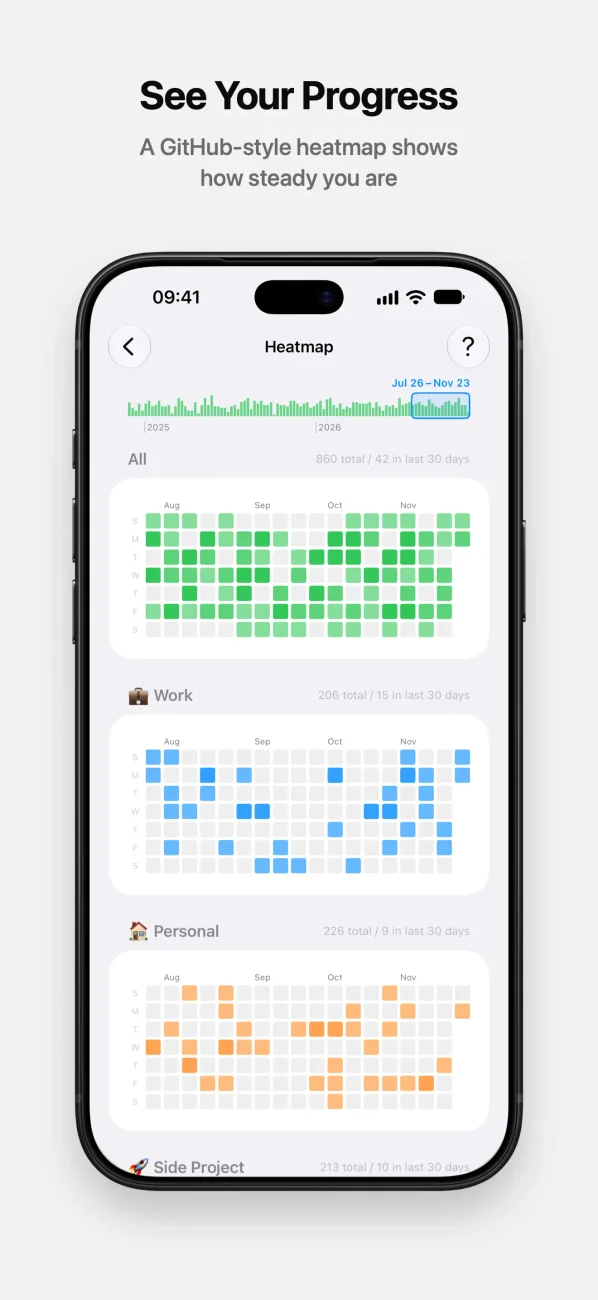
- GitHub-style completion heatmap that fits any screen and scrolls back two years
- Widgets: matrix summary, quadrant lists, 2×2 grid, and heatmaps, including an extra large size that fills a Home Screen page
- Lock Screen widgets and Apple Watch complications
IOMATRIX PRO — ONE-TIME PURCHASE
Everything above is free. Pay once, with no subscription, to unlock on iPhone, iPad, and Mac:
- Routines — repeating tasks that come back on schedule, at a set time if you like (your first routine is free)
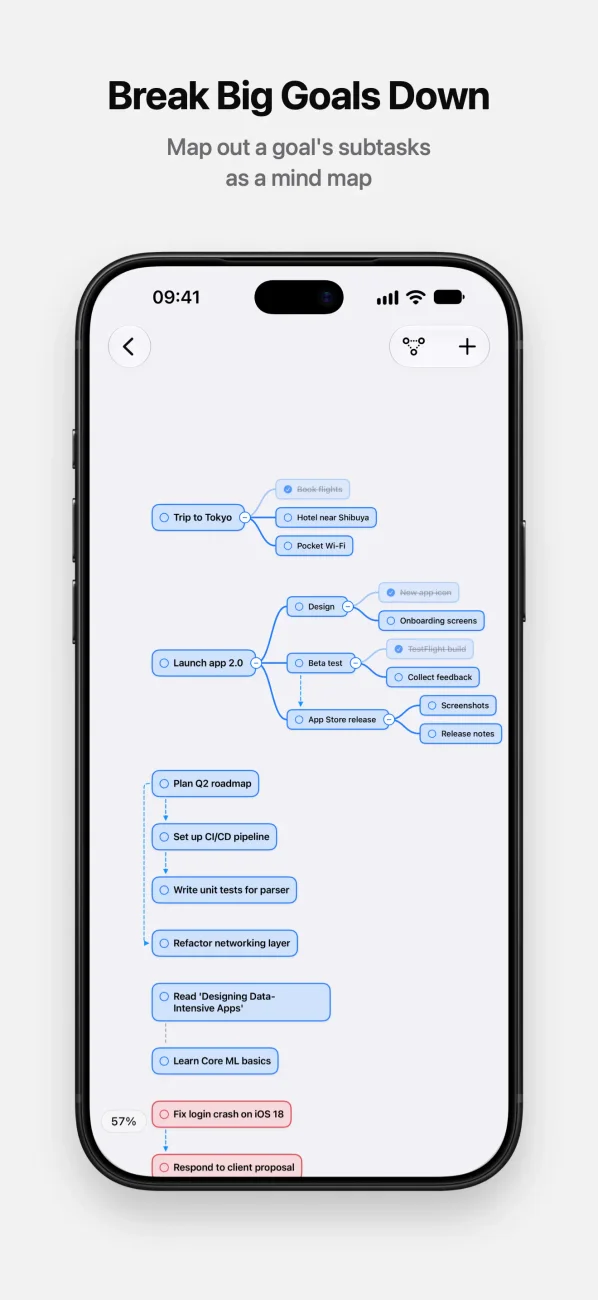
- Workflow — break a task into subtasks as a mind map or outline, and link tasks as before / after / related
- Pairwise Prioritization — compare two tasks at a time, then apply the ranking to your matrix
- Voice Capture — speak freely and on-device transcription turns it into a task
- Unlimited workspaces and custom workspace colors
- Quadrant customization — rename and recolor quadrants, and choose from nine color themes (two are free)
Used iomatrix before version 1.14? Every Pro feature stays free for you.
EVERYWHERE YOU WORK
- iPhone & iPad: drag-and-drop matrix with gesture shortcuts
- Mac: menu bar widget, a separate Workflow window, and keyboard shortcuts
- Apple Watch: matrix, backlog, quick add, and edit on your wrist
- CLI: add, list, complete, move, edit, and delete from the terminal
SYNC & PRIVACY
- iCloud sync across your devices through your personal iCloud account
- No data collected by the developer, no third-party servers, no ads
- Works offline; purchases are handled by Apple
Available in English, Korean, Japanese, Simplified Chinese, and Spanish. A short walkthrough on first launch shows you around.
Build better focus habits — one quadrant at a time.
Terms of Use:
https://www.apple.com/legal/internet-services/itunes/dev/stdeula/
Privacy Policy:
https://ioxyz.io/products/iomatrix/privacy
Có gì mới
Phiên bản 1.17.1 · 25/11/2026
- The calendar's List view now remembers whether you left it on Week or Month.
Quyền riêng tư của ứng dụng
Những gì Joonhee Cho khai báo trên App Store về cách ứng dụng này xử lý dữ liệu.
-
Dữ liệu không được thu thập
Nhà phát triển không thu thập bất kỳ dữ liệu nào từ ứng dụng này.
Phương thức đảm bảo quyền riêng tư có thể khác nhau, chẳng hạn như tuỳ theo các tính năng bạn sử dụng hoặc độ tuổi của bạn.
Thông tin
- Người bán
- Joonhee Cho
- Danh mục
- Hiệu Suất
- Phiên bản
- 1.17.1
- Cập nhật
- 25/11/2026
- Phát hành
- 16/03/2026
- Kích thước
- 30,7 MB
- Yêu cầu
- iOS 26.0 trở lên
- Độ tuổi
- 4+
- Giá
- Miễn phí
- Mua hàng trong ứng dụng
- Có
- Ngôn ngữ
- Tiếng Anh, Tiếng Nhật, Tiếng Hàn, Tiếng Trung Giản thể, Tiếng Tây Ban Nha
- Bản quyền
- © 2026 Joonhee Cho
Có thể bạn cũng thích
-
 TRIX: Eisenhower Task PlannerHiệu Suất
-
 GSD Task ManagerHiệu Suất
-
 두두 - 아이젠하워 매트릭스Hiệu Suất
-
 버딩 - 습관 형성 캘린더Hiệu Suất
-
 Urgent or Important - MatrixHiệu Suất
-
 Productivity MatrixHiệu Suất
-
 Taskrix: Eisenhower MatrixHiệu Suất
-
 NEMO – Eisenhower Matrix MemoHiệu Suất
-
 Todo Matrix - Task ReminderHiệu Suất
-
 Be Like IkeHiệu Suất