
Happy Next
AI coding agents on the go
Được thiết kế cho iPhone, iPad, iPod touch
Miễn phí
- Độ tuổi4+
- Danh mụcCông Cụ Nhà Phát Triển
- Nhà phát triểnHitosea
- Ngôn ngữTiếng Anh+ 3 ngôn ngữ khác
- Kích thước115,7 MB
Liên kết đến trang App Store chính thức
Download.org không lưu trữ tệp nào của Happy Next. Nút này mở trang ứng dụng trên App Store, nơi Hitosea phát hành ứng dụng. Trang được kiểm tra lần cuối: 28/11/2026.
Ảnh chụp màn hình
Giới thiệu
Nhà phát triển chưa cung cấp nội dung này bằng ngôn ngữ của bạn.
Happy Next is the secure mobile companion for AI coding agents. Follow long-running tasks, answer permission requests, and pick a conversation back up from your iPhone, iPad, or Apple Watch — at lunch, on a train, or away from your desk.
Your computer does the work. Happy Next keeps you in the loop.
SIX AGENTS, ONE APP
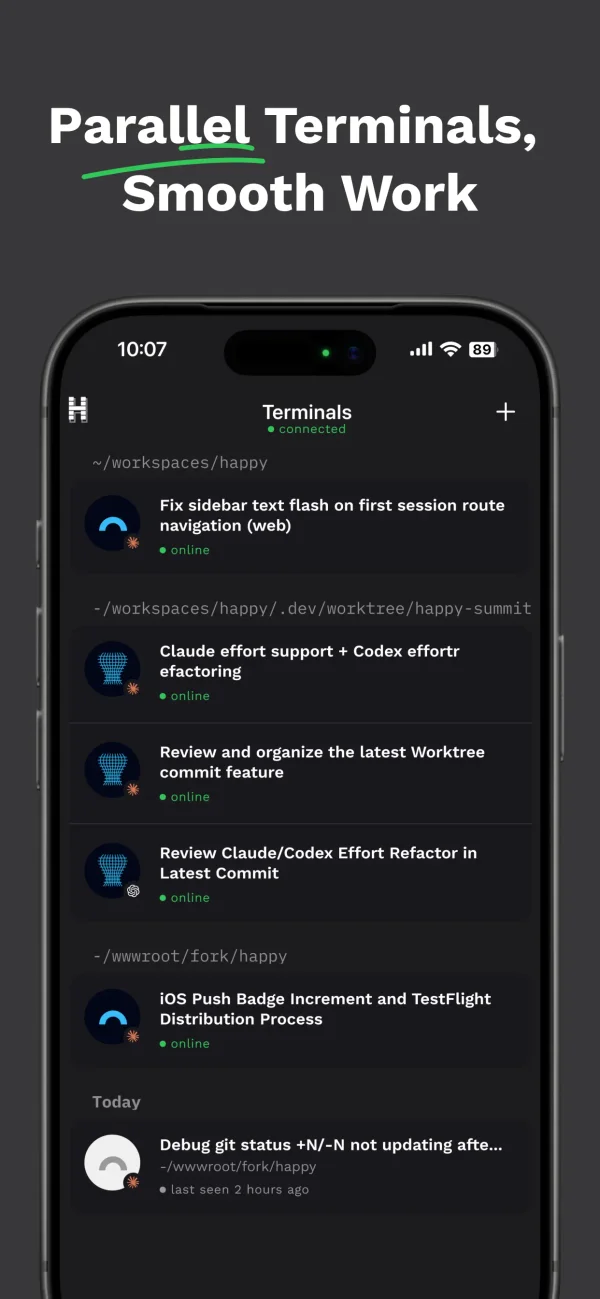
• Claude Code, Codex, Gemini, Antigravity, DeepSeek, and Qoder (or Qoder CN) — each with its own models, permission modes, and history
• Start, resume, duplicate, or fork a session, and hand control back to your desktop with a keypress
• Models come straight from the CLI on your machine, so new ones appear as soon as they ship
• Update Happy CLI and your agent CLIs from the app
STAY IN THE LOOP
• Push notifications for permission requests and finished tasks — approve, allow for the session, deny, stop, or reply right from the notification
• Responses, tool calls, diffs, and todos stream in live
• Queue a message, schedule it for later, or steer it into a running turn without interrupting
• A conversation minimap that jumps anywhere in a long session
• A real terminal in your pocket
BUILT FOR REAL WORK
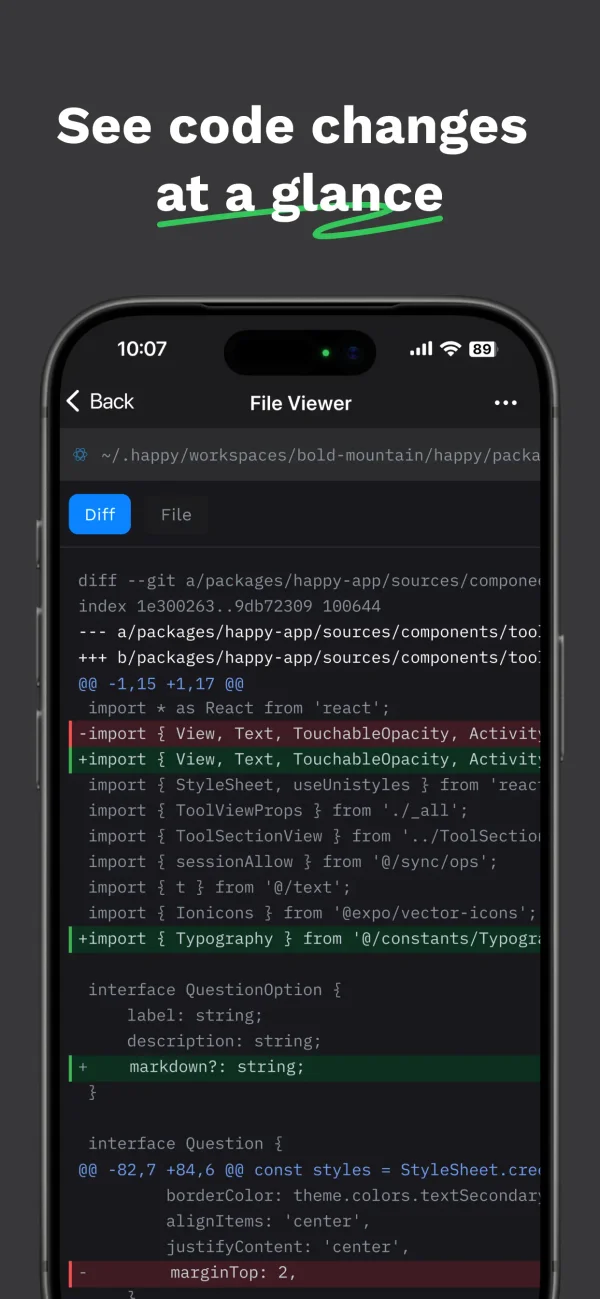
• Browse files, view diffs and images, and stage, commit, or discard changes from your phone
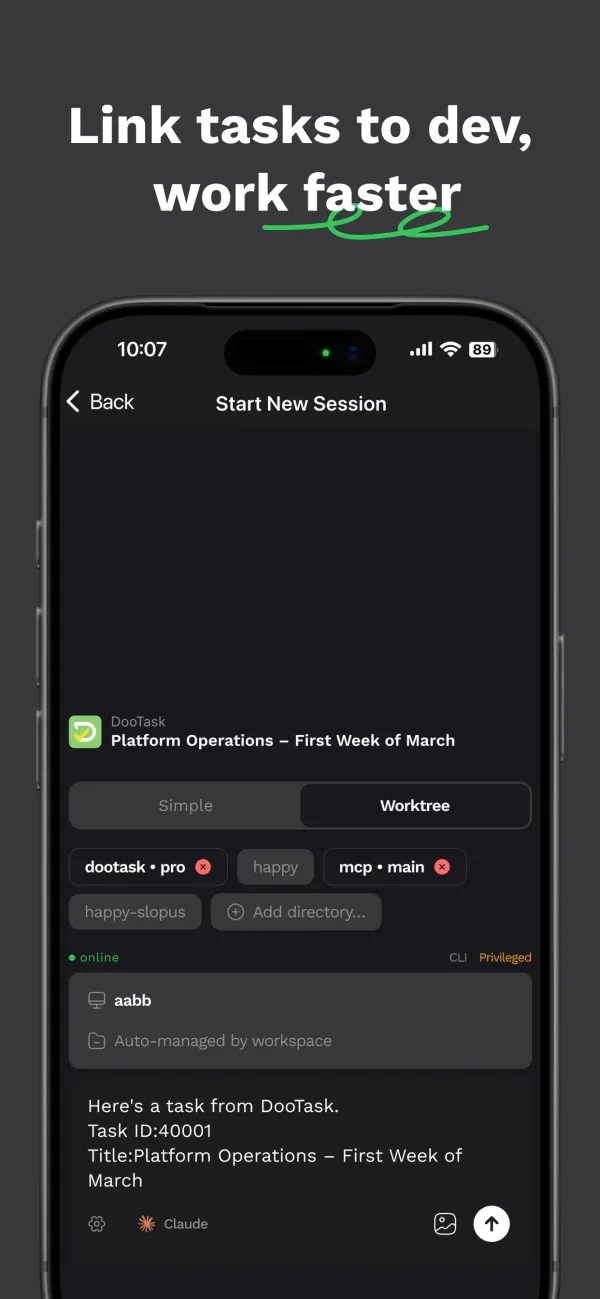
• Multi-repo worktree workspaces with branch selection and pull request creation
• GitHub issues and pull requests, with AI sessions started from their context
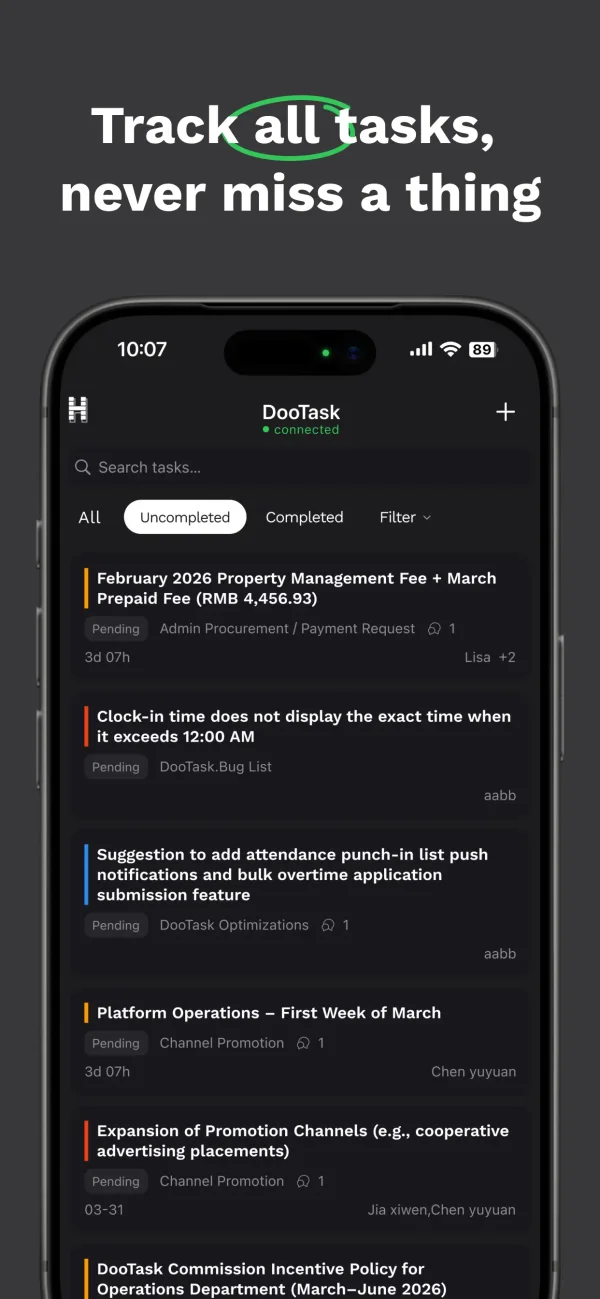
• Orchestrate multi-agent task graphs and watch every run live
• Talk to your agent with the built-in voice assistant, and have any reply read aloud
ON YOUR WRIST
• Apple Watch app: browse sessions, read messages, and reply by dictation or quick reply
• A watch face complication counts the sessions waiting for you
PRIVATE BY DESIGN
• End-to-end encryption for sessions, orchestrator tasks, and file transfers
• Keys never leave your devices — the server cannot read your code or conversations
• Open source client and CLI, with a one-command self-host option
HOW IT WORKS
1. Install the Happy CLI on your computer.
2. Pair the app by scanning a QR code.
3. Start Claude Code, Codex, Gemini, Antigravity, DeepSeek, or Qoder through Happy.
4. Monitor, reply, and take over from your phone — or from the macOS and Windows desktop apps.
REQUIREMENTS
Happy Next is a companion app. A computer running the Happy CLI and a supported AI coding agent is required. Availability and usage of third-party AI services depend on the accounts and terms of their respective providers.
Happy Next is an independent open-source project and is not affiliated with Anthropic, OpenAI, Google, DeepSeek, or Alibaba.
Có gì mới
Phiên bản 2.30.0 · 27/11/2026
Happy Next 2.30 adds two more agents and makes everyday chat taps reliable.
NEW AGENTS
- Antigravity (agy) joins as a fifth agent, then DeepSeek Harness (dsh) as a sixth: models, permission modes, resume, copy, fork and CLI updates, all in the app.
- Qoder and Qoder CN are now separate agents, each with its own models.
- The orchestrator can delegate to Antigravity, DeepSeek and Qoder CN, with a live preview while an Antigravity task runs.
SMARTER MODELS
- Every agent's model list now comes straight from the CLI on your computer, so a new model appears as soon as it is available.
- Agent and model rows are lighter, Claude/Codex/Gemini accept a typed model ID, and long names stay readable.
- The machine page lists every installed agent CLI and updates one or all of them, alongside Happy CLI.
PERMISSIONS
- Switching a Claude session to bypass permissions now actually takes effect.
- Antigravity gains its Auto permission mode.
CHAT
- File edits from every agent fold into the same one-line row; tap it to open the diff. Unknown tools and Claude's NotebookEdit fold cleanly too.
- Subagent cards keep working after Claude Code renamed Task to Agent.
- Scheduled messages share one edit-and-reschedule flow.
FIXES
- The first tap after typing registers again, and the composer's buttons respond on the first tap with the keyboard up.
- The conversation minimap reaches older prompts and offers a hover card that scrubs, previews and scrolls with the rail.
- Hiding thinking keeps that turn's thinking off the server.
- iOS 27 keeps the navigation scroll edge soft.
Requires Happy CLI v0.23.0 for the newest agents.
Quyền riêng tư của ứng dụng
Những gì Hitosea khai báo trên App Store về cách ứng dụng này xử lý dữ liệu.
-
Dữ liệu liên kết với bạn
Có thể được thu thập và liên kết với danh tính của bạn.
- Thông tin liên hệ
- Danh bạ
- Nội dung của người dùng
- Mã định danh
-
Dữ liệu không liên kết với bạn
Có thể được thu thập nhưng không liên kết với danh tính của bạn.
- Dữ liệu sử dụng
Phương thức đảm bảo quyền riêng tư có thể khác nhau, chẳng hạn như tuỳ theo các tính năng bạn sử dụng hoặc độ tuổi của bạn.
Thông tin
- Người bán
- Guangxi Hitosea Information Technology Co., Ltd
- Danh mục
- Công Cụ Nhà Phát Triển
- Phiên bản
- 2.30.0
- Cập nhật
- 27/11/2026
- Phát hành
- 02/08/2026
- Kích thước
- 115,7 MB
- Yêu cầu
- iOS 15.1 trở lên
- Độ tuổi
- 4+
- Giá
- Miễn phí
- Ngôn ngữ
- Tiếng Anh, Tiếng Nhật, Tiếng Trung Giản thể, Tiếng Trung Phồn thể
- Bản quyền
- © 2026 Guangxi Hitosea Information Technology Co., Ltd.
Có thể bạn cũng thích
-
 React Native BibleCông Cụ Nhà Phát Triển
-
 Every App - GatewayCông Cụ Nhà Phát Triển
-
 TermIO: SSH & SFTP ClientCông Cụ Nhà Phát Triển
-
 DockPilot AICông Cụ Nhà Phát Triển
-
 Mobaide: IDE cho AI AgentChat, terminal, Git, giọng nói
-
 IAP AlertsCông Cụ Nhà Phát Triển
-
 MonkeytailCông Cụ Nhà Phát Triển
-
 myscan: network scannerCông Cụ Nhà Phát Triển
-
 HTTrailCông Cụ Nhà Phát Triển
-
 Pi: Local Agent HarnessCông Cụ Nhà Phát Triển