Harmony Pocket
Multitrack recorder for ideas
Được thiết kế cho iPhone, iPad
299.000đ
- Độ tuổi4+
- Danh mụcNhạc
- Nhà phát triểnIndading
- Ngôn ngữTiếng Anh+ 2 ngôn ngữ khác
- Kích thước105,9 MB
Liên kết đến trang App Store chính thức
Download.org không lưu trữ tệp nào của Harmony Pocket. Nút này mở trang ứng dụng trên App Store, nơi Indading phát hành ứng dụng. Trang được kiểm tra lần cuối: 12/11/2026.
Ảnh chụp màn hình

Giới thiệu
Nhà phát triển chưa cung cấp nội dung này bằng ngôn ngữ của bạn.
Keep harmonies in your pocket.
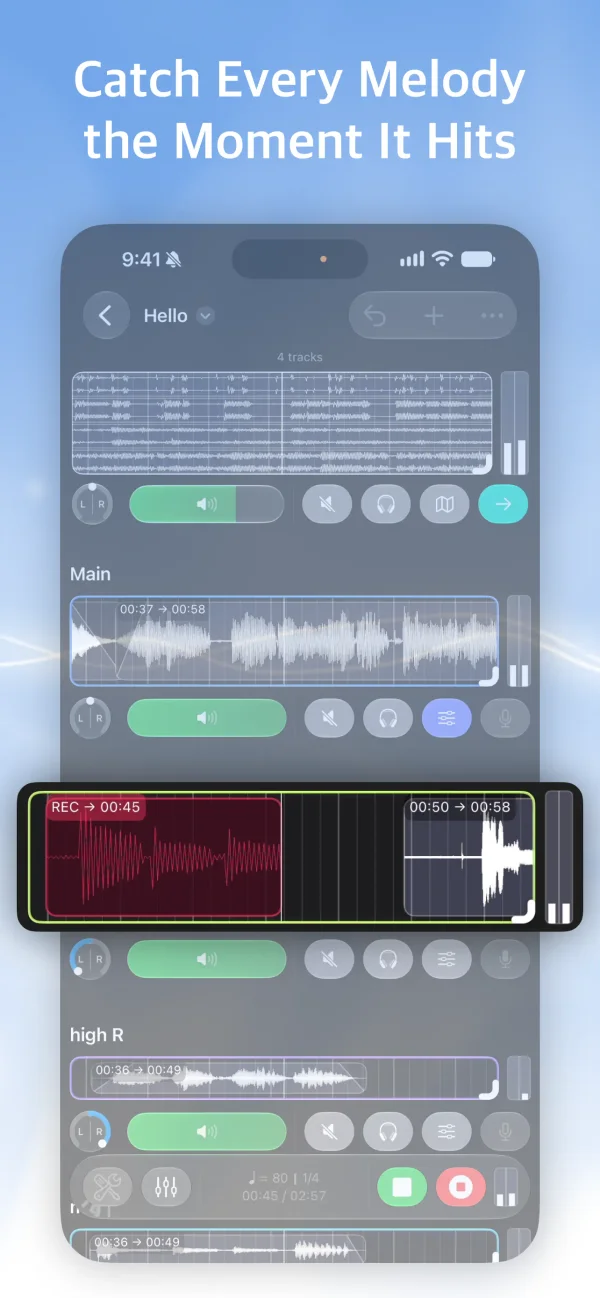
Before that melody, voice, or moment of playing fades away, you can record in just a few taps and neatly stack tracks. Harmony Pocket is an audio multitrack recorder built for fast idea capture.
Harmony Pocket was never built to be a “pro DAW.”
I kept hearing people say, “Recording on a computer feels too hard.”
So instead of piling on complex features, Harmony Pocket focuses on what matters most: recording audio quickly and organizing it cleanly, so you can save today’s ideas as they are, today.
That’s why this app is less about big production and more about catching a sound the moment it appears.
Everyone has moments they don’t want to lose.
And it’s nice when Harmony Pocket is right there with you.
- When you want to quickly capture a melody before you forget it
- When you want to practice by layering your voice and instruments over a backing track
- When you want to sketch chorus ideas before rehearsal and share them right away
- When you want to finish a clean demo using only audio tracks, with no complicated setup, and share it instantly
Audio-focused multitrack recording
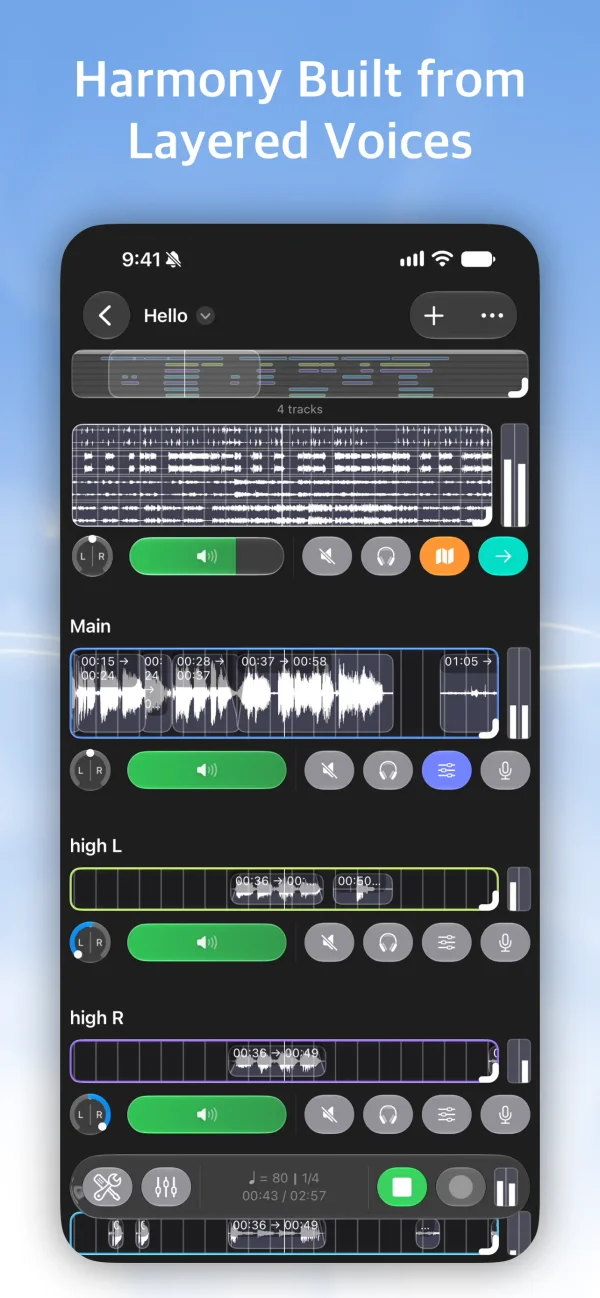
- Create as many tracks as you need and build your song by layering sounds.
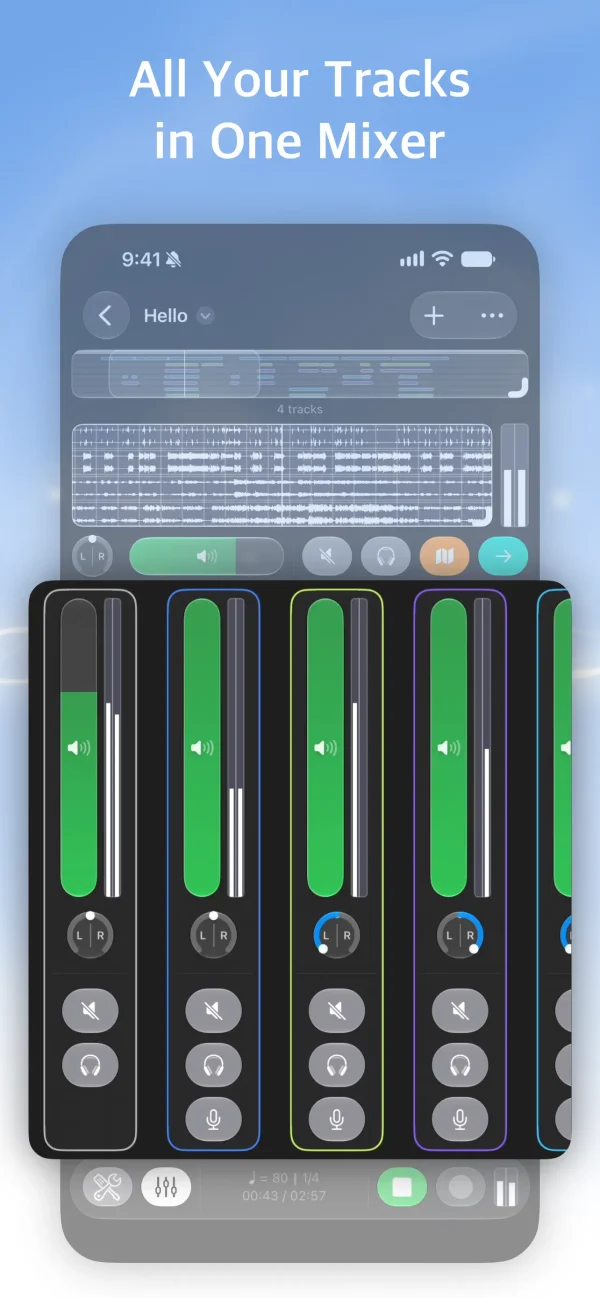
- Organize tracks with names and colors, and control volume/pan (L/R)/mute/solo to listen to exactly what you need.
Clean organization by regions (recorded sections)
- Recorded parts stack on the timeline as regions.
- Trim the front and back to keep only what you need, and fine-tune with region gain when you want more clarity.
- Zoom in/out on waveforms, drag to navigate quickly, and use auto-follow to handle long recordings comfortably.
Record directly over a backing track
- Import an audio file, play it as a backing track, and record right on top of it.
- View the whole song at a glance with waveform + minimap, and jump to any spot instantly.
- Backing tracks also support volume/pan/mute/solo, and you can adjust pitch to match the key for practice.
(Depending on your device and audio environment, you may notice slight recording latency)
On-Device AI Stem Separation
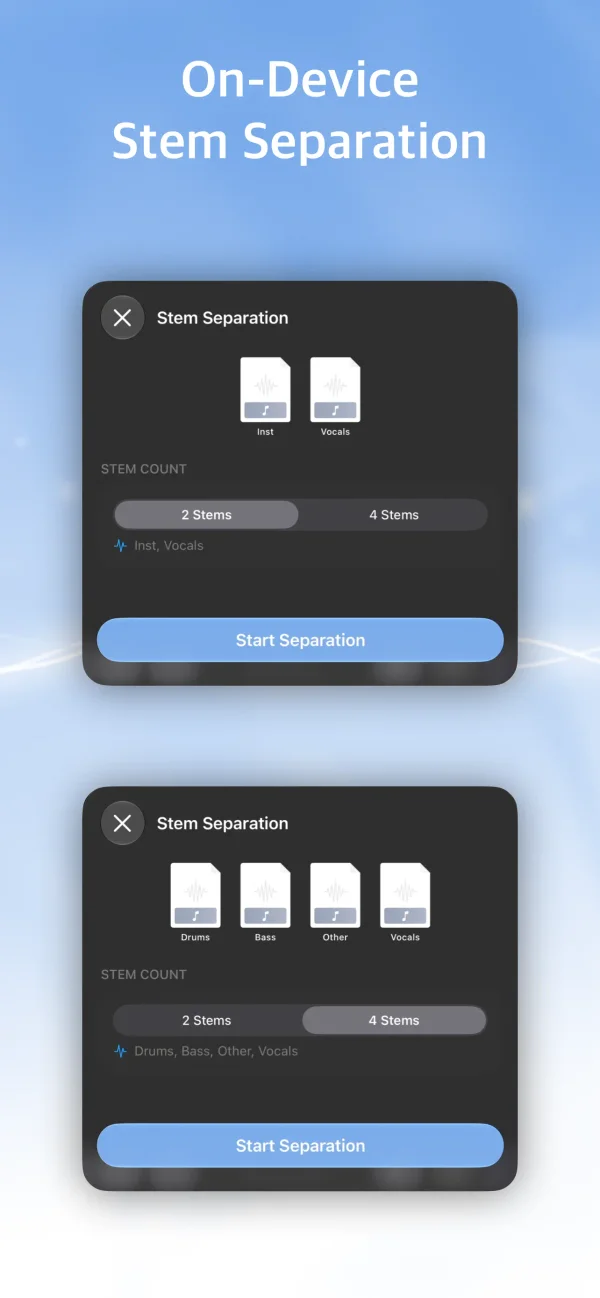
- Split any imported track using on-device AI — separate it into Inst (instrumental) and Vocals, or go further with Drums, Bass, Other, and Vocals.
- Pick just the stems you need, whether it's a backing track to record over or a reference track for practice.
- Everything happens right on your device, so your audio never leaves your phone — safe and private.
Lightweight prep before recording
- Metronome: tempo/time signature/volume control, plus tap tempo
- Tuner: microphone input with adjustable reference pitch
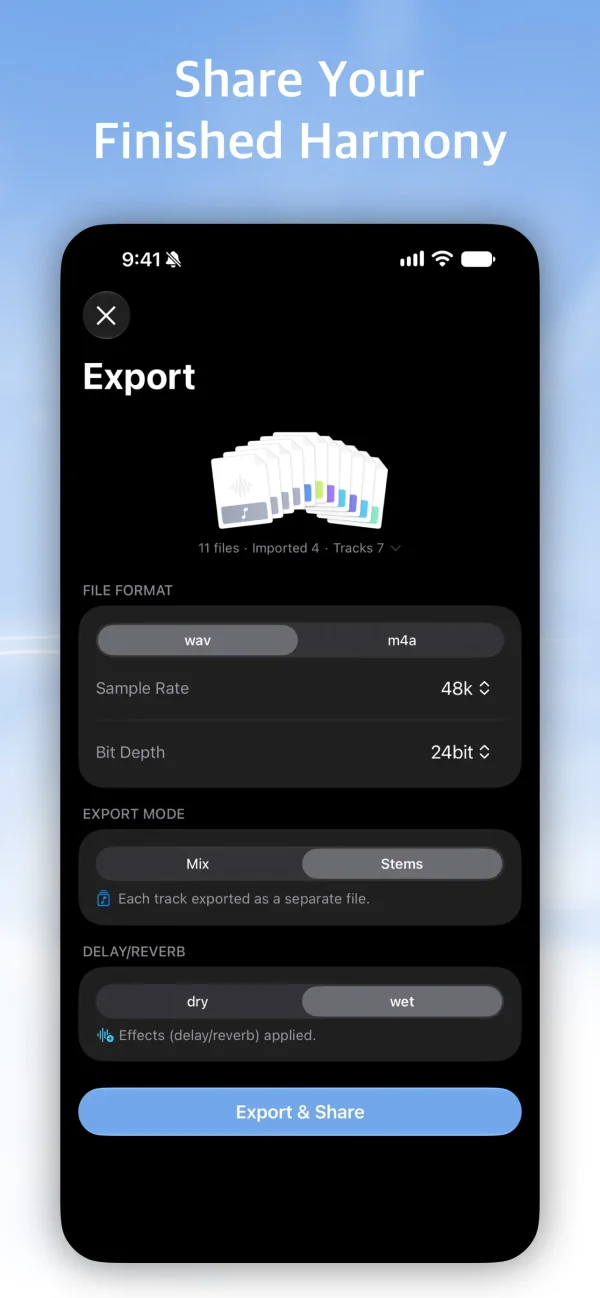
Finish with export
- Export your result as a full mix or as stems (separate track files).
- Save as WAV or M4A and share right away.
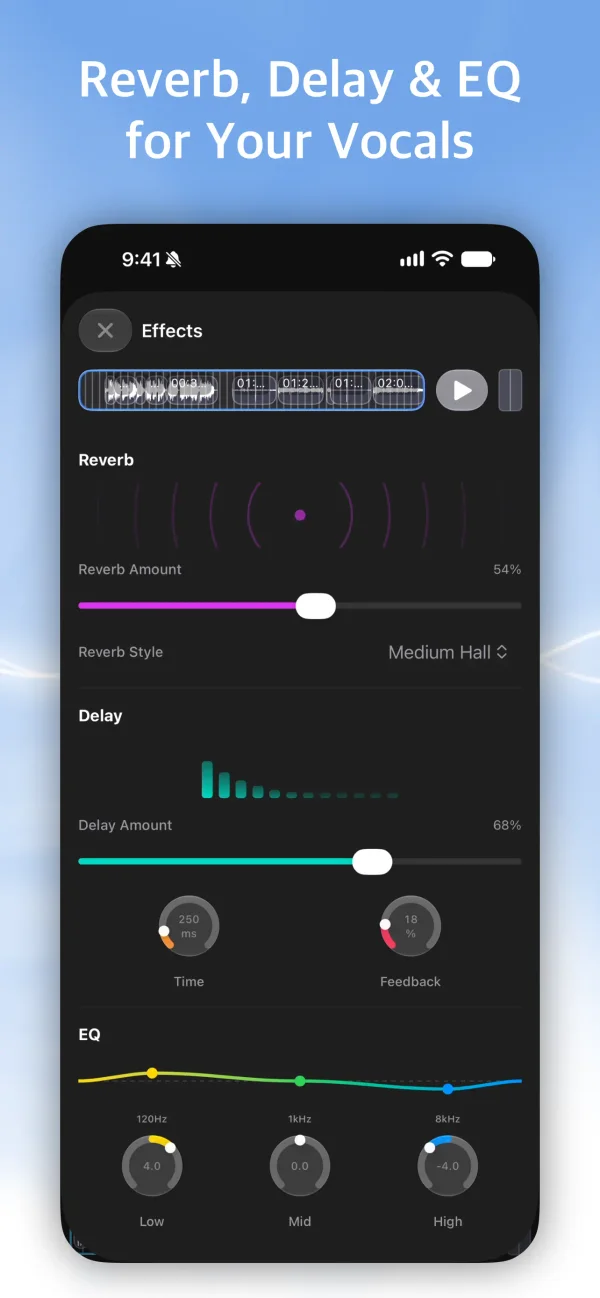
- Choose Wet (with effects) or Dry (without effects).
- After exporting stems, you can move them to your usual DAW for deeper editing and mixing.
Harmony Pocket isn’t trying to be “the app that makes you better.”
It wants to be the app that makes it easier to save what you have.
Keep a small harmony in your pocket.
When you need it, take it out and connect the pieces.
Có gì mới
Phiên bản 1.4.0 · 30/10/2026
Now supports iPhone Duo.
Now supports iPad.
iPhone, iPhone Duo, and iPad now have layouts tailored to both landscape and portrait, so you can work with your tracks comfortably.
New Mixer view: adjust volume, pan, mute, and solo for all tracks on a single screen.
Tap an empty recording track to import an audio file right away.
The main track bar at the bottom has a new Liquid Glass design, and the launch screen has been refreshed.
Various bug fixes and stability improvements.
Quyền riêng tư của ứng dụng
Những gì Indading khai báo trên App Store về cách ứng dụng này xử lý dữ liệu.
-
Dữ liệu không được thu thập
Nhà phát triển không thu thập bất kỳ dữ liệu nào từ ứng dụng này.
Phương thức đảm bảo quyền riêng tư có thể khác nhau, chẳng hạn như tuỳ theo các tính năng bạn sử dụng hoặc độ tuổi của bạn.
Thông tin
- Người bán
- Indading
- Danh mục
- Nhạc
- Phiên bản
- 1.4.0
- Cập nhật
- 30/10/2026
- Phát hành
- 29/01/2026
- Kích thước
- 105,9 MB
- Yêu cầu
- iOS 26.1 trở lên
- Độ tuổi
- 4+
- Giá
- 299.000đ
- Ngôn ngữ
- Tiếng Anh, Tiếng Nhật, Tiếng Hàn
- Bản quyền
- © Indading