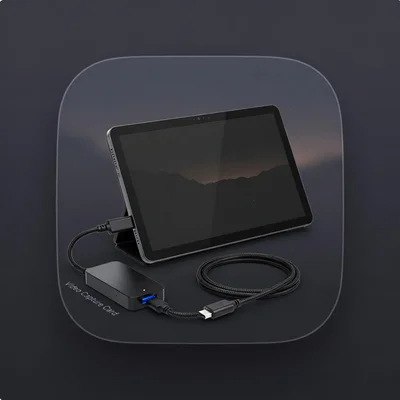
- Độ tuổi4+
- Danh mụcCông Cụ Nhà Phát Triển
- Nhà phát triểnWeizheng Ruan
- Ngôn ngữTiếng Anh+ 15 ngôn ngữ khác
- Kích thước2,0 MB
Liên kết đến trang App Store chính thức
Download.org không lưu trữ tệp nào của HDMICaptureZoom. Nút này mở trang ứng dụng trên App Store, nơi Weizheng Ruan phát hành ứng dụng. Trang được kiểm tra lần cuối: 18/11/2026.
Ảnh chụp màn hình


Giới thiệu
Nhà phát triển chưa cung cấp nội dung này bằng ngôn ngữ của bạn.
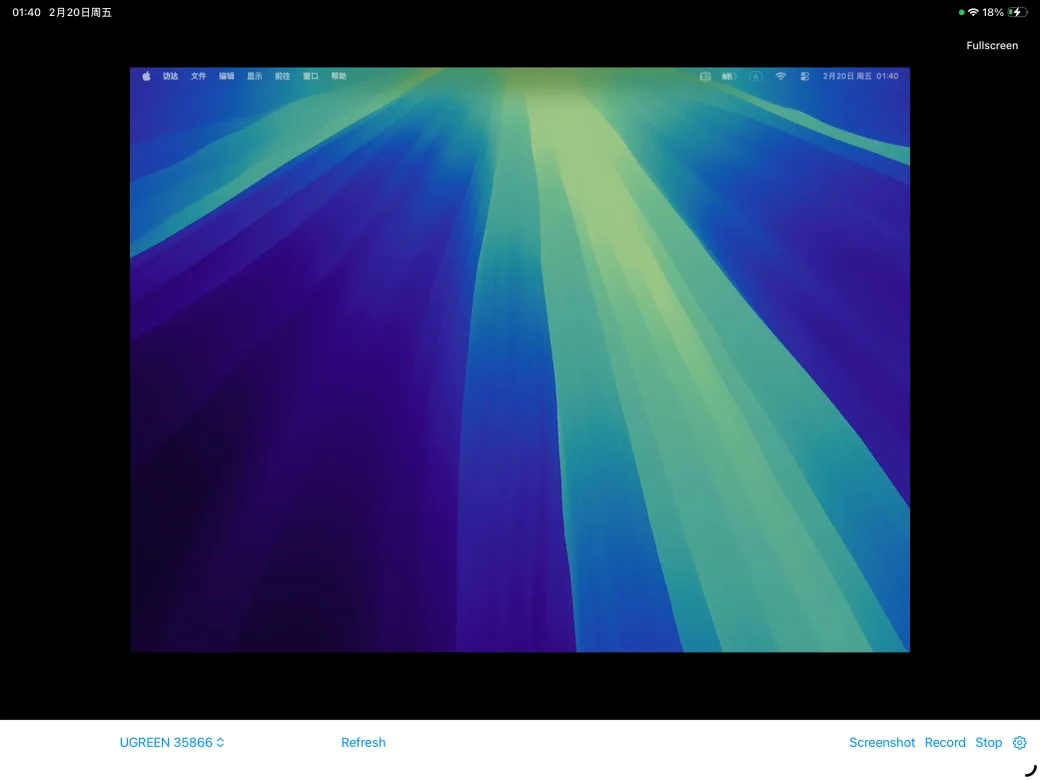
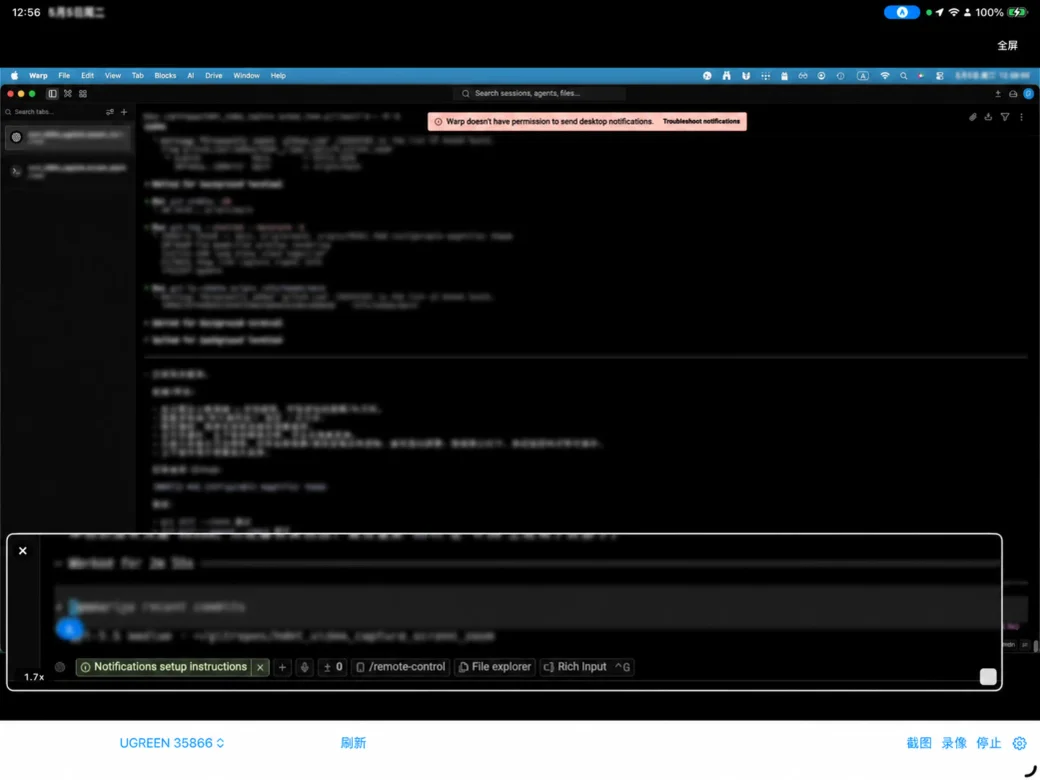
Use your iPad as a portable HDMI monitor for Mac mini, game consoles, cameras, PCs, and other HDMI devices.
HDMI Monitor for Mac mini is built for people who want a lightweight second screen or field monitor without carrying a full desktop display. Connect a USB-C HDMI/UVC capture card, plug in your HDMI source, and turn your iPad into a sharp, practical monitor in seconds.
It is especially useful as a Mac mini companion: set up a headless Mac mini, troubleshoot a machine on the road, preview a desktop, or keep a compact emergency display in your bag. It also works well for Switch, PS5, Xbox, cameras, mini PCs, laptops, Raspberry Pi, and other HDMI sources.
Version 3.0 combines the features people usually have to piece together across multiple apps: low-latency HDMI viewing, audio monitoring, signal status, display modes, zoom, a movable magnifier, screenshots, operation tips, and camera Picture-in-Picture in one focused monitor app.
Key features:
- Portable HDMI/UVC monitor for iPad
- Great companion display for Mac mini and other small computers
- Low-latency preview for gaming, desktop work, camera monitoring, and troubleshooting
- HDMI/USB audio monitoring through iPad speakers or connected headphones
- Fit, Fill, and Stretch display modes for different screens and sources
- Fullscreen viewing with compact monitor controls
- Pinch zoom and pan for checking details
- Movable magnifier with circular or rectangular shape
- Magnifier locator frames for understanding the exact inspected area
- Camera Picture-in-Picture using the iPad camera
- PiP gestures for moving, resizing, crop zoom, and crop positioning
- Live signal HUD with resolution, frame rate, audio state, and current device
- Connection guide for no device, permission, no signal, and interrupted states
- Screenshot capture with Photos or Files folder saving
- Optional date subfolders and screenshot review sheet
- Product modes for Simple Monitor, Game, and Camera Monitor workflows
- Multi-language interface
Why users choose it:
- Bring one iPad instead of a separate portable monitor
- Use Mac mini anywhere with a compact HDMI display
- Check console output, camera framing, or computer boot screens quickly
- Inspect small UI, focus, text, and edges without changing the main view
- Keep controls out of the way when you only want a clean screen
Common uses:
- Mac mini setup, travel, recovery, and server troubleshooting
- Portable gaming screen for HDMI consoles
- Camera monitor for framing, focus checks, and signal confirmation
- Laptop, mini PC, Raspberry Pi, and embedded device display
- Classroom, demo, repair bench, and production workflows
Hardware required:
- iPad with USB-C
- USB-C HDMI capture card compatible with UVC
- HDMI source device
For screen recording, use the built-in iPadOS Screen Recording feature when you want to capture exactly what appears on screen.
Có gì mới
Phiên bản 3.0 · 16/05/2026
Version 3.0:
- New Mac mini companion positioning: use your iPad as a portable HDMI display for Mac mini, mini PCs, consoles, cameras, and repair workflows.
- Added product modes for Simple Monitor, Game, and Camera Monitor use cases.
- Added clearer connection guidance for missing devices, permissions, no signal, interruptions, and capture errors.
- Added Fit, Fill, and Stretch display modes directly in the monitor interface.
- Improved the magnifier with monitor-screen controls, locator frames, saved placement, better zoom behavior, and clearer gestures.
- Restored and improved camera Picture-in-Picture with independent gestures: two-finger move, pinch or lower-right handle resize, one-finger crop zoom, and three-finger crop repositioning.
- Added first-use operation tips for the magnifier and camera PiP, with Settings controls to show, hide, or reset tips.
- Improved screenshots with Photos or Files folder saving, optional date subfolders, and a review/share sheet.
- Improved fullscreen and bottom controls for a cleaner, faster monitor workflow.
- Updated App Store metadata for the 3.0 feature set.
Quyền riêng tư của ứng dụng
Những gì Weizheng Ruan khai báo trên App Store về cách ứng dụng này xử lý dữ liệu.
-
Dữ liệu không được thu thập
Nhà phát triển không thu thập bất kỳ dữ liệu nào từ ứng dụng này.
Phương thức đảm bảo quyền riêng tư có thể khác nhau, chẳng hạn như tuỳ theo các tính năng bạn sử dụng hoặc độ tuổi của bạn.
Thông tin
- Người bán
- Weizheng Ruan
- Danh mục
- Công Cụ Nhà Phát Triển
- Phiên bản
- 3.0
- Cập nhật
- 16/05/2026
- Phát hành
- 10/03/2026
- Kích thước
- 2,0 MB
- Yêu cầu
- iOS 16.0 trở lên
- Độ tuổi
- 4+
- Giá
- 29.000đ
- Ngôn ngữ
- Tiếng Anh, Tiếng Ả Rập, Tiếng Hà Lan, Tiếng Phần Lan, Tiếng Pháp, Tiếng Đức, Hindi, Tiếng Nhật, Tiếng Hàn, Tiếng Ba Lan, Tiếng Bồ Đào Nha, Tiếng Nga + 4 ngôn ngữ khác
- Bản quyền
- © 2026 R&D Workshop
Có thể bạn cũng thích
-
 Schema Studio: Thiết kế CSDLSơ đồ ER, SQL và bảng
-
 软件开发记-耳听眼观心得手记Công Cụ Nhà Phát Triển
-
 Moshline: Terminal SSH & AIMosh Shell cho Agent lập trình
-
 MagicSQL - SQL Client & EditorCông Cụ Nhà Phát Triển
-
 TeaGo - Gitea Mobile ClientCông Cụ Nhà Phát Triển
-
 GitBobaCông Cụ Nhà Phát Triển
-
 zcode connectCông Cụ Nhà Phát Triển
-
 Python Code DevelopCông Cụ Nhà Phát Triển
-
 Cup for GiteaCông Cụ Nhà Phát Triển
-
 Kodo: Trình soạn thảo mãAI ngoại tuyến, Python và SSH