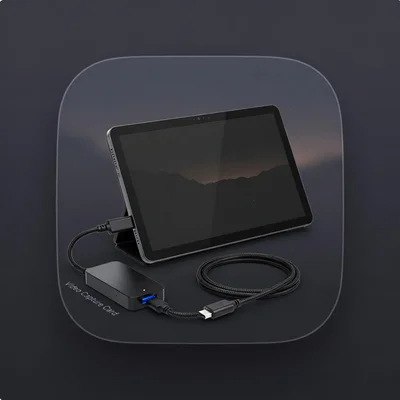
- Batasan usia4+
- KategoriAlat Pengembang
- PengembangWeizheng Ruan
- BahasaInggris+ 15 lainnya
- Ukuran2,0 MB
Tertaut ke halaman resmi App Store
Download.org tidak menyimpan file HDMICaptureZoom apa pun. Tombol ini membuka halaman aplikasi di App Store, tempat Weizheng Ruan menerbitkannya. Halaman terakhir diperiksa pada 18/11/2026.
Tangkapan layar


Tentang
Pengembang belum menyediakan teks ini dalam bahasa Anda.
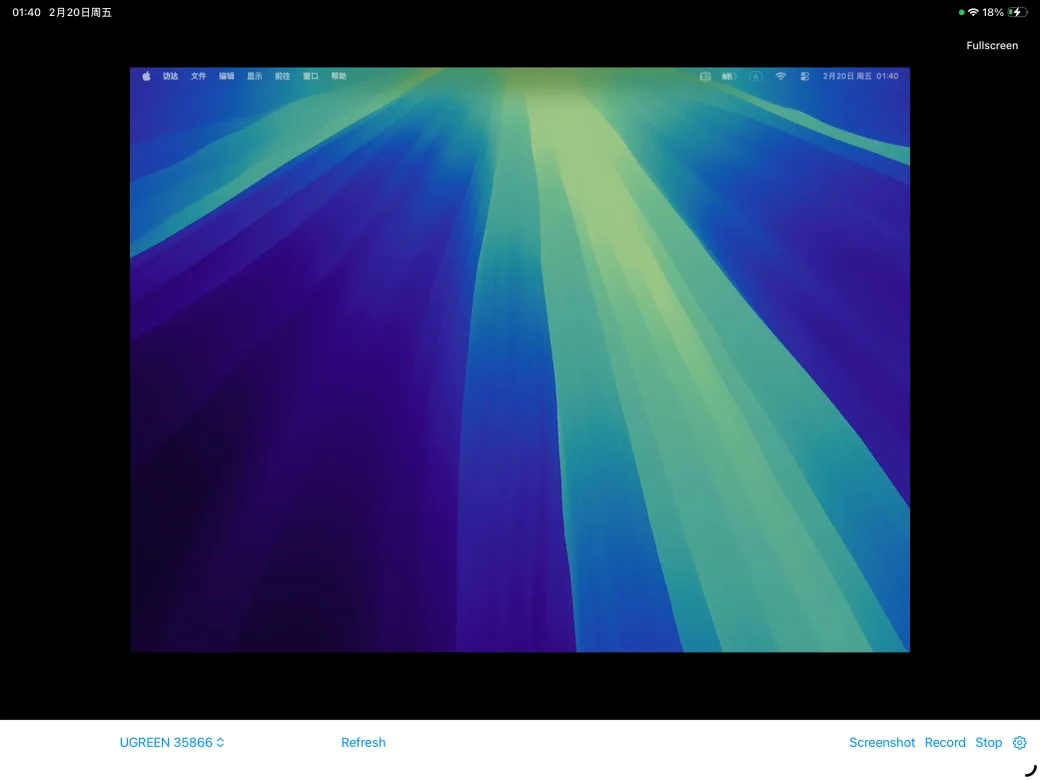
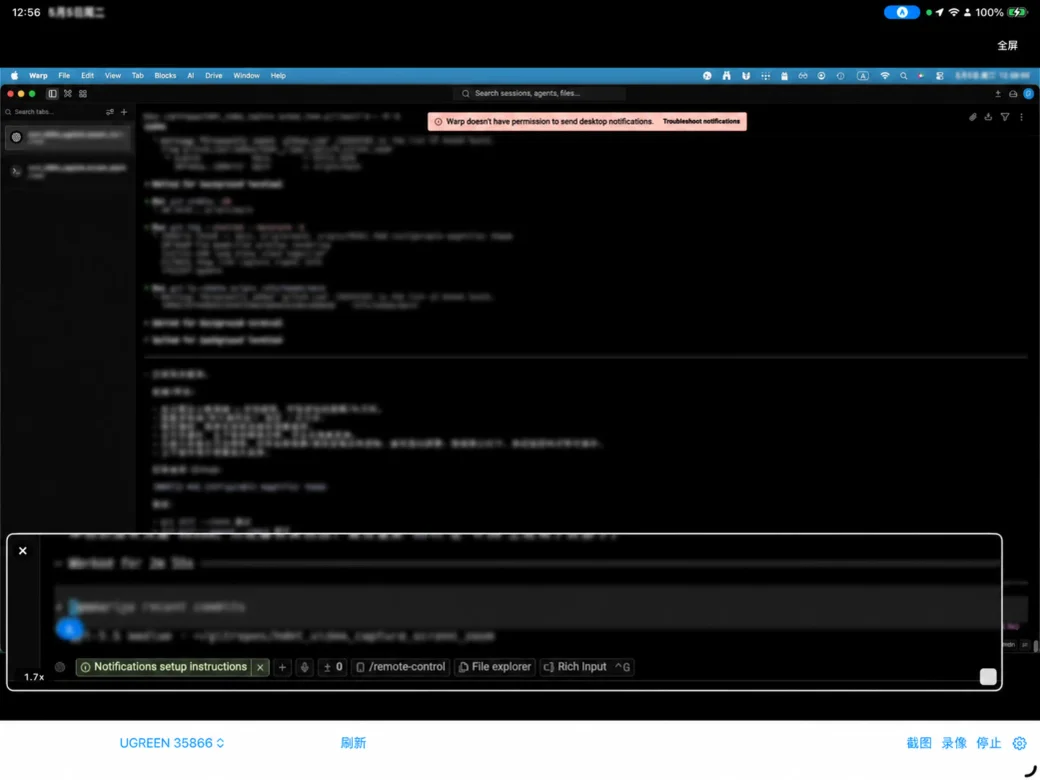
Use your iPad as a portable HDMI monitor for Mac mini, game consoles, cameras, PCs, and other HDMI devices.
HDMI Monitor for Mac mini is built for people who want a lightweight second screen or field monitor without carrying a full desktop display. Connect a USB-C HDMI/UVC capture card, plug in your HDMI source, and turn your iPad into a sharp, practical monitor in seconds.
It is especially useful as a Mac mini companion: set up a headless Mac mini, troubleshoot a machine on the road, preview a desktop, or keep a compact emergency display in your bag. It also works well for Switch, PS5, Xbox, cameras, mini PCs, laptops, Raspberry Pi, and other HDMI sources.
Version 3.0 combines the features people usually have to piece together across multiple apps: low-latency HDMI viewing, audio monitoring, signal status, display modes, zoom, a movable magnifier, screenshots, operation tips, and camera Picture-in-Picture in one focused monitor app.
Key features:
- Portable HDMI/UVC monitor for iPad
- Great companion display for Mac mini and other small computers
- Low-latency preview for gaming, desktop work, camera monitoring, and troubleshooting
- HDMI/USB audio monitoring through iPad speakers or connected headphones
- Fit, Fill, and Stretch display modes for different screens and sources
- Fullscreen viewing with compact monitor controls
- Pinch zoom and pan for checking details
- Movable magnifier with circular or rectangular shape
- Magnifier locator frames for understanding the exact inspected area
- Camera Picture-in-Picture using the iPad camera
- PiP gestures for moving, resizing, crop zoom, and crop positioning
- Live signal HUD with resolution, frame rate, audio state, and current device
- Connection guide for no device, permission, no signal, and interrupted states
- Screenshot capture with Photos or Files folder saving
- Optional date subfolders and screenshot review sheet
- Product modes for Simple Monitor, Game, and Camera Monitor workflows
- Multi-language interface
Why users choose it:
- Bring one iPad instead of a separate portable monitor
- Use Mac mini anywhere with a compact HDMI display
- Check console output, camera framing, or computer boot screens quickly
- Inspect small UI, focus, text, and edges without changing the main view
- Keep controls out of the way when you only want a clean screen
Common uses:
- Mac mini setup, travel, recovery, and server troubleshooting
- Portable gaming screen for HDMI consoles
- Camera monitor for framing, focus checks, and signal confirmation
- Laptop, mini PC, Raspberry Pi, and embedded device display
- Classroom, demo, repair bench, and production workflows
Hardware required:
- iPad with USB-C
- USB-C HDMI capture card compatible with UVC
- HDMI source device
For screen recording, use the built-in iPadOS Screen Recording feature when you want to capture exactly what appears on screen.
Yang baru
Versi 3.0 · 16/5/2026
Version 3.0:
- New Mac mini companion positioning: use your iPad as a portable HDMI display for Mac mini, mini PCs, consoles, cameras, and repair workflows.
- Added product modes for Simple Monitor, Game, and Camera Monitor use cases.
- Added clearer connection guidance for missing devices, permissions, no signal, interruptions, and capture errors.
- Added Fit, Fill, and Stretch display modes directly in the monitor interface.
- Improved the magnifier with monitor-screen controls, locator frames, saved placement, better zoom behavior, and clearer gestures.
- Restored and improved camera Picture-in-Picture with independent gestures: two-finger move, pinch or lower-right handle resize, one-finger crop zoom, and three-finger crop repositioning.
- Added first-use operation tips for the magnifier and camera PiP, with Settings controls to show, hide, or reset tips.
- Improved screenshots with Photos or Files folder saving, optional date subfolders, and a review/share sheet.
- Improved fullscreen and bottom controls for a cleaner, faster monitor workflow.
- Updated App Store metadata for the 3.0 feature set.
Privasi aplikasi
Yang dinyatakan Weizheng Ruan di App Store tentang cara aplikasi ini menangani data.
-
Data tidak dikumpulkan
Pengembang tidak mengumpulkan data apa pun dari aplikasi ini.
Praktik privasi dapat bervariasi, misalnya berdasarkan fitur yang Anda gunakan atau usia Anda.
Informasi
- Penjual
- Weizheng Ruan
- Kategori
- Alat Pengembang
- Versi
- 3.0
- Diperbarui
- 16/5/2026
- Dirilis
- 10/3/2026
- Ukuran
- 2,0 MB
- Memerlukan
- iOS 16.0 atau yang lebih baru
- Batasan usia
- 4+
- Harga
- Rp 19ribu
- Bahasa
- Inggris, Arab, Belanda, Suomi (Finlandia), Prancis, Jerman, Hindi, Jepang, Korea, Polski (Polandia), Portugis, Rusia + 4 lainnya
- Hak cipta
- © 2026 R&D Workshop
Mungkin Anda juga suka
-
 Schema Studio: Desain DBDiagram ER, SQL dan tabel
-
 软件开发记-耳听眼观心得手记Alat Pengembang
-
 Moshline: SSH & AI TerminalMosh Shell untuk Agen Coding
-
 MagicSQL - SQL Client & EditorAlat Pengembang
-
 TeaGo - Gitea Mobile ClientAlat Pengembang
-
 GitBobaAlat Pengembang
-
 zcode connectAlat Pengembang
-
 Python Code DevelopAlat Pengembang
-
 Cup for GiteaAlat Pengembang
-
 Kodo: Editor Kode dengan AIPython dan C++ offline, SSH