- Độ tuổi4+
- Danh mụcPhổ Thông
- Nhà phát triểnMichael Mayo
- Ngôn ngữTiếng Anh
- Kích thước5,8 MB
Liên kết đến trang App Store chính thức
Download.org không lưu trữ tệp nào của Helichopter. Nút này mở trang ứng dụng trên App Store, nơi Michael Mayo phát hành ứng dụng. Trang được kiểm tra lần cuối: 17/11/2026.
Ảnh chụp màn hình


Giới thiệu
Nhà phát triển chưa cung cấp nội dung này bằng ngôn ngữ của bạn.
Find your rhythm in a helicopter obstacle game you can adjust to suit your play.
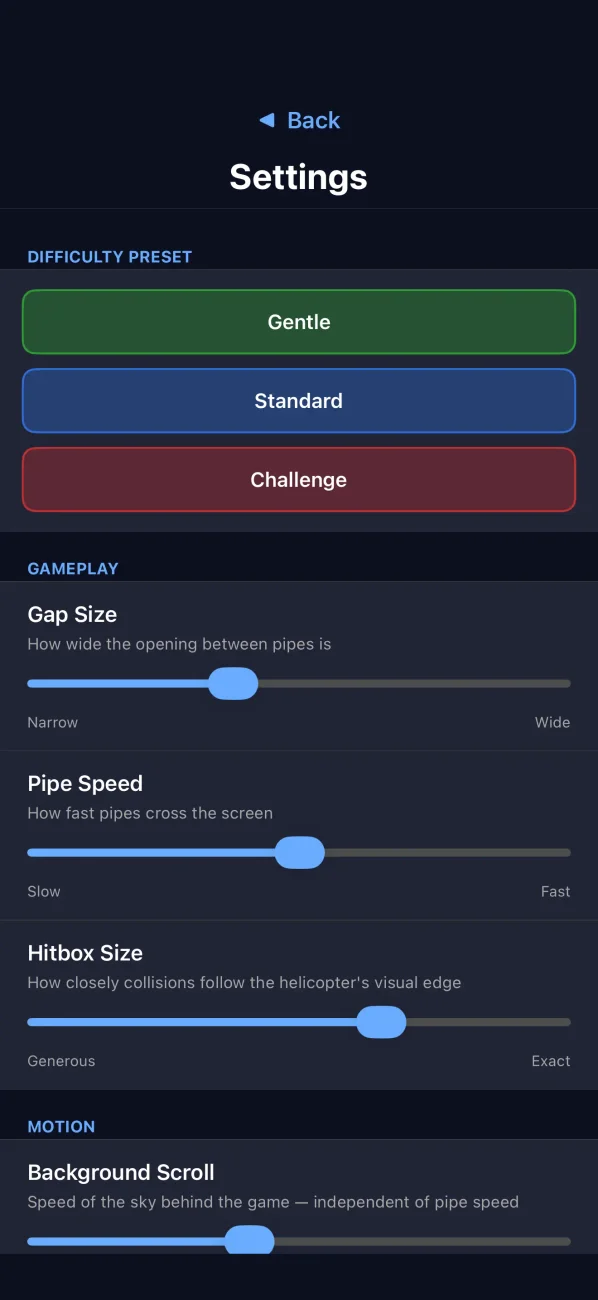
Fly through the gaps, try another round, or keep practicing with No-Fail Mode. Start with Gentle, Standard, or Challenge, then adjust gap size, pipe speed, and hitbox forgiveness.
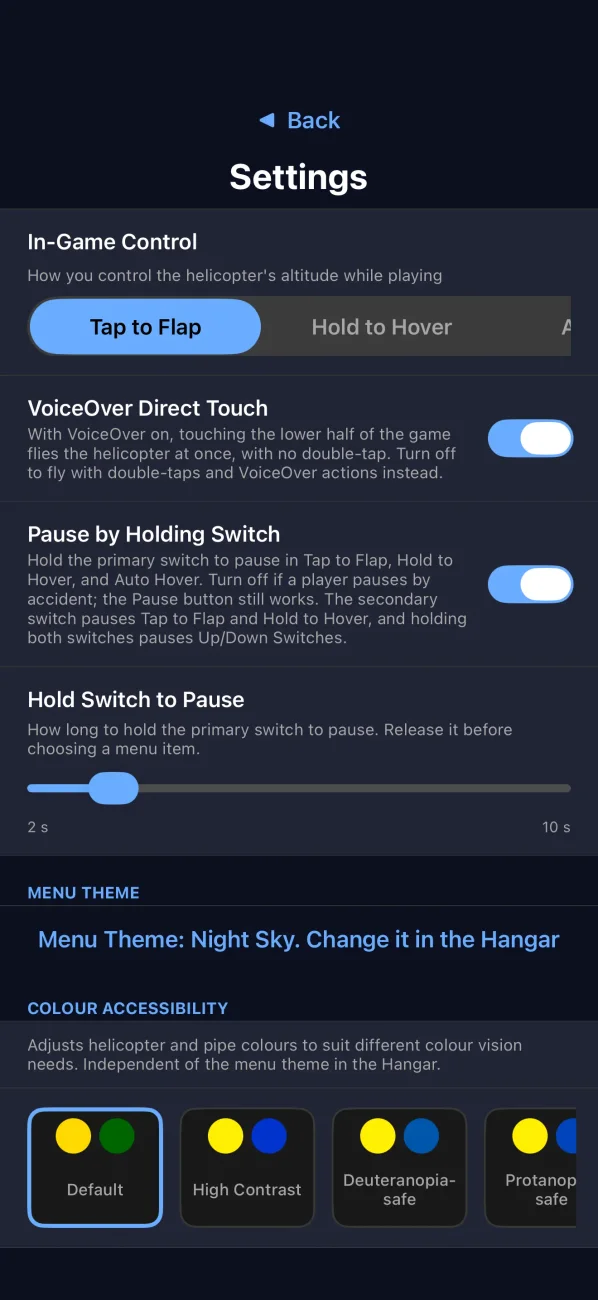
Choose how you fly:
- Tap to Flap
- Hold to Hover
- Auto Hover with altitude nudges
- Up/Down Switches: one switch to rise, another to descend
Make the experience comfortable:
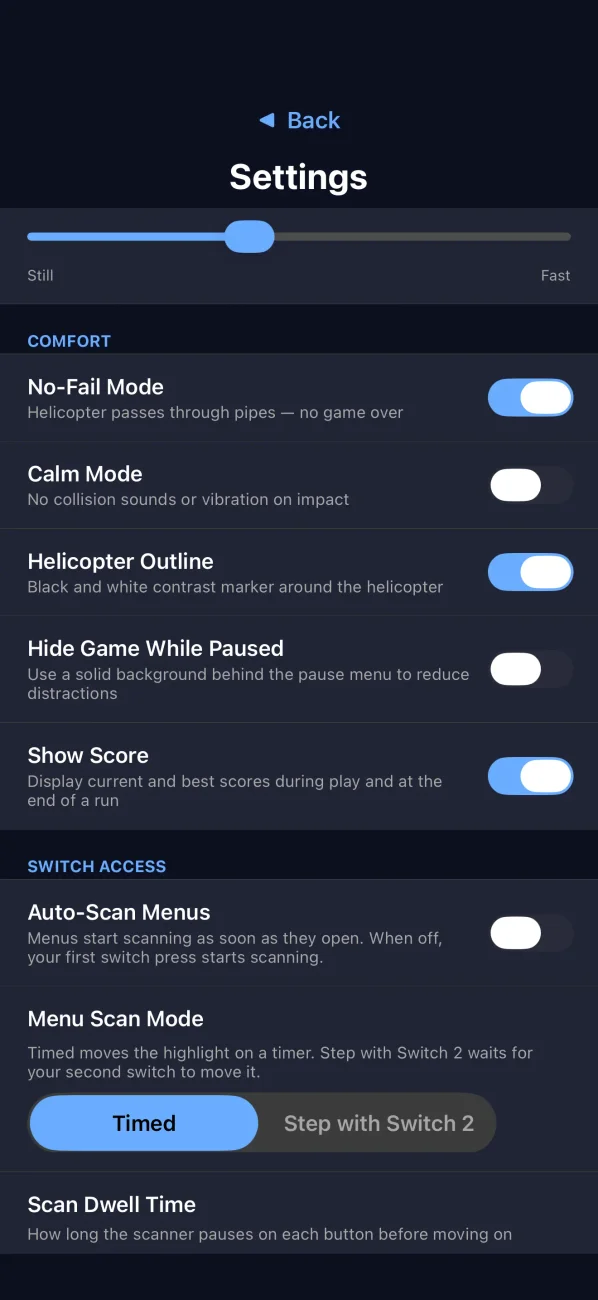
- No-Fail Mode lets you keep going after collisions.
- Calm Mode removes collision sounds and impact vibration.
- Show or hide the score, and switch music and sound effects on or off.
- Adjust background scrolling and choose among three themes and six colour palettes.
- Replay How to Play whenever you need a reminder.
Menus and Settings offer scalable text and switch scanning. With VoiceOver, touch the game to fly at once, or use double-taps and actions; spoken gap guidance tells you where the next gap is. Each flight scheme has its own way to pause with switches, and Settings let you adjust the hold delay and scanning speed or turn hold-to-pause off.
Helichopter works offline without an account, ads, or in-app purchases. Settings and scores are saved on your device.
Có gì mới
Phiên bản 2.1 · 30/10/2026
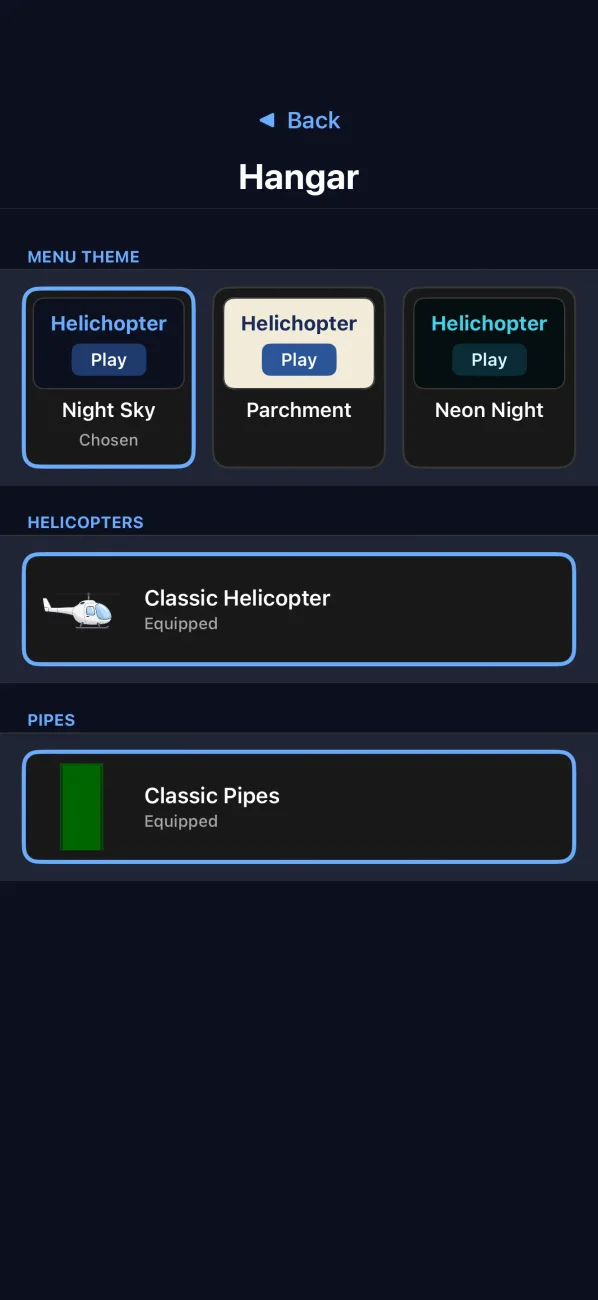
New Hangar on the Home screen: choose the menu theme there, with a preview of each one. The menu theme has moved from Settings, which now has a button that opens the Hangar. When Settings is locked, the Hangar is locked too.
Rebuilt menus: Home, Settings, Pause, and Round Over now fade as one whole screen, so two menus never appear at the same time. Taps and switch presses wait until the new screen is ready. With Reduce Motion on, the fade is shorter.
New ways to fly and pause:
- VoiceOver Direct Touch (on by default): with VoiceOver on, touch the lower half of the game to fly at once, with no double-tap. Gap guidance is still spoken, and the Pause button stays at the top. Turn it off in Settings to fly with double-taps and actions.
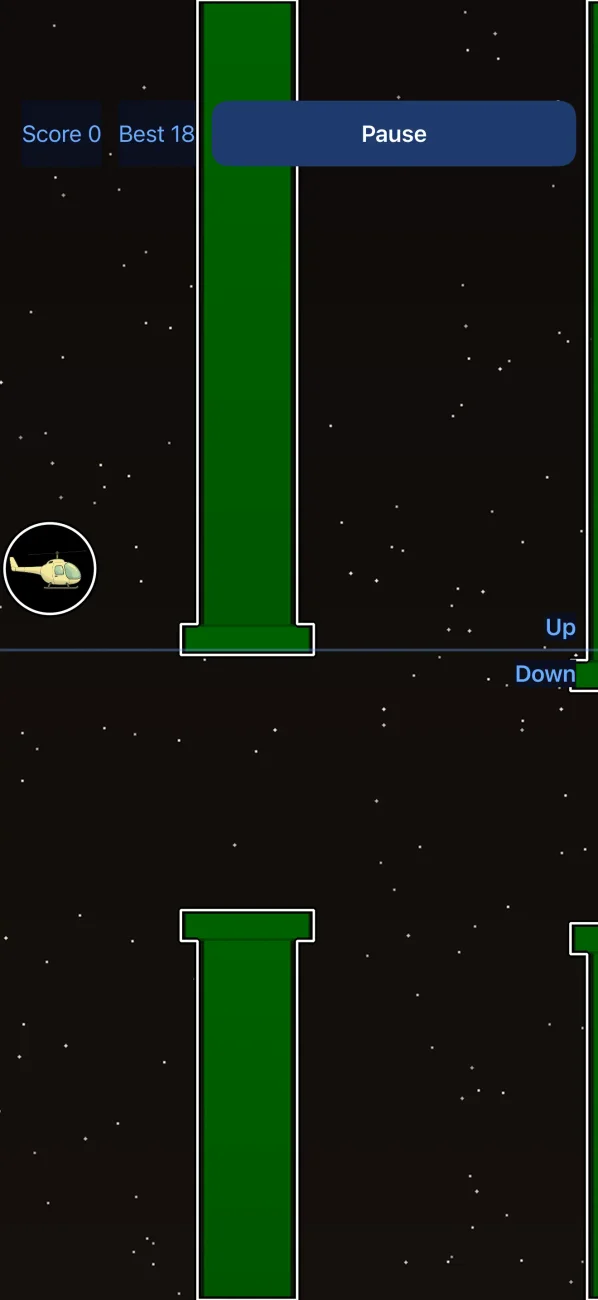
- In Auto Hover and Up/Down Switches, touch above the middle of the screen to move up and below it to move down. A faint line marks the middle.
- Pausing suits each flight scheme. In Tap to Flap and Hold to Hover, the secondary switch pauses at once. In Up/Down Switches, hold both switches for half a second, so holding one switch to rise no longer pauses. New setting Pause by Holding Switch turns off hold-to-pause for players who pause by accident.
Accessibility improvements:
- VoiceOver reads each Settings switch and slider once, with its description as a hint, and announces each screen once. Settings sections are headings, so the rotor can jump between them.
- Sliders open a Decrease and Increase page when activated, so they can be adjusted without dragging.
- Time settings are spoken in seconds, and other sliders as a percentage.
- Clearer names: Menu Scan Mode is now Timed or Step with Switch 2, and the two-switch flight scheme is now Up/Down Switches.
- Locked Settings controls now show as dimmed.
Other changes:
- In a narrow iPad window, such as Split View or Slide Over, the game is drawn larger.
- A game controller's d-pad can now move down in Auto Hover and Up/Down Switches.
- In Tap to Flap and Hold to Hover, the secondary switch no longer starts a round without moving the helicopter.
- In No-Fail Mode, landing on a pipe corner no longer pushes the helicopter forwards or backwards.
- The app uses less power on menu screens.
Quyền riêng tư của ứng dụng
Những gì Michael Mayo khai báo trên App Store về cách ứng dụng này xử lý dữ liệu.
-
Dữ liệu không được thu thập
Nhà phát triển không thu thập bất kỳ dữ liệu nào từ ứng dụng này.
Phương thức đảm bảo quyền riêng tư có thể khác nhau, chẳng hạn như tuỳ theo các tính năng bạn sử dụng hoặc độ tuổi của bạn.
Thông tin
- Người bán
- Michael Mayo
- Danh mục
- Phổ Thông
- Phiên bản
- 2.1
- Cập nhật
- 30/10/2026
- Phát hành
- 27/03/2021
- Kích thước
- 5,8 MB
- Yêu cầu
- iOS 17.6 trở lên
- Độ tuổi
- 4+
- Giá
- Miễn phí
- Ngôn ngữ
- Tiếng Anh
- Bản quyền
- © 2026 Nathan Mayo
Có thể bạn cũng thích
-
 Echo Chain: MultiplayerPhổ Thông
-
 Bondman ClickerPhổ Thông
-
 Retro Island Survival: The RPGPhiêu Lưu
-
 Space Jump: Last LamplighterHành Động
-
 Dark AssaultHành Động
-
 Bubble BlindGame chạm màu tốc độ cao
-
 Yaya - Classic Dice GameBoard Game
-
 Blind EchoHành Động
-
 Whack A BrailleTrò chơi
-
 Cờ cá ngựa vuiPhong cách hoạt hình