
How It Went: 3D Route Video
Bikepacking, hiking, running
Được thiết kế cho iPhone, iPad, Mac, iPod touch
Miễn phí · Mua hàng trong ứng dụng
- Độ tuổi4+
- Danh mụcẢnh & Video
- Nhà phát triểnCodeUX.design
- Ngôn ngữTiếng Anh
- Kích thước48,0 MB
Liên kết đến trang App Store chính thức
Download.org không lưu trữ tệp nào của How It Went: 3D Route Video. Nút này mở trang ứng dụng trên App Store, nơi CodeUX.design phát hành ứng dụng. Trang được kiểm tra lần cuối: 29/11/2026.
Ảnh chụp màn hình

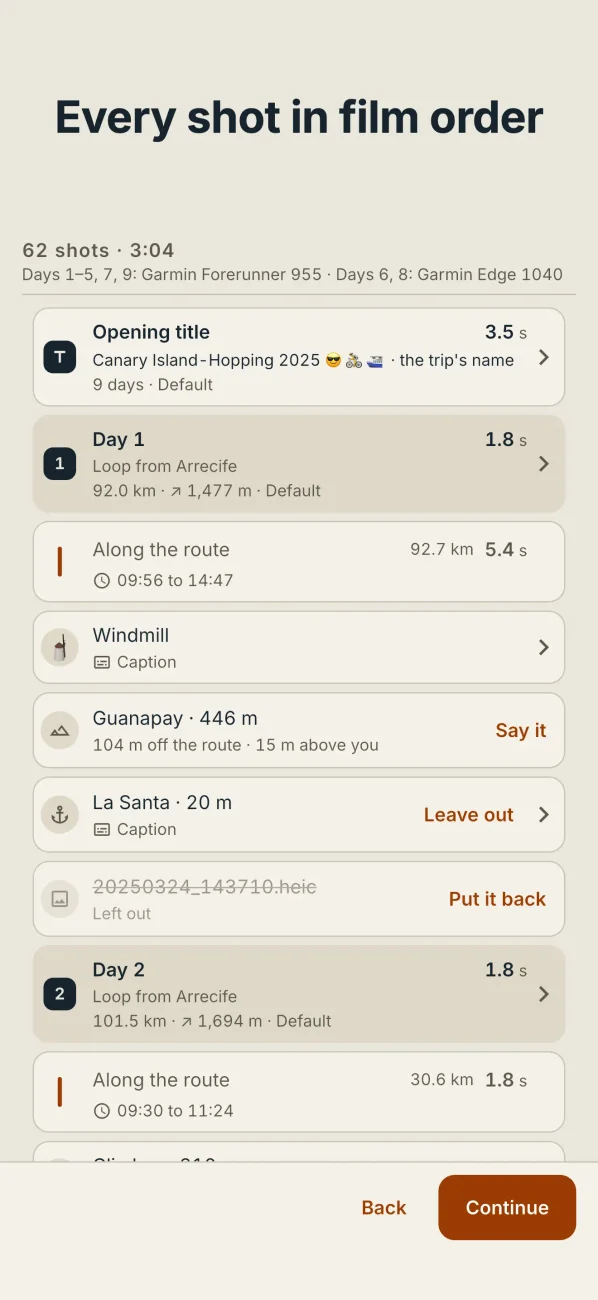
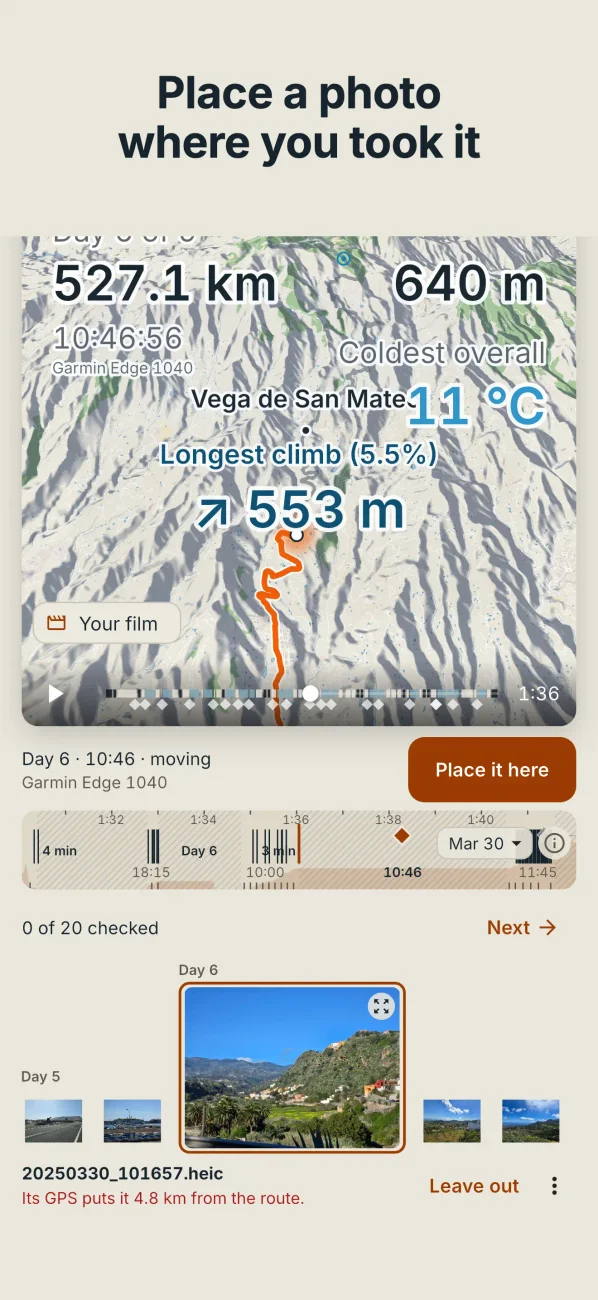
Giới thiệu
Nhà phát triển chưa cung cấp nội dung này bằng ngôn ngữ của bạn.
You get home from the trip with some photos, a couple of clips and a GPX file nobody is ever going to scroll through. How It Went turns them into a 3D route video: your ride, hike, run or ski tour draws itself across the map, your photos appear where you took them, and your clips play where they were shot. One day out, or a whole bikepacking trip with the rest days still in it.
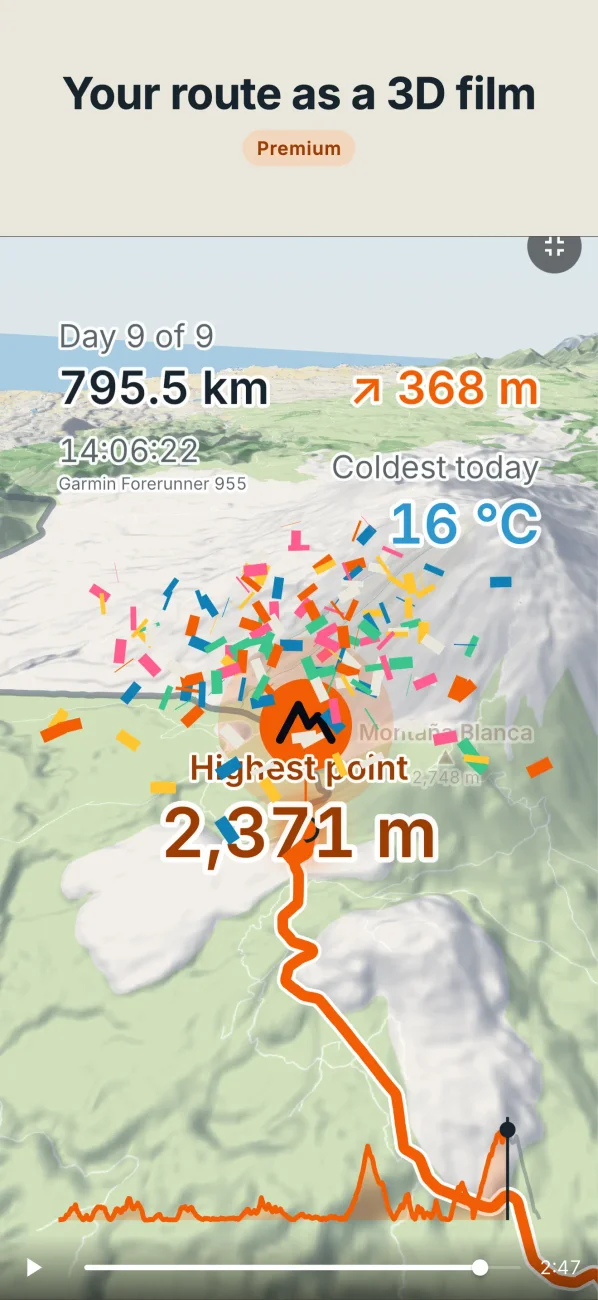
A slideshow fails on exactly the day you most want to keep: the long one where you were too tired to take pictures. The track is the only thing recorded densely enough to carry a day on its own. The route is the film, and the day's numbers (distance, elevation gain, moving time) run underneath it. Switch on 3D terrain and the mountains stand up off the map, with your track running over them.
The film also picks out what the map alone doesn't show: a pass or summit with its name and elevation, the spot where you crossed a border, your highest point, the longest climb with its average grade, your fastest stretch and your hardest effort. It can stop at any of them. Hide a climb or a fast stretch you'd rather leave out, and add what the map missed: a summit it doesn't know, or a pass under the name you call it.
WHAT YOU BRING
- Activities from Strava or Intervals.icu, picked on the Activities tab. You sign in once, with no API key to paste
- Or the files themselves: GPX, and FIT, including the zip a Garmin export gives you
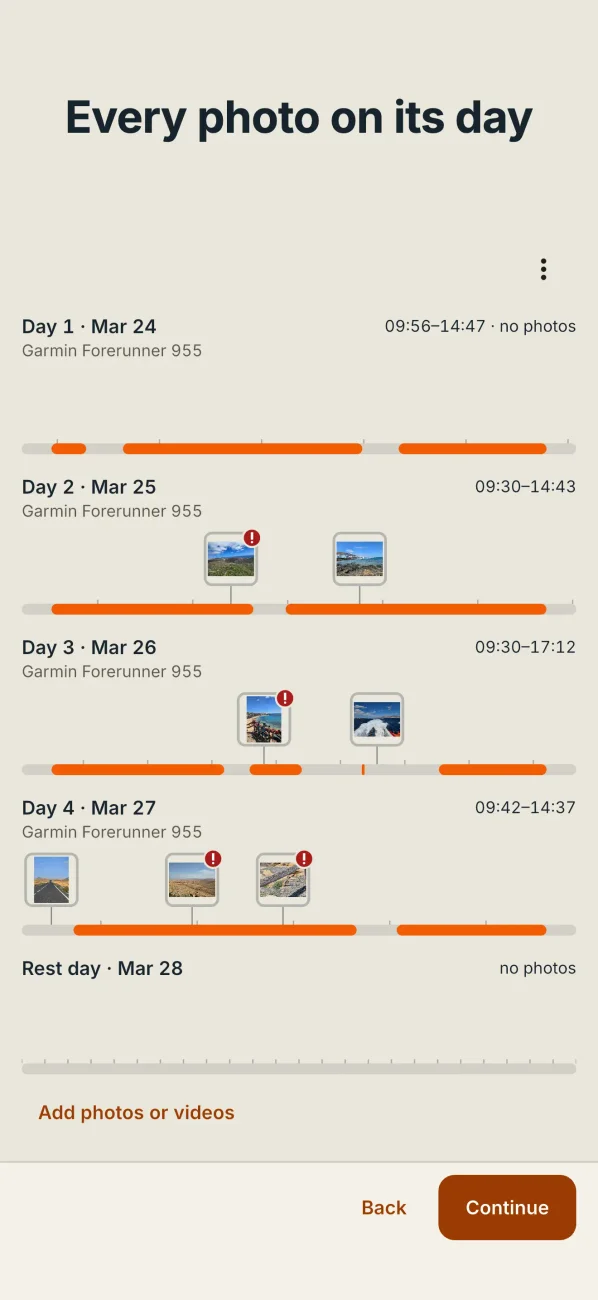
- One activity, or a whole trip at once. Several merge into one film, day by day, and rest days stay in as rest days
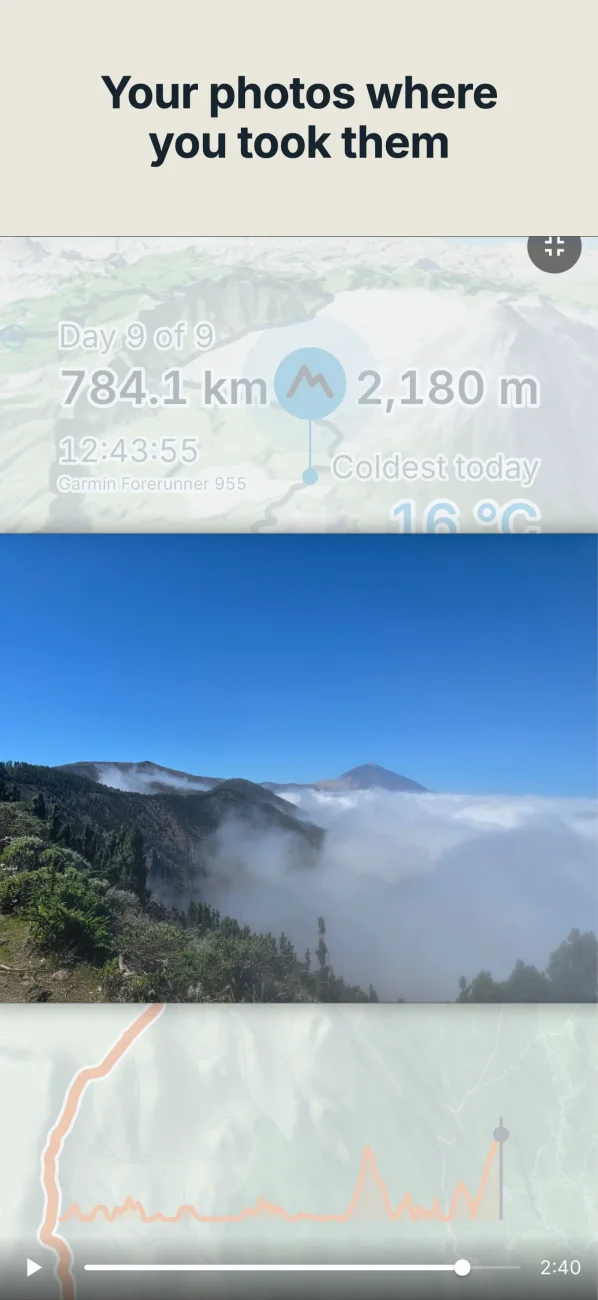
- Photos, picked day by day and placed along the track by the time they were taken
- Action-cam and drone clips, with more than one moment pulled out of a single recording
Send a GPX or FIT file straight to How It Went from another app's share sheet, or open it from Files.
WHEN THE CAMERA CLOCK WAS WRONG
An action cam that was never set to local time will drop your lunch stop in the wrong valley, and you can't tell by looking at the photo. Fix the clock once and everything shot on that camera moves together. For anything still out of place, play the film to where you took it and tap Place it here.
The times in your film are the local times where you were, not where you're sitting now. Edit after you've flown home and a photo taken at 1:30 still says 1:30.
WHILE YOU EDIT
Emoji in your title and captions come out in color, and one on its own can move. Version history keeps your recent edits, and any of them can be restored.
NOT A TRAINING APP
No leaderboards, no segments, no percentiles, nothing that ranks you against anybody else. The numbers are there to say what kind of day it was.
WHAT COMES OUT
An ordinary video file, 9:16 for a vertical post or 16:9 for widescreen. It's put together on your phone, so you can post it the evening you get in. Pause the film while it writes, and if it gets interrupted, Continue picks it up where it stopped.
FREE, AND WHAT PREMIUM ADDS
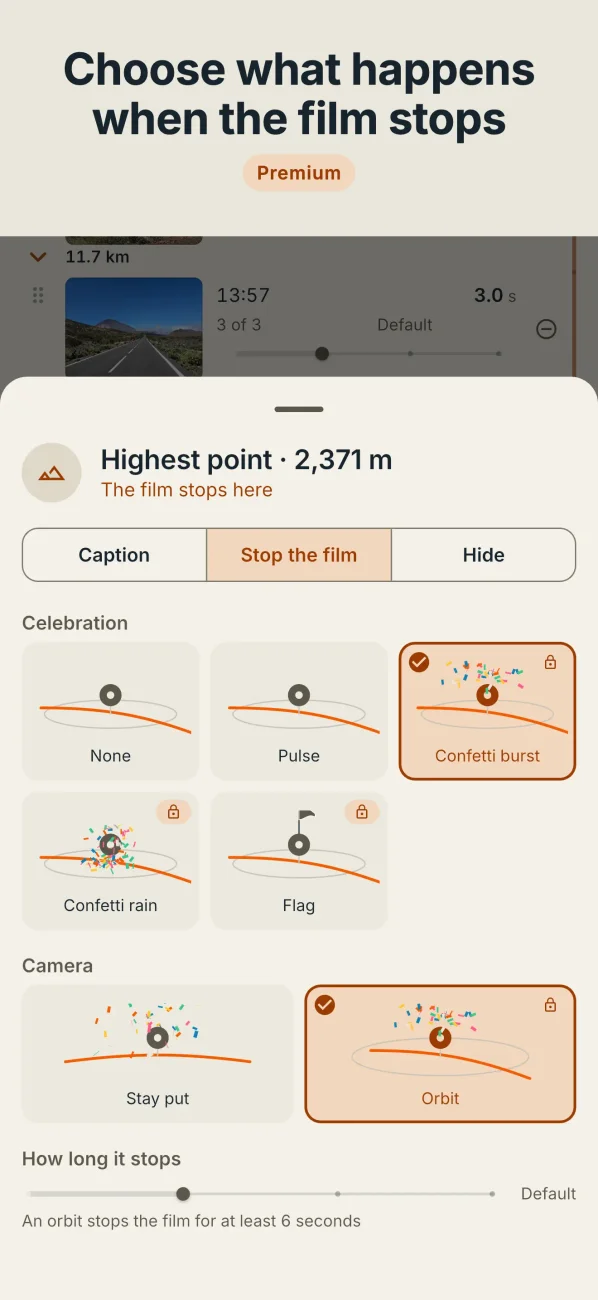
Everything above is free: your whole trip from your own files, every export size, 3D terrain, the Daylight map and the default soundtrack. Premium adds five more map looks: Overcast, Paper, Golden hour, Dark slate, and Time of day, which follows the sun from night into day. It adds Photos first, where your photos fill the frame and the route keeps drawing itself in the corner. With it you also pick the soundtrack's style, what the film opens on, and any Google Font for the film's words. Readouts put speed, heart rate, grade or climb rate on a photo or clip. Highlights you add yourself (a view, a flat tire) get a symbol of their own or stand on the map as a 3D model, one of your photos or an emoji, and where the film stops, it can burst into confetti, plant a flag on a summit, or circle the spot with the camera. Pay once or yearly, and try it free for a week first. A free account carries Premium to your other devices.
Map data from OpenStreetMap contributors.
Terms of Use: https://www.apple.com/legal/internet-services/itunes/dev/stdeula/
Có gì mới
Phiên bản 2.2.0 · 28/11/2026
- **Landmarks** A highlight can stand on the map as a 3D model, one of
your photos or an emoji
- **Close-up** The film slows and comes in close at a highlight of yours
- **Your fonts** Set the film in Lora, Caveat or any Google Font
- **Emoji, in color** Emoji in your title and captions come out in color
- **More to stop for** Fastest and Hardest effort get rows in Shots, and
Orbit goes with any celebration
- **Sign in with Intervals.icu** No API key to find and paste
Quyền riêng tư của ứng dụng
Những gì CodeUX.design khai báo trên App Store về cách ứng dụng này xử lý dữ liệu.
-
Dữ liệu liên kết với bạn
Có thể được thu thập và liên kết với danh tính của bạn.
- Sức khoẻ và thể chất
- Mục mua
- Vị trí
- Thông tin liên hệ
- Nội dung của người dùng
- Dữ liệu sử dụng
- Chẩn đoán
-
Dữ liệu không liên kết với bạn
Có thể được thu thập nhưng không liên kết với danh tính của bạn.
- Vị trí
- Mã định danh
- Dữ liệu sử dụng
- Chẩn đoán
Phương thức đảm bảo quyền riêng tư có thể khác nhau, chẳng hạn như tuỳ theo các tính năng bạn sử dụng hoặc độ tuổi của bạn.
Thông tin
- Người bán
- Herbert Poul
- Danh mục
- Ảnh & Video
- Phiên bản
- 2.2.0
- Cập nhật
- 28/11/2026
- Phát hành
- 25/08/2026
- Kích thước
- 48,0 MB
- Yêu cầu
- iOS 15.0 trở lên
- Độ tuổi
- 4+
- Giá
- Miễn phí
- Mua hàng trong ứng dụng
- Có
- Ngôn ngữ
- Tiếng Anh
- Bản quyền
- © 2026 CodeUX.design e.U.
Có thể bạn cũng thích
-
 Tacticam - Pro CameraẢnh & Video
-
 Gpx Visualizer ProẢnh & Video
-
 skuttr — Make a ReelẢnh & Video
-
 Sync Shutter: SD Card BackupẢnh & Video
-
 SkyGlide: 3D Route VideosẢnh & Video
-
 Squarify - Posts With No CropẢnh & Video
-
 Citus CameraẢnh & Video
-
 AeroAnimate: Video Bản ĐồTạo video hành trình 3D
-
 EIS CamẢnh & Video
-
 CairaẢnh & Video