
How It Went
Your route as a short film
Designed for iPhone, iPad, Mac, iPod touch
Free · In-app purchases
- Age rating4+
- CategoryPhoto & Video
- DeveloperCodeUX.design
- LanguagesEnglish
- Size46.1 MB
Links to the official App Store page
Download.org hosts no file of How It Went. The button opens its official App Store page, published by CodeUX.design. Listing last checked on Nov 23, 2026.
Screenshots
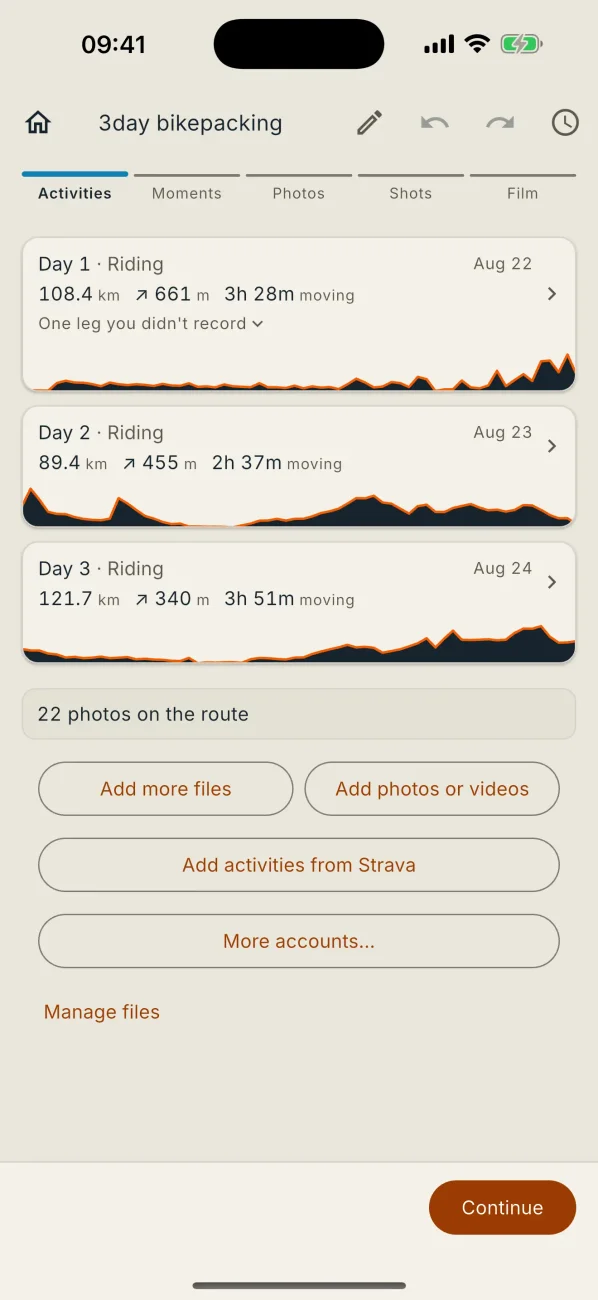
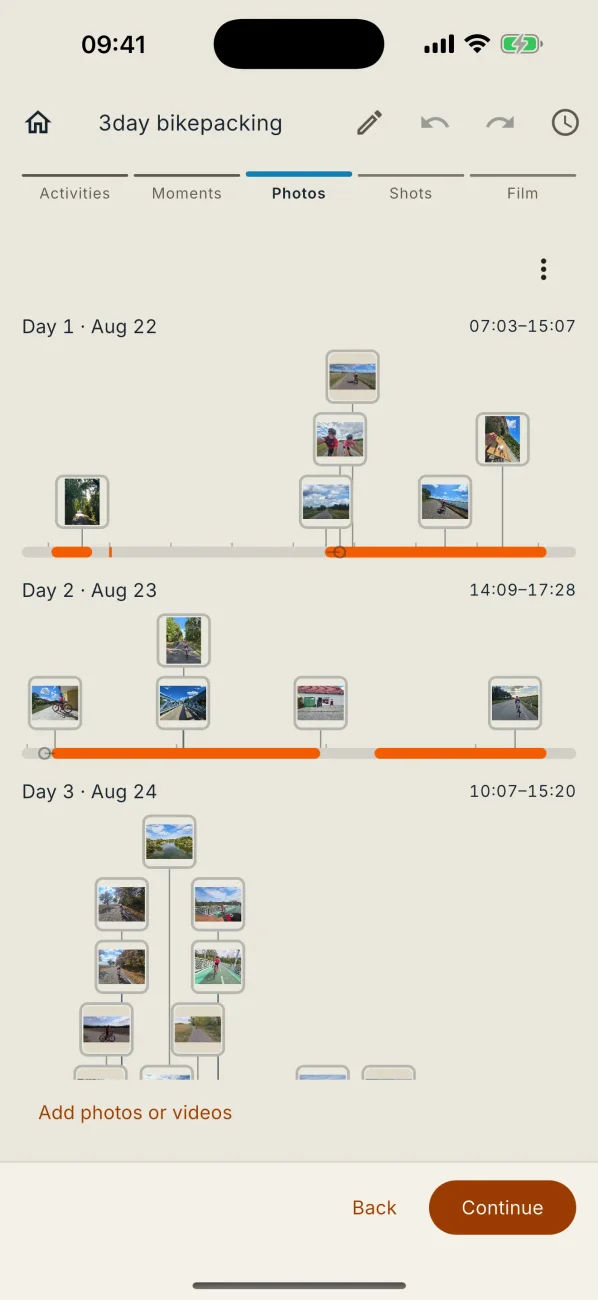

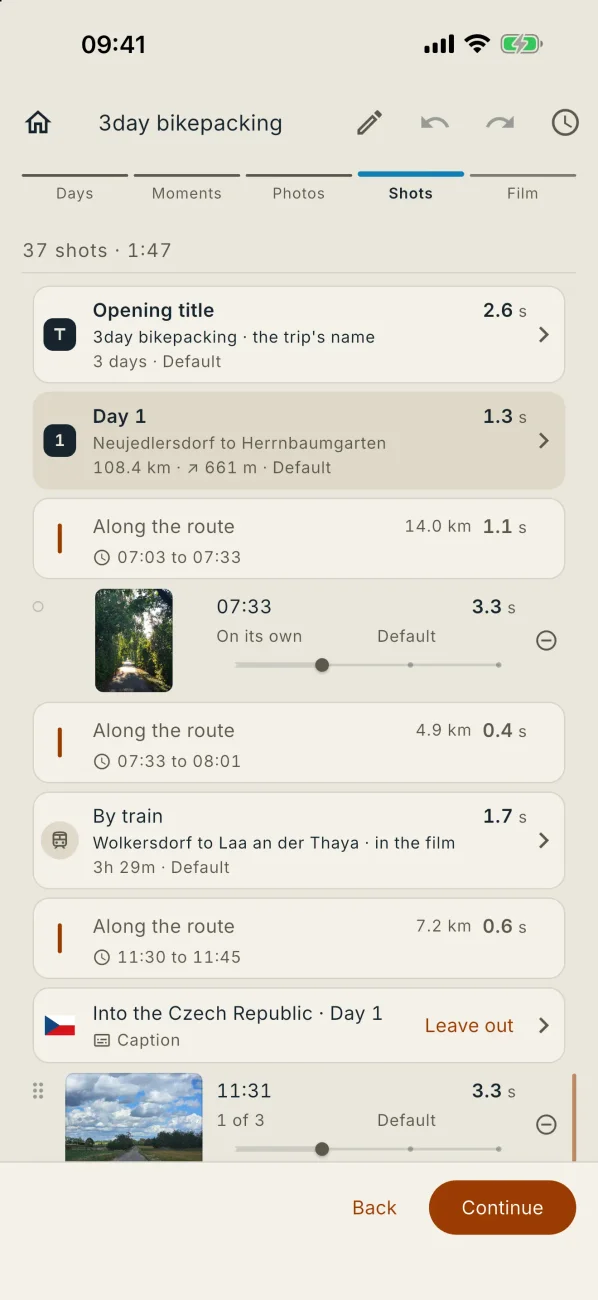
About
You get home with some photos, a couple of clips and a GPS track nobody is ever going to scroll through. How It Went turns all three into a short film that follows your route: one ride, or a whole trip with the rest days still in it.
The route is the film. Your track draws itself across a tilted map, your photos appear at the spot on the route where you took them, and your clips play where they were shot. Underneath, the day's numbers — distance, elevation gain, moving time — read as narration.
That's the part a slideshow can't do. A slideshow fails on exactly the day you most want to keep: the long solitary one where you were too tired to take pictures. The track is the only thing recorded densely enough to carry a day on its own.
The film also picks out what the map alone doesn't show: the longest climb with its average grade, the highest point, named passes with their elevation, and the spot where you crossed a border.
WHAT YOU BRING
- Rides picked straight from your Strava account
- Or the files themselves: Garmin FIT, including the zip you get from Export File in Garmin Connect, and GPX
- One ride, or a whole trip at once. Several activities merge into one film, day by day, and rest days stay in as rest days instead of getting dropped
- Photos, placed along the track by the time they were taken
- Action-cam and drone clips, with more than one moment pulled out of a single recording. A four-minute file usually holds two or three keepers, not one
Send a ride straight to How It Went from another app's share sheet, or open it from Files.
WHEN THE CAMERA CLOCK WAS WRONG
An action cam that was never set to local time will drop your lunch stop in the wrong valley, and you can't tell by looking at the photo. Fix the clock once and everything shot on that camera moves together. For anything still out of place, play the film to where you took it and place it there. It stays put while you keep editing.
The times in your film are the times you rode at, not the times where you're sitting now. Edit after you've flown home and a photo taken at 1:30 still says 1:30.
NOT A TRAINING APP
No leaderboards, no segments, no percentiles, nothing that ranks you against anybody else. The numbers are there to say what kind of day it was.
WHAT COMES OUT
An ordinary video file — 9:16 for Instagram and TikTok, or 16:9 for YouTube. It's put together on your phone, so you can post it the evening you get in.
FREE, AND WHAT PREMIUM ADDS
Everything above is free: your whole trip from your own files, every export size, the Daylight map and the default soundtrack. Premium adds five more map looks, Golden hour and Dark slate among them, and a photos-first layout with the map in the corner. With it you also pick the soundtrack's style and what the film opens on. Highlights you add yourself (a view, a flat tire) get a symbol of their own, and the film can stop at any highlight with confetti or the camera circling it. Pay once or yearly, and try it free for a week first. A free account carries Premium to your other devices: iPhone, iPad and Mac.
Map data from OpenStreetMap contributors.
Terms of Use: https://www.apple.com/legal/internet-services/itunes/dev/stdeula/
What’s new
Version 2.1.1 · Nov 21, 2026
- **Stop at the top** The film can stop at a pass, a summit, a border or
your highest point. Premium adds confetti, a flag or an orbit
- **Your own highlights** Add a summit or pass the map missed, or with
Premium a view or a wrong turn. You can rename a pass, too
- **Full-screen preview** Watch the Film step's preview edge to edge
- **Shots, redrawn** Days, stops and legs are cards, and a stop shows the
distance between its photos, so you see where to split it
App privacy
What CodeUX.design declares on the App Store about how this app handles data.
-
Data linked to you
May be collected and linked to your identity.
- Purchases
- Contact info
- User content
- Usage data
- Diagnostics
-
Data not linked to you
May be collected but is not linked to your identity.
- Location
- Identifiers
- Usage data
- Diagnostics
Privacy practices may vary, for example with the features you use or your age.
Information
- Seller
- Herbert Poul
- Category
- Photo & Video
- Version
- 2.1.1
- Updated
- Nov 21, 2026
- Released
- Aug 25, 2026
- Size
- 46.1 MB
- Requires
- iOS 15.0 or later
- Age rating
- 4+
- Price
- Free
- In-app purchases
- Yes
- Languages
- English
- Copyright
- © 2026 CodeUX.design e.U.
You might also like
-
 Tacticam - Pro CameraCinema Camera & Story Maker
-
 Gpx Visualizer ProPhoto & Video
-
 skuttr — Make a ReelFrom camera roll to Reel
-
 Sync Shutter: SD Card BackupAuto copy to NAS, cloud & SSD
-
 SkyGlide: 3D Route VideosRelive your runs • GPX viewer
-
 Squarify - Posts With No CropBatch edit photos for socials
-
 Citus CameraReal film looks, live.
-
 AeroAnimate: Travel Map Video3D Route Animator for Trips
-
 EIS CamPhoto & Video
-
 CairaPhoto & Video