Knobbler
Ableton Live Touch Control
Được thiết kế cho iPhone, iPad
Miễn phí · Mua hàng trong ứng dụng
- Độ tuổi4+
- Danh mụcNhạc
- Nhà phát triểnZACHARY STEINKAMP
- Ngôn ngữTiếng Anh
- Kích thước54,6 MB
Liên kết đến trang App Store chính thức
Download.org không lưu trữ tệp nào của Knobbler. Nút này mở trang ứng dụng trên App Store, nơi ZACHARY STEINKAMP phát hành ứng dụng. Trang được kiểm tra lần cuối: 26/11/2026.
Ảnh chụp màn hình



Giới thiệu
Nhà phát triển chưa cung cấp nội dung này bằng ngôn ngữ của bạn.
Knobbler turns your iPhone or iPad into an auto-labeling, auto-coloring, multitouch control surface for Ableton Live. 30 day fully-functioning trial of all features. The Mixer, Clips, Session, and Nav pages are available during the trial and after a one-time purchase of Knobbler or a subscription.
Ableton Live 12 Suite or Ableton Live 12 Standard with the Max for Live add-on is required.
Simply add the free Knobbler4 device to your Live Set and use the Knobbler app to use your iPhone or iPad to control devices and parameters.
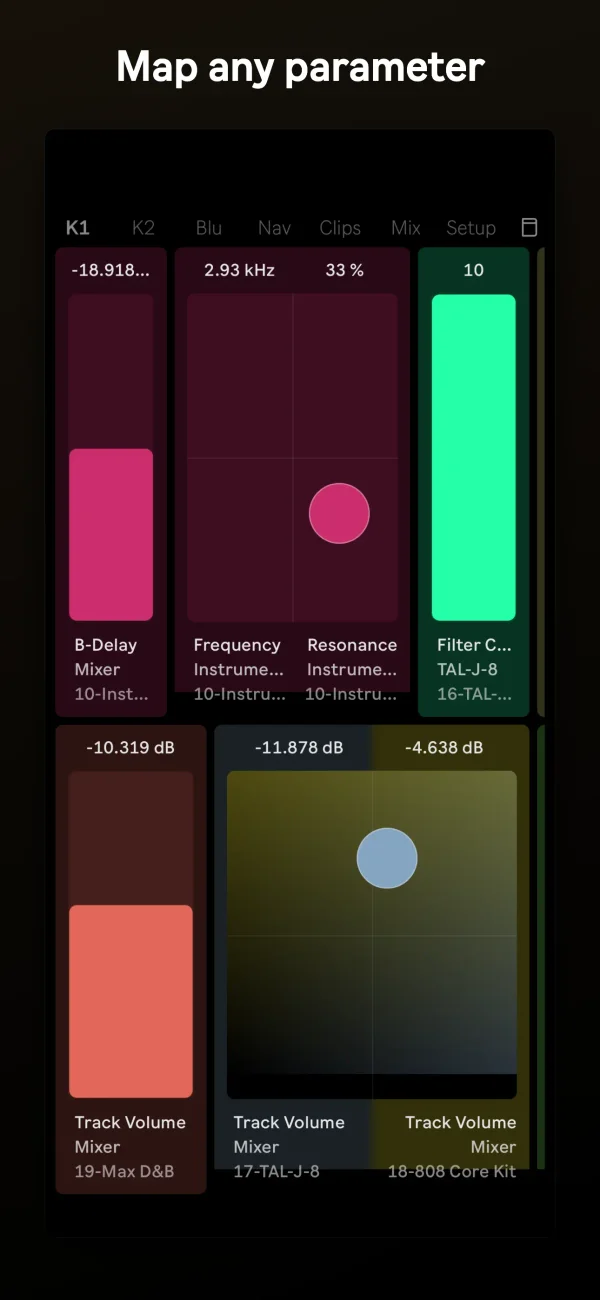
** Control every parameter and build a customized interface, including sliders and X-Y pads that is saved with your Live sets.
** Navigate your tracks, groups, racks and devices faster and easier than ever.
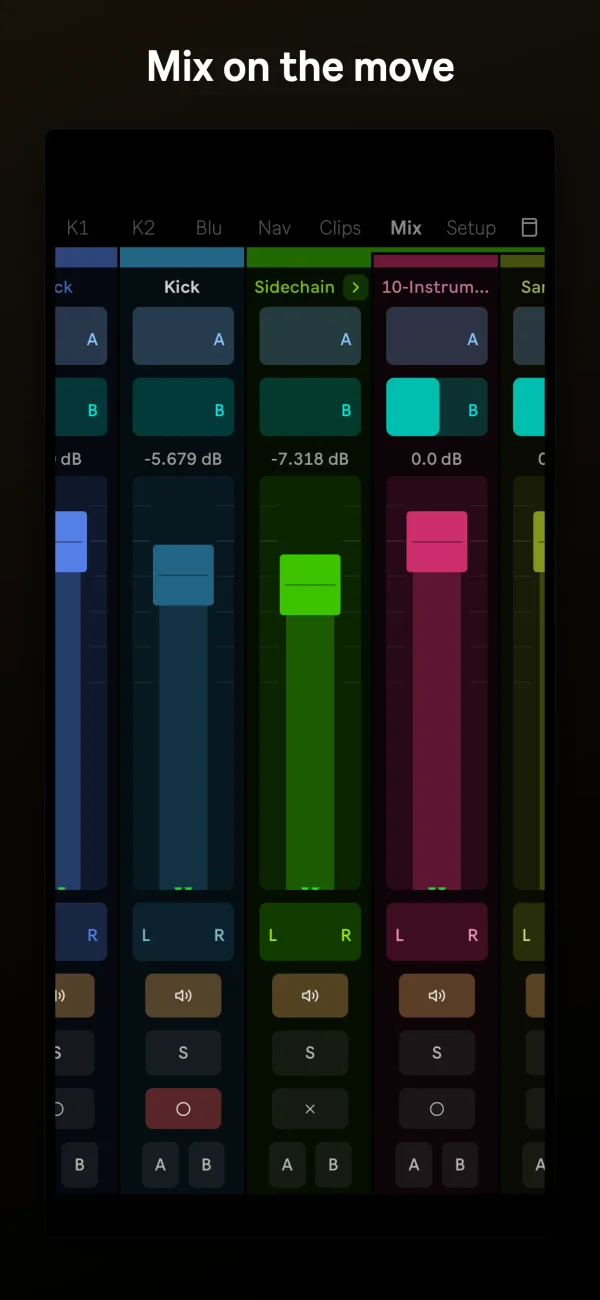
** Full screen Cilps and Mixer views keep you connected to your music.
** Session View gives you a combined clips and mixer view for full control.
** Full access to capture and recall rack variations.
** Navigate cue points and locators in your set.
** Engage Spring mode for momentary effects.
Visit https://plugins.steinkamp.us/m4l-Knobbler4 to download the Ableton Live device to use with this app.
Map parameters in your Ableton Live set to unmapped sliders on the tablet with a single touch. No need to enter and exit a mapping mode. Access every parameter in the currently selected device, directly on the phone or tablet.
Parameter mapping configuration is saved with your Live Set, so you can switch between songs with minimal friction. Track, device, and parameter names are kept synchronized with your Live Set as you change them, even track colors!
Parameter sliders and values are updated in real time, with the same units (e.g. dB, ms, %) displayed as what you see in Live. Double tap a slider on the tablet to reset the parameter to its default value.
Swipe in the Navigation controls on the right side to dive into your tracks, groups, racks, and devices faster than ever before.
Swipe in from the left to show a channel strip with familiar mixer controls, including color-coded sends.
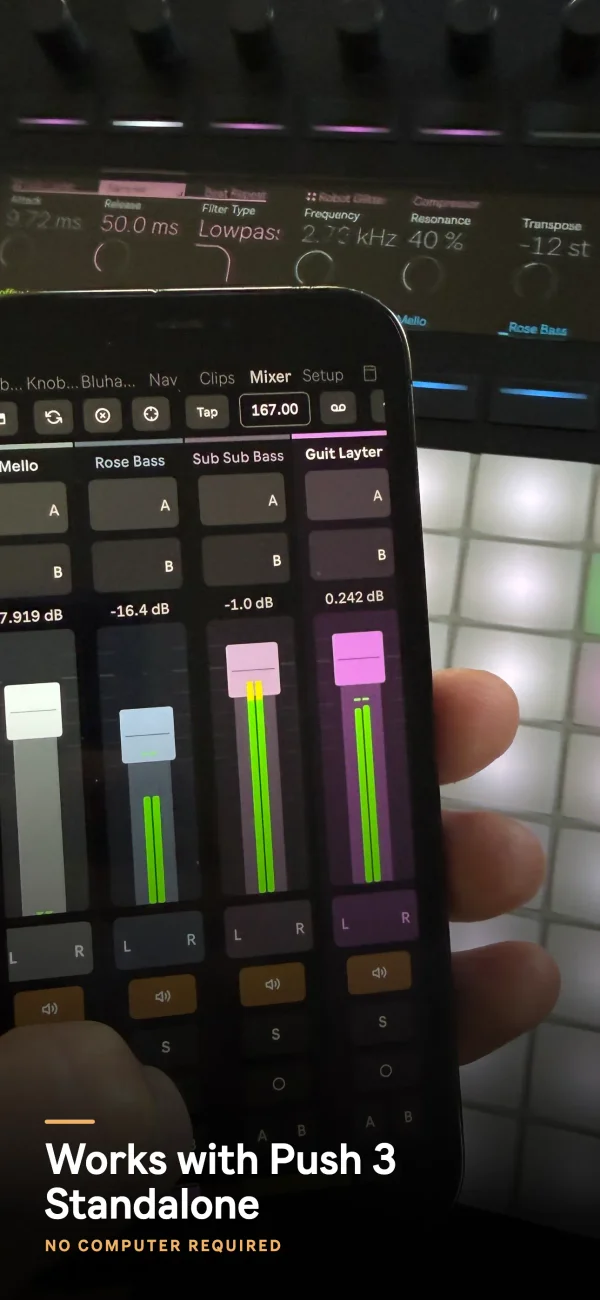
Works on phones and tablets, even in multi-window view on the latest IOS 26. Works over USB or WiFi.
Knobbler is there to keep you out of the computer and in the creative moment, unlocking more of your music making potential.
Terms of Use (EULA): https://www.apple.com/legal/internet-services/itunes/dev/stdeula/
Có gì mới
Phiên bản 2026.11.22 · 25/11/2026
- A Knobbler slot can now be a button instead of a fader. In Layout mode, set any mapped slot to Momentary or Toggle and it jumps between two parameter values you pick, defaulting to the parameter’s full range. Requires Knobbler4 device v74 or newer
- The Session page is now Split: a two-pane screen where each pane shows the Mixer, Clips, Knobbler or Bluhand — tap the bar at the top of a pane to switch it. Put Knobbler in both panes to keep two pages on screen at once, each pane on its own page
Quyền riêng tư của ứng dụng
Những gì ZACHARY STEINKAMP khai báo trên App Store về cách ứng dụng này xử lý dữ liệu.
-
Dữ liệu không được thu thập
Nhà phát triển không thu thập bất kỳ dữ liệu nào từ ứng dụng này.
Phương thức đảm bảo quyền riêng tư có thể khác nhau, chẳng hạn như tuỳ theo các tính năng bạn sử dụng hoặc độ tuổi của bạn.
Thông tin
- Người bán
- ZACHARY STEINKAMP
- Danh mục
- Nhạc
- Phiên bản
- 2026.11.22
- Cập nhật
- 25/11/2026
- Phát hành
- 21/02/2025
- Kích thước
- 54,6 MB
- Yêu cầu
- iOS 16.4 trở lên
- Độ tuổi
- 4+
- Giá
- Miễn phí
- Mua hàng trong ứng dụng
- Có
- Ngôn ngữ
- Tiếng Anh
- Bản quyền
- © Zack Steinkamp