- 対象年齢4+
- カテゴリミュージック
- 開発元ZACHARY STEINKAMP
- 言語英語
- サイズ54.6 MB
App Storeの公式ページにリンクしています
Download.orgはKnobblerのファイルを一切ホストしていません。ボタンを押すと、ZACHARY STEINKAMPが公開しているApp Storeのアプリページが開きます。ページの最終確認:2026/11/26。
スクリーンショット



概要
開発元はこのテキストをお使いの言語で提供していません。
Knobbler turns your iPhone or iPad into an auto-labeling, auto-coloring, multitouch control surface for Ableton Live. 30 day fully-functioning trial of all features. The Mixer, Clips, Session, and Nav pages are available during the trial and after a one-time purchase of Knobbler or a subscription.
Ableton Live 12 Suite or Ableton Live 12 Standard with the Max for Live add-on is required.
Simply add the free Knobbler4 device to your Live Set and use the Knobbler app to use your iPhone or iPad to control devices and parameters.
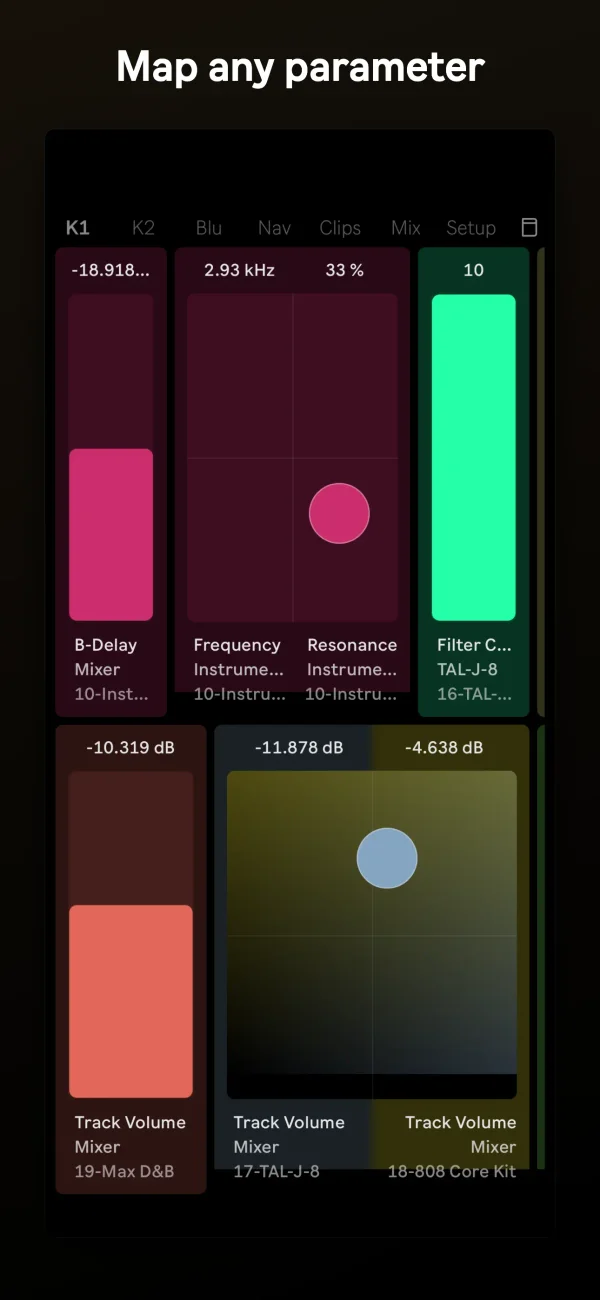
** Control every parameter and build a customized interface, including sliders and X-Y pads that is saved with your Live sets.
** Navigate your tracks, groups, racks and devices faster and easier than ever.
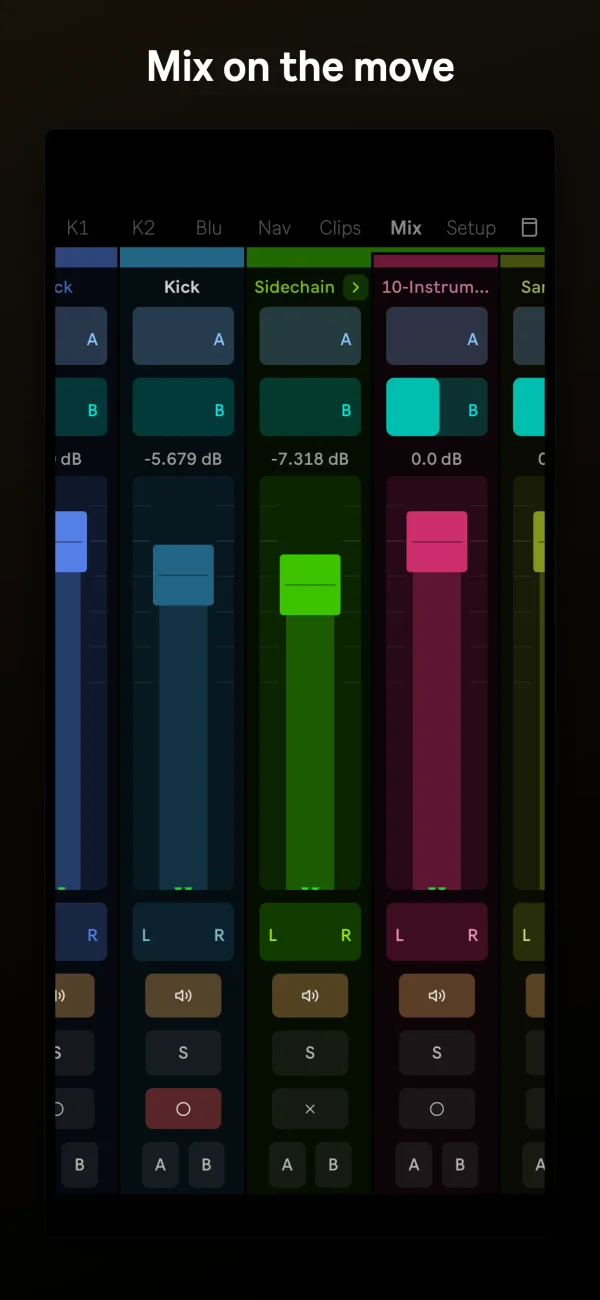
** Full screen Cilps and Mixer views keep you connected to your music.
** Session View gives you a combined clips and mixer view for full control.
** Full access to capture and recall rack variations.
** Navigate cue points and locators in your set.
** Engage Spring mode for momentary effects.
Visit https://plugins.steinkamp.us/m4l-Knobbler4 to download the Ableton Live device to use with this app.
Map parameters in your Ableton Live set to unmapped sliders on the tablet with a single touch. No need to enter and exit a mapping mode. Access every parameter in the currently selected device, directly on the phone or tablet.
Parameter mapping configuration is saved with your Live Set, so you can switch between songs with minimal friction. Track, device, and parameter names are kept synchronized with your Live Set as you change them, even track colors!
Parameter sliders and values are updated in real time, with the same units (e.g. dB, ms, %) displayed as what you see in Live. Double tap a slider on the tablet to reset the parameter to its default value.
Swipe in the Navigation controls on the right side to dive into your tracks, groups, racks, and devices faster than ever before.
Swipe in from the left to show a channel strip with familiar mixer controls, including color-coded sends.
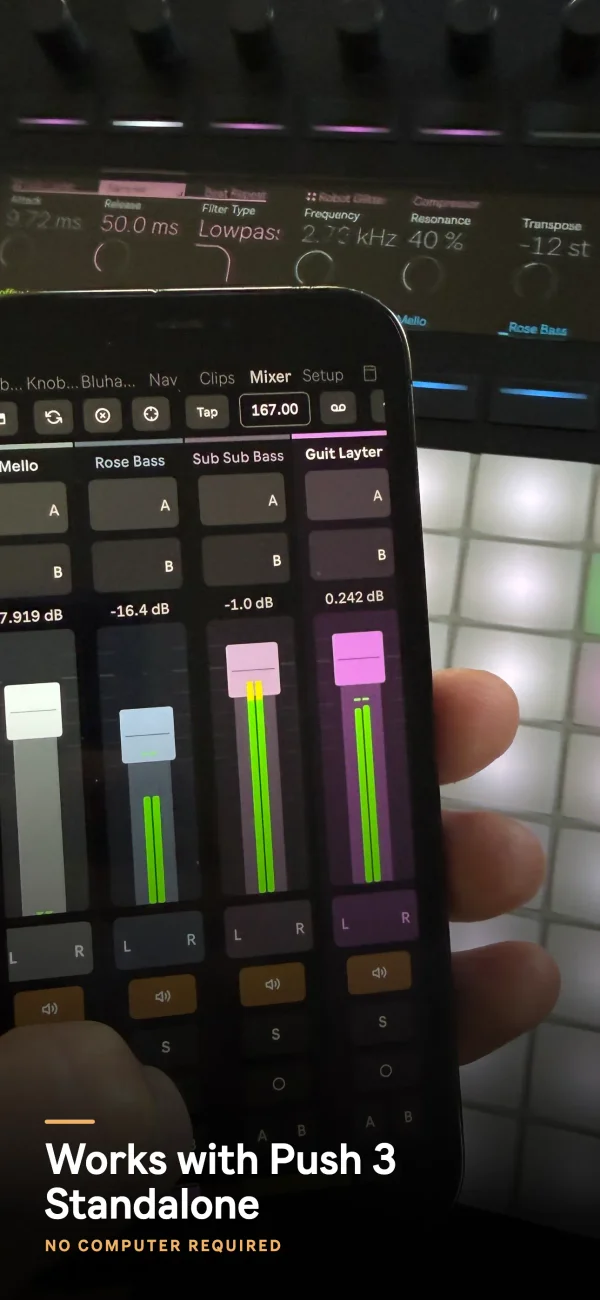
Works on phones and tablets, even in multi-window view on the latest IOS 26. Works over USB or WiFi.
Knobbler is there to keep you out of the computer and in the creative moment, unlocking more of your music making potential.
Terms of Use (EULA): https://www.apple.com/legal/internet-services/itunes/dev/stdeula/
新機能
バージョン 2026.11.22 · 2026/11/25
- A Knobbler slot can now be a button instead of a fader. In Layout mode, set any mapped slot to Momentary or Toggle and it jumps between two parameter values you pick, defaulting to the parameter’s full range. Requires Knobbler4 device v74 or newer
- The Session page is now Split: a two-pane screen where each pane shows the Mixer, Clips, Knobbler or Bluhand — tap the bar at the top of a pane to switch it. Put Knobbler in both panes to keep two pages on screen at once, each pane on its own page
アプリのプライバシー
このアプリのデータの取り扱いについて、ZACHARY STEINKAMPがApp Storeで申告している内容です。
-
データの収集なし
開発元はこのアプリからデータを収集しません。
プライバシーの取り扱いは、ご利用の機能やお客様の年齢などに応じて異なる場合があります。
情報
- 販売元
- ZACHARY STEINKAMP
- カテゴリ
- ミュージック
- バージョン
- 2026.11.22
- 更新日
- 2026/11/25
- リリース
- 2025/2/21
- サイズ
- 54.6 MB
- 必要条件
- iOS 16.4以降
- 対象年齢
- 4+
- 価格
- 無料
- アプリ内課金
- あり
- 言語
- 英語
- 著作権
- © Zack Steinkamp