LineKeeper
HMI for Logix, S7 & Modbus
Được thiết kế cho iPhone, iPad, iPod touch
Miễn phí · Mua hàng trong ứng dụng
- Độ tuổi4+
- Danh mụcTiện Ích
- Nhà phát triểnOleksandr Makarov
- Ngôn ngữTiếng Anh
- Kích thước21,5 MB
Liên kết đến trang App Store chính thức
Download.org không lưu trữ tệp nào của LineKeeper. Nút này mở trang ứng dụng trên App Store, nơi Oleksandr Makarov phát hành ứng dụng. Trang được kiểm tra lần cuối: 23/11/2026.
Ảnh chụp màn hình




Giới thiệu
Nhà phát triển chưa cung cấp nội dung này bằng ngôn ngữ của bạn.
LineKeeper turns your iPhone into a pocket HMI for the controllers on your plant floor — Allen-Bradley Logix, Siemens S7, and anything that speaks Modbus TCP.
Scan the network and the app finds every PLC around and tells you which ones are ready to talk. On Allen-Bradley it reads the controller's own tag list over EtherNet/IP — live values in seconds, nothing to configure: no PLC program changes, no gateway, no OPC server, no cloud account. Values go straight from the controller to your phone.
WHAT YOU CAN DO
• Zero-config tag browser on Logix — every tag of every PLC, live, with search, including program-scoped tags.
• Find by action — don't know the address? Press the machine's real button, or nudge a setpoint on its own screen, in the rhythm the app dictates — and the app finds the tag that followed. Works on Modbus and S7 too, where there are no tag names at all.
• Network scan — one sweep fingerprints EtherNet/IP, Modbus TCP, S7 and more. A PLC with closed access shows as "found, access closed" with the exact steps to open it, down to the TIA Portal clicks.
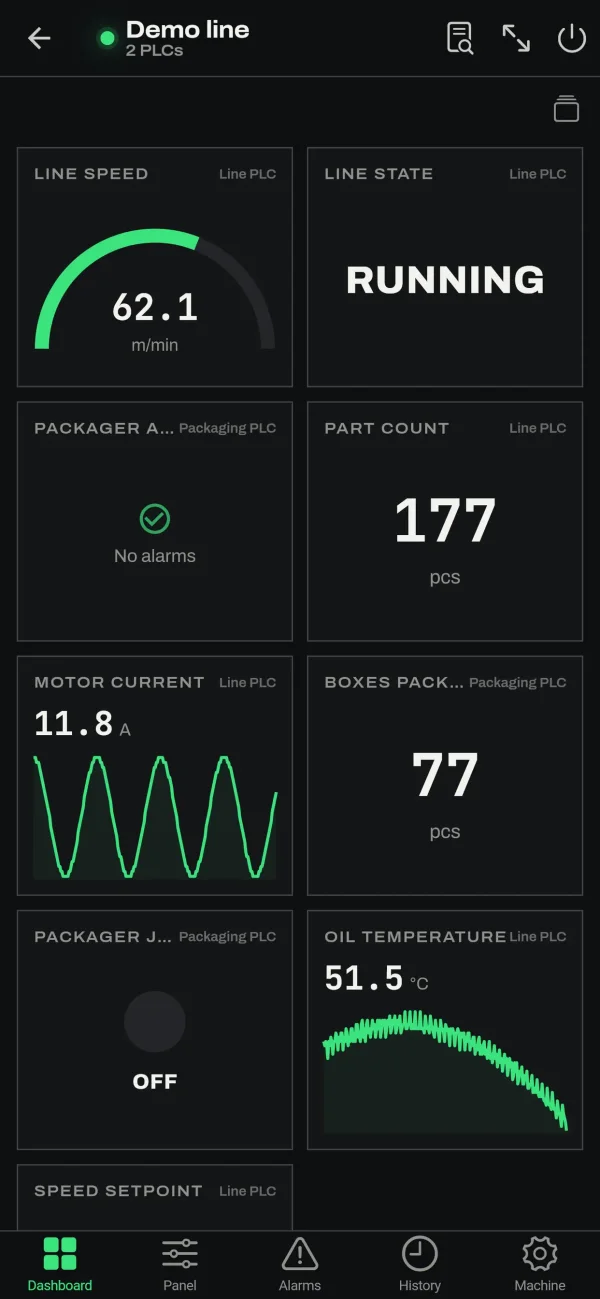
• One dashboard per machine, on multiple pages — number, gauge, LED and trend tiles on swipeable named pages ("Filler", "Capper", "Conveyors"), even when one machine runs several PLCs.
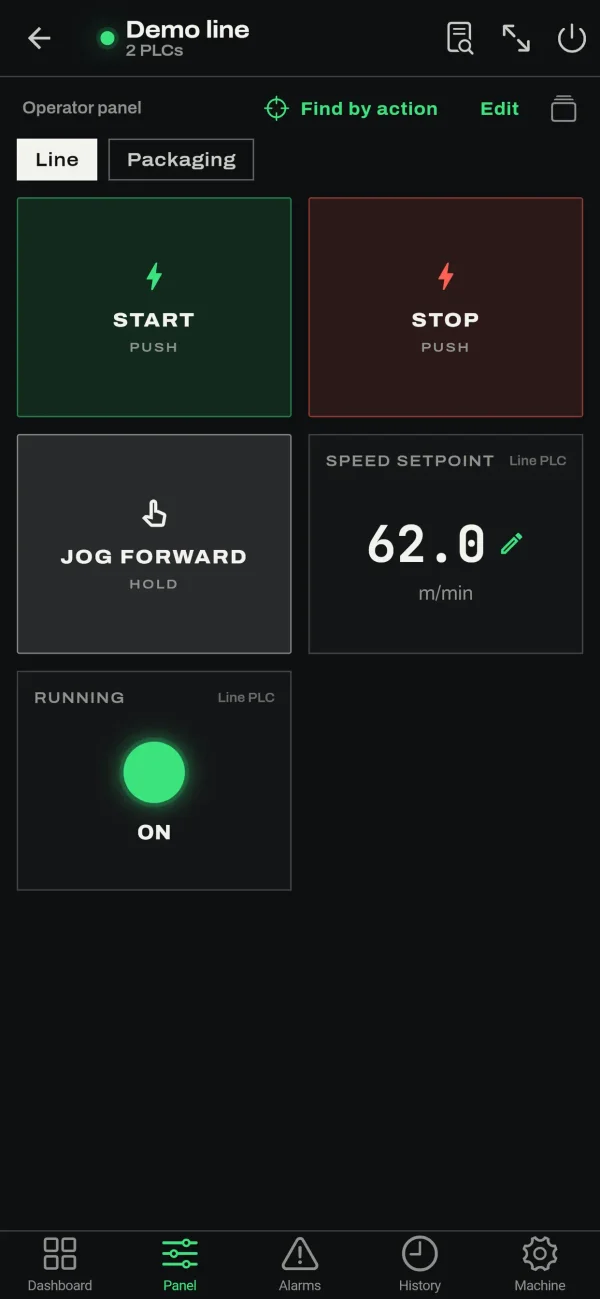
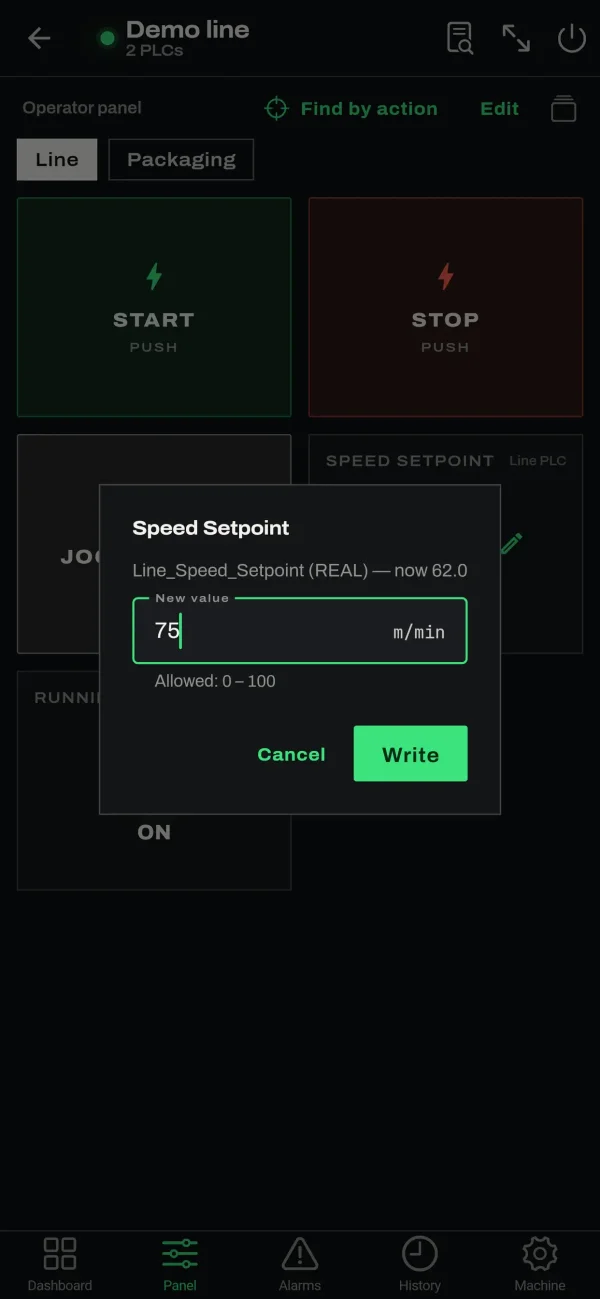
• Operator panel — large start/stop buttons, hold-to-run jog, latches, setpoints and status lamps, full-screen kiosk mode with the screen kept awake.
• Alarms and status codes — alarm words mapped to operator texts, a red banner over every screen while an alarm is active, and a session journal of appeared/cleared.
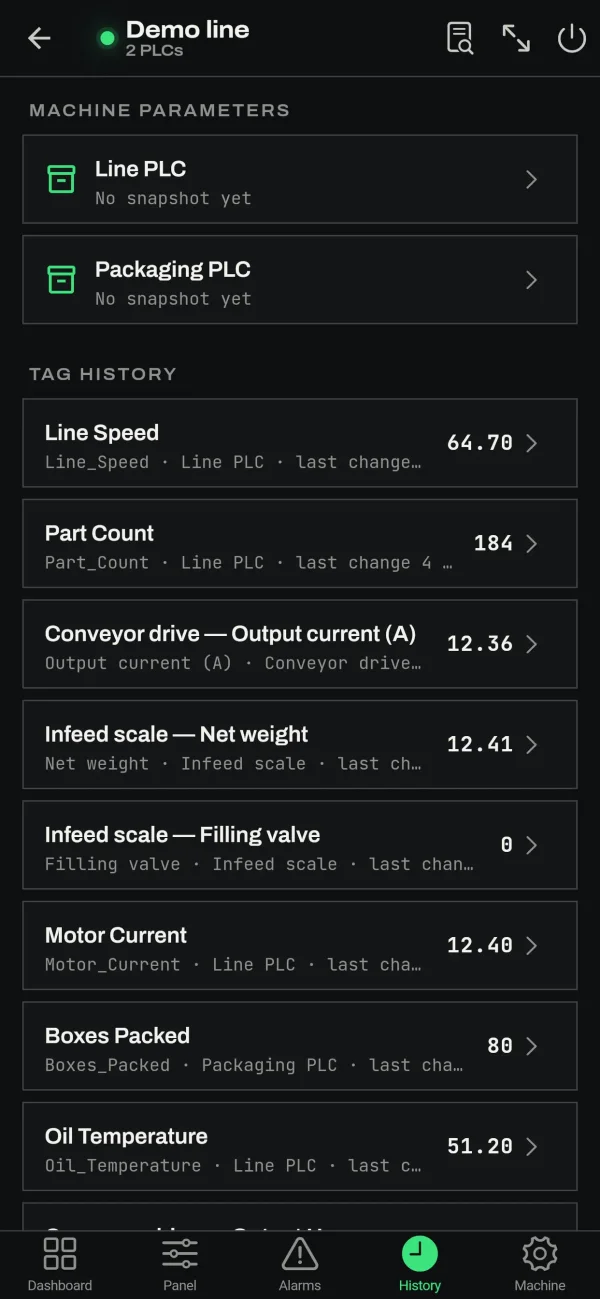
• Machine history — a parameter snapshot of the controller taken at the first connection, plus a change log of every dashboard and panel tag: date and value of each change, kept on the phone across sessions.
• Guarded writes — every write is confirmed and validated against the tag type and limits; hold-to-run releases the moment the app loses focus.
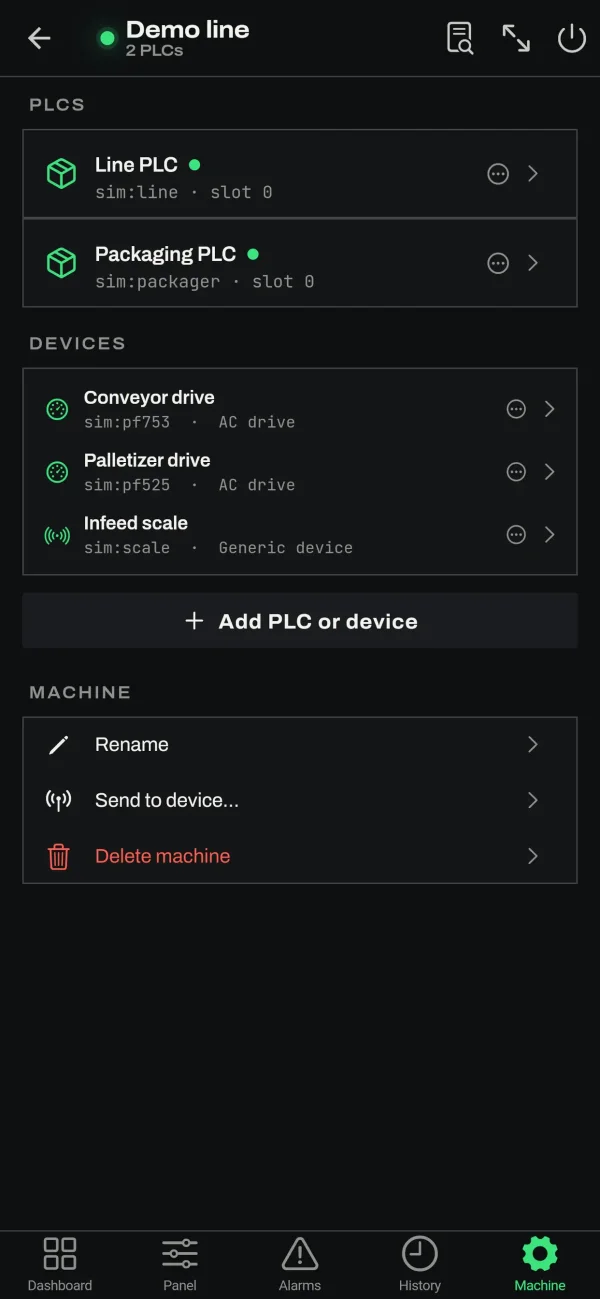
• Machine profiles — PLCs, register maps, pages, panel and alarm texts saved as one profile and shared as a file: enter the register map once, the next shift sees names.
• Built-in demo line — two virtual PLCs with a working panel so you can learn the whole app with no hardware.
LINEKEEPER PRO (IN-APP PURCHASE)
Reading is free forever. A one-time Pro purchase unlocks, on real controllers: writing setpoints and driving the operator panel, plus machine history — the parameter snapshot and the per-tag change log. Everyone who bought Write Unlock owns Pro automatically. The demo line includes every Pro feature free.
WHO IT'S FOR
Controls engineers, integrators and maintenance techs who need a quick window into a controller during commissioning, troubleshooting, or a line-down call — without carrying a laptop.
HOW IT CONNECTS
Your phone must be on the same network as the controller (plant Wi-Fi that routes to the PLC, or a USB-C Ethernet adapter). There is no cloud relay: if you can ping the PLC, the app can connect.
SUPPORTED CONTROLLERS
• Allen-Bradley CompactLogix and ControlLogix (the tag-based Logix 5000 family) over EtherNet/IP; SLC-500 and MicroLogix over PCCC, with the major fault decoded in place; PLC-5 via the address book (experimental).
• Siemens S7-300 and S7-400 out of the box; S7-1200 and S7-1500 with PUT/GET enabled and non-optimized DBs — the app shows the exact TIA Portal steps. Absolute addressing: DB, M, I/Q.
• Modbus TCP devices — Schneider, VFDs, energy meters, WAGO, Delta and other Modbus slaves, with per-connection unit ID and word-order settings.
Micro800, LOGO! and S7-200 use different protocols and are not supported yet.
SAFETY
Writing a value can move real machinery. You remain responsible for safe operation and must follow all site safety procedures. Never rely on the app for an emergency stop or any safety function. See the full terms at lnkeep.tech/terms.html.
Có gì mới
Phiên bản 1.15.2 · 15/11/2026
The LK On and LK Up links in the app now open lnkeep.tech, our site's main address. Everything else is as in 1.15.1: reading tags from a LineKeeper On device, remote control behind its key switch, and finding a controller by its address.
Quyền riêng tư của ứng dụng
Những gì Oleksandr Makarov khai báo trên App Store về cách ứng dụng này xử lý dữ liệu.
-
Dữ liệu không được thu thập
Nhà phát triển không thu thập bất kỳ dữ liệu nào từ ứng dụng này.
Phương thức đảm bảo quyền riêng tư có thể khác nhau, chẳng hạn như tuỳ theo các tính năng bạn sử dụng hoặc độ tuổi của bạn.
Thông tin
- Người bán
- Oleksandr Makarov
- Danh mục
- Tiện Ích
- Phiên bản
- 1.15.2
- Cập nhật
- 15/11/2026
- Phát hành
- 03/08/2026
- Kích thước
- 21,5 MB
- Yêu cầu
- iOS 15.0 trở lên
- Độ tuổi
- 4+
- Giá
- Miễn phí
- Mua hàng trong ứng dụng
- Có
- Ngôn ngữ
- Tiếng Anh
- Bản quyền
- © 2026 Oleksandr Makarov