PLC Ninja
Read PLC I/O in the field
Được thiết kế cho iPhone
Miễn phí · Mua hàng trong ứng dụng
- Độ tuổi4+
- Danh mụcTiện Ích
- Nhà phát triểnSHAOHUA YI
- Ngôn ngữTiếng Anh+ 4 ngôn ngữ khác
- Kích thước25,1 MB
Liên kết đến trang App Store chính thức
Download.org không lưu trữ tệp nào của PLC Ninja. Nút này mở trang ứng dụng trên App Store, nơi SHAOHUA YI phát hành ứng dụng. Trang được kiểm tra lần cuối: 14/11/2026.
Ảnh chụp màn hình

Giới thiệu
Nhà phát triển chưa cung cấp nội dung này bằng ngôn ngữ của bạn.
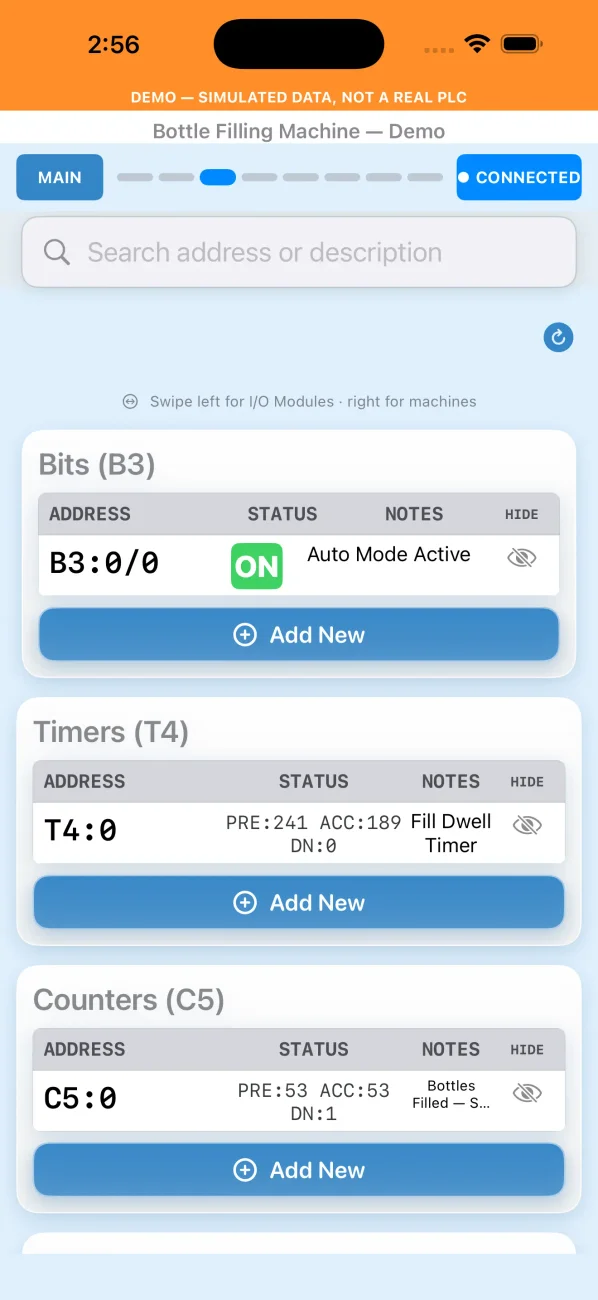
PLC Ninja puts live PLC data on your iPhone. Connect over Ethernet, Wi-Fi, or a serial adapter, and watch inputs, outputs, timers, counters and analog values update in real time — standing at the panel, not walking back to the office.
READ-ONLY BY DESIGN
PLC Ninja reads and shows. It never changes the PLC program and never forces I/O, so it is safe to hand to any technician. When the logic has to change, your laptop and the PLC maker's software are still the tools for that.
SEE I/O WHERE THE FAULT IS
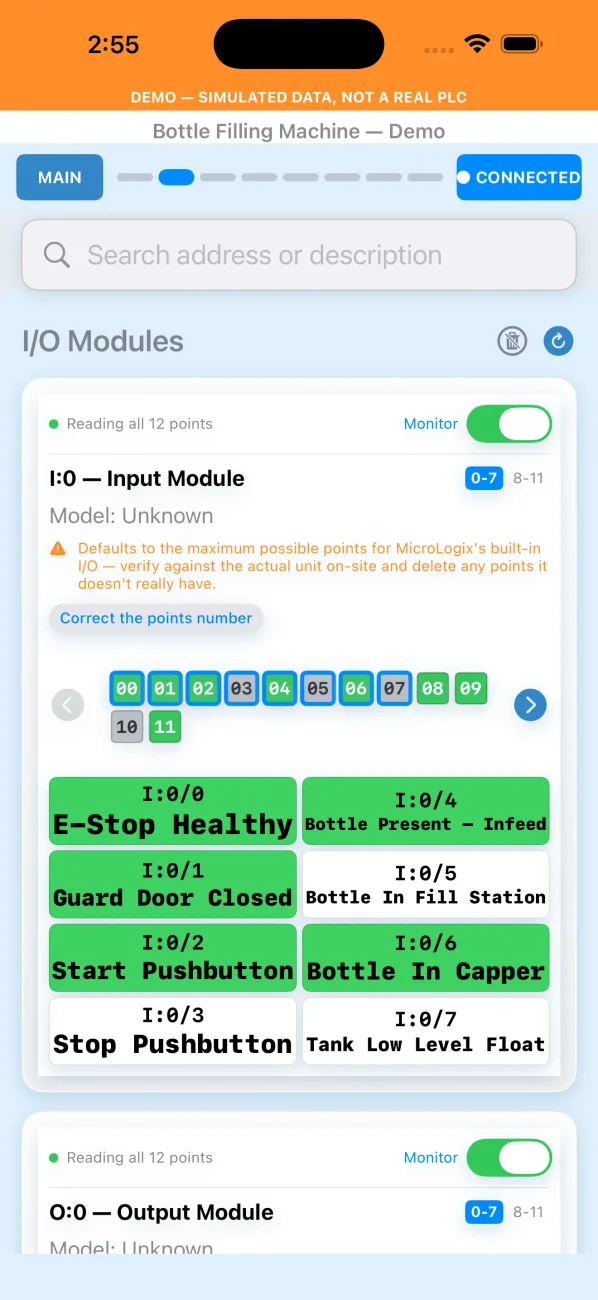
• I/O Cards: every module laid out by rack and slot, with your own notes on each point
• Monitor: tags, bits, words and analog values, live
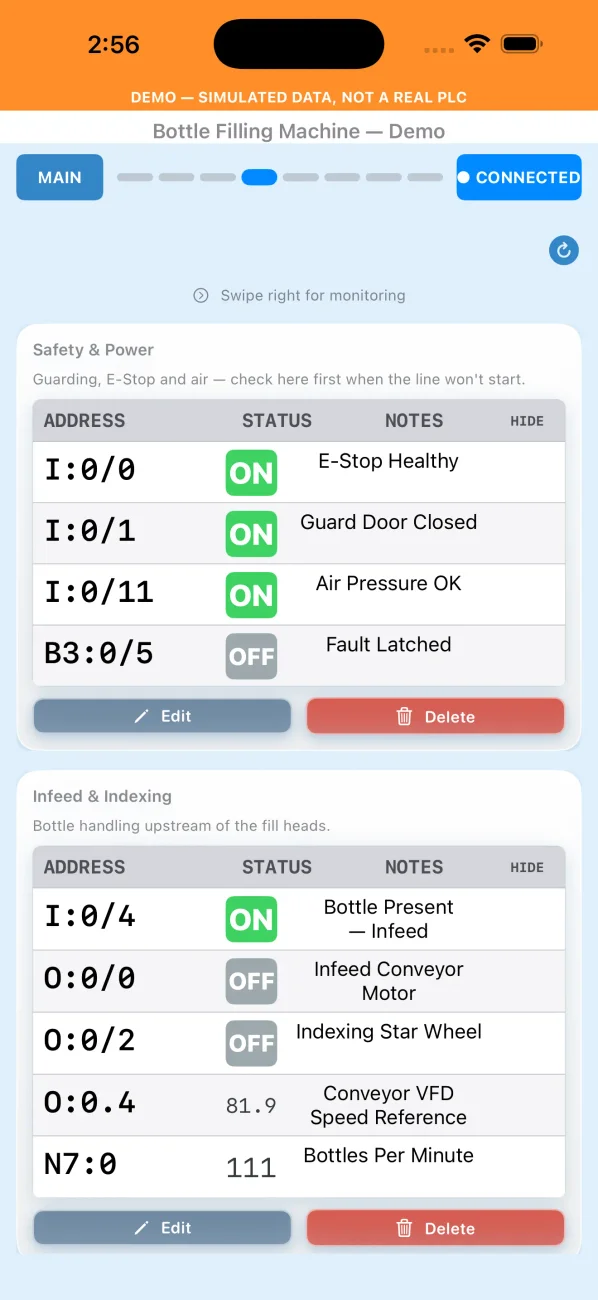
• Sections: group the points for one station or one fault in a single view
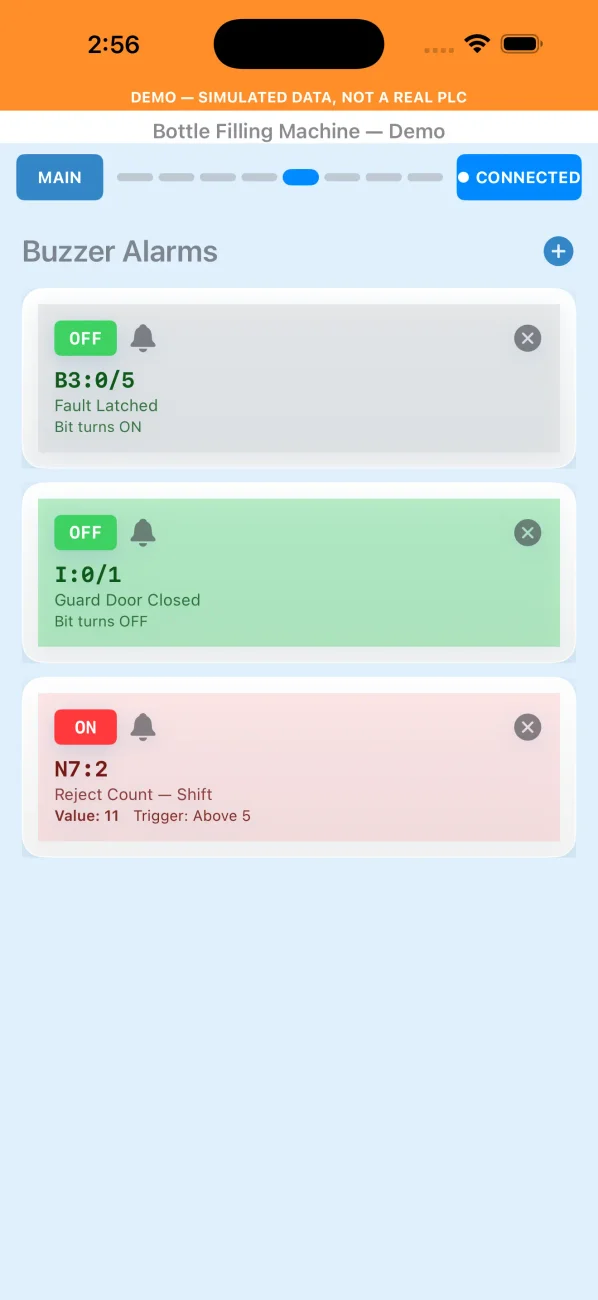
• Alarms and trend charts for analog values
• Drives: speed, current and status at a glance
CONNECT THE WAY THE MACHINE IS BUILT
• Ethernet PLCs over plant Wi-Fi, a travel router, or a USB-C / Lightning to Ethernet adapter
• Serial PLCs through a TCP/IP adapter such as PUSR USR-W610, PUSR USR-DR162 or Moxa NPort W2150A
• Kit Router: one GL.iNet Opal (GL-SFT1200) — plus a Moxa NPort 5110A for serial PLCs — reaches Ethernet and serial machines from the same Wi-Fi, without changing any PLC address. PLC Ninja sets the router up from the iPhone.
• PLC IP Detect finds PLCs and adapters on the network and fills in the new machine for you
• Load an L5X, CSV or STEP 7 configuration for tag names, racks and descriptions
SHARE WITH THE CREW
• Print a Scan & Connect QR label for each machine: scan it, and the iPhone joins the Wi-Fi and connects
• Share machine files by AirDrop, Messages or Mail
SUPPORTED PLCs
Allen-Bradley ControlLogix, CompactLogix, GuardLogix, Micro800, MicroLogix, SLC 500 and PLC-5; Siemens S7-1200, S7-1500, S7-300, S7-400, ET 200SP and LOGO!; Mitsubishi FX; AutomationDirect DirectLOGIC; Panasonic FP. The full list is in the app.
TRY IT FREE
The built-in Demo shows every feature with simulated data — no PLC needed, free on every plan. The Free edition includes a 14-day trial with one PLC (CPU rack digital I/O).
SUBSCRIPTIONS
Standard (up to 3 PLCs), Professional (up to 10 PLCs) and Ultimate (unlimited PLCs), billed monthly or yearly. Payment is charged to your Apple ID at confirmation of purchase. Subscriptions renew automatically unless cancelled at least 24 hours before the end of the current period. Manage or cancel in your Apple ID settings.
PLC Ninja is an independent product and is not affiliated with, endorsed by, or sponsored by Rockwell Automation, Siemens AG, AutomationDirect, Mitsubishi Electric, Panasonic, Moxa, GL.iNet or PUSR. Allen-Bradley, ControlLogix, CompactLogix, GuardLogix, Micro800, MicroLogix, SLC 500, PLC-5, RSLogix and Studio 5000 are trademarks of Rockwell Automation. SIMATIC, S7, ET 200SP and LOGO! are trademarks of Siemens AG. DirectLOGIC is a trademark of AutomationDirect. MELSEC and FX are trademarks of Mitsubishi Electric. All other product names are trademarks of their respective owners and are used only to identify the equipment this app can connect to.
Terms of Use (EULA): https://www.apple.com/legal/internet-services/itunes/dev/stdeula/
Privacy Policy: https://plcninja-support.github.io/support/privacy.html
Có gì mới
Phiên bản 1.2 · 08/11/2026
What's new in 1.2
• New first page: try the Demo, or connect a PLC in a few guided steps. The next step to take is highlighted as you go.
• Step 1 now asks how the iPhone reaches the PLC: Kit Router, Wi-Fi, or an Ethernet cable (USB-C / Lightning adapter). Ethernet cable checks the iPhone's address against the PLC's subnet.
• Kit Router: finds the router on its own, and Join now tells you if iOS didn't stay on the kit Wi-Fi.
• PLC IP Detect: New Machine takes the PLC's address, model and connection straight from the scan — including serial adapters (PUSR USR-W610, PUSR USR-DR162, Moxa NPort).
• Siemens S7: the CPU's order number and model are read automatically.
• ControlLogix / CompactLogix: progress shown during the first download from the CPU; analog cards now get the module's real channel count.
• SLC 500: connects reliably over a Moxa NPort 5110A; slot 0 (the processor) is no longer read as I/O.
• Sections: remove a point with swipe right ▸ Delete.
• Kit Router Guide and User Manual can be read in landscape.
• Many stability fixes.
Quyền riêng tư của ứng dụng
Những gì SHAOHUA YI khai báo trên App Store về cách ứng dụng này xử lý dữ liệu.
-
Dữ liệu không được thu thập
Nhà phát triển không thu thập bất kỳ dữ liệu nào từ ứng dụng này.
Phương thức đảm bảo quyền riêng tư có thể khác nhau, chẳng hạn như tuỳ theo các tính năng bạn sử dụng hoặc độ tuổi của bạn.
Thông tin
- Người bán
- SHAOHUA YI
- Danh mục
- Tiện Ích
- Phiên bản
- 1.2
- Cập nhật
- 08/11/2026
- Phát hành
- 10/09/2026
- Kích thước
- 25,1 MB
- Yêu cầu
- iOS 17.6 trở lên
- Độ tuổi
- 4+
- Giá
- Miễn phí
- Mua hàng trong ứng dụng
- Có
- Ngôn ngữ
- Tiếng Anh, Tiếng Pháp, Tiếng Trung Giản thể, Tiếng Tây Ban Nha, Tiếng Trung Phồn thể
- Bản quyền
- © 2026 Shaohua Yi