- Độ tuổi4+
- Danh mụcHiệu Suất
- Nhà phát triểnUladzislau Lapunou
- Ngôn ngữTiếng Tây Ban Nha+ 7 ngôn ngữ khác
- Kích thước14,6 MB
Liên kết đến trang App Store chính thức
Download.org không lưu trữ tệp nào của Listo Planner. Nút này mở trang ứng dụng trên App Store, nơi Uladzislau Lapunou phát hành ứng dụng. Trang được kiểm tra lần cuối: 08/11/2026.
Ảnh chụp màn hình

Giới thiệu
Nhà phát triển chưa cung cấp nội dung này bằng ngôn ngữ của bạn.
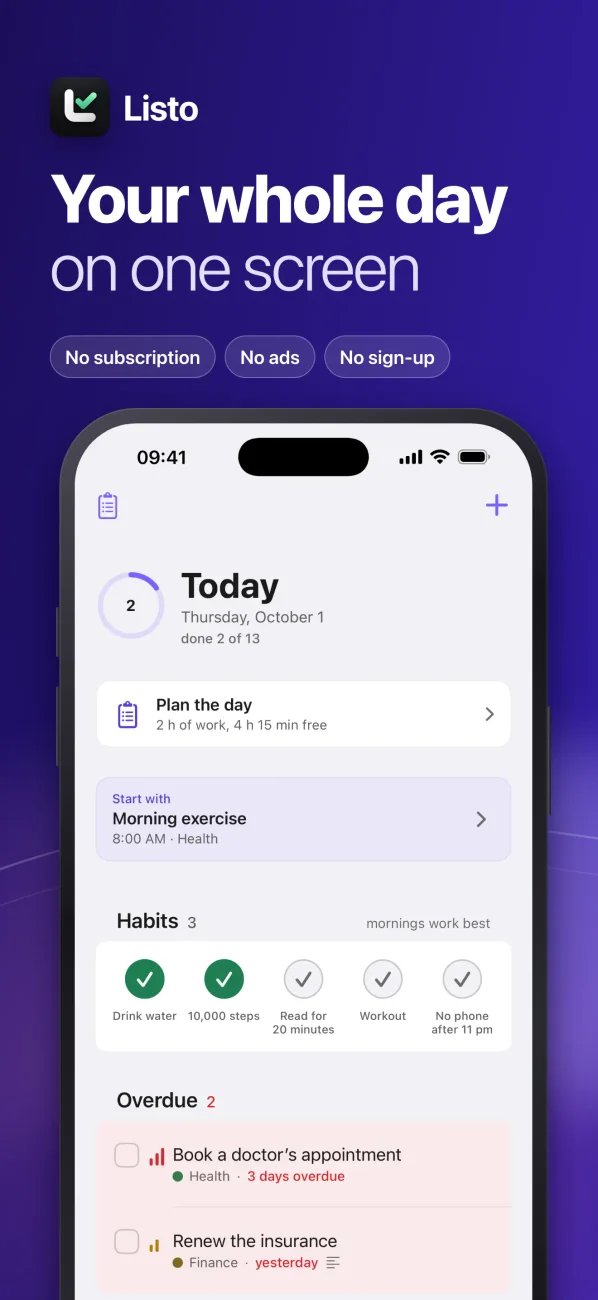
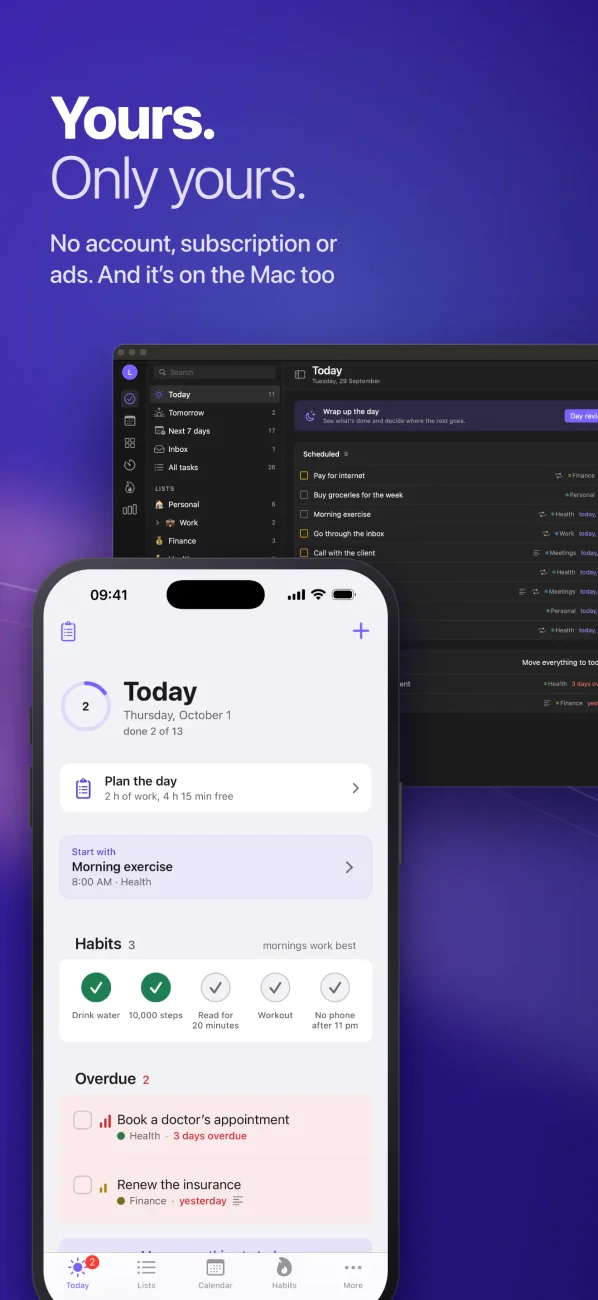
Listo is a task planner for iPhone. Everything you have to do lives in one app and shows up the way that suits the moment: a line in a list, a block in the calendar or a cell in the matrix.
THE DAY STARTS ON ONE SCREEN
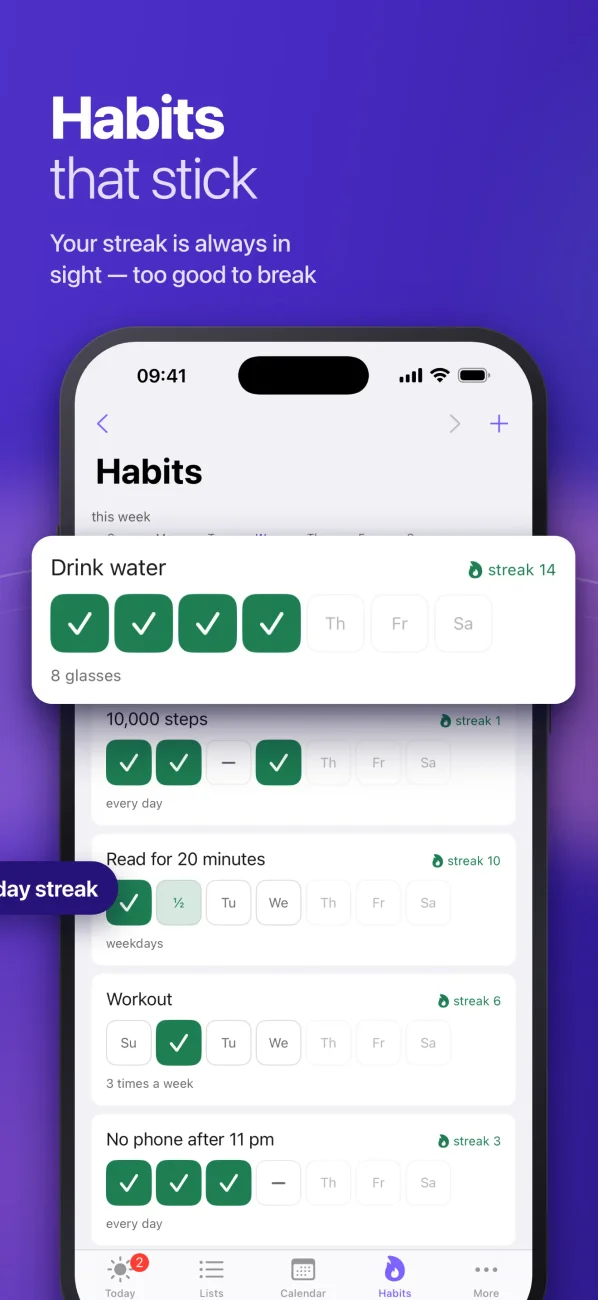
• Today — what is planned, what is overdue, how your habits are going
• Everything overdue moves to today with a single tap
• Swipe right to complete, swipe left to reschedule or delete
LISTS, DUE DATES, REPEATS
• Lists and subtasks, priorities, labels — all created right on the phone
• Repeats: every day, on weekdays, weekly, every two weeks, monthly, yearly
• A rule like "every second Tuesday of the month", built on the Mac, works here too
• Smart lists: today, tomorrow, next seven days, inbox
QUICK ADD
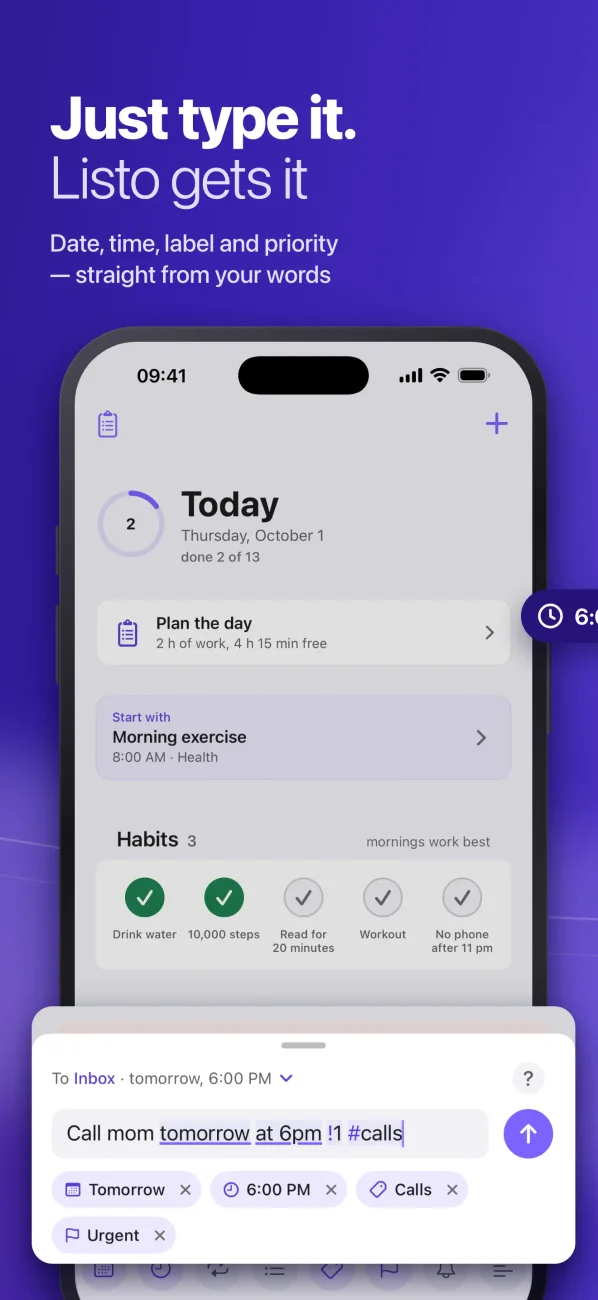
Write "Call the clinic tomorrow at 6pm !1 #health" and you get a task due tomorrow evening, marked important and labelled. Listo reads plain English: "on Monday", "in 3 days", "every Tuesday", "remind me 30 minutes before". What it recognized is highlighted in the line and collected into chips below it — you see what you are about to get before you tap.
You do not have to know any of that: the buttons above the keyboard cover due date, time, priority, list, label and reminder. The sheet stays open after you add, so five errands go in one after another. Paste a list from notes and Listo offers to split it into separate tasks.
WITHOUT OPENING THE APP
• Widgets for Today, Habits, Focus and New task — on the home screen and the lock screen
• Tasks and habits are checked off on the widget itself
• New task and Focus in Control Center and on the Action button
• Siri and Shortcuts
• Share from the browser: the link goes to the inbox with the page title
• Due reminders and a morning summary
CALENDAR AND MATRIX
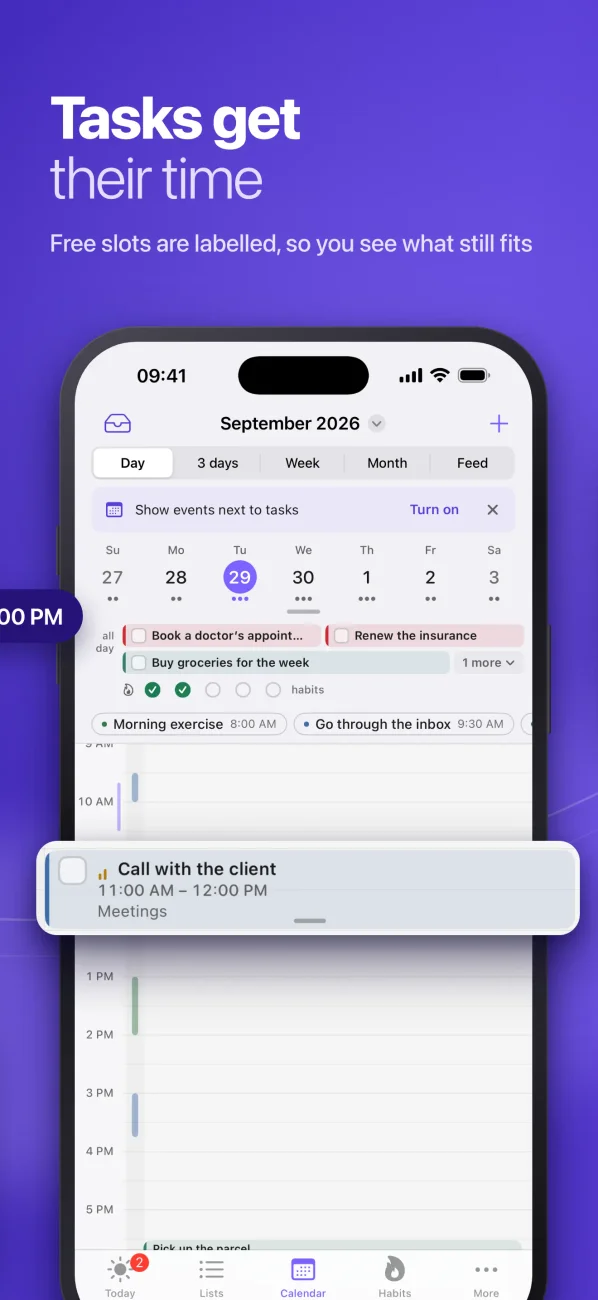
• Five views: day, three days, week, month and a two-week feed
• Tap an empty slot to put a task on the clock; drag to move it, pull the edge for its length, undo right there
• Free time inside working hours is spelled out: "2 h 45 min free"
• Events from your iPhone calendars sit next to tasks — read only, they never leave the phone
• Routine keeps its own lane at the edge of the day, so the one thing you opened the calendar for is not buried under it
• Travel time: a meeting at 15:00 with a 30-minute drive takes the room before it, and nothing gets scheduled there
• Eisenhower matrix: four quadrants, tasks sorted automatically by due date and priority
FOCUS
Sessions of 25, 50 or 90 minutes tied to a task. The timer is on the lock screen and in the Dynamic Island, with pause and stop right there, so the phone can go face down. The day's sessions and the week's chart — hours in focus and tasks closed per day — show where the time actually went.
MADE FOR IPHONE
• Native SwiftUI interface, dark and light themes
• Eight languages: English, Russian, German, Spanish, French, Portuguese, Italian, Ukrainian
• Time, dates and the first day of the week follow your region
• Dynamic Type all the way to the largest system font
• Haptics, familiar swipes, a badge on the icon
SYNC ONLY IF YOU NEED IT
The app works completely without an account: tasks are kept on this device and go nowhere. An account does exactly one thing — puts the same tasks on your Mac and other devices. Sign in with email or with Apple.
WHAT HAPPENS TO YOUR DATA
Before you sign in, nothing leaves the phone. After you sign in, the server gets your email address and what you created: tasks, lists, labels, habits, focus sessions. No analytics, no ads, no trackers; the data is not sold and not shared with anyone. The account and all its data are deleted from inside the app: More → Account → Delete account.
REQUIREMENTS
iOS 18 or later. iPhone.
Có gì mới
Phiên bản 1.0.5 · 05/10/2026
Lists
• Every list gets its own icon — a symbol or an emoji, picked automatically from the name
• Sections inside lists, nested lists, an archive, and drag to reorder
• The list header shows how much is already done
Calendar
• Hold a finger on free time and drag down to create a task of any length
• Calendar View: task colors, vivid or outlined blocks, hidden night hours, a work week
Make it yours
• Eight accent colors and new app icons
• Choose your tabs, set daily goals, and defaults for new tasks
Quyền riêng tư của ứng dụng
Những gì Uladzislau Lapunou khai báo trên App Store về cách ứng dụng này xử lý dữ liệu.
-
Dữ liệu không liên kết với bạn
Có thể được thu thập nhưng không liên kết với danh tính của bạn.
- Thông tin liên hệ
- Mã định danh
Phương thức đảm bảo quyền riêng tư có thể khác nhau, chẳng hạn như tuỳ theo các tính năng bạn sử dụng hoặc độ tuổi của bạn.
Thông tin
- Người bán
- Uladzislau Lapunou
- Danh mục
- Hiệu Suất
- Phiên bản
- 1.0.5
- Cập nhật
- 05/10/2026
- Phát hành
- 18/09/2026
- Kích thước
- 14,6 MB
- Yêu cầu
- iOS 18.0 trở lên
- Độ tuổi
- 4+
- Giá
- Miễn phí
- Ngôn ngữ
- Tiếng Tây Ban Nha, Tiếng Đức, Tiếng Pháp, Tiếng Anh, Tiếng Ý, Tiếng Bồ Đào Nha, Tiếng Nga, Tiếng Ukraina
- Bản quyền
- © 2026 Влад Лопунов