Live Timekeeper|Visual Timer
Sync Timers Across Devices
Được thiết kế cho iPhone, iPad
Miễn phí · Mua hàng trong ứng dụng
- Độ tuổi4+
- Danh mụcTiện Ích
- Nhà phát triểnkentaro hirahara
- Ngôn ngữTiếng Nhật+ 8 ngôn ngữ khác
- Kích thước12,5 MB
Liên kết đến trang App Store chính thức
Download.org không lưu trữ tệp nào của Live Timekeeper|Visual Timer. Nút này mở trang ứng dụng trên App Store, nơi kentaro hirahara phát hành ứng dụng. Trang được kiểm tra lần cuối: 23/11/2026.
Ảnh chụp màn hình


Giới thiệu
Nhà phát triển chưa cung cấp nội dung này bằng ngôn ngữ của bạn.
Live Timekeeper is a timekeeping app for seeing, communicating, and sharing time.
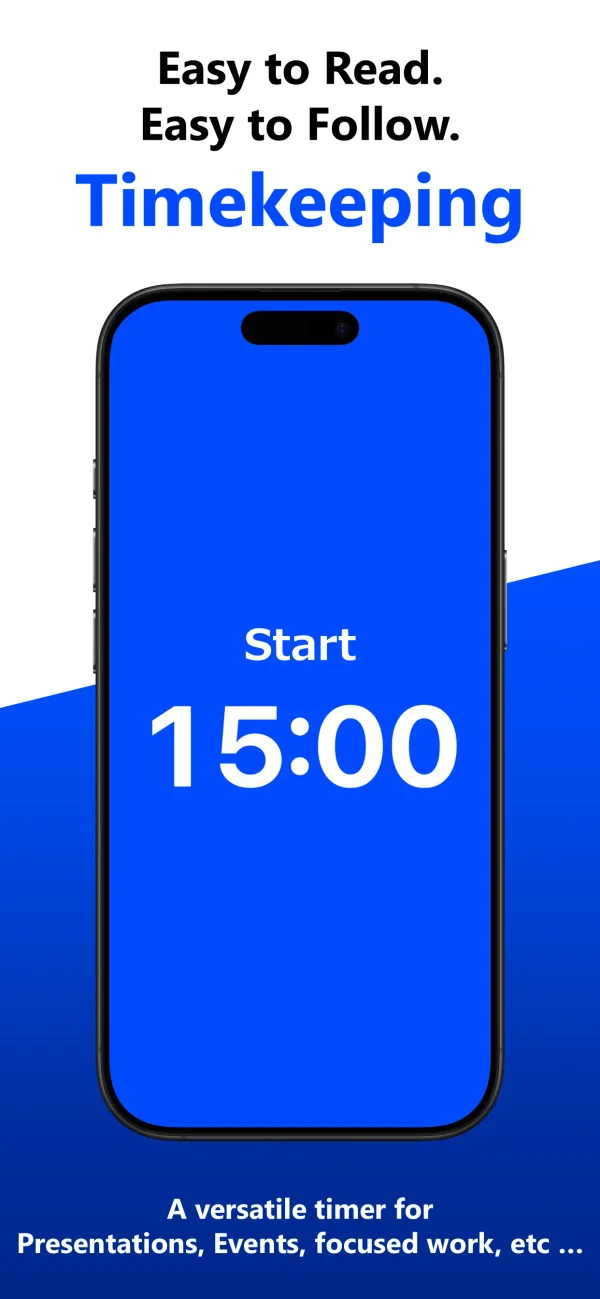
For presentations, conferences, events, workouts, study, work, and more. Large digits, full-screen colors, and progress styles make time clear at a glance.
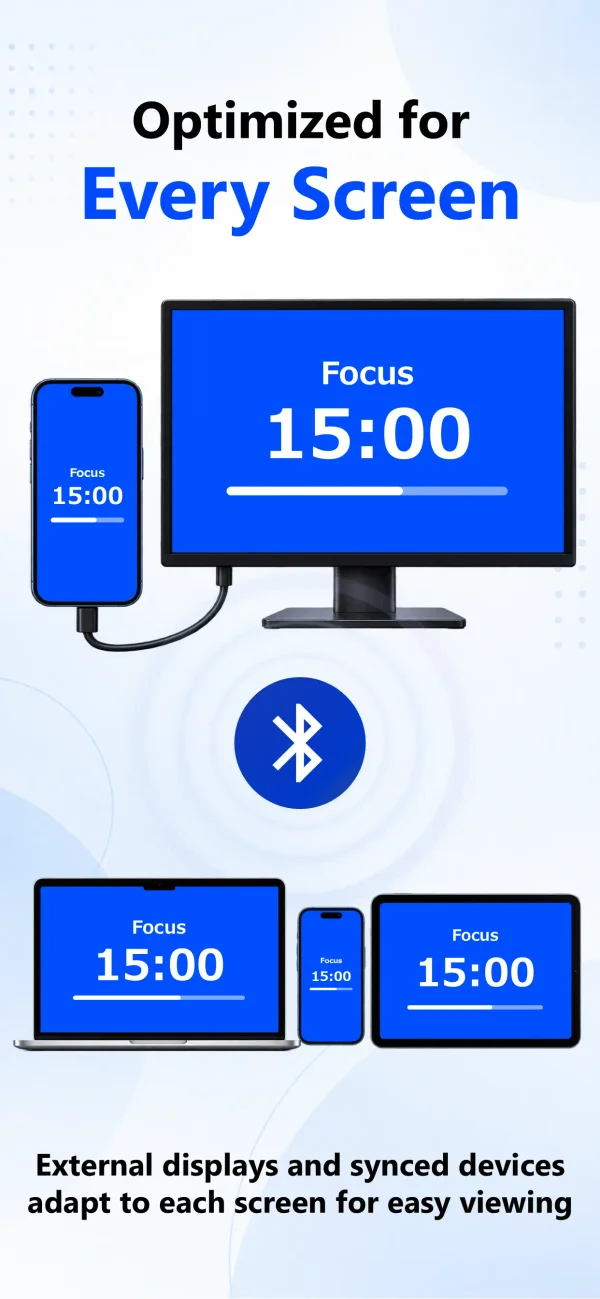
With Bluetooth, share a timer with nearby devices.
Control it from one device and keep the same timeline synchronized across multiple iPhones and iPads.
Mac full-screen viewing and external displays for iPhone and iPad are supported.
Don’t just measure time—show it.
And share it across multiple screens.
Live Timekeeper works just as well on one device as across several.
――――――――――
■ Sync timers across devices with Bluetooth
Connect nearby devices over Bluetooth. One acts as host, and participants follow its phase, progress, and timeline—not just start and stop commands.
It’s useful for presenters and timekeepers, event teams, or several displays showing the same time.
Participants can mirror the host’s display or use their own style. If allowed, they can start, pause, reset, or trigger the chime.
No internet connection is required for Bluetooth timer synchronization.
――――――――――
■ Make time visible
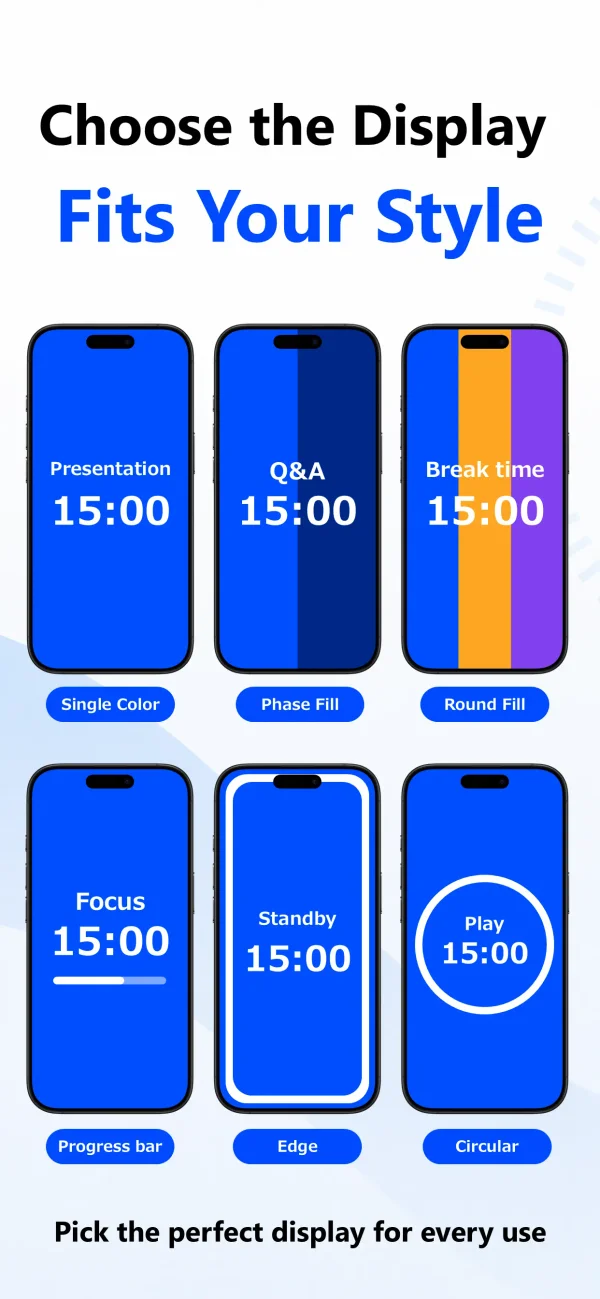
Live Timekeeper goes beyond numbers, using the full screen to visualize progress.
・Simple single-color display
・Background colors that change by phase
・Full-screen progress within the current phase
・Color-coded progress across the entire timer
・Progress around the edges of the screen
・Circular progress around the timer
Choose the style that fits your needs and see progress at a glance.
――――――――――
■ Mac and external displays
Use the full screen on Mac with no borders.
Connect an iPhone or iPad to a display and the timer automatically fits its screen. Keep the controls on your device while showing the timer full-screen on a monitor or projector.
Ideal for presentations, events, and venue operations.
――――――――――
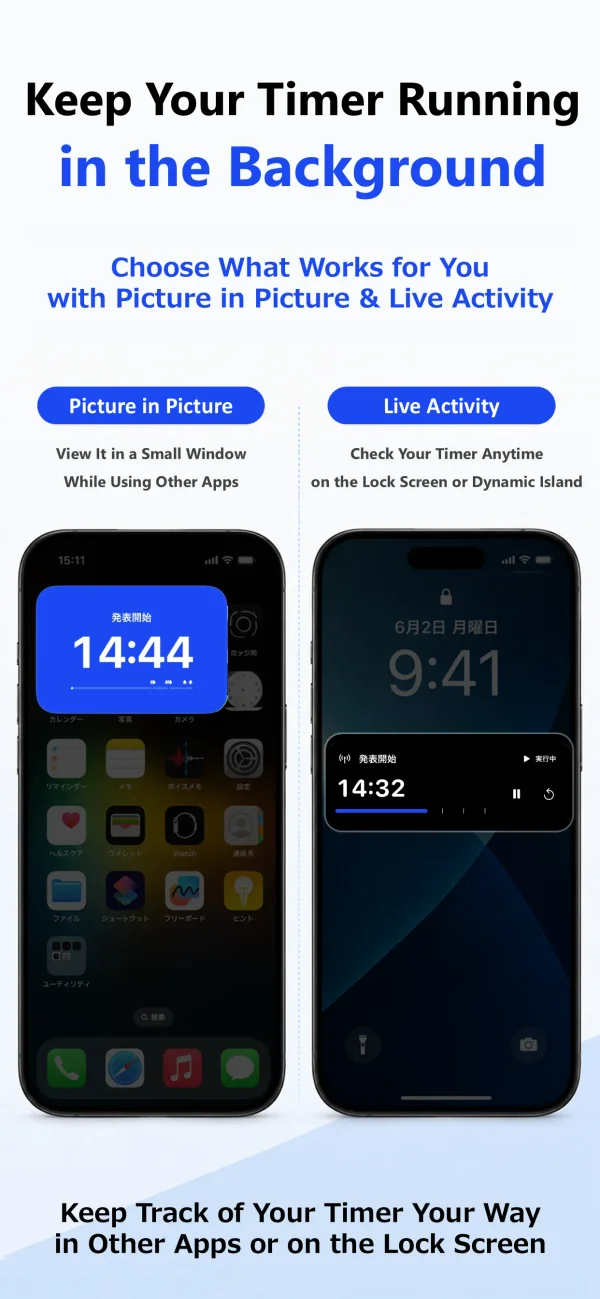
■ Keep the timer visible in other apps and on the Lock Screen
Picture in Picture keeps the timer visible while you use other apps. Live Activities show it on the Lock Screen or Dynamic Island.
From supported views, start, pause, or reset the timer without bringing the app to the foreground.
――――――――――
■ Build timers with multiple phases
Divide a timer into multiple phases, for example:
“Presentation → Q&A”
“Work → Break”
“Setup → Session → Wrap-up”
Each phase can have its own duration, description, background color, and chime.
Countdown and count-up are supported, along with overtime display and repeated or continuous runs.
Save your setup as a preset and reuse it anytime.
Built-in presets are available for presentations, Pomodoro sessions, workouts, cooking, and event operation.
――――――――――
■ Customize the display
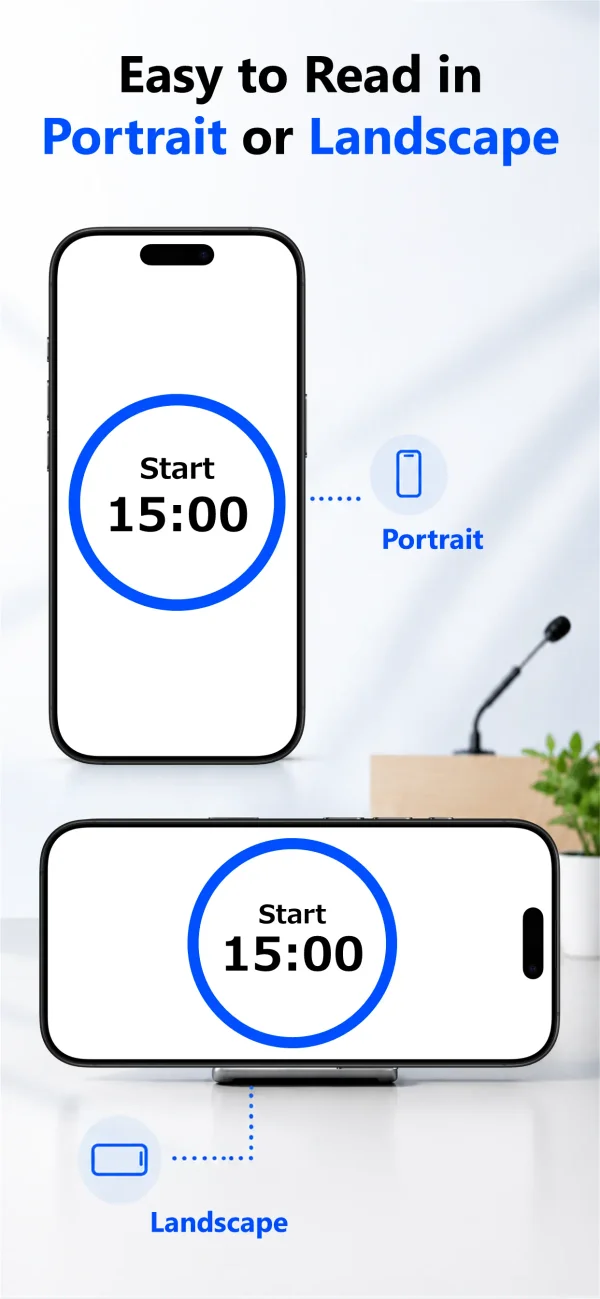
Customize background and text colors, timer and description sizes, fonts, and progress styles.
Use Live Timekeeper as a simple timer or a full-screen timekeeper that communicates time through color.
――――――――――
■ Use chimes to signal timing
Use chimes at the start, at phase changes, or at the end. Set them by phase or trigger one manually when timing needs to be communicated with sound.
――――――――――
■ Share presets
Share presets by QR code or the system share menu to reuse them on other devices or send them to someone else.
――――――――――
■ Great for
・Presentations, conference talks, and thesis defenses
・Lectures, seminars, and workshops
・Event and stage operation
・Meetings and discussions
・Workouts and interval training
・Study and focus sessions
・Cooking and timed workflows
・Timer displays across multiple devices
・Timer displays on external monitors and projectors
Live Timekeeper lets you do more than measure time: choose how to show it and share the same timeline across the screens that need it.
――――――――――
Terms of Use (Apple Standard EULA):
https://www.apple.com/legal/internet-services/itunes/dev/stdeula/
Có gì mới
Phiên bản 1.2.3 · 11/11/2026
- Made minor fixes and improvements to usability and stability.
Quyền riêng tư của ứng dụng
Những gì kentaro hirahara khai báo trên App Store về cách ứng dụng này xử lý dữ liệu.
-
Dữ liệu được sử dụng để theo dõi bạn
Có thể được sử dụng để theo dõi bạn trên các ứng dụng và trang web do công ty khác sở hữu.
- Vị trí
- Mã định danh
- Dữ liệu sử dụng
-
Dữ liệu liên kết với bạn
Có thể được thu thập và liên kết với danh tính của bạn.
- Vị trí
- Mã định danh
- Dữ liệu sử dụng
-
Dữ liệu không liên kết với bạn
Có thể được thu thập nhưng không liên kết với danh tính của bạn.
- Mục mua
- Chẩn đoán
Phương thức đảm bảo quyền riêng tư có thể khác nhau, chẳng hạn như tuỳ theo các tính năng bạn sử dụng hoặc độ tuổi của bạn.
Thông tin
- Người bán
- kentaro hirahara
- Danh mục
- Tiện Ích
- Phiên bản
- 1.2.3
- Cập nhật
- 11/11/2026
- Phát hành
- 21/08/2026
- Kích thước
- 12,5 MB
- Yêu cầu
- iOS 17.0 trở lên
- Độ tuổi
- 4+
- Giá
- Miễn phí
- Mua hàng trong ứng dụng
- Có
- Ngôn ngữ
- Tiếng Nhật, Tiếng Ả Rập, Tiếng Tây Ban Nha, Tiếng Đức, Tiếng Pháp, Tiếng Bồ Đào Nha, Tiếng Trung Giản thể, Tiếng Anh, Tiếng Hàn
- Bản quyền
- © 2026 Kentaro Hirahara