- Độ tuổi4+
- Danh mụcHiệu Suất
- Nhà phát triểnHolden International Inc.
- Ngôn ngữTiếng Trung Phồn thể+ 1 ngôn ngữ khác
- Kích thước1,3 MB
Liên kết đến trang App Store chính thức
Download.org không lưu trữ tệp nào của M4BeaconConfig. Nút này mở trang ứng dụng trên App Store, nơi Holden International Inc. phát hành ứng dụng. Trang được kiểm tra lần cuối: 18/11/2026.
Ảnh chụp màn hình

Giới thiệu
Nhà phát triển chưa cung cấp nội dung này bằng ngôn ngữ của bạn.
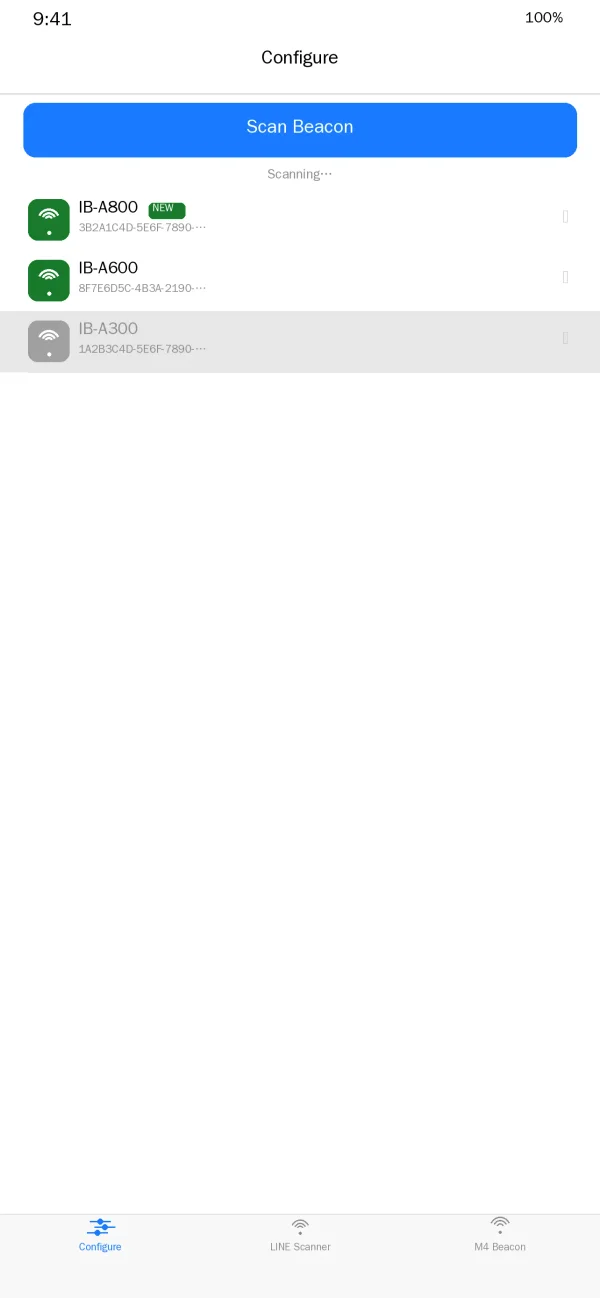
M4 Beacon Config is the official configuration tool for Holden International M4 IB-A series BLE beacons, including the IB-A300, IB-A600, IB-A700, and IB-A800 models.
Supports both M4 Line Simple Beacon and M4 Security Beacon firmware. The app automatically detects which parameters are available on each connected device and shows only the relevant controls.
KEY FEATURES
• Scan and connect to M4 IB-A series beacons via Bluetooth Low Energy (BLE)
• Read and write all GATT configuration parameters
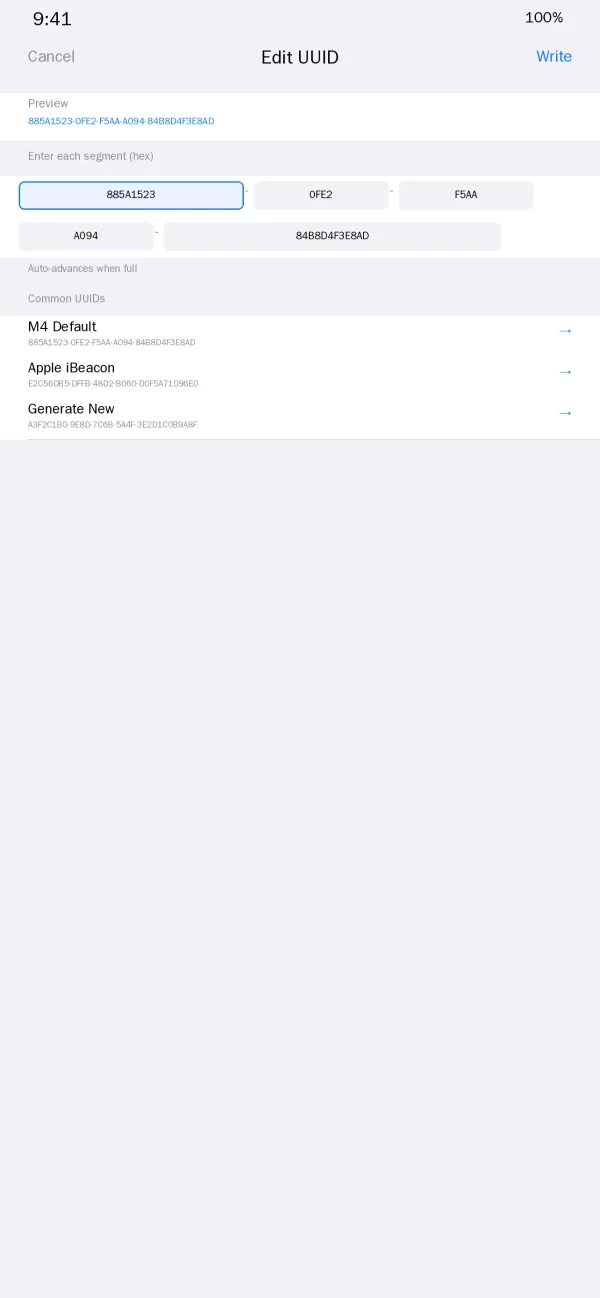
• Configure UUID, Major/Minor, RSSI Calibration, Manufacturer ID, Advertising Interval, TX Power, and LED
• Access Hardware ID (HWID), Inventory ID, and Device Message (Line Simple Beacon firmware only)
• Automatic GATT attribute detection — fields shown only when supported by the connected device
• Traditional Chinese (繁體中文) language support
• No internet connection required during configuration
SUPPORTED DEVICES
• IB-A300 — Compact beacon, battery or Micro-USB power
• IB-A600 — Waterproof sealed beacon, ER14505 battery
• IB-A700 — USB-C powered beacon
• IB-A800 — Advanced sensor beacon with built-in buzzer and temperature/humidity sensor (Gainta G519B enclosure)
HOW TO USE
1. Place the beacon in configuration mode by pressing its button or power cycling.
2. Open the app and tap Scan Beacon to find nearby M4 beacons.
3. Tap a beacon to connect. The app reads all current settings automatically.
4. Tap any parameter to edit and write the new value.
5. Disconnect — the beacon immediately broadcasts with the new settings.
For technical documentation and firmware information, visit www.m4grid.com.
Có gì mới
Phiên bản 1.3 · 11/05/2026
NEW IN VERSION 1.3
Scanner Tabs
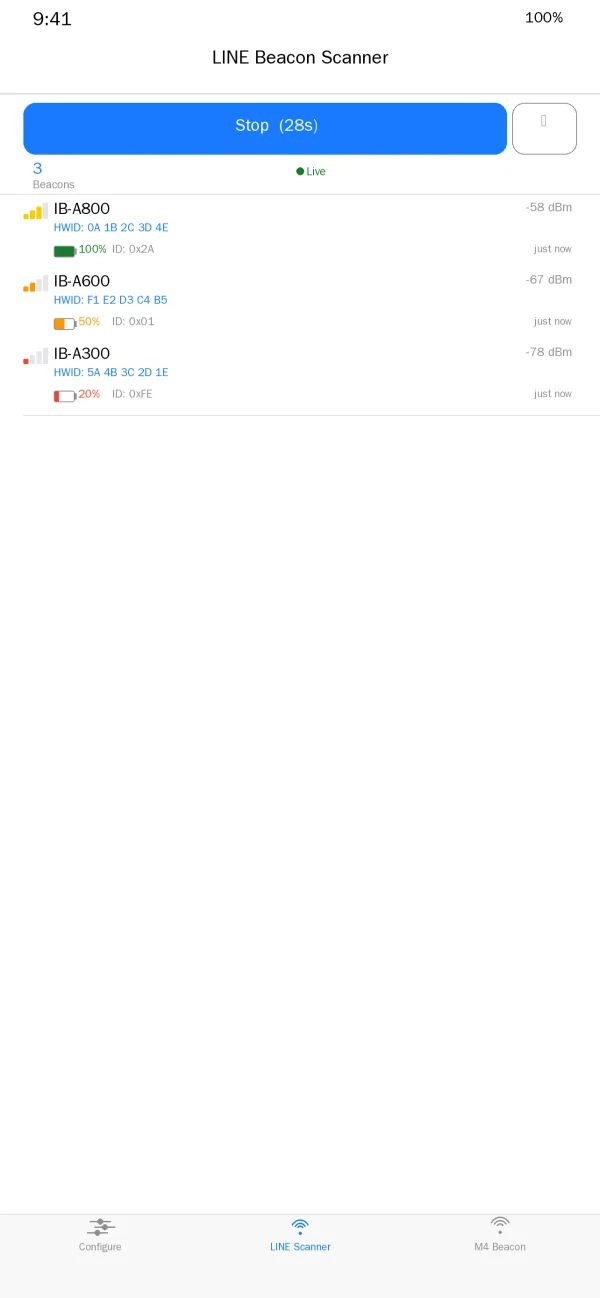
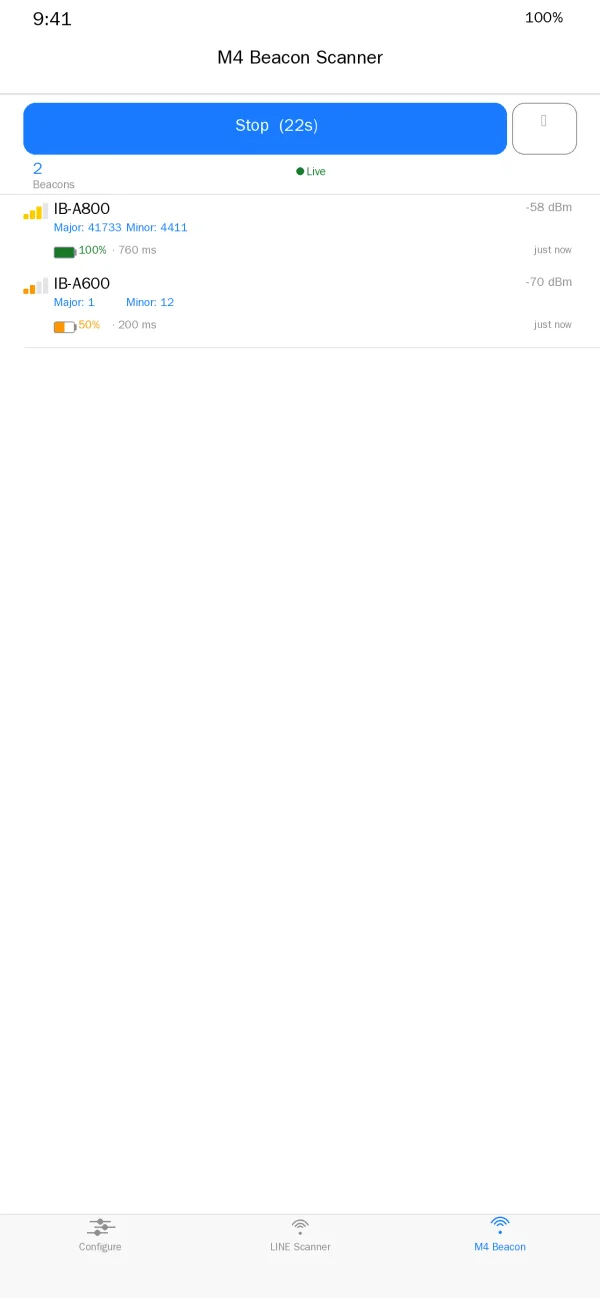
• LINE Beacon Scanner — detects LINE Simple Beacons (0xFE6F), showing Hardware ID, battery, and inventory ID
• M4 Beacon Scanner — detects M4 IB-A series beacons in iBeacon mode with Major, Minor, battery, and adv interval Power Saving
• Scanning auto-stops after 30 seconds (countdown shown on button)
• Beacons inactive for 60 seconds are automatically removed
• Scanning stops when switching tabs Configuration
• UUID editor split into 5 segments (8-4-4-4-12) with auto-advance
• Advertising Interval: logarithmic slider 100ms–100,000ms with presets
• TX Power: signal bar indicator with per-level descriptions
• Device Message: dual ASCII/Hex editor with live preview
• Connection: Cancel button and 15-second timeout
• Pairing PIN 668866 shown during connection
Quyền riêng tư của ứng dụng
Những gì Holden International Inc. khai báo trên App Store về cách ứng dụng này xử lý dữ liệu.
-
Dữ liệu không được thu thập
Nhà phát triển không thu thập bất kỳ dữ liệu nào từ ứng dụng này.
Phương thức đảm bảo quyền riêng tư có thể khác nhau, chẳng hạn như tuỳ theo các tính năng bạn sử dụng hoặc độ tuổi của bạn.
Thông tin
- Người bán
- Matrix Strategy Inc.
- Danh mục
- Hiệu Suất
- Phiên bản
- 1.3
- Cập nhật
- 11/05/2026
- Phát hành
- 08/05/2026
- Kích thước
- 1,3 MB
- Yêu cầu
- iOS 16.6 trở lên
- Độ tuổi
- 4+
- Giá
- Miễn phí
- Ngôn ngữ
- Tiếng Trung Phồn thể, Tiếng Anh
- Bản quyền
- © 2026 Holden International Inc.
Có thể bạn cũng thích
-
 TimerBar: Presentation TimerHiệu Suất
-
 Stikkr: Niimbot/Phomemo LabelsHiệu Suất
-
 The Presentation TimerHiệu Suất
-
 Tìm tai nghe: BluetoothTìm thiết bị gần bạn
-
 SIGNL4 - Mobile AlertingHiệu Suất
-
 SupportPay: Split ExpensesHiệu Suất
-
 @Mail2000Hiệu Suất
-
 Air Printer: Print & Scanner.Hiệu Suất
-
 Touch PortalHiệu Suất
-
 Wildix Collaboration MobileHiệu Suất